Decomposing Images into Editable RGBA Layers
Paper Project Page Model (Hugging Face) Code
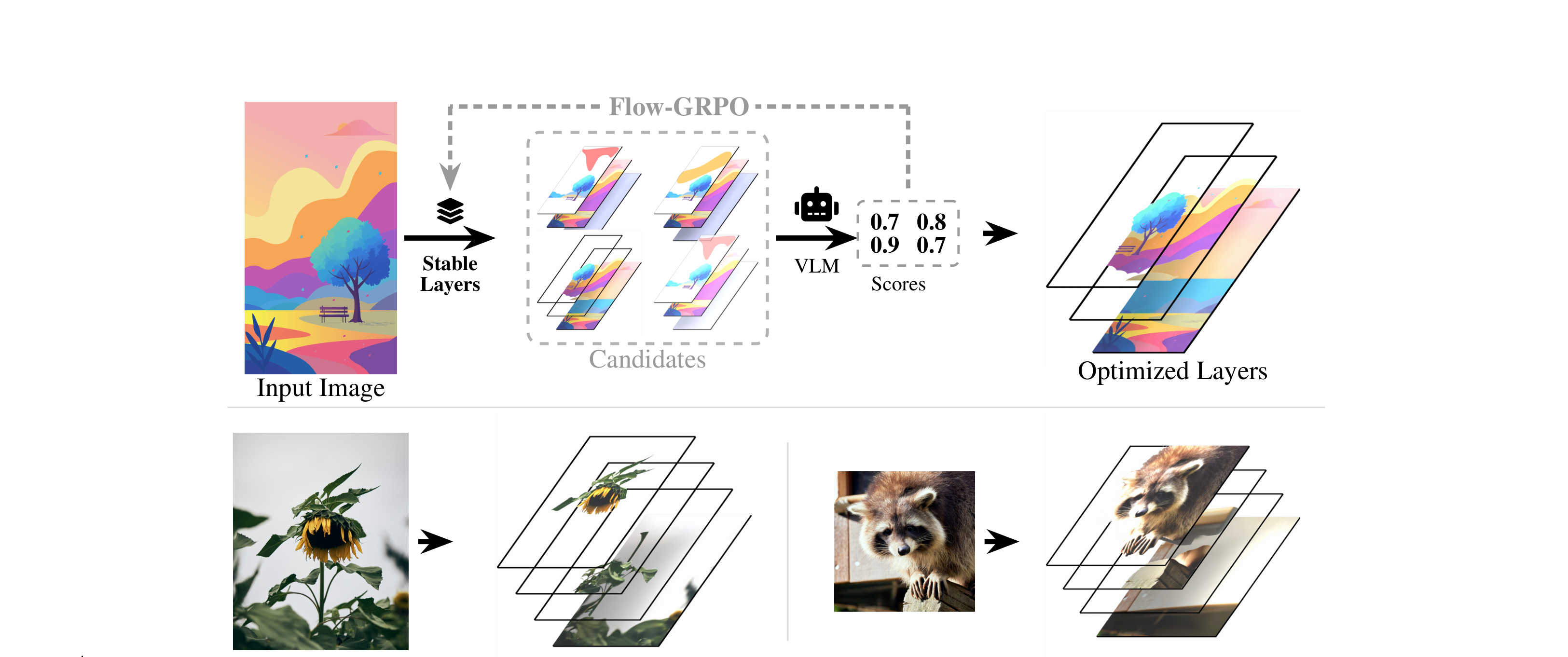
## About **Stable Layers** decomposes a single RGB image into a small stack of back-to-front RGBA layers (background plus object layers) suitable for compositing and editing. This repository hosts the LoRA adapter over `Qwen/Qwen-Image-Layered`. This model was trained using Qwen 3.5 9b as the VLM teacher. ## Model Artifacts This repository **is** the LoRA adapter (`adapter_config.json`, `adapter_model.safetensors`). The base model is pulled from Hugging Face automatically (`Qwen/Qwen-Image-Layered`). See the [code repository](https://github.com/Stability-AI/Stable-Layers) for the inference script. ## Installation ```bash pip install torch diffusers transformers peft pillow numpy ``` Tested with `torch 2.11`, `diffusers 0.37`, `transformers 5.5`, `peft 0.18`. Requires **one GPU** — the base model is ~40 GB in bf16, so an 80 GB-class card (A100-80 / H100 / H200) is comfortable. ## Recommended Inference Settings > ### **Heun sampler · 50 steps · CFG 1.0 · 640 px · 4 layers** | Setting | Value | Flag | |---|---|---| | **Sampler** | **Heun (2nd order)** | always used — not configurable | | **Steps** | **50** | `--steps 50` | | **CFG / guidance** | **1.0 (off)** | `--guidance-scale 1.0` | | Resolution | 640 px (max dim) | `--size 640` | | Layers | 4 | `--num-layers 4` | **Note:** using a higher resolution, lower steps, or a non-Heun sampler will garble the results. ## Quickstart ```bash # single image python decompose.py --input photo.png --output results/ # a directory of images python decompose.py --input images/ --output results/ # RGBA layers with real alpha (for compositing / editors) python decompose.py --input images/ --output results/ --transparent # explicit LoRA location python decompose.py --input photo.png --output results/ --lora ./model ``` ## Outputs ``` results/