# API-Key 配置指南
## 一、大语言模型 (LLM)
### 以 DeepSeek 为例
**官方文档**:https://api-docs.deepseek.com/zh-cn/
提示: 对于中国以外用户建议使用 Gemini、Claude、ChatGPT 等主流大语言模型以获得最佳体验。
### 配置步骤
1. **申请 API Key**
- 访问平台:https://platform.deepseek.com/usage
- 登录后申请 API Key
- ⚠️ **重要**:妥善保存获取的 API Key
2. **配置参数**
- **模型名称**:`deepseek-chat`
- **Base URL**:`https://api.deepseek.com/v1`
- **API Key**:填写上一步获取的 Key
3. **API填写**
- **Web使用**:
- 在LLM模型下拉框中选择使用自定义模型,模型按照配置参数进行填写
- 或是在`config.toml`中 找到`[llm]`并配置model、base_url、api_key。Web页面下拉框会出现你填写的模型。
- **CLI**:
- 如果你偏好 CLI 入口,需要在`config.toml`中找到`[llm]`并配置model、base_url、api_key。
## 二、多模态大模型 (VLM)
### 2.1 使用GLM-4.6V
**API Key 管理**:https://open.bigmodel.cn/usercenter/proj-mgmt/apikeys
### 配置参数
- **模型名称**:`glm-4.6v`
- **Base URL**:`https://open.bigmodel.cn/api/paas/v4/`
### 2.2 使用Qwen3-VL
**API Key管理**:进入阿里云百炼平台申请API Key https://bailian.console.aliyun.com/cn-beijing/?apiKey=1&tab=globalset#/efm/api_key
- **模型名称**:`qwen3-vl-8b-instruct`
- **Base URL**:`https://dashscope.aliyuncs.com/compatible-mode/v1`
- **参数填写**:
- **Web使用**:
- 在VLM模型下拉框中选择使用自定义模型,模型按照配置参数进行填写。
- 或是在`config.toml`中 找到`[vlm]`并配置model、base_url、api_key。Web页面下拉框会出现你填写的模型。
- **CLI**:
- 如果你偏好 CLI 入口,需要在`config.toml`中找到`[vlm]`并配置model、base_url、api_key。
### 2.3 使用Qwen3-Omni
Qwen3-Omni同样可以在阿里云百炼平台进行申请,具体参数如下,可用于omni_bgm_label.py的音频自动标注
- **模型名称**:`qwen3-omni-flash-2025-12-01`
- **Base URL**:`https://dashscope.aliyuncs.com/compatible-mode/v1`
详细文档参考:https://bailian.console.aliyun.com/cn-beijing/?tab=doc#/doc
阿里云模型列表:https://help.aliyun.com/zh/model-studio/models
计费看板:https://billing-cost.console.aliyun.com/home
## 三、Pexels 图像和视频下载API密钥配置
1. 打开Pexels网站,注册账号,申请API https://www.pexels.com/zh-cn/api/key/
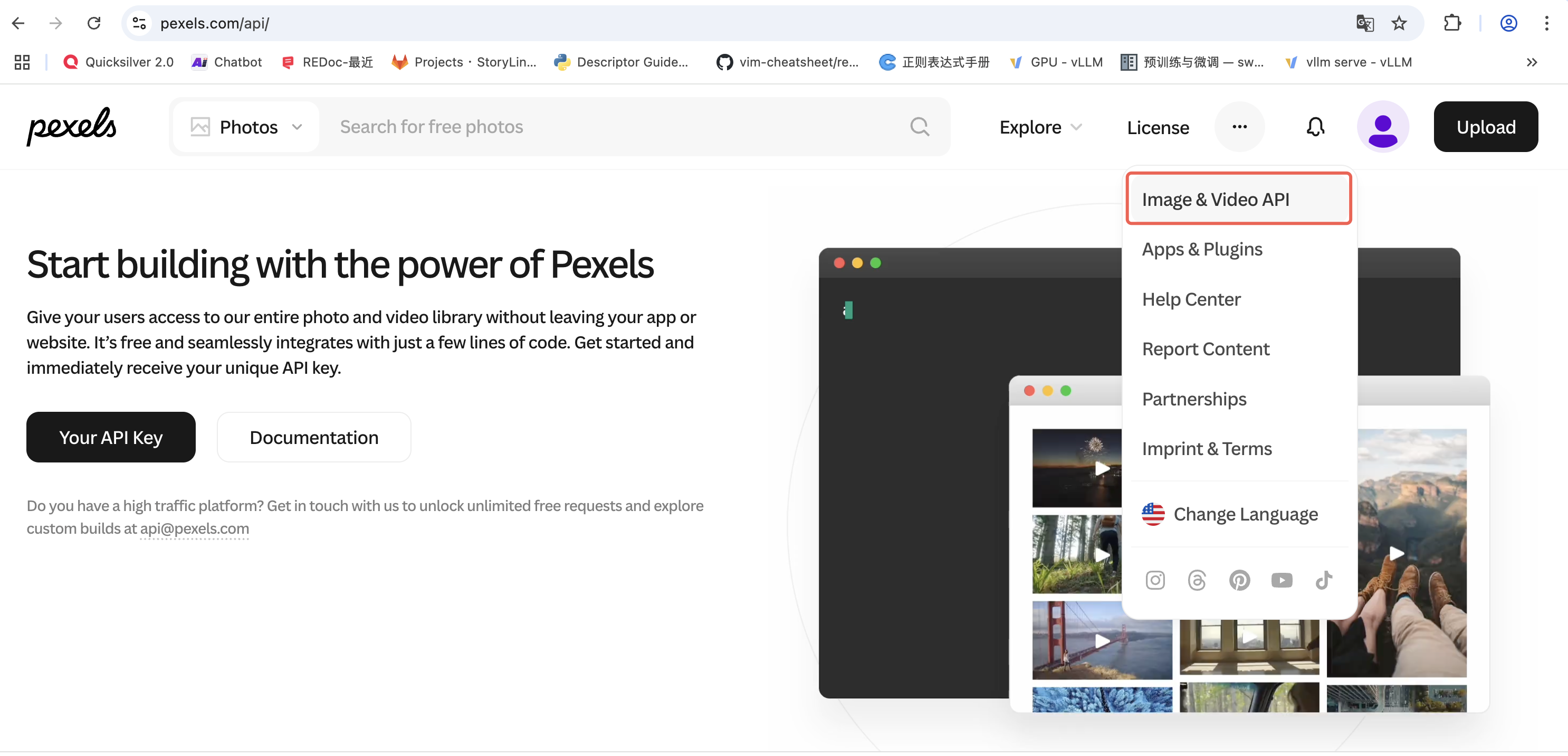
图1: Pexels API申请页面
2. 网页使用:找到Pexels配置,选择使用自定义key,将API key填入表单中。
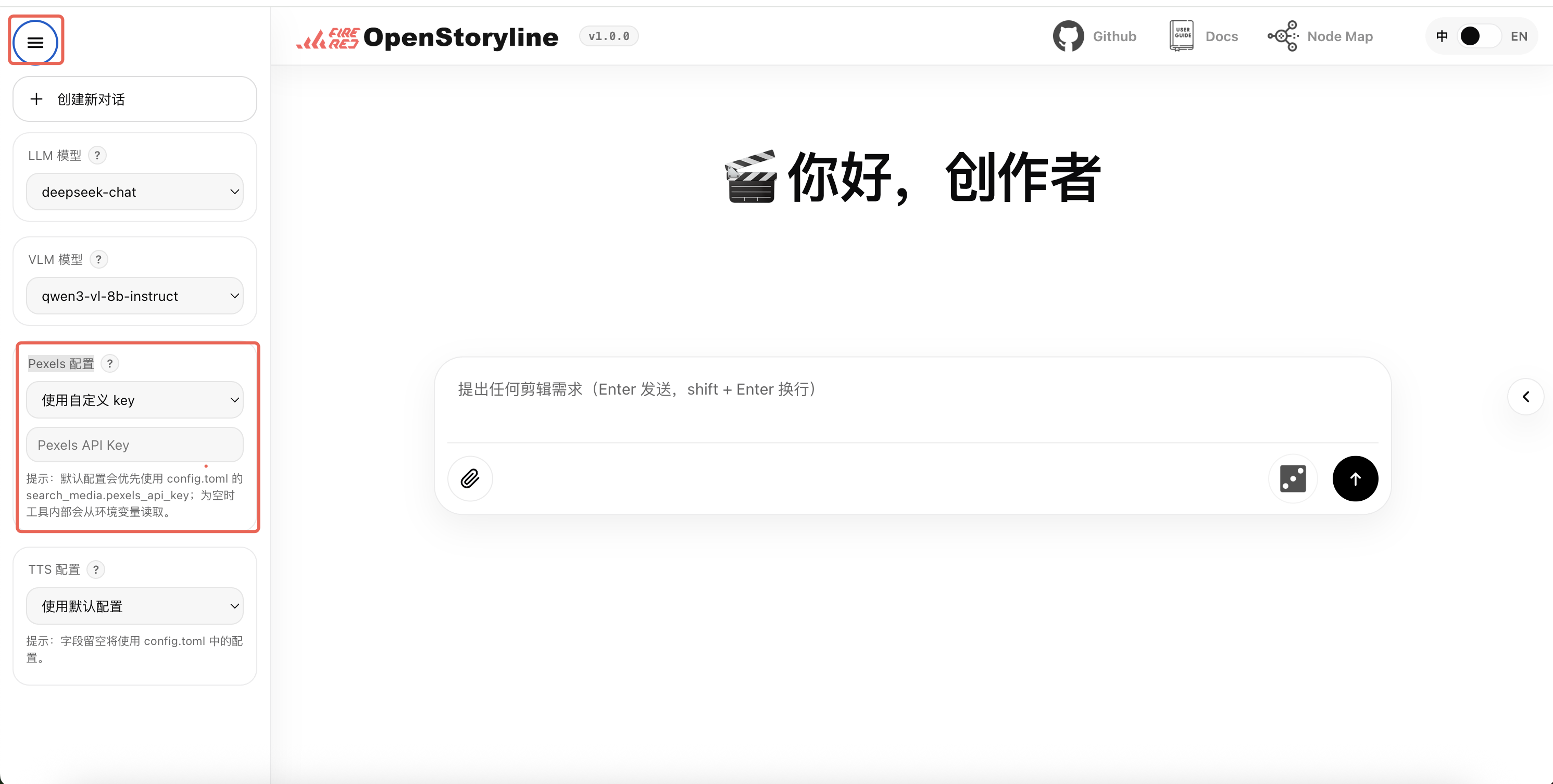
图2: Pexels API 使用
3. 本地部署的项目:我们将API填写在config.toml中的pexels_api_key字段中。作为项目的默认配置
## 四、TTS (文本转语音) 配置
### 方案一:MiniMax(推荐使用)
- **服务地址**:https://platform.minimaxi.com/docs/api-reference/speech-t2a-http
- **API Key Base url**:https://api.minimax.chat/v1/t2a_v2
**配置步骤**:
1. 创建 API Key
2. 访问:https://platform.minimax.io/user-center/basic-information/interface-key
3. 获取并保存 API Key
### 方案二:bytedance(推荐使用)
1. 步骤1:开通音视频字幕生成服务
使用旧版页面,找到音视频字幕生成服务:
- 访问:https://console.volcengine.com/speech/service/9?AppID=8782592131
2. 步骤2:获取认证信息
查看账号基本信息页面:
- 访问:https://console.volcengine.com/user/basics/
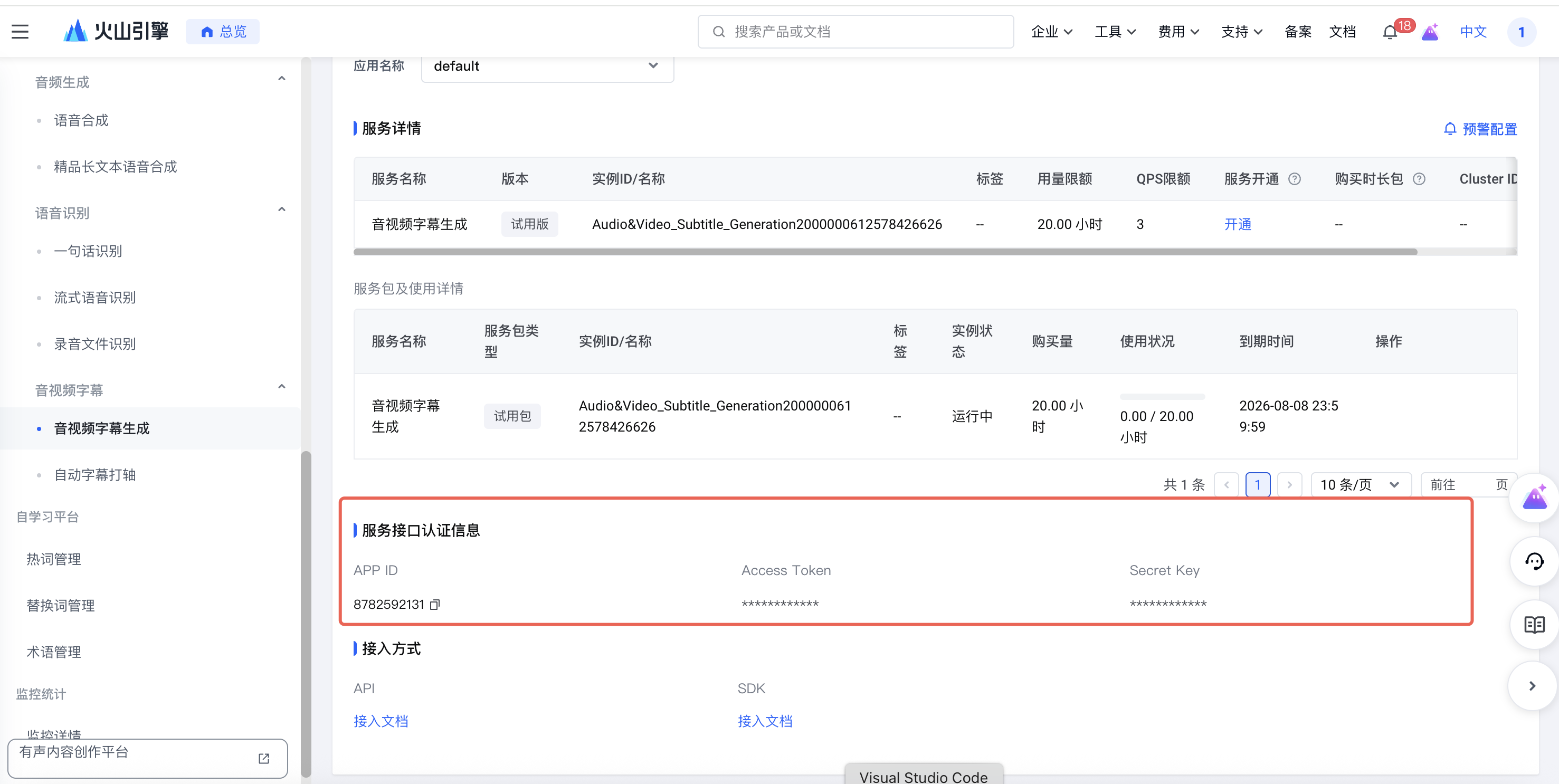
图3: Bytedance TTS API 使用
需要获取以下信息:
- **UID**: 主账号信息中的 ID
- **APP ID**: 服务接口认证信息中的 APP ID
- **Access Token**: 服务接口认证信息中的 Access Token
本地部署使用修改config.toml中
```
[generate_voiceover.providers.bytedance]
uid = ""
appid = ""
access_token = ""
```
或直接在前端网页侧边栏填写。
### 方案三:302.ai (备选方案)
- **服务地址**:https://302.ai/product/detail/302ai-mmaudio-text-to-speech
- **API Key Base url**:https://api.302.ai
详细文档请参考:https://www.volcengine.com/docs/6561/80909?lang=zh
## 五: AI 转场配置
**使用前说明**:AI 转场会额外触发模型调用,转场是在相邻片段之间逐段生成,片段越多、切分越细,调用次数通常越高,因此资源消耗通常**显著高于**常规文案或配音流程。
**效果说明**:当前转场描述由视觉模型基于片段首尾帧自动生成,片段衔接顺序由语言模型综合判断,因此最终效果受首尾帧内容、提示词、模型版本和服务波动影响,存在一定随机性,不保证每次都完全符合预期。
**使用建议**:建议先使用少量片段试跑,确认效果与成本后再批量生成,并提前关注**账户余额**与**计费规则**。
### 方案一:Minimax 海螺
1. Minimax 的 LLM / TTS 服务的API key 通常同样适用于海螺视频生成服务。如果你已申请过,可直接使用;如果你还没有申请过,可以前往用户中心申请。
2. 模型名可选择 `MiniMax-Hailuo-02`,或查阅文档获取最新支持的模型名。
### 方案二: 阿里通义万相 Wan
1. 阿里百炼大模型的 LLM 服务的API key 通常同样适用于 Wan 视频生成服务。如果你已申请过,可直接使用;如果你还没有申请过,可以前往百炼控制台申请。
2. 模型名推荐选择 wan2.2-kf2v-flash,或查阅文档获取最新支持的模型名。
## 注意事项
- 所有 API Key 均需妥善保管,避免泄露
- 使用前请确认账户余额充足
- 建议定期检查 API 调用量和费用