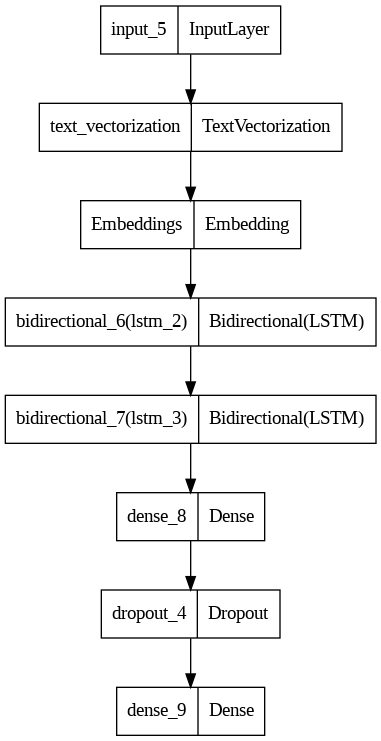
How to use DriveMyScream/News_Sentiment_Analysis_model with Keras:
# !pip install -U keras tensorflow huggingface_hub
# Keras needs TensorFlow installed to read "hf://" paths, so the tensorflow backend is selected here;
# "jax" and "torch" also work for computation once TensorFlow is installed.
import os
os.environ["KERAS_BACKEND"] = "tensorflow"

import keras

model = keras.saving.load_model("hf://DriveMyScream/News_Sentiment_Analysis_model")
https://huggingface.co/DriveMyScream/News_Sentiment_Analysis_model/resolve/main/model.png
hf download hf://DriveMyScream/News_Sentiment_Analysis_model/model.png
curl -L -o model.png https://huggingface.co/DriveMyScream/News_Sentiment_Analysis_model/resolve/main/model.png