Instructions to use Hemanth-thunder/stable_diffusion_lora with libraries, inference providers, notebooks, and local apps. Follow these links to get started.
- Libraries
- Diffusers
How to use Hemanth-thunder/stable_diffusion_lora with Diffusers:
pip install -U diffusers transformers accelerate
import torch from diffusers import DiffusionPipeline # switch to "mps" for apple devices pipe = DiffusionPipeline.from_pretrained("Hemanth-thunder/stable_diffusion_lora", dtype=torch.bfloat16, device_map="cuda") prompt = "hmat" image = pipe(prompt).images[0] - Notebooks
- Google Colab
- Kaggle
- Local Apps Settings
- Draw Things
- DiffusionBee
Download autotrain-advanced/docs/source/model_choice.mdx from Hemanth-thunder/stable_diffusion_lora: direct link, hf CLI and curl.
- Browser
- Download file 1.35 kB
-
https://huggingface.co/Hemanth-thunder/stable_diffusion_lora/resolve/main/autotrain-advanced/docs/source/model_choice.mdx
- Command line
-
hf download hf://Hemanth-thunder/stable_diffusion_lora/autotrain-advanced/docs/source/model_choice.mdx
-
curl -L -o model_choice.mdx https://huggingface.co/Hemanth-thunder/stable_diffusion_lora/resolve/main/autotrain-advanced/docs/source/model_choice.mdx
1.35 kB
| # Model Choice | |
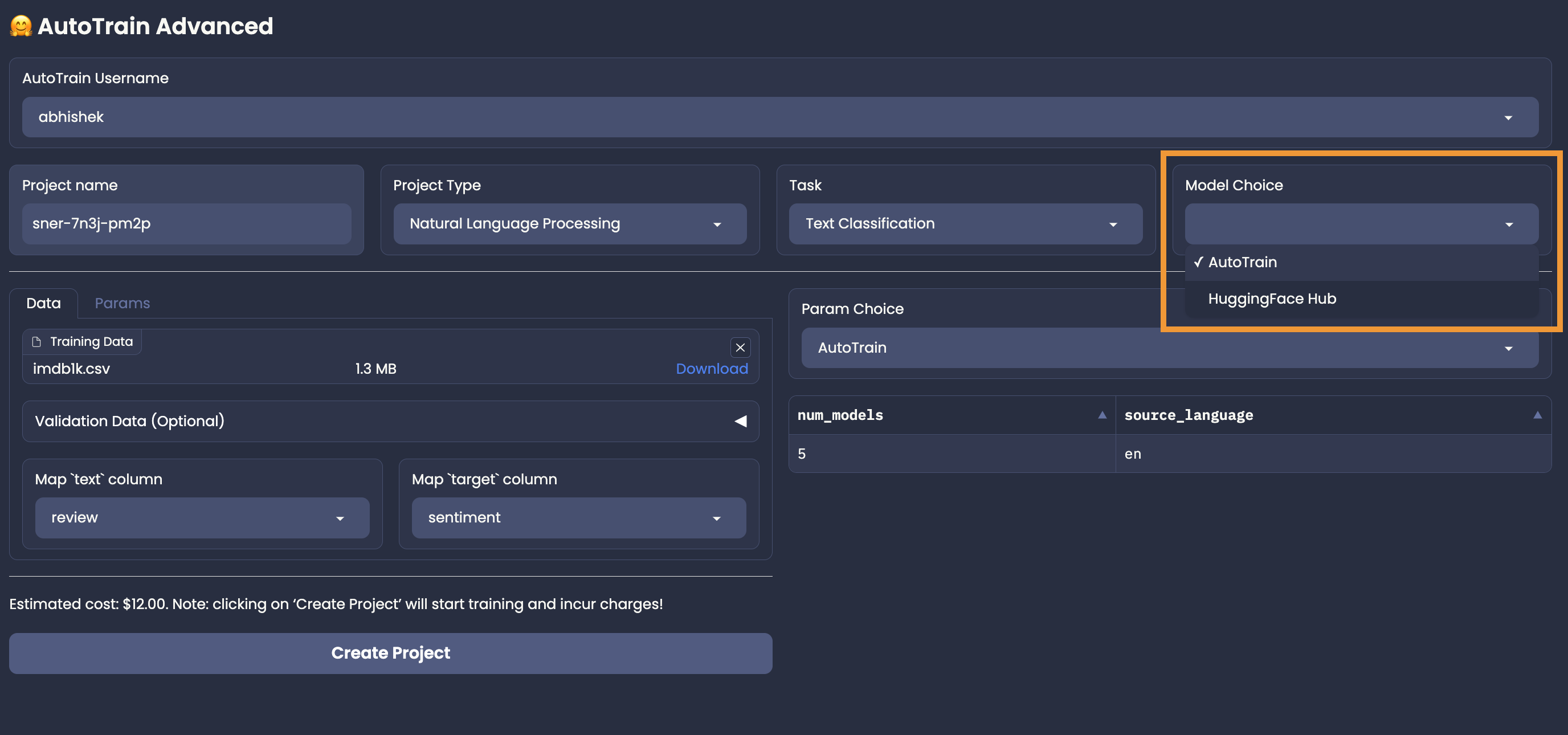
| AutoTrain can automagically select the best models for your task! However, you are also | |
| allowed to choose the models you want to use. You can choose the most appropriate models | |
| from the Hugging Face Hub. | |
|  | |
| ## AutoTrain Model Choice | |
| To let AutoTrain choose the best models for your task, you can use the "AutoTrain" | |
| in the "Model Choice" section. Once you choose AutoTrain mode, you no longer need to worry about model and parameter selection. | |
| AutoTrain will automatically select the best models (and parameters) for your task. | |
| ## Manual Model Choice | |
| To choose the models manually, you can use the "HuggingFace Hub" in the "Model Choice" section. | |
| For example, if you want to use if you are training a text classification task and want to choose Deberta V3 Base for your task | |
| from https://huggingface.co/microsoft/deberta-v3-base, | |
| You can choose "HuggingFace Hub" and then write the model name: `microsoft/deberta-v3-base` in the model name field. | |
|  | |
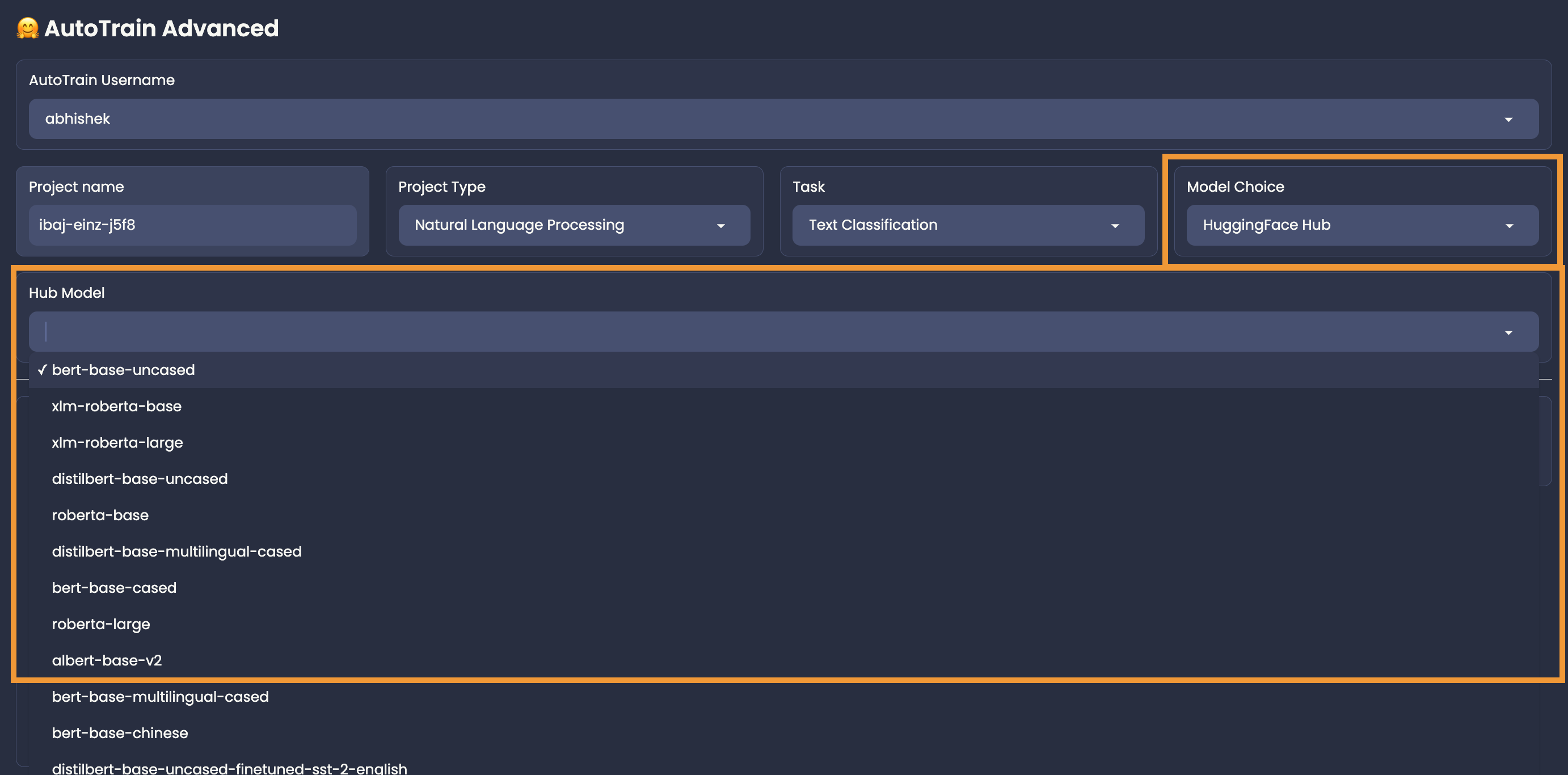
| Please note that if you are selecting a hub model, you should make sure that it is compatible with your task, otherwise the training will fail. |