Instructions to use StableDiffusionVN/Flux with libraries, inference providers, notebooks, and local apps. Follow these links to get started.
- Notebooks
- Google Colab
- Kaggle
- Local Apps Settings
- llama.cpp
How to use StableDiffusionVN/Flux with llama.cpp:
Install (macOS, Linux)
curl -LsSf https://llama.app/install.sh | sh # Start a local OpenAI-compatible server with a web UI: llama serve -hf StableDiffusionVN/Flux:Q4_K_S # Run inference directly in the terminal: llama cli -hf StableDiffusionVN/Flux:Q4_K_S
Install from WinGet (Windows)
winget install llama.cpp # Start a local OpenAI-compatible server with a web UI: llama serve -hf StableDiffusionVN/Flux:Q4_K_S # Run inference directly in the terminal: llama cli -hf StableDiffusionVN/Flux:Q4_K_S
Use pre-built binary
# Download pre-built binary from: # https://github.com/ggerganov/llama.cpp/releases # Start a local OpenAI-compatible server with a web UI: ./llama-server -hf StableDiffusionVN/Flux:Q4_K_S # Run inference directly in the terminal: ./llama-cli -hf StableDiffusionVN/Flux:Q4_K_S
Build from source code
git clone https://github.com/ggerganov/llama.cpp.git cd llama.cpp cmake -B build cmake --build build -j --target llama-server llama-cli # Start a local OpenAI-compatible server with a web UI: ./build/bin/llama-server -hf StableDiffusionVN/Flux:Q4_K_S # Run inference directly in the terminal: ./build/bin/llama-cli -hf StableDiffusionVN/Flux:Q4_K_S
Use Docker
docker model run hf.co/StableDiffusionVN/Flux:Q4_K_S
- LM Studio
- Jan
- Ollama
How to use StableDiffusionVN/Flux with Ollama:
ollama run hf.co/StableDiffusionVN/Flux:Q4_K_S
- Unsloth Studio
How to use StableDiffusionVN/Flux with Unsloth Studio:
Install Unsloth Studio (macOS, Linux, WSL)
curl -fsSL https://unsloth.ai/install.sh | sh # Run unsloth studio unsloth studio -H 0.0.0.0 -p 8888 # Then open http://localhost:8888 in your browser # Search for StableDiffusionVN/Flux to start chatting
Install Unsloth Studio (Windows)
irm https://unsloth.ai/install.ps1 | iex # Run unsloth studio unsloth studio -H 0.0.0.0 -p 8888 # Then open http://localhost:8888 in your browser # Search for StableDiffusionVN/Flux to start chatting
Using HuggingFace Spaces for Unsloth
# No setup required # Open https://huggingface.co/spaces/unsloth/studio in your browser # Search for StableDiffusionVN/Flux to start chatting
- Docker Model Runner
How to use StableDiffusionVN/Flux with Docker Model Runner:
docker model run hf.co/StableDiffusionVN/Flux:Q4_K_S
- Lemonade
How to use StableDiffusionVN/Flux with Lemonade:
Pull the model
# Download Lemonade from https://lemonade-server.ai/ lemonade pull StableDiffusionVN/Flux:Q4_K_S
Run and chat with the model
lemonade run user.Flux-Q4_K_S
List all available models
lemonade list
- Atomic Chat
File size: 2,176 Bytes
0254a34 354749f 0254a34 6737759 702a2a5 92b6590 702a2a5 d58c187 dc8a8a8 702a2a5 92b6590 702a2a5 92b6590 c67eb90 702a2a5 5f280e3 0254a34 702a2a5 5f280e3 0254a34 702a2a5 5f280e3 b247214 702a2a5 5f280e3 d58c187 702a2a5 5f280e3 702a2a5 5561560 2e1e21c 29b467d a888777 29b467d 702a2a5 | 1 2 3 4 5 6 7 8 9 10 11 12 13 14 15 16 17 18 19 20 21 22 23 24 25 26 27 28 29 30 31 32 33 34 35 36 37 38 39 40 41 42 43 44 45 46 47 48 49 50 51 52 53 54 55 56 57 58 59 60 61 | ---
license: apache-2.0
tags:
- flux
language:
- en
pipeline_tag: text-to-image
---
*Youtube:*
[](https://www.youtube.com/watch?v=PbCiROfJABs&list=PLG1XdX8X1YTouiCg7eIl62AcbGiEP0ktk)
*Colab:*
[](https://bit.ly/sdvn-v3)
[](https://comfy.vn)

*Colab Training Lora:*
[](https://bit.ly/3X3sonz)

*Comfy Workflow:*
`=> Text-img`
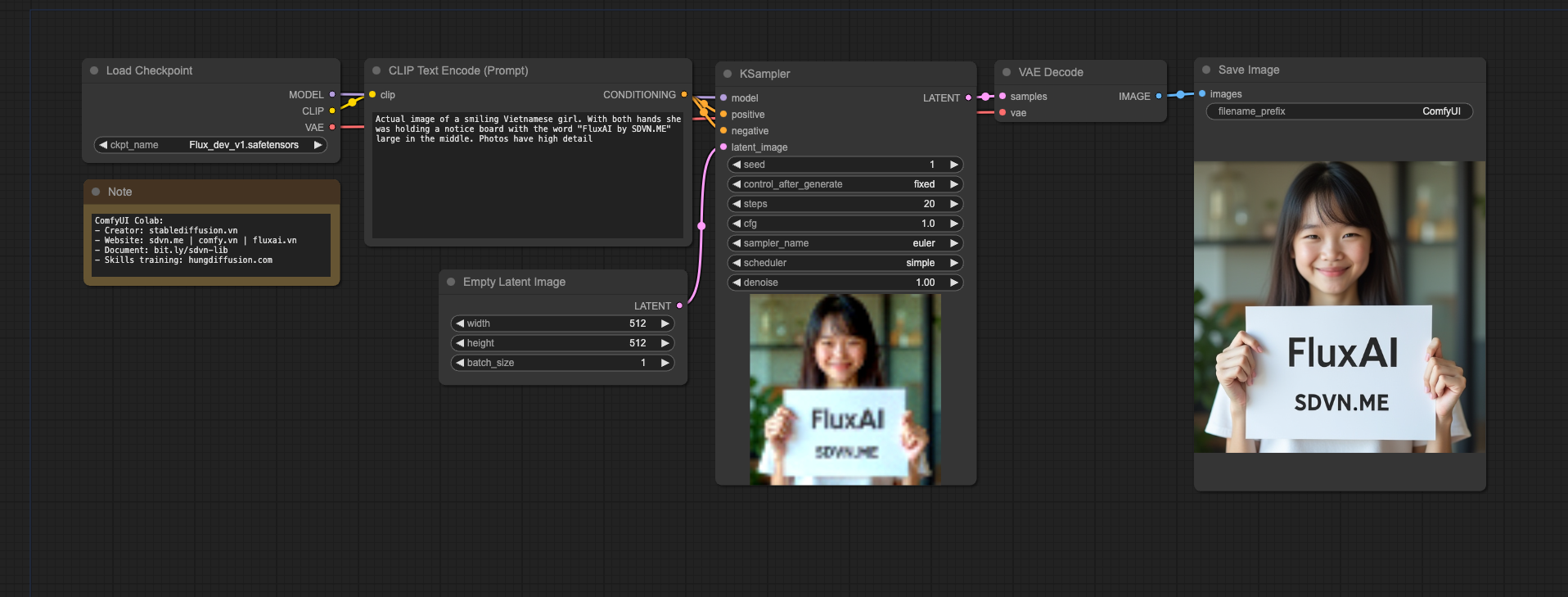
`=> Img-img`

`=> Inpaint`

`=> Schnell Text-img`

`=> Schnell Text-img-upscale`

`=> Lora Tester`

`=> Lora Text to img`
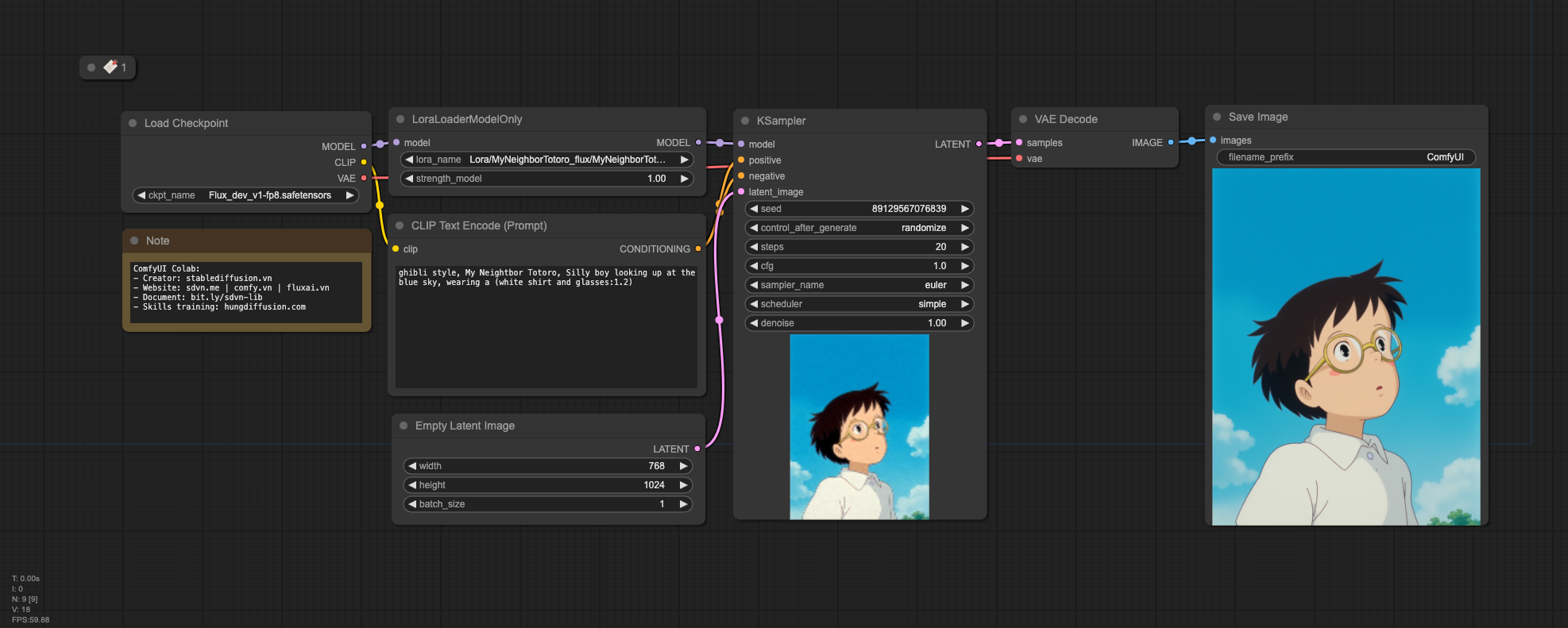
`=> Lora Text to img Upscale`

`=> Schnell Lora Text to img`

`=> Union Controlnet`
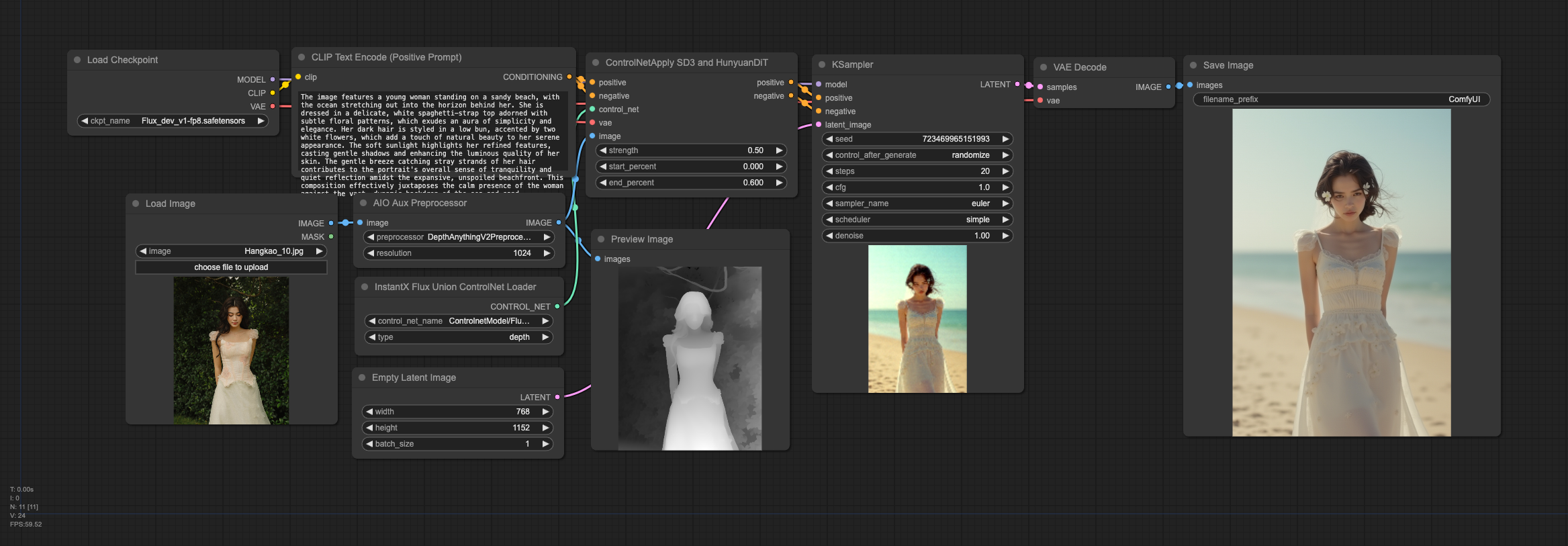
`=> Hyper 8Steps Lora Upscale`
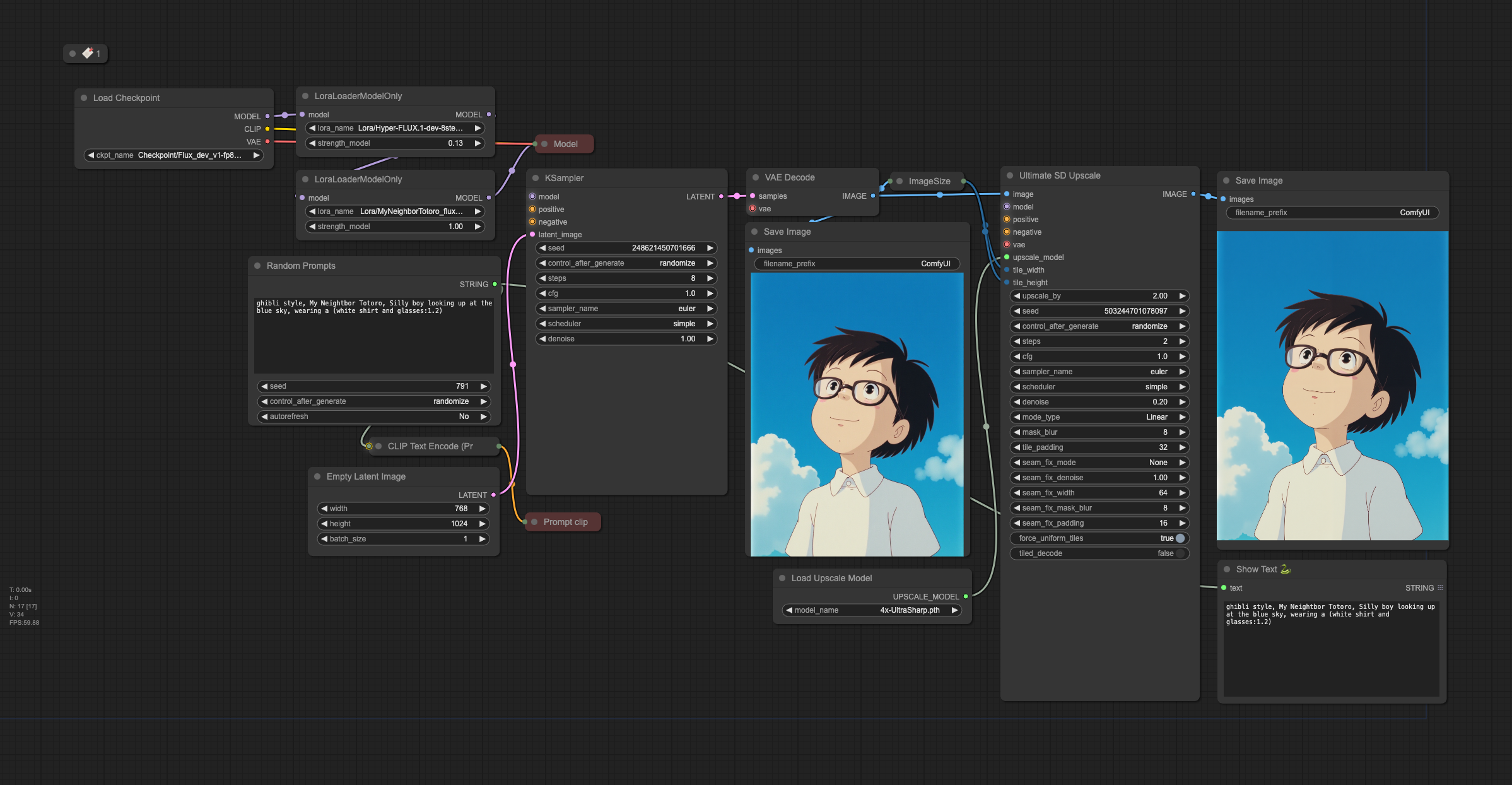
*Comfy Node:*
- Comfy NF4 Support: https://github.com/comfyanonymous/ComfyUI_bitsandbytes_NF4
- Comfy GGUF Support: https://github.com/city96/ComfyUI-GGUF
- Comfy Instant Union Controlnet Support: https://github.com/EeroHeikkinen/ComfyUI-eesahesNodes |