
Buckets:

| { | |
| "base_url": "https://github.com/yt-dlp/yt-dlp", | |
| "usage": { | |
| "credits": 3 | |
| }, | |
| "request_id": "c69ff3db-4e96-4b83-a6a7-f24cbfbc1ab4", | |
| "response_time": 4.28, | |
| "pages": [ | |
| { | |
| "url": "https://docs.github.com/", | |
| "title": "document", | |
| "content": "[GitHub Docs](/en)\n\nSearch or ask Copilot\n\nSelect language: current language is English\n\nSearch or ask Copilot\n\nOpen menu\n\n# GitHub Docs\n\nHelp for wherever you are on your GitHub journey.\n\n## Get started\n\n* [Get started](/en/get-started)\n* [Migrations](/en/migrations)\n* [Account and profile](/en/account-and-profile)\n* [Subscriptions & notifications](/en/subscriptions-and-notifications)\n* [Authentication](/en/authentication)\n* [Billing and payments](/en/billing)\n* [Site policy](/en/site-policy)\n\n## Collaborative coding\n\n* [Codespaces](/en/codespaces)\n* [Repositories](/en/repositories)\n* [Pull requests](/en/pull-requests)\n* [GitHub Discussions](/en/discussions)\n* [Integrations](/en/integrations)\n\n## GitHub Copilot\n\n* [GitHub Copilot](/en/copilot)\n* [Plans](/en/copilot/get-started/plans)\n* [Cloud agent](/en/copilot/how-tos/use-copilot-agents/cloud-agent)\n* [Tutorials](/en/copilot/tutorials)\n* [GitHub Copilot Cookbook](/en/copilot/tutorials/copilot-cookbook)\n* [Customization library](/en/copilot/tutorials/customization-library)\n* [Copilot CLI](/en/copilot/how-tos/copilot-cli)\n\n## CI/CD and DevOps\n\n* [GitHub Actions](/en/actions)\n* [GitHub Packages](/en/packages)\n* [GitHub Pages](/en/pages)\n\n## Security and code quality\n\n* [Security and code quality](/en/code-security)\n* [Secure your secrets](/en/code-security/how-tos/secure-your-secrets)\n* [Find and fix code vulnerabilities](/en/code-security/how-tos/find-and-fix-code-vulnerabilities)\n* [Secure your supply chain](/en/code-security/how-tos/secure-your-supply-chain)\n* [Maintain quality code](/en/code-security/how-tos/maintain-quality-code)\n* [Secure at scale](/en/code-security/how-tos/secure-at-scale)\n\n## Client apps\n\n* [GitHub CLI](/en/github-cli)\n* [GitHub Mobile](/en/get-started/using-github/github-mobile)\n* [GitHub Desktop](/en/desktop)\n\n## Project management\n\n* [GitHub Issues](/en/issues)\n* [Projects](/en/issues/planning-and-tracking-with-projects)\n* [Search on GitHub](/en/search-github)\n\n## Enterprise and teams\n\n* [Organizations](/en/organizations)\n* [Secure at scale](/en/code-security/how-tos/secure-at-scale)\n* [Enterprise onboarding](/en/enterprise-cloud@latest/enterprise-onboarding)\n* [Enterprise administrators](/en/enterprise-cloud@latest/admin)\n\n## Developers\n\n* [Apps](/en/apps)\n* [REST API](/en/rest)\n* [GraphQL API](/en/graphql)\n* [Webhooks](/en/webhooks)\n* [GitHub Models](/en/github-models)\n\n## Community\n\n* [Building communities](/en/communities)\n* [GitHub Sponsors](/en/sponsors)\n* [GitHub Education](/en/education)\n* [GitHub for Nonprofits](/en/nonprofit)\n* [GitHub Support](/en/support)\n* [Contribute to GitHub Docs](/en/contributing)\n\n## More docs\n\n* [CodeQL query writing](https://codeql.github.com/docs)\n* [Electron](https://electronjs.org/docs/latest)\n* [npm](https://docs.npmjs.com/)\n* [GitHub Well-Architected](https://wellarchitected.github.com/)\n\n## Getting started\n\n* [### Set up Git\n\n At the heart of GitHub is an open-source version control system (VCS) called Git. Git is responsible for everything GitHub-related that happens locally on your computer.](/en/get-started/git-basics/set-up-git)\n* [### Connecting to GitHub with SSH\n\n You can connect to GitHub using the Secure Shell Protocol (SSH), which provides a secure channel over an unsecured network.](/en/authentication/connecting-to-github-with-ssh)\n* [### Creating and managing repositories\n\n You can create a repository on GitHub to store and collaborate on your project's files, then manage the repository's name and location.](/en/repositories/creating-and-managing-repositories)\n* [### Basic writing and formatting syntax\n\n Create sophisticated formatting for your prose and code on GitHub with simple syntax.](/en/get-started/writing-on-github/getting-started-with-writing-and-formatting-on-github/basic-writing-and-formatting-syntax)\n\n## Popular\n\n* [### About pull requests\n\n Pull requests let you propose, review, and merge code changes.](/en/pull-requests/collaborating-with-pull-requests/proposing-changes-to-your-work-with-pull-requests/about-pull-requests)\n* [### Authentication documentation\n\n Authenticate securely to GitHub with passwords, tokens, SSH keys, and more—and keep your account protected.](/en/authentication)\n* [### Getting code suggestions in your IDE with GitHub Copilot\n\n Use GitHub Copilot to get code suggestions in your editor.](/en/copilot/how-tos/get-code-suggestions/get-ide-code-suggestions)\n* [### Managing remote repositories\n\n Learn to work with your local repositories on your computer and remote repositories hosted on GitHub.](/en/get-started/git-basics/managing-remote-repositories)", | |
| "favicon": "https://docs.github.com/assets/cb-345/images/site/favicon.png" | |
| }, | |
| { | |
| "url": "https://docs.github.com/search-github/github-code-search/understanding-github-code-search-syntax", | |
| "title": "understanding-github-code-search-syntax", | |
| "content": "### Path qualifier\n\nTo search within file paths, use the `path:` qualifier. This will match files containing the term anywhere in their file path. For example, to find files containing the term `unit_tests` in their path, use:\n\n```\npath:unit_tests \n```\n\nThe above query will match both `src/unit_tests/my_test.py` and `src/docs/unit_tests.md` since they both contain `unit_test` somewhere in their path.\n\nTo match only a specific filename (and not part of the path), you could use a regular expression:\n\n```\npath:/(^|\\/)README\\.md$/ \n```\n\nNote that the `.` in the filename is escaped, since `.` has special meaning for regular expressions. For more information about using regular expressions, see Using regular expressions. [...] For example, the following query:\n\n```\nhttp-push \n```\n\nThe above query will match the file `docs/http-push.txt`, even if it doesn't contain the term `http-push`. It will also match a file called `example.txt` if it contains the term `http-push`.\n\nYou can enter multiple terms separated by whitespace to search for documents that satisfy both terms.\n\nFor example, the following query:\n\n```\nsparse index \n```\n\nThe search results would include all documents containing both the terms `sparse` and `index`, in any order. As examples, it would match a file containing `SparseIndexVector`, a file with the phrase `index for sparse trees`, and even a file named `index.txt` that contains the term `sparse`. [...] GitHub Docs\n\nSearch or ask Copilot\n\nSelect language: current language is English\n\nSearch or ask Copilot\n\nOpen menu\n\nOpen Sidebar\n\n Search on GitHub/\n GitHub Code Search/\n Code search syntax\n\n# Understanding GitHub Code Search syntax\n\nYou can build search queries for the results you want with specialized code qualifiers, regular expressions, and boolean operations.\n\n## In this article\n\n About code search query structure\n Query for an exact match\n Searching for quotes and backslashes\n Using boolean operations\n Using qualifiers\n Using regular expressions\n Separating search terms\n Case sensitivity\n\n## About code search query structure [...] Searching for multiple terms separated by whitespace is the equivalent to the search `hello AND world`. Other boolean operations, such as `hello OR world`, are also supported. For more information about boolean operations, see Using boolean operations.\n\nCode search also supports searching for an exact string, including whitespace. For more information, see Query for an exact match.\n\nYou can narrow your code search with specialized qualifiers, such as `repo:`, `language:` and `path:`. For more information on the qualifiers you can use in code search, see Using qualifiers.\n\nYou can also use regular expressions in your searches by surrounding the expression in slashes. For more information on using regular expressions, see Using regular expressions.\n\n## Query for an exact match [...] ## About code search query structure\n\nThe search syntax in this article only applies to searching code with GitHub code search. Note that the syntax and qualifiers for searching for non-code content, such as issues, users, and discussions, is not the same as the syntax for code search. For more information on non-code search, see About searching on GitHub and Searching on GitHub.\n\nSearch queries consist of search terms, comprising text you want to search for, and qualifiers, which narrow down the search.\n\nA bare term with no qualifiers will match either the content of a file or the file's path.\n\nFor example, the following query:\n\n```\nhttp-push \n```", | |
| "favicon": "https://docs.github.com/assets/cb-345/images/site/favicon.png" | |
| }, | |
| { | |
| "url": "https://github.com/topics/api", | |
| "title": "api", | |
| "content": "## Navigation Menu\n\n# Search code, repositories, users, issues, pull requests...\n\n# Provide feedback\n\nWe read every piece of feedback, and take your input very seriously.\n\n# Saved searches\n\n## Use saved searches to filter your results more quickly\n\nTo see all available qualifiers, see our [documentation](https://docs.github.com/search-github/github-code-search/understanding-github-code-search-syntax).\n\n# API\n\nAn **API** can be thought of as an instruction manual for communication between multiple software apparatuses. For example, an API may be used for database communication between web applications. By extracting the implementation and relinquishing data into objects, an API simplifies programming.\n\n## Here are 146,390 public repositories matching this topic...\n\n\n\n### [public-apis](/public-apis) / [public-apis](/public-apis/public-apis)\n\nA collective list of free APIs\n\n\n\n### [neovim](/neovim) / [neovim](/neovim/neovim)\n\nVim-fork focused on extensibility and usability\n\n\n\n### [fastapi](/fastapi) / [fastapi](/fastapi/fastapi)\n\nFastAPI framework, high performance, easy to learn, fast to code, ready for production\n\n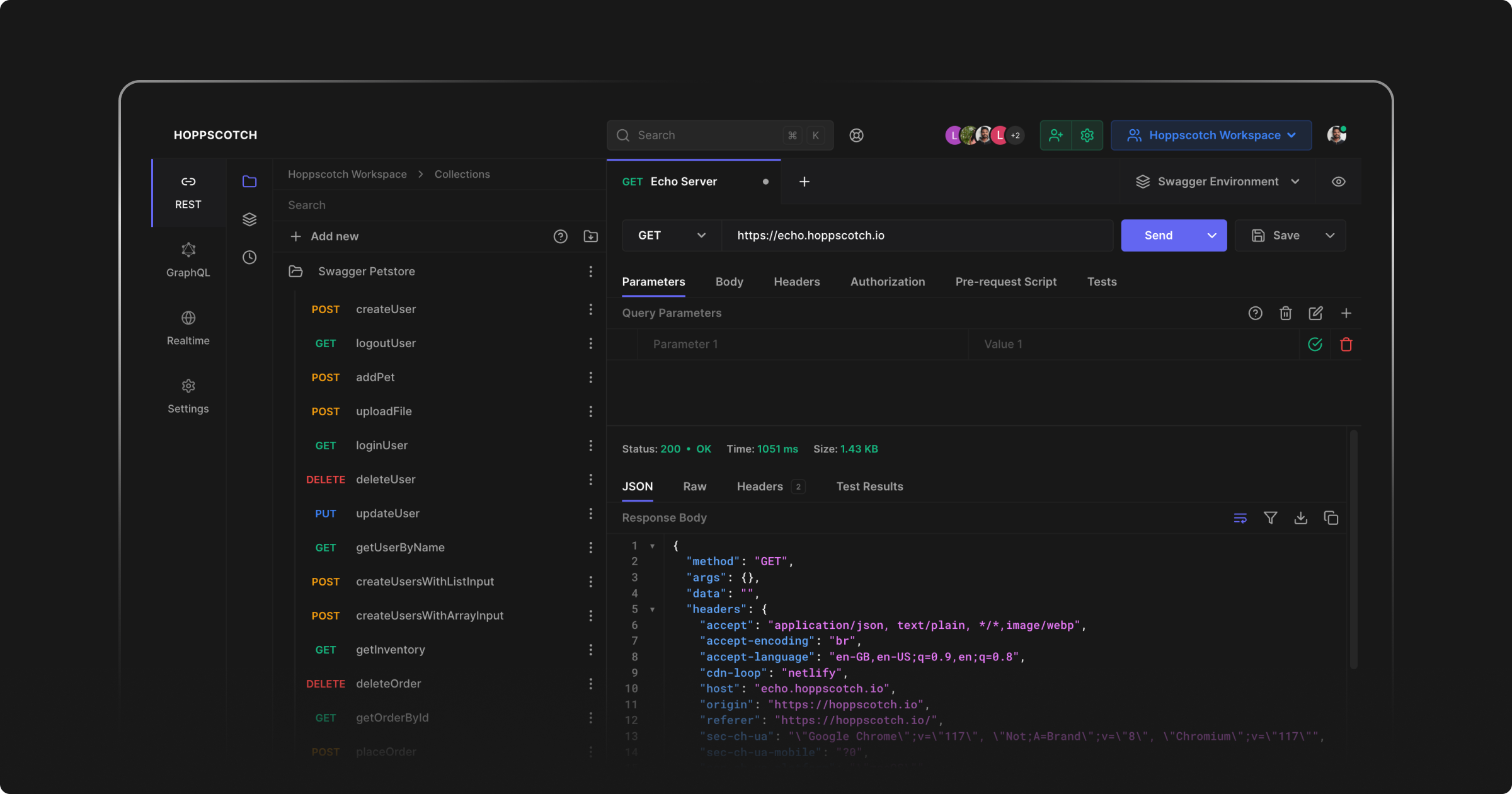\n\n### [hoppscotch](/hoppscotch) / [hoppscotch](/hoppscotch/hoppscotch)\n\nOpen-Source API Development Ecosystem • <https://hoppscotch.io> • Offline, On-Prem & Cloud • Web, Desktop & CLI • Open-Source Alternative to Postman, Insomnia\n\n### [typicode](/typicode) / [json-server](/typicode/json-server)\n\nGet a full fake REST API with zero coding in less than 30 seconds (seriously)\n\n\n\n### [ocornut](/ocornut) / [imgui](/ocornut/imgui)\n\nDear ImGui: Bloat-free Graphical User interface for C++ with minimal dependencies\n\n\n\n### [strapi](/strapi) / [strapi](/strapi/strapi)\n\n🚀 Strapi is the leading open-source headless CMS. It’s 100% JavaScript/TypeScript, fully customizable, and developer-first.\n\n\n\n### [meilisearch](/meilisearch) / [meilisearch](/meilisearch/meilisearch)\n\nA lightning-fast search engine API bringing AI-powered hybrid search to your sites and applications.\n\n### [mudler](/mudler) / [LocalAI](/mudler/LocalAI)\n\nLocalAI is the open-source AI engine. Run any model - LLMs, vision, voice, image, video - on any hardware. No GPU required.\n\n\n\n### [ccxt](/ccxt) / [ccxt](/ccxt/ccxt)\n\nA cryptocurrency trading API with more than 100 exchanges in JavaScript / TypeScript / Python / C# / PHP / Go / Java\n\n### [trpc](/trpc) / [trpc](/trpc/trpc)\n\n🧙♀️ Move Fast and Break Nothing. End-to-end typesafe APIs made easy.\n\n\n\n### [Kong](/Kong) / [insomnia](/Kong/insomnia)\n\nThe open-source, cross-platform API client for GraphQL, REST, WebSockets, SSE and gRPC. With Cloud, Local and Git storage.\n\n\n\n### [QuivrHQ](/QuivrHQ) / [quivr](/QuivrHQ/quivr)\n\nOpiniated RAG for integrating GenAI in your apps 🧠 Focus on your product rather than the RAG. Easy integration in existing products with customisation! Any LLM: GPT4, Groq, Llama. Any Vectorstore: PGVector, Faiss. Any Files. Anyway you want.\n\n### [chatanywhere](/chatanywhere) / [GPT\\_API\\_free](/chatanywhere/GPT_API_free)\n\nFree ChatGPT&DeepSeek API Key,免费ChatGPT&DeepSeek API。免费接入DeepSeek API和GPT4 API,支持 gpt | deepseek | claude | gemini | grok 等排名靠前的常用大模型。\n\n\n\n### [httpie](/httpie) / [cli](/httpie/cli)\n\n🥧 HTTPie CLI — modern, user-friendly command-line HTTP client for the API era. JSON support, colors, sessions, downloads, plugins & more.\n\n\n\n### [directus](/directus) / [directus](/directus/directus)\n\nThe flexible backend for all your projects 🐰 Turn your DB into a headless CMS, admin panels, or apps with a custom UI, instant APIs, auth & more.\n\n### [slatedocs](/slatedocs) / [slate](/slatedocs/slate)\n\nBeautiful static documentation for your API\n\n### [songquanpeng](/songquanpeng) / [one-api](/songquanpeng/one-api)\n\nLLM API 管理 & 分发系统,支持 OpenAI、Azure、Anthropic Claude、Google Gemini、DeepSeek、字节豆包、ChatGLM、文心一言、讯飞星火、通义千问、360 智脑、腾讯混元等主流模型,统一 API 适配,可用于 key 管理与二次分发。单可执行文件,提供 Docker 镜像,一键部署,开箱即用。LLM API management & key redistribution system, unifying multiple providers under a single API. Single binary, Docker-ready, with an English UI.\n\n\n\n### [hasura](/hasura) / [graphql-engine](/hasura/graphql-engine)\n\nBlazing fast, instant realtime GraphQL APIs on all your data with fine grained access control, also trigger webhooks on database events.\n\n### [Binaryify](/Binaryify) / [NeteaseCloudMusicApi](/Binaryify/NeteaseCloudMusicApi)\n\n网易云音乐 Node.js API service\n\n## Related topics\n\n## Footer\n\n### Footer navigation", | |
| "favicon": "https://github.githubassets.com/favicons/favicon.svg" | |
| }, | |
| { | |
| "url": "https://github.com/topics/fastapi", | |
| "title": "fastapi", | |
| "content": "## Navigation Menu\n\n# Search code, repositories, users, issues, pull requests...\n\n# Provide feedback\n\nWe read every piece of feedback, and take your input very seriously.\n\n# Saved searches\n\n## Use saved searches to filter your results more quickly\n\nTo see all available qualifiers, see our [documentation](https://docs.github.com/search-github/github-code-search/understanding-github-code-search-syntax).\n\n# FastAPI\n\n\n\nFastAPI is a high performance, easy to learn, fast to code, and ready for production Python 3.7+ framework. Its performance is on par with NodeJS and Go (thanks to Starlette and Pydantic). It’s intuitive and standards-based (based on API standards like OpenAPI (previously known as Swagger) and JSON Schema).\n\n## Here are 59,718 public repositories matching this topic...\n\n\n\n### [fastapi](/fastapi) / [fastapi](/fastapi/fastapi)\n\nFastAPI framework, high performance, easy to learn, fast to code, ready for production\n\n### [headroomlabs-ai](/headroomlabs-ai) / [headroom](/headroomlabs-ai/headroom)\n\nCompress tool outputs, logs, files, and RAG chunks before they reach the LLM. 60-95% fewer tokens, same answers. Library, proxy, MCP server.\n\n\n\n### [fastapi](/fastapi) / [full-stack-fastapi-template](/fastapi/full-stack-fastapi-template)\n\nFull stack, modern web application template. Using FastAPI, React, SQLModel, PostgreSQL, Docker, GitHub Actions, automatic HTTPS and more.\n\n\n\n### [mouredev](/mouredev) / [Hello-Python](/mouredev/Hello-Python)\n\nCurso para aprender el lenguaje de programación Python desde cero y para principiantes. 100 clases, 44 horas en vídeo, código, proyectos y grupo de chat. Fundamentos, frontend, backend, testing, IA...\n\n\n\n### [jina-ai](/jina-ai) / [serve](/jina-ai/serve)\n\n☁️ Build multimodal AI applications with cloud-native stack\n\n### [Zeyi-Lin](/Zeyi-Lin) / [HivisionIDPhotos](/Zeyi-Lin/HivisionIDPhotos)\n\n⚡️HivisionIDPhotos: a lightweight and efficient AI ID photos tools. 一个轻量级的AI证件照制作算法。\n\n\n\n### [Evil0ctal](/Evil0ctal) / [Douyin\\_TikTok\\_Download\\_API](/Evil0ctal/Douyin_TikTok_Download_API)\n\n🚀「Douyin\\_TikTok\\_Download\\_API」是一个开箱即用的高性能异步抖音、快手、TikTok、Bilibili数据爬取工具,支持API调用,在线批量解析及下载。\n\n\n\n### [fastapi](/fastapi) / [sqlmodel](/fastapi/sqlmodel)\n\nSQL databases in Python, designed for simplicity, compatibility, and robustness.\n\n### [zhanymkanov](/zhanymkanov) / [fastapi-best-practices](/zhanymkanov/fastapi-best-practices)\n\nFastAPI Best Practices and Conventions we used at our startup\n\n### [MODSetter](/MODSetter) / [SurfSense](/MODSetter/SurfSense)\n\nAn open source, privacy focused alternative to NotebookLM for teams with no data limits. Join our Discord: <https://discord.gg/ejRNvftDp9>\n\n### [DataTalksClub](/DataTalksClub) / [machine-learning-zoomcamp](/DataTalksClub/machine-learning-zoomcamp)\n\nLearn ML engineering for free in 4 months! Register here 👇🏼\n\n### [coleifer](/coleifer) / [peewee](/coleifer/peewee)\n\na small, expressive orm -- supports postgresql, mysql, sqlite, now with asyncio\n\n\n\n### [tadata-org](/tadata-org) / [fastapi\\_mcp](/tadata-org/fastapi_mcp)\n\nExpose your FastAPI endpoints as Model Context Protocol (MCP) tools, with Auth!\n\n### [JoeanAmier](/JoeanAmier) / [XHS-Downloader](/JoeanAmier/XHS-Downloader)\n\n小红书(XiaoHongShu、RedNote)链接提取/作品采集工具:提取账号发布、收藏、点赞、专辑作品链接;提取搜索结果作品、用户链接;采集小红书作品信息;提取小红书作品下载地址;下载小红书作品文件\n\n\n\n### [mjhea0](/mjhea0) / [awesome-fastapi](/mjhea0/awesome-fastapi)\n\nA curated list of awesome things related to FastAPI\n\n\n\n### [polarsource](/polarsource) / [polar](/polarsource/polar)\n\nTurn your software into a business.\n\n### [pycaret](/pycaret) / [pycaret](/pycaret/pycaret)\n\nOpen-source, low-code AutoML platform for Python. PyCaret 4.0: sklearn-native engine + React control plane.\n\n### [pydantic](/pydantic) / [FastUI](/pydantic/FastUI)\n\nBuild better UIs faster.\n\n### [vastsa](/vastsa) / [FileCodeBox](/vastsa/FileCodeBox)\n\n文件快递柜-匿名口令分享文本,文件,像拿快递一样取文件(FileCodeBox - File Express Cabinet - Anonymous Passcode Sharing Text, Files, Like Taking Express Delivery for Files)\n\n\n\n### [nonebot](/nonebot) / [nonebot2](/nonebot/nonebot2)\n\n跨平台 Python 异步聊天机器人框架 / Asynchronous multi-platform chatbot framework written in Python\n\nCreated by Sebastián Ramírez\n\n## Footer\n\n### Footer navigation", | |
| "favicon": "https://github.githubassets.com/favicons/favicon.svg" | |
| }, | |
| { | |
| "url": "https://skills.github.com/", | |
| "title": "document", | |
| "content": "Get Started\n\n### Publish Docker Images\n\nBuild and publish Docker images using GitHub Actions.\n\nGet Started\n\n### Create and use reusable workflows\n\nCreate GitHub Actions workflows that can be called from other workflows.\n\nGet Started\n\n### Work with Workflow Artifacts\n\nLearn how to upload, preview, download, and reuse workflow artifacts in GitHub Actions.\n\nGet Started\n\n## Code security and analysis\n\nLearn how to find vulnerabilities, secure your codebase, and ship with confidence—right from your development environment.\n\n### Secure your repository supply chain\n\nSecure your supply chain, patch dependency vulnerabilities.\n\nGet Started\n\n### Introduction to CodeQL\n\nLearn how to enable CodeQL to secure your code.\n\nGet Started\n\n### Introduction to secret scanning [...] ### Modernize your legacy code with GitHub Copilot\n\nModernize a school's legacy accounting system from Cobol to Node.js with the help of GitHub Copilot.\n\nGet Started\n\n### Scale institutional knowledge with GitHub Copilot Spaces\n\nUse GitHub Copilot Spaces to help onboard new team members and share institutional knowledge across your organization.\n\nGet Started\n\n### Build applications with GitHub Copilot agent mode\n\nBuild multi-tier applications that use GitHub Copilot agent mode to interact with users and external systems.\n\nGet Started\n\n### Turn an idea into an app with GitHub Spark\n\nTurn your thoughts into real web apps by simply describing them, no coding required!\n\nGet Started\n\n## Automate workflows with GitHub Actions [...] # GitHub Learn - Skills\n\nSkip to content\n\n1. and VS Code.\n\nGet Started\n\n### Review pull requests\n\nCollaborate and work together on GitHub.\n\nGet Started\n\n### Resolve merge conflicts\n\nLearn why conflicts happen and how to resolve them.\n\nGet Started\n\n### Code with Codespaces\n\nDevelop code using GitHub Codespaces and Visual Studio Code.\n\nGet Started\n\n### Introduction to Repository Management\n\nLearn the basics of several features for a collaborative, friendly, and healthy project.\n\nGet Started\n\n## Take flight with GitHub Copilot\n\nExplore how AI can supercharge your coding. Learn to pair program with GitHub Copilot and extend it to fit your workflow.\n\n### Getting Started with GitHub Copilot\n\nLearn, build, debug, and ship faster than ever with your favorite AI pair programmer.\n\nGet Started [...] Get Started\n\n## Automate workflows with GitHub Actions\n\nAutomate your development process with powerful, flexible workflows—from CI/CD to publishing packages and more.\n\n### Hello GitHub Actions\n\nCreate a GitHub Action and use it in a workflow.\n\nGet Started\n\n### Test with Actions\n\nCreate workflows that enable you to use Continuous Integration (CI) for your projects.\n\nGet Started\n\n### AI in Actions\n\nLearn how to integrate AI models directly into your GitHub Actions workflows using GitHub Models.\n\nGet Started\n\n### Write JavaScript Actions\n\nWrite your own GitHub JavaScript Action.\n\nGet Started\n\n### Create AI Powered Actions\n\nBuild intelligent JavaScript based GitHub Actions that leverage GitHub Models\n\nGet Started\n\n### Publish Docker Images [...] Get Started\n\n### Customize your GitHub Copilot Experience\n\nCustomize Copilot with custom instructions, prompts, and chat modes for your development workflows.\n\nGet Started\n\n### GitHub Copilot Code Review\n\nScale feedback, promote code quality, and catch issues before they reach production.\n\nGet Started\n\n### Integrate MCP with GitHub Copilot\n\nGive GitHub Copilot more tools to enhance its capabilities.\n\nGet Started\n\n### Expand your team with Copilot coding agent\n\nLet Copilot coding agent tackle your issues directly on GitHub. No coding environment needed.\n\nGet Started\n\n### Create Applications with the Copilot CLI\n\nUse GitHub Copilot CLI to manage issues and build a Node.js calculator application.\n\nGet Started\n\n### Modernize your legacy code with GitHub Copilot", | |
| "favicon": "https://learn.github.com/favicon.svg" | |
| } | |
| ] | |
| } |
Xet Storage Details
- Size:
- 25.6 kB
- Xet hash:
- 50441f11e04db19ef795aa61e4cb4783c9a420849c0d1d20d5ed0252aaeb1fbb
·
Xet efficiently stores files, intelligently splitting them into unique chunks and accelerating uploads and downloads. More info.