
Datasets:


| {"vendor": "expedient", "product": "AI CTRL", "category": "service-overview", "record_type": "reference", "intent_family": "knowledge-base-navigation", "version_scope": "KB page as retrieved 2026-10-31", "question": "Where should I look for Expedient product guidance and support?", "answer": "The Expedient Knowledge Base offers helpful articles and guides for a range of products and services. To find relevant guidance, search from the bar above or use the navigation pane. For more information about Expedient, the page directs visitors to expedient.com. Existing clients can also open a support ticket through Expedient support.", "source": "https://kb.expedient.com/docs/welcome", "evidence": [{"url": "https://kb.expedient.com/docs/welcome.md", "excerpt": "Here you will find helpful articles and guides for many of our products and services. You can search from the bar above or use the navigation pane to find what you're looking for."}, {"url": "https://kb.expedient.com/docs/welcome.md", "excerpt": "Existing clients can also open a support ticket at [expedient.com/support](https://expedient.com/support/index.html)."}], "review_status": "first-party-draft", "training_eligible": true, "rights_status": "expedient-first-party-content", "execution_level": "no-system-changes", "id": "expkb-0001"} | |
| {"vendor": "expedient", "product": "AI CTRL", "category": "service-overview", "record_type": "reference", "intent_family": "ai-ctrl-platform-overview", "version_scope": "KB page as retrieved 2026-10-31", "question": "What is AI CTRL, and how is customer data handled?", "answer": "Expedient describes AI CTRL as a security-first, multi-model AI gateway that provides access to models from OpenAI, Anthropic, Google, and Perplexity through one interface. Each organization has its own dedicated private environment. The guide also states that customer data is isolated and is not used to train models.", "source": "https://kb.expedient.com/docs/v3-user-guide", "evidence": [{"url": "https://kb.expedient.com/docs/v3-user-guide.md", "excerpt": "Expedient AI CTRL is a multi-model AI gateway built with a security-first approach. Instead of being locked into a single provider, your organization gains access to models from four major providers (OpenAI, Anthropic, Google, and Perplexity) through one secure interface."}, {"url": "https://kb.expedient.com/docs/v3-user-guide.md", "excerpt": "Your organization runs in its own dedicated, private environment. Your data is isolated and is not used to train models."}], "review_status": "first-party-draft", "training_eligible": true, "rights_status": "expedient-first-party-content", "execution_level": "no-system-changes", "id": "expkb-0002"} | |
| {"vendor": "expedient", "product": "AI CTRL", "category": "how-to", "record_type": "how-to", "intent_family": "sso-first-login", "version_scope": "KB page as retrieved 2026-10-31", "question": "How do I sign in to AI CTRL for the first time?", "answer": "Use the SSO button on the login page and authenticate through your organization’s identity provider. The user guide says there is no separate AI CTRL password to manage. If you can authenticate with that provider, you can use that same sign-in flow for AI CTRL.", "source": "https://kb.expedient.com/docs/v3-user-guide", "evidence": [{"url": "https://kb.expedient.com/docs/v3-user-guide.md", "excerpt": "Use the single sign-on (SSO) button on the login page to authenticate through your organization's identity provider. If you can authenticate there, you can get in: there is no separate AI CTRL password to manage."}], "review_status": "first-party-draft", "training_eligible": true, "rights_status": "expedient-first-party-content", "execution_level": "no-system-changes", "id": "expkb-0003"} | |
| {"vendor": "expedient", "product": "AI CTRL", "category": "how-to", "record_type": "how-to", "intent_family": "mobile-pwa-installation", "version_scope": "KB page as retrieved 2026-10-31", "question": "Can I install AI CTRL on my phone without an app-store download?", "answer": "Yes. The chat app guide says there is nothing to download: adding the shortcut points to the secure address you already use, and you continue signing in the same way. On a phone, open AI CTRL while logged in, use the browser’s add-to-home-screen or install action, and confirm the app icon appears.", "source": "https://kb.expedient.com/docs/chat-app-installation", "evidence": [{"url": "https://kb.expedient.com/docs/chat-app-installation.md", "excerpt": "**There's nothing to download.** This creates a shortcut to the same secure address you already use, and you'll still sign in the same way. No app store, no install package, and nothing for IT to approve."}, {"url": "https://kb.expedient.com/docs/chat-app-installation.md", "excerpt": "While logged into AI CTRL Chat, tap the three dots at the top right and select **Install and create shortcut**."}], "review_status": "first-party-draft", "training_eligible": true, "rights_status": "expedient-first-party-content", "execution_level": "no-system-changes", "id": "expkb-0004"} | |
| {"vendor": "expedient", "product": "AI CTRL", "category": "how-to", "record_type": "how-to", "intent_family": "desktop-web-app-installation", "version_scope": "KB page as retrieved 2026-10-31", "question": "How do I add AI CTRL as a desktop app in Chrome?", "answer": "While logged into AI CTRL Chat, select the install icon on the right side of Chrome’s address bar, then choose **Install** in the popup. The guide says this creates a desktop shortcut. Open that shortcut to check it launches in its own window without browser tabs or a toolbar.", "source": "https://kb.expedient.com/docs/chat-app-installation", "evidence": [{"url": "https://kb.expedient.com/docs/chat-app-installation.md", "excerpt": "While logged into AI CTRL Chat, select the install icon on the right side of the address bar — a computer with a downward arrow."}, {"url": "https://kb.expedient.com/docs/chat-app-installation.md", "excerpt": "In the popup, select **Install**. A shortcut appears on your desktop."}, {"url": "https://kb.expedient.com/docs/chat-app-installation.md", "excerpt": "It should launch in its own window with no address bar and no browser tabs, and take you straight to your AI CTRL Chat sign-in or interface."}], "review_status": "first-party-draft", "training_eligible": true, "rights_status": "expedient-first-party-content", "execution_level": "no-system-changes", "id": "expkb-0005"} | |
| {"vendor": "expedient", "product": "AI CTRL", "category": "how-to", "record_type": "how-to", "intent_family": "model-selection", "version_scope": "KB page as retrieved 2026-10-31", "question": "How do I choose a model for a new chat?", "answer": "Open the model name at the top of the chat area to see the available list. Models include descriptions to help match them to tasks, but administrators determine what appears for each user. You can pin frequently used models, set a personal default, and switch models mid-conversation while keeping the conversation context.", "source": "https://kb.expedient.com/docs/choosing-a-model", "evidence": [{"url": "https://kb.expedient.com/docs/choosing-a-model.md", "excerpt": "- **Pin the models you use** to keep them in the sidebar, a click away from any screen\n- **Set your default model** in your settings: this is what opens when you start a new chat\n- **Switch mid-conversation** whenever you want; everything discussed so far carries over"}], "review_status": "first-party-draft", "training_eligible": true, "rights_status": "expedient-first-party-content", "execution_level": "no-system-changes", "id": "expkb-0006"} | |
| {"vendor": "expedient", "product": "AI CTRL", "category": "faq", "record_type": "faq", "intent_family": "smart-router-vs-direct-model", "version_scope": "KB page as retrieved 2026-10-31", "question": "When should I use Smart Model Router instead of selecting a model directly?", "answer": "Use Smart Model Router when you are unsure which of your custom models fits the request; it compares your message with custom-model descriptions. It does not choose among built-in models. If you already know the model you want, select it directly for that model’s output without depending on description matching.", "source": "https://kb.expedient.com/docs/choosing-a-model", "evidence": [{"url": "https://kb.expedient.com/docs/choosing-a-model.md", "excerpt": "If you're not sure which of your custom models fits what you're doing, select [**Smart Model Router**](https://kb.expedient.com/docs/smart-model-router-1) from the model list. It reads your message and routes it to the custom model (one you've created, or one shared with you) whose description best matches what you've asked. It only chooses among custom models: it won't route you to any of the built-in models listed below."}], "review_status": "first-party-draft", "training_eligible": true, "rights_status": "expedient-first-party-content", "execution_level": "no-system-changes", "id": "expkb-0007"} | |
| {"vendor": "expedient", "product": "AI CTRL", "category": "faq", "record_type": "reference", "intent_family": "router-per-message-behavior", "version_scope": "KB page as retrieved 2026-10-31", "question": "Can Smart Model Router change models partway through one conversation?", "answer": "Yes. The router evaluates each submitted message rather than choosing once for the whole conversation. It compares the message with the Description field of each available custom model and selects the closest match. As the conversation changes topics, different messages may therefore be routed to different custom models.", "source": "https://kb.expedient.com/docs/smart-model-router-1", "evidence": [{"url": "https://kb.expedient.com/docs/smart-model-router-1.md", "excerpt": "The router re-evaluates on every message, not once per conversation."}, {"url": "https://kb.expedient.com/docs/smart-model-router-1.md", "excerpt": "It compares your message against the Description field of each custom model available to you and sends the message to the closest match."}, {"url": "https://kb.expedient.com/docs/smart-model-router-1.md", "excerpt": "Because matching happens per message, a single conversation can move between different custom models if your questions change topics partway through."}], "review_status": "first-party-draft", "training_eligible": true, "rights_status": "expedient-first-party-content", "execution_level": "no-system-changes", "id": "expkb-0008"} | |
| {"vendor": "expedient", "product": "AI CTRL", "category": "faq", "record_type": "faq", "intent_family": "side-by-side-model-comparison", "version_scope": "KB page as retrieved 2026-10-31", "question": "Does comparing multiple models use more of our resources?", "answer": "Yes. AI CTRL sends the same prompt to several models and presents the responses in side-by-side swim lanes, but each lane is a separate request behind the scenes. The user guide recommends comparing two or three models at most; resource use increases proportionally with each model in the comparison.", "source": "https://kb.expedient.com/docs/v3-user-guide", "evidence": [{"url": "https://kb.expedient.com/docs/v3-user-guide.md", "excerpt": "You can send the same prompt to several models at once and view the responses in side-by-side \"swim lanes.\" A practical limit is two to three models; beyond that, the screen becomes cluttered and hard to read."}, {"url": "https://kb.expedient.com/docs/v3-user-guide.md", "excerpt": "Each model in a comparison is a separate request behind the scenes, so running several at once uses proportionally more of your resources than a single response."}], "review_status": "first-party-draft", "training_eligible": true, "rights_status": "expedient-first-party-content", "execution_level": "no-system-changes", "id": "expkb-0009"} | |
| {"vendor": "expedient", "product": "AI CTRL", "category": "faq", "record_type": "reference", "intent_family": "model-type-task-fit", "version_scope": "KB page as retrieved 2026-10-31", "question": "Which model type should I use for routine questions versus complex analysis?", "answer": "For general questions, drafting, summaries, rewrites, and quick lookups, the guide recommends trying an everyday or lightweight model first. Reasoning models are intended for multi-step problems, analysis, technical writing, and code. Large-context models fit long documents or large datasets, while specialized models handle single-purpose tasks such as image generation.", "source": "https://kb.expedient.com/docs/choosing-a-model", "evidence": [{"url": "https://kb.expedient.com/docs/choosing-a-model.md", "excerpt": "| Everyday / lightweight | General questions, drafting, summarizing, rewriting, quick lookups | Finishes first in a side-by-side, and sits at the low end of the ratecard. Handles more than people expect. Try it first |"}, {"url": "https://kb.expedient.com/docs/choosing-a-model.md", "excerpt": "| Reasoning | Multi-step problems, analysis, technical writing, code | Slower, more verbose than a short question needs, and the most expensive per credit |"}, {"url": "https://kb.expedient.com/docs/choosing-a-model.md", "excerpt": "| Large context | Long documents, large data sets, anything used with the Structured Data Tool | Use when the volume is genuinely large, not by default |"}], "review_status": "first-party-draft", "training_eligible": true, "rights_status": "expedient-first-party-content", "execution_level": "no-system-changes", "id": "expkb-0010"} | |
| {"vendor": "expedient", "product": "AI CTRL", "category": "how-to", "record_type": "how-to", "intent_family": "personal-system-prompt-setup", "version_scope": "KB page as retrieved 2026-10-31", "question": "How do I set a personal system prompt that applies to my chats?", "answer": "Open your profile picture, choose **Settings**, select **General**, enter instructions in **System Prompt**, and save. Expedient says this is a personal setting that does not affect other users. The guide recommends describing who you are, what work you do, and how you want answers formatted and phrased.", "source": "https://kb.expedient.com/docs/personal-system-prompt", "evidence": [{"url": "https://kb.expedient.com/docs/personal-system-prompt.md", "excerpt": "1. Click your profile picture in the corner of the screen\n2. Open **Settings**\n3. Select **General**\n4. Enter your instructions in the **System Prompt** field\n5. Save"}, {"url": "https://kb.expedient.com/docs/personal-system-prompt.md", "excerpt": "This setting is yours alone. It is not configured by your administrators, it does not affect anyone else, and you can change it whenever your work changes."}, {"url": "https://kb.expedient.com/docs/personal-system-prompt.md", "excerpt": "Three things, in this order."}], "review_status": "first-party-draft", "training_eligible": true, "rights_status": "expedient-first-party-content", "execution_level": "no-system-changes", "id": "expkb-0011"} | |
| {"vendor": "expedient", "product": "AI CTRL", "category": "how-to", "record_type": "how-to", "intent_family": "prompt-quality-practices", "version_scope": "KB page as retrieved 2026-10-31", "question": "How can I make my prompts more useful?", "answer": "The AI basics article recommends specifying the desired outcome, giving relevant context or examples, breaking complex work into steps, and adjusting and retrying. It compares AI use to talking to a person: precise instructions and context make answers more helpful. For current or internal facts, provide sources or enable the appropriate context rather than assuming the model already knows them.", "source": "https://kb.expedient.com/docs/understanding-ai-basics", "evidence": [{"url": "https://kb.expedient.com/docs/understanding-ai-basics.md", "excerpt": "Using AI is a lot like talking to a person: the more precise your instructions and context, the more helpful the answer."}, {"url": "https://kb.expedient.com/docs/understanding-ai-basics.md", "excerpt": "- Be specific about the outcome you want\n- Provide relevant context or examples\n- Break complex tasks into steps\n- Adjust and retry until you get what you're after"}], "review_status": "first-party-draft", "training_eligible": true, "rights_status": "expedient-first-party-content", "execution_level": "no-system-changes", "id": "expkb-0012"} | |
| {"vendor": "expedient", "product": "AI CTRL", "category": "faq", "record_type": "faq", "intent_family": "model-knowledge-cutoff", "version_scope": "KB page as retrieved 2026-10-31", "question": "Can AI CTRL answer questions about recent events or our internal processes without added sources?", "answer": "Not reliably. Models have a knowledge cutoff and do not know events after their training ended; the article warns that answers about recent events can be confident but outdated. Models also do not know an organization’s internal projects, processes, or documents unless users provide them. The guide points to web search for current sources and attachments or collections for internal material.", "source": "https://kb.expedient.com/docs/understanding-ai-basics", "evidence": [{"url": "https://kb.expedient.com/docs/understanding-ai-basics.md", "excerpt": "Every model has a knowledge cutoff date and knows nothing that happened after its training ended."}, {"url": "https://kb.expedient.com/docs/understanding-ai-basics.md", "excerpt": "A model may have general knowledge from public sources, but it knows nothing about your internal projects, processes, or documentation unless you provide them."}], "review_status": "first-party-draft", "training_eligible": true, "rights_status": "expedient-first-party-content", "execution_level": "no-system-changes", "id": "expkb-0013"} | |
| {"vendor": "expedient", "product": "AI CTRL", "category": "how-to", "record_type": "how-to", "intent_family": "attach-files-and-webpages", "version_scope": "KB page as retrieved 2026-10-31", "question": "How can I add a document or webpage to a conversation?", "answer": "Use the **+** button at the bottom left of the chat window. You can select one or several files from a computer or phone, use the device camera to capture text, or paste a webpage URL so its text is brought into the conversation. Clear, straight-on images work best; handwriting, blurry photos, and complex layouts can be harder to read accurately.", "source": "https://kb.expedient.com/docs/attaching-documents-data-to-conversations", "evidence": [{"url": "https://kb.expedient.com/docs/attaching-documents-data-to-conversations.md", "excerpt": "Most of what you'll attach comes from the **+ button** at the bottom left of the chat window."}, {"url": "https://kb.expedient.com/docs/attaching-documents-data-to-conversations.md", "excerpt": "Select one or several files from your computer or phone. A wide range of formats works: PDFs, Word documents, text, spreadsheets, images."}, {"url": "https://kb.expedient.com/docs/attaching-documents-data-to-conversations.md", "excerpt": "Clear, straight-on images work best. Handwriting, blurry photos, and complex layouts like tables or forms are harder to read accurately, and very large scanned files may not be read at all."}], "review_status": "first-party-draft", "training_eligible": true, "rights_status": "expedient-first-party-content", "execution_level": "no-system-changes", "id": "expkb-0014"} | |
| {"vendor": "expedient", "product": "AI CTRL", "category": "faq", "record_type": "faq", "intent_family": "webpage-attachment-scope", "version_scope": "KB page as retrieved 2026-10-31", "question": "If I attach one webpage, will AI CTRL crawl the rest of that site?", "answer": "No. The webpage attachment reads the single page whose URL you provide; it does not crawl links or discover subpages, and wildcard URLs return an error. If you need a site’s content to be available regularly, the article says to discuss a data connector instead of relying on a one-page attachment.", "source": "https://kb.expedient.com/docs/attaching-documents-data-to-conversations", "evidence": [{"url": "https://kb.expedient.com/docs/attaching-documents-data-to-conversations.md", "excerpt": "This reads the single page you give it. It doesn't crawl links or discover subpages, and a wildcard URL will just error."}, {"url": "https://kb.expedient.com/docs/attaching-documents-data-to-conversations.md", "excerpt": "If you need a whole site's worth of content available regularly, that's a conversation about a data connector."}], "review_status": "first-party-draft", "training_eligible": true, "rights_status": "expedient-first-party-content", "execution_level": "no-system-changes", "id": "expkb-0015"} | |
| {"vendor": "expedient", "product": "AI CTRL", "category": "how-to", "record_type": "how-to", "intent_family": "attach-knowledge-notes-and-chats", "version_scope": "KB page as retrieved 2026-10-31", "question": "How do I reuse notes, shared knowledge, or an earlier chat as context?", "answer": "AI CTRL lets you attach your own notes, curated organization-wide knowledge collections, or reference chats with their attached content. Type **#** in the message box to search the collections available to you; only collections you have access to appear. If a colleague’s collection is missing, ask its maintainer about access.", "source": "https://kb.expedient.com/docs/attaching-documents-data-to-conversations", "evidence": [{"url": "https://kb.expedient.com/docs/attaching-documents-data-to-conversations.md", "excerpt": "- **Attach Notes**: your own scratchpad. Good for text you reference repeatedly: a standing brief, a list, context you'd otherwise retype."}, {"url": "https://kb.expedient.com/docs/attaching-documents-data-to-conversations.md", "excerpt": "- **Attach Knowledge**: curated document libraries, shared across your organization."}, {"url": "https://kb.expedient.com/docs/attaching-documents-data-to-conversations.md", "excerpt": "- **Reference Chats**: bring an earlier chat in as context, along with anything that was attached to it."}, {"url": "https://kb.expedient.com/docs/attaching-documents-data-to-conversations.md", "excerpt": "Type `#` in the message box to search the collections available to you. You'll only see the ones you've been given access to"}], "review_status": "first-party-draft", "training_eligible": true, "rights_status": "expedient-first-party-content", "execution_level": "no-system-changes", "id": "expkb-0016"} | |
| {"vendor": "expedient", "product": "AI CTRL", "category": "how-to", "record_type": "how-to", "intent_family": "spreadsheet-analysis-tool", "version_scope": "KB page as retrieved 2026-10-31", "question": "How should I analyze an Excel or CSV file without losing its table structure?", "answer": "Turn on the Structured Data Tool in the tools menu before asking spreadsheet questions. Expedient explains that ordinary text conversion can separate column headers from numbers and lead the model to guess. The tool loads the file into a table it can query, so calculations and comparisons are computed rather than estimated.", "source": "https://kb.expedient.com/docs/attaching-documents-data-to-conversations", "evidence": [{"url": "https://kb.expedient.com/docs/attaching-documents-data-to-conversations.md", "excerpt": "For real spreadsheet work, turn on the **Structured Data Tool** in the tools menu."}, {"url": "https://kb.expedient.com/docs/attaching-documents-data-to-conversations.md", "excerpt": "It loads the file into an actual table it can query, so calculations and comparisons come back computed rather than estimated."}], "review_status": "first-party-draft", "training_eligible": true, "rights_status": "expedient-first-party-content", "execution_level": "no-system-changes", "id": "expkb-0017"} | |
| {"vendor": "expedient", "product": "AI CTRL", "category": "faq", "record_type": "faq", "intent_family": "verify-grounding-citations", "version_scope": "KB page as retrieved 2026-10-31", "question": "How do I check whether an answer came from an attached document?", "answer": "When an answer uses an attached document or knowledge collection, AI CTRL includes citations. Click a citation to see the exact passage it came from. Expedient recommends checking citations before acting, because they help confirm the answer is grounded in your supplied material rather than assembled from general model knowledge.", "source": "https://kb.expedient.com/docs/working-with-responses", "evidence": [{"url": "https://kb.expedient.com/docs/working-with-responses.md", "excerpt": "When an answer draws on documents you attached or a knowledge collection, it includes citations. Click one to see the exact passage it came from."}, {"url": "https://kb.expedient.com/docs/working-with-responses.md", "excerpt": "A citation tells you the answer is grounded in your material rather than assembled from general knowledge, and it takes a few seconds to confirm."}], "review_status": "first-party-draft", "training_eligible": true, "rights_status": "expedient-first-party-content", "execution_level": "no-system-changes", "id": "expkb-0018"} | |
| {"vendor": "expedient", "product": "AI CTRL", "category": "how-to", "record_type": "how-to", "intent_family": "refine-and-manage-response-versions", "version_scope": "KB page as retrieved 2026-10-31", "question": "How can I revise an answer without losing the earlier version?", "answer": "Use Regenerate to try again, add detail, make the response more concise, or request a change; each action creates a new version instead of overwriting the last. You can page between versions and delete weaker ones. The article notes that versions left in the conversation remain part of its context, so removing unwanted versions keeps later answers cleaner.", "source": "https://kb.expedient.com/docs/working-with-responses", "evidence": [{"url": "https://kb.expedient.com/docs/working-with-responses.md", "excerpt": "Each one produces a new version rather than overwriting the last."}, {"url": "https://kb.expedient.com/docs/working-with-responses.md", "excerpt": "A version you leave behind stays in the conversation's context, which means the model carries it forward when answering your next question. Removing the weak ones keeps the conversation clean."}], "review_status": "first-party-draft", "training_eligible": true, "rights_status": "expedient-first-party-content", "execution_level": "no-system-changes", "id": "expkb-0019"} | |
| {"vendor": "expedient", "product": "AI CTRL", "category": "how-to", "record_type": "how-to", "intent_family": "export-response-formats", "version_scope": "KB page as retrieved 2026-10-31", "question": "What do the PDF, Word, and Excel response export buttons include?", "answer": "Use the export buttons on the response rather than asking the model for a download link. PDF and Word contain the response but not your prompt, so copy the question separately if you need it included. Excel exports table data only; narrative text around a table is not included.", "source": "https://kb.expedient.com/docs/working-with-responses", "evidence": [{"url": "https://kb.expedient.com/docs/working-with-responses.md", "excerpt": "Use the **export buttons** on the response: PDF, Word, or Excel for tables."}, {"url": "https://kb.expedient.com/docs/working-with-responses.md", "excerpt": "**PDF and Word contain the response, not your prompt.** If you need the question alongside the answer, copy it separately."}, {"url": "https://kb.expedient.com/docs/working-with-responses.md", "excerpt": "**Excel exports table data only.** Any surrounding explanation won't come with it."}], "review_status": "first-party-draft", "training_eligible": true, "rights_status": "expedient-first-party-content", "execution_level": "no-system-changes", "id": "expkb-0020"} | |
| {"vendor": "expedient", "product": "AI CTRL", "category": "how-to", "record_type": "how-to", "intent_family": "folder-context-inheritance", "version_scope": "KB page as retrieved 2026-10-31", "question": "Can I make a folder automatically provide instructions and reference files to its chats?", "answer": "Yes. A folder can hold a system prompt and reference files, and conversations started inside it inherit that context. Subfolders inherit the parent’s context and can add their own instructions or materials. Expedient describes folders as personal, not shareable; use a knowledge collection when multiple people need the same reference material.", "source": "https://kb.expedient.com/docs/folders-notes-sharing", "evidence": [{"url": "https://kb.expedient.com/docs/folders-notes-sharing.md", "excerpt": "A folder holds conversations, but it can also hold a **system prompt and reference files**, and every conversation you start inside it inherits them automatically."}, {"url": "https://kb.expedient.com/docs/folders-notes-sharing.md", "excerpt": "**Subfolders inherit from the parent and add their own.**"}, {"url": "https://kb.expedient.com/docs/folders-notes-sharing.md", "excerpt": "**Folders are personal.** You can't share one."}], "review_status": "first-party-draft", "training_eligible": true, "rights_status": "expedient-first-party-content", "execution_level": "no-system-changes", "id": "expkb-0021"} | |
| {"vendor": "expedient", "product": "AI CTRL", "category": "faq", "record_type": "reference", "intent_family": "notes-access-controls", "version_scope": "KB page as retrieved 2026-10-31", "question": "Who can see a note I create in AI CTRL?", "answer": "Notes have Private, Shared, and Public access levels. Private notes are visible to you and platform administrators; Shared notes are visible to the people or groups you name; Public notes are visible to everyone in your organization. The note’s editability is configured separately, so access level and permission to edit are distinct settings.", "source": "https://kb.expedient.com/docs/folders-notes-sharing", "evidence": [{"url": "https://kb.expedient.com/docs/folders-notes-sharing.md", "excerpt": "| Private | You, plus platform administrators |\n| Shared | The people or groups you name |\n| Public | Everyone in your organization |"}, {"url": "https://kb.expedient.com/docs/folders-notes-sharing.md", "excerpt": "Whether someone with access can also edit the note is a separate setting, applied on top of the level."}], "review_status": "first-party-draft", "training_eligible": true, "rights_status": "expedient-first-party-content", "execution_level": "no-system-changes", "id": "expkb-0022"} | |
| {"vendor": "expedient", "product": "AI CTRL", "category": "faq", "record_type": "faq", "intent_family": "shared-chat-snapshot", "version_scope": "KB page as retrieved 2026-10-31", "question": "What does someone receive when I share a conversation?", "answer": "The recipient receives a read-only, point-in-time snapshot. They can read it or clone it into their own interactive copy, but their work does not change your original. The link does not update when you continue the conversation; share again to provide a newer snapshot. Unsharing revokes the existing link immediately.", "source": "https://kb.expedient.com/docs/folders-notes-sharing", "evidence": [{"url": "https://kb.expedient.com/docs/folders-notes-sharing.md", "excerpt": "What the recipient gets is a read-only snapshot."}, {"url": "https://kb.expedient.com/docs/folders-notes-sharing.md", "excerpt": "They can read it, and they can clone it into their own copy and keep working from there, but they're working in their copy, not yours."}, {"url": "https://kb.expedient.com/docs/folders-notes-sharing.md", "excerpt": "The link is point-in-time."}, {"url": "https://kb.expedient.com/docs/folders-notes-sharing.md", "excerpt": "Unshare kills the link immediately."}], "review_status": "first-party-draft", "training_eligible": true, "rights_status": "expedient-first-party-content", "execution_level": "no-system-changes", "id": "expkb-0023"} | |
| {"vendor": "expedient", "product": "AI CTRL", "category": "policy", "record_type": "policy", "intent_family": "front-end-deletion-vs-audit-record", "version_scope": "KB page as retrieved 2026-10-31", "question": "If I delete a conversation, is its compliance record deleted too?", "answer": "No. Deleting a conversation clears it from the front end and from front-end analytics, but the organization’s backend keeps a permanent log of prompts and responses. Expedient states that a user’s actions do not affect that compliance record. Treat front-end deletion as removing the conversation from your view, not as erasing audit history.", "source": "https://kb.expedient.com/docs/settings-memory-your-data", "evidence": [{"url": "https://kb.expedient.com/docs/settings-memory-your-data.md", "excerpt": "Deleting a conversation clears it from the front end: your view, and the front-end analytics. **It does not remove it from the compliance record.**"}, {"url": "https://kb.expedient.com/docs/settings-memory-your-data.md", "excerpt": "Your organization's backend instance keeps a permanent log of every prompt and response, and nothing a user does affects it."}], "review_status": "first-party-draft", "training_eligible": true, "rights_status": "expedient-first-party-content", "execution_level": "no-system-changes", "id": "expkb-0024"} | |
| {"vendor": "expedient", "product": "AI CTRL", "category": "faq", "record_type": "faq", "intent_family": "manual-memory-control", "version_scope": "KB page as retrieved 2026-10-31", "question": "Does AI CTRL automatically create memories about me?", "answer": "The settings guide says memory is manual: nothing is created or deleted on its own. You can add a memory in Settings or ask the system to capture something during a conversation. Expedient distinguishes durable facts that apply across conversations from ordinary context, which stays within the current conversation. Administrators can configure memory behavior organization-wide.", "source": "https://kb.expedient.com/docs/settings-memory-your-data", "evidence": [{"url": "https://kb.expedient.com/docs/settings-memory-your-data.md", "excerpt": "Nothing is created or deleted on its own."}, {"url": "https://kb.expedient.com/docs/settings-memory-your-data.md", "excerpt": "You can add a memory directly in Settings, or say *\"create a memory of this\"* mid-conversation to capture something you've just worked out."}, {"url": "https://kb.expedient.com/docs/settings-memory-your-data.md", "excerpt": "A memory is a durable fact about you or your work that applies everywhere"}], "review_status": "first-party-draft", "training_eligible": true, "rights_status": "expedient-first-party-content", "execution_level": "no-system-changes", "id": "expkb-0025"} | |
| {"vendor": "expedient", "product": "AI CTRL", "category": "how-to", "record_type": "how-to", "intent_family": "personal-data-export-and-management", "version_scope": "KB page as retrieved 2026-10-31", "question": "Where can I export or review my AI CTRL data?", "answer": "Open your profile picture and choose **Settings** to reach account settings. The data controls let you export everything as a single file, archive or delete everything, and review shared or archived conversations. The File Manager lets you see and remove uploaded files. Deleting conversations from the front end does not remove their compliance record.", "source": "https://kb.expedient.com/docs/settings-memory-your-data", "evidence": [{"url": "https://kb.expedient.com/docs/settings-memory-your-data.md", "excerpt": "Everything personal to your account lives in one place: your preferences, what the AI remembers about you, and full control over your own content."}, {"url": "https://kb.expedient.com/docs/settings-memory-your-data.md", "excerpt": "| Export everything as a single file | Data controls |\n| Download one conversation as JSON, text, or PDF | The chat's three-dot menu |"}, {"url": "https://kb.expedient.com/docs/settings-memory-your-data.md", "excerpt": "| See and remove files you've uploaded | File Manager |"}], "review_status": "first-party-draft", "training_eligible": true, "rights_status": "expedient-first-party-content", "execution_level": "no-system-changes", "id": "expkb-0026"} | |
| {"vendor": "expedient", "product": "AI CTRL", "category": "how-to", "record_type": "how-to", "intent_family": "third-party-chat-import-format", "version_scope": "KB page as retrieved 2026-10-31", "question": "What file should I prepare to import ChatGPT or Claude conversation history?", "answer": "For ChatGPT, extract the export archive and import `conversations.json` directly; AI CTRL detects the standard export and converts it automatically. For Claude, extract the export archive, use the manifest to obtain `conversations-000.zip`, then extract that file to get `conversations.json`. AI CTRL does not convert Claude exports automatically.", "source": "https://kb.expedient.com/docs/importing-chats-from-chatgpt-or-claude", "evidence": [{"url": "https://kb.expedient.com/docs/importing-chats-from-chatgpt-or-claude.md", "excerpt": "ChatGPT/OpenAI | No | Extract the export archive and import the `conversations.json` file directly."}, {"url": "https://kb.expedient.com/docs/importing-chats-from-chatgpt-or-claude.md", "excerpt": "Claude/Anthropic | Yes | Extract the export archive, open the manifest JSON file, copy the export URL for `conversations-000.zip`, and extract that zip to get `conversations.json`."}, {"url": "https://kb.expedient.com/docs/importing-chats-from-chatgpt-or-claude.md", "excerpt": "AI CTRL detects a standard ChatGPT export and converts it automatically during import."}, {"url": "https://kb.expedient.com/docs/importing-chats-from-chatgpt-or-claude.md", "excerpt": "AI CTRL does not convert Claude exports."}], "review_status": "first-party-draft", "training_eligible": true, "rights_status": "expedient-first-party-content", "execution_level": "no-system-changes", "id": "expkb-0027"} | |
| {"vendor": "expedient", "product": "AI CTRL", "category": "faq", "record_type": "faq", "intent_family": "chat-import-content-limitations", "version_scope": "KB page as retrieved 2026-10-31", "question": "Will importing a chat history preserve attachments and all platform-specific features?", "answer": "No. Expedient cautions that bulk history import does not reliably bring in attachments, images, Projects, Memory, project instructions, Custom GPT settings, artifacts, tool outputs, platform-specific metadata, or some formatting and branches. If you need particular files available for reference, the article recommends uploading those separately to an AI CTRL Knowledge Base.", "source": "https://kb.expedient.com/docs/importing-chats-from-chatgpt-or-claude", "evidence": [{"url": "https://kb.expedient.com/docs/importing-chats-from-chatgpt-or-claude.md", "excerpt": "This process imports conversation history. It does not reliably import attachments, images, Claude Projects, Claude Memory, project instructions, Custom GPT settings, artifacts and tool outputs, platform-specific metadata, or some formatting and conversation branches."}, {"url": "https://kb.expedient.com/docs/importing-chats-from-chatgpt-or-claude.md", "excerpt": "If you need those, upload the relevant files separately to an AI CTRL Knowledge Base (see Option 2 below)."}], "review_status": "first-party-draft", "training_eligible": true, "rights_status": "expedient-first-party-content", "execution_level": "no-system-changes", "id": "expkb-0028"} | |
| {"vendor": "expedient", "product": "AI CTRL", "category": "release-notes", "record_type": "reference", "intent_family": "release-cadence-and-highlights", "version_scope": "KB page as retrieved 2026-10-31", "question": "How often does AI CTRL change, and what are examples of recent platform updates?", "answer": "The user guide describes a roughly two-week release cadence. The 0.10.2 notes highlight automatic context compaction, a reworked memory system, streamed reasoning, faster search and rendering, more granular administrator permissions, and richer usage analytics. The notes also state that self-service SSO is disabled across managed deployments; the AI CTRL team handles SSO requests through support.", "source": "https://kb.expedient.com/docs/v3-user-guide", "evidence": [{"url": "https://kb.expedient.com/docs/v3-user-guide.md", "excerpt": "AI CTRL evolves on a roughly two-week release cadence, so the available models and some minor features may change over time."}, {"url": "https://kb.expedient.com/docs/ai-ctrl-0-10-2-release-notes.md", "excerpt": "- **Automatic Context Compaction** - Long conversations summarize themselves so they keep running smoothly\n- **Reworked Memory System** - A clear split between what the AI remembers about you and what it remembers about a conversation\n- **Streamed Reasoning** - Watch the model's thinking render live as it works"}, {"url": "https://kb.expedient.com/docs/ai-ctrl-0-10-2-release-notes.md", "excerpt": "This release adds the ability to configure single sign-on directly through the interface. **Expedient has disabled that feature across all managed AI CTRL deployments.** SSO configuration continues to be handled exclusively by us, as part of the managed service."}, {"url": "https://kb.expedient.com/docs/ai-ctrl-0-10-2-release-notes.md", "excerpt": "**What this means for you.** The self-serve SSO option won't appear in your interface. Send any SSO setup, change, or troubleshooting request to the AI CTRL team through the [Support Management Console](https://support.expedient.com). Nothing else is required — this is a safeguard we've applied ahead of the upgrade."}], "review_status": "first-party-draft", "training_eligible": true, "rights_status": "expedient-first-party-content", "execution_level": "no-system-changes", "id": "expkb-0029"} | |
| {"vendor": "expedient", "product": "AI CTRL", "category": "faq", "record_type": "reference", "intent_family": "administrator-roles-and-promotion", "version_scope": "KB page as retrieved 2026-10-31", "question": "What are the AI CTRL user roles, and how does someone become an administrator?", "answer": "AI CTRL has User, Admin, and Pending roles. User is standard everyday access, Admin has full system access, and Pending freezes functionality. An existing administrator grants admin access by opening the user’s profile, changing the role to Admin, and saving; the user then refreshes to see the admin panel.", "source": "https://kb.expedient.com/docs/admin-guide", "evidence": [{"url": "https://kb.expedient.com/docs/admin-guide.md", "excerpt": "AI CTRL has three roles:"}, {"url": "https://kb.expedient.com/docs/admin-guide.md", "excerpt": "- **User:** standard, everyday access. You decide which features and models each user receives.\n- **Admin:** full system access, including everything in this guide.\n- **Pending:** a holding state that freezes functionality."}, {"url": "https://kb.expedient.com/docs/admin-guide.md", "excerpt": "An existing admin opens the user's profile, changes the role to Admin, and saves."}], "review_status": "first-party-draft", "training_eligible": true, "rights_status": "expedient-first-party-content", "execution_level": "no-system-changes", "id": "expkb-0030"} | |
| {"vendor": "expedient", "product": "AI CTRL", "category": "faq", "record_type": "reference", "intent_family": "group-permission-inheritance", "version_scope": "KB page as retrieved 2026-10-31", "question": "If a user belongs to several groups, how are conflicting permissions resolved?", "answer": "Group-based permissions layer on top of default permissions. For users who belong to multiple groups, AI CTRL applies the most permissive setting available across those groups. As a result, if any one group grants access to a model or feature, the user receives that access. Review group membership and permission grants together when diagnosing unexpected access.", "source": "https://kb.expedient.com/docs/admin-guide", "evidence": [{"url": "https://kb.expedient.com/docs/admin-guide.md", "excerpt": "**Group-based permissions** layer on top for elevated or specialized access."}, {"url": "https://kb.expedient.com/docs/admin-guide.md", "excerpt": "**Permissions are additive at the highest permissible level.** A user in multiple groups inherits the most permissive setting across all of them, so if any one group grants a model or feature, they have it."}], "review_status": "first-party-draft", "training_eligible": true, "rights_status": "expedient-first-party-content", "execution_level": "no-system-changes", "id": "expkb-0031"} | |
| {"vendor": "expedient", "product": "AI CTRL", "category": "policy", "record_type": "policy", "intent_family": "least-privilege-defaults", "version_scope": "KB page as retrieved 2026-10-31", "question": "What default permissions does Expedient recommend for a new AI CTRL rollout?", "answer": "The administrator guide recommends leaving Workspace creation off by default unless broad self-service model building fits the rollout. It also recommends keeping API key generation off by default and enabling it only for groups that need programmatic access. For chat deletion, consider restricting it to prevent accidental removal; users can archive chats instead.", "source": "https://kb.expedient.com/docs/admin-guide", "evidence": [{"url": "https://kb.expedient.com/docs/admin-guide.md", "excerpt": "- **Leave Workspace creation off by default** unless broad self-service model-building fits your rollout."}, {"url": "https://kb.expedient.com/docs/admin-guide.md", "excerpt": "- **Leave API key generation off by default;** enable it only for groups that genuinely need programmatic access."}, {"url": "https://kb.expedient.com/docs/admin-guide.md", "excerpt": "- **Consider restricting chat delete** so users do not accidentally remove work; they can always archive instead."}], "review_status": "first-party-draft", "training_eligible": true, "rights_status": "expedient-first-party-content", "execution_level": "no-system-changes", "id": "expkb-0032"} | |
| {"vendor": "expedient", "product": "AI CTRL", "category": "how-to", "record_type": "how-to", "intent_family": "hide-retired-models-safely", "version_scope": "KB page as retrieved 2026-10-31", "question": "How should I remove an outdated model from the selector without breaking custom models?", "answer": "Use **Hide** rather than making an outdated model private. Hiding removes it from the selector while keeping it reachable, so custom models built on that base can continue working. To hide one, open **Admin Panel → Settings → Models**, use the row’s ellipsis, and select **Hide**. Expedient warns that restricting the base model can cause a “Model not found” error.", "source": "https://kb.expedient.com/docs/model-best-practices", "evidence": [{"url": "https://kb.expedient.com/docs/model-best-practices.md", "excerpt": "Use Hide rather than making an outdated model private. Hiding removes a model from the selector for everyone but keeps it reachable, so any custom model built on it keeps working. Restricting the model instead breaks those custom models with a **Model not found** error."}, {"url": "https://kb.expedient.com/docs/model-best-practices.md", "excerpt": "Go to **Admin Panel → Settings → Models**."}, {"url": "https://kb.expedient.com/docs/model-best-practices.md", "excerpt": "Find the model to hide, click the ellipsis (...) at the end of its row, and select **Hide**."}], "review_status": "first-party-draft", "training_eligible": true, "rights_status": "expedient-first-party-content", "execution_level": "no-system-changes", "id": "expkb-0033"} | |
| {"vendor": "expedient", "product": "AI CTRL", "category": "faq", "record_type": "faq", "intent_family": "custom-model-base-access", "version_scope": "KB page as retrieved 2026-10-31", "question": "Why can a colleague not use a custom model that I shared with them?", "answer": "A custom model inherits the access requirements of its base model. If the custom model is shared publicly but its base model is private, users without permission for that base will not be able to use the custom model. Align base-model and custom-model access, then grant the appropriate group or users access to the base model.", "source": "https://kb.expedient.com/docs/admin-guide", "evidence": [{"url": "https://kb.expedient.com/docs/admin-guide.md", "excerpt": "A custom model inherits the access requirements of its base model."}, {"url": "https://kb.expedient.com/docs/admin-guide.md", "excerpt": "If you build a custom model on a private base model but publish the custom model to everyone, users who lack access to that base model will not be able to use it. Keep base-model and custom-model access aligned."}], "review_status": "first-party-draft", "training_eligible": true, "rights_status": "expedient-first-party-content", "execution_level": "no-system-changes", "id": "expkb-0034"} | |
| {"vendor": "expedient", "product": "AI CTRL", "category": "how-to", "record_type": "how-to", "intent_family": "entra-sso-app-registration", "version_scope": "KB page as retrieved 2026-10-31", "question": "What are the key Entra app-registration settings for AI CTRL SSO?", "answer": "The Entra guide requires at least Application Developer privileges. Create a web app registration, choose whether the tenant is single- or multi-tenant, and add the AI CTRL redirect URI using your confirmed gateway address. The guide also says to enable ID tokens for the hybrid flow and configure the front-channel logout URL so sign-out works across sessions.", "source": "https://kb.expedient.com/docs/microsoft-entra-id-configuration-for-sso", "evidence": [{"url": "https://kb.expedient.com/docs/microsoft-entra-id-configuration-for-sso.md", "excerpt": "You'll need at least **Application Developer** privileges in Entra."}, {"url": "https://kb.expedient.com/docs/microsoft-entra-id-configuration-for-sso.md", "excerpt": "**Supported account types** — *Accounts in this organizational directory only* for single-tenant, or *Accounts in any organizational directory* if you need multi-tenant support"}, {"url": "https://kb.expedient.com/docs/microsoft-entra-id-configuration-for-sso.md", "excerpt": "**Redirect URI** — select **Web** as the platform type, and enter `https://your-domain.com/oauth/microsoft/callback`"}, {"url": "https://kb.expedient.com/docs/microsoft-entra-id-configuration-for-sso.md", "excerpt": "Under **Implicit grant and hybrid flows**, enable **ID tokens** to support the hybrid flow."}], "review_status": "first-party-draft", "training_eligible": true, "rights_status": "expedient-first-party-content", "execution_level": "no-system-changes", "id": "expkb-0035"} | |
| {"vendor": "expedient", "product": "AI CTRL", "category": "troubleshooting", "record_type": "how-to", "intent_family": "entra-readable-group-names", "version_scope": "KB page as retrieved 2026-10-31", "question": "Entra groups appear as GUIDs in AI CTRL. What setting controls readable group names?", "answer": "The group-name sync guide says `cloud_displayname` works only when `groupMembershipClaims` is exactly `ApplicationGroup`; values such as `SecurityGroup` or `All` cause names to revert to GUIDs. The setup also requires adding the `cloud_displayname` property to both token types in the app manifest. Expedient must apply its backend configuration before synchronization takes effect.", "source": "https://kb.expedient.com/docs/microsoft-entra-id-group-name-sync", "evidence": [{"url": "https://kb.expedient.com/docs/microsoft-entra-id-group-name-sync.md", "excerpt": "The `cloud_displayname` property only functions when `groupMembershipClaims` is set to exactly **`ApplicationGroup`**. Any other value — including `SecurityGroup` or `All` — breaks the configuration and reverts group names to GUIDs."}, {"url": "https://kb.expedient.com/docs/microsoft-entra-id-group-name-sync.md", "excerpt": "Expedient applies the backend configuration that enables group sync. Nothing happens until that's done."}], "review_status": "first-party-draft", "training_eligible": true, "rights_status": "expedient-first-party-content", "execution_level": "no-system-changes", "id": "expkb-0036"} | |
| {"vendor": "expedient", "product": "AI CTRL", "category": "faq", "record_type": "faq", "intent_family": "entra-group-sync-source-of-truth", "version_scope": "KB page as retrieved 2026-10-31", "question": "Will manually assigned AI CTRL groups remain if Entra group sync is enabled?", "answer": "For standard users, Entra is the source of truth at each login when OAuth group management is enabled. Memberships matching OAuth claims are added, and memberships not present in those claims—including manual AI CTRL assignments—are removed. AI CTRL administrator accounts bypass this sync; their group assignments must be managed manually in AI CTRL.", "source": "https://kb.expedient.com/docs/microsoft-entra-id-group-name-sync", "evidence": [{"url": "https://kb.expedient.com/docs/microsoft-entra-id-group-name-sync.md", "excerpt": "When OAuth group management is enabled, a user's AI CTRL group memberships are synchronized with their OAuth claims each time they sign in."}, {"url": "https://kb.expedient.com/docs/microsoft-entra-id-group-name-sync.md", "excerpt": "They're added to groups matching their claims — and **removed from any group not present in those claims**, including groups assigned manually inside AI CTRL."}, {"url": "https://kb.expedient.com/docs/microsoft-entra-id-group-name-sync.md", "excerpt": "Accounts designated as administrators in AI CTRL don't have their group memberships updated by Entra claims at all."}], "review_status": "first-party-draft", "training_eligible": true, "rights_status": "expedient-first-party-content", "execution_level": "no-system-changes", "id": "expkb-0037"} | |
| {"vendor": "expedient", "product": "AI CTRL", "category": "how-to", "record_type": "how-to", "intent_family": "okta-oidc-sso-setup", "version_scope": "KB page as retrieved 2026-10-31", "question": "How do I configure the Okta OIDC application for AI CTRL sign-in?", "answer": "In Okta Admin Console, create an app integration with sign-in method **OIDC – OpenID Connect** and application type **Web Application**. Use the Authorization Code grant, enter the AI CTRL gateway’s `/oauth/oidc/callback` sign-in redirect and `/logout` sign-out redirect, then assign the users or groups who need access. Expedient’s guide asks you to send the app details through your project ticket.", "source": "https://kb.expedient.com/docs/okta-oidc-configuration-for-sso", "evidence": [{"url": "https://kb.expedient.com/docs/okta-oidc-configuration-for-sso.md", "excerpt": "- **Sign-in method** — select **OIDC – OpenID Connect**"}, {"url": "https://kb.expedient.com/docs/okta-oidc-configuration-for-sso.md", "excerpt": "- **Application type** — select **Web Application**, then click **Next**"}, {"url": "https://kb.expedient.com/docs/okta-oidc-configuration-for-sso.md", "excerpt": "- **Grant type** — set to **Authorization Code** (the default)"}, {"url": "https://kb.expedient.com/docs/okta-oidc-configuration-for-sso.md", "excerpt": "- **Sign-in redirect URI** — `https://your-domain.com/oauth/oidc/callback`"}, {"url": "https://kb.expedient.com/docs/okta-oidc-configuration-for-sso.md", "excerpt": "In the **Assignments** section, select the users or groups that should have access to this application."}], "review_status": "first-party-draft", "training_eligible": true, "rights_status": "expedient-first-party-content", "execution_level": "no-system-changes", "id": "expkb-0038"} | |
| {"vendor": "expedient", "product": "AI CTRL", "category": "how-to", "record_type": "how-to", "intent_family": "duo-oidc-sso-setup", "version_scope": "KB page as retrieved 2026-10-31", "question": "What does Duo require for an AI CTRL OIDC application?", "answer": "In the Duo Admin Panel, add a **Generic OIDC Relying Party** application or the specific service you are integrating. Configure a clear application name, usually use the Authorization Code grant, and enter the AI CTRL sign-in callback URI. Select the required `openid` scope, optionally add `email` and `profile`, and enable user access for the permitted groups or all users.", "source": "https://kb.expedient.com/docs/duo-oidc-configuration-for-sso", "evidence": [{"url": "https://kb.expedient.com/docs/duo-oidc-configuration-for-sso.md", "excerpt": "Search for **Generic OIDC Relying Party**, or the specific service you want to integrate."}, {"url": "https://kb.expedient.com/docs/duo-oidc-configuration-for-sso.md", "excerpt": "- **Grant type** — usually **Authorization Code**"}, {"url": "https://kb.expedient.com/docs/duo-oidc-configuration-for-sso.md", "excerpt": "- **Sign-in redirect URI** — `https://your-domain.com/oauth/oidc/callback`"}, {"url": "https://kb.expedient.com/docs/duo-oidc-configuration-for-sso.md", "excerpt": "**openid** is required; you may also add **email** and **profile** depending on your needs."}, {"url": "https://kb.expedient.com/docs/duo-oidc-configuration-for-sso.md", "excerpt": "By default, user access is set to **Disable for all users**."}], "review_status": "first-party-draft", "training_eligible": true, "rights_status": "expedient-first-party-content", "execution_level": "no-system-changes", "id": "expkb-0039"} | |
| {"vendor": "expedient", "product": "AI CTRL", "category": "how-to", "record_type": "how-to", "intent_family": "enable-api-key-generation", "version_scope": "KB page as retrieved 2026-10-31", "question": "Why can a group not create API keys even after I granted permission?", "answer": "The global API key setting is above group permissions. If it is off, group permission does not enable key creation. First go to **Admin Panel → Settings → Authentication**, turn on **Enable API Keys**, and save. Then grant the API key permission to a named group and add only the users who need programmatic access.", "source": "https://kb.expedient.com/docs/configuring-api-access", "evidence": [{"url": "https://kb.expedient.com/docs/configuring-api-access.md", "excerpt": "The global setting sits above group permissions."}, {"url": "https://kb.expedient.com/docs/configuring-api-access.md", "excerpt": "If it's off, granting a group the API key permission does nothing, with no error explaining why."}, {"url": "https://kb.expedient.com/docs/configuring-api-access.md", "excerpt": "Go to **Admin Panel → Settings → Authentication**"}, {"url": "https://kb.expedient.com/docs/configuring-api-access.md", "excerpt": "Find **Enable API Keys**"}, {"url": "https://kb.expedient.com/docs/configuring-api-access.md", "excerpt": "Toggle it to green"}, {"url": "https://kb.expedient.com/docs/configuring-api-access.md", "excerpt": "Click **Save**"}], "review_status": "first-party-draft", "training_eligible": true, "rights_status": "expedient-first-party-content", "execution_level": "no-system-changes", "id": "expkb-0040"} | |
| {"vendor": "expedient", "product": "AI CTRL", "category": "policy", "record_type": "policy", "intent_family": "api-consumption-and-fair-use", "version_scope": "KB page as retrieved 2026-10-31", "question": "Is API traffic included in the same fair-use allowance as interactive chat?", "answer": "No. The API access guide says front-end chat falls under fair use, while API activity is metered against the organization’s consumption. It also notes that scripts do not have the natural pacing of a person typing. Treat enabling API access as both a security decision and a consumption decision, and coordinate with the administrator before starting programmatic workloads.", "source": "https://kb.expedient.com/docs/configuring-api-access", "evidence": [{"url": "https://kb.expedient.com/docs/configuring-api-access.md", "excerpt": "**API usage is billed separately.** Front-end chat falls under fair use. Anything running through the API is metered against your organization's consumption, and a script has no natural pace limit the way a person typing does."}], "review_status": "first-party-draft", "training_eligible": true, "rights_status": "expedient-first-party-content", "execution_level": "no-system-changes", "id": "expkb-0041"} | |
| {"vendor": "expedient", "product": "AI CTRL", "category": "policy", "record_type": "policy", "intent_family": "api-key-account-scope-and-storage", "version_scope": "KB page as retrieved 2026-10-31", "question": "What should I know before storing or sharing an AI CTRL API key?", "answer": "Each user creates their own key after access is granted. The key authenticates as that user and carries that user’s model access, so sharing it also shares that access. The guide warns that many tools store keys as plain text in configuration files, environment variables, or scripts; do not commit a key to a repository or share it among people.", "source": "https://kb.expedient.com/docs/admin-guide", "evidence": [{"url": "https://kb.expedient.com/docs/admin-guide.md", "excerpt": "A custom model inherits the access requirements of its base model."}, {"url": "https://kb.expedient.com/docs/admin-guide.md", "excerpt": "If you build a custom model on a private base model but publish the custom model to everyone, users who lack access to that base model will not be able to use it. Keep base-model and custom-model access aligned."}], "review_status": "first-party-draft", "training_eligible": true, "rights_status": "expedient-first-party-content", "execution_level": "no-system-changes", "id": "expkb-0042"} | |
| {"vendor": "expedient", "product": "AI CTRL", "category": "faq", "record_type": "faq", "intent_family": "api-interface-feature-scope", "version_scope": "KB page as retrieved 2026-10-31", "question": "Does API access include AI CTRL knowledge collections and prompt templates?", "answer": "No. The API guide says an API-connected tool gets models and completions. Knowledge collections, the structured data tool, and prompt templates are features of the AI CTRL interface and remain there. Model access also follows the user associated with the key, so restricted models remain unavailable to users who lack the corresponding access.", "source": "https://kb.expedient.com/docs/configuring-api-access", "evidence": [{"url": "https://kb.expedient.com/docs/configuring-api-access.md", "excerpt": "A tool using the API gets models and completions."}, {"url": "https://kb.expedient.com/docs/configuring-api-access.md", "excerpt": "Knowledge collections, the structured data tool, and prompt templates are built into the AI CTRL interface and stay there."}, {"url": "https://kb.expedient.com/docs/configuring-api-access.md", "excerpt": "If a premium model is restricted to a privileged group, a key created by someone outside that group can't reach it either."}], "review_status": "first-party-draft", "training_eligible": true, "rights_status": "expedient-first-party-content", "execution_level": "no-system-changes", "id": "expkb-0043"} | |
| {"vendor": "expedient", "product": "AI CTRL", "category": "how-to", "record_type": "how-to", "intent_family": "mcp-server-registration", "version_scope": "KB page as retrieved 2026-10-31", "question": "How does an administrator add an MCP server connection to AI CTRL?", "answer": "An AI CTRL Administrator using Open WebUI v0.9.6 or later can open **Admin Panel → Settings → Integrations** and add a connection. The article specifies **MCP Streamable HTTP** and **OAuth 2.1** among the configuration fields. Selecting **Register Client** triggers dynamic client registration; the client information is stored encrypted in the database, then the administrator saves the connection.", "source": "https://kb.expedient.com/docs/ai-ctrl-mcp-integration-configuration", "evidence": [{"url": "https://kb.expedient.com/docs/ai-ctrl-mcp-integration-configuration.md", "excerpt": "- **Role:** AI CTRL Administrator"}, {"url": "https://kb.expedient.com/docs/ai-ctrl-mcp-integration-configuration.md", "excerpt": "- **Open WebUI Version:** v0.9.6 or later"}, {"url": "https://kb.expedient.com/docs/ai-ctrl-mcp-integration-configuration.md", "excerpt": "Log in to AI CTRL and go to **Admin Panel** → **Settings** → **Integrations**"}, {"url": "https://kb.expedient.com/docs/ai-ctrl-mcp-integration-configuration.md", "excerpt": "**Type** | MCP Streamable HTTP"}, {"url": "https://kb.expedient.com/docs/ai-ctrl-mcp-integration-configuration.md", "excerpt": "**Auth** | OAuth 2.1"}, {"url": "https://kb.expedient.com/docs/ai-ctrl-mcp-integration-configuration.md", "excerpt": "This triggers Dynamic Client Registration with the MCP server — no manual credentials are required"}, {"url": "https://kb.expedient.com/docs/ai-ctrl-mcp-integration-configuration.md", "excerpt": "Open WebUI registers itself and stores the client info encrypted in its database"}], "review_status": "first-party-draft", "training_eligible": true, "rights_status": "expedient-first-party-content", "execution_level": "no-system-changes", "id": "expkb-0044"} | |
| {"vendor": "expedient", "product": "AI CTRL", "category": "how-to", "record_type": "how-to", "intent_family": "mcp-per-user-authorization", "version_scope": "KB page as retrieved 2026-10-31", "question": "After an MCP server is configured, can everyone use it immediately?", "answer": "No. The MCP integration guide uses per-user OAuth, so each user authorizes their own account. In a chat, the user opens **Integrations → Tools**, enables the relevant MCP tool, completes the destination’s OAuth login, and accepts the authorization request. The user is redirected back to AI CTRL, and the tool is active for that session.", "source": "https://kb.expedient.com/docs/ai-ctrl-mcp-integration-configuration", "evidence": [{"url": "https://kb.expedient.com/docs/ai-ctrl-mcp-integration-configuration.md", "excerpt": "The tool uses **per-user OAuth** — each user must authorize their own account before using the tool."}, {"url": "https://kb.expedient.com/docs/ai-ctrl-mcp-integration-configuration.md", "excerpt": "Click **Integrations** → **Tools**"}, {"url": "https://kb.expedient.com/docs/ai-ctrl-mcp-integration-configuration.md", "excerpt": "A browser redirect to the destination’s OAuth login will open"}, {"url": "https://kb.expedient.com/docs/ai-ctrl-mcp-integration-configuration.md", "excerpt": "The user logs in with their account and clicks **Accept**"}, {"url": "https://kb.expedient.com/docs/ai-ctrl-mcp-integration-configuration.md", "excerpt": "They are redirected back to AI CTRL — the tool is now active for that session"}], "review_status": "first-party-draft", "training_eligible": true, "rights_status": "expedient-first-party-content", "execution_level": "no-system-changes", "id": "expkb-0045"} | |
| {"vendor": "expedient", "product": "AI CTRL", "category": "service-overview", "record_type": "reference", "intent_family": "pii-filter-detection-types", "version_scope": "KB page as retrieved 2026-10-31", "question": "What types of PII can AI CTRL’s prompt filter detect and redact?", "answer": "The PII filter article lists email addresses, phone numbers, Social Security numbers, credit card numbers, and IP addresses. It inspects text entered directly into a Secure Chat prompt and replaces a detected value with a redacted placeholder. The alerting platform can generate alerts when a redacted entry appears.", "source": "https://kb.expedient.com/docs/pii-filter-and-alerting", "evidence": [{"url": "https://kb.expedient.com/docs/pii-filter-and-alerting.md", "excerpt": "The filter supports the following PII types:"}, {"url": "https://kb.expedient.com/docs/pii-filter-and-alerting.md", "excerpt": "- Email addresses\n- Phone numbers\n- Social Security Numbers (SSNs)\n- Credit card numbers\n- IP addresses"}, {"url": "https://kb.expedient.com/docs/pii-filter-and-alerting.md", "excerpt": "When it detects a supported PII type, it replaces the original value with a redacted placeholder in the format `[data type]-REDACTED`."}], "review_status": "first-party-draft", "training_eligible": true, "rights_status": "expedient-first-party-content", "execution_level": "no-system-changes", "id": "expkb-0046"} | |
| {"vendor": "expedient", "product": "AI CTRL", "category": "policy", "record_type": "policy", "intent_family": "pii-filter-document-limitation", "version_scope": "KB page as retrieved 2026-10-31", "question": "Does the PII filter scan attached files or connected-source documents?", "answer": "No. The filter does not scan documents added to a conversation, whether they are direct chat attachments or content retrieved from a connected source such as SharePoint. PII in those documents is not redacted and does not trigger a PII alert. Expedient advises removing or redacting PII that must not be exposed before making a document available to AI CTRL.", "source": "https://kb.expedient.com/docs/pii-filter-and-alerting", "evidence": [{"url": "https://kb.expedient.com/docs/pii-filter-and-alerting.md", "excerpt": "The PII filter does not scan the contents of documents added to a conversation, including files attached directly to a chat or content retrieved from a connected data source such as SharePoint."}, {"url": "https://kb.expedient.com/docs/pii-filter-and-alerting.md", "excerpt": "PII in those documents is not redacted and does not trigger a PII alert."}, {"url": "https://kb.expedient.com/docs/pii-filter-and-alerting.md", "excerpt": "Remove or redact PII that must not be exposed before making a document available to AI CTRL."}], "review_status": "first-party-draft", "training_eligible": true, "rights_status": "expedient-first-party-content", "execution_level": "no-system-changes", "id": "expkb-0047"} | |
| {"vendor": "expedient", "product": "AI CTRL", "category": "how-to", "record_type": "how-to", "intent_family": "configure-pii-filter-scope", "version_scope": "KB page as retrieved 2026-10-31", "question": "How can I apply the PII filter globally or only to selected models?", "answer": "An administrator can enable the filter in **Admin Panel → Functions** and use the three-dot menu beside the PII Filter toggle to choose its scope. Leave **Global** enabled to apply it to all models; turn Global off to configure selected base models or custom models. Expedient advises copying the deployed function for added rules rather than editing it directly.", "source": "https://kb.expedient.com/docs/pii-filter-and-alerting", "evidence": [{"url": "https://kb.expedient.com/docs/pii-filter-and-alerting.md", "excerpt": "Locate **PII Filter** and confirm it is toggled on."}, {"url": "https://kb.expedient.com/docs/pii-filter-and-alerting.md", "excerpt": "Choose how the filter is applied: leave **Global** enabled to apply it to all models, or turn **Global** off to configure selected models only"}, {"url": "https://kb.expedient.com/docs/pii-filter-and-alerting.md", "excerpt": "To add redaction rules beyond the supported PII types, copy the PII Filter function and edit the copy. Don't modify the Expedient Deployed PII Filter directly"}], "review_status": "first-party-draft", "training_eligible": true, "rights_status": "expedient-first-party-content", "execution_level": "no-system-changes", "id": "expkb-0048"} | |
| {"vendor": "expedient", "product": "AI CTRL", "category": "faq", "record_type": "reference", "intent_family": "prompt-alert-event-behavior", "version_scope": "KB page as retrieved 2026-10-31", "question": "Does prompt monitoring create one alert per conversation or per matching prompt?", "answer": "Alerts are created per matching prompt, not just once per conversation. Each matching prompt creates an alert containing the user, prompt text, and time. If the same user submits another prompt that matches later in the same conversation, the article says a separate alert is created for that later prompt as well.", "source": "https://kb.expedient.com/docs/ai-ctrl-prompt-monitoring-and-alerting", "evidence": [{"url": "https://kb.expedient.com/docs/ai-ctrl-prompt-monitoring-and-alerting.md", "excerpt": "Alerts are generated on a per-prompt basis, giving you an accurate, prompt-by-prompt record of matching activity:"}, {"url": "https://kb.expedient.com/docs/ai-ctrl-prompt-monitoring-and-alerting.md", "excerpt": "When a user submits a prompt that matches your criteria, one alert is created."}, {"url": "https://kb.expedient.com/docs/ai-ctrl-prompt-monitoring-and-alerting.md", "excerpt": "If the same user submits another matching prompt later in the same conversation, a separate alert is created."}, {"url": "https://kb.expedient.com/docs/ai-ctrl-prompt-monitoring-and-alerting.md", "excerpt": "Each alert captures the user, the prompt text, and the time it occurred."}], "review_status": "first-party-draft", "training_eligible": true, "rights_status": "expedient-first-party-content", "execution_level": "no-system-changes", "id": "expkb-0049"} | |
| {"vendor": "expedient", "product": "AI CTRL", "category": "how-to", "record_type": "how-to", "intent_family": "prompt-alert-query-matching", "version_scope": "KB page as retrieved 2026-10-31", "question": "How do I match exact phrases or partial words in a prompt alert?", "answer": "The monitoring guide uses double quotes for exact phrases and asterisks around a term for partial matches. Matching is not case sensitive. A plain word matches whole words only, so it will not match a longer variant such as “confidentiality”; use the partial-match form when you want variations included. The guide also recommends previewing a rule before saving it.", "source": "https://kb.expedient.com/docs/configuring-api-access", "evidence": [{"url": "https://kb.expedient.com/docs/configuring-api-access.md", "excerpt": "Once access is granted, each user creates their own:"}, {"url": "https://kb.expedient.com/docs/configuring-api-access.md", "excerpt": "The key is shown once. It authenticates as that user and carries that user's model access, so wherever the key ends up, so does that access."}, {"url": "https://kb.expedient.com/docs/configuring-api-access.md", "excerpt": "> **Most tools store API keys in plain text:** config files, environment variables, scripts. Never commit a key to a repository or share it between people."}], "review_status": "first-party-draft", "training_eligible": true, "rights_status": "expedient-first-party-content", "execution_level": "no-system-changes", "id": "expkb-0050"} | |
| {"vendor": "expedient", "product": "AI CTRL", "category": "how-to", "record_type": "how-to", "intent_family": "compliance-platform-usage-review", "version_scope": "KB page as retrieved 2026-10-31", "question": "Where should I look to review AI CTRL prompt and token usage?", "answer": "The Compliance Guide says gateway activity is stored under the Elastic data view named `prompt`; confirm that view rather than `logs`, which contains unrelated backend system data. Use the AI Gateway Monitoring dashboard for at-a-glance usage and Discover for deeper reports. The guide also recommends excluding embedding-model activity when reviewing actual user consumption.", "source": "https://kb.expedient.com/docs/compliance-guide", "evidence": [{"url": "https://kb.expedient.com/docs/compliance-guide.md", "excerpt": "All AI gateway activity is stored under the Elastic data view named `prompt`. Always confirm you are on this data view: the default `logs` data view contains unrelated backend system data and will not give you a meaningful picture of usage."}, {"url": "https://kb.expedient.com/docs/compliance-guide.md", "excerpt": "The dashboard provides an at-a-glance operational view of usage. It is not intended for deep-dive analysis; use Discover for that"}], "review_status": "first-party-draft", "training_eligible": true, "rights_status": "expedient-first-party-content", "execution_level": "no-system-changes", "id": "expkb-0051"} | |
| {"vendor": "expedient", "product": "AI CTRL", "category": "faq", "record_type": "reference", "intent_family": "prompt-token-growth-explanation", "version_scope": "KB page as retrieved 2026-10-31", "question": "Why do prompt token counts grow during a long chat or after attaching files?", "answer": "Each new message in an ongoing chat carries prior conversation history forward as context, so prompt tokens tend to grow as the conversation continues. Attached files can increase the prompt further because extracted text is injected into it. The Compliance Guide says a prompt-token-to-response-token ratio well above one-to-one is typical and is not, by itself, a sign of a problem.", "source": "https://kb.expedient.com/docs/compliance-guide", "evidence": [{"url": "https://kb.expedient.com/docs/compliance-guide.md", "excerpt": "Because each new message in an ongoing chat carries prior conversation history forward as context, prompt tokens tend to grow the longer a conversation continues, and grow further still if data files are attached, since their extracted text is injected into the prompt."}, {"url": "https://kb.expedient.com/docs/compliance-guide.md", "excerpt": "As a result, the ratio of prompt tokens to response tokens in a given chat is typically well above 1:1, and this is expected behavior rather than a sign of a problem."}], "review_status": "first-party-draft", "training_eligible": true, "rights_status": "expedient-first-party-content", "execution_level": "no-system-changes", "id": "expkb-0052"} | |
| {"vendor": "expedient", "product": "AI CTRL", "category": "policy", "record_type": "policy", "intent_family": "interactive-use-vs-programmatic", "version_scope": "KB page as retrieved 2026-10-31", "question": "What does “Unlimited” use mean, and does it cover automated API requests?", "answer": "The November policy defines Unlimited as reasonable, interactive use by an authenticated individual through the web, desktop, or mobile interface. Requests must be submitted through direct human interaction. API or SDK access, scripts, bots, agents, batch processing, and automated sessions are listed as excluded usage; non-eligible use may be subject to consumption charges or restrictions.", "source": "https://kb.expedient.com/docs/ai-ctrl-fair-use-policy-11-1-2026", "evidence": [{"url": "https://kb.expedient.com/docs/ai-ctrl-fair-use-policy-11-1-2026.md", "excerpt": "\"Unlimited\" means reasonable, interactive use of AI CTRL by an authenticated individual User through the AI CTRL web, desktop, or mobile interface."}, {"url": "https://kb.expedient.com/docs/ai-ctrl-fair-use-policy-11-1-2026.md", "excerpt": "To qualify as Unlimited use, requests must be initiated by a User through AI CTRL's standard interactive login process and submitted through direct human interaction."}, {"url": "https://kb.expedient.com/docs/ai-ctrl-fair-use-policy-11-1-2026.md", "excerpt": "Unlimited use does not include:"}], "review_status": "first-party-draft", "training_eligible": true, "rights_status": "expedient-first-party-content", "execution_level": "no-system-changes", "id": "expkb-0053"} | |
| {"vendor": "expedient", "product": "AI CTRL", "category": "policy", "record_type": "policy", "intent_family": "fair-use-excess-usage-response", "version_scope": "KB page as retrieved 2026-10-31", "question": "What can Expedient do if a workload creates a sustained impact on shared infrastructure?", "answer": "The fair-use policy says high usage alone is not a violation; it considers sustained, disproportionate workloads and their impact or reasonable risk to shared infrastructure. When practicable, Expedient will notify the customer and work toward a resolution, which may include modifying the workload, applying technical limits, or moving it to an appropriate consumption-based service. Temporary restrictions may be used when reasonably necessary to protect service or other customers.", "source": "https://kb.expedient.com/docs/ai-ctrl-fair-use-policy-11-1-2026", "evidence": [{"url": "https://kb.expedient.com/docs/ai-ctrl-fair-use-policy-11-1-2026.md", "excerpt": "High usage alone shall not serve as the basis for violation of this Policy."}, {"url": "https://kb.expedient.com/docs/ai-ctrl-fair-use-policy-11-1-2026.md", "excerpt": "Users may not use AI CTRL in a manner that creates a sustained, disproportionate workload or materially affects, or creates a reasonable risk of materially affecting, the performance, stability, security, or availability of AI CTRL."}, {"url": "https://kb.expedient.com/docs/ai-ctrl-fair-use-policy-11-1-2026.md", "excerpt": "When reasonably practicable, Expedient will notify the Customer of Excess Usage and work with the Customer to identify an appropriate resolution."}, {"url": "https://kb.expedient.com/docs/ai-ctrl-fair-use-policy-11-1-2026.md", "excerpt": "Such resolution may include:"}], "review_status": "first-party-draft", "training_eligible": true, "rights_status": "expedient-first-party-content", "execution_level": "no-system-changes", "id": "expkb-0054"} | |
| {"vendor": "expedient", "product": "AI CTRL", "category": "policy", "record_type": "policy", "intent_family": "human-review-and-output-responsibility", "version_scope": "KB page as retrieved 2026-10-31", "question": "Who is responsible for checking AI CTRL output before using it in a decision?", "answer": "Users are responsible for reviewing and verifying AI CTRL output because it may be inaccurate, incomplete, misleading, or outdated and may include incorrect citations or other errors. The policy also calls for appropriate human review and professional judgment when output informs decisions that may materially affect someone’s rights, health, safety, finances, employment, or access to essential services.", "source": "https://kb.expedient.com/docs/ai-ctrl-fair-use-policy-11-1-2026", "evidence": [{"url": "https://kb.expedient.com/docs/ai-ctrl-fair-use-policy-11-1-2026.md", "excerpt": "AI-generated outputs may be inaccurate, incomplete, misleading, or outdated and may contain incorrect citations, references, or other errors. Users are responsible for reviewing and verifying AI CTRL outputs before relying on them or using them to make decisions."}, {"url": "https://kb.expedient.com/docs/ai-ctrl-fair-use-policy-11-1-2026.md", "excerpt": "Users are responsible for applying appropriate human review and professional judgment when using AI CTRL output for decisions that may materially affect an individual's rights, health, safety, finances, employment, or access to essential services."}], "review_status": "first-party-draft", "training_eligible": true, "rights_status": "expedient-first-party-content", "execution_level": "no-system-changes", "id": "expkb-0055"} | |
| {"vendor": "expedient", "product": "AI CTRL", "category": "faq", "record_type": "reference", "intent_family": "universal-credit-ratecard-structure", "version_scope": "KB page as retrieved 2026-10-31", "question": "How does the AI CTRL ratecard compare credit use across different models?", "answer": "The NextGen ratecard uses Universal Credits across models, with token allocations varying by model capability. It sets GPT-6 Luna as the baseline standard model and lists input and output tokens per 1,000 credits for each model. The page notes that higher-capability models consume more credits per token, actual usage varies with conversation patterns, and provider rates may change.", "source": "https://kb.expedient.com/docs/ai-ctrl-ratecard-nextgen", "evidence": [{"url": "https://kb.expedient.com/docs/ai-ctrl-ratecard-nextgen.md", "excerpt": "- Higher-capability models consume more credits per token\n- Efficient models stretch your credits further\n- All values based on 1000 Credits\n- **GPT-6 Luna** is the baseline standard model\n- Green values indicate more tokens than GPT-6 Luna\n- Rates are subject to change by providers\n- Actual usage varies based on conversation patterns"}], "review_status": "first-party-draft", "training_eligible": true, "rights_status": "expedient-first-party-content", "execution_level": "no-system-changes", "id": "expkb-0056"} | |
| {"vendor": "expedient", "product": "AI CTRL", "category": "service-overview", "record_type": "reference", "intent_family": "standard-rag-connector-sources", "version_scope": "KB page as retrieved 2026-10-31", "question": "Which standard data sources can Expedient connect for AI CTRL search?", "answer": "The Standard Data Connectors page lists SharePoint Online, OneDrive Enterprise, Google Drive, Dropbox, Box, Confluence Cloud, ServiceNow, Notion, and Amazon S3. A connector indexes documents so AI CTRL can search by meaning and answer with citations to original files. The article positions this for document lookup, not real-time transactional processing or business-intelligence dashboards.", "source": "https://kb.expedient.com/docs/ai-ctrl-standard-data-connectors-for-rag", "evidence": [{"url": "https://kb.expedient.com/docs/ai-ctrl-standard-data-connectors-for-rag.md", "excerpt": "| SharePoint (Cloud / Online) | Microsoft |\n| OneDrive (Enterprise) | Microsoft |\n| Google Drive | Google |\n| Dropbox | Dropbox, Inc. |\n| Box | Box, Inc. |\n| Confluence (Cloud) | Atlassian |\n| ServiceNow | ServiceNow, Inc. |\n| Notion | Notion Labs, Inc. |\n| Amazon S3 | Amazon Web Services |"}, {"url": "https://kb.expedient.com/docs/ai-ctrl-standard-data-connectors-for-rag.md", "excerpt": "A data connector indexes the documents in a system you already use, so AI CTRL can search them by meaning rather than by keyword and answer questions from them — with citations back to the original file."}, {"url": "https://kb.expedient.com/docs/ai-ctrl-standard-data-connectors-for-rag.md", "excerpt": "**This is not a BI tool.** For scheduled reporting and dashboards, a purpose-built BI platform is still the right answer."}], "review_status": "first-party-draft", "training_eligible": true, "rights_status": "expedient-first-party-content", "execution_level": "no-system-changes", "id": "expkb-0057"} | |
| {"vendor": "expedient", "product": "AI CTRL", "category": "how-to", "record_type": "faq", "intent_family": "connector-customer-prerequisites", "version_scope": "KB page as retrieved 2026-10-31", "question": "What does our organization need to provide before a standard data connector can be configured?", "answer": "Expedient configures and maintains the connector, while the customer organization creates and maintains the access it uses. The page calls for a dedicated application or service account, read-level permissions to the selected repositories, and credentials delivered securely. The customer also maintains access over time by renewing certificates, rotating secrets, and reporting access changes.", "source": "https://kb.expedient.com/docs/ai-ctrl-standard-data-connectors-for-rag", "evidence": [{"url": "https://kb.expedient.com/docs/ai-ctrl-standard-data-connectors-for-rag.md", "excerpt": "Expedient configures and maintains the connector. Your organization creates and maintains the access it uses."}, {"url": "https://kb.expedient.com/docs/ai-ctrl-standard-data-connectors-for-rag.md", "excerpt": "- **A dedicated application or service account** in your platform"}, {"url": "https://kb.expedient.com/docs/ai-ctrl-standard-data-connectors-for-rag.md", "excerpt": "- **Read-level permissions** to the repositories or sites you want indexed"}, {"url": "https://kb.expedient.com/docs/ai-ctrl-standard-data-connectors-for-rag.md", "excerpt": "- **The credentials themselves**, sent by a secure method"}, {"url": "https://kb.expedient.com/docs/ai-ctrl-standard-data-connectors-for-rag.md", "excerpt": "- **Ongoing maintenance** — renewing certificates, rotating secrets before they expire, and telling us when access changes"}], "review_status": "first-party-draft", "training_eligible": true, "rights_status": "expedient-first-party-content", "execution_level": "no-system-changes", "id": "expkb-0058"} | |
| {"vendor": "expedient", "product": "AI CTRL", "category": "faq", "record_type": "reference", "intent_family": "connector-ingestion-timeline", "version_scope": "KB page as retrieved 2026-10-31", "question": "When does a standard connector sync content, and how long does setup usually take?", "answer": "For a standard integration of 50,000 documents or fewer, the guide estimates five business days after valid credentials are confirmed. The first live sync collects and indexes all available content and may take hours to days depending on volume. After that, the connector runs an incremental sync once daily for changed, new, or deleted content.", "source": "https://kb.expedient.com/docs/ai-ctrl-standard-data-connectors-for-rag", "evidence": [{"url": "https://kb.expedient.com/docs/ai-ctrl-standard-data-connectors-for-rag.md", "excerpt": "For a standard integration of 50,000 documents or fewer, expect **5 business days from the point valid credentials are confirmed** — not from the date of the request."}, {"url": "https://kb.expedient.com/docs/ai-ctrl-standard-data-connectors-for-rag.md", "excerpt": "Once the connector goes live it runs a **full content sync**, collecting and indexing everything available to it."}, {"url": "https://kb.expedient.com/docs/ai-ctrl-standard-data-connectors-for-rag.md", "excerpt": "After that it moves to an **incremental sync** once daily, picking up only what's changed — new files, edits, and deletions — rather than reprocessing the whole repository."}], "review_status": "first-party-draft", "training_eligible": true, "rights_status": "expedient-first-party-content", "execution_level": "no-system-changes", "id": "expkb-0059"} | |
| {"vendor": "expedient", "product": "AI CTRL", "category": "faq", "record_type": "faq", "intent_family": "support-routing-and-urgent-outages", "version_scope": "KB page as retrieved 2026-10-31", "question": "Should I open a ticket or contact my AI Client Success Manager for an AI CTRL issue?", "answer": "Use a support ticket for outages, access problems, reproducible errors, custom model or compliance configuration help, and other work Expedient needs to perform. Training, adoption, credit or plan questions, and feature requests belong with the AI Client Success Manager. For an urgent outage, create a ticket and call the Operations Support Center hotline so the issue reaches the on-call escalation path.", "source": "https://kb.expedient.com/docs/getting-support-for-ai-ctrl", "evidence": [{"url": "https://kb.expedient.com/docs/getting-support-for-ai-ctrl.md", "excerpt": "Anything that needs work from us starts as a support ticket; we route it internally from there."}, {"url": "https://kb.expedient.com/docs/getting-support-for-ai-ctrl.md", "excerpt": "Training, enablement, or rolling out to a new team | **AI Client Success Manager**"}, {"url": "https://kb.expedient.com/docs/getting-support-for-ai-ctrl.md", "excerpt": "Questions about credits, consumption, or your plan | **AI Client Success Manager**"}, {"url": "https://kb.expedient.com/docs/getting-support-for-ai-ctrl.md", "excerpt": "**Create a ticket, then call the Expedient Operations Support Center (OSC) Hotline at 888-227-9400.**"}], "review_status": "first-party-draft", "training_eligible": true, "rights_status": "expedient-first-party-content", "execution_level": "no-system-changes", "id": "expkb-0060"} | |
| {"id": "expkb-0101", "vendor": "expedient", "product": "Enterprise Cloud", "category": "service-overview", "record_type": "reference", "intent_family": "eec-managed-service", "version_scope": "KB page as retrieved 2026-10-31", "question": "What does Expedient manage in Enterprise Cloud, and what can I still do?", "answer": "Expedient Enterprise Cloud is a VMware-powered cloud for running VMware-based workloads on enterprise-class hardware without refactoring applications when moving to a cloud operating model. Expedient manages the hardware platform, software updates, licensing, and ongoing maintenance. Clients retain full administrative access to their VMs and can perform many of the same operations as in their on-premises VMware environment.", "source": "https://kb.expedient.com/docs/enterprise-cloud", "evidence": [{"url": "https://kb.expedient.com/docs/enterprise-cloud.md", "excerpt": "Expedient Enterprise Cloud is a VMware-powered cloud that allows clients to run their VMware-based workloads seamlessly on enterprise-class hardware and avoid refactoring applications while moving into a cloud operating model. Expedient maintains the hardware platform, software updates, licensing, and ongoing maintenance as a managed service so clients can focus on their applications and not the platform powering them. Clients have full admin access to their virtual machines, along with the ability to perform many of the same operations as their on-premises VMware environment"}], "review_status": "first-party-draft", "training_eligible": true, "rights_status": "expedient-first-party-content", "execution_level": "no-system-changes"} | |
| {"id": "expkb-0102", "vendor": "expedient", "product": "Enterprise Cloud", "category": "service-overview", "record_type": "reference", "intent_family": "eec-platform-capabilities", "version_scope": "KB page as retrieved 2026-10-31", "question": "What management features and storage choices come with Enterprise Cloud?", "answer": "Enterprise Cloud supports Windows and Linux, provides a self-service portal, and uses software-defined networking so clients can allocate preferred private IP networks. Dedicated hosts are available for licensing or compliance needs. The page lists REST API and CLI management access and two-factor authentication, with pricing by RAM and allocated storage.", "source": "https://kb.expedient.com/docs/enterprise-cloud", "evidence": [{"url": "https://kb.expedient.com/docs/enterprise-cloud.md", "excerpt": "- Pay per GB of RAM\n- Pay per GB of storage allocated\n- Hyperconverged, all-flash storage, encrypted at rest\n - Non-hyper-converged storage is available\n- All-flash storage\n- Support for Windows and Linux operating systems\n- Software-defined networking allows clients to allocate preferred private IP networks\n- Self-service portal\n- Dedicated hosts are available for license or compliance requirements\n- REST API and CLI for management access and automation\n- Two-factor authentication"}], "review_status": "first-party-draft", "training_eligible": true, "rights_status": "expedient-first-party-content", "execution_level": "no-system-changes"} | |
| {"id": "expkb-0103", "vendor": "expedient", "product": "Enterprise Cloud", "category": "policy", "record_type": "reference", "intent_family": "eec-deployment-baseline", "version_scope": "KB page as retrieved 2026-10-31", "question": "What is configured by default when Enterprise Cloud is deployed?", "answer": "The documented deployment sets up client private networking on the Expedient platform, tenant resource pools, and external tenant networking through a firewall. Clients are given self-service portal access, and their user directory, such as Active Directory, is configured for authentication. Optional migration services include virtual-to-virtual and physical-to-virtual moves.", "source": "https://kb.expedient.com/docs/enterprise-cloud", "evidence": [{"url": "https://kb.expedient.com/docs/enterprise-cloud.md", "excerpt": "- Client private networking will be configured on the Expedient platform\n- Tenant resource pools will be configured\n- External networking will be configured for client tenants through a firewall\n- Clients will be given access and authenticate to the self-service portal\n- Optional: Server migration services are available to assist clients relocating workloads to Enterprise Cloud\n - Includes both virtual-to-virtual (V2V) and physical-to-virtual (P2V) services\n- Client user directory (i.e., Active Directory) will be configured for authentication"}], "review_status": "first-party-draft", "training_eligible": true, "rights_status": "expedient-first-party-content", "execution_level": "no-system-changes"} | |
| {"id": "expkb-0104", "vendor": "expedient", "product": "Private Cloud", "category": "service-overview", "record_type": "reference", "intent_family": "private-cloud-overview", "version_scope": "KB page as retrieved 2026-10-31", "question": "What does Expedient Private Cloud provide, and what remains under my control?", "answer": "Private Cloud is managed infrastructure-as-a-service for VMware- or Nutanix-based workloads on enterprise-class hardware. Expedient maintains the hardware platform, software updates, licensing, and ongoing maintenance, while clients retain full administrative access to their VMs and many of the operations possible in their on-premises environment. It is designed to support a cloud operating model without application refactoring.", "source": "https://kb.expedient.com/docs/private-cloud", "evidence": [{"url": "https://kb.expedient.com/docs/private-cloud.md", "excerpt": "Private Cloud is a fully managed infrastructure-as-a-service that allows clients to run their VMware or Nutanix based workloads seamlessly on enterprise-class hardware and avoid refactoring applications while moving into a cloud operating model. Expedient maintains the hardware platform, software updates, licensing, and ongoing maintenance as a managed service so clients can focus on their applications and not the platform powering them. Clients have full admin access to their virtual machines, along with the ability to perform many of the same operations as their on-premises environment"}], "review_status": "first-party-draft", "training_eligible": true, "rights_status": "expedient-first-party-content", "execution_level": "no-system-changes"} | |
| {"id": "expkb-0105", "vendor": "expedient", "product": "Private Cloud", "category": "service-overview", "record_type": "reference", "intent_family": "private-cloud-hypervisors", "version_scope": "KB page as retrieved 2026-10-31", "question": "Which hypervisors and management interfaces does Private Cloud offer?", "answer": "Private Cloud offers VMware Cloud Foundation or Nutanix Cloud Infrastructure. The page describes a single management pane linked across sites, with VMware vCenter per site or Nutanix Prism Central per site. Listed features also include REST API and CLI management access and two-factor authentication. Hosts are dedicated to each client.", "source": "https://kb.expedient.com/docs/private-cloud", "evidence": [{"url": "https://kb.expedient.com/docs/private-cloud.md", "excerpt": "- Choice of hypervisor\n - VMware Cloud Foundation\n - Nutanix Cloud Infrastructure\n- Pay per core\n- Pay per GB of storage allocated\n- All-flash storage, encrypted at rest\n - VMware: Standard and Performance Storage\n - Nutanix: Hyperconverged storage\n- Support for Windows and Linux operating systems\n- Software-defined networking allows clients to allocate preferred private IP networks\n- Single pane of glass, linked across sites\n - VMware vCenter per site\n - Nutanix Prism Central per site\n- REST API and CLI for management access and automation\n- Two-factor authentication"}, {"url": "https://kb.expedient.com/docs/private-cloud.md", "excerpt": "- Client private networking will be configured on the Expedient platform\n- Hosts are dedicated to each client\n- External networking will be configured for client tenants through a firewall\n- Clients will be given access and authenticate to the management plane\n- Optional: Server migration services are available to assist clients relocating workloads to Private Cloud\n - Includes both virtual-to-virtual (V2V) and physical-to-virtual (P2V) services\n- Client user directory (i.e., Active Directory) will be configured for authentication\n- Native KMS is our standard for Nutanix Private Cloud.\n - External and Cloud KMS solutions are client supported and may impact Expedient's ability to maintain the platform."}], "review_status": "first-party-draft", "training_eligible": true, "rights_status": "expedient-first-party-content", "execution_level": "no-system-changes"} | |
| {"id": "expkb-0106", "vendor": "expedient", "product": "Private Cloud", "category": "policy", "record_type": "reference", "intent_family": "private-cloud-kms", "version_scope": "KB page as retrieved 2026-10-31", "question": "How are Private Cloud networking and key management set up?", "answer": "The default deployment includes client private networking on Expedient’s platform, dedicated hosts, external tenant networking through a firewall, and access to the management plane. A client directory such as Active Directory is configured for authentication. Native KMS is standard for Nutanix Private Cloud; external and cloud KMS are client-supported and may affect Expedient’s ability to maintain the platform.", "source": "https://kb.expedient.com/docs/private-cloud", "evidence": [{"url": "https://kb.expedient.com/docs/private-cloud.md", "excerpt": "- Client private networking will be configured on the Expedient platform\n- Hosts are dedicated to each client\n- External networking will be configured for client tenants through a firewall\n- Clients will be given access and authenticate to the management plane\n- Optional: Server migration services are available to assist clients relocating workloads to Private Cloud\n - Includes both virtual-to-virtual (V2V) and physical-to-virtual (P2V) services\n- Client user directory (i.e., Active Directory) will be configured for authentication\n- Native KMS is our standard for Nutanix Private Cloud.\n - External and Cloud KMS solutions are client supported and may impact Expedient's ability to maintain the platform."}], "review_status": "first-party-draft", "training_eligible": true, "rights_status": "expedient-first-party-content", "execution_level": "no-system-changes"} | |
| {"id": "expkb-0107", "vendor": "expedient", "product": "Data Protection", "category": "service-overview", "record_type": "reference", "intent_family": "cloud-data-protection-overview", "version_scope": "KB page as retrieved 2026-10-31", "question": "What is Expedient Cloud Data Protection?", "answer": "Cloud Data Protection is a Backup as a Service offering. Expedient manages the platform and capacity so clients can focus on the data and applications they protect. Clients can recover data on their schedule, and Expedient can assist with recoveries. The page describes support for multiple operating systems, databases, and cloud resources, including protection against accidental deletion or ransomware attack.", "source": "https://kb.expedient.com/docs/data-protection", "evidence": [{"url": "https://kb.expedient.com/docs/data-protection.md", "excerpt": "Cloud Data Protection is Backup as a Service that allows clients to protect their data while removing the overhead of maintaining capacity and management of the platform itself. As a managed service, Expedient maintains the platform and manages capacity so that clients can focus on what data and applications they're protecting and not the platform doing the protection. Clients have full access to recover data on their schedule and Expedient is available to assist with recoveries, providing a layer of support in a critical situation. With support for multiple operating systems, databases, and even cloud resources, clients can rest easy knowing their data is safe in case of accidental deletion or ransomware attack."}], "review_status": "first-party-draft", "training_eligible": true, "rights_status": "expedient-first-party-content", "execution_level": "no-system-changes"} | |
| {"id": "expkb-0108", "vendor": "expedient", "product": "Data Protection", "category": "service-overview", "record_type": "reference", "intent_family": "cloud-data-protection-features", "version_scope": "KB page as retrieved 2026-10-31", "question": "What protection and service features are included in Cloud Data Protection?", "answer": "Listed features include encryption at rest, immutable backups, deduplication and compression, customizable retention, and archiving to object storage. The service is available on multi-tenant or dedicated platforms and includes a management portal and 24x7x365 backup and restore assistance. Replication to Expedient and between Expedient locations is also listed for resiliency.", "source": "https://kb.expedient.com/docs/data-protection", "evidence": [{"url": "https://kb.expedient.com/docs/data-protection.md", "excerpt": "- Pay per TB used\n- Encryption at rest\n- Immutable backups\n- Deduplication and compression\n- Available as a multi-tenant or dedicated platform\n- Easy to use management portal\n- 24x7x365 support for backup and restore assistance\n- Can be deployed on-site for ROBO needs\n- Replication to Expedient and between Expedient locations for resiliency\n- Customizable retention schedule\n- Archive to object storage"}], "review_status": "first-party-draft", "training_eligible": true, "rights_status": "expedient-first-party-content", "execution_level": "no-system-changes"} | |
| {"id": "expkb-0109", "vendor": "expedient", "product": "Data Protection", "category": "policy", "record_type": "reference", "intent_family": "cloud-data-protection-defaults", "version_scope": "KB page as retrieved 2026-10-31", "question": "What are the default Cloud Data Protection retention periods?", "answer": "Default retention is two or four weeks, with custom retention periods available. Enterprise Cloud VMs are backed up from creation. The page also lists deduplication, compression, and erasure coding as enabled, along with encryption at rest and in flight. These are the default deployment settings described in the Data Protection article.", "source": "https://kb.expedient.com/docs/data-protection", "evidence": [{"url": "https://kb.expedient.com/docs/data-protection.md", "excerpt": "- 2 week or 4 week retention\n - Custom retention periods available\n- All Enterprise Cloud VMs backed up from creation\n- Deduplication, compression and erasure coding enabled\n- Encryption-at-rest and in-flight enabled"}], "review_status": "first-party-draft", "training_eligible": true, "rights_status": "expedient-first-party-content", "execution_level": "no-system-changes"} | |
| {"id": "expkb-0110", "vendor": "expedient", "product": "Disaster Recovery", "category": "service-overview", "record_type": "reference", "intent_family": "draaS-service", "version_scope": "KB page as retrieved 2026-10-31", "question": "What is Expedient Push Button DR and who can initiate a failover?", "answer": "Push Button DR is Expedient’s Disaster Recovery as a Service product for protecting applications and recovering them after a disaster. Expedient manages the platform and recovery resources. Clients can declare disasters and initiate failovers, and Expedient is also available to initiate failover and assist with recovery. Features include protection groups, journaling for point-in-time recoveries, a self-service portal, network failover between Expedient locations, and multiple RPO options.", "source": "https://kb.expedient.com/docs/disaster-recovery", "evidence": [{"url": "https://kb.expedient.com/docs/disaster-recovery.md", "excerpt": "Expedient's \"Push Button DR\" is a Disaster Recovery as a Service (DRaaS) product that allows you to protect your applications and recover quickly in the event of a disaster. As a managed service, Expedient maintains the platform and manages recovery resources so that you can focus on your production workloads and business continuity plans. You have full access to declare disasters and initiate failovers when needed, and Expedient is available to initiate a failover and assist with recovery each step of the way."}, {"url": "https://kb.expedient.com/docs/disaster-recovery.md", "excerpt": "- Pay per VM replicated and GB of storage consumed\n- Encryption-at-rest and in-flight\n- Protection groups for grouping applications\n- Journaling for granular point-in-time recoveries\n- Self-service portal\n- Full network failover between Expedient locations\n- Replicate from client site to Expedient or between Expedient locations\n- 24x7x365 support for declaring disasters and initiating failovers\n- Multiple RPO options are available"}], "review_status": "first-party-draft", "training_eligible": true, "rights_status": "expedient-first-party-content", "execution_level": "no-system-changes"} | |
| {"id": "expkb-0111", "vendor": "expedient", "product": "Disaster Recovery", "category": "policy", "record_type": "reference", "intent_family": "draaS-test-bubble", "version_scope": "KB page as retrieved 2026-10-31", "question": "How does the DR service isolate tests from production?", "answer": "The default DR deployment provides a “test bubble” network intended to prevent IP conflicts with production during testing. The page says the bubble also prevents application, data, and IT service conflicts while validating the test. Clients can contact the Operations Support Center to initiate a disaster failover or schedule a test failover; tests must be scheduled several weeks in advance.", "source": "https://kb.expedient.com/docs/disaster-recovery", "evidence": [{"url": "https://kb.expedient.com/docs/disaster-recovery.md", "excerpt": "- Client networking will be configured on the Expedient platform\n- Workload protection will be configured with the Client's input\n- Networking will be configured for failover between Expedient locations\n- Client will be provided a \"test bubble\" network for testing\n - This is to prevent IP conflicts with production during the testing\n - This also prevents application, data, and IT service conflicts with production during testing validation\n- Clients will be given access and authenticate to the self-service portal\n - Clients can also contact our Operations Support Center (OSC) to initiate a failover in the event of an actual disaster, or to schedule a test failover.\n - **Please note:** DR tests must be scheduled several weeks in advance.\n- Clients are provided a Disaster Recovery runbook outlining the steps to execute a failover operation to be incorporated with a larger DR or Business Continuity plan\n- Clients that declare a disaster or commit to a failover operation, will be asked to reside in a secondary site for a period of time for reverse replication to complete successfully, typically 24- 48 hours depending on the size and change rate of the environment.\n- Clients utilizing the Push Button DR On Demand service will be charged for consumption of resources during tests and failovers.\n- Data protection and monitoring services will be re-established after a failover AND committed to the secondary site when longer than a 48hr timeframe.\n- Clients may request a DR test during the implementation project or elect to postpone\n 1. Postponing a DR test exempts any credit requests during a disaster or future test.\n 2. A test plan will be requested from the Client to validate a successful test, including infrastructure, application, and/or end-user acceptance criteria"}], "review_status": "first-party-draft", "training_eligible": true, "rights_status": "expedient-first-party-content", "execution_level": "no-system-changes"} | |
| {"id": "expkb-0112", "vendor": "expedient", "product": "Disaster Recovery", "category": "policy", "record_type": "reference", "intent_family": "draaS-post-failover", "version_scope": "KB page as retrieved 2026-10-31", "question": "Are there resource charges or follow-up requirements after a DR failover?", "answer": "Push Button DR On Demand subscribers are charged for resource consumption during tests and failovers. After clients declare a disaster or commit to failover, they are asked to reside at the secondary site while reverse replication completes, typically 24–48 hours depending on environment size and change rate. Data protection and monitoring are re-established after failover when committed to the secondary site for longer than 48 hours.", "source": "https://kb.expedient.com/docs/disaster-recovery", "evidence": [{"url": "https://kb.expedient.com/docs/disaster-recovery.md", "excerpt": "- Client networking will be configured on the Expedient platform\n- Workload protection will be configured with the Client's input\n- Networking will be configured for failover between Expedient locations\n- Client will be provided a \"test bubble\" network for testing\n - This is to prevent IP conflicts with production during the testing\n - This also prevents application, data, and IT service conflicts with production during testing validation\n- Clients will be given access and authenticate to the self-service portal\n - Clients can also contact our Operations Support Center (OSC) to initiate a failover in the event of an actual disaster, or to schedule a test failover.\n - **Please note:** DR tests must be scheduled several weeks in advance.\n- Clients are provided a Disaster Recovery runbook outlining the steps to execute a failover operation to be incorporated with a larger DR or Business Continuity plan\n- Clients that declare a disaster or commit to a failover operation, will be asked to reside in a secondary site for a period of time for reverse replication to complete successfully, typically 24- 48 hours depending on the size and change rate of the environment.\n- Clients utilizing the Push Button DR On Demand service will be charged for consumption of resources during tests and failovers.\n- Data protection and monitoring services will be re-established after a failover AND committed to the secondary site when longer than a 48hr timeframe.\n- Clients may request a DR test during the implementation project or elect to postpone\n 1. Postponing a DR test exempts any credit requests during a disaster or future test.\n 2. A test plan will be requested from the Client to validate a successful test, including infrastructure, application, and/or end-user acceptance criteria"}, {"url": "https://kb.expedient.com/docs/disaster-recovery.md", "excerpt": "- Client networking will be configured on the Expedient platform\n- Workload protection will be configured with the Client's input\n- Networking will be configured for failover between Expedient locations\n- Client will be provided a \"test bubble\" network for testing\n - This is to prevent IP conflicts with production during the testing\n - This also prevents application, data, and IT service conflicts with production during testing validation\n- Clients will be given access and authenticate to the self-service portal\n - Clients can also contact our Operations Support Center (OSC) to initiate a failover in the event of an actual disaster, or to schedule a test failover.\n - **Please note:** DR tests must be scheduled several weeks in advance.\n- Clients are provided a Disaster Recovery runbook outlining the steps to execute a failover operation to be incorporated with a larger DR or Business Continuity plan\n- Clients that declare a disaster or commit to a failover operation, will be asked to reside in a secondary site for a period of time for reverse replication to complete successfully, typically 24- 48 hours depending on the size and change rate of the environment.\n- Clients utilizing the Push Button DR On Demand service will be charged for consumption of resources during tests and failovers.\n- Data protection and monitoring services will be re-established after a failover AND committed to the secondary site when longer than a 48hr timeframe.\n- Clients may request a DR test during the implementation project or elect to postpone\n 1. Postponing a DR test exempts any credit requests during a disaster or future test.\n 2. A test plan will be requested from the Client to validate a successful test, including infrastructure, application, and/or end-user acceptance criteria"}], "review_status": "first-party-draft", "training_eligible": true, "rights_status": "expedient-first-party-content", "execution_level": "no-system-changes"} | |
| {"id": "expkb-0113", "vendor": "expedient", "product": "Disaster Recovery", "category": "faq", "record_type": "reference", "intent_family": "draaS-test-pricing", "version_scope": "KB page as retrieved 2026-10-31", "question": "What are the DR test charges for On Demand versus traditional Push Button DR?", "answer": "Push Button DR on Demand subscribers are billed for RAM, compute, and VMware licensing based on utilization for each day VMs are failed over for testing, but Expedient does not charge labor to conduct the test. Traditional Push Button DR subscribers do not incur additional expenses for properly scheduled DR tests. These are the two cost models explained in the DR testing article.", "source": "https://kb.expedient.com/docs/disaster-recovery-tests", "evidence": [{"url": "https://kb.expedient.com/docs/disaster-recovery-tests.md", "excerpt": "Clients who subscribe to **Push Button DR on Demand** will be billed for RAM, Compute, and VMware licensing based on utilization each day any VMs are failed over for testing. Expedient does not charge for labor to conduct the test."}, {"url": "https://kb.expedient.com/docs/disaster-recovery-tests.md", "excerpt": "Clients who subscribe to Expedient's traditional Push Button DR offerings will not incur additional expenses for properly scheduled DR tests."}], "review_status": "first-party-draft", "training_eligible": true, "rights_status": "expedient-first-party-content", "execution_level": "no-system-changes"} | |
| {"id": "expkb-0114", "vendor": "expedient", "product": "Disaster Recovery", "category": "how-to", "record_type": "support-intake-scenario", "intent_family": "draaS-request-test", "version_scope": "KB page as retrieved 2026-10-31", "question": "How do I request a DR test after implementation?", "answer": "After the initial implementation test, request another test through Expedient’s Operations Support Center. Tests must be scheduled several weeks ahead, and OSC will try to accommodate requested dates subject to staff capacity and existing bookings. For the first test, Service Delivery and the project manager conduct it and request a plan defining success criteria for infrastructure, applications, and end-user acceptance.", "source": "https://kb.expedient.com/docs/disaster-recovery-tests", "evidence": [{"url": "https://kb.expedient.com/docs/disaster-recovery-tests.md", "excerpt": "After your initial implementation, you may request to schedule an additional DR test with Expedient's Operations Support Center (OSC). Please note that these must be scheduled several weeks in advance. OSC staff will attempt to accommodate your requested date(s), but please be aware that the team can only handle a finite number of tests at any given time, and requests from other clients might already fill time slots."}, {"url": "https://kb.expedient.com/docs/disaster-recovery-tests.md", "excerpt": "Once the DRaaS services are fully implemented, Expedient's Service Delivery team, and specifically your Project Manager, will be the ones performing your first DR test. Service Delivery engineers will request a test plan from you to ensure we agree on what 'success' looks like. This will encompass infrastructure, application, and end-user acceptance criteria. You might choose to postpone performing your first DR test, but please be aware that Expedient reserves the right to exempt any credit requests during a disaster or future test until the first DR test is completed."}], "review_status": "first-party-draft", "training_eligible": true, "rights_status": "expedient-first-party-content", "execution_level": "documented-procedure"} | |
| {"id": "expkb-0115", "vendor": "expedient", "product": "Disaster Recovery", "category": "service-overview", "record_type": "reference", "intent_family": "draaS-bubble-test", "version_scope": "KB page as retrieved 2026-10-31", "question": "What happens during a DR bubble test?", "answer": "A Bubble Test powers on replicated server copies at the recovery site in an isolated network while production remains up. It allows validation of server OS and data integrity, but full application testing may not be available. Bubble servers have no inter-VLAN or internet connectivity and can communicate only with servers on the same VLAN. Access is through vSphere remote console instead of RDP or similar methods.", "source": "https://kb.expedient.com/docs/disaster-recovery-tests", "evidence": [{"url": "https://kb.expedient.com/docs/disaster-recovery-tests.md", "excerpt": "Depending on what test is performed, the impact on your environment will differ. There are generally three types of tests: * **Bubble Test:** During a Bubble test, a replicated copy of your servers are powered on at the recovery site in an isolated network Bubble. Your production environment will remain up during this testing while you and your team perform validations of the replicated servers in the Bubble. This test allows for verification of the server OS and data integrity, but complete application testing may not be available due to the nature of the Bubble. Servers in the Bubble will neither have inter-VLAN connectivity nor internet connectivity. Servers can only communicate with other servers in the same VLAN. You will only have to access the servers via remote console in vSphere instead of RDP or other means. * **Live Failover:** During a Live Failover test, your production servers will be powered off while replicated copies are built and powered on at the recovery site. Your environment will be effectively down during the time it takes to failover your network and servers. We usually allocate about an hour for failover. Still, it can take shorter or longer depending on the size of the servers in the replication groups and how quickly the virtual firewalls boot and establish their BGP peering. Once the failover is completed and the servers running at the recovery site are validated, we will commit the failover, which will delete the servers at the production site and begin replicating the servers at the recovery site back to the production site. At this point, your production environment should be up and running at the recovery site. Once reverse replication is completed (up to 48 hours later), we will perform the entire process with you again to fail back to the production site. * **Live Failover (No Commit):** A Live Failover test with no commit is very similar to a Live Failover. After network and server groups are failed over and validated, we will cancel the failover instead of committing. This will power off and delete the servers at the recovery site and power on the servers at the production site in the same state they were in when the test began. With this type of test, **any changes made to the servers at the recovery site will be lost when the test is completed.**"}], "review_status": "first-party-draft", "training_eligible": true, "rights_status": "expedient-first-party-content", "execution_level": "no-system-changes"} | |
| {"id": "expkb-0116", "vendor": "expedient", "product": "Disaster Recovery", "category": "service-overview", "record_type": "reference", "intent_family": "draaS-live-failover-impact", "version_scope": "KB page as retrieved 2026-10-31", "question": "How much downtime should we expect while a live failover test runs?", "answer": "During a Live Failover test, production servers are powered off while replicated copies are built and powered on at the recovery site. The environment is effectively down during the network and server failover. Expedient usually allocates about an hour, although timing varies with replication-group size and how quickly virtual firewalls boot and establish BGP peering.", "source": "https://kb.expedient.com/docs/disaster-recovery-tests", "evidence": [{"url": "https://kb.expedient.com/docs/disaster-recovery-tests.md", "excerpt": "Depending on what test is performed, the impact on your environment will differ. There are generally three types of tests: * **Bubble Test:** During a Bubble test, a replicated copy of your servers are powered on at the recovery site in an isolated network Bubble. Your production environment will remain up during this testing while you and your team perform validations of the replicated servers in the Bubble. This test allows for verification of the server OS and data integrity, but complete application testing may not be available due to the nature of the Bubble. Servers in the Bubble will neither have inter-VLAN connectivity nor internet connectivity. Servers can only communicate with other servers in the same VLAN. You will only have to access the servers via remote console in vSphere instead of RDP or other means. * **Live Failover:** During a Live Failover test, your production servers will be powered off while replicated copies are built and powered on at the recovery site. Your environment will be effectively down during the time it takes to failover your network and servers. We usually allocate about an hour for failover. Still, it can take shorter or longer depending on the size of the servers in the replication groups and how quickly the virtual firewalls boot and establish their BGP peering. Once the failover is completed and the servers running at the recovery site are validated, we will commit the failover, which will delete the servers at the production site and begin replicating the servers at the recovery site back to the production site. At this point, your production environment should be up and running at the recovery site. Once reverse replication is completed (up to 48 hours later), we will perform the entire process with you again to fail back to the production site. * **Live Failover (No Commit):** A Live Failover test with no commit is very similar to a Live Failover. After network and server groups are failed over and validated, we will cancel the failover instead of committing. This will power off and delete the servers at the recovery site and power on the servers at the production site in the same state they were in when the test began. With this type of test, **any changes made to the servers at the recovery site will be lost when the test is completed.**"}], "review_status": "first-party-draft", "training_eligible": true, "rights_status": "expedient-first-party-content", "execution_level": "no-system-changes"} | |
| {"id": "expkb-0117", "vendor": "expedient", "product": "Disaster Recovery", "category": "policy", "record_type": "reference", "intent_family": "draaS-no-commit-changes", "version_scope": "KB page as retrieved 2026-10-31", "question": "What happens to the recovery-site servers in a no-commit test?", "answer": "In a Live Failover test with no commit, the failover is canceled after network and server groups are failed over and validated. Servers at the recovery site are powered off and deleted, and production servers are powered back on in the same state as when the test began. Changes made to recovery-site servers are lost when the test ends.", "source": "https://kb.expedient.com/docs/disaster-recovery-tests", "evidence": [{"url": "https://kb.expedient.com/docs/disaster-recovery-tests.md", "excerpt": "Depending on what test is performed, the impact on your environment will differ. There are generally three types of tests: * **Bubble Test:** During a Bubble test, a replicated copy of your servers are powered on at the recovery site in an isolated network Bubble. Your production environment will remain up during this testing while you and your team perform validations of the replicated servers in the Bubble. This test allows for verification of the server OS and data integrity, but complete application testing may not be available due to the nature of the Bubble. Servers in the Bubble will neither have inter-VLAN connectivity nor internet connectivity. Servers can only communicate with other servers in the same VLAN. You will only have to access the servers via remote console in vSphere instead of RDP or other means. * **Live Failover:** During a Live Failover test, your production servers will be powered off while replicated copies are built and powered on at the recovery site. Your environment will be effectively down during the time it takes to failover your network and servers. We usually allocate about an hour for failover. Still, it can take shorter or longer depending on the size of the servers in the replication groups and how quickly the virtual firewalls boot and establish their BGP peering. Once the failover is completed and the servers running at the recovery site are validated, we will commit the failover, which will delete the servers at the production site and begin replicating the servers at the recovery site back to the production site. At this point, your production environment should be up and running at the recovery site. Once reverse replication is completed (up to 48 hours later), we will perform the entire process with you again to fail back to the production site. * **Live Failover (No Commit):** A Live Failover test with no commit is very similar to a Live Failover. After network and server groups are failed over and validated, we will cancel the failover instead of committing. This will power off and delete the servers at the recovery site and power on the servers at the production site in the same state they were in when the test began. With this type of test, **any changes made to the servers at the recovery site will be lost when the test is completed.**"}], "review_status": "first-party-draft", "training_eligible": true, "rights_status": "expedient-first-party-content", "execution_level": "no-system-changes"} | |
| {"id": "expkb-0118", "vendor": "expedient", "product": "Disaster Recovery", "category": "service-overview", "record_type": "reference", "intent_family": "nutanix-recovery-plan-purpose", "version_scope": "KB page as retrieved 2026-10-31", "question": "What does a Nutanix recovery plan orchestrate?", "answer": "A recovery plan orchestrates restoration of protected VMs at a backup location. It can recover all specified VMs at once or use power-on sequences with optional interstage delays to restore dependent applications in order. Plans can run embedded custom scripts when NGT is installed and provide options to change or maintain VM IP addresses during failover.", "source": "https://kb.expedient.com/docs/creating-recovery-plans", "evidence": [{"url": "https://kb.expedient.com/docs/creating-recovery-plans.md", "excerpt": "A recovery plan orchestrates restoring protected VMs at a backup location. Recovery plans can either recover all specified VMs at once or, with what is essentially a runbook functionality, use power-on sequences with optionally configurable interstage delays to recover applications gracefully and in the required order."}, {"url": "https://kb.expedient.com/docs/creating-recovery-plans.md", "excerpt": "Recovery plans also allow protected VMs to run custom embedded scripts. If you have NGT installed, you can use a custom script to perform a variety of customizations. On failover, the recovery plan provides a variety of options to change or maintain VM IP addresses. The plan shows you the last four digits of the VM's new IP address beforehand so you can take action on it."}], "review_status": "first-party-draft", "training_eligible": true, "rights_status": "expedient-first-party-content", "execution_level": "no-system-changes"} | |
| {"id": "expkb-0119", "vendor": "expedient", "product": "Disaster Recovery", "category": "how-to", "record_type": "how-to", "intent_family": "nutanix-create-recovery-plan", "version_scope": "KB page as retrieved 2026-10-31", "question": "How do I create a Nutanix recovery plan in Prism Central?", "answer": "In Prism Central, open Data Protection > Recovery Plans, select Create New Recovery Plan, name the policy, and add primary and recovery locations. Add VMs, or change the dropdown from VM name to Category. If multiple categories are created, recovery stages can be configured; otherwise the page says to select Environment: Production.", "source": "https://kb.expedient.com/docs/creating-recovery-plans", "evidence": [{"url": "https://kb.expedient.com/docs/creating-recovery-plans.md", "excerpt": "- Data Protection > Recovery Plans\n - Create New Recovery Plan\n - Name Policy\n- Select locations:"}, {"url": "https://kb.expedient.com/docs/creating-recovery-plans.md", "excerpt": "Add VMs"}], "review_status": "first-party-draft", "training_eligible": true, "rights_status": "expedient-first-party-content", "execution_level": "documented-procedure"} | |
| {"id": "expkb-0120", "vendor": "expedient", "product": "Disaster Recovery", "category": "how-to", "record_type": "how-to", "intent_family": "nutanix-recovery-plan-stages", "version_scope": "KB page as retrieved 2026-10-31", "question": "How can a Nutanix recovery plan sequence dependent applications?", "answer": "Configure multiple recovery stages and add delays between them for applications with dependencies. The article also says you may enable scripts for a selected VM; that requires NGT and placing scripts in the specified Windows or Linux directories. Use the environment-specific Production or Test path listed in the article for the operating system involved.", "source": "https://kb.expedient.com/docs/creating-recovery-plans", "evidence": [{"url": "https://kb.expedient.com/docs/creating-recovery-plans.md", "excerpt": "- Multiple stages can be created with delay’s in between if restoring specific applications that have dependencies.\n- By selection a VM you my also enable scripts to be ran. This requires NGT to be installed and the scripts to be located in specific directory:"}, {"url": "https://kb.expedient.com/docs/creating-recovery-plans.md", "excerpt": "Windows:"}, {"url": "https://kb.expedient.com/docs/creating-recovery-plans.md", "excerpt": "Linux:"}], "review_status": "first-party-draft", "training_eligible": true, "rights_status": "expedient-first-party-content", "execution_level": "documented-procedure"} | |
| {"id": "expkb-0121", "vendor": "expedient", "product": "Disaster Recovery", "category": "policy", "record_type": "reference", "intent_family": "nutanix-network-prerequisites", "version_scope": "KB page as retrieved 2026-10-31", "question": "What network mappings and Guest Tools are needed for DR?", "answer": "Network mappings are configured for planned, unplanned, and test failovers, with networks designated under their respective sites. Select the appropriate network; if using static IPs, custom IP mapping can be configured in advanced settings. The guide warns that Nutanix Guest Tools must be installed on every VM selected for DR.", "source": "https://kb.expedient.com/docs/creating-recovery-plans", "evidence": [{"url": "https://kb.expedient.com/docs/creating-recovery-plans.md", "excerpt": "Network mappings are configured here for the planned/unplanned failovers and test failover. The networks are designated as such under their respective sites."}, {"url": "https://kb.expedient.com/docs/creating-recovery-plans.md", "excerpt": "> [!WARNING]\n> Nutanix Guest Tools\n> \n> Remember that NGT Must be installed on all VMs selected for DR."}, {"url": "https://kb.expedient.com/docs/creating-recovery-plans.md", "excerpt": "- Select the appropriate network\n- Custom IP mapping can be configured under advanced settings if the client is using static IPs."}], "review_status": "first-party-draft", "training_eligible": true, "rights_status": "expedient-first-party-content", "execution_level": "no-system-changes"} | |
| {"id": "expkb-0122", "vendor": "expedient", "product": "Disaster Recovery", "category": "policy", "record_type": "planning-scenario", "intent_family": "nutanix-rpo-options", "version_scope": "KB page as retrieved 2026-10-31", "question": "What RPO settings does Expedient recommend for Nutanix DR?", "answer": "The best-practices page recommends Async replication with a one-hour RPO. NearSync may be configured for an RPO from one to 15 minutes, but lower RPOs are more sensitive to bandwidth limitations or high change rates. Synchronous replication is not supported because it requires extremely stringent latency.", "source": "https://kb.expedient.com/docs/disaster-recovery-best-practices", "evidence": [{"url": "https://kb.expedient.com/docs/disaster-recovery-best-practices.md", "excerpt": "**RPO Setting**"}], "review_status": "first-party-draft", "training_eligible": true, "rights_status": "expedient-first-party-content", "execution_level": "no-system-changes"} | |
| {"id": "expkb-0123", "vendor": "expedient", "product": "Disaster Recovery", "category": "policy", "record_type": "planning-scenario", "intent_family": "nutanix-separate-plans", "version_scope": "KB page as retrieved 2026-10-31", "question": "Should Async and NearSync VMs use separate recovery plans?", "answer": "The guide says to configure Async and NearSync replicated VMs on separate plans. It also recommends non-routable networks for testing to avoid interfering with production. For an Expedient recovery target, it gives a test bubble network with a non-routable network or subnet such as APIPA 169.254.0.0 as an example.", "source": "https://kb.expedient.com/docs/disaster-recovery-best-practices", "evidence": [{"url": "https://kb.expedient.com/docs/disaster-recovery-best-practices.md", "excerpt": "- Always configure Async and NearSync replicated VMs on separate plans.\n- Implement non-routable networks for testing to prevent interference with production environments.\n - If Expedient is the recovery target for DR the test (bubble) network can be created in the VPC using a non-routable network/subnet such as APIPA (169.254.0.0)\n- Use different recovery plans for asynchronous and synchronous replication VMs, as synchronous recovery does not support planned failover."}], "review_status": "first-party-draft", "training_eligible": true, "rights_status": "expedient-first-party-content", "execution_level": "no-system-changes"} | |
| {"id": "expkb-0124", "vendor": "expedient", "product": "Disaster Recovery", "category": "policy", "record_type": "reference", "intent_family": "nutanix-plan-validation-cleanup", "version_scope": "KB page as retrieved 2026-10-31", "question": "How should I validate and clean up recovery plan tests?", "answer": "Run the Validate workflow after making recovery-plan changes. For trials, use the Test and Clean-Up workflows to manage VM states. After running Test, run Clean-Up instead of manually deleting VMs. These recommendations describe how to manage VM state during recovery-plan trials.", "source": "https://kb.expedient.com/docs/disaster-recovery-best-practices", "evidence": [{"url": "https://kb.expedient.com/docs/disaster-recovery-best-practices.md", "excerpt": "> [!WARNING]\n> NGT Installation\n> \n> NGT is strongly recommended to avoid the need for later installation across many servers and to mitigate networking issues during failover."}], "review_status": "first-party-draft", "training_eligible": true, "rights_status": "expedient-first-party-content", "execution_level": "no-system-changes"} | |
| {"id": "expkb-0125", "vendor": "expedient", "product": "Disaster Recovery", "category": "policy", "record_type": "reference", "intent_family": "nutanix-third-party-backups", "version_scope": "KB page as retrieved 2026-10-31", "question": "How should I handle Cohesity or Commvault backups during failover?", "answer": "If using Cohesity or Commvault, the guide recommends disabling backups before a DR failover to prevent snapshot-induced data corruption during transition. If the primary site is offline after failover, it recommends creating a new protection policy to take local snapshots or recovery points for production VMs. Additional snapshots consume storage on the local cluster.", "source": "https://kb.expedient.com/docs/disaster-recovery-best-practices", "evidence": [{"url": "https://kb.expedient.com/docs/disaster-recovery-best-practices.md", "excerpt": "If using backup solutions like Cohesity or Commvault, disable backups before a DR failover. This preemptive step prevents snapshot-induced data corruption during the transition."}, {"url": "https://kb.expedient.com/docs/disaster-recovery-best-practices.md", "excerpt": "Backup Continuity"}], "review_status": "first-party-draft", "training_eligible": true, "rights_status": "expedient-first-party-content", "execution_level": "no-system-changes"} | |
| {"id": "expkb-0126", "vendor": "expedient", "product": "Data Protection", "category": "faq", "record_type": "reference", "intent_family": "cohesity-storage-domain", "version_scope": "KB page as retrieved 2026-10-31", "question": "What is a Cohesity storage domain?", "answer": "A Cohesity storage domain is a logical object containing all data written from backups. It includes physical backup data and overhead such as data resiliency, an index of backup jobs, and garbage collection. This helps explain why reported domain utilization can include more than the raw backup data itself.", "source": "https://kb.expedient.com/docs/cloud-data-protection-faq", "evidence": [{"url": "https://kb.expedient.com/docs/cloud-data-protection-faq.md", "excerpt": "A storage domain is a logical object that contains all of the data written from backups. This includes the physical data from the backups themselves, but also overhead such as data resiliency, an index of backup jobs, and garbage collection."}], "review_status": "first-party-draft", "training_eligible": true, "rights_status": "expedient-first-party-content", "execution_level": "no-system-changes"} | |
| {"id": "expkb-0127", "vendor": "expedient", "product": "Data Protection", "category": "faq", "record_type": "reference", "intent_family": "cohesity-protection-job", "version_scope": "KB page as retrieved 2026-10-31", "question": "What is a protection job in Cohesity?", "answer": "A protection job is a logical object that defines what needs to be backed up, how it should be backed up, and which retention policy should maintain it. The FAQ also clarifies that a protection job snapshot is a synonymous term for a backup job.", "source": "https://kb.expedient.com/docs/cloud-data-protection-faq", "evidence": [{"url": "https://kb.expedient.com/docs/cloud-data-protection-faq.md", "excerpt": "A protection job is a logical object that defines what needs to be backed up, how it should be backed up, and what retention policy should be used to maintain those protection jobs."}, {"url": "https://kb.expedient.com/docs/cloud-data-protection-faq.md", "excerpt": "A protection job snapshot is a synonymous term for a backup job."}], "review_status": "first-party-draft", "training_eligible": true, "rights_status": "expedient-first-party-content", "execution_level": "no-system-changes"} | |
| {"id": "expkb-0128", "vendor": "expedient", "product": "Data Protection", "category": "faq", "record_type": "reference", "intent_family": "cohesity-storage-metrics", "version_scope": "KB page as retrieved 2026-10-31", "question": "How should I read Cohesity storage-domain reporting metrics?", "answer": "Logical Data is hydrated or front-end data that would have been backed up without compression and deduplication. Data In is the estimated amount sent before those processes, while Data Written is utilization after them. Resiliency Impact is overhead protecting written data, and Storage Consumed Local and Cloud adds Data Written and Resiliency Impact; this is the amount reflected in the Storage Domain Quota.", "source": "https://kb.expedient.com/docs/cloud-data-protection-faq", "evidence": [{"url": "https://kb.expedient.com/docs/cloud-data-protection-faq.md", "excerpt": "| **Logical Data** | Also known as front-end data or hydrated data. This number represents the total amount of data that was backed up if compression and deduplication did not take place. |\n| --- | --- |\n| **Data In** | This is the estimated amount of data that was sent from a backup source to Cohesity before deduplication and compression. |\n| **Data Written** | This is the true utilization after taking deduplication and compression into account. |\n| **Resiliency Impact** | This is the utilization overhead that is intended to protect **Data Written** in the event of a hardware failure. The normal expectation for resiliency footprint is 50% of data written. |\n| **Storage Consumed Local and Cloud** | This is the total utilization when adding **Data Written** and **Resiliency Impact**. This is the utilization that is reflected as the **Storage Domain Quota**. |"}], "review_status": "first-party-draft", "training_eligible": true, "rights_status": "expedient-first-party-content", "execution_level": "no-system-changes"} | |
| {"id": "expkb-0129", "vendor": "expedient", "product": "Data Protection", "category": "faq", "record_type": "reference", "intent_family": "cohesity-erasure-overhead", "version_scope": "KB page as retrieved 2026-10-31", "question": "Why is Resiliency Impact around 50% of Data Written?", "answer": "The FAQ says this is expected overhead because Expedient standardizes a 4+2 Erasure Coding scheme. The article describes Resiliency Impact as utilization overhead intended to protect Data Written in the event of hardware failure, and says the normal resiliency footprint is 50% of Data Written.", "source": "https://kb.expedient.com/docs/cloud-data-protection-faq", "evidence": [{"url": "https://kb.expedient.com/docs/cloud-data-protection-faq.md", "excerpt": "This is the expected overhead, as Expedient standardizes a 4+2 Erasure Coding scheme."}, {"url": "https://kb.expedient.com/docs/cloud-data-protection-faq.md", "excerpt": "| **Logical Data** | Also known as front-end data or hydrated data. This number represents the total amount of data that was backed up if compression and deduplication did not take place. |\n| --- | --- |\n| **Data In** | This is the estimated amount of data that was sent from a backup source to Cohesity before deduplication and compression. |\n| **Data Written** | This is the true utilization after taking deduplication and compression into account. |\n| **Resiliency Impact** | This is the utilization overhead that is intended to protect **Data Written** in the event of a hardware failure. The normal expectation for resiliency footprint is 50% of data written. |\n| **Storage Consumed Local and Cloud** | This is the total utilization when adding **Data Written** and **Resiliency Impact**. This is the utilization that is reflected as the **Storage Domain Quota**. |"}], "review_status": "first-party-draft", "training_eligible": true, "rights_status": "expedient-first-party-content", "execution_level": "no-system-changes"} | |
| {"id": "expkb-0130", "vendor": "expedient", "product": "Data Protection", "category": "troubleshooting", "record_type": "reference", "intent_family": "cohesity-reclamation-delay", "version_scope": "KB page as retrieved 2026-10-31", "question": "I deleted backup snapshots; why has storage utilization not dropped?", "answer": "Deleting a snapshot does not immediately reclaim storage, even if deletion happened before the retention date. Cohesity performs internal operations to validate and earmark data before deletion. The FAQ says this can take 5–7 days before space is largely reclaimed, so an immediate storage quota decrease is not expected.", "source": "https://kb.expedient.com/docs/cloud-data-protection-faq", "evidence": [{"url": "https://kb.expedient.com/docs/cloud-data-protection-faq.md", "excerpt": "Space reclamation is not immediate despite the snapshot being deleted prior to a retention date. This is to be expected, as Cohesity runs a series of complex internal operations to validate and earmark blobs of data before deletion. This internal process can take 5-7 days before space can be large reclaimed.\n"}], "review_status": "first-party-draft", "training_eligible": true, "rights_status": "expedient-first-party-content", "execution_level": "no-system-changes"} | |
| {"id": "expkb-0131", "vendor": "expedient", "product": "Data Protection", "category": "policy", "record_type": "reference", "intent_family": "ahv-volume-group-support", "version_scope": "KB page as retrieved 2026-10-31", "question": "Can Cohesity protect Nutanix AHV Volume Groups?", "answer": "The caveats page says Cohesity does not currently support backup or restoration of Volume Groups and does not support Instant Volume Mounts on AHV clusters. Expedient recommends using data protection services built into AOS for Volume Groups. For individual-file restoration, the page says a Cohesity agent must be installed on any VM that requires it.", "source": "https://kb.expedient.com/docs/cloud-data-protection-caveats", "evidence": [{"url": "https://kb.expedient.com/docs/cloud-data-protection-caveats.md", "excerpt": "# Cloud Data Protection Caveats"}], "review_status": "first-party-draft", "training_eligible": true, "rights_status": "expedient-first-party-content", "execution_level": "no-system-changes"} | |
| {"id": "expkb-0132", "vendor": "expedient", "product": "Data Protection", "category": "policy", "record_type": "reference", "intent_family": "cloud-protection-roles", "version_scope": "KB page as retrieved 2026-10-31", "question": "Who manages retention policies, backup jobs, and restores?", "answer": "The responsibility matrix marks retention policies, backup jobs, and replication jobs as co-managed. Expedient creates default two- and four-week policies, while clients may create additional policies to meet retention needs. VMware and Windows restores are also co-managed; the matrix notes recovery may be initiated by Expedient through the management console.", "source": "https://kb.expedient.com/docs/data-protection", "evidence": [{"url": "https://kb.expedient.com/docs/data-protection.md", "excerpt": "| **Cloud Data Protection Responsibility Matrix** | | | | |\n| --- | --- | --- | --- | --- |\n| **Task** | **Expedient** | **Client** | **Co-Managed** | **Co-Managed tasks can be performed by Expedient or Client based on Client's preference** |\n| Procure, Install, Configure, Manage and Maintain Hosted Hardware | X | | | |\n| Procure, Ship, Configure, Manage and Maintain Hardware | X | | | |\n| Procure, Install, Configure, Manage and Maintain Software | X | | | |\n| Capacity Management & Reporting | X | | | |\n| Management Console User and Access Management | X | | | |\n| Define Backup and Replication Retention Policies | | | X | Expedient creates default policies of 2 weeks and 4 weeks. Clients can create additional policies to meet retention needs. |\n| Maintain Backup Retention Policy Compliance | | | X | |\n| Configure & Manage Retention Policies | | | X | |\n| Configure & Manage Backup Jobs | | | X | |\n| Configure and Manage Replication Jobs | | | X | |\n| Install Agents - Windows | | | X | Expedient will not have OS access without OS Management service |\n| Configure Agents - Windows | | | X | |\n| Install VMware integration | X | | X | Expedient will configure the VMware integration for Expedient Enterprise Cloud, Dedicated Private Cloud and vColo. This becomes a shared responsibility on ROBO and on-site clusters. |\n| Configure VMware integration | | | X | After installation all new VMs will be automatically added to the \"default\" policy, Client or Expedient can move VMs to a specific policy |\n| Install Agents - SQL | | | X | |\n| Configure Agents - SQL | | | X | |\n| Install Agents - AIX | | X | | |\n| Configure Agents - AIX | | X | | |\n| Monitoring and alerting for failed backups jobs | X | | | |\n| Troubleshoot failed backups | | | X | Expedient services are limited to tasks inside the backup management console and guidance on tasks inside the OS, Expedient can provide OS management for Windows and would include backup job troubleshooting |\n| Restores - VMware | | | X | Recovery can be initiated by Expedient via the management console |\n| Restores - Windows | | | X | Recovery can be initiated by Expedient via the management console |\n| Restores - AIX/DB2 | | X | | Recovery can be initiated by Expedient via the management console |\n| Recovery testing | | | X | |\n| Rack, Stack, and Cable on-premises hardware (ROBO and On-site clusters only) | | X | | Expedient provides detailed instructions |"}], "review_status": "first-party-draft", "training_eligible": true, "rights_status": "expedient-first-party-content", "execution_level": "no-system-changes"} | |
| {"id": "expkb-0133", "vendor": "expedient", "product": "Data Protection", "category": "how-to", "record_type": "how-to", "intent_family": "cohesity-vm-restore", "version_scope": "KB page as retrieved 2026-10-31", "question": "How do I recover an entire virtual machine from Cohesity backups?", "answer": "Open Data Protection > Recoveries and choose Recover > VMs. Search by VM name or protection policy; wildcards and partial names are supported. Select the VM and configure task name, recovery point, and location. The article strongly recommends using Detach Network and adding networking in Enterprise Cloud after restoration. Finish the task and monitor it in Recovery Overview.", "source": "https://kb.expedient.com/docs/how-to-restore-a-virtual-machine", "evidence": [{"url": "https://kb.expedient.com/docs/how-to-restore-a-virtual-machine.md", "excerpt": "1. [Log in](/v1/docs/how-to-access-cloud-data-protection) to the Cloud Data Protection system.\n2. From the navigation bar at the top of the page, select the **Data Protection** → **Recoveries** tab. \n\n3. Select the **Recover** button and then **VMs**. \n4. Utilize the search bar to locate the VM to be restored\n 1. You can search by either the name of the VM or by the name of the protection policy\n 2. Wildcards and partial names are supported\n5. **Click** the appropriate VM to move directly to the **Recovery Options** page. \n\n6. Alternatively, you may select the **Context Menu Icon** and select **Add VM to Cart** to add multiple VMs to your cart to restore together: \n \n \n \nLimitations regarding VMX filesEnterprise Cloud uses an object-based vSAN as backend storage. As a result, downloading VMX files is not supported.\n7. Configure the restore on the **Recovery Options** page:\n 1. **Task Name:** Select a meaningful name for the recovery task\n 2. **Objects:** Confirm the VM listed is the VM you have selected\n 3. **Recover As:** Utilize the **Pencil Icon** () to determine the recovery point\n 4. **Rename:** Toggle to add a Prefix or Suffix \nRenaming your restored VMsThe Cloud Data Protection platform does not allow the restoration of a VM to overwrite an existing VM or to utilize the same name as an existing VM. If you select those options, the recovery job will fail.\n 5. **Location:**\n 1. If restoring to EEC, leave the default of **Recover back to original location**. \nRecovering back to the original location - Network ConsiderationsWe strongly recommend using the \"Detach Network\" option in the recovery settings and adding the network in Enterprise Cloud after restoration. \n \n \nCohesity is forced to restore the VM with its original MAC address when recovering back to the original location. A MAC conflict will prevent an internal workflow from importing the restored VM to Enterprise Cloud if the original VM still exists. This would also stop us from powering on the VM.\n 2. If restoring to private infrastructure, select **Recover to a new location,** and specify it. \nRecovering to a new location - Network ConsiderationsPlease ensure that the option to \"Detach Network\" is selected as Cohesity is unable to browse EEC networks due to multitenancy limitations. Instead, please add the appropriate networks to the recovered VMs after the restore to compensate.\n 6. **Network:** Select how you would like the networking restored\n 7. **Interface:**\n 1. If restoring to EEC, choose **Select from Interface/VLANs** and select **bond0.1930** (alternatively, bond0.1940 on DUB-COHESITY).\n 2. If restoring to private infrastructure, choose **Select from Interface/VLANs** and select the appropriate **bond0.*** interface.\n 8. **Options:** The option 'Leave recovered VMs powered off' depends on the following:\n 1. Restored Powered On: Allows your selected VMs to recover instantly\n 2. Restored Powered Off: Your VMs will be unable to power on until the vMotion is complete \nWarning regarding VM namesThe Enterprise Cloud platform is currently affected by a bug encountered on VMs with names longer than 15 characters. If the VM name you wish to restore is longer than 15 characters, please restore the VM as Powered Off to work around this issue.\n8. Select **Finish** or **Save and add more** to restore additional VMs \n\n9. You will be redirected to the Recovery Overview screen to monitor the status of your restore.\n10. Upon success, the VM will be accessible via the network if configured to power on with a connected network interface.\n11. The restored VM may take 15 minutes to appear within your EEC portal.\n"}, {"url": "https://kb.expedient.com/docs/how-to-restore-a-virtual-machine.md", "excerpt": "1. [Log in](/v1/docs/how-to-access-cloud-data-protection) to the Cloud Data Protection system.\n2. From the navigation bar at the top of the page, select the **Data Protection** → **Recoveries** tab. \n\n3. Select the **Recover** button and then **VMs**. \n4. Utilize the search bar to locate the VM to be restored\n 1. You can search by either the name of the VM or by the name of the protection policy\n 2. Wildcards and partial names are supported\n5. **Click** the appropriate VM to move directly to the **Recovery Options** page. \n\n6. Alternatively, you may select the **Context Menu Icon** and select **Add VM to Cart** to add multiple VMs to your cart to restore together: \n \n \n \nLimitations regarding VMX filesEnterprise Cloud uses an object-based vSAN as backend storage. As a result, downloading VMX files is not supported.\n7. Configure the restore on the **Recovery Options** page:\n 1. **Task Name:** Select a meaningful name for the recovery task\n 2. **Objects:** Confirm the VM listed is the VM you have selected\n 3. **Recover As:** Utilize the **Pencil Icon** () to determine the recovery point\n 4. **Rename:** Toggle to add a Prefix or Suffix \nRenaming your restored VMsThe Cloud Data Protection platform does not allow the restoration of a VM to overwrite an existing VM or to utilize the same name as an existing VM. If you select those options, the recovery job will fail.\n 5. **Location:**\n 1. If restoring to EEC, leave the default of **Recover back to original location**. \nRecovering back to the original location - Network ConsiderationsWe strongly recommend using the \"Detach Network\" option in the recovery settings and adding the network in Enterprise Cloud after restoration. \n \n \nCohesity is forced to restore the VM with its original MAC address when recovering back to the original location. A MAC conflict will prevent an internal workflow from importing the restored VM to Enterprise Cloud if the original VM still exists. This would also stop us from powering on the VM.\n 2. If restoring to private infrastructure, select **Recover to a new location,** and specify it. \nRecovering to a new location - Network ConsiderationsPlease ensure that the option to \"Detach Network\" is selected as Cohesity is unable to browse EEC networks due to multitenancy limitations. Instead, please add the appropriate networks to the recovered VMs after the restore to compensate.\n 6. **Network:** Select how you would like the networking restored\n 7. **Interface:**\n 1. If restoring to EEC, choose **Select from Interface/VLANs** and select **bond0.1930** (alternatively, bond0.1940 on DUB-COHESITY).\n 2. If restoring to private infrastructure, choose **Select from Interface/VLANs** and select the appropriate **bond0.*** interface.\n 8. **Options:** The option 'Leave recovered VMs powered off' depends on the following:\n 1. Restored Powered On: Allows your selected VMs to recover instantly\n 2. Restored Powered Off: Your VMs will be unable to power on until the vMotion is complete \nWarning regarding VM namesThe Enterprise Cloud platform is currently affected by a bug encountered on VMs with names longer than 15 characters. If the VM name you wish to restore is longer than 15 characters, please restore the VM as Powered Off to work around this issue.\n8. Select **Finish** or **Save and add more** to restore additional VMs \n\n9. You will be redirected to the Recovery Overview screen to monitor the status of your restore.\n10. Upon success, the VM will be accessible via the network if configured to power on with a connected network interface.\n11. The restored VM may take 15 minutes to appear within your EEC portal.\n"}], "review_status": "first-party-draft", "training_eligible": true, "rights_status": "expedient-first-party-content", "execution_level": "documented-procedure"} | |
| {"id": "expkb-0134", "vendor": "expedient", "product": "Data Protection", "category": "how-to", "record_type": "how-to", "intent_family": "cohesity-volume-mount", "version_scope": "KB page as retrieved 2026-10-31", "question": "How do I mount a restored backup volume to a Windows VM and copy data?", "answer": "In Cloud Data Protection, go to Data Protection > Recoveries and choose Recover > Instant Volume Mount. Find the source server, select the volume and recovery point, choose the target VM, and create the task. After the VMDK attaches, use Windows Disk Management to bring the disk online and copy data, then take it offline. Tear down the task to remove the disk and clean up Cohesity configurations.", "source": "https://kb.expedient.com/docs/how-to-restore-a-volume-to-a-windows-virtual-machine", "evidence": [{"url": "https://kb.expedient.com/docs/how-to-restore-a-volume-to-a-windows-virtual-machine.md", "excerpt": "1. [Login](/v1/docs/how-to-access-cloud-data-protection) to the respective Cloud Data Protection system\n2. From the navigation bar at the top of the page, select the **Data Protection** → **Recoveries** tab \n3. Select the **Recover** button and then **Instant Volume Mount **\n4. Utilize the search bar to locate the server from which volumes are to be restored\n5. **Click** the desired VM name or use the context menu to move to the **Recovery Options** page "}, {"url": "https://kb.expedient.com/docs/how-to-restore-a-volume-to-a-windows-virtual-machine.md", "excerpt": "6. Set the recovery options"}, {"url": "https://kb.expedient.com/docs/how-to-restore-a-volume-to-a-windows-virtual-machine.md", "excerpt": "7. Select **Create Task **"}], "review_status": "first-party-draft", "training_eligible": true, "rights_status": "expedient-first-party-content", "execution_level": "documented-procedure"} | |
| {"id": "expkb-0135", "vendor": "expedient", "product": "Data Protection", "category": "how-to", "record_type": "how-to", "intent_family": "cohesity-sql-restore", "version_scope": "KB page as retrieved 2026-10-31", "question": "What steps restore an MS SQL database from Cohesity?", "answer": "Open Data Protection Recoveries, choose Recover > MS SQL, and search for the SQL server or database; wildcards and partial names are supported. Select the database and snapshot, configure Recovery Options, and select Recover. For overwriting an Always On Availability Group database, additional actions are required, including manually removing that database from the Availability Group before proceeding.", "source": "https://kb.expedient.com/docs/how-to-restore-a-sql-database-to-a-windows-virtual-machine", "evidence": [{"url": "https://kb.expedient.com/docs/how-to-restore-a-sql-database-to-a-windows-virtual-machine.md", "excerpt": "1. [Log in](/v1/docs/how-to-access-cloud-data-protection) to the Cloud Data Protection system.\n2. Select the Data Protection Recoveries tab from the navigation bar at the top of the page. \n\n3. Select the **Recover** button and then **MS SQL.** \n4. Utilize the search utility to locate the SQL server or database to be restored\n 1. Wildcards and partial names are supported.\n5. **Click** the desired database to restore and choose the snapshot you wish to recover from"}, {"url": "https://kb.expedient.com/docs/how-to-restore-a-sql-database-to-a-windows-virtual-machine.md", "excerpt": "1. [Log in](/v1/docs/how-to-access-cloud-data-protection) to the Cloud Data Protection system.\n2. Select the Data Protection Recoveries tab from the navigation bar at the top of the page. \n\n3. Select the **Recover** button and then **MS SQL.** \n4. Utilize the search utility to locate the SQL server or database to be restored\n 1. Wildcards and partial names are supported.\n5. **Click** the desired database to restore and choose the snapshot you wish to recover from"}], "review_status": "first-party-draft", "training_eligible": true, "rights_status": "expedient-first-party-content", "execution_level": "documented-procedure"} | |
| {"id": "expkb-0136", "vendor": "expedient", "product": "Data Protection", "category": "how-to", "record_type": "how-to", "intent_family": "cohesity-linux-file-restore", "version_scope": "KB page as retrieved 2026-10-31", "question": "How do I restore individual files from a Linux VM backup?", "answer": "Ensure the Linux VM you will recover to has prerequisites from the helper-app article. In Cloud Data Protection, open Recoveries and select Recover > Files or Folders. Search by file name or path; wildcards and partial names are supported. Select the item and snapshot, choose Recover to Server, configure recovery options, and the article says files are placed at the selected location.", "source": "https://kb.expedient.com/docs/how-to-restore-files-and-folders-from-a-linux-virtual-machine", "evidence": [{"url": "https://kb.expedient.com/docs/how-to-restore-files-and-folders-from-a-linux-virtual-machine.md", "excerpt": "1. Ensure the Linux VM you wish to recover to has the proper prerequisites in place as detailed on the [How-to Install the Cohesity Helper App (Linux)](/v1/docs/how-to-install-the-cohesity-helper-app-linux) page\n2. [Login](/v1/docs/how-to-access-cloud-data-protection) to the respective Cloud Data Protection system\n3. From the navigation bar at the top of the page, select the **Data Protection** → **Recoveries** tab \n \n\n4. Select the **Recover** button and then **Files or Folders** \n\n5. Utilize the search utility to locate the file(s) and/or folder(s) to be restored\n 1. You can search by either the name of the file or by the path of the file\n 2. Wildcards and partial names are supported \n \n \n6. **Click** the desired file or folder to restore and choose the snapshot you wish to recover from \n \n \n7. Select **Recover to Server**\n8. If you wish to recover multiple files or folders in a single task, select **Add More** until you have selected all the files you wish to restore, then select **Continue to Options**\n9. Configure the restore on the **Recovery Options** page"}], "review_status": "first-party-draft", "training_eligible": true, "rights_status": "expedient-first-party-content", "execution_level": "documented-procedure"} | |
| {"id": "expkb-0137", "vendor": "expedient", "product": "Colocation", "category": "service-overview", "record_type": "reference", "intent_family": "colocation-service-overview", "version_scope": "KB page as retrieved 2026-10-31", "question": "What does Expedient Colocation provide, and who manages facility operations?", "answer": "Expedient Colocation lets clients host physical hardware in hardened, resilient data centers staffed around the clock across the United States. Expedient manages the power distribution, cooling, rack placement, and floor space. Clients retain full access to their hardware and can submit tickets to grant access to vendor support for break/fix. This arrangement allows clients to keep their equipment in Expedient facilities while relying on Expedient to manage core facility operations.", "source": "https://kb.expedient.com/docs/colocation", "evidence": [{"url": "https://kb.expedient.com/docs/colocation.md", "excerpt": "Expedient Colocation enables clients to host their physical hardware in hardened, resilient data centers staffed 24x7x365 across the United States. Expedient manages the power distribution, cooling, rack placement and floor space in each of our 14 data centers. Clients still have full access to their hardware at any time and can submit tickets to grant access to vendor support for break/fix."}], "review_status": "first-party-draft", "training_eligible": true, "rights_status": "expedient-first-party-content", "execution_level": "no-system-changes"} | |
| {"id": "expkb-0138", "vendor": "expedient", "product": "Colocation", "category": "service-overview", "record_type": "reference", "intent_family": "colocation-facility-resilience", "version_scope": "KB page as retrieved 2026-10-31", "question": "What power, environmental, and connectivity features does Colocation list?", "answer": "The Colocation page lists multiple power feeds, A+B circuits to the rack, multiple public utility feeds, redundant UPS, and redundant generators. It also lists temperature and humidity monitoring, diverse carrier feeds, Expedient service connectivity, line-rate switch ports, low latency, and no egress fees. Facility-specific details are provided for UPS and carrier feeds.", "source": "https://kb.expedient.com/docs/colocation", "evidence": [{"url": "https://kb.expedient.com/docs/colocation.md", "excerpt": "- Metered or circuit based power\n- Multiple rack and cage options\n - Cages\n - Traditional cage with available options:\n - Available options:\n - Roof\n - Under floor\n - Biometric security\n - Slimline Cage\n - A cage only slightly larger than the racks within to provide an additional layer of physical security for critical IT assets\n - Available options:\n - Roof\n - Under floor\n - Biometric security\n - Full rack\n - Half rack (not available in cages)\n- Multiple power feeds\n - A+B circuits to rack\n - Multiple public utility feeds\n - Redundant UPS (See Facility Specific Information links for per DC detail)\n - Redundant Generators\n- Environmental monitoring (temperature, humidity)\n- Diverse network carrier feeds\n - See Facility Specific Information links for per DC detail\n- Expedient service connectivity\n - Line-rate switch ports\n - Low latency\n - No egress fees\n- Multi-Cloud Network Connectivity through Equinix Cloud Fabric\n - AWS DirectConnect\n - Azure ExpressRoute\n - Google Cloud Interconnect\n- Multiple layers of security\n - Physical security:\n - Locked front door, manned by Expedient personnel for entry\n - Expedient employee escort + biometrics to datacenter floor\n - Video surveillance\n - Locked Cabinets\n - Employee security\n - All W2 employees\n - Biometrics per employee\n- 100% SLA\n- 24x7 access\n - 24x7 remote hands capability for taking 15-minutes or less to complete\n - Visual verification of a device including cable positions, LED colors, LCD display status\n - Resetting, power cycling, or manipulating physical switches/buttons on a device as directed by the client\n - Inserting client provided media to support application loading or installation\n - Removal or installation of components which are hot-swappable and for which a replacement component has been provided by the client or their vendor<u5:p> </u5:p>\n - Additional requests taking longer than 15 minutes to complete can be reviewed for a potential Project Change Request (PCR)\n- Fire suppression\n- Hot/cold aisle cooling for energy efficiency\n- Workspace for clients with Wi-Fi and beverages"}, {"url": "https://kb.expedient.com/docs/colocation.md", "excerpt": "- Metered or circuit based power\n- Multiple rack and cage options\n - Cages\n - Traditional cage with available options:\n - Available options:\n - Roof\n - Under floor\n - Biometric security\n - Slimline Cage\n - A cage only slightly larger than the racks within to provide an additional layer of physical security for critical IT assets\n - Available options:\n - Roof\n - Under floor\n - Biometric security\n - Full rack\n - Half rack (not available in cages)\n- Multiple power feeds\n - A+B circuits to rack\n - Multiple public utility feeds\n - Redundant UPS (See Facility Specific Information links for per DC detail)\n - Redundant Generators\n- Environmental monitoring (temperature, humidity)\n- Diverse network carrier feeds\n - See Facility Specific Information links for per DC detail\n- Expedient service connectivity\n - Line-rate switch ports\n - Low latency\n - No egress fees\n- Multi-Cloud Network Connectivity through Equinix Cloud Fabric\n - AWS DirectConnect\n - Azure ExpressRoute\n - Google Cloud Interconnect\n- Multiple layers of security\n - Physical security:\n - Locked front door, manned by Expedient personnel for entry\n - Expedient employee escort + biometrics to datacenter floor\n - Video surveillance\n - Locked Cabinets\n - Employee security\n - All W2 employees\n - Biometrics per employee\n- 100% SLA\n- 24x7 access\n - 24x7 remote hands capability for taking 15-minutes or less to complete\n - Visual verification of a device including cable positions, LED colors, LCD display status\n - Resetting, power cycling, or manipulating physical switches/buttons on a device as directed by the client\n - Inserting client provided media to support application loading or installation\n - Removal or installation of components which are hot-swappable and for which a replacement component has been provided by the client or their vendor<u5:p> </u5:p>\n - Additional requests taking longer than 15 minutes to complete can be reviewed for a potential Project Change Request (PCR)\n- Fire suppression\n- Hot/cold aisle cooling for energy efficiency\n- Workspace for clients with Wi-Fi and beverages"}], "review_status": "first-party-draft", "training_eligible": true, "rights_status": "expedient-first-party-content", "execution_level": "no-system-changes"} | |
| {"id": "expkb-0139", "vendor": "expedient", "product": "Edge", "category": "service-overview", "record_type": "reference", "intent_family": "edge-managed-service", "version_scope": "KB page as retrieved 2026-10-31", "question": "What does Expedient Edge manage, and what remains under client control?", "answer": "Expedient Edge is managed infrastructure for workloads at edge locations on redundant hardware, backed by a highly available cloud management plane. Expedient maintains the platform, including break-fix, software updates, licensing, and ongoing maintenance. Clients have full administrative access to their virtual machines and can perform many of the same operations as in their on-premises environment.", "source": "https://kb.expedient.com/docs/edge", "evidence": [{"url": "https://kb.expedient.com/docs/edge.md", "excerpt": "Expedient Edge is a fully managed infrastructure for running workloads at edge locations on redundant hardware backed by a highly available cloud management plane, support, and maintenance from Expedient. As a managed service, Expedient maintains the hardware platform including break-fix, software updates, licensing and ongoing maintenance so clients can focus on their applications and not the platform the applications are running on. Clients have full admin access to their virtual machines, along with the ability to perform many of the same operations as their on-premises environment."}], "review_status": "first-party-draft", "training_eligible": true, "rights_status": "expedient-first-party-content", "execution_level": "no-system-changes"} | |
| {"id": "expkb-0140", "vendor": "expedient", "product": "Colocation", "category": "how-to", "record_type": "support-intake-scenario", "intent_family": "remote-hands-request-process", "version_scope": "KB page as retrieved 2026-10-31", "question": "How do I submit a remote hands request?", "answer": "All remote hands requests require a ticket. For standard work, contact the Operations Support Center and provide a detailed description in an SMC ticket. For comprehensive support or specific requirements, use the Project Change Request process by sending a written request to your dedicated account manager. In an emergency, open an OSC ticket; for further attention on an existing ticket, use the Expedient Escalation List.", "source": "https://kb.expedient.com/docs/remote-hands-support", "evidence": [{"url": "https://kb.expedient.com/docs/remote-hands-support.md", "excerpt": "**How to Request Remote Hands Support**"}], "review_status": "first-party-draft", "training_eligible": true, "rights_status": "expedient-first-party-content", "execution_level": "documented-procedure"} | |
| {"id": "expkb-0141", "vendor": "expedient", "product": "Colocation", "category": "policy", "record_type": "reference", "intent_family": "remote-hands-advanced-scheduling", "version_scope": "KB page as retrieved 2026-10-31", "question": "Which remote hands tasks should I schedule in advance?", "answer": "Advanced services are subject to engineer availability and should be scheduled at least one week in advance. Examples include installing blanker panels, under-floor access by Expedient personnel, cabinet power readings or cable audits, airflow and environmental reviews, connecting cabinet power, and preparing an empty and safe cabinet for removal from the data-center floor.", "source": "https://kb.expedient.com/docs/remote-hands-support", "evidence": [{"url": "https://kb.expedient.com/docs/remote-hands-support.md", "excerpt": "**Advanced Services (Requires 5 Business Days Advance Scheduling)** The following services are subject to engineer availability and should be scheduled at least one week in advance:"}], "review_status": "first-party-draft", "training_eligible": true, "rights_status": "expedient-first-party-content", "execution_level": "no-system-changes"} | |
| {"id": "expkb-0142", "vendor": "expedient", "product": "Colocation", "category": "service-overview", "record_type": "reference", "intent_family": "cross-connect-purpose-and-optics", "version_scope": "KB page as retrieved 2026-10-31", "question": "What is a cross connect, and which fiber options are available?", "answer": "A cross connect is a dedicated point-to-point connection inside a data center, used to connect a carrier circuit to equipment in a colocation cabinet. The page lists 1G LX single-mode and SX multimode options, and 10G SR multimode and LR single-mode options. It specifies MMF at 850 nm and SMF at 1310 nm.", "source": "https://kb.expedient.com/docs/cross-connects", "evidence": [{"url": "https://kb.expedient.com/docs/cross-connects.md", "excerpt": "Cross connects at Expedient are dedicated, point-to-point connections within a data center, utilized for connecting a carrier circuit to your equipment in your colocation cabinet."}, {"url": "https://kb.expedient.com/docs/cross-connects.md", "excerpt": "### 1G Options"}, {"url": "https://kb.expedient.com/docs/cross-connects.md", "excerpt": "### Wavelengths"}], "review_status": "first-party-draft", "training_eligible": true, "rights_status": "expedient-first-party-content", "execution_level": "no-system-changes"} | |
| {"id": "expkb-0143", "vendor": "expedient", "product": "Colocation", "category": "how-to", "record_type": "support-intake-scenario", "intent_family": "cross-connect-order-details", "version_scope": "KB page as retrieved 2026-10-31", "question": "What details should I include when requesting a cross connect?", "answer": "Attach the local carrier Letter of Authority to the ticket once ready, specify the cabinet number for circuit termination, and provide installation directions. The LOA grants permission and contains location, cabinet, patch-panel, media-type, and instructions. Expedient attempts to locate the circuit. If it cannot be located, the client must contact the carrier for a tag-and-locate dispatch.", "source": "https://kb.expedient.com/docs/cross-connects", "evidence": [{"url": "https://kb.expedient.com/docs/cross-connects.md", "excerpt": "## Installation Requirements"}, {"url": "https://kb.expedient.com/docs/cross-connects.md", "excerpt": "- **Purpose**: Grants permission for cross-connect installation in the data center.\n- **Contents**: Precise location details, cabinet information, patch panel specs, media type, and instructions.\n- **Benefits**: Ensures accurate installation and serves as a reference for potential disputes, protecting the data center and contractor from liability."}, {"url": "https://kb.expedient.com/docs/cross-connects.md", "excerpt": "- Expedient will attempt to locate the circuit upon receiving the LOA.\n- Materials will be ordered for installation if no issues arise, with custom-length cable extensions tailored to the project.\n- Estimated completion time is 7 business days once materials are received.\n- If the circuit cannot be located, the client must contact the carrier for a tag & locate dispatch."}], "review_status": "first-party-draft", "training_eligible": true, "rights_status": "expedient-first-party-content", "execution_level": "documented-procedure"} | |
| {"id": "expkb-0144", "vendor": "expedient", "product": "Colocation", "category": "how-to", "record_type": "support-intake-scenario", "intent_family": "additional-switch-ports", "version_scope": "KB page as retrieved 2026-10-31", "question": "What information should I gather before requesting more switch ports?", "answer": "Work with your Account Executive to generate a Project Change Request. Gather the quantity, required speed, and whether the ports should be copper or SMF/MMF. Identify whether the ports connect to an existing network or a new setup. For an existing network, provide the associated IP range; for a new one, provide the intended use and configuration.", "source": "https://kb.expedient.com/docs/requesting-additional-switch-ports", "evidence": [{"url": "https://kb.expedient.com/docs/requesting-additional-switch-ports.md", "excerpt": "If you find that you will need to add more switch ports to your current environment in one of our datacenters you will need to work with your Account Executive to generate a Project Change Request (PCR)."}, {"url": "https://kb.expedient.com/docs/requesting-additional-switch-ports.md", "excerpt": "Please gather the following information so that we will be able to assist you in getting the new switch port(s) in place:"}], "review_status": "first-party-draft", "training_eligible": true, "rights_status": "expedient-first-party-content", "execution_level": "documented-procedure"} | |
| {"id": "expkb-0145", "vendor": "expedient", "product": "Edge", "category": "service-overview", "record_type": "reference", "intent_family": "edge-cluster-specifications", "version_scope": "KB page as retrieved 2026-10-31", "question": "What Edge cluster sizes, storage, and hypervisor options are documented?", "answer": "The Edge page describes clusters with a two-node minimum and up to four nodes, with up to 1 TB RAM and up to 120 TB encrypted all-flash hyperconverged storage per cluster. It lists 25G networking and licensing choices of VMware Cloud Foundation per core, Nutanix AHV per VM up to 25 VMs, or Nutanix AHV per core.", "source": "https://kb.expedient.com/docs/edge", "evidence": [{"url": "https://kb.expedient.com/docs/edge.md", "excerpt": "- Up to 4 nodes per cluster\n - 2 node cluster minimum\n - Up to 1 TB RAM per cluster\n- 25G networking\n- Hyperconverged, all-flash storage, encrypted at rest\n - Up to 120 TB per cluster\n- Choice of hypervisor:\n - Pay per core VMware Cloud Foundation licensing\n - Pay per VM Nutanix AHV licensing (up to 25 VMs)\n - Pay per core Nutanix AHV Licensing\n- Support for Windows and Linux operating systems\n- Single pane of glass management\n - VMware: Centrally hosted vCenter\n - Nutanix: Centrally hosted Prism Central\n- Two-factor authentication to Expedient management plane\n- Encrypted management tunnel to Expedient management plane"}], "review_status": "first-party-draft", "training_eligible": true, "rights_status": "expedient-first-party-content", "execution_level": "no-system-changes"} | |
| {"id": "expkb-0146", "vendor": "expedient", "product": "Edge", "category": "service-overview", "record_type": "reference", "intent_family": "edge-workload-examples", "version_scope": "KB page as retrieved 2026-10-31", "question": "What kinds of workloads are listed as Expedient Edge use cases?", "answer": "The KB lists remote-site print servers, domain controllers, and file servers; manufacturing process-control and plant IT; and retail point-of-sale and physical security systems. Healthcare examples include physical security and offline EMR functionality. Shipping warehouse examples include shipping systems and gate or door systems. These are use-case examples from the page.", "source": "https://kb.expedient.com/docs/edge", "evidence": [{"url": "https://kb.expedient.com/docs/edge.md", "excerpt": "- Remote site workloads\n - Print Servers\n - Domain Controllers\n - File Servers\n- Manufacturing Use\n - Process Control systems\n - Plant IT functions\n- Retail locations\n - Point-of-sale systems\n - Physical security systems\n- Healthcare clinics\n - Physical security systems\n - Offline EMR functionality\n- Shipping warehouses\n - Shipping systems\n - Gate/door systems"}], "review_status": "first-party-draft", "training_eligible": true, "rights_status": "expedient-first-party-content", "execution_level": "no-system-changes"} | |
| {"id": "expkb-0147", "vendor": "expedient", "product": "General", "category": "policy", "record_type": "planning-scenario", "intent_family": "migration-cutover-network", "version_scope": "KB page as retrieved 2026-10-31", "question": "How does IP addressing affect migration cutover planning?", "answer": "The migration page says to decide whether servers will use a new IP subnet or retain the current IP scheme. A new subnet gives more flexibility, including moving a small group first and the remainder later. Retaining the existing scheme will likely require all servers to move at the same time. Service Delivery can perform up to three cutover windows with the client; additional windows may require client-run steps or added pricing.", "source": "https://kb.expedient.com/docs/migrating-servers-to-expedient", "evidence": [{"url": "https://kb.expedient.com/docs/migrating-servers-to-expedient.md", "excerpt": "As part of the cutover planning process it is important to determine if your servers will use a new IP subnet, or if they must maintain the current IP scheme. Use of a new IP subnet provides much more flexibility in the cutover process, including the ability to cutover a very small number of servers initially and then cutover the rest later. If the existing IP scheme must be maintained then the cutover will likely require all servers to move at the same time. We call this the \"lift and shift approach.\" In many cases we find that clients prefer to move all servers in one maintenance window, but those with a large number of servers sometimes prefer to move in smaller batches. If this approach works best for you, our Service Delivery team will perform up to 3 cutover windows with you. If you need more cutover windows we often can show you the steps to perform those additional cutovers on your own, or your Account Executive can provide you with pricing to continue working with our Service Delivery team."}], "review_status": "first-party-draft", "training_eligible": true, "rights_status": "expedient-first-party-content", "execution_level": "no-system-changes"} | |
| {"id": "expkb-0148", "vendor": "expedient", "product": "General", "category": "policy", "record_type": "reference", "intent_family": "migration-backup-planning", "version_scope": "KB page as retrieved 2026-10-31", "question": "What should I confirm about backup coverage after migration?", "answer": "As servers move into the Expedient cloud, the page advises discussing data protection with Expedient. Backup protection may be critical immediately after migration. Clients should understand whether their subscribed solution automatically protects migrated servers or whether each server must be added manually. The article does not specify one universal behavior, so confirm the setup for your service.", "source": "https://kb.expedient.com/docs/migrating-servers-to-expedient", "evidence": [{"url": "https://kb.expedient.com/docs/migrating-servers-to-expedient.md", "excerpt": "As your servers are migrated into the Expedient cloud be sure to discuss data protection (backups) with us. In many cases it will be critical for your business to have data protection in place immediately after a migration. If you are subscribing to data protection services from Expedient you'll want to understand whether your solution includes any automatic protection, or whether each server must be added manually.\n"}], "review_status": "first-party-draft", "training_eligible": true, "rights_status": "expedient-first-party-content", "execution_level": "no-system-changes"} | |
| {"id": "expkb-0149", "vendor": "expedient", "product": "General", "category": "faq", "record_type": "reference", "intent_family": "service-delivery-hours-meetings", "version_scope": "KB page as retrieved 2026-10-31", "question": "What are normal Service Delivery hours and typical project meetings?", "answer": "The assigned Service Delivery team maintains core business hours Monday through Friday, 8 a.m. to 5 p.m. Eastern Time. After-hours and weekend work can be scheduled in advance for service-impacting change controls, testing, and migration windows. Most projects have four meeting types: Project Kick-Off, Project Status, Project Service Activation, and Project Support Handoff.", "source": "https://kb.expedient.com/docs/service-delivery", "evidence": [{"url": "https://kb.expedient.com/docs/service-delivery.md", "excerpt": "The Service Delivery team assigned maintains core business hours, EST, M – F 8 am – 5 pm. After-hours and weekend work can be scheduled in advance with the technical team members. After-hours work is necessary for change controls resulting in service impacts, testing, and migration windows."}, {"url": "https://kb.expedient.com/docs/service-delivery.md", "excerpt": "Most projects will have 4 types of meetings. Project Kick-Off, Project Status, Project Service Activation, and Project Support Handoff."}], "review_status": "first-party-draft", "training_eligible": true, "rights_status": "expedient-first-party-content", "execution_level": "no-system-changes"} | |
| {"id": "expkb-0150", "vendor": "expedient", "product": "Colocation", "category": "how-to", "record_type": "how-to", "intent_family": "vcolo-access", "version_scope": "KB page as retrieved 2026-10-31", "question": "How do I access Virtual Colocation and launch the vSphere client?", "answer": "Complete account password and MFA setup from the OneLogin invitation, then sign in to the VColo OneLogin portal. Select the vcolo icon, which opens Axis Security, then choose the icon for your environment’s location to open the vCenter web client. Select Launch vSphere Client and use the same credentials as OneLogin. The page lists OneLogin Protect, Authenticator, Yubikey, OATH Hard Token, and email as allowed authentication methods.", "source": "https://kb.expedient.com/docs/how-to-access-virtual-colocation-vcolo-new", "evidence": [{"url": "https://kb.expedient.com/docs/how-to-access-virtual-colocation-vcolo-new.md", "excerpt": "1. You will receive an email from OneLogin to set your account password and MFA\n 1. These are the allowed authentication methods\n 1. OneLogin Protect\n 2. Authenticator\n 3. Yubikey\n 4. OATH Hard Token\n 5. E-mail\n2. Once this is complete\n3. Open a web browser\n4. Go to “[https://exp-vcolo.onelogin.com/](https://exp-vcolo.onelogin.com/)” and login\n 1. You may use your email address or just your name to login (Your user account is set up in **First_name.Last_name** format)\n 1. example\n 1. john.smith\n 2. john.smith@vcolo.expedient.com\n5. Once you are logged in click the icon labeled “vcolo”.\n 1. This will open a new page to Axis Security\n6. Once there you will see icons based on the location of your virtual colocation environment.\n7. You will click one of those icons to open the vCenter web client\n8. Once you have the vCenter web client open\n9. Click Launch vSphere Client\n10. Here you will enter your credentials in the following formats with the same set of credentials used from onelogin.\n 1. vcolo\\john.smith\n 2. [john.smith@vcolo.expedient.com](mailto:john.smith@vcolo.expedient.com) \n\n11. Now you can manage your Environment"}], "review_status": "first-party-draft", "training_eligible": true, "rights_status": "expedient-first-party-content", "execution_level": "documented-procedure"} | |
| {"id": "expkb-0151", "vendor": "expedient", "product": "Enterprise Cloud", "category": "how-to", "record_type": "how-to", "intent_family": "edge-gateway-firewall-rule", "version_scope": "KB page as retrieved 2026-10-31", "question": "How do I add a firewall rule to an NSX Edge gateway?", "answer": "This procedure applies only if you use the NSX Edge as the Edge firewall; the page directs users with Expedient-provided or customer-owned firewalls to the NSX-V Distributed Firewall guide instead. For an NSX Edge, open Edge Gateway Services, navigate to Networking > Edges, select the gateway, and choose Configure Services. Open Firewall, create a rule, configure its name, source, destination, service, and action, then save changes.", "source": "https://kb.expedient.com/docs/how-to-add-an-edge-gateway-firewall-rule", "evidence": [{"url": "https://kb.expedient.com/docs/how-to-add-an-edge-gateway-firewall-rule.md", "excerpt": "**IMPORTANT**: This article should only be followed if you are using the NSX Edge as your Edge firewall. In instances where you have an Expedient-provided firewall or your own firewall in any of Expedient’s cloud offerings, you should utilize the NSX-V Distributed Firewall by following the guide “Writing Distributed Firewall Rules” under the Networking category on the left."}, {"url": "https://kb.expedient.com/docs/how-to-add-an-edge-gateway-firewall-rule.md", "excerpt": "## Procedure"}], "review_status": "first-party-draft", "training_eligible": true, "rights_status": "expedient-first-party-content", "execution_level": "documented-procedure"} | |
| {"id": "expkb-0152", "vendor": "expedient", "product": "Data Protection", "category": "how-to", "record_type": "support-intake-scenario", "intent_family": "cohesity-vm-restore-renaming", "version_scope": "KB page as retrieved 2026-10-31", "question": "What VM naming issues should I consider when restoring a backup?", "answer": "The Cloud Data Protection platform cannot restore a VM over an existing VM or use the same name as an existing VM; the article warns those selections cause the recovery job to fail. The restore options allow a prefix or suffix when renaming. The KB also notes a current Enterprise Cloud issue affecting restored VM names longer than 15 characters and recommends restoring those VMs powered off as a workaround.", "source": "https://kb.expedient.com/docs/how-to-restore-a-virtual-machine", "evidence": [{"url": "https://kb.expedient.com/docs/how-to-restore-a-virtual-machine.md", "excerpt": "1. [Log in](/v1/docs/how-to-access-cloud-data-protection) to the Cloud Data Protection system.\n2. From the navigation bar at the top of the page, select the **Data Protection** → **Recoveries** tab. \n\n3. Select the **Recover** button and then **VMs**. \n4. Utilize the search bar to locate the VM to be restored\n 1. You can search by either the name of the VM or by the name of the protection policy\n 2. Wildcards and partial names are supported\n5. **Click** the appropriate VM to move directly to the **Recovery Options** page. \n\n6. Alternatively, you may select the **Context Menu Icon** and select **Add VM to Cart** to add multiple VMs to your cart to restore together: \n \n \n \nLimitations regarding VMX filesEnterprise Cloud uses an object-based vSAN as backend storage. As a result, downloading VMX files is not supported.\n7. Configure the restore on the **Recovery Options** page:\n 1. **Task Name:** Select a meaningful name for the recovery task\n 2. **Objects:** Confirm the VM listed is the VM you have selected\n 3. **Recover As:** Utilize the **Pencil Icon** () to determine the recovery point\n 4. **Rename:** Toggle to add a Prefix or Suffix \nRenaming your restored VMsThe Cloud Data Protection platform does not allow the restoration of a VM to overwrite an existing VM or to utilize the same name as an existing VM. If you select those options, the recovery job will fail.\n 5. **Location:**\n 1. If restoring to EEC, leave the default of **Recover back to original location**. \nRecovering back to the original location - Network ConsiderationsWe strongly recommend using the \"Detach Network\" option in the recovery settings and adding the network in Enterprise Cloud after restoration. \n \n \nCohesity is forced to restore the VM with its original MAC address when recovering back to the original location. A MAC conflict will prevent an internal workflow from importing the restored VM to Enterprise Cloud if the original VM still exists. This would also stop us from powering on the VM.\n 2. If restoring to private infrastructure, select **Recover to a new location,** and specify it. \nRecovering to a new location - Network ConsiderationsPlease ensure that the option to \"Detach Network\" is selected as Cohesity is unable to browse EEC networks due to multitenancy limitations. Instead, please add the appropriate networks to the recovered VMs after the restore to compensate.\n 6. **Network:** Select how you would like the networking restored\n 7. **Interface:**\n 1. If restoring to EEC, choose **Select from Interface/VLANs** and select **bond0.1930** (alternatively, bond0.1940 on DUB-COHESITY).\n 2. If restoring to private infrastructure, choose **Select from Interface/VLANs** and select the appropriate **bond0.*** interface.\n 8. **Options:** The option 'Leave recovered VMs powered off' depends on the following:\n 1. Restored Powered On: Allows your selected VMs to recover instantly\n 2. Restored Powered Off: Your VMs will be unable to power on until the vMotion is complete \nWarning regarding VM namesThe Enterprise Cloud platform is currently affected by a bug encountered on VMs with names longer than 15 characters. If the VM name you wish to restore is longer than 15 characters, please restore the VM as Powered Off to work around this issue.\n8. Select **Finish** or **Save and add more** to restore additional VMs \n\n9. You will be redirected to the Recovery Overview screen to monitor the status of your restore.\n10. Upon success, the VM will be accessible via the network if configured to power on with a connected network interface.\n11. The restored VM may take 15 minutes to appear within your EEC portal.\n"}, {"url": "https://kb.expedient.com/docs/how-to-restore-a-virtual-machine.md", "excerpt": "1. [Log in](/v1/docs/how-to-access-cloud-data-protection) to the Cloud Data Protection system.\n2. From the navigation bar at the top of the page, select the **Data Protection** → **Recoveries** tab. \n\n3. Select the **Recover** button and then **VMs**. \n4. Utilize the search bar to locate the VM to be restored\n 1. You can search by either the name of the VM or by the name of the protection policy\n 2. Wildcards and partial names are supported\n5. **Click** the appropriate VM to move directly to the **Recovery Options** page. \n\n6. Alternatively, you may select the **Context Menu Icon** and select **Add VM to Cart** to add multiple VMs to your cart to restore together: \n \n \n \nLimitations regarding VMX filesEnterprise Cloud uses an object-based vSAN as backend storage. As a result, downloading VMX files is not supported.\n7. Configure the restore on the **Recovery Options** page:\n 1. **Task Name:** Select a meaningful name for the recovery task\n 2. **Objects:** Confirm the VM listed is the VM you have selected\n 3. **Recover As:** Utilize the **Pencil Icon** () to determine the recovery point\n 4. **Rename:** Toggle to add a Prefix or Suffix \nRenaming your restored VMsThe Cloud Data Protection platform does not allow the restoration of a VM to overwrite an existing VM or to utilize the same name as an existing VM. If you select those options, the recovery job will fail.\n 5. **Location:**\n 1. If restoring to EEC, leave the default of **Recover back to original location**. \nRecovering back to the original location - Network ConsiderationsWe strongly recommend using the \"Detach Network\" option in the recovery settings and adding the network in Enterprise Cloud after restoration. \n \n \nCohesity is forced to restore the VM with its original MAC address when recovering back to the original location. A MAC conflict will prevent an internal workflow from importing the restored VM to Enterprise Cloud if the original VM still exists. This would also stop us from powering on the VM.\n 2. If restoring to private infrastructure, select **Recover to a new location,** and specify it. \nRecovering to a new location - Network ConsiderationsPlease ensure that the option to \"Detach Network\" is selected as Cohesity is unable to browse EEC networks due to multitenancy limitations. Instead, please add the appropriate networks to the recovered VMs after the restore to compensate.\n 6. **Network:** Select how you would like the networking restored\n 7. **Interface:**\n 1. If restoring to EEC, choose **Select from Interface/VLANs** and select **bond0.1930** (alternatively, bond0.1940 on DUB-COHESITY).\n 2. If restoring to private infrastructure, choose **Select from Interface/VLANs** and select the appropriate **bond0.*** interface.\n 8. **Options:** The option 'Leave recovered VMs powered off' depends on the following:\n 1. Restored Powered On: Allows your selected VMs to recover instantly\n 2. Restored Powered Off: Your VMs will be unable to power on until the vMotion is complete \nWarning regarding VM namesThe Enterprise Cloud platform is currently affected by a bug encountered on VMs with names longer than 15 characters. If the VM name you wish to restore is longer than 15 characters, please restore the VM as Powered Off to work around this issue.\n8. Select **Finish** or **Save and add more** to restore additional VMs \n\n9. You will be redirected to the Recovery Overview screen to monitor the status of your restore.\n10. Upon success, the VM will be accessible via the network if configured to power on with a connected network interface.\n11. The restored VM may take 15 minutes to appear within your EEC portal.\n"}], "review_status": "first-party-draft", "training_eligible": true, "rights_status": "expedient-first-party-content", "execution_level": "documented-procedure"} | |
| {"id": "expkb-0153", "vendor": "expedient", "product": "Disaster Recovery", "category": "policy", "record_type": "planning-scenario", "intent_family": "nutanix-recovery-plan-concurrency", "version_scope": "KB page as retrieved 2026-10-31", "question": "How many Nutanix recovery plans and VMs can run concurrently?", "answer": "The guide gives different maxima based on Prism Central scale. Small, Medium, or Single Node Large configurations may run up to five recovery plans at once and restore ten VMs simultaneously across active jobs. Large Scale-Out or XL Scale-Out configurations may run up to ten plans and restore 200 VMs simultaneously; the page notes XL Scale-Out is the current Expedient standard.", "source": "https://kb.expedient.com/docs/disaster-recovery-best-practices", "evidence": [{"url": "https://kb.expedient.com/docs/disaster-recovery-best-practices.md", "excerpt": "- Max Recovery Plans executing at once:\n - With Prism Central Small, Medium, or Single Node Large: 5\n - With Prism Central Large Scale-Out, XL Scale-Out: 10\n - *XL Scale-Out is the current Expedient standard*\n- VMs restoring simultaneously, across all active recovery plan jobs:\n - With Prism Central Small, Medium, or Single Node Large: 10\n - With Prism Central Large Scale-Out, XL Scale-Out: 200\n - *XL Scale-Out is the current Expedient standard*"}], "review_status": "first-party-draft", "training_eligible": true, "rights_status": "expedient-first-party-content", "execution_level": "no-system-changes"} | |
| {"id": "expkb-0154", "vendor": "expedient", "product": "Disaster Recovery", "category": "policy", "record_type": "reference", "intent_family": "nutanix-container-naming", "version_scope": "KB page as retrieved 2026-10-31", "question": "Do Nutanix storage containers need matching names at both sites?", "answer": "The best-practices page warns that storage containers on the primary and recovery clusters must have the same name. Mismatched names could cause replication issues if data-reduction features are not enabled on the selected containers. For VMs that have not been replicated before, it says to create a container with the same name on both sides.", "source": "https://kb.expedient.com/docs/disaster-recovery-best-practices", "evidence": [{"url": "https://kb.expedient.com/docs/disaster-recovery-best-practices.md", "excerpt": "> [!WARNING]\n> Storage Container Naming\n> \n> The storage containers between primary and recovery clusters must have the same name. Mismatched names could lead to replication issues if data reduction features are not enabled on the selected containers."}], "review_status": "first-party-draft", "training_eligible": true, "rights_status": "expedient-first-party-content", "execution_level": "no-system-changes"} | |
| {"id": "expkb-0155", "vendor": "expedient", "product": "Colocation", "category": "faq", "record_type": "reference", "intent_family": "cross-connect-estimated-lead-time", "version_scope": "KB page as retrieved 2026-10-31", "question": "How long is cross-connect installation estimated to take after materials arrive?", "answer": "The Cross Connects page estimates completion in seven business days once materials are received. Expedient first attempts to locate the circuit after receiving the Letter of Authority and orders installation materials if there are no issues. If the circuit cannot be located, the client must contact the carrier for a tag-and-locate dispatch.", "source": "https://kb.expedient.com/docs/cross-connects", "evidence": [{"url": "https://kb.expedient.com/docs/cross-connects.md", "excerpt": "- Expedient will attempt to locate the circuit upon receiving the LOA.\n- Materials will be ordered for installation if no issues arise, with custom-length cable extensions tailored to the project.\n- Estimated completion time is 7 business days once materials are received.\n- If the circuit cannot be located, the client must contact the carrier for a tag & locate dispatch."}], "review_status": "first-party-draft", "training_eligible": true, "rights_status": "expedient-first-party-content", "execution_level": "no-system-changes"} | |
| {"id": "expkb-0156", "vendor": "expedient", "product": "General", "category": "policy", "record_type": "planning-scenario", "intent_family": "physical-migration-agent-impact", "version_scope": "KB page as retrieved 2026-10-31", "question": "What should I expect if migration uses an agent on a physical server?", "answer": "For a physical-to-virtual migration, the page says a piece of client software must be installed to aid data replication before migration. Running it adds load on the source server and increases outbound data traffic. In some cases, upgrades may be needed to migrate without noticeable performance problems. When replication is complete, Service Delivery works with the client to schedule cutover.", "source": "https://kb.expedient.com/docs/migrating-servers-to-expedient", "evidence": [{"url": "https://kb.expedient.com/docs/migrating-servers-to-expedient.md", "excerpt": "You will be required to install a piece of client software to aid in the data replication prior to migration. Running this software will place some additional load on the source server, and will increase your outbound data traffic."}], "review_status": "first-party-draft", "training_eligible": true, "rights_status": "expedient-first-party-content", "execution_level": "no-system-changes"} | |
| {"id": "expkb-0201", "vendor": "expedient", "product": "Multi-Cloud", "category": "service-overview", "record_type": "reference", "intent_family": "cloud-native-persistent-storage", "version_scope": "KB page as retrieved 2026-10-31", "question": "How can I keep data when a Kubernetes pod is recreated in Expedient Enterprise Cloud?", "answer": "Pods are ephemeral, so locally stored data is lost when a Pod is recreated. The KB identifies an NFS share powered by Cloud File Services as the currently supported persistent-volume solution within Expedient Enterprise Cloud. It says this can provide dedicated or shared persistent volumes; a share and Kubernetes persistent-volume resources must be configured for the Pod.", "source": "https://kb.expedient.com/docs/cloud-file-services-for-persistent-volumes", "evidence": [{"url": "https://kb.expedient.com/docs/cloud-file-services-for-persistent-volumes.md", "excerpt": "Pods in Kubernetes are ephemeral, and any locally stored data is lost upon the recreation of a Pod. To provide persistent storage, you will need to mount a persistent volume into the container at runtime. This is accomplished using a resource called a \"Persistent Volume,\" which needs to be backed by network-accessible storage. The currently supported solution for persistent volumes within the Expedient Enterprise Cloud is an NFS share powered by Cloud File Services. This allows for the creation of both dedicated and shared persistent volumes."}], "review_status": "first-party-draft", "training_eligible": true, "rights_status": "expedient-first-party-content", "execution_level": "no-system-changes"} | |
| {"id": "expkb-0202", "vendor": "expedient", "product": "Multi-Cloud", "category": "how-to", "record_type": "how-to", "intent_family": "cloud-native-persistent-volume-setup", "version_scope": "KB page as retrieved 2026-10-31", "question": "What Kubernetes resources do I need to mount a Cloud File Services share into a Pod?", "answer": "Create a Cloud File Services view using NFS and assign it a quota matching the intended volume size. Then create a persistent volume and an associated persistent volume claim, and add the claim to the deployment’s Pod specification. The KB says the claim should request the same storage amount and access modes as the volume; set the deployment’s claimName to the claim’s name.", "source": "https://kb.expedient.com/docs/cloud-file-services-for-persistent-volumes", "evidence": [{"url": "https://kb.expedient.com/docs/cloud-file-services-for-persistent-volumes.md", "excerpt": "Each volume being created will require the creation of a new view (share) within the file services platform. The view should be created using the NFS protocol and assigned a quota that matches the size of the volume you intend to create. Complete instructions for the creation of a new file services view are available at [How to Create NFS and SMB Views](/v1/docs/how-to-create-nfs-and-smb-views)."}], "review_status": "first-party-draft", "training_eligible": true, "rights_status": "expedient-first-party-content", "execution_level": "no-system-changes"} | |
| {"id": "expkb-0203", "vendor": "expedient", "product": "Multi-Cloud", "category": "how-to", "record_type": "how-to", "intent_family": "cloud-native-cluster-sizing", "version_scope": "KB page as retrieved 2026-10-31", "question": "How many vCPUs should I assign per Kubernetes worker node when deploying a CSE cluster?", "answer": "The deployment guidance says the templates use two vCPUs per node by default. It notes that one vCPU can be specified, but deployment will fail if fewer than two vCPUs are available for use, and using less than two vCPUs per node is not recommended for production. The `--cpu` switch controls the CPU cores assigned to each node.", "source": "https://kb.expedient.com/docs/cluster-deployment", "evidence": [{"url": "https://kb.expedient.com/docs/cluster-deployment.md", "excerpt": "The number of CPU cores to assign to each node\n\n**By default, our templates use 2 vCPUs per node. You can use as little as 1 vCPU per node, but deployment will fail if you do not have at least 2 vCPU available for use.*\n\n**Note that using less than 2 vCPUs per node is not recommended for production.*"}], "review_status": "first-party-draft", "training_eligible": true, "rights_status": "expedient-first-party-content", "execution_level": "no-system-changes"} | |
| {"id": "expkb-0204", "vendor": "expedient", "product": "Multi-Cloud", "category": "faq", "record_type": "faq", "intent_family": "cloud-native-add-nfs-node", "version_scope": "KB page as retrieved 2026-10-31", "question": "Can the CSE cluster management commands add NFS persistent-volume support?", "answer": "The Cluster Management page lists a cluster-create option for NFS PV support and a node-create command for adding an NFS node. Its table describes the former as creating a new Kubernetes cluster with NFS PV support and the latter as adding an NFS node to an existing cluster. The deployment guidance says `--enable-nfs` deploys an NFS node for persistent-volume support, currently only on Ubuntu.", "source": "https://kb.expedient.com/docs/cluster-management", "evidence": [{"url": "https://kb.expedient.com/docs/cluster-management.md", "excerpt": "| --- | --- |\n| `vcd cse template list` | List available templates to create clusters |\n| `vcd cse cluster create <cluster-name>` | Create a new kubernetes cluster |\n| `vcd cse cluster create <cluster-name> --enabe-nfs` | Create a new kubernetes cluster with NFS PV support. |\n| `vcd cse cluster list` | List created clusters. |\n| `vcd cse cluster delete <cluster-name>` | Delete a kubernetes cluster. |\n| `vcd cse node create <cluster-name> --nodes n` | Add `n` nodes to a cluster. |\n| `vcd cse node create <cluster-name> --type nfsd` | Add an NFS node to a cluster. |\n| `vcd cse node list <cluster-name>` | List nodes of a cluster. |\n| `vcd cse node delete <cluster-name> [node-name]+` | Delete nodes from a cluster. |"}], "review_status": "first-party-draft", "training_eligible": true, "rights_status": "expedient-first-party-content", "execution_level": "no-system-changes"} | |
| {"id": "expkb-0205", "vendor": "expedient", "product": "Cloud File Storage", "category": "how-to", "record_type": "how-to", "intent_family": "cloud-file-folder-creation", "version_scope": "KB page as retrieved 2026-10-31", "question": "How do I configure a Cloud Drive Folder for a new Cloud File Storage share?", "answer": "In the Portal, open Folders > Cloud Drive Folders and choose New Folder. The KB says to name it using the portal name and a descriptor, set the owner to the service account, and choose the service account or its descriptor for the Folder Group. Use Owner Quota unless you need a specific quota. Select Windows ACLs for an SMB share integrated with Active Directory; otherwise select no.", "source": "https://kb.expedient.com/docs/cloud-folder-configuration", "evidence": [{"url": "https://kb.expedient.com/docs/cloud-folder-configuration.md", "excerpt": "1. [Login](/v1/docs/login-to-cloud-file-storage) to your Portal\n2. On the navigation pane, select **Folders** and **Cloud Drive Folders** \n\n3. Select **New Folder**\n 1. Configure the Cloud Drive Folder\n 1. Name: **PortalName*Descriptor***\n 2. Owner: **ServiceAccountName**\n 3. Folder Group: **ServiceAccountName** or **ServiceAccountNameDescriptor**\n 4. Quota: **Use Owner Quota** unless a specific quota value for the folder is desired\n 5. Windows ACLs: **Yes when creating an SMB share which will be integrated with Active Directory, No otherwise (NFS, SMB Local Auth)** \n\n\n1. Once created verify the cloud drive folder on the **Cloud Drive Folders** page \n"}], "review_status": "first-party-draft", "training_eligible": true, "rights_status": "expedient-first-party-content", "execution_level": "no-system-changes"} | |
| {"id": "expkb-0206", "vendor": "expedient", "product": "Cloud File Storage", "category": "policy", "record_type": "policy", "intent_family": "cloud-file-folder-design", "version_scope": "KB page as retrieved 2026-10-31", "question": "Should I create multiple Cloud Drive Folders for separate shares?", "answer": "The Cloud Folder guidance advises consulting the Global File System Architecture article before adding folders, because unnecessary Cloud Drive Folders increase complexity and permission-management overhead. For a folder that is needed, create it in the Portal using Folders > Cloud Drive Folders, then set the owner, Folder Group, quota, and Windows ACL option for the intended SMB, NFS, or local-auth configuration.", "source": "https://kb.expedient.com/docs/cloud-folder-configuration", "evidence": [{"url": "https://kb.expedient.com/docs/cloud-folder-configuration.md", "excerpt": "Before creating additional Cloud Drive Folders, please consult please consult the [Global File System Architecture KB](/v1/docs/global-file-system-architecture). Creating unnecessary Cloud Drive Folders will increase complexity and management overhead of permissions."}], "review_status": "first-party-draft", "training_eligible": true, "rights_status": "expedient-first-party-content", "execution_level": "no-system-changes"} | |
| {"id": "expkb-0207", "vendor": "expedient", "product": "Cloud File Storage", "category": "faq", "record_type": "faq", "intent_family": "cloud-file-supported-smb", "version_scope": "KB page as retrieved 2026-10-31", "question": "Which SMB versions are supported by Cloud File Storage vGateways?", "answer": "The supported-protocols page says vGateway appliances support SMB versions 2 and 3. It says local-account authentication is supported, while recommending Windows ACLs integrated with Active Directory. The same page states that SMB version 1 and Apple File Protocol are not supported. For NFS, it lists version 3 as supported and says NFS version 4 is not currently supported.", "source": "https://kb.expedient.com/docs/vgateway-supported-nas-protocols", "evidence": [{"url": "https://kb.expedient.com/docs/vgateway-supported-nas-protocols.md", "excerpt": "SMB Versions 2 and 3 are supported for access on the vGateway appliances. Authenthication over local accounts on each vGateway is supported, however it is strongly reccomended that you utilize Windows ACLs integrated with Active Directory for authentication."}], "review_status": "first-party-draft", "training_eligible": true, "rights_status": "expedient-first-party-content", "execution_level": "no-system-changes"} | |
| {"id": "expkb-0208", "vendor": "expedient", "product": "Cloud File Storage", "category": "policy", "record_type": "policy", "intent_family": "cloud-file-unsupported-workloads", "version_scope": "KB page as retrieved 2026-10-31", "question": "Can I use Cloud File Storage for VMware datastores or databases?", "answer": "The vGateway protocol guidance says using NFS on Cloud File Storage to host VMware datastores is not supported, citing the frequent access and high performance requirements of virtual machines. It also says hosting databases over SMB or NFS on Cloud File Storage is not supported for the same general reason. Check the documented workload limitations before planning these uses.", "source": "https://kb.expedient.com/docs/vgateway-supported-nas-protocols", "evidence": [{"url": "https://kb.expedient.com/docs/vgateway-supported-nas-protocols.md", "excerpt": "Utilizing NFS on Cloud File Storage to host VMware Datastores is not supported. The frequently accessed nature and high performance requirements of virtual machines do not allow the Global File System to effectively serve this data."}], "review_status": "first-party-draft", "training_eligible": true, "rights_status": "expedient-first-party-content", "execution_level": "no-system-changes"} | |
| {"id": "expkb-0209", "vendor": "expedient", "product": "Cloud File Storage", "category": "service-overview", "record_type": "reference", "intent_family": "cloud-file-cache-architecture", "version_scope": "KB page as retrieved 2026-10-31", "question": "How does the vGateway cache interact with the Global File System?", "answer": "Cloud File Storage uses local SSD caching on vGateways for the active set of data, while leveraging Cloud Object Storage for bulk data. The KB says Global File System metadata is always cached locally and updated through the Portal; when there are multiple vGateways, metadata changes are pushed to the other systems joined to the Global File System. Data outside the local cache remains available through the Global File System, subject to connectivity.", "source": "https://kb.expedient.com/docs/vgateway-cache-behavior-and-eviction", "evidence": [{"url": "https://kb.expedient.com/docs/vgateway-cache-behavior-and-eviction.md", "excerpt": "The Cloud File Storage platform utilizes local SSD caching on the vGateways to improve performance on the 'active' set of data. This allows for a highly scalable, dynamic, and cost effective solution leveraging Expedient's Cloud Object Storage for bulk data storage.\n\n## Cache Behavior\n\n### Metadata\n\nAn up to date copy of the **metadata for a Global File System is always cached** on the local vGateway. This occurs without user intervention as the operation is managed by the Portal. Changes made to metadata are updated on the local vGateway, uploaded to the portal servers, and in the scenario of multiple vGateways are pushed to any other systems joined to the Global File System."}], "review_status": "first-party-draft", "training_eligible": true, "rights_status": "expedient-first-party-content", "execution_level": "no-system-changes"} | |
| {"id": "expkb-0210", "vendor": "expedient", "product": "Cloud File Storage", "category": "troubleshooting", "record_type": "faq", "intent_family": "cloud-file-cache-eviction-thresholds", "version_scope": "KB page as retrieved 2026-10-31", "question": "When does a Cloud File Storage vGateway start removing cached files?", "answer": "The cache guidance identifies 75% cache-volume utilization as the High Water Mark. At that point, the local filer begins stubbing files, starting with the least recently used, and continues until utilization reaches the 65% Low Water Mark. The KB describes metadata, pinned folders, and files currently open by an end user or service as exceptions to eviction.", "source": "https://kb.expedient.com/docs/vgateway-cache-behavior-and-eviction", "evidence": [{"url": "https://kb.expedient.com/docs/vgateway-cache-behavior-and-eviction.md", "excerpt": "The value at which the High Water Mark is reached and data is removed from cache is **75% of the cache volume**. **Once the cache drive reaches 75% utilization, the local filer will begin the stubbing of files starting with the files Least Recently Used**. This process **will continue to remove data from cache until the Low Water Mark is reached at 65% utilization.**"}], "review_status": "first-party-draft", "training_eligible": true, "rights_status": "expedient-first-party-content", "execution_level": "no-system-changes"} | |
| {"id": "expkb-0211", "vendor": "expedient", "product": "Cloud File Storage", "category": "policy", "record_type": "policy", "intent_family": "cloud-file-cache-pinning-considerations", "version_scope": "KB page as retrieved 2026-10-31", "question": "What should I consider before pinning a folder in the vGateway cache?", "answer": "The KB warns that pinning excludes a folder from cache eviction and immediately starts pulling its data into cache. It says pinning can reduce space available to intelligent caching, affect performance for other data, and may overwhelm the cache or cause Portal synchronization issues if the pinned workload is larger than the cache drive. It recommends contacting Expedient Support or Sales unless the configuration was sized for pinned workloads.", "source": "https://kb.expedient.com/docs/vgateway-cache-pinning", "evidence": [{"url": "https://kb.expedient.com/docs/vgateway-cache-pinning.md", "excerpt": "Extreme caution must be exercised when pinning data to cache. Unless your Cloud File Storage configuration was specifically sized to account for caching, no allocation is made by default. Pinning workloads that are not accounted for can cause performance on other data sets to suffer as less space is available for intelligent caching to occur. It it also possible to overwhelm the local vGateway cache entirely if the pinned workload is larger than the cache drive itself, leading to Portal synchronization issues."}], "review_status": "first-party-draft", "training_eligible": true, "rights_status": "expedient-first-party-content", "execution_level": "no-system-changes"} | |
| {"id": "expkb-0212", "vendor": "expedient", "product": "Cloud File Storage", "category": "troubleshooting", "record_type": "faq", "intent_family": "cloud-file-disconnect-alert-response", "version_scope": "KB page as retrieved 2026-10-31", "question": "What should I do after receiving a vGateway disconnect ticket?", "answer": "Expedient checks vGateways every five minutes and automatically opens an SMC ticket when one is detected offline. The page says these alerts can be transient, are not proactively worked, and automatically resolve in 24 hours. If you need Expedient technical assistance, reopen the ticket. It identifies an unstable or lost WAN connection as the most common cause and points to System > Network > Diagnostics for vGateway network tools.", "source": "https://kb.expedient.com/docs/vgateway-disconnect-alerts", "evidence": [{"url": "https://kb.expedient.com/docs/vgateway-disconnect-alerts.md", "excerpt": "Every 5 minutes our systems will check all vGateway devices for an offline status, if a vGateway is detected to be offline a ticket will automatically be opened in the SMC and linked to your account. A unique ticket will be generated for each vGateway in multi-vGateway deployments as they will likely be in disperate 'locations'. These alerts serve as notifications of the disconnect of the vGateway from the Portal. As these alerts are often transient and the result of internet connectivity instability, **the ticket is not proactively worked and will automatically be set resolve in 24 hours. If you require assistance from Expedient technical staff, you must re-open the ticket!** The ticket generated will contain the name of your Cloud File Storage Portal as well as the unique name of the vGateway device that has disconnected from the portal."}], "review_status": "first-party-draft", "training_eligible": true, "rights_status": "expedient-first-party-content", "execution_level": "no-system-changes"} | |
| {"id": "expkb-0213", "vendor": "expedient", "product": "Cloud File Storage", "category": "faq", "record_type": "faq", "intent_family": "cloud-file-offline-data-access", "version_scope": "KB page as retrieved 2026-10-31", "question": "Can users still access data if a vGateway disconnects from the Portal?", "answer": "The disconnect guidance says a vGateway continues serving data from its cache after losing the Portal connection. Cached data remains available for read/write operations, and writes can continue until cache is exhausted. Reads for data outside the cache may be impacted, as may large writes depending on cache utilization. The vGateway will attempt to reconnect and update cached I/O operations when it succeeds.", "source": "https://kb.expedient.com/docs/vgateway-disconnect-alerts", "evidence": [{"url": "https://kb.expedient.com/docs/vgateway-disconnect-alerts.md", "excerpt": "The disconnection of a vGateway from the Portal can potentially be an impacting event for NAS connectivity. **Upon disconnecting from the Portal, a vGateway will continue to serve data from cache****.** Any data cached locally on the filers will be available for read/write operations and until the cache becomes exhausted write operations will also succeed. Read operations on data outside of cache will be impacted and large write operations may be impacted depending upon the utilization levels of the cache. vGateways will automatically attempt to reconnect to the Portal, and upon success will update all cached IO operations."}], "review_status": "first-party-draft", "training_eligible": true, "rights_status": "expedient-first-party-content", "execution_level": "no-system-changes"} | |
| {"id": "expkb-0214", "vendor": "expedient", "product": "Cloud File Storage", "category": "service-overview", "record_type": "reference", "intent_family": "cloud-file-global-filesystem-terms", "version_scope": "KB page as retrieved 2026-10-31", "question": "What is the Global File System in Cloud File Storage?", "answer": "The architecture article describes the Global File System as containing the data and being maintained in the unique Portal. It says the system includes metadata serving as a single source of truth, and each vGateway accesses the same file system. Changes made on a vGateway are reflected across the deployment’s vGateways with the Portal infrastructure’s assistance.", "source": "https://kb.expedient.com/docs/global-file-system-architecture", "evidence": [{"url": "https://kb.expedient.com/docs/global-file-system-architecture.md", "excerpt": "## Portal\n\nThe Portal is outlined further in [Cloud File Storage Terminology](/v1/docs/cloud-file-storage-terminology), however it can simply be thought of the unique instance of your Global File System. The Portal manages the metadata across all aspects of this file system.\n\n## Portal Service Account\n\nThe Portal Service Account is a service account that is utilized to sync all of the filers and also maintain ownership of the Folder Groups, Cloud Folders, and Nested Shares contained within. This account will be created for you by Expedient staff and will require no configuration on your part.\n\n## Folder Group\n\nThe Folder Group is the highest level of the Global File System and will contain one or many Cloud Folders and Nested Shares. The Folder Group contains configurations for the storage of physical data such as block size, encryption, and ownership. These configurations are initially created for you by Expedient staff and will need no configurations on your part. In most scenarios, only 1 Folder Group will be deployed in a configuration for Cloud File Storage. This singular Folder Group should be left in it's configured state and be utilized for all of your data and shares. The only time multiple Folder Groups will be utilized is when the total volume of data they store is over 150 Terabytes or the total number of files they store is over 150 Million. When data sets are larger than these amounts, multiple Folder Groups are utilized to ensure the metadata chain does not grow too large impacting performance of the system. In this scenario care will be taken to group like data between Folder Groups for optimal performance and ease of management. This limitation is constantly expanded and in most cases will not directly impact your configurations."}], "review_status": "first-party-draft", "training_eligible": true, "rights_status": "expedient-first-party-content", "execution_level": "no-system-changes"} | |
| {"id": "expkb-0215", "vendor": "expedient", "product": "Cloud File Storage", "category": "faq", "record_type": "faq", "intent_family": "cloud-file-folder-groups", "version_scope": "KB page as retrieved 2026-10-31", "question": "When might a Cloud File Storage deployment use more than one Folder Group?", "answer": "The architecture page says most deployments use one Folder Group, and that it should generally be left in its configured state. It describes multiple groups as being used when total stored data exceeds 150 terabytes or total files exceed 150 million, to keep the metadata chain from growing too large and affecting performance. The article notes these limits are continually expanded.", "source": "https://kb.expedient.com/docs/global-file-system-architecture", "evidence": [{"url": "https://kb.expedient.com/docs/global-file-system-architecture.md", "excerpt": "In most scenarios, only 1 Folder Group will be deployed in a configuration for Cloud File Storage. This singular Folder Group should be left in it's configured state and be utilized for all of your data and shares. The only time multiple Folder Groups will be utilized is when the total volume of data they store is over 150 Terabytes or the total number of files they store is over 150 Million. When data sets are larger than these amounts, multiple Folder Groups are utilized to ensure the metadata chain does not grow too large impacting performance of the system."}], "review_status": "first-party-draft", "training_eligible": true, "rights_status": "expedient-first-party-content", "execution_level": "no-system-changes"} | |
| {"id": "expkb-0216", "vendor": "expedient", "product": "Cloud Archive Storage", "category": "faq", "record_type": "faq", "intent_family": "cloud-archive-documentation-location", "version_scope": "KB page as retrieved 2026-10-31", "question": "Where can I find the Cloud Archive Storage articles in the KB?", "answer": "The assigned File Storage index lists Cloud Archive Storage as one of its file-storage subcategories and shows eight articles beneath it. This index is a directory rather than a detailed description of archive features or retention behavior. Use the Cloud Archive Storage category in the KB navigation to locate its listed guides; the index itself does not state how the service works.", "source": "https://kb.expedient.com/docs/file-services", "evidence": [{"url": "https://kb.expedient.com/docs/file-services.md", "excerpt": "## [Cloud Archive Storage](https://kb.expedient.com/docs/cloud-archive-storage.md)\n\n8 articles"}], "review_status": "first-party-draft", "training_eligible": true, "rights_status": "expedient-first-party-content", "execution_level": "no-system-changes"} | |
| {"id": "expkb-0217", "vendor": "expedient", "product": "Cloud Object Storage", "category": "service-overview", "record_type": "reference", "intent_family": "object-storage-access-logging-behavior", "version_scope": "KB page as retrieved 2026-10-31", "question": "How often does Cloud Object Storage write bucket access logs?", "answer": "When server access logging is enabled, the system writes a timestamped access log file to the configured destination bucket every ten minutes. The KB also says a log file is created only if the source bucket was accessed during the past ten minutes. The page points readers to Amazon documentation for details about log contents; it does not describe those contents itself.", "source": "https://kb.expedient.com/docs/enable-access-logging-for-a-bucket", "evidence": [{"url": "https://kb.expedient.com/docs/enable-access-logging-for-a-bucket.md", "excerpt": "### Introduction\n\nWhen server access logging is enabled for a bucket, the system will write a timestamped access log file to a bucket specified in the configuration every 10 minutes. See [Amazon Documentation](https://docs.aws.amazon.com/AmazonS3/latest/userguide/LogFormat.html) for details about the log content.\n\n### Limitations\n\n- Log files are only created if the bucket has been accessed within the past 10 minutes."}], "review_status": "first-party-draft", "training_eligible": true, "rights_status": "expedient-first-party-content", "execution_level": "no-system-changes"} | |
| {"id": "expkb-0218", "vendor": "expedient", "product": "Cloud Object Storage", "category": "how-to", "record_type": "how-to", "intent_family": "object-storage-logging-destination-requirements", "version_scope": "KB page as retrieved 2026-10-31", "question": "What requirements apply to a Cloud Object Storage access-log destination bucket?", "answer": "The destination bucket must be in the same S3 region as the source and have the same owner. The KB states that S3 Object Lock cannot be enabled on the destination, and the bucket-naming rules apply. To configure access, it directs the user to set the destination bucket’s canned ACL to Log Delivery Write and ensure the Log Delivery grantee has Writable and ACP Readable permissions.", "source": "https://kb.expedient.com/docs/enable-access-logging-for-a-bucket", "evidence": [{"url": "https://kb.expedient.com/docs/enable-access-logging-for-a-bucket.md", "excerpt": "- The logging destination bucket must be in the same S3 region and must have the same owner as the source bucket.\n- S3 Object lock cannot be enabled on the log destination bucket.\n- [Bucket Naming Rules](https://kb.expedient.com/docs/create-a-bucket-on-cloud-object-storage#bucket-naming-rules) apply to the log destination bucket"}], "review_status": "first-party-draft", "training_eligible": true, "rights_status": "expedient-first-party-content", "execution_level": "no-system-changes"} | |
| {"id": "expkb-0219", "vendor": "expedient", "product": "Cloud Object Storage", "category": "troubleshooting", "record_type": "faq", "intent_family": "object-storage-analytics-group-report-bug", "version_scope": "KB page as retrieved 2026-10-31", "question": "Why might a Cloud Object Storage Analytics report show inaccurate usage for users in groups?", "answer": "The assigned KB page reports a vendor-identified bug in Analytics reports run on groups with multiple users, which affects the accuracy of reported usage values. It advises using the Analytics report for individual users or groups with only one user to ensure accurate usage reports. The page concerns this specific report scenario and does not state that all Cloud Object Storage usage reporting is inaccurate.", "source": "https://kb.expedient.com/docs/analytics-report-bug-multiple-users-in-groups", "evidence": [{"url": "https://kb.expedient.com/docs/analytics-report-bug-multiple-users-in-groups.md", "excerpt": "Our vendor has identified a bug in the Analytics report when running it on groups with multiple users. The bug affects the accuracy of reported usage values. To ensure accurate reporting, tenants with multiples users in their groups are advised to follow a specific workaround.\n\n### Affected Users\n\nThis issue impacts tenants in groups with multiple users who utilize the Analytics reports to monitor the usage of their Cloud Object Storage service.\n\n### Bug Details\n\nThe bug specifically affects the calculation of usage values for tenants with multiple users when running Analytics reports at the group level and not specifying a user name in the User field (this defaults to '*'). In such cases, the reported usage values may be inaccurate, and therefore, the data provided may not reflect the true usage of your Cloud Object Storage consumption.\n\n### Workaround\n\nTo mitigate the issue and ensure accurate reporting, tenants with groups containing multiple users are advised to follow these steps:\n\n1. [Login](/v1/docs/login-to-cloud-object-storage) to Cloud Object Storage\n2. Navigate to the **Analytics** tab\n3. Enter the username of a specific user in the **User** field"}], "review_status": "first-party-draft", "training_eligible": true, "rights_status": "expedient-first-party-content", "execution_level": "no-system-changes"} | |
| {"id": "expkb-0220", "vendor": "expedient", "product": "GlobalProtect", "category": "how-to", "record_type": "how-to", "intent_family": "globalprotect-first-time-setup", "version_scope": "KB page as retrieved 2026-10-31", "question": "How do I set up GlobalProtect for the first time?", "answer": "The usual setup begins by confirming the authentication method with the Service Delivery Project Manager and setting up OneLogin if that is the deployment’s method. Sign in to OneLogin and choose Expedient Secure User VPN to reach the download page, download and install the appropriate client, then add the portal address from that page without the leading https:// or trailing slash. Connect and complete the OneLogin sign-in and MFA prompt.", "source": "https://kb.expedient.com/docs/setting-up-globalprotect-1", "evidence": [{"url": "https://kb.expedient.com/docs/setting-up-globalprotect-1.md", "excerpt": "1. Confirm with your Service Delivery Project Manager the mode of authentication for GlobalProtect. Ensure that you have set up your OneLogin account, or inquire with your Project Manager how you can obtain a welcome email to set up your OneLogin Account.\n2. Log into OneLogin and click on **Expedient Secure User VPN.** Your OneLogin URL is in the format: **companyname.onelogin.com**. You will be redirected to the GlobalProtect download page."}], "review_status": "first-party-draft", "training_eligible": true, "rights_status": "expedient-first-party-content", "execution_level": "no-system-changes"} | |
| {"id": "expkb-0221", "vendor": "expedient", "product": "GlobalProtect", "category": "how-to", "record_type": "how-to", "intent_family": "globalprotect-portal-address-format", "version_scope": "KB page as retrieved 2026-10-31", "question": "What format should I use for the GlobalProtect portal address?", "answer": "After downloading the client, note the URL of the download page. The setup article says to enter that URL as the new portal address in the client, removing the leading `https://` and any trailing slash. It gives `companyname-vpn.expedient.com` as the address format. The article describes this as the typical setup and advises contacting Service Delivery or the OSC if your deployment differs.", "source": "https://kb.expedient.com/docs/setting-up-globalprotect-1", "evidence": [{"url": "https://kb.expedient.com/docs/setting-up-globalprotect-1.md", "excerpt": "Open the client and add a new portal address of the URL you noted from step 3 above. Remove the leading https:// and any trailing “/” from the url. It will be in the format: **companyname-vpn.expedient.com**."}], "review_status": "first-party-draft", "training_eligible": true, "rights_status": "expedient-first-party-content", "execution_level": "no-system-changes"} | |
| {"id": "expkb-0222", "vendor": "expedient", "product": "GlobalProtect", "category": "faq", "record_type": "faq", "intent_family": "globalprotect-external-auth-ownership", "version_scope": "KB page as retrieved 2026-10-31", "question": "If we use our own Active Directory authentication for GlobalProtect, who manages it?", "answer": "The KB says OneLogin is used as the identity provider for the default two-factor authentication setup, but clients may substitute an external authentication option such as Active Directory. If a client chooses an alternative authentication option, the page assigns responsibility for managing that solution to the client. It also says the documented steps assume the client has established prerequisites and knows which protocol the external service uses.", "source": "https://kb.expedient.com/docs/active-directory-authenticationdoc", "evidence": [{"url": "https://kb.expedient.com/docs/active-directory-authenticationdoc.md", "excerpt": "Expedient offers clients 2-factor authentication (2FA) to Expedient Secure User VPN with OneLogin as an identity provider. If preferred, a client can substitute OneLogin with alternative authentication options, including integrating an existing external solution like Active Directory. However, If a client chooses to use an alternative authentication option, it is the client's responsibility to manage that solution."}], "review_status": "first-party-draft", "training_eligible": true, "rights_status": "expedient-first-party-content", "execution_level": "no-system-changes"} | |
| {"id": "expkb-0223", "vendor": "expedient", "product": "GlobalProtect", "category": "how-to", "record_type": "how-to", "intent_family": "globalprotect-active-portal-users", "version_scope": "KB page as retrieved 2026-10-31", "question": "How can I see current GlobalProtect users authenticated through the portal?", "answer": "In Panorama, select the primary device with the green icon, open Network, and select Portals under GlobalProtect. If Clientless Apps are configured, a link there can show their current users; the KB notes that Clientless Apps are configurable but not supported by Expedient. Choosing Current Users displays fields including username, client IP, source region, session ID, and session start time.", "source": "https://kb.expedient.com/docs/how-to-see-active-users", "evidence": [{"url": "https://kb.expedient.com/docs/how-to-see-active-users.md", "excerpt": "There are two ways to view the active users in GlobalProtect:"}, {"url": "https://kb.expedient.com/docs/how-to-see-active-users.md", "excerpt": "When a user navigates to the portal in a web browser they are authenticated and then given the option to download the GlobalProtect client. If you decide to set up Clientless Apps, they will appear in this area as well. Note that Clientless Apps are available to configure, but are not supported by Expedient."}, {"url": "https://kb.expedient.com/docs/how-to-see-active-users.md", "excerpt": "1. Click the **Panorama** drop down in the top left corner."}, {"url": "https://kb.expedient.com/docs/how-to-see-active-users.md", "excerpt": "1. Select your **primary device** (the device with the green icon)."}, {"url": "https://kb.expedient.com/docs/how-to-see-active-users.md", "excerpt": "1. Click the **Network** Tab."}, {"url": "https://kb.expedient.com/docs/how-to-see-active-users.md", "excerpt": "1. Click on **Portals** under **GlobalProtect**"}, {"url": "https://kb.expedient.com/docs/how-to-see-active-users.md", "excerpt": "If Clientless Apps are set up, there will be a link here to view the current users who are using these apps. "}, {"url": "https://kb.expedient.com/docs/how-to-see-active-users.md", "excerpt": "Clicking on “Current Users” will display a popup window of active users with the following fields:"}], "review_status": "first-party-draft", "training_eligible": true, "rights_status": "expedient-first-party-content", "execution_level": "no-system-changes"} | |
| {"id": "expkb-0224", "vendor": "expedient", "product": "GlobalProtect", "category": "how-to", "record_type": "how-to", "intent_family": "globalprotect-active-gateway-users", "version_scope": "KB page as retrieved 2026-10-31", "question": "Where do I find currently connected GlobalProtect gateway users?", "answer": "In Panorama, select the primary device with the green icon, then open Network > Gateways under GlobalProtect. Choose Remote Users to see users currently logged in. The KB says Previous User shows users who have logged out. It also notes that the user count at the top right represents users currently logged into the GlobalProtect gateway.", "source": "https://kb.expedient.com/docs/how-to-see-active-users", "evidence": [{"url": "https://kb.expedient.com/docs/how-to-see-active-users.md", "excerpt": "After a user is authenticated on the Portal and is using the GlobalProtect local application, they have access to the Gateway. Depending on the Portal Authentication configuration they may need to authenticate again to complete the connection. When authentication completes the user will be assigned a client pool IP address."}, {"url": "https://kb.expedient.com/docs/how-to-see-active-users.md", "excerpt": "1. Click the **Panorama** drop down in the top left corner."}, {"url": "https://kb.expedient.com/docs/how-to-see-active-users.md", "excerpt": "1. Select your **primary device** (the device with the green icon)."}, {"url": "https://kb.expedient.com/docs/how-to-see-active-users.md", "excerpt": "1. Click the **Network** Tab."}, {"url": "https://kb.expedient.com/docs/how-to-see-active-users.md", "excerpt": "1. Click on **Gateways** under **GlobalProtect**"}, {"url": "https://kb.expedient.com/docs/how-to-see-active-users.md", "excerpt": "1. To see currently logged in users, click **Remote Users** "}, {"url": "https://kb.expedient.com/docs/how-to-see-active-users.md", "excerpt": "You can also see users who have logged out under **Previous User** "}], "review_status": "first-party-draft", "training_eligible": true, "rights_status": "expedient-first-party-content", "execution_level": "no-system-changes"} | |
| {"id": "expkb-0225", "vendor": "expedient", "product": "Elastic Endpoint Security", "category": "service-overview", "record_type": "reference", "intent_family": "endpoint-security-capabilities", "version_scope": "KB page as retrieved 2026-10-31", "question": "What does Expedient Elastic Endpoint Security include?", "answer": "The KB describes a managed endpoint-security platform using signature- and behavior-based protections. Listed capabilities include centralized prevention, detection, and response; signature-less malware and ransomware prevention; custom file-type, directory, and application allow/deny lists; automated threat hunting and response; and agent-based deployment. The page also says Expedient maintains the platform and provides alerting and dashboards, while clients can create custom alerts and policies.", "source": "https://kb.expedient.com/docs/elastic-endpoint-security", "evidence": [{"url": "https://kb.expedient.com/docs/elastic-endpoint-security.md", "excerpt": "Endpoint Security is a security platform to protect your workloads against threats via signature and behavior-based protections. As a managed service, Expedient maintains the platform, provides alerting and dashboards, and so you can focus on the security of your infrastructure. Clients have full access to view and create dashboards, create custom alerts, and set custom security policies to tailor the platform to the specifics of a client's organization."}], "review_status": "first-party-draft", "training_eligible": true, "rights_status": "expedient-first-party-content", "execution_level": "no-system-changes"} | |
| {"id": "expkb-0226", "vendor": "expedient", "product": "Elastic Endpoint Security", "category": "faq", "record_type": "faq", "intent_family": "endpoint-security-platform-support", "version_scope": "KB page as retrieved 2026-10-31", "question": "Which kinds of systems are listed as supported for Elastic Endpoint Security?", "answer": "The KB lists protection on virtual machines, physical servers, and desktops as a service feature. Its supported-platform table names Expedient services including Enterprise Cloud, Dedicated Private Cloud, vColo, Expedient Edge, and Enterprise Workspace, and lists Windows, Linux, macOS, and Solaris operating-system versions. Because the page contains version-specific entries, check that table for the exact OS version before planning deployment.", "source": "https://kb.expedient.com/docs/elastic-endpoint-security", "evidence": [{"url": "https://kb.expedient.com/docs/elastic-endpoint-security.md", "excerpt": "| ##### Operating Systems (Virtual or Physical) - Windows - Desktop - Windows 7 x86 - Windows 7 x64 - Windows 8.1 x64 - Windows 10 - Windows 11 - Server - Windows Server 2008 R2 x64 - Windows Server 2012 R2 x64 - Windows Server 2016 - Windows Server 2019 - Windows Server 2022 - Linux - RHEL 6.5 - 8 - CentOS 6.5 - 8 - Ubuntu - 14.04, 16.04, 18.04, 20.04 - macOS - 10.13 - 12 - Solaris 10 (5.10) |"}], "review_status": "first-party-draft", "training_eligible": true, "rights_status": "expedient-first-party-content", "execution_level": "no-system-changes"} | |
| {"id": "expkb-0227", "vendor": "expedient", "product": "Elastic Endpoint Security", "category": "troubleshooting", "record_type": "faq", "intent_family": "endpoint-security-detect-vs-defend", "version_scope": "KB page as retrieved 2026-10-31", "question": "What is the difference between the default Detect and Defend endpoint policies?", "answer": "The walk-through says Expedient creates Detect and Defend policies by default. Detect alerts on behavior matching the heuristics engine but does not take action; the KB recommends starting with Detect to identify false positives that could affect applications. Defend automatically takes action and quarantines applications flagged by the heuristics. During delivery, Expedient coordinates with clients when Endpoint Security is installed to help check for false positives.", "source": "https://kb.expedient.com/docs/session-2-elastic-endpoint-security-walk-through", "evidence": [{"url": "https://kb.expedient.com/docs/session-2-elastic-endpoint-security-walk-through.md", "excerpt": " 1. Expedient by default will create two policies, one named detect and on named defend\n 1. *Elastic Endpoint uses a heuristic endpoint engine that searches for behaviors instead of specific file matches*\n 2. Detect will alert for anything that matches the heuristics engine but will not take any action. Expedient recommends implementing Elastic security using a detect policy first to make sure that Endpoint doesn’t alert on any false positives and potentially break any applications on the servers it is running on\n 3. Defend will automatically take action and quarantine any applications that are flagged by heuristics."}], "review_status": "first-party-draft", "training_eligible": true, "rights_status": "expedient-first-party-content", "execution_level": "no-system-changes"} | |
| {"id": "expkb-0228", "vendor": "expedient", "product": "Elastic Endpoint Security", "category": "how-to", "record_type": "how-to", "intent_family": "endpoint-security-verify-agent-policy", "version_scope": "KB page as retrieved 2026-10-31", "question": "How do I verify that my endpoints are using an Endpoint Security policy?", "answer": "In the Elastic menu, go to Manage > Fleet and check that each agent expected to receive Endpoint Security has a policy specifying Endpoint Security Protect or Detect. To change one, select the checkbox next to the server, choose Action in the upper right, select Assign to a new policy, and choose the policy. The walk-through says the Endpoints page shows active endpoints and their assigned policies.", "source": "https://kb.expedient.com/docs/session-2-elastic-endpoint-security-walk-through", "evidence": [{"url": "https://kb.expedient.com/docs/session-2-elastic-endpoint-security-walk-through.md", "excerpt": "1. V**erify agents are set to use an Endpoint Security Policy**"}, {"url": "https://kb.expedient.com/docs/session-2-elastic-endpoint-security-walk-through.md", "excerpt": " 1. From the hamburger menu on the left hand side select Fleet under manage at the very bottom of the menu."}, {"url": "https://kb.expedient.com/docs/session-2-elastic-endpoint-security-walk-through.md", "excerpt": " 2. Verify all agents that should be protected by Endpoint security have a policy that specifies endpoint security protect or detect."}, {"url": "https://kb.expedient.com/docs/session-2-elastic-endpoint-security-walk-through.md", "excerpt": " 3. To change the policy select the check box next to the server. Select action in the upper right, “Assign to a new policy,” select a new policy."}], "review_status": "first-party-draft", "training_eligible": true, "rights_status": "expedient-first-party-content", "execution_level": "no-system-changes"} | |
| {"id": "expkb-0229", "vendor": "expedient", "product": "Elastic Endpoint Security", "category": "how-to", "record_type": "how-to", "intent_family": "endpoint-security-login", "version_scope": "KB page as retrieved 2026-10-31", "question": "How do I open the Elastic Endpoint Security console through OneLogin?", "answer": "Sign in to your company’s OneLogin page with the provided credentials and approve the request in OneLogin Protect. Select your Elastic environment from the dashboard and choose Sign in with SSO to open the console. The KB then directs users to the Security tile or the menu path Security > Hosts. If you do not have an account, the article says to open a support ticket.", "source": "https://kb.expedient.com/docs/how-to-login-to-elastic-endpoint-security", "evidence": [{"url": "https://kb.expedient.com/docs/how-to-login-to-elastic-endpoint-security.md", "excerpt": "1. Head over to <COMPANY>.onelogin.com and log in with your provided credentials."}, {"url": "https://kb.expedient.com/docs/how-to-login-to-elastic-endpoint-security.md", "excerpt": "2. Click **Accept** from the 2FA app, OneLogin Protect."}, {"url": "https://kb.expedient.com/docs/how-to-login-to-elastic-endpoint-security.md", "excerpt": "3. You will now be able to log in to any service shown on your dashboard."}, {"url": "https://kb.expedient.com/docs/how-to-login-to-elastic-endpoint-security.md", "excerpt": "4. Select **Sign in with SSO** to log directly into your console (no username/password required at this point)."}, {"url": "https://kb.expedient.com/docs/how-to-login-to-elastic-endpoint-security.md", "excerpt": "5. Click the **Security tile** in the middle of the screen or click the menu in the upper left hand corner and select **Security > Hosts**."}], "review_status": "first-party-draft", "training_eligible": true, "rights_status": "expedient-first-party-content", "execution_level": "no-system-changes"} | |
| {"id": "expkb-0230", "vendor": "expedient", "product": "Multi-Cloud Firewall", "category": "service-overview", "record_type": "reference", "intent_family": "multi-cloud-firewall-overview", "version_scope": "KB page as retrieved 2026-10-31", "question": "What is the Expedient Multi-Cloud Firewall service?", "answer": "The KB describes Multi-Cloud Firewall as a network-security platform providing north-south firewall capability across multiple clouds through a centralized management plane. Expedient maintains the platform, provides alerting, and performs patching as a managed service. Clients can view and create policies, create custom alerts, and deploy policy updates to tailor the platform to their security posture. These are documented capabilities, not a guarantee of any particular security outcome.", "source": "https://kb.expedient.com/docs/multi-cloud-firewall", "evidence": [{"url": "https://kb.expedient.com/docs/multi-cloud-firewall.md", "excerpt": "Multi-Cloud Firewall is a network security platform that provides north-south firewall capability in multiple clouds all managed through a centralized management plane, enabling simpler and more consistent management of security policies. As a managed service, Expedient maintains the platform, provides alerting, and performs patching so you can focus on the security of your infrastructure. Clients have full access to view and create policies, create custom alerts, and set deploy policy updates to tailor the platform to their security posture."}], "review_status": "first-party-draft", "training_eligible": true, "rights_status": "expedient-first-party-content", "execution_level": "no-system-changes"} | |
| {"id": "expkb-0231", "vendor": "expedient", "product": "Multi-Cloud Firewall", "category": "faq", "record_type": "reference", "intent_family": "multi-cloud-firewall-features", "version_scope": "KB page as retrieved 2026-10-31", "question": "What networking and security features does Multi-Cloud Firewall list?", "answer": "The service page lists IPv4/IPv6, VLAN tagging, NAT/NO-NAT, clustering with HA failover, routing options, and routed or policy-based IPSec. It also lists DNS attack prevention, threat prevention for exploit, malware, and C2, plus URL filtering for malicious sites and phishing. The page separately describes a dashboard for managing and monitoring multiple firewalls and 24x7x365 support for alerting and troubleshooting.", "source": "https://kb.expedient.com/docs/multi-cloud-firewall", "evidence": [{"url": "https://kb.expedient.com/docs/multi-cloud-firewall.md", "excerpt": "- Basic Networking and Firewall Functionality\n - IPv4/IPv6\n - VLAN Tagging\n - NAT / NO-NAT\n - Clustering / HA Failover\n - FIPs Mode\n - Routing - Static, Dynamic, and Policy based\n - IPSec - Routed, Policy Based, and Multiple VPN Source IPs\n- Built-in Security\n - DNS Attack Prevention\n - Threat Prevision (Exploit, Malware, and C2)\n - URL Filtering (Maclicious Site & Phishing)"}], "review_status": "first-party-draft", "training_eligible": true, "rights_status": "expedient-first-party-content", "execution_level": "no-system-changes"} | |
| {"id": "expkb-0232", "vendor": "expedient", "product": "Multi-Cloud Firewall", "category": "how-to", "record_type": "how-to", "intent_family": "multi-cloud-firewall-sso-login", "version_scope": "KB page as retrieved 2026-10-31", "question": "How do I access the Multi-Cloud Firewall dashboard using SSO?", "answer": "Browse to fw.expedient.cloud and choose Use Single Sign-On below the username and password prompt. Enter the Panorama username provided to you on the SSO screen, then continue to OneLogin and use your normal OneLogin credentials. The article notes that the Panorama username is not your email address; approve the authentication attempt in OneLogin Protect to return to the firewall site signed in.", "source": "https://kb.expedient.com/docs/how-to-access-multi-cloud-firewall", "evidence": [{"url": "https://kb.expedient.com/docs/how-to-access-multi-cloud-firewall.md", "excerpt": "1. Browse to [https://fw.expedient.cloud](https://fw.expedient.cloud)\n2. Click the \"Use Single Sign-On\" button below the Username and Password prompt.\n3. On the SSO screen, enter the username you were provided for Panorama (usually first.last but possibly with a number at the end) and click continue. (Please note your Panorama user name is NOT your email address)"}], "review_status": "first-party-draft", "training_eligible": true, "rights_status": "expedient-first-party-content", "execution_level": "no-system-changes"} | |
| {"id": "expkb-0233", "vendor": "expedient", "product": "Multi-Cloud Firewall", "category": "policy", "record_type": "policy", "intent_family": "multi-cloud-firewall-policy-ownership", "version_scope": "KB page as retrieved 2026-10-31", "question": "Who manages policies for the Multi-Cloud Firewall service?", "answer": "The responsibility matrix assigns platform deployment and management, licensing, and standard-policy deployment to Expedient. Management-console user and access management is co-managed, while policy configuration is also marked co-managed. The page explains co-managed tasks can be performed by Expedient or the client based on client preference. Confirm the preferred owner for a particular change through your service relationship before assuming it is handled automatically.", "source": "https://kb.expedient.com/docs/multi-cloud-firewall", "evidence": [{"url": "https://kb.expedient.com/docs/multi-cloud-firewall.md", "excerpt": "| Platform deployment and management | X | | | |\n| Platform licensing | X | | | |\n| Management Console User and Access Management | | | X | |\n| Deploy standard policies | X | | | |\n| Policy configuration | | | X | |"}], "review_status": "first-party-draft", "training_eligible": true, "rights_status": "expedient-first-party-content", "execution_level": "no-system-changes"} | |
| {"id": "expkb-0234", "vendor": "expedient", "product": "Identity Management", "category": "service-overview", "record_type": "reference", "intent_family": "identity-management-overview", "version_scope": "KB page as retrieved 2026-10-31", "question": "What does Expedient Identity Management provide?", "answer": "The KB says Identity Management connects a client’s existing identity infrastructure and extends single sign-on and multi-factor authentication across applications and web services. Expedient manages the tenant, configures connections to Expedient-managed services, and assists with onboarding existing identity infrastructure. Clients can configure applications using existing templates or create custom connections using standard authentication methods.", "source": "https://kb.expedient.com/docs/identity-management", "evidence": [{"url": "https://kb.expedient.com/docs/identity-management.md", "excerpt": "Identity Management is an Expedient managed service that allows clients to connect to their existing identity infrastructure and extend for single-sign-on and multi-factor authentication across applications and web services. Expedient manages the tenant, configures connections to Expedient managed services and assists with onboarding existing identity infrastructure. Clients can maintain and configure new applications based on existing application templates or create custom connections using industry standard authentication methods."}], "review_status": "first-party-draft", "training_eligible": true, "rights_status": "expedient-first-party-content", "execution_level": "no-system-changes"} | |
| {"id": "expkb-0235", "vendor": "expedient", "product": "Identity Management", "category": "faq", "record_type": "reference", "intent_family": "identity-management-mfa-options", "version_scope": "KB page as retrieved 2026-10-31", "question": "Which MFA methods are listed for Identity Management?", "answer": "The service page lists OneLogin Protect, Microsoft or Google Authenticator, WebAuthn passkeys, email, security questions, and SMS via a client-owned Twilio account. It also says the initial MFA policy is created at deployment and the client can choose which factors to roll out to end users. The page describes the available methods; it does not say every factor is enabled for every tenant.", "source": "https://kb.expedient.com/docs/identity-management", "evidence": [{"url": "https://kb.expedient.com/docs/identity-management.md", "excerpt": "- Multi-factor authentication (MFA)\n - OneLogin Protect\n - Microsoft/Google Authenticator\n - WebAuthn (Passkey)\n - E-mail\n - Security Questions\n - SMS (via client owned Twilio account)"}], "review_status": "first-party-draft", "training_eligible": true, "rights_status": "expedient-first-party-content", "execution_level": "no-system-changes"} | |
| {"id": "expkb-0236", "vendor": "expedient", "product": "Identity Management", "category": "policy", "record_type": "policy", "intent_family": "identity-management-accountability", "version_scope": "KB page as retrieved 2026-10-31", "question": "Who is responsible for deploying Identity Management MFA and AD integration?", "answer": "The responsibility matrix says Expedient handles tenant creation and initial Active Directory integration, while the client must deploy the connectors to servers in its Active Directory infrastructure. MFA policy creation and deployment are assigned to Expedient and the client, with the client choosing supported factors and able to modify policy after initial deployment. The matrix assigns end-user MFA rollout and troubleshooting to the client.", "source": "https://kb.expedient.com/docs/identity-management", "evidence": [{"url": "https://kb.expedient.com/docs/identity-management.md", "excerpt": "| Tenant creation | X | | | |\n| Multi-factor authentication policy creation | X | X | | Client can choose which factors they would like to support |\n| Active Directory integration | X | | | Client will need to deploy the connectors to servers in their Active Directory infrastructure |\n| Multi-factor authentication policy deployment | X | X | | Expedient will do the initial deployment, client can modify post deployment |"}], "review_status": "first-party-draft", "training_eligible": true, "rights_status": "expedient-first-party-content", "execution_level": "no-system-changes"} | |
| {"id": "expkb-0237", "vendor": "expedient", "product": "Identity Management", "category": "how-to", "record_type": "how-to", "intent_family": "identity-management-login", "version_scope": "KB page as retrieved 2026-10-31", "question": "How do I access the Identity Management dashboard?", "answer": "Go to your company’s OneLogin URL and sign in with your provided credentials. Approve the request in OneLogin Protect; the article says that you can then directly sign in to services displayed on the dashboard. If you do not have an account, the article directs you to open a support ticket through Expedient Support; for help accessing the SMC, it lists the Operations Support Center phone number.", "source": "https://kb.expedient.com/docs/how-to-access-identity-management", "evidence": [{"url": "https://kb.expedient.com/docs/how-to-access-identity-management.md", "excerpt": "1. Head over to <COMPANY>.onelogin.com and login with your provided credentials."}, {"url": "https://kb.expedient.com/docs/how-to-access-identity-management.md", "excerpt": "2. Click *Accept* from the 2FA app, OneLogin Protect."}, {"url": "https://kb.expedient.com/docs/how-to-access-identity-management.md", "excerpt": "3. You will now be able to directly login to any service shown on your dashboard."}], "review_status": "first-party-draft", "training_eligible": true, "rights_status": "expedient-first-party-content", "execution_level": "no-system-changes"} | |
| {"id": "expkb-0238", "vendor": "expedient", "product": "SIEM", "category": "service-overview", "record_type": "reference", "intent_family": "siem-service-purpose", "version_scope": "KB page as retrieved 2026-10-31", "question": "What is Expedient SIEM intended to help customers do?", "answer": "The KB describes SIEM as a platform and interface for clients to detect and investigate security incidents so their security team can plan a response. Expedient maintains the hardware platform, software updates, licensing, and ongoing maintenance. Clients can view and create dashboards, create custom alerts, and integrate operating-system and application logs and events. These statements describe the documented service scope rather than guaranteeing detection of every incident.", "source": "https://kb.expedient.com/docs/siem", "evidence": [{"url": "https://kb.expedient.com/docs/siem.md", "excerpt": "Expedient SIEM is a powerful platform that provides the infrastructure and interface to allow clients to quickly detect and investigate security incidents so their security team can plan an effective response. Expedient maintains the hardware platform, software updates, licensing, and ongoing maintenance as a managed service so clients can focus on the security posture of their environment and not the platform monitoring it. Clients have full access to view and create dashboards, create custom alerts, and integrate operating system and application logs and events to gain full visibility into their security posture."}], "review_status": "first-party-draft", "training_eligible": true, "rights_status": "expedient-first-party-content", "execution_level": "no-system-changes"} | |
| {"id": "expkb-0239", "vendor": "expedient", "product": "SIEM", "category": "faq", "record_type": "reference", "intent_family": "siem-default-retention", "version_scope": "KB page as retrieved 2026-10-31", "question": "What retention period does the SIEM service use by default?", "answer": "The SIEM page lists a dedicated instance, a default set of dashboards, and 30 days of retention as the default deployment settings. It says longer retention is available via object storage and separately lists customized retention options as a service feature. Discuss the required retention with Expedient rather than assuming a longer period is included in the default configuration.", "source": "https://kb.expedient.com/docs/siem", "evidence": [{"url": "https://kb.expedient.com/docs/siem.md", "excerpt": "- Dedicated instance\n- 30 days of retention\n - Longer retention is available via object storage\n- Default set of dashboards"}], "review_status": "first-party-draft", "training_eligible": true, "rights_status": "expedient-first-party-content", "execution_level": "no-system-changes"} | |
| {"id": "expkb-0240", "vendor": "expedient", "product": "SIEM", "category": "how-to", "record_type": "how-to", "intent_family": "siem-detection-rules", "version_scope": "KB page as retrieved 2026-10-31", "question": "How do SIEM detection rules work, and do they start enabled?", "answer": "The SIEM walk-through says detection rules search ingested data and let users choose what to search. Expedient installs a default set, with additional rules available, but the client must enable the rules it wants. It cautions that some rules need data not ingested by default and that enabling too many rules may create performance problems. Rules can be enabled individually or in bulk.", "source": "https://kb.expedient.com/docs/session-3-security-ctrl-siem-elastic-siem-walk-through", "evidence": [{"url": "https://kb.expedient.com/docs/session-3-security-ctrl-siem-elastic-siem-walk-through.md", "excerpt": " 1. *Detection rules are the heart of SIEM. Elastic works by searching all the data that it ingests. Rules are how you choose exactly what to search for.*"}, {"url": "https://kb.expedient.com/docs/session-3-security-ctrl-siem-elastic-siem-walk-through.md", "excerpt": " 1. Expedient will install a default set of rules however there are additional rules available under the “Add Elastic Rules”"}, {"url": "https://kb.expedient.com/docs/session-3-security-ctrl-siem-elastic-siem-walk-through.md", "excerpt": " 2. Not all rules will work as the necessary data isn’t ingested by Expedient by default. For instance there are rules for Okta authentication but the Okta integration necessary to run the rules doesn’t fall under Expedient’s management scope."}, {"url": "https://kb.expedient.com/docs/session-3-security-ctrl-siem-elastic-siem-walk-through.md", "excerpt": " 2. Rules need to be manually enabled by toggling the button in the upper right of the page. Expedient doesn’t know which rules will make sense in your environment so it’s up to each client to enable rules."}, {"url": "https://kb.expedient.com/docs/session-3-security-ctrl-siem-elastic-siem-walk-through.md", "excerpt": " 4. Rules can be enabled individually or in bulk"}], "review_status": "first-party-draft", "training_eligible": true, "rights_status": "expedient-first-party-content", "execution_level": "no-system-changes"} | |
| {"id": "expkb-0241", "vendor": "expedient", "product": "SIEM", "category": "troubleshooting", "record_type": "faq", "intent_family": "siem-agent-data-availability", "version_scope": "KB page as retrieved 2026-10-31", "question": "Why are some hosts or events missing from SIEM searches?", "answer": "The SIEM walk-through says the policy assigned to each Elastic agent determines which data is available to the SIEM module. Ensure agents intended to report in SIEM have a SIEM profile. It also notes that not all available detection rules will work if the required data is not being ingested; some integrations, such as the example Okta integration, are outside Expedient’s management scope.", "source": "https://kb.expedient.com/docs/session-3-security-ctrl-siem-elastic-siem-walk-through", "evidence": [{"url": "https://kb.expedient.com/docs/session-3-security-ctrl-siem-elastic-siem-walk-through.md", "excerpt": "Like all Elastic based products the policy that is set on each agent determines what data is available for the SIEM module to search. Make sure all of your agents that you want reporting in SIEM are configured with a SIEM profile."}], "review_status": "first-party-draft", "training_eligible": true, "rights_status": "expedient-first-party-content", "execution_level": "no-system-changes"} | |
| {"id": "expkb-0242", "vendor": "expedient", "product": "SIEM", "category": "policy", "record_type": "policy", "intent_family": "siem-dashboard-responsibilities", "version_scope": "KB page as retrieved 2026-10-31", "question": "Who manages custom SIEM dashboards?", "answer": "The SIEM responsibility matrix assigns deployment of standard dashboards and Expedient-service integrations to Expedient, while clients can create additional dashboards for specific needs. It assigns custom dashboard creation and third-party or external integrations to the client. The walk-through also states that custom dashboards are not managed by Expedient, so customers should plan to maintain their own custom dashboards.", "source": "https://kb.expedient.com/docs/siem", "evidence": [{"url": "https://kb.expedient.com/docs/siem.md", "excerpt": "| **Monitoring** |\n| Deploy standard dashboards | X | | | Expedient creates default dashboards for Expedient services and operating system monitoring. Clients can create additional dashboards to meet more specific needs. |\n| Create custom dashboards | | X | | |\n| Configure Expedient service integrations | X | | | Expedient will configure all integrations with Expedient services |\n| Configure third party/external integrations | | X | | |"}], "review_status": "first-party-draft", "training_eligible": true, "rights_status": "expedient-first-party-content", "execution_level": "no-system-changes"} | |
| {"id": "expkb-0243", "vendor": "expedient", "product": "Additional Services", "category": "faq", "record_type": "faq", "intent_family": "additional-services-catalog", "version_scope": "KB page as retrieved 2026-10-31", "question": "Which service categories are listed under Additional Services in the KB?", "answer": "The Additional Services index lists Dedicated Firewall (Juniper), Key Management Services, legacy OS Management and Monitoring, Secure User VPN (Pulse), Unified Log Management, Virtual Colocation, and Load Balancing. It is a navigation index that gives category names and article counts, not a detailed description of each service. Use the named category in the KB to open its associated articles.", "source": "https://kb.expedient.com/docs/additional-services", "evidence": [{"url": "https://kb.expedient.com/docs/additional-services.md", "excerpt": "## [Dedicated Firewall (Juniper)](https://kb.expedient.com/docs/dedicated-firewall-legacy.md)\n\n3 articles\n\n## [Key Management Services](https://kb.expedient.com/docs/key-management-services.md)\n\n1 article\n\n## [OS Management and Monitoring (Legacy)](https://kb.expedient.com/docs/os-management-and-monitoring-legacy.md)\n\n6 articles\n\n## [Secure User VPN (Pulse)](https://kb.expedient.com/docs/secure-user-vpn.md)\n\n1 article\n\n## [Unified Log Management](https://kb.expedient.com/docs/unified-log-management.md)\n\n2 articles\n\n## [Virtual Colocation](https://kb.expedient.com/docs/virtual-colocation.md)\n\n3 articles\n\n## Load Balancing\n\n3 articles"}], "review_status": "first-party-draft", "training_eligible": true, "rights_status": "expedient-first-party-content", "execution_level": "no-system-changes"} | |
| {"id": "expkb-0244", "vendor": "expedient", "product": "General", "category": "policy", "record_type": "policy", "intent_family": "project-activation-notice", "version_scope": "KB page as retrieved 2026-10-31", "question": "How far ahead does Expedient notify us about service activation and billing?", "answer": "For project phases, the policy says commencement of service activation is communicated through the project SMC ticket two business days before the service-activation billing date. The notice includes a service summary and is followed by details about access, service packages, and the next phase or project completion. Watchers and followers on the ticket are notified of billing and commencement events and dates.", "source": "https://kb.expedient.com/docs/service-access-activation-policy", "evidence": [{"url": "https://kb.expedient.com/docs/service-access-activation-policy.md", "excerpt": "Commencement of Service Activation for project phases will be communicated via the project SMC ticket and sent **2 business days prior to service activation billing date**, including a summary of services, followed by details associated with access, service packages, and next phase or project completion. All watchers and followers on the project ticket are notified of the billing and commencement events and dates."}], "review_status": "first-party-draft", "training_eligible": true, "rights_status": "expedient-first-party-content", "execution_level": "no-system-changes"} | |
| {"id": "expkb-0245", "vendor": "expedient", "product": "General", "category": "policy", "record_type": "policy", "intent_family": "cloud-native-service-activation", "version_scope": "KB page as retrieved 2026-10-31", "question": "When does the policy say Cloud Native Kubernetes services activate?", "answer": "For Kubernetes management and clusters, the Service Access Activation Policy says service activation occurs when management access is granted and service-detail information is provided. This is the stated activation trigger in the policy section. If a project has several phases or deployment-specific conditions, refer to the project SMC ticket and project team communications for the applicable dates and access details.", "source": "https://kb.expedient.com/docs/service-access-activation-policy", "evidence": [{"url": "https://kb.expedient.com/docs/service-access-activation-policy.md", "excerpt": "### *****Cloud Native*****\n\n**Kubernetes management and clusters**\n\nService activation when management access is granted and service detail information is provided."}], "review_status": "first-party-draft", "training_eligible": true, "rights_status": "expedient-first-party-content", "execution_level": "no-system-changes"} | |
| {"id": "expkb-0246", "vendor": "expedient", "product": "General", "category": "policy", "record_type": "planning-scenario", "intent_family": "draas-service-activation", "version_scope": "KB page as retrieved 2026-10-31", "question": "Does a DRaaS deployment need to finish replicating all data before activation?", "answer": "The policy says DRaaS activates when the target site is provisioned and ready to receive replicating server images or data, including file-level content, to or from another site. It explicitly says a complete 100% transfer is not required for activation. DR testing is included after activation but is not required to activate the service. The policy also notes DR On Demand overages are waived during implementation testing.", "source": "https://kb.expedient.com/docs/service-access-activation-policy", "evidence": [{"url": "https://kb.expedient.com/docs/service-access-activation-policy.md", "excerpt": "### ****Disaster Recover as a Service****\n\nService activation when the target site is provisioned and ready to receive replicating server images and/or data (including file level content) into the container to/from another site, PROD or DR.\n\n- Complete 100% transfer is not required to activate the service.\n- DR testing is included in the Expedient service offering after service activation, however it is not required for activation.\n- DR On Demand service overages will be waived during implementation testing."}], "review_status": "first-party-draft", "training_eligible": true, "rights_status": "expedient-first-party-content", "execution_level": "no-system-changes"} | |
| {"id": "expkb-0247", "vendor": "expedient", "product": "General", "category": "faq", "record_type": "reference", "intent_family": "expedient-support-terminology", "version_scope": "KB page as retrieved 2026-10-31", "question": "What do OSC and SMC mean in Expedient support communications?", "answer": "The KB defines OSC as Operations Support Center and says it is available 24x7. It defines SMC as Support Management Console, the portal that includes Expedient’s ticketing system. These definitions can help interpret messages about support tickets and escalations. The terminology article does not provide further service-level response commitments beyond the OSC availability statement.", "source": "https://kb.expedient.com/docs/key-terminology", "evidence": [{"url": "https://kb.expedient.com/docs/key-terminology.md", "excerpt": "**OSC** - Operations Support Center - available 24x7\n\n**SMC** - Support Management Console - portal that includes our ticketing system"}], "review_status": "first-party-draft", "training_eligible": true, "rights_status": "expedient-first-party-content", "execution_level": "no-system-changes"} | |
| {"id": "expkb-0248", "vendor": "expedient", "product": "General", "category": "faq", "record_type": "reference", "intent_family": "expedient-common-abbreviations", "version_scope": "KB page as retrieved 2026-10-31", "question": "What do EEC and DRaaS stand for in Expedient documentation?", "answer": "The Key Terminology page expands DRaaS as Disaster Recovery as a Service and EEC as Expedient Enterprise Cloud. It also lists EEW as Expedient Enterprise Workspace and vDC as Virtual Datacenter, a term used alongside EEC. These expansions provide the meanings used in the KB; they do not describe the detailed features of those services.", "source": "https://kb.expedient.com/docs/key-terminology", "evidence": [{"url": "https://kb.expedient.com/docs/key-terminology.md", "excerpt": "Other terminology:\n\n**DRaaS** - Disaster Recovery as a Service\n\n**EEC** - Expedient Enterprise Cloud\n\n**EEW** - Expedient Enterprise Workspace\n\n**ESG** - VMware NSX-V Edge Services Gateway\n\n**Stretch Network** - Typically a network that spans two or more EEC vDCs, often between Expedient datacenter\n\n**vDC** - Virtual Datacenter (a term used alongside EEC)\n\n**VPG** - Virtual Protection Group (a term used where Zerto is part of the solution)"}], "review_status": "first-party-draft", "training_eligible": true, "rights_status": "expedient-first-party-content", "execution_level": "no-system-changes"} | |
| {"id": "expkb-0249", "vendor": "expedient", "product": "General", "category": "faq", "record_type": "reference", "intent_family": "knowledge-base-navigation", "version_scope": "KB page as retrieved 2026-10-31", "question": "How can I find a product guide in Expedient’s Knowledge Base or contact support?", "answer": "The Welcome page says the Knowledge Base contains articles and guides for products and services, and that customers can search from the bar or use the navigation pane. It lists Expedient’s phone number as 877-570-7827 and says existing clients can also open a support ticket through Expedient Support. Use the search or navigation to find a product-specific article before opening a support request.", "source": "https://kb.expedient.com/docs/welcome", "evidence": [{"url": "https://kb.expedient.com/docs/welcome.md", "excerpt": "### **Welcome to the Expedient Knowledge Base!**\n\nHere you will find helpful articles and guides for many of our products and services. You can search from the bar above or use the navigation pane to find what you're looking for.\n\n#### Search Bar\n\n\n\n#### Navigation (Desktop)\n\n\n\n#### Navigation (Mobile)\n\n\n\nPlease visit [expedient.com](https://expedient.com/) for more information or contact us at 877-570-7827. Existing clients can also open a support ticket at [expedient.com/support](https://expedient.com/support/index.html)."}], "review_status": "first-party-draft", "training_eligible": true, "rights_status": "expedient-first-party-content", "execution_level": "no-system-changes"} | |
| {"id": "expkb-0301", "vendor": "expedient", "product": "General", "category": "how-to", "record_type": "how-to", "intent_family": "adc-installation", "version_scope": "KB page as retrieved 2026-10-31", "question": "What prerequisites and steps does the KB give for installing the Active Directory Connector?", "answer": "The KB lists Windows Server 2012, 2016, or 2019, .NET Framework 4.5.1 or later, and a Windows Server connected to the domain controller. It recommends at least three connector installations per AD domain for load balancing and failover. In the setup wizard, create an Active Directory directory, download the installer, copy its installation token, run the installer on a domain-connected host, provide service logon credentials, then select the domains and OUs to synchronize.", "source": "https://kb.expedient.com/docs/active-directory-connector-installation", "evidence": [{"url": "https://kb.expedient.com/docs/active-directory-connector-installation.md", "excerpt": "- Windows Server* 2012, 2016, or 2019"}, {"url": "https://kb.expedient.com/docs/active-directory-connector-installation.md", "excerpt": "- Pentium 4 or better, 512MB of RAM, and 120 MB of Disk"}], "review_status": "first-party-draft", "training_eligible": true, "rights_status": "expedient-first-party-content", "execution_level": "documented-procedure"} | |
| {"id": "expkb-0302", "vendor": "expedient", "product": "General", "category": "how-to", "record_type": "how-to", "intent_family": "ad-ou-sync", "version_scope": "KB page as retrieved 2026-10-31", "question": "How can an administrator choose which Active Directory organizational units the connector syncs?", "answer": "Open the directory and select the OU Selection tab. Expand the tree with the plus button, select the organizational units to import, and save. Initially, only the top-level domain node appears; after selected OUs are saved, the tree expands to show branches and nodes that include those selections. The article separately identifies Directory Attributes as the tab for reviewing and updating attribute mappings.", "source": "https://kb.expedient.com/docs/active-directory-connector-configuration", "evidence": [{"url": "https://kb.expedient.com/docs/active-directory-connector-configuration.md", "excerpt": "Go to the **OU Selection** tab to select the AD organizational units to import"}, {"url": "https://kb.expedient.com/docs/active-directory-connector-configuration.md", "excerpt": "The tab displays your domain's DN in the format `DC=company, DC=com.`"}, {"url": "https://kb.expedient.com/docs/active-directory-connector-configuration.md", "excerpt": "Select the plus button to expand the tree. Initially, only the top level node is displayed. After you select OUs and save, the tree expands to display only the branches and nodes that include selected OUs."}], "review_status": "first-party-draft", "training_eligible": true, "rights_status": "expedient-first-party-content", "execution_level": "documented-procedure"} | |
| {"id": "expkb-0303", "vendor": "expedient", "product": "General", "category": "how-to", "record_type": "how-to", "intent_family": "adc-event-notifications", "version_scope": "KB page as retrieved 2026-10-31", "question": "How do I configure notifications when the Active Directory Connector stops or starts?", "answer": "Create an event notification and set its Conditions field to the corresponding connector event. For a stopped connector, choose “Active Directory connector stopped”; for a started connector, use the started event value. The article also notes that the custom field macro `{{active_directory_connector.name}}` can be used. Refer to the separate Configuring Notifications article for the general notification setup process.", "source": "https://kb.expedient.com/docs/active-directory-connector-automated-notifications", "evidence": [{"url": "https://kb.expedient.com/docs/active-directory-connector-automated-notifications.md", "excerpt": "By setting up Active Directory Connector start and stop event notifications, you'll be notified whenever the Active Directory Connector stops or starts."}, {"url": "https://kb.expedient.com/docs/active-directory-connector-automated-notifications.md", "excerpt": "#### **Active Directory Connector Stopped**"}, {"url": "https://kb.expedient.com/docs/active-directory-connector-automated-notifications.md", "excerpt": "In the **Conditions** field, set the **Event** value to *Active Directory connector stopped*."}], "review_status": "first-party-draft", "training_eligible": true, "rights_status": "expedient-first-party-content", "execution_level": "documented-procedure"} | |
| {"id": "expkb-0304", "vendor": "expedient", "product": "General", "category": "faq", "record_type": "faq", "intent_family": "windows-patch-window", "version_scope": "KB page as retrieved 2026-10-31", "question": "Where can I find my Windows patch maintenance window and how is its time interpreted?", "answer": "The Windows patching article says the maintenance window is visible in the Expedient support portal under Resources > Assets after selecting the asset. Start times use 24-hour notation and the server’s local clock, so time zones matter when coordinating several servers. Relative-day schedules are tied to Microsoft Patch Tuesday, the second Tuesday of the month, with relative weeks running Wednesday through Tuesday.", "source": "https://kb.expedient.com/docs/patching-at-expedient", "evidence": [{"url": "https://kb.expedient.com/docs/patching-at-expedient.md", "excerpt": "The maintenance window for patching is visible from the Expedient support portal https://support.expedient.com/."}, {"url": "https://kb.expedient.com/docs/patching-at-expedient.md", "excerpt": "- Resources > Assets; then select the asset"}, {"url": "https://kb.expedient.com/docs/patching-at-expedient.md", "excerpt": "### Maintenance Window – Start Time"}, {"url": "https://kb.expedient.com/docs/patching-at-expedient.md", "excerpt": "Start Times are in 24hr designations (aka “military time”) and leverage the local clock on the server. This means that Time Zones will matter in trying to coordinate patch windows between multiple servers."}], "review_status": "first-party-draft", "training_eligible": true, "rights_status": "expedient-first-party-content", "execution_level": "no-system-changes"} | |
| {"id": "expkb-0305", "vendor": "expedient", "product": "General", "category": "faq", "record_type": "faq", "intent_family": "windows-patch-client-responsibilities", "version_scope": "KB page as retrieved 2026-10-31", "question": "What disk-space and RMM considerations does Expedient list for Windows OS patching?", "answer": "The patching guidance requires 10+ GB of free space on the C: system drive during the maintenance window. It also says staged patch packages permanently occupy C: space, typically 2–3 GB but potentially more. If retaining separate RMM software, the client is responsible for preventing its patching configuration from interfering with Expedient’s SCCM agent.", "source": "https://kb.expedient.com/docs/patching-at-expedient", "evidence": [{"url": "https://kb.expedient.com/docs/patching-at-expedient.md", "excerpt": "Windows OS patching needs 10+ GBs of **free/available** space on C: (system drive) at the time of the maintenance window."}, {"url": "https://kb.expedient.com/docs/patching-at-expedient.md", "excerpt": "Packages are staged on systems prior to the maintenance window. These packages require some space on C: which will be permanently occupied."}, {"url": "https://kb.expedient.com/docs/patching-at-expedient.md", "excerpt": "Typically, 2-3GBs, but could be significantly higher depending upon Microsoft packages released, and patch packages requested"}, {"url": "https://kb.expedient.com/docs/patching-at-expedient.md", "excerpt": "If clients want to retain their own RMM software, it is the client's responsibility to ensure that their RMM software does not interfere with Expedient’s SCCM agent."}], "review_status": "first-party-draft", "training_eligible": true, "rights_status": "expedient-first-party-content", "execution_level": "no-system-changes"} | |
| {"id": "expkb-0306", "vendor": "expedient", "product": "General", "category": "how-to", "record_type": "how-to", "intent_family": "os-patching-enrollment", "version_scope": "KB page as retrieved 2026-10-31", "question": "How do I add or remove a server from Expedient OS patching?", "answer": "The KB directs customers to create a ticket with Expedient Support through the Support Management Console to add or remove a server from OS patching. It does not describe a self-service portal action or provide additional enrollment steps. Use the support-ticket path for either adding or removing the server rather than assuming that changing a server setting alone enrolls or removes it.", "source": "https://kb.expedient.com/docs/add-a-server-to-os-patching-1", "evidence": [{"url": "https://kb.expedient.com/docs/add-a-server-to-os-patching-1.md", "excerpt": "To add or remove a server OS patching create a ticket with Expedient Support using the [Support Management Console](https://support.expedient.com/)."}], "review_status": "first-party-draft", "training_eligible": true, "rights_status": "expedient-first-party-content", "execution_level": "documented-procedure"} | |
| {"id": "expkb-0307", "vendor": "expedient", "product": "General", "category": "policy", "record_type": "reference", "intent_family": "linux-managed-patching", "version_scope": "KB page as retrieved 2026-10-31", "question": "How does Expedient describe Linux/Unix managed OS patching?", "answer": "The policy applies to servers subscribed to Managed Linux/Unix Premium Management & Monitoring and describes three paths: immediate vendor security-announcement patching, recurring scheduled patching, and client-requested ad hoc patching. Scheduled work is generally monthly; the OSC reviews released patches, communicates recommendations and required patches, requests authorization, and arranges installation and any needed restart during the agreed maintenance window.", "source": "https://kb.expedient.com/docs/linux-patching-policy", "evidence": [{"url": "https://kb.expedient.com/docs/linux-patching-policy.md", "excerpt": "The Expedient Operations Support Center (OSC) follows 3 methods for patching:"}, {"url": "https://kb.expedient.com/docs/linux-patching-policy.md", "excerpt": "1. Security announcements and vendor alerted directed patching designed to address new and immediate security vulnerabilities."}, {"url": "https://kb.expedient.com/docs/linux-patching-policy.md", "excerpt": "2. Scheduled patching on a pre-determined frequency and period"}, {"url": "https://kb.expedient.com/docs/linux-patching-policy.md", "excerpt": "3. Client requested patching on ad-hoc requests and time intervals All OS patching will be communicated and logged in the Expedient SMC ticketing system."}], "review_status": "first-party-draft", "training_eligible": true, "rights_status": "expedient-first-party-content", "execution_level": "no-system-changes"} | |
| {"id": "expkb-0308", "vendor": "expedient", "product": "Backup & Recovery", "category": "how-to", "record_type": "how-to", "intent_family": "commvault-agent-prechecks", "version_scope": "KB page as retrieved 2026-10-31", "question": "What should I verify before downloading and installing the Commvault v11 agent?", "answer": "First confirm with the Expedient Project Manager or engineer whether the client belongs to the ACM, 701, or PHX CommCell, since that determines which installer package to download. The KB recommends validating connectivity to the assigned CommServe and testing ports 8400 and 8450. Download the required package from the corresponding Command Center Download Center; access requires credentials, and the engineer or Operations Support Center can assist if needed.", "source": "https://kb.expedient.com/docs/commvault-v11-agent-installation", "evidence": [{"url": "https://kb.expedient.com/docs/commvault-v11-agent-installation.md", "excerpt": "It is essential to verify with your Expedient Project Manager or Engineer/Technician whether you will be attached to the **ACM,** **701,** or **PHX** Commcell. This will be important when determining which installer package to download."}, {"url": "https://kb.expedient.com/docs/commvault-v11-agent-installation.md", "excerpt": "Before performing the installation, validate connectivity to your designated Commvault management server (Commserve)."}, {"url": "https://kb.expedient.com/docs/commvault-v11-agent-installation.md", "excerpt": "For further validation, perform a telnet test to the Commserve over ports *8400* and *8450*."}], "review_status": "first-party-draft", "training_eligible": true, "rights_status": "expedient-first-party-content", "execution_level": "documented-procedure"} | |
| {"id": "expkb-0309", "vendor": "expedient", "product": "Backup & Recovery", "category": "faq", "record_type": "faq", "intent_family": "windows-os-backup-vss", "version_scope": "KB page as retrieved 2026-10-31", "question": "What does the Commvault Windows OS backup include, and what should be checked for VSS?", "answer": "The article says Windows OS backups include all drives, folders, and files by default, including SYSTEM STATE, unless otherwise requested. For VSS readiness, open an elevated command prompt and run `vssadmin list writers`; each status should be 1. If a writer is not at 1, restart the Volume Shadow Copy service and check again; if statuses remain incorrect, inform the Systems Delivery Engineer.", "source": "https://kb.expedient.com/docs/agent-based-backup-for-windows-operating-system", "evidence": [{"url": "https://kb.expedient.com/docs/agent-based-backup-for-windows-operating-system.md", "excerpt": "OS backups of Windows servers will include all drives, folders, and files by default, unless otherwise requested, including SYSTEM STATE."}, {"url": "https://kb.expedient.com/docs/agent-based-backup-for-windows-operating-system.md", "excerpt": "- Open an elevated command prompt and enter “vssadmin list writers”"}, {"url": "https://kb.expedient.com/docs/agent-based-backup-for-windows-operating-system.md", "excerpt": "- Every status should be 1. If the VSS status is not a 1, please try to restart the VSS service “Volume Shadow Copy” and run “vssadmin list writers”. If all writers are still not shown with a status of 1 please inform the Systems Delivery Engineer of your results."}], "review_status": "first-party-draft", "training_eligible": true, "rights_status": "expedient-first-party-content", "execution_level": "no-system-changes"} | |
| {"id": "expkb-0310", "vendor": "expedient", "product": "Backup & Recovery", "category": "faq", "record_type": "faq", "intent_family": "linux-os-backup-scope-space", "version_scope": "KB page as retrieved 2026-10-31", "question": "What is included by default in a Linux/UNIX OS backup, and what disk space does the KB recommend?", "answer": "The Linux/UNIX OS backup article says all non-database data is included by default unless otherwise requested. It lists recommended free space of 2 GB in `/tmp`, at least 1 GB for software installation, 5 GB for the job-results directory, and 3 GB for logs. These are documented Expedient recommendations; the article also notes that some full-system recovery scenarios have limitations.", "source": "https://kb.expedient.com/docs/agent-based-backup-for-linux-operating-system", "evidence": [{"url": "https://kb.expedient.com/docs/agent-based-backup-for-linux-operating-system.md", "excerpt": "OS Backup for Linux/UNIX servers will include all data (non-DB) by default, unless otherwise requested."}, {"url": "https://kb.expedient.com/docs/agent-based-backup-for-linux-operating-system.md", "excerpt": "- 2 GB of /tmp available"}, {"url": "https://kb.expedient.com/docs/agent-based-backup-for-linux-operating-system.md", "excerpt": "- 1 GB of minimum disk space is required for installing the software"}, {"url": "https://kb.expedient.com/docs/agent-based-backup-for-linux-operating-system.md", "excerpt": "- 5 GB of free disk space is required for the job results directory"}, {"url": "https://kb.expedient.com/docs/agent-based-backup-for-linux-operating-system.md", "excerpt": "- 3 GB of free disk space is required for log directory"}], "review_status": "first-party-draft", "training_eligible": true, "rights_status": "expedient-first-party-content", "execution_level": "no-system-changes"} | |
| {"id": "expkb-0311", "vendor": "expedient", "product": "Backup & Recovery", "category": "how-to", "record_type": "how-to", "intent_family": "cohesity-helper-windows-install", "version_scope": "KB page as retrieved 2026-10-31", "question": "How do I install the Cohesity Helper App on a Windows server?", "answer": "Download the Windows agent from the Cloud Data Protection Protection > Sources area, transfer it to the target server, and run the executable. In the setup wizard, choose Next; for a fresh install, enable both Volume CBT and File System CBT, keep the default Local System service account unless another is needed, then review and install. The agent starts automatically; reboot when convenient to activate Volume CBT.", "source": "https://kb.expedient.com/docs/how-to-install-the-cohesity-helper-app-windows", "evidence": [{"url": "https://kb.expedient.com/docs/how-to-install-the-cohesity-helper-app-windows.md", "excerpt": "From the navigation bar at the top of the page, select the **Protection → Sources** tab"}, {"url": "https://kb.expedient.com/docs/how-to-install-the-cohesity-helper-app-windows.md", "excerpt": "3. Open the add sources menu and then select the **Download Cohesity Agent** button from the bottom of the menu."}, {"url": "https://kb.expedient.com/docs/how-to-install-the-cohesity-helper-app-windows.md", "excerpt": "4. Select **Windows** via the blue arrow on the right"}, {"url": "https://kb.expedient.com/docs/how-to-install-the-cohesity-helper-app-windows.md", "excerpt": "5. Move downloaded agent to the server requiring Cohesity Helper App"}], "review_status": "first-party-draft", "training_eligible": true, "rights_status": "expedient-first-party-content", "execution_level": "documented-procedure"} | |
| {"id": "expkb-0312", "vendor": "expedient", "product": "Backup & Recovery", "category": "how-to", "record_type": "how-to", "intent_family": "vm-protection-job-create", "version_scope": "KB page as retrieved 2026-10-31", "question": "How do I create a Cohesity protection job for virtual machines?", "answer": "In Cloud Data Protection, open Protection and use the plus menu to choose Virtual Server. Select the source, expand the folder hierarchy, and choose VMs. The KB recommends Auto-Protect for folders because it dynamically adds or removes VMs as they appear or disappear. Name the job, choose a policy and storage domain, configure needed options, and select Protect. Expedient manages protection policies; request changes through the OSC.", "source": "https://kb.expedient.com/docs/how-to-create-a-protection-job-for-vms", "evidence": [{"url": "https://kb.expedient.com/docs/how-to-create-a-protection-job-for-vms.md", "excerpt": "In the top right corner, click the **+ Symbol**, then select **Virtual Server**."}, {"url": "https://kb.expedient.com/docs/how-to-create-a-protection-job-for-vms.md", "excerpt": "Select the required **Source**."}, {"url": "https://kb.expedient.com/docs/how-to-create-a-protection-job-for-vms.md", "excerpt": "Select the **Folder Hierarchy View ()** and expand the folder structure to show your VMs/Folders"}, {"url": "https://kb.expedient.com/docs/how-to-create-a-protection-job-for-vms.md", "excerpt": "Select the **Auto-Protect Shield** to auto-protect a folder"}, {"url": "https://kb.expedient.com/docs/how-to-create-a-protection-job-for-vms.md", "excerpt": "This is the recommended protection configuration. Auto-Protect will dynamically add and remove VMs from the backup policy based on their existence in EEC or vCenter."}], "review_status": "first-party-draft", "training_eligible": true, "rights_status": "expedient-first-party-content", "execution_level": "documented-procedure"} | |
| {"id": "expkb-0313", "vendor": "expedient", "product": "Backup & Recovery", "category": "how-to", "record_type": "how-to", "intent_family": "sql-protection-job-create", "version_scope": "KB page as retrieved 2026-10-31", "question": "What are the key steps for creating a Cloud Data Protection job for SQL Server?", "answer": "Before creating the job, install the Cohesity Helper App and register the SQL server. In Protection Jobs, use the plus menu to select MS SQL Server, name the job, choose SQL Servers as the source, and select databases or use Auto-Protect. Choose a protection policy and storage domain, then save with Protect. The article says SQL jobs also protect the whole VM, so exclude it from other VM jobs if needed.", "source": "https://kb.expedient.com/docs/how-to-create-a-protection-job-for-sql-servers", "evidence": [{"url": "https://kb.expedient.com/docs/how-to-create-a-protection-job-for-sql-servers.md", "excerpt": "Ensure you have [installed the Cohesity Helper App](/v1/docs/how-to-install-the-cohesity-helper-app-windows)."}, {"url": "https://kb.expedient.com/docs/how-to-create-a-protection-job-for-sql-servers.md", "excerpt": "Ensure you have [registered the SQL server](/v1/docs/how-to-register-a-ms-sql-server)."}, {"url": "https://kb.expedient.com/docs/how-to-create-a-protection-job-for-sql-servers.md", "excerpt": "Use the + menu at the top right and select **MS SQL Server.**"}, {"url": "https://kb.expedient.com/docs/how-to-create-a-protection-job-for-sql-servers.md", "excerpt": "Provide a name for the Protection Job, and select the required **Source** by using the drop-down and selecting **SQL Servers.**"}], "review_status": "first-party-draft", "training_eligible": true, "rights_status": "expedient-first-party-content", "execution_level": "documented-procedure"} | |
| {"id": "expkb-0314", "vendor": "expedient", "product": "Backup & Recovery", "category": "how-to", "record_type": "how-to", "intent_family": "nas-mount-protection-job", "version_scope": "KB page as retrieved 2026-10-31", "question": "How do I protect an NFS NAS mount point in Cloud Data Protection?", "answer": "Register the NAS first from Protection > Sources by selecting NAS, choosing Mount Point as the source type and NFS as the mode, then entering the full mount path such as `IP:/Volume`. After registration succeeds, find the NAS source, select Protect, choose the mount point, name the job, and select the desired policy and storage domain. Save the job with Protect; policy changes require an OSC ticket.", "source": "https://kb.expedient.com/docs/how-to-create-a-protection-job-for-nas-mount-points", "evidence": [{"url": "https://kb.expedient.com/docs/how-to-create-a-protection-job-for-nas-mount-points.md", "excerpt": "5. Click , then select **NAS**. ****"}, {"url": "https://kb.expedient.com/docs/how-to-create-a-protection-job-for-nas-mount-points.md", "excerpt": "6. Select **Mount Point** for the 'NAS Source,' **NFS** for the 'Mode,' and input the full **Mount Path**(ex. IP:/Volume). Click **Register** to finish. "}, {"url": "https://kb.expedient.com/docs/how-to-create-a-protection-job-for-nas-mount-points.md", "excerpt": "8. Once found, select **Protect**."}, {"url": "https://kb.expedient.com/docs/how-to-create-a-protection-job-for-nas-mount-points.md", "excerpt": "9. Select the NAS mount point. You can add several sources to one job, but they must be registered as a source first. "}], "review_status": "first-party-draft", "training_eligible": true, "rights_status": "expedient-first-party-content", "execution_level": "documented-procedure"} | |
| {"id": "expkb-0315", "vendor": "expedient", "product": "Backup & Recovery", "category": "how-to", "record_type": "how-to", "intent_family": "cloud-snapshot-protection", "version_scope": "KB page as retrieved 2026-10-31", "question": "How can I set up Cloud Snapshot Management protection for Azure or AWS virtual machines?", "answer": "Register the cloud service account in Cloud Data Protection first. Then open Protection, select Protect > Virtual Machines, choose More Options, and select the AWS or Azure source. Choose Snapshot Manager as the protection group type, select the VMs, and save the selection. Name the job, select an Expedient-managed policy and the appropriate storage domain, then select Protect to save the configuration.", "source": "https://kb.expedient.com/docs/how-to-create-a-protection-job-for-cloud-snapshot-management", "evidence": [{"url": "https://kb.expedient.com/docs/how-to-create-a-protection-job-for-cloud-snapshot-management.md", "excerpt": "The Cloud Data Protection system uses Cloud Snapshot Management APIs to back up Azure Virtual Machines and AWS Cloud services."}, {"url": "https://kb.expedient.com/docs/how-to-create-a-protection-job-for-cloud-snapshot-management.md", "excerpt": "Before creating a Protection Job, your cloud service account must be registered in the Cloud Data Protection system."}, {"url": "https://kb.expedient.com/docs/how-to-create-a-protection-job-for-cloud-snapshot-management.md", "excerpt": "Click the **Protect** button in the top right corner, then select **Virtual Machines**."}, {"url": "https://kb.expedient.com/docs/how-to-create-a-protection-job-for-cloud-snapshot-management.md", "excerpt": "Next, select **Snapshot Manager** as the Protection Group Type"}], "review_status": "first-party-draft", "training_eligible": true, "rights_status": "expedient-first-party-content", "execution_level": "documented-procedure"} | |
| {"id": "expkb-0316", "vendor": "expedient", "product": "Backup & Recovery", "category": "how-to", "record_type": "how-to", "intent_family": "protection-job-status", "version_scope": "KB page as retrieved 2026-10-31", "question": "Where can I see the status and logs for a Cloud Data Protection job?", "answer": "Open Data Protection > Protection to view the dashboard of protection runs from the past 24 hours. The Status column shows each job’s state, and hovering over a status icon provides more information. Select a job row to open its run details, adjust the displayed timeframe or list view, and choose a run date to inspect that run. Use the dropdown arrow to review logs for a particular server.", "source": "https://kb.expedient.com/docs/how-to-check-protection-job-status", "evidence": [{"url": "https://kb.expedient.com/docs/how-to-check-protection-job-status.md", "excerpt": "This page will be a dashboard that provides an overview of all protection runs in the past 24 hours."}, {"url": "https://kb.expedient.com/docs/how-to-check-protection-job-status.md", "excerpt": "In the Status column, you can review this; hovering over the icons provides additional information."}, {"url": "https://kb.expedient.com/docs/how-to-check-protection-job-status.md", "excerpt": "To review the job details, **click** the row containing the job you'd like more information about."}, {"url": "https://kb.expedient.com/docs/how-to-check-protection-job-status.md", "excerpt": "To review a particular Protection Job run, **Select** the date"}], "review_status": "first-party-draft", "training_eligible": true, "rights_status": "expedient-first-party-content", "execution_level": "documented-procedure"} | |
| {"id": "expkb-0317", "vendor": "expedient", "product": "Backup & Recovery", "category": "how-to", "record_type": "how-to", "intent_family": "on-demand-protection-run", "version_scope": "KB page as retrieved 2026-10-31", "question": "How do I run a Cloud Data Protection job on demand?", "answer": "Open Data Protection > Protection, locate the required protection job, and use its context menu to select Run Now. In Protection Run Properties, choose whether to back up all objects or only selected objects, then choose Full, Incremental, or Log as the backup type. Select Backup Now to start the run. The job displays as Running; the status article explains how to inspect run details.", "source": "https://kb.expedient.com/docs/how-to-manually-start-a-protection-job", "evidence": [{"url": "https://kb.expedient.com/docs/how-to-manually-start-a-protection-job.md", "excerpt": "The Cloud Data Protection platform runs Protection Jobs on a defined schedule, however it is possible for an administrator to manually run a Protection Job."}, {"url": "https://kb.expedient.com/docs/how-to-manually-start-a-protection-job.md", "excerpt": "4. Locate the protection job you wish to manually initiate and select **Context Menu Icon** (), then select **Run Now** ****"}, {"url": "https://kb.expedient.com/docs/how-to-manually-start-a-protection-job.md", "excerpt": "Configure the **Protection Run Properties**"}, {"url": "https://kb.expedient.com/docs/how-to-manually-start-a-protection-job.md", "excerpt": "Select **Backup Now** to initiate the Protection Job"}], "review_status": "first-party-draft", "training_eligible": true, "rights_status": "expedient-first-party-content", "execution_level": "documented-procedure"} | |
| {"id": "expkb-0318", "vendor": "expedient", "product": "Backup & Recovery", "category": "how-to", "record_type": "how-to", "intent_family": "backup-run-retention", "version_scope": "KB page as retrieved 2026-10-31", "question": "How can I extend or reduce retention for an individual backup run?", "answer": "In Protection Jobs, open the job and locate the run whose retention should change. Use its context menu and choose Edit Run, enable Edit, then choose Extend or Reduce and enter the duration. Confirm the new expiration date and save. The article cautions that longer retention consumes more system space, influenced by change rate, deduplication, and compression, so consider available capacity before extending a run.", "source": "https://kb.expedient.com/docs/how-to-modify-retention-on-a-protection-run", "evidence": [{"url": "https://kb.expedient.com/docs/how-to-modify-retention-on-a-protection-run.md", "excerpt": "Please note that the longer backup runs are kept, the more space they will utilize on the system. This is due to many factors such as change rate, deduplication, and compression."}, {"url": "https://kb.expedient.com/docs/how-to-modify-retention-on-a-protection-run.md", "excerpt": "Locate the particular run you wish to modify the retention on, select the **Context Menu Icon**, and select **Edit Run**"}, {"url": "https://kb.expedient.com/docs/how-to-modify-retention-on-a-protection-run.md", "excerpt": "Select the toggle next to **Edit**"}, {"url": "https://kb.expedient.com/docs/how-to-modify-retention-on-a-protection-run.md", "excerpt": "Utilize the drop-down menu to either **Extend** or **Reduce** the retention"}], "review_status": "first-party-draft", "training_eligible": true, "rights_status": "expedient-first-party-content", "execution_level": "documented-procedure"} | |
| {"id": "expkb-0319", "vendor": "expedient", "product": "Backup & Recovery", "category": "how-to", "record_type": "how-to", "intent_family": "vm-backup-exclusion", "version_scope": "KB page as retrieved 2026-10-31", "question": "How do I exclude a VM from an Auto-Protect backup job?", "answer": "In Cloud Data Protection, edit the applicable job and open Objects > Edit Objects. Switch to Folder Hierarchy, expand to the VM, and select its shield icon to exclude it. Confirm the VM is marked Excluded and that the selected-VM count decreases, then save the selection. For a VM selected manually instead, navigate to it and clear its checkbox. The article describes Auto-Protect as the default recommended configuration.", "source": "https://kb.expedient.com/docs/how-to-remove-or-exclude-a-vms-from-backups", "evidence": [{"url": "https://kb.expedient.com/docs/how-to-remove-or-exclude-a-vms-from-backups.md", "excerpt": "Navigate to the **Objects** section and select **Edit Objects**"}, {"url": "https://kb.expedient.com/docs/how-to-remove-or-exclude-a-vms-from-backups.md", "excerpt": "5. Switch to the **Folder Hierarchy** V**iew** ****"}, {"url": "https://kb.expedient.com/docs/how-to-remove-or-exclude-a-vms-from-backups.md", "excerpt": "Expand the folders to locate the appropriate VM(s) in the resource pool"}, {"url": "https://kb.expedient.com/docs/how-to-remove-or-exclude-a-vms-from-backups.md", "excerpt": "Select the **Shielded A Icon** to exclude the VM from backups"}, {"url": "https://kb.expedient.com/docs/how-to-remove-or-exclude-a-vms-from-backups.md", "excerpt": "Confirm the VM now shows **Excluded**, the **Shielded A Icon** has switched to **gray**, and the number of **Selected VMs** has decreased"}], "review_status": "first-party-draft", "training_eligible": true, "rights_status": "expedient-first-party-content", "execution_level": "documented-procedure"} | |
| {"id": "expkb-0320", "vendor": "expedient", "product": "Backup & Recovery", "category": "how-to", "record_type": "how-to", "intent_family": "cohesity-file-download", "version_scope": "KB page as retrieved 2026-10-31", "question": "What is the basic workflow to recover a file from a protection job?", "answer": "From the Recoveries menu, choose Recover and then Files and Folders. Browse or specify a path; the KB says entering `*` displays all protection jobs and their storage domain or view. Select the desired snapshot date and file, then choose Download File. If recovering multiple files or folders, use Add to Cart instead. This article describes downloading selected data from the recovery interface.", "source": "https://kb.expedient.com/docs/how-to-recover-files", "evidence": [{"url": "https://kb.expedient.com/docs/how-to-recover-files.md", "excerpt": "From the **Recoveries** menu, click the **Recover** button, and select Files and Folders"}, {"url": "https://kb.expedient.com/docs/how-to-recover-files.md", "excerpt": "Browse or Specify path (enter * to see all protection jobs and their storage domain/view)"}, {"url": "https://kb.expedient.com/docs/how-to-recover-files.md", "excerpt": "Once selected, you can change the snapshot to the date/time desired in the upper right"}, {"url": "https://kb.expedient.com/docs/how-to-recover-files.md", "excerpt": "Select the file to be restored"}, {"url": "https://kb.expedient.com/docs/how-to-recover-files.md", "excerpt": "Click **Download File,** or use **Add to Cart** if you plan to recover multiple files/folders"}], "review_status": "first-party-draft", "training_eligible": true, "rights_status": "expedient-first-party-content", "execution_level": "documented-procedure"} | |
| {"id": "expkb-0321", "vendor": "expedient", "product": "Backup & Recovery", "category": "how-to", "record_type": "how-to", "intent_family": "nas-file-restore", "version_scope": "KB page as retrieved 2026-10-31", "question": "How can I restore selected files from a generic NAS backup to another share?", "answer": "Open Data Protection > Recoveries, choose Recover > Files or Folders, and search for the path; the KB says wildcards and partial names are supported. Select the snapshot and files, add them to the cart, and continue to Recovery Options. There you can choose a different target, decide whether to use the original location and overwrite files, select the appropriate interface, and start the operation with Recover Files.", "source": "https://kb.expedient.com/docs/how-to-restore-files-and-folders-from-a-generic-nas", "evidence": [{"url": "https://kb.expedient.com/docs/how-to-restore-files-and-folders-from-a-generic-nas.md", "excerpt": "Select the **Recover** button and then **Files or Folders**"}, {"url": "https://kb.expedient.com/docs/how-to-restore-files-and-folders-from-a-generic-nas.md", "excerpt": "Select **Browse or Specify Path** and utilize the search utility to locate the path of the file(s) and/or folder(s) to be restored."}, {"url": "https://kb.expedient.com/docs/how-to-restore-files-and-folders-from-a-generic-nas.md", "excerpt": "- Wildcards and partial names are supported."}, {"url": "https://kb.expedient.com/docs/how-to-restore-files-and-folders-from-a-generic-nas.md", "excerpt": "Utilize the browser window to select the snapshot to restore from, locate your file(s) or folder(s), and select **Add To Cart.**"}], "review_status": "first-party-draft", "training_eligible": true, "rights_status": "expedient-first-party-content", "execution_level": "documented-procedure"} | |
| {"id": "expkb-0322", "vendor": "expedient", "product": "Backup & Recovery", "category": "how-to", "record_type": "how-to", "intent_family": "local-file-folder-restore", "version_scope": "KB page as retrieved 2026-10-31", "question": "How do I download recovered files or folders to my local desktop?", "answer": "In Cloud Data Protection, open Recoveries and choose Recover > Files or Folders. Search by file name or path; wildcards and partial names are supported. Select the file or folder and the snapshot, then choose Download Now. A single file downloads in the browser, while a folder creates a recovery task. For multiple items, use Add More and then Download Now; completed recovery tasks provide files as a ZIP download.", "source": "https://kb.expedient.com/docs/how-to-restore-files-and-folders-to-your-desktop", "evidence": [{"url": "https://kb.expedient.com/docs/how-to-restore-files-and-folders-to-your-desktop.md", "excerpt": "Utilize the search utility to locate the file(s) and/or folder(s) to be restored"}, {"url": "https://kb.expedient.com/docs/how-to-restore-files-and-folders-to-your-desktop.md", "excerpt": "You can search by either the name of the file or by the path of the file"}, {"url": "https://kb.expedient.com/docs/how-to-restore-files-and-folders-to-your-desktop.md", "excerpt": "Wildcards and partial names are supported"}, {"url": "https://kb.expedient.com/docs/how-to-restore-files-and-folders-to-your-desktop.md", "excerpt": " 4. Select **Download Now*Deduplication Limitation*Note: NTFS drives configured with Windows Data Deduplication are not supported for download in browser functionality****"}, {"url": "https://kb.expedient.com/docs/how-to-restore-files-and-folders-to-your-desktop.md", "excerpt": "If you are restoring a single file the download will begin automatically in your browser"}], "review_status": "first-party-draft", "training_eligible": true, "rights_status": "expedient-first-party-content", "execution_level": "documented-procedure"} | |
| {"id": "expkb-0323", "vendor": "expedient", "product": "Backup & Recovery", "category": "how-to", "record_type": "how-to", "intent_family": "sql-out-of-place-restore", "version_scope": "KB page as retrieved 2026-10-31", "question": "How do I restore a SQL database as a separate out-of-place copy?", "answer": "In the Commvault Admin Console, navigate to Protect > Databases > SQL Server, open the Databases tab, and select the database. Choose an available recovery date and click restore, then select Out of place. Choose the destination server and instance, provide a new database name, and optionally enter new data-file and log-file paths. Submit to begin the restore.", "source": "https://kb.expedient.com/docs/restore-sql-database", "evidence": [{"url": "https://kb.expedient.com/docs/restore-sql-database.md", "excerpt": "Click \"Protect\" from the column on the left"}, {"url": "https://kb.expedient.com/docs/restore-sql-database.md", "excerpt": "Expand the \"Databases\" drop down"}, {"url": "https://kb.expedient.com/docs/restore-sql-database.md", "excerpt": "Click :SQL Server\""}, {"url": "https://kb.expedient.com/docs/restore-sql-database.md", "excerpt": "Click the \"Databases\" tab at the top"}, {"url": "https://kb.expedient.com/docs/restore-sql-database.md", "excerpt": "Click on the name of the database you wish to restore"}, {"url": "https://kb.expedient.com/docs/restore-sql-database.md", "excerpt": "Select the data you would like to restore from. The dates with blue circles represent dates that are available to restore from. Once the desired date is selected click \"restore\""}, {"url": "https://kb.expedient.com/docs/restore-sql-database.md", "excerpt": "At the top click \"Out of place\""}, {"url": "https://kb.expedient.com/docs/restore-sql-database.md", "excerpt": "Select the destination server and instance you wish to restore the database to."}], "review_status": "first-party-draft", "training_eligible": true, "rights_status": "expedient-first-party-content", "execution_level": "documented-procedure"} | |
| {"id": "expkb-0324", "vendor": "expedient", "product": "Backup & Recovery", "category": "how-to", "record_type": "how-to", "intent_family": "sql-in-place-restore", "version_scope": "KB page as retrieved 2026-10-31", "question": "What should I know before restoring a SQL database in place?", "answer": "An in-place restore overwrites the original database, according to the KB. In the Admin Console, navigate to Solutions > Databases > SQL Server, open the Databases tab, and select the database and recovery point. Choose In place and submit to begin. Because the documented operation overwrites the original, verify that in-place replacement is intended before submitting the restore.", "source": "https://kb.expedient.com/docs/restore-sql-database", "evidence": [{"url": "https://kb.expedient.com/docs/restore-sql-database.md", "excerpt": "### SQL Database Restore - In Place (Overwrite Original)"}, {"url": "https://kb.expedient.com/docs/restore-sql-database.md", "excerpt": "1. Click \"Solutions\" from the column on the left"}, {"url": "https://kb.expedient.com/docs/restore-sql-database.md", "excerpt": "2. Expand the \"Databases\" drop down"}, {"url": "https://kb.expedient.com/docs/restore-sql-database.md", "excerpt": "3. Click :SQL Server\""}, {"url": "https://kb.expedient.com/docs/restore-sql-database.md", "excerpt": "4. Click the \"Databases\" tab at the top"}, {"url": "https://kb.expedient.com/docs/restore-sql-database.md", "excerpt": "5. Click on the name of the database you wish to restore"}, {"url": "https://kb.expedient.com/docs/restore-sql-database.md", "excerpt": "At the top click \"In place\""}, {"url": "https://kb.expedient.com/docs/restore-sql-database.md", "excerpt": "**Please note that restoring in place will OVERWRITE the original database**"}, {"url": "https://kb.expedient.com/docs/restore-sql-database.md", "excerpt": "Click \"submit\" to begin the restore"}], "review_status": "first-party-draft", "training_eligible": true, "rights_status": "expedient-first-party-content", "execution_level": "documented-procedure"} | |
| {"id": "expkb-0325", "vendor": "expedient", "product": "Backup & Recovery", "category": "how-to", "record_type": "how-to", "intent_family": "windows-filesystem-restore", "version_scope": "KB page as retrieved 2026-10-31", "question": "How do I restore selected Windows file-system backup content?", "answer": "In the Commvault console, open Servers, choose the protected server, and select Restore. Select the subclient and its content, then choose the recovery date; the most recent is selected by default, and the dropdown allows an earlier date. Select the files or folders, choose Restore, and set the destination client and path. The page also documents options for restoring to the original folder and overwriting existing files.", "source": "https://kb.expedient.com/docs/restore-windows-file-system", "evidence": [{"url": "https://kb.expedient.com/docs/restore-windows-file-system.md", "excerpt": "Select \"servers\" from the column on the left to display all protected servers."}, {"url": "https://kb.expedient.com/docs/restore-windows-file-system.md", "excerpt": "Navigate to the server you wish to restore from."}, {"url": "https://kb.expedient.com/docs/restore-windows-file-system.md", "excerpt": "Under the Actions column click the and select \"Restore\""}, {"url": "https://kb.expedient.com/docs/restore-windows-file-system.md", "excerpt": "Select the subclient you wish to restore from. The default/standard subclient is named \"default\""}, {"url": "https://kb.expedient.com/docs/restore-windows-file-system.md", "excerpt": "Click \"select content\""}, {"url": "https://kb.expedient.com/docs/restore-windows-file-system.md", "excerpt": "Select what date you want to perform the restore from. Default is most recent."}], "review_status": "first-party-draft", "training_eligible": true, "rights_status": "expedient-first-party-content", "execution_level": "documented-procedure"} | |
| {"id": "expkb-0326", "vendor": "expedient", "product": "Backup & Recovery", "category": "how-to", "record_type": "how-to", "intent_family": "vmdk-guest-file-restore", "version_scope": "KB page as retrieved 2026-10-31", "question": "How do I restore an individual guest file from a VMDK image backup?", "answer": "In the Commvault console, open Protect > Virtualization, locate the backed-up server, and use its menu to select Restore, then Guest files. Choose the snapshot date and the file or folder. Select a destination server and path, decide whether to overwrite existing files, and submit. The article distinguishes My VM restores, which use VMware Tools and require credentials, from Guest agent restores, which require an installed restore-only or agent-based destination.", "source": "https://kb.expedient.com/docs/restore-vmdk", "evidence": [{"url": "https://kb.expedient.com/docs/restore-vmdk.md", "excerpt": "Select \"Virtualization\" under the \"Protect\" tab."}, {"url": "https://kb.expedient.com/docs/restore-vmdk.md", "excerpt": "Navigate to the server receiving VMDK backup you wish to restore from."}, {"url": "https://kb.expedient.com/docs/restore-vmdk.md", "excerpt": "Click the \"3 dots\" icon then and click \"Restore\""}, {"url": "https://kb.expedient.com/docs/restore-vmdk.md", "excerpt": "Click \"Guest files\""}, {"url": "https://kb.expedient.com/docs/restore-vmdk.md", "excerpt": "Select what date you want to perform the restore from. Default is most recent."}, {"url": "https://kb.expedient.com/docs/restore-vmdk.md", "excerpt": "Navigate to and select the file/folder you wish to restore"}], "review_status": "first-party-draft", "training_eligible": true, "rights_status": "expedient-first-party-content", "execution_level": "documented-procedure"} | |
| {"id": "expkb-0327", "vendor": "expedient", "product": "Backup & Recovery", "category": "how-to", "record_type": "how-to", "intent_family": "exchange-granular-restore", "version_scope": "KB page as retrieved 2026-10-31", "question": "What options are available for granular Exchange mailbox recovery?", "answer": "The article describes restoring selected Exchange content either to a mailbox or to a file location, including as a PST. Use the navigation tree to choose messages, contacts, calendar events, or other content, then select Restore. For mailbox recovery, the default is the original location and duplicate items are replaced; deselect Restore to original folder to choose another mailbox location. For PST recovery, choose the destination host, path, and restore parameters before submitting.", "source": "https://kb.expedient.com/docs/restore-exchange-granular-mailbox", "evidence": [{"url": "https://kb.expedient.com/docs/restore-exchange-granular-mailbox.md", "excerpt": "Mailbox level restores can be accessed by selecting *Restore* via the tilde icon on the right There are two methods for restoring:"}, {"url": "https://kb.expedient.com/docs/restore-exchange-granular-mailbox.md", "excerpt": "- To a mailbox (original or alternate)"}, {"url": "https://kb.expedient.com/docs/restore-exchange-granular-mailbox.md", "excerpt": "- To a file location (as a file or into a PST)"}, {"url": "https://kb.expedient.com/docs/restore-exchange-granular-mailbox.md", "excerpt": "Using the navigation tree on the left, select the content to be restored (messages, contacts, calendar events, etc.) Once ready, select the **Restore** button at the top."}], "review_status": "first-party-draft", "training_eligible": true, "rights_status": "expedient-first-party-content", "execution_level": "documented-procedure"} | |
| {"id": "expkb-0328", "vendor": "expedient", "product": "Backup & Recovery", "category": "how-to", "record_type": "how-to", "intent_family": "sql-source-registration", "version_scope": "KB page as retrieved 2026-10-31", "question": "How do I register a SQL Server source after installing the Cohesity agent?", "answer": "After installing the Cohesity Helper App, open Data Protection Sources and select the relevant vCenter under VMware. In All Objects, locate the VM, open its context menu, and choose Register Applications. Leave Installed Agent selected, choose MS SQL, then select Register. The Sources page appears; allow a few minutes and refresh to verify registration completed.", "source": "https://kb.expedient.com/docs/how-to-register-a-ms-sql-server", "evidence": [{"url": "https://kb.expedient.com/docs/how-to-register-a-ms-sql-server.md", "excerpt": "To add a server to a protection job protecting a specific installed application (SQL, Exchange), the server must be registered with the Cloud Data Protection platform after completing the agent install."}, {"url": "https://kb.expedient.com/docs/how-to-register-a-ms-sql-server.md", "excerpt": "Select the vCenter instance displayed under the VMware grouping"}, {"url": "https://kb.expedient.com/docs/how-to-register-a-ms-sql-server.md", "excerpt": "Select the <strong>All Objects</strong> tab and locate the VM you wish to register SQL on"}, {"url": "https://kb.expedient.com/docs/how-to-register-a-ms-sql-server.md", "excerpt": "Select the <strong>Context Menu Icon (</strong><strong><img border=\"0\" width=\"26\" src=\"https://cdn.document360.io/69e9f9c7-5da8-45e7-a671-4b8287f36122/Images/Documentation/image-1612983637141.png\" v:shapes=\"Picture_x0020_4\" class=\"fr-fic fr-dii\">)</strong> and select <strong>Register Applications</strong>"}, {"url": "https://kb.expedient.com/docs/how-to-register-a-ms-sql-server.md", "excerpt": "Leave the default <strong>Installed Agent</strong> option selected"}, {"url": "https://kb.expedient.com/docs/how-to-register-a-ms-sql-server.md", "excerpt": "Select <strong>MS SQL</strong>"}], "review_status": "first-party-draft", "training_eligible": true, "rights_status": "expedient-first-party-content", "execution_level": "documented-procedure"} | |
| {"id": "expkb-0329", "vendor": "expedient", "product": "Backup & Recovery", "category": "how-to", "record_type": "how-to", "intent_family": "vmware-source-registration", "version_scope": "KB page as retrieved 2026-10-31", "question": "How do I register a VMware vCenter source in Cloud Data Protection?", "answer": "The KB requires a compatible VMware hypervisor and network connectivity, and asks customers to contact Expedient to add the required static route because external communication is blocked by default. In Cloud Data Protection, open Data Protection Sources, choose Register > Virtual Machines, select VMware: vCenter, enter host and service-account details, enable Use VM BIOS UUID to track virtual machines, then register and verify that the source appears.", "source": "https://kb.expedient.com/docs/how-to-register-a-vmware-hypervisor", "evidence": [{"url": "https://kb.expedient.com/docs/how-to-register-a-vmware-hypervisor.md", "excerpt": "To add a server to a protection job within a specific VMware hypervisor, you must register the hypervisor as a source with the Cloud Data Protection platform."}, {"url": "https://kb.expedient.com/docs/how-to-register-a-vmware-hypervisor.md", "excerpt": "To register a VMware hypervisor server, select the Data Protection Sources tab from the navigation bar on the left-hand side of the page."}, {"url": "https://kb.expedient.com/docs/how-to-register-a-vmware-hypervisor.md", "excerpt": "Under Select Hypervisor **Source Type**, select VMware: vCenter."}, {"url": "https://kb.expedient.com/docs/how-to-register-a-vmware-hypervisor.md", "excerpt": "Enter the Hostname, Username, and password of the service account and enable 'Use VM BIOS UUID to track virtual machines.'"}], "review_status": "first-party-draft", "training_eligible": true, "rights_status": "expedient-first-party-content", "execution_level": "documented-procedure"} | |
| {"id": "expkb-0330", "vendor": "expedient", "product": "Enterprise Cloud", "category": "how-to", "record_type": "how-to", "intent_family": "eec-template-vm-create", "version_scope": "KB page as retrieved 2026-10-31", "question": "How do I create a Windows VM from an Expedient Enterprise Cloud template?", "answer": "In the EEC portal, open the target data center, select Virtual Machines > New VM, and specify the VM name, NETBIOS computer name, and From Template type. Keep the VM powered off during deployment, select a template, choose the vDC default storage policy, and configure the NIC. After deployment completes, set the Administrator credentials in Guest OS Customization, then power on the VM and open its web console.", "source": "https://kb.expedient.com/docs/how-to-create-a-vm-from-a-template", "evidence": [{"url": "https://kb.expedient.com/docs/how-to-create-a-vm-from-a-template.md", "excerpt": "Within the Data Center context, navigate to \"Virtual Machines\" underneath the Compute section and select \"New VM\":"}, {"url": "https://kb.expedient.com/docs/how-to-create-a-vm-from-a-template.md", "excerpt": "Specify the following:"}, {"url": "https://kb.expedient.com/docs/how-to-create-a-vm-from-a-template.md", "excerpt": "- Name: VM Name (Expedient recommends using the OS NETBIOS name)"}, {"url": "https://kb.expedient.com/docs/how-to-create-a-vm-from-a-template.md", "excerpt": "- Computer Name: NETBIOS name (FQDNs disallowed)"}, {"url": "https://kb.expedient.com/docs/how-to-create-a-vm-from-a-template.md", "excerpt": "- Type: From Template"}, {"url": "https://kb.expedient.com/docs/how-to-create-a-vm-from-a-template.md", "excerpt": "- Power on: Leave Powered Off"}, {"url": "https://kb.expedient.com/docs/how-to-create-a-vm-from-a-template.md", "excerpt": "- Storage Policy: Select the vDC default"}], "review_status": "first-party-draft", "training_eligible": true, "rights_status": "expedient-first-party-content", "execution_level": "documented-procedure"} | |
| {"id": "expkb-0331", "vendor": "expedient", "product": "Enterprise Cloud", "category": "how-to", "record_type": "how-to", "intent_family": "eec-vm-clone", "version_scope": "KB page as retrieved 2026-10-31", "question": "What is the documented starting workflow for cloning a VM in EEC?", "answer": "The cloning article explicitly distinguishes cloning a virtual machine from creating a template. Start by opening vApps from the left menu and selecting New > New vApp, then create an empty vApp for the clone. Select the source VM, use Actions > Copy To, and choose the empty destination vApp. The article is brief and does not provide further configuration details beyond these initial actions.", "source": "https://kb.expedient.com/docs/how-to-clone-a-vm", "evidence": [{"url": "https://kb.expedient.com/docs/how-to-clone-a-vm.md", "excerpt": "This document is for cloning a virtual machine, not creating a template."}, {"url": "https://kb.expedient.com/docs/how-to-clone-a-vm.md", "excerpt": "Select **vApps** from the left side menu, then **New** > **New vApp**"}, {"url": "https://kb.expedient.com/docs/how-to-clone-a-vm.md", "excerpt": "From here, we will create an empty vApp for the Clone."}, {"url": "https://kb.expedient.com/docs/how-to-clone-a-vm.md", "excerpt": "Select the virtual machine for the clone operation, go to Actions> select **Copy To**"}, {"url": "https://kb.expedient.com/docs/how-to-clone-a-vm.md", "excerpt": "Select the empty vApp - Clone of VM1"}], "review_status": "first-party-draft", "training_eligible": true, "rights_status": "expedient-first-party-content", "execution_level": "documented-procedure"} | |
| {"id": "expkb-0332", "vendor": "expedient", "product": "Enterprise Cloud", "category": "how-to", "record_type": "how-to", "intent_family": "eec-vm-resource-resize", "version_scope": "KB page as retrieved 2026-10-31", "question": "Where do I change CPU, memory, disk, or NIC resources for an EEC VM?", "answer": "The EEC guide says hardware changes require a reboot of the guest operating system. Find the VM and open Details, then expand the Hardware section. From there, review and change CPU, RAM, disks, and NIC settings as needed. The article describes these settings as client-modifiable in the EEC portal, so the procedure is performed on the VM’s details page.", "source": "https://kb.expedient.com/docs/how-to-increase-and-decrease-resources", "evidence": [{"url": "https://kb.expedient.com/docs/how-to-increase-and-decrease-resources.md", "excerpt": "Please note that hardware/resources changes require a reboot of the Guest OS."}, {"url": "https://kb.expedient.com/docs/how-to-increase-and-decrease-resources.md", "excerpt": "Find the VM for the resources you want to increase, then click \"Details.\""}, {"url": "https://kb.expedient.com/docs/how-to-increase-and-decrease-resources.md", "excerpt": "Once you are viewing the details of the VM, go to the \"Hardware\" section."}, {"url": "https://kb.expedient.com/docs/how-to-increase-and-decrease-resources.md", "excerpt": "Once you have \"Hardware\" expanded, you can then look at the settings for the CPU, RAM, Disks, and NICs and change them to your liking:"}], "review_status": "first-party-draft", "training_eligible": true, "rights_status": "expedient-first-party-content", "execution_level": "documented-procedure"} | |
| {"id": "expkb-0333", "vendor": "expedient", "product": "Enterprise Cloud", "category": "how-to", "record_type": "how-to", "intent_family": "vmware-tools-install", "version_scope": "KB page as retrieved 2026-10-31", "question": "How do I install or upgrade VMware Tools on an EEC Windows VM?", "answer": "Log in to EEC, find the VM under Virtual Machines, and use its three-dot context menu to select Install VMtools. This mounts the Tools ISO; automatic updating may not complete, in which case log in through console or RDP and run the installer from the ISO. In Windows File Explorer, open the CD-ROM and run setup.exe, follow the wizard, and restart if prompted.", "source": "https://kb.expedient.com/docs/how-to-install-and-upgrade-vmware-tools", "evidence": [{"url": "https://kb.expedient.com/docs/how-to-install-and-upgrade-vmware-tools.md", "excerpt": "Login to EEC utilizing OneLogin."}, {"url": "https://kb.expedient.com/docs/how-to-install-and-upgrade-vmware-tools.md", "excerpt": "Find the VM that needs updated under \"Virtual Machines\" in your organization tenant view."}, {"url": "https://kb.expedient.com/docs/how-to-install-and-upgrade-vmware-tools.md", "excerpt": "Click on the three dots and choose \"Install VMtools\" from the context menu. This will work for fresh installs or tools updates."}, {"url": "https://kb.expedient.com/docs/how-to-install-and-upgrade-vmware-tools.md", "excerpt": "This step simply mounts the .ISO file to the VM for you; it should automatically update, but if it doesn't, you may need to login to the server directly via console or RDP and perform the install manually from the .ISO file."}], "review_status": "first-party-draft", "training_eligible": true, "rights_status": "expedient-first-party-content", "execution_level": "documented-procedure"} | |
| {"id": "expkb-0334", "vendor": "expedient", "product": "Enterprise Cloud", "category": "how-to", "record_type": "how-to", "intent_family": "content-catalog-create", "version_scope": "KB page as retrieved 2026-10-31", "question": "How do I create a Content Library Catalog for ISOs or templates?", "answer": "In Content Hub, select Catalogs > New, name the catalog, and choose pre-provisioning on the storage policy associated with the Expedient location where it will be used. Click OK. The KB warns that the policy selection may need to be rechecked or corrected by editing the catalog’s Storage Policies. In a multi-datacenter EEC environment, create a catalog for each location because ISOs can only be mounted from a catalog in the same datacenter.", "source": "https://kb.expedient.com/docs/how-to-create-a-content-library-catalog", "evidence": [{"url": "https://kb.expedient.com/docs/how-to-create-a-content-library-catalog.md", "excerpt": "Content Library Catalogs are used to store ISOs, templates, and related files. Creating a Catalog is a prerequisite to uploading ISOs."}, {"url": "https://kb.expedient.com/docs/how-to-create-a-content-library-catalog.md", "excerpt": "If you have Expedient Enterprise Cloud with more than one EEC datacenter you will need to create a Catalog for each location."}, {"url": "https://kb.expedient.com/docs/how-to-create-a-content-library-catalog.md", "excerpt": "Select **Catalogs** and select **New**"}, {"url": "https://kb.expedient.com/docs/how-to-create-a-content-library-catalog.md", "excerpt": "On the Create Catalog screen, enter the Name for the new Catalog and select the \"pre-provision on specific storage policy\" option."}], "review_status": "first-party-draft", "training_eligible": true, "rights_status": "expedient-first-party-content", "execution_level": "documented-procedure"} | |
| {"id": "expkb-0335", "vendor": "expedient", "product": "Enterprise Cloud", "category": "how-to", "record_type": "how-to", "intent_family": "iso-upload-mount", "version_scope": "KB page as retrieved 2026-10-31", "question": "How do I upload an ISO and mount it to an EEC VM?", "answer": "First create or select a Content Library Catalog. In Content Hub, choose Content > Media > Add > Media, select the catalog for the location where the ISO will be used, and upload the ISO. To mount it, open Virtual Machines, choose Actions > Insert Media, and select the uploaded file from the local catalog. The article says remote-catalog mounting is unsupported and recommends unmounting the ISO when finished.", "source": "https://kb.expedient.com/docs/how-to-upload-and-mount-iso", "evidence": [{"url": "https://kb.expedient.com/docs/how-to-upload-and-mount-iso.md", "excerpt": "From **Content**, select **Media,** then select **ADD,** then select **Media**"}, {"url": "https://kb.expedient.com/docs/how-to-upload-and-mount-iso.md", "excerpt": "Specify the appropriate Catalog that is associated with the Expedient location where the ISO will be used."}, {"url": "https://kb.expedient.com/docs/how-to-upload-and-mount-iso.md", "excerpt": "To mount the ISO, Select Virtual Machines in the left navigation menu and drop down the Actions menu and Select Insert Media."}, {"url": "https://kb.expedient.com/docs/how-to-upload-and-mount-iso.md", "excerpt": "Ensure that you are mounting the ISO from the catalog that is local to where the VM is being deployed or located. Mounting an ISO from a remote content catalog is not supported."}], "review_status": "first-party-draft", "training_eligible": true, "rights_status": "expedient-first-party-content", "execution_level": "documented-procedure"} | |
| {"id": "expkb-0336", "vendor": "expedient", "product": "Enterprise Cloud", "category": "how-to", "record_type": "how-to", "intent_family": "ova-ovf-deploy", "version_scope": "KB page as retrieved 2026-10-31", "question": "How do I deploy an OVA/OVF as a new EEC virtual machine?", "answer": "In the vApp section of the virtual datacenter, choose New > Add vApp from OVF, browse to the package, and select all associated OVF files such as the descriptor, manifest, and VMDKs. Name the deployment, configure storage, networking, and hardware, map the OVF network to a tenant network, review, and finish. Monitor Tasks during upload; the article says it may remain at 1% while the upload is in progress.", "source": "https://kb.expedient.com/docs/how-to-upload-and-deploy-ova-ovf-1", "evidence": [{"url": "https://kb.expedient.com/docs/how-to-upload-and-deploy-ova-ovf-1.md", "excerpt": "In the vApp section of your Virtual Datacenter, select New > Add vApp from OVF"}, {"url": "https://kb.expedient.com/docs/how-to-upload-and-deploy-ova-ovf-1.md", "excerpt": "Select Browse, then select the OVA or OVF file from your computer. For OVFs, multi-select all files that came with it, such as the .ovf, .mf, and .vmdk files"}, {"url": "https://kb.expedient.com/docs/how-to-upload-and-deploy-ova-ovf-1.md", "excerpt": "Customize the resources, such as choosing a storage policy if you have multiple"}, {"url": "https://kb.expedient.com/docs/how-to-upload-and-deploy-ova-ovf-1.md", "excerpt": "Map the network from the OVF to a network in your tenant"}, {"url": "https://kb.expedient.com/docs/how-to-upload-and-deploy-ova-ovf-1.md", "excerpt": "Review the details and click Finish"}], "review_status": "first-party-draft", "training_eligible": true, "rights_status": "expedient-first-party-content", "execution_level": "documented-procedure"} | |
| {"id": "expkb-0337", "vendor": "expedient", "product": "Enterprise Cloud", "category": "how-to", "record_type": "how-to", "intent_family": "vapp-template-save", "version_scope": "KB page as retrieved 2026-10-31", "question": "How do I save an existing vApp as a reusable catalog template?", "answer": "The operation requires the vApp Author role or equivalent privileges, plus an organization catalog and available virtual data center space. From the virtual datacenter dashboard, open vApps, choose Actions > Add to Catalog, select the destination catalog, and name the template. Specify whether to make an identical copy or allow VM-setting customization, then choose OK. The KB notes that adding a running vApp places its VMs in a suspended state in the template.", "source": "https://kb.expedient.com/docs/how-to-save-a-vapp-as-a-vapp-template-to-a-catalog", "evidence": [{"url": "https://kb.expedient.com/docs/how-to-save-a-vapp-as-a-vapp-template-to-a-catalog.md", "excerpt": "This operation requires the rights in the predefined **vApp Author** role or an equivalent set of privileges."}, {"url": "https://kb.expedient.com/docs/how-to-save-a-vapp-as-a-vapp-template-to-a-catalog.md", "excerpt": "From the Actions menu of the vApp you want to add to a catalog, select **Add to Catalog**."}, {"url": "https://kb.expedient.com/docs/how-to-save-a-vapp-as-a-vapp-template-to-a-catalog.md", "excerpt": "You can add vApps to a catalog even if the virtual machines that belong to the vApp are running. However, if you select a running vApp, it is added to the catalog as a vApp template, and all the virtual machines are in a suspended state."}], "review_status": "first-party-draft", "training_eligible": true, "rights_status": "expedient-first-party-content", "execution_level": "documented-procedure"} | |
| {"id": "expkb-0338", "vendor": "expedient", "product": "Private Cloud", "category": "how-to", "record_type": "how-to", "intent_family": "datastore-file-transfer", "version_scope": "KB page as retrieved 2026-10-31", "question": "How do I upload or download files to a vCenter datastore using the documented workflow?", "answer": "The article uses a vRealize Orchestrator workflow available only in the Flex Client and sets a 50 GB file-size limit; larger transfers should be requested through the SMC. In Storage, right-click the datastore and choose All vRealize Orchestrator Actions > Upload or download datastore files. Provide an email address, choose upload or download, enter the file name, and run or schedule the workflow. Its status appears in the task viewer.", "source": "https://kb.expedient.com/docs/upload-or-download-datastore-files", "evidence": [{"url": "https://kb.expedient.com/docs/upload-or-download-datastore-files.md", "excerpt": "You can upload or download datastore files from vCenter utilizing a vRealize Orchestrator Workflow."}, {"url": "https://kb.expedient.com/docs/upload-or-download-datastore-files.md", "excerpt": "vRealize Orchestrator Workflows are only accessible from the Flex Client (Flash)."}, {"url": "https://kb.expedient.com/docs/upload-or-download-datastore-files.md", "excerpt": "The file size limit for this workflow is 50 GB. If the file you wish to download or upload is greater than 50GB, please open a ticket through the SMC."}, {"url": "https://kb.expedient.com/docs/upload-or-download-datastore-files.md", "excerpt": "Right-click a datastore and select **All vRealize Orchestrator Actions** > **Upload or download datastore files**"}], "review_status": "first-party-draft", "training_eligible": true, "rights_status": "expedient-first-party-content", "execution_level": "documented-procedure"} | |
| {"id": "expkb-0339", "vendor": "expedient", "product": "Enterprise Cloud", "category": "how-to", "record_type": "how-to", "intent_family": "eec-network-create", "version_scope": "KB page as retrieved 2026-10-31", "question": "How do I create a network in EEC, and how do I choose the network scope?", "answer": "Before creating the network, check Networking > Data Center Groups to determine whether the environment is configured for disaster recovery. In Networking > Networks, select Add and choose Current Organization Virtual Data Center for a non-DR environment or Data Center Group for a DR-enabled environment. Continue through the wizard to select network type, edge, name, and gateway CIDR. The page says Routed is typical.", "source": "https://kb.expedient.com/docs/how-to-create-a-network", "evidence": [{"url": "https://kb.expedient.com/docs/how-to-create-a-network.md", "excerpt": "Determine the Scope of your new network. Clients who have disaster recovery with Expedient have additional configuration to allow for failover controls."}, {"url": "https://kb.expedient.com/docs/how-to-create-a-network.md", "excerpt": "1. From the vCD Client Portal Navigation Menu, select **Networking → Networks**"}, {"url": "https://kb.expedient.com/docs/how-to-create-a-network.md", "excerpt": "Click **ADD** to create a new network."}, {"url": "https://kb.expedient.com/docs/how-to-create-a-network.md", "excerpt": " 1. If you determined that your environment is *not* DR enabled in step 1, select **Current Organization Virtual Data Center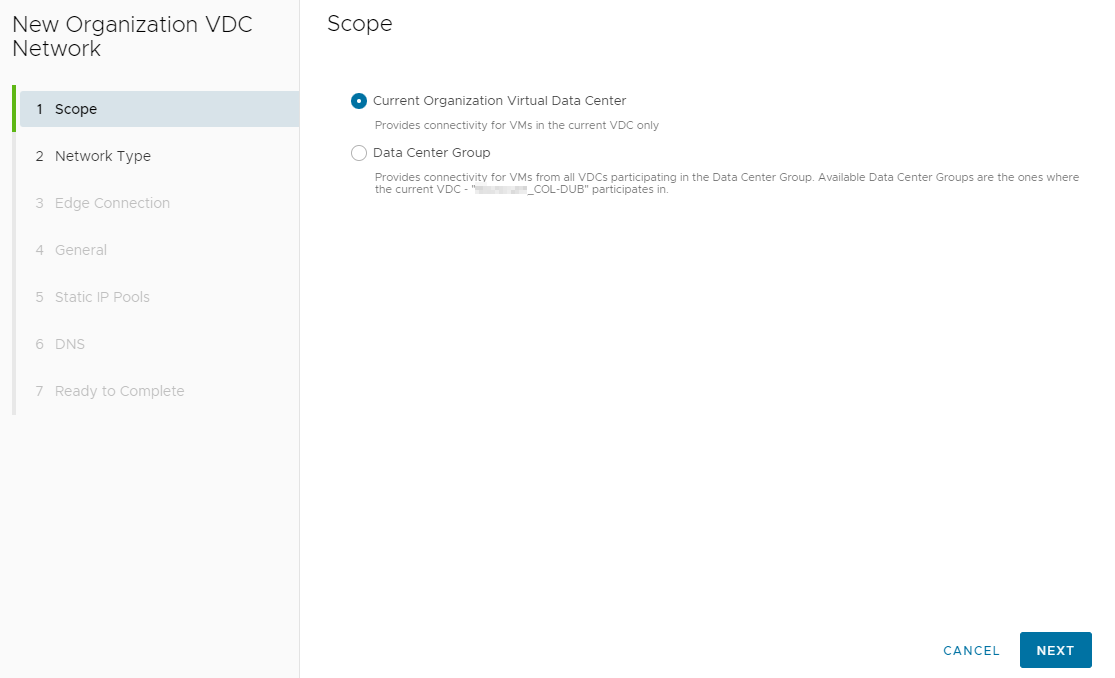**"}, {"url": "https://kb.expedient.com/docs/how-to-create-a-network.md", "excerpt": "If you determined that your environment *is* DR enabled in step 1, choose **Data Center Group** and select your organization’s DCG below."}], "review_status": "first-party-draft", "training_eligible": true, "rights_status": "expedient-first-party-content", "execution_level": "documented-procedure"} | |
| {"id": "expkb-0340", "vendor": "expedient", "product": "Private Cloud", "category": "how-to", "record_type": "how-to", "intent_family": "vcenter-port-group-change", "version_scope": "KB page as retrieved 2026-10-31", "question": "How can I change a VM’s port group through vCenter?", "answer": "In the vCenter Flex Client, open VMs and Templates, right-click the server, and select All vRealize Orchestrator Actions > Change_Port_Group_Backing. The workflow displays the server’s connected NICs and lets you choose a port group for each from the available dropdowns. Click Next, choose Run now or Schedule, and Finish. Use the task viewer to check status and confirm completion.", "source": "https://kb.expedient.com/docs/changing-port-groups", "evidence": [{"url": "https://kb.expedient.com/docs/changing-port-groups.md", "excerpt": "Select **VMs and Templates**"}, {"url": "https://kb.expedient.com/docs/changing-port-groups.md", "excerpt": "Right-click a server and select **All vRealize Orchestrator Actions** > **Change_Port_Group_Backing**"}, {"url": "https://kb.expedient.com/docs/changing-port-groups.md", "excerpt": "You will see a list of currently connected NICs (up to 8) and can change each one from a dropdown list showing all available port groups."}, {"url": "https://kb.expedient.com/docs/changing-port-groups.md", "excerpt": "Click **Next**, select **Run now** or **Schedule**, then **Finish**"}], "review_status": "first-party-draft", "training_eligible": true, "rights_status": "expedient-first-party-content", "execution_level": "documented-procedure"} | |
| {"id": "expkb-0341", "vendor": "expedient", "product": "Enterprise Cloud", "category": "how-to", "record_type": "how-to", "intent_family": "eec-security-group-create", "version_scope": "KB page as retrieved 2026-10-31", "question": "How do I create a security group in the EEC tenant portal?", "answer": "If using security tags with a security group, create the tags first. Open Networking > Security, select the organization VDC, and choose Configure Services. In Security Services, go to Grouping Objects > Security Groups and select Create. Name the group, then optionally define dynamic members or add and exclude objects. Click Keep to save; the article says the group can then be used in rules such as firewall rules.", "source": "https://kb.expedient.com/docs/how-to-create-a-security-group", "evidence": [{"url": "https://kb.expedient.com/docs/how-to-create-a-security-group.md", "excerpt": "If you want to use security tags with security groups, the tags should be created before creating the security group."}, {"url": "https://kb.expedient.com/docs/how-to-create-a-security-group.md", "excerpt": "Navigate to **Networking** > **Security**."}, {"url": "https://kb.expedient.com/docs/how-to-create-a-security-group.md", "excerpt": "Navigate to **Grouping Objects** > **Security Groups**"}, {"url": "https://kb.expedient.com/docs/how-to-create-a-security-group.md", "excerpt": "Click the **Create** button."}, {"url": "https://kb.expedient.com/docs/how-to-create-a-security-group.md", "excerpt": "Click **Keep** to preserve your changes."}, {"url": "https://kb.expedient.com/docs/how-to-create-a-security-group.md", "excerpt": "The security group can now be used in rules, such as firewall rules."}], "review_status": "first-party-draft", "training_eligible": true, "rights_status": "expedient-first-party-content", "execution_level": "documented-procedure"} | |
| {"id": "expkb-0342", "vendor": "expedient", "product": "Enterprise Cloud", "category": "how-to", "record_type": "how-to", "intent_family": "eec-security-tag-create", "version_scope": "KB page as retrieved 2026-10-31", "question": "How do I create a security tag and assign it to virtual machines?", "answer": "Open the virtual datacenter, select Networking > Security, choose a security service, and click Configure services. Open the Security Tags tab, select Create, and enter a tag name; a description is optional. To assign it, select the VM in the left panel under Browse objects of type and click the right arrow. The VM moves to the right panel as assigned; click Keep to save the assignment.", "source": "https://kb.expedient.com/docs/how-to-create-and-assign-security-tags", "evidence": [{"url": "https://kb.expedient.com/docs/how-to-create-and-assign-security-tags.md", "excerpt": "On the **Virtual Datacenters** dashboard screen, click the card of the virtual data center you want to explore, and under **Networking**, select **Security**."}, {"url": "https://kb.expedient.com/docs/how-to-create-and-assign-security-tags.md", "excerpt": "Click the **Security Tags** tab."}, {"url": "https://kb.expedient.com/docs/how-to-create-and-assign-security-tags.md", "excerpt": "Click the **Create** button, and enter a name for the security tag."}, {"url": "https://kb.expedient.com/docs/how-to-create-and-assign-security-tags.md", "excerpt": "Select a virtual machine from the left panel."}, {"url": "https://kb.expedient.com/docs/how-to-create-and-assign-security-tags.md", "excerpt": "Assign the security tag to the selected virtual machine by clicking the right arrow."}], "review_status": "first-party-draft", "training_eligible": true, "rights_status": "expedient-first-party-content", "execution_level": "documented-procedure"} | |
| {"id": "expkb-0343", "vendor": "expedient", "product": "Enterprise Cloud", "category": "how-to", "record_type": "how-to", "intent_family": "eec-security-tag-edit", "version_scope": "KB page as retrieved 2026-10-31", "question": "How can I add or remove VMs from an existing security tag?", "answer": "Open the virtual datacenter’s Networking > Security area, select a security service, and configure services. On the Security Tags tab, select the tag and choose Edit. Move VMs from the left panel to the right with the right arrow to assign the tag; select VMs in the right panel and use the left arrow to remove it. Select Keep when assignment changes are complete.", "source": "https://kb.expedient.com/docs/how-to-change-the-security-tag-assignment", "evidence": [{"url": "https://kb.expedient.com/docs/how-to-change-the-security-tag-assignment.md", "excerpt": "From the list of security tags, select the security tag that you want to edit, and click the **Edit** button."}, {"url": "https://kb.expedient.com/docs/how-to-change-the-security-tag-assignment.md", "excerpt": "Select virtual machines from the left panel, and assign the security tag to them by clicking the right arrow."}, {"url": "https://kb.expedient.com/docs/how-to-change-the-security-tag-assignment.md", "excerpt": "Select virtual machines in the right panel, and remove the tag from them by clicking the left arrow."}, {"url": "https://kb.expedient.com/docs/how-to-change-the-security-tag-assignment.md", "excerpt": "When you finish adding your changes, click **Keep**."}], "review_status": "first-party-draft", "training_eligible": true, "rights_status": "expedient-first-party-content", "execution_level": "documented-procedure"} | |
| {"id": "expkb-0344", "vendor": "expedient", "product": "Private Cloud", "category": "how-to", "record_type": "how-to", "intent_family": "nutanix-files-smb-share", "version_scope": "KB page as retrieved 2026-10-31", "question": "How do I create an SMB share in Nutanix Files?", "answer": "Open the Files Console from Prism Element by selecting Files, choosing the file server, and launching Files Console. On Shares & Exports, choose +New Share or Export, enter a unique valid share name, and select SMB as the primary protocol. Choose Standard or Distributed in Settings, review protocol settings and permissions, then check Summary and select Create. The KB describes Standard as the default share type.", "source": "https://kb.expedient.com/docs/creating-an-smb-share-in-nutanix-files", "evidence": [{"url": "https://kb.expedient.com/docs/creating-an-smb-share-in-nutanix-files.md", "excerpt": "In the dropdown menu, click **Files**"}, {"url": "https://kb.expedient.com/docs/creating-an-smb-share-in-nutanix-files.md", "excerpt": "Select the file server > then click **Launch Files Console**"}, {"url": "https://kb.expedient.com/docs/creating-an-smb-share-in-nutanix-files.md", "excerpt": "In the **Files** **Console**, click the **Shares & Exports** tab"}, {"url": "https://kb.expedient.com/docs/creating-an-smb-share-in-nutanix-files.md", "excerpt": "Click the **+New Share or Export** button to create a new share"}, {"url": "https://kb.expedient.com/docs/creating-an-smb-share-in-nutanix-files.md", "excerpt": "**Primary Protocol Access** - Your options are SMB, NFS or multi-protocol. Select **SMB**."}], "review_status": "first-party-draft", "training_eligible": true, "rights_status": "expedient-first-party-content", "execution_level": "documented-procedure"} | |
| {"id": "expkb-0345", "vendor": "expedient", "product": "Backup & Recovery", "category": "how-to", "record_type": "how-to", "intent_family": "cohesity-view-create", "version_scope": "KB page as retrieved 2026-10-31", "question": "What settings does the KB identify when creating an NFS or SMB Cohesity view?", "answer": "From the Views menu, choose Create View and select the assigned storage domain, Backup Target High QoS policy, and either NFS or SMB as the view protocol. For SMB-only views, additional options allow selecting Active Directory users or groups as owner and setting Allow/Deny permissions. The article also directs administrators to enable a whitelist and enter the network segments that will access the view.", "source": "https://kb.expedient.com/docs/how-to-create-nfs-and-smb-views", "evidence": [{"url": "https://kb.expedient.com/docs/how-to-create-nfs-and-smb-views.md", "excerpt": "From the **Views** menu, click the **Create View** button"}, {"url": "https://kb.expedient.com/docs/how-to-create-nfs-and-smb-views.md", "excerpt": "**2. Storage Domain:** Select the Storage Domain that has been assigned to you (there should only be one option)"}, {"url": "https://kb.expedient.com/docs/how-to-create-nfs-and-smb-views.md", "excerpt": "**3. QoS Policy:** Backup Target High"}, {"url": "https://kb.expedient.com/docs/how-to-create-nfs-and-smb-views.md", "excerpt": "**4. View Protocol:**NFS or SMB are the only options supported by Expedient"}, {"url": "https://kb.expedient.com/docs/how-to-create-nfs-and-smb-views.md", "excerpt": "**5. Whitelist:** Enable Whitelist and enter network segments that will be accessing this View (in most cases you will use the same Whitelist settings as the first View that Expedient created for you)"}], "review_status": "first-party-draft", "training_eligible": true, "rights_status": "expedient-first-party-content", "execution_level": "documented-procedure"} | |
| {"id": "expkb-0346", "vendor": "expedient", "product": "Cloud File Storage", "category": "how-to", "record_type": "how-to", "intent_family": "vgateway-nfs-enable", "version_scope": "KB page as retrieved 2026-10-31", "question": "How do I enable NFS functionality on a vGateway?", "answer": "NFS is not enabled by default on a vGateway. Log in to the vGateway, open Share > NFS Settings, and enable NFS. The KB specifies that Asynchronous Writes may be checked or set to Client Config, and Aggregate Writes should be checked. Save the configuration to apply it.", "source": "https://kb.expedient.com/docs/vgateway-enable-nfs", "evidence": [{"url": "https://kb.expedient.com/docs/vgateway-enable-nfs.md", "excerpt": "A vGateway does not have NFS functionality enabled by default when they are deployed. If you wish to utilize NFS functionality, you must enable this."}, {"url": "https://kb.expedient.com/docs/vgateway-enable-nfs.md", "excerpt": "Select **Share** and then **NFS Settings**"}, {"url": "https://kb.expedient.com/docs/vgateway-enable-nfs.md", "excerpt": " 1. Enable NFS: **Checked**"}, {"url": "https://kb.expedient.com/docs/vgateway-enable-nfs.md", "excerpt": " 2. Asynchronous Writes: **Checked or Client Config**"}, {"url": "https://kb.expedient.com/docs/vgateway-enable-nfs.md", "excerpt": " 3. Aggregate Writes: **Checked**"}, {"url": "https://kb.expedient.com/docs/vgateway-enable-nfs.md", "excerpt": "Select **Save**"}], "review_status": "first-party-draft", "training_eligible": true, "rights_status": "expedient-first-party-content", "execution_level": "documented-procedure"} | |
| {"id": "expkb-0347", "vendor": "expedient", "product": "Cloud File Storage", "category": "how-to", "record_type": "how-to", "intent_family": "vgateway-smb-access-enumeration", "version_scope": "KB page as retrieved 2026-10-31", "question": "How do I hide SMB shares or folders from users who lack access permissions?", "answer": "The vGateway supports Access Based Enumeration for CIFS/SMB shares, which hides shares from users without permission. Log in to the vGateway, open Share > Windows File Sharing, check Hide unreadable files and folders, and select Save. The KB says users without the appropriate permissions will then not see those folders or shares.", "source": "https://kb.expedient.com/docs/vgateway-access-based-enumeration", "evidence": [{"url": "https://kb.expedient.com/docs/vgateway-access-based-enumeration.md", "excerpt": "A vGateway can be configured to utilize Access Based Enumeration on CIFS/SMB shares. This functionality is useful to hide shares from end user view when they do not have the permissions to access the shares."}, {"url": "https://kb.expedient.com/docs/vgateway-access-based-enumeration.md", "excerpt": "Select **Share** and then **Windows File Sharing**"}, {"url": "https://kb.expedient.com/docs/vgateway-access-based-enumeration.md", "excerpt": "Locate the **Hide unreadable files and folders** setting, **check** the box, and select **Save**"}], "review_status": "first-party-draft", "training_eligible": true, "rights_status": "expedient-first-party-content", "execution_level": "documented-procedure"} | |
| {"id": "expkb-0348", "vendor": "expedient", "product": "Cloud File Storage", "category": "how-to", "record_type": "how-to", "intent_family": "vgateway-nested-smb-share", "version_scope": "KB page as retrieved 2026-10-31", "question": "How do I create a nested SMB share on a vGateway?", "answer": "If the folder structure already exists, skip to creating the nested share. Log in to the vGateway, choose Share > Shares > New Share, select the folder under the Cloud tree, and specify a network share name. Configure Windows File Sharing and permissions, then finish and confirm that the share is listed. With Active Directory integration, Windows ACLs supersede share permissions; local permissions must be configured on each vGateway.", "source": "https://kb.expedient.com/docs/vgateway-share-configuration-smbcifs", "evidence": [{"url": "https://kb.expedient.com/docs/vgateway-share-configuration-smbcifs.md", "excerpt": "Select **Share** and then **Shares**"}, {"url": "https://kb.expedient.com/docs/vgateway-share-configuration-smbcifs.md", "excerpt": "Select **New Share**"}, {"url": "https://kb.expedient.com/docs/vgateway-share-configuration-smbcifs.md", "excerpt": "Select a Folder to Share"}, {"url": "https://kb.expedient.com/docs/vgateway-share-configuration-smbcifs.md", "excerpt": "Expand the **Cloud** tree and locate the folder you wish to create a share for"}, {"url": "https://kb.expedient.com/docs/vgateway-share-configuration-smbcifs.md", "excerpt": "Specify a Share Name"}, {"url": "https://kb.expedient.com/docs/vgateway-share-configuration-smbcifs.md", "excerpt": " 1. Windows File Sharing: **Windows ACL Emulation Mode (Windows ACLs) or Only Authenticated Users (Local SMB Accounts)**"}], "review_status": "first-party-draft", "training_eligible": true, "rights_status": "expedient-first-party-content", "execution_level": "documented-procedure"} | |
| {"id": "expkb-0349", "vendor": "expedient", "product": "Cloud File Storage", "category": "how-to", "record_type": "how-to", "intent_family": "vgateway-cache-pin-folder", "version_scope": "KB page as retrieved 2026-10-31", "question": "How can I pin a vGateway folder in the local cache, and what caution does the KB give?", "answer": "Log in to the vGateway, open Cloud Drive > Pinned Folders, select the folders to pin, and save. The selected data then begins loading into cache, with duration depending on the internet link and data volume. The article cautions that pinning can reduce space available for intelligent caching and may overwhelm the cache if the pinned workload exceeds the cache drive, potentially causing portal synchronization issues.", "source": "https://kb.expedient.com/docs/vgateway-cache-pinning", "evidence": [{"url": "https://kb.expedient.com/docs/vgateway-cache-pinning.md", "excerpt": "All vGateways will be deployed with a certain amount of SSD cache to ensure that local file access is performant. While the [behavior of the cache is detailed in another KB document](/v1/docs/vgateway-cache-behavior-and-eviction), the vGateways do support pinning folders to cache exempting them from the caching eviction process."}, {"url": "https://kb.expedient.com/docs/vgateway-cache-pinning.md", "excerpt": "Extreme caution must be exercised when pinning data to cache. Unless your Cloud File Storage configuration was specifically sized to account for caching, no allocation is made by default."}, {"url": "https://kb.expedient.com/docs/vgateway-cache-pinning.md", "excerpt": "Select **Cloud Drive** and then **Pinned Folders**"}, {"url": "https://kb.expedient.com/docs/vgateway-cache-pinning.md", "excerpt": "Locate the folder(s) you wish to pin, **select them**, and select **Save**"}], "review_status": "first-party-draft", "training_eligible": true, "rights_status": "expedient-first-party-content", "execution_level": "documented-procedure"} | |
| {"id": "expkb-0350", "vendor": "expedient", "product": "Cloud File Storage", "category": "how-to", "record_type": "how-to", "intent_family": "vgateway-smtp-alerts", "version_scope": "KB page as retrieved 2026-10-31", "question": "How do I configure SMTP email alerts on a vGateway?", "answer": "Configure the mail server under Alerts > Mail Server by enabling the custom server and entering SMTP server, port, authentication, and TLS settings, then save. Next, open Alerts > Email Alerts and set recipients, sender address, and alert conditions. Use Test to verify email alerting, then Save. The article describes email alerts as optional and intended to report selected vGateway error conditions.", "source": "https://kb.expedient.com/docs/vgateway-smtp-alerting", "evidence": [{"url": "https://kb.expedient.com/docs/vgateway-smtp-alerting.md", "excerpt": "The vGateways can be optionally configured to send email alerts utilizing a local SMTP."}, {"url": "https://kb.expedient.com/docs/vgateway-smtp-alerting.md", "excerpt": "Select **Alerts** and then **Mail Server**"}, {"url": "https://kb.expedient.com/docs/vgateway-smtp-alerting.md", "excerpt": "3. **Configure** the **Mail Server**"}, {"url": "https://kb.expedient.com/docs/vgateway-smtp-alerting.md", "excerpt": "Select **Alerts** and then **Email Alerts**"}, {"url": "https://kb.expedient.com/docs/vgateway-smtp-alerting.md", "excerpt": "Select **Test** to test the email alerting and **Save** to save"}], "review_status": "first-party-draft", "training_eligible": true, "rights_status": "expedient-first-party-content", "execution_level": "documented-procedure"} | |
| {"id": "expkb-0351", "vendor": "expedient", "product": "General", "category": "how-to", "record_type": "how-to", "intent_family": "temporary-alert-suppression", "version_scope": "KB page as retrieved 2026-10-31", "question": "How do I temporarily suspend alerts for a monitored server during planned work?", "answer": "Create an Ignore Alert in the Expedient Support Management Console. Log in to the SMC, open Resources > Ignore Alerts, and select Add. Set the start and end times and choose the device by typing its name and selecting it from the list. The article says Ignore Alerts should not last longer than seven days; create a second Ignore Alert if a longer period is required.", "source": "https://kb.expedient.com/docs/temporarily-suspend-alerts-for-a-monitored-server", "evidence": [{"url": "https://kb.expedient.com/docs/temporarily-suspend-alerts-for-a-monitored-server.md", "excerpt": "At times you may wish to suspend alerts for a server that is already monitored by Operations CTRL."}, {"url": "https://kb.expedient.com/docs/temporarily-suspend-alerts-for-a-monitored-server.md", "excerpt": "From the **Resources** menu, select **Ignore Alerts**"}, {"url": "https://kb.expedient.com/docs/temporarily-suspend-alerts-for-a-monitored-server.md", "excerpt": "On the \"Ignore Alerts\" page, click the green **Add** button"}, {"url": "https://kb.expedient.com/docs/temporarily-suspend-alerts-for-a-monitored-server.md", "excerpt": "In most cases this is simply **Starts (EDT), Ends (EDT),** and **Devices.** In the Devices field just start typing the name of the device and select from the list. NOTE: Ignore Alerts should not last longer than 7 days."}], "review_status": "first-party-draft", "training_eligible": true, "rights_status": "expedient-first-party-content", "execution_level": "documented-procedure"} | |
| {"id": "expkb-0352", "vendor": "expedient", "product": "General", "category": "how-to", "record_type": "how-to", "intent_family": "storage-consumption-report", "version_scope": "KB page as retrieved 2026-10-31", "question": "How do I generate a storage-consumption report in the monitoring interface?", "answer": "Open the Reporting menu to generate reports about storage consumed and specify the number of days covered. The article says the output can be sent by Email or exported as CSV. You can also select the report type and choose a Number of Days. The page documents reporting controls rather than a separate process for configuring server monitoring thresholds or alert rules.", "source": "https://kb.expedient.com/docs/how-to-setup-monitoring", "evidence": [{"url": "https://kb.expedient.com/docs/how-to-setup-monitoring.md", "excerpt": "**Reports** can be generated from storage consumed and specifying the amount of days to report against."}, {"url": "https://kb.expedient.com/docs/how-to-setup-monitoring.md", "excerpt": "Select the **Reporting** menu"}, {"url": "https://kb.expedient.com/docs/how-to-setup-monitoring.md", "excerpt": "You can click **Email** or **CSV** to choose an output"}, {"url": "https://kb.expedient.com/docs/how-to-setup-monitoring.md", "excerpt": "You can also **Select Report** and choose a **Number of Days**"}], "review_status": "first-party-draft", "training_eligible": true, "rights_status": "expedient-first-party-content", "execution_level": "documented-procedure"} | |
| {"id": "expkb-0353", "vendor": "expedient", "product": "Cloud File Storage", "category": "faq", "record_type": "faq", "intent_family": "vgateway-update-schedule", "version_scope": "KB page as retrieved 2026-10-31", "question": "What happens to vGateway automatic updates, and who manages reboots if they are disabled?", "answer": "Expedient-deployed vGateways are configured to check the portal, download and apply updates, and reboot the following Thursday between 3:00 and 4:00 AM after advance change-control notification. For a vGateway deployed by a customer or team, the default is to apply updates and reboot immediately, so the article advises configuring an acceptable reboot time. If automatic updates or restarts are turned off, the customer is responsible for applying updates or rebooting.", "source": "https://kb.expedient.com/docs/vgateway-automatic-updates-configuration", "evidence": [{"url": "https://kb.expedient.com/docs/vgateway-automatic-updates-configuration.md", "excerpt": "When deployed by Expedient staff, a vGateway will be configured to perform automatic upgrades from the Portal. Change Controls with advanced notification will occur prior to making a vGateway update available in the portal. The vGateways will also be configured to automatically check in with the Portal, download/apply the update, and reboot the following Thursday between 3:00-4:00AM to boot to the updated vGateway version."}, {"url": "https://kb.expedient.com/docs/vgateway-automatic-updates-configuration.md", "excerpt": "If a vGateway has been deployed by you or your team, by default the vGateway will immediately apply the update and reboot."}], "review_status": "first-party-draft", "training_eligible": true, "rights_status": "expedient-first-party-content", "execution_level": "no-system-changes"} | |