

Upload folder using huggingface_hub (part 8)
Browse filesThis view is limited to 50 files because it contains too many changes. See raw diff
- .gitattributes +1 -0
- node_modules/@huggingface/tasks/src/tasks/fill-mask/spec/input.json +37 -0
- node_modules/@huggingface/tasks/src/tasks/fill-mask/spec/output.json +29 -0
- node_modules/@huggingface/tasks/src/tasks/image-classification/about.md +50 -0
- node_modules/@huggingface/tasks/src/tasks/image-classification/data.ts +87 -0
- node_modules/@huggingface/tasks/src/tasks/image-classification/inference.ts +53 -0
- node_modules/@huggingface/tasks/src/tasks/image-classification/spec/input.json +36 -0
- node_modules/@huggingface/tasks/src/tasks/image-classification/spec/output.json +11 -0
- node_modules/@huggingface/tasks/src/tasks/image-feature-extraction/about.md +23 -0
- node_modules/@huggingface/tasks/src/tasks/image-feature-extraction/data.ts +64 -0
- node_modules/@huggingface/tasks/src/tasks/image-segmentation/about.md +63 -0
- node_modules/@huggingface/tasks/src/tasks/image-segmentation/data.ts +99 -0
- node_modules/@huggingface/tasks/src/tasks/image-segmentation/inference.ts +67 -0
- node_modules/@huggingface/tasks/src/tasks/image-segmentation/spec/input.json +45 -0
- node_modules/@huggingface/tasks/src/tasks/image-segmentation/spec/output.json +26 -0
- node_modules/@huggingface/tasks/src/tasks/image-text-to-image/about.md +73 -0
- node_modules/@huggingface/tasks/src/tasks/image-text-to-image/data.ts +54 -0
- node_modules/@huggingface/tasks/src/tasks/image-text-to-image/inference.ts +75 -0
- node_modules/@huggingface/tasks/src/tasks/image-text-to-image/spec/input.json +59 -0
- node_modules/@huggingface/tasks/src/tasks/image-text-to-image/spec/output.json +13 -0
- node_modules/@huggingface/tasks/src/tasks/image-text-to-text/about.md +94 -0
- node_modules/@huggingface/tasks/src/tasks/image-text-to-text/data.ts +86 -0
- node_modules/@huggingface/tasks/src/tasks/image-text-to-video/about.md +71 -0
- node_modules/@huggingface/tasks/src/tasks/image-text-to-video/data.ts +54 -0
- node_modules/@huggingface/tasks/src/tasks/image-text-to-video/inference.ts +77 -0
- node_modules/@huggingface/tasks/src/tasks/image-text-to-video/spec/input.json +63 -0
- node_modules/@huggingface/tasks/src/tasks/image-text-to-video/spec/output.json +13 -0
- node_modules/@huggingface/tasks/src/tasks/image-to-3d/about.md +62 -0
- node_modules/@huggingface/tasks/src/tasks/image-to-3d/data.ts +75 -0
- node_modules/@huggingface/tasks/src/tasks/image-to-image/about.md +129 -0
- node_modules/@huggingface/tasks/src/tasks/image-to-image/data.ts +96 -0
- node_modules/@huggingface/tasks/src/tasks/image-to-image/inference.ts +68 -0
- node_modules/@huggingface/tasks/src/tasks/image-to-image/spec/input.json +56 -0
- node_modules/@huggingface/tasks/src/tasks/image-to-image/spec/output.json +12 -0
- node_modules/@huggingface/tasks/src/tasks/image-to-text/about.md +61 -0
- node_modules/@huggingface/tasks/src/tasks/image-to-text/data.ts +62 -0
- node_modules/@huggingface/tasks/src/tasks/image-to-text/inference.ts +134 -0
- node_modules/@huggingface/tasks/src/tasks/image-to-text/spec/input.json +34 -0
- node_modules/@huggingface/tasks/src/tasks/image-to-text/spec/output.json +14 -0
- node_modules/@huggingface/tasks/src/tasks/image-to-video/about.md +51 -0
- node_modules/@huggingface/tasks/src/tasks/image-to-video/data.ts +126 -0
- node_modules/@huggingface/tasks/src/tasks/image-to-video/inference.ts +74 -0
- node_modules/@huggingface/tasks/src/tasks/image-to-video/spec/input.json +64 -0
- node_modules/@huggingface/tasks/src/tasks/image-to-video/spec/output.json +13 -0
- node_modules/@huggingface/tasks/src/tasks/index.ts +341 -0
- node_modules/@huggingface/tasks/src/tasks/keypoint-detection/about.md +57 -0
- node_modules/@huggingface/tasks/src/tasks/keypoint-detection/data.ts +58 -0
- node_modules/@huggingface/tasks/src/tasks/mask-generation/about.md +75 -0
- node_modules/@huggingface/tasks/src/tasks/mask-generation/data.ts +69 -0
- node_modules/@huggingface/tasks/src/tasks/object-detection/about.md +37 -0
.gitattributes
CHANGED
|
@@ -35,3 +35,4 @@ saved_model/**/* filter=lfs diff=lfs merge=lfs -text
|
|
| 35 |
*tfevents* filter=lfs diff=lfs merge=lfs -text
|
| 36 |
node_modules/.bin/esbuild filter=lfs diff=lfs merge=lfs -text
|
| 37 |
node_modules/@esbuild/linux-x64/bin/esbuild filter=lfs diff=lfs merge=lfs -text
|
|
|
|
|
|
| 35 |
*tfevents* filter=lfs diff=lfs merge=lfs -text
|
| 36 |
node_modules/.bin/esbuild filter=lfs diff=lfs merge=lfs -text
|
| 37 |
node_modules/@esbuild/linux-x64/bin/esbuild filter=lfs diff=lfs merge=lfs -text
|
| 38 |
+
node_modules/@mapbox/vector-tile/test/fixtures/14-8801-5371.vector.pbf filter=lfs diff=lfs merge=lfs -text
|
node_modules/@huggingface/tasks/src/tasks/fill-mask/spec/input.json
ADDED
|
@@ -0,0 +1,37 @@
|
|
|
|
|
|
|
|
|
|
|
|
|
|
|
|
|
|
|
|
|
|
|
|
|
|
|
|
|
|
|
|
|
|
|
|
|
|
|
|
|
|
|
|
|
|
|
|
|
|
|
|
|
|
|
|
|
|
|
|
|
|
|
|
|
|
|
|
|
|
|
|
|
|
|
|
|
|
|
|
|
|
|
|
|
|
|
|
|
|
|
|
|
|
|
|
|
|
|
|
|
|
|
|
|
|
|
|
|
|
|
|
|
|
|
| 1 |
+
{
|
| 2 |
+
"$id": "/inference/schemas/fill-mask/input.json",
|
| 3 |
+
"$schema": "http://json-schema.org/draft-06/schema#",
|
| 4 |
+
"description": "Inputs for Fill Mask inference",
|
| 5 |
+
"title": "FillMaskInput",
|
| 6 |
+
"type": "object",
|
| 7 |
+
"properties": {
|
| 8 |
+
"inputs": {
|
| 9 |
+
"description": "The text with masked tokens",
|
| 10 |
+
"type": "string"
|
| 11 |
+
},
|
| 12 |
+
"parameters": {
|
| 13 |
+
"description": "Additional inference parameters for Fill Mask",
|
| 14 |
+
"$ref": "#/$defs/FillMaskParameters"
|
| 15 |
+
}
|
| 16 |
+
},
|
| 17 |
+
"$defs": {
|
| 18 |
+
"FillMaskParameters": {
|
| 19 |
+
"title": "FillMaskParameters",
|
| 20 |
+
"type": "object",
|
| 21 |
+
"properties": {
|
| 22 |
+
"top_k": {
|
| 23 |
+
"type": "integer",
|
| 24 |
+
"description": "When passed, overrides the number of predictions to return."
|
| 25 |
+
},
|
| 26 |
+
"targets": {
|
| 27 |
+
"description": "When passed, the model will limit the scores to the passed targets instead of looking up in the whole vocabulary. If the provided targets are not in the model vocab, they will be tokenized and the first resulting token will be used (with a warning, and that might be slower).",
|
| 28 |
+
"type": "array",
|
| 29 |
+
"items": {
|
| 30 |
+
"type": "string"
|
| 31 |
+
}
|
| 32 |
+
}
|
| 33 |
+
}
|
| 34 |
+
}
|
| 35 |
+
},
|
| 36 |
+
"required": ["inputs"]
|
| 37 |
+
}
|
node_modules/@huggingface/tasks/src/tasks/fill-mask/spec/output.json
ADDED
|
@@ -0,0 +1,29 @@
|
|
|
|
|
|
|
|
|
|
|
|
|
|
|
|
|
|
|
|
|
|
|
|
|
|
|
|
|
|
|
|
|
|
|
|
|
|
|
|
|
|
|
|
|
|
|
|
|
|
|
|
|
|
|
|
|
|
|
|
|
|
|
|
|
|
|
|
|
|
|
|
|
|
|
|
|
|
|
|
|
|
|
|
|
|
|
|
|
|
|
| 1 |
+
{
|
| 2 |
+
"$id": "/inference/schemas/fill-mask/output.json",
|
| 3 |
+
"$schema": "http://json-schema.org/draft-06/schema#",
|
| 4 |
+
"description": "Outputs of inference for the Fill Mask task",
|
| 5 |
+
"title": "FillMaskOutput",
|
| 6 |
+
"type": "array",
|
| 7 |
+
"items": {
|
| 8 |
+
"type": "object",
|
| 9 |
+
"properties": {
|
| 10 |
+
"sequence": {
|
| 11 |
+
"type": "string",
|
| 12 |
+
"description": "The corresponding input with the mask token prediction."
|
| 13 |
+
},
|
| 14 |
+
"score": {
|
| 15 |
+
"type": "number",
|
| 16 |
+
"description": "The corresponding probability"
|
| 17 |
+
},
|
| 18 |
+
"token": {
|
| 19 |
+
"type": "integer",
|
| 20 |
+
"description": "The predicted token id (to replace the masked one)."
|
| 21 |
+
},
|
| 22 |
+
"token_str": {
|
| 23 |
+
"type": "string",
|
| 24 |
+
"description": "The predicted token (to replace the masked one)."
|
| 25 |
+
}
|
| 26 |
+
},
|
| 27 |
+
"required": ["sequence", "score", "token", "tokenStr"]
|
| 28 |
+
}
|
| 29 |
+
}
|
node_modules/@huggingface/tasks/src/tasks/image-classification/about.md
ADDED
|
@@ -0,0 +1,50 @@
|
|
|
|
|
|
|
|
|
|
|
|
|
|
|
|
|
|
|
|
|
|
|
|
|
|
|
|
|
|
|
|
|
|
|
|
|
|
|
|
|
|
|
|
|
|
|
|
|
|
|
|
|
|
|
|
|
|
|
|
|
|
|
|
|
|
|
|
|
|
|
|
|
|
|
|
|
|
|
|
|
|
|
|
|
|
|
|
|
|
|
|
|
|
|
|
|
|
|
|
|
|
|
|
|
|
|
|
|
|
|
|
|
|
|
|
|
|
|
|
|
|
|
|
|
|
|
|
|
|
|
|
|
|
|
|
|
|
|
|
|
|
|
|
|
|
|
|
|
|
|
|
|
|
| 1 |
+
## Use Cases
|
| 2 |
+
|
| 3 |
+
Image classification models can be used when we are not interested in specific instances of objects with location information or their shape.
|
| 4 |
+
|
| 5 |
+
### Keyword Classification
|
| 6 |
+
|
| 7 |
+
Image classification models are used widely in stock photography to assign each image a keyword.
|
| 8 |
+
|
| 9 |
+
### Image Search
|
| 10 |
+
|
| 11 |
+
Models trained in image classification can improve user experience by organizing and categorizing photo galleries on the phone or in the cloud, on multiple keywords or tags.
|
| 12 |
+
|
| 13 |
+
## Inference
|
| 14 |
+
|
| 15 |
+
With the `transformers` library, you can use the `image-classification` pipeline to infer with image classification models. You can initialize the pipeline with a model id from the Hub. If you do not provide a model id it will initialize with [google/vit-base-patch16-224](https://huggingface.co/google/vit-base-patch16-224) by default. When calling the pipeline you just need to specify a path, http link or an image loaded in PIL. You can also provide a `top_k` parameter which determines how many results it should return.
|
| 16 |
+
|
| 17 |
+
```python
|
| 18 |
+
from transformers import pipeline
|
| 19 |
+
clf = pipeline("image-classification")
|
| 20 |
+
clf("path_to_a_cat_image")
|
| 21 |
+
|
| 22 |
+
[{'label': 'tabby cat', 'score': 0.731},
|
| 23 |
+
...
|
| 24 |
+
]
|
| 25 |
+
```
|
| 26 |
+
|
| 27 |
+
You can use [huggingface.js](https://github.com/huggingface/huggingface.js) to classify images using models on Hugging Face Hub.
|
| 28 |
+
|
| 29 |
+
```javascript
|
| 30 |
+
import { InferenceClient } from "@huggingface/inference";
|
| 31 |
+
|
| 32 |
+
const inference = new InferenceClient(HF_TOKEN);
|
| 33 |
+
await inference.imageClassification({
|
| 34 |
+
data: await (await fetch("https://picsum.photos/300/300")).blob(),
|
| 35 |
+
model: "microsoft/resnet-50",
|
| 36 |
+
});
|
| 37 |
+
```
|
| 38 |
+
|
| 39 |
+
## Useful Resources
|
| 40 |
+
|
| 41 |
+
- [Let's Play Pictionary with Machine Learning!](https://www.youtube.com/watch?v=LS9Y2wDVI0k)
|
| 42 |
+
- [Fine-Tune ViT for Image Classification with 🤗Transformers](https://huggingface.co/blog/fine-tune-vit)
|
| 43 |
+
- [Walkthrough of Computer Vision Ecosystem in Hugging Face - CV Study Group](https://www.youtube.com/watch?v=oL-xmufhZM8)
|
| 44 |
+
- [Computer Vision Study Group: Swin Transformer](https://www.youtube.com/watch?v=Ngikt-K1Ecc)
|
| 45 |
+
- [Computer Vision Study Group: Masked Autoencoders Paper Walkthrough](https://www.youtube.com/watch?v=Ngikt-K1Ecc)
|
| 46 |
+
- [Image classification task guide](https://huggingface.co/docs/transformers/tasks/image_classification)
|
| 47 |
+
|
| 48 |
+
### Creating your own image classifier in just a few minutes
|
| 49 |
+
|
| 50 |
+
With [HuggingPics](https://github.com/nateraw/huggingpics), you can fine-tune Vision Transformers for anything using images found on the web. This project downloads images of classes defined by you, trains a model, and pushes it to the Hub. You even get to try out the model directly with a working widget in the browser, ready to be shared with all your friends!
|
node_modules/@huggingface/tasks/src/tasks/image-classification/data.ts
ADDED
|
@@ -0,0 +1,87 @@
|
|
|
|
|
|
|
|
|
|
|
|
|
|
|
|
|
|
|
|
|
|
|
|
|
|
|
|
|
|
|
|
|
|
|
|
|
|
|
|
|
|
|
|
|
|
|
|
|
|
|
|
|
|
|
|
|
|
|
|
|
|
|
|
|
|
|
|
|
|
|
|
|
|
|
|
|
|
|
|
|
|
|
|
|
|
|
|
|
|
|
|
|
|
|
|
|
|
|
|
|
|
|
|
|
|
|
|
|
|
|
|
|
|
|
|
|
|
|
|
|
|
|
|
|
|
|
|
|
|
|
|
|
|
|
|
|
|
|
|
|
|
|
|
|
|
|
|
|
|
|
|
|
|
|
|
|
|
|
|
|
|
|
|
|
|
|
|
|
|
|
|
|
|
|
|
|
|
|
|
|
|
|
|
|
|
|
|
|
|
|
|
|
|
|
|
|
|
|
|
|
|
|
|
|
|
|
|
|
|
|
|
|
|
|
|
|
|
|
|
|
|
|
|
|
|
|
|
|
|
|
|
|
|
|
|
|
|
|
|
|
|
|
|
|
|
|
|
|
|
|
|
|
|
|
|
|
|
|
|
|
|
|
|
|
| 1 |
+
import type { TaskDataCustom } from "../index.js";
|
| 2 |
+
|
| 3 |
+
const taskData: TaskDataCustom = {
|
| 4 |
+
datasets: [
|
| 5 |
+
{
|
| 6 |
+
// TODO write proper description
|
| 7 |
+
description: "Benchmark dataset used for image classification with images that belong to 100 classes.",
|
| 8 |
+
id: "cifar100",
|
| 9 |
+
},
|
| 10 |
+
{
|
| 11 |
+
// TODO write proper description
|
| 12 |
+
description: "Dataset consisting of images of garments.",
|
| 13 |
+
id: "fashion_mnist",
|
| 14 |
+
},
|
| 15 |
+
],
|
| 16 |
+
demo: {
|
| 17 |
+
inputs: [
|
| 18 |
+
{
|
| 19 |
+
filename: "image-classification-input.jpeg",
|
| 20 |
+
type: "img",
|
| 21 |
+
},
|
| 22 |
+
],
|
| 23 |
+
outputs: [
|
| 24 |
+
{
|
| 25 |
+
type: "chart",
|
| 26 |
+
data: [
|
| 27 |
+
{
|
| 28 |
+
label: "Egyptian cat",
|
| 29 |
+
score: 0.514,
|
| 30 |
+
},
|
| 31 |
+
{
|
| 32 |
+
label: "Tabby cat",
|
| 33 |
+
score: 0.193,
|
| 34 |
+
},
|
| 35 |
+
{
|
| 36 |
+
label: "Tiger cat",
|
| 37 |
+
score: 0.068,
|
| 38 |
+
},
|
| 39 |
+
],
|
| 40 |
+
},
|
| 41 |
+
],
|
| 42 |
+
},
|
| 43 |
+
metrics: [
|
| 44 |
+
{
|
| 45 |
+
description: "",
|
| 46 |
+
id: "accuracy",
|
| 47 |
+
},
|
| 48 |
+
{
|
| 49 |
+
description: "",
|
| 50 |
+
id: "recall",
|
| 51 |
+
},
|
| 52 |
+
{
|
| 53 |
+
description: "",
|
| 54 |
+
id: "precision",
|
| 55 |
+
},
|
| 56 |
+
{
|
| 57 |
+
description: "",
|
| 58 |
+
id: "f1",
|
| 59 |
+
},
|
| 60 |
+
],
|
| 61 |
+
models: [
|
| 62 |
+
{
|
| 63 |
+
description: "A strong image classification model.",
|
| 64 |
+
id: "google/vit-base-patch16-224",
|
| 65 |
+
},
|
| 66 |
+
{
|
| 67 |
+
description: "A robust image classification model.",
|
| 68 |
+
id: "facebook/deit-base-distilled-patch16-224",
|
| 69 |
+
},
|
| 70 |
+
{
|
| 71 |
+
description: "A strong image classification model.",
|
| 72 |
+
id: "facebook/convnext-large-224",
|
| 73 |
+
},
|
| 74 |
+
],
|
| 75 |
+
spaces: [
|
| 76 |
+
{
|
| 77 |
+
description: "A leaderboard to evaluate different image classification models.",
|
| 78 |
+
id: "timm/leaderboard",
|
| 79 |
+
},
|
| 80 |
+
],
|
| 81 |
+
summary:
|
| 82 |
+
"Image classification is the task of assigning a label or class to an entire image. Images are expected to have only one class for each image. Image classification models take an image as input and return a prediction about which class the image belongs to.",
|
| 83 |
+
widgetModels: ["google/vit-base-patch16-224"],
|
| 84 |
+
youtubeId: "tjAIM7BOYhw",
|
| 85 |
+
};
|
| 86 |
+
|
| 87 |
+
export default taskData;
|
node_modules/@huggingface/tasks/src/tasks/image-classification/inference.ts
ADDED
|
@@ -0,0 +1,53 @@
|
|
|
|
|
|
|
|
|
|
|
|
|
|
|
|
|
|
|
|
|
|
|
|
|
|
|
|
|
|
|
|
|
|
|
|
|
|
|
|
|
|
|
|
|
|
|
|
|
|
|
|
|
|
|
|
|
|
|
|
|
|
|
|
|
|
|
|
|
|
|
|
|
|
|
|
|
|
|
|
|
|
|
|
|
|
|
|
|
|
|
|
|
|
|
|
|
|
|
|
|
|
|
|
|
|
|
|
|
|
|
|
|
|
|
|
|
|
|
|
|
|
|
|
|
|
|
|
|
|
|
|
|
|
|
|
|
|
|
|
|
|
|
|
|
|
|
|
|
|
|
|
|
|
|
|
|
|
|
|
|
|
|
| 1 |
+
/**
|
| 2 |
+
* Inference code generated from the JSON schema spec in ./spec
|
| 3 |
+
*
|
| 4 |
+
* Using src/scripts/inference-codegen
|
| 5 |
+
*/
|
| 6 |
+
/**
|
| 7 |
+
* Inputs for Image Classification inference
|
| 8 |
+
*/
|
| 9 |
+
export interface ImageClassificationInput {
|
| 10 |
+
/**
|
| 11 |
+
* The input image data as a base64-encoded string. If no `parameters` are provided, you can
|
| 12 |
+
* also provide the image data as a raw bytes payload.
|
| 13 |
+
*/
|
| 14 |
+
inputs: Blob;
|
| 15 |
+
/**
|
| 16 |
+
* Additional inference parameters for Image Classification
|
| 17 |
+
*/
|
| 18 |
+
parameters?: ImageClassificationParameters;
|
| 19 |
+
[property: string]: unknown;
|
| 20 |
+
}
|
| 21 |
+
/**
|
| 22 |
+
* Additional inference parameters for Image Classification
|
| 23 |
+
*/
|
| 24 |
+
export interface ImageClassificationParameters {
|
| 25 |
+
/**
|
| 26 |
+
* The function to apply to the model outputs in order to retrieve the scores.
|
| 27 |
+
*/
|
| 28 |
+
function_to_apply?: ClassificationOutputTransform;
|
| 29 |
+
/**
|
| 30 |
+
* When specified, limits the output to the top K most probable classes.
|
| 31 |
+
*/
|
| 32 |
+
top_k?: number;
|
| 33 |
+
[property: string]: unknown;
|
| 34 |
+
}
|
| 35 |
+
/**
|
| 36 |
+
* The function to apply to the model outputs in order to retrieve the scores.
|
| 37 |
+
*/
|
| 38 |
+
export type ClassificationOutputTransform = "sigmoid" | "softmax" | "none";
|
| 39 |
+
export type ImageClassificationOutput = ImageClassificationOutputElement[];
|
| 40 |
+
/**
|
| 41 |
+
* Outputs of inference for the Image Classification task
|
| 42 |
+
*/
|
| 43 |
+
export interface ImageClassificationOutputElement {
|
| 44 |
+
/**
|
| 45 |
+
* The predicted class label.
|
| 46 |
+
*/
|
| 47 |
+
label: string;
|
| 48 |
+
/**
|
| 49 |
+
* The corresponding probability.
|
| 50 |
+
*/
|
| 51 |
+
score: number;
|
| 52 |
+
[property: string]: unknown;
|
| 53 |
+
}
|
node_modules/@huggingface/tasks/src/tasks/image-classification/spec/input.json
ADDED
|
@@ -0,0 +1,36 @@
|
|
|
|
|
|
|
|
|
|
|
|
|
|
|
|
|
|
|
|
|
|
|
|
|
|
|
|
|
|
|
|
|
|
|
|
|
|
|
|
|
|
|
|
|
|
|
|
|
|
|
|
|
|
|
|
|
|
|
|
|
|
|
|
|
|
|
|
|
|
|
|
|
|
|
|
|
|
|
|
|
|
|
|
|
|
|
|
|
|
|
|
|
|
|
|
|
|
|
|
|
|
|
|
|
|
|
|
|
|
|
|
| 1 |
+
{
|
| 2 |
+
"$id": "/inference/schemas/image-classification/input.json",
|
| 3 |
+
"$schema": "http://json-schema.org/draft-06/schema#",
|
| 4 |
+
"description": "Inputs for Image Classification inference",
|
| 5 |
+
"title": "ImageClassificationInput",
|
| 6 |
+
"type": "object",
|
| 7 |
+
"properties": {
|
| 8 |
+
"inputs": {
|
| 9 |
+
"type": "string",
|
| 10 |
+
"description": "The input image data as a base64-encoded string. If no `parameters` are provided, you can also provide the image data as a raw bytes payload.",
|
| 11 |
+
"comment": "type=binary"
|
| 12 |
+
},
|
| 13 |
+
"parameters": {
|
| 14 |
+
"description": "Additional inference parameters for Image Classification",
|
| 15 |
+
"$ref": "#/$defs/ImageClassificationParameters"
|
| 16 |
+
}
|
| 17 |
+
},
|
| 18 |
+
"$defs": {
|
| 19 |
+
"ImageClassificationParameters": {
|
| 20 |
+
"title": "ImageClassificationParameters",
|
| 21 |
+
"type": "object",
|
| 22 |
+
"properties": {
|
| 23 |
+
"function_to_apply": {
|
| 24 |
+
"title": "ImageClassificationOutputTransform",
|
| 25 |
+
"$ref": "/inference/schemas/common-definitions.json#/definitions/ClassificationOutputTransform",
|
| 26 |
+
"description": "The function to apply to the model outputs in order to retrieve the scores."
|
| 27 |
+
},
|
| 28 |
+
"top_k": {
|
| 29 |
+
"type": "integer",
|
| 30 |
+
"description": "When specified, limits the output to the top K most probable classes."
|
| 31 |
+
}
|
| 32 |
+
}
|
| 33 |
+
}
|
| 34 |
+
},
|
| 35 |
+
"required": ["inputs"]
|
| 36 |
+
}
|
node_modules/@huggingface/tasks/src/tasks/image-classification/spec/output.json
ADDED
|
@@ -0,0 +1,11 @@
|
|
|
|
|
|
|
|
|
|
|
|
|
|
|
|
|
|
|
|
|
|
|
|
|
|
|
|
|
|
|
|
|
|
|
|
|
| 1 |
+
{
|
| 2 |
+
"$id": "/inference/schemas/image-classification/output.json",
|
| 3 |
+
"$schema": "http://json-schema.org/draft-06/schema#",
|
| 4 |
+
"description": "Outputs of inference for the Image Classification task",
|
| 5 |
+
"title": "ImageClassificationOutput",
|
| 6 |
+
"type": "array",
|
| 7 |
+
"items": {
|
| 8 |
+
"type": "object",
|
| 9 |
+
"$ref": "/inference/schemas/common-definitions.json#/definitions/ClassificationOutput"
|
| 10 |
+
}
|
| 11 |
+
}
|
node_modules/@huggingface/tasks/src/tasks/image-feature-extraction/about.md
ADDED
|
@@ -0,0 +1,23 @@
|
|
|
|
|
|
|
|
|
|
|
|
|
|
|
|
|
|
|
|
|
|
|
|
|
|
|
|
|
|
|
|
|
|
|
|
|
|
|
|
|
|
|
|
|
|
|
|
|
|
|
|
|
|
|
|
|
|
|
|
|
|
|
|
|
|
|
|
|
|
|
|
|
| 1 |
+
## Use Cases
|
| 2 |
+
|
| 3 |
+
### Transfer Learning
|
| 4 |
+
|
| 5 |
+
Models trained on a specific dataset can learn features about the data. For instance, a model trained on a car classification dataset learns to recognize edges and curves on a very high level and car-specific features on a low level. This information can be transferred to a new model that is going to be trained on classifying trucks. This process of extracting features and transferring to another model is called transfer learning.
|
| 6 |
+
|
| 7 |
+
### Similarity
|
| 8 |
+
|
| 9 |
+
Features extracted from models contain semantically meaningful information about the world. These features can be used to detect the similarity between two images. Assume there are two images: a photo of a stray cat in a street setting and a photo of a cat at home. These images both contain cats, and the features will contain the information that there's a cat in the image. Thus, comparing the features of a stray cat photo to the features of a domestic cat photo will result in higher similarity compared to any other image that doesn't contain any cats.
|
| 10 |
+
|
| 11 |
+
## Inference
|
| 12 |
+
|
| 13 |
+
```python
|
| 14 |
+
import torch
|
| 15 |
+
from transformers import pipeline
|
| 16 |
+
|
| 17 |
+
pipe = pipeline(task="image-feature-extraction", model_name="google/vit-base-patch16-384", framework="pt", pool=True)
|
| 18 |
+
pipe("https://huggingface.co/datasets/huggingface/documentation-images/resolve/main/cats.png")
|
| 19 |
+
|
| 20 |
+
feature_extractor(text,return_tensors = "pt")[0].numpy().mean(axis=0)
|
| 21 |
+
|
| 22 |
+
'[[[0.21236686408519745, 1.0919708013534546, 0.8512550592422485, ...]]]'
|
| 23 |
+
```
|
node_modules/@huggingface/tasks/src/tasks/image-feature-extraction/data.ts
ADDED
|
@@ -0,0 +1,64 @@
|
|
|
|
|
|
|
|
|
|
|
|
|
|
|
|
|
|
|
|
|
|
|
|
|
|
|
|
|
|
|
|
|
|
|
|
|
|
|
|
|
|
|
|
|
|
|
|
|
|
|
|
|
|
|
|
|
|
|
|
|
|
|
|
|
|
|
|
|
|
|
|
|
|
|
|
|
|
|
|
|
|
|
|
|
|
|
|
|
|
|
|
|
|
|
|
|
|
|
|
|
|
|
|
|
|
|
|
|
|
|
|
|
|
|
|
|
|
|
|
|
|
|
|
|
|
|
|
|
|
|
|
|
|
|
|
|
|
|
|
|
|
|
|
|
|
|
|
|
|
|
|
|
|
|
|
|
|
|
|
|
|
|
|
|
|
|
|
|
|
|
|
|
|
|
|
|
|
|
|
|
|
|
|
|
|
|
|
|
|
|
|
|
|
|
|
| 1 |
+
import type { TaskDataCustom } from "../index.js";
|
| 2 |
+
|
| 3 |
+
const taskData: TaskDataCustom = {
|
| 4 |
+
datasets: [
|
| 5 |
+
{
|
| 6 |
+
description:
|
| 7 |
+
"ImageNet-1K is a image classification dataset in which images are used to train image-feature-extraction models.",
|
| 8 |
+
id: "imagenet-1k",
|
| 9 |
+
},
|
| 10 |
+
],
|
| 11 |
+
demo: {
|
| 12 |
+
inputs: [
|
| 13 |
+
{
|
| 14 |
+
filename: "mask-generation-input.png",
|
| 15 |
+
type: "img",
|
| 16 |
+
},
|
| 17 |
+
],
|
| 18 |
+
outputs: [
|
| 19 |
+
{
|
| 20 |
+
table: [
|
| 21 |
+
["Dimension 1", "Dimension 2", "Dimension 3"],
|
| 22 |
+
["0.21236686408519745", "1.0919708013534546", "0.8512550592422485"],
|
| 23 |
+
["0.809657871723175", "-0.18544459342956543", "-0.7851548194885254"],
|
| 24 |
+
["1.3103108406066895", "-0.2479034662246704", "-0.9107287526130676"],
|
| 25 |
+
["1.8536205291748047", "-0.36419737339019775", "0.09717650711536407"],
|
| 26 |
+
],
|
| 27 |
+
type: "tabular",
|
| 28 |
+
},
|
| 29 |
+
],
|
| 30 |
+
},
|
| 31 |
+
metrics: [],
|
| 32 |
+
models: [
|
| 33 |
+
{
|
| 34 |
+
description: "A powerful image feature extraction model.",
|
| 35 |
+
id: "timm/vit_large_patch14_dinov2.lvd142m",
|
| 36 |
+
},
|
| 37 |
+
{
|
| 38 |
+
description: "A strong image feature extraction model.",
|
| 39 |
+
id: "nvidia/MambaVision-T-1K",
|
| 40 |
+
},
|
| 41 |
+
{
|
| 42 |
+
description: "A robust image feature extraction model.",
|
| 43 |
+
id: "facebook/dino-vitb16",
|
| 44 |
+
},
|
| 45 |
+
{
|
| 46 |
+
description: "Cutting-edge image feature extraction model.",
|
| 47 |
+
id: "apple/aimv2-large-patch14-336-distilled",
|
| 48 |
+
},
|
| 49 |
+
{
|
| 50 |
+
description: "Strong image feature extraction model that can be used on images and documents.",
|
| 51 |
+
id: "OpenGVLab/InternViT-6B-448px-V1-2",
|
| 52 |
+
},
|
| 53 |
+
],
|
| 54 |
+
spaces: [
|
| 55 |
+
{
|
| 56 |
+
description: "A leaderboard to evaluate different image-feature-extraction models on classification performances",
|
| 57 |
+
id: "timm/leaderboard",
|
| 58 |
+
},
|
| 59 |
+
],
|
| 60 |
+
summary: "Image feature extraction is the task of extracting features learnt in a computer vision model.",
|
| 61 |
+
widgetModels: [],
|
| 62 |
+
};
|
| 63 |
+
|
| 64 |
+
export default taskData;
|
node_modules/@huggingface/tasks/src/tasks/image-segmentation/about.md
ADDED
|
@@ -0,0 +1,63 @@
|
|
|
|
|
|
|
|
|
|
|
|
|
|
|
|
|
|
|
|
|
|
|
|
|
|
|
|
|
|
|
|
|
|
|
|
|
|
|
|
|
|
|
|
|
|
|
|
|
|
|
|
|
|
|
|
|
|
|
|
|
|
|
|
|
|
|
|
|
|
|
|
|
|
|
|
|
|
|
|
|
|
|
|
|
|
|
|
|
|
|
|
|
|
|
|
|
|
|
|
|
|
|
|
|
|
|
|
|
|
|
|
|
|
|
|
|
|
|
|
|
|
|
|
|
|
|
|
|
|
|
|
|
|
|
|
|
|
|
|
|
|
|
|
|
|
|
|
|
|
|
|
|
|
|
|
|
|
|
|
|
|
|
|
|
|
|
|
|
|
|
|
|
|
|
|
|
|
|
|
|
|
|
|
|
|
|
|
|
|
|
|
|
| 1 |
+
## Use Cases
|
| 2 |
+
|
| 3 |
+
### Autonomous Driving
|
| 4 |
+
|
| 5 |
+
Segmentation models are used to identify road patterns such as lanes and obstacles for safer driving.
|
| 6 |
+
|
| 7 |
+
### Background Removal
|
| 8 |
+
|
| 9 |
+
Image Segmentation models are used in cameras to erase the background of certain objects and apply filters to them.
|
| 10 |
+
|
| 11 |
+
### Medical Imaging
|
| 12 |
+
|
| 13 |
+
Image Segmentation models are used to distinguish organs or tissues, improving medical imaging workflows. Models are used to segment dental instances, analyze X-Ray scans or even segment cells for pathological diagnosis. This [dataset](https://github.com/v7labs/covid-19-xray-dataset) contains images of lungs of healthy patients and patients with COVID-19 segmented with masks. Another [segmentation dataset](https://ivdm3seg.weebly.com/data.html) contains segmented MRI data of the lower spine to analyze the effect of spaceflight simulation.
|
| 14 |
+
|
| 15 |
+
## Task Variants
|
| 16 |
+
|
| 17 |
+
### Semantic Segmentation
|
| 18 |
+
|
| 19 |
+
Semantic Segmentation is the task of segmenting parts of an image that belong to the same class. Semantic Segmentation models make predictions for each pixel and return the probabilities of the classes for each pixel. These models are evaluated on Mean Intersection Over Union (Mean IoU).
|
| 20 |
+
|
| 21 |
+
### Instance Segmentation
|
| 22 |
+
|
| 23 |
+
Instance Segmentation is the variant of Image Segmentation where every distinct object is segmented, instead of one segment per class.
|
| 24 |
+
|
| 25 |
+
### Panoptic Segmentation
|
| 26 |
+
|
| 27 |
+
Panoptic Segmentation is the Image Segmentation task that segments the image both by instance and by class, assigning each pixel a different instance of the class.
|
| 28 |
+
|
| 29 |
+
## Inference
|
| 30 |
+
|
| 31 |
+
You can infer with Image Segmentation models using the `image-segmentation` pipeline. You need to install [timm](https://github.com/rwightman/pytorch-image-models) first.
|
| 32 |
+
|
| 33 |
+
```python
|
| 34 |
+
!pip install timm
|
| 35 |
+
model = pipeline("image-segmentation")
|
| 36 |
+
model("cat.png")
|
| 37 |
+
#[{'label': 'cat',
|
| 38 |
+
# 'mask': mask_code,
|
| 39 |
+
# 'score': 0.999}
|
| 40 |
+
# ...]
|
| 41 |
+
```
|
| 42 |
+
|
| 43 |
+
You can use [huggingface.js](https://github.com/huggingface/huggingface.js) to infer image segmentation models on Hugging Face Hub.
|
| 44 |
+
|
| 45 |
+
```javascript
|
| 46 |
+
import { InferenceClient } from "@huggingface/inference";
|
| 47 |
+
|
| 48 |
+
const inference = new InferenceClient(HF_TOKEN);
|
| 49 |
+
await inference.imageSegmentation({
|
| 50 |
+
data: await (await fetch("https://picsum.photos/300/300")).blob(),
|
| 51 |
+
model: "facebook/mask2former-swin-base-coco-panoptic",
|
| 52 |
+
});
|
| 53 |
+
```
|
| 54 |
+
|
| 55 |
+
## Useful Resources
|
| 56 |
+
|
| 57 |
+
Would you like to learn more about image segmentation? Great! Here you can find some curated resources that you may find helpful!
|
| 58 |
+
|
| 59 |
+
- [Fine-Tune a Semantic Segmentation Model with a Custom Dataset](https://huggingface.co/blog/fine-tune-segformer)
|
| 60 |
+
- [Walkthrough of Computer Vision Ecosystem in Hugging Face - CV Study Group](https://www.youtube.com/watch?v=oL-xmufhZM8)
|
| 61 |
+
- [A Guide on Universal Image Segmentation with Mask2Former and OneFormer](https://huggingface.co/blog/mask2former)
|
| 62 |
+
- [Zero-shot image segmentation with CLIPSeg](https://huggingface.co/blog/clipseg-zero-shot)
|
| 63 |
+
- [Semantic segmentation task guide](https://huggingface.co/docs/transformers/tasks/semantic_segmentation)
|
node_modules/@huggingface/tasks/src/tasks/image-segmentation/data.ts
ADDED
|
@@ -0,0 +1,99 @@
|
|
|
|
|
|
|
|
|
|
|
|
|
|
|
|
|
|
|
|
|
|
|
|
|
|
|
|
|
|
|
|
|
|
|
|
|
|
|
|
|
|
|
|
|
|
|
|
|
|
|
|
|
|
|
|
|
|
|
|
|
|
|
|
|
|
|
|
|
|
|
|
|
|
|
|
|
|
|
|
|
|
|
|
|
|
|
|
|
|
|
|
|
|
|
|
|
|
|
|
|
|
|
|
|
|
|
|
|
|
|
|
|
|
|
|
|
|
|
|
|
|
|
|
|
|
|
|
|
|
|
|
|
|
|
|
|
|
|
|
|
|
|
|
|
|
|
|
|
|
|
|
|
|
|
|
|
|
|
|
|
|
|
|
|
|
|
|
|
|
|
|
|
|
|
|
|
|
|
|
|
|
|
|
|
|
|
|
|
|
|
|
|
|
|
|
|
|
|
|
|
|
|
|
|
|
|
|
|
|
|
|
|
|
|
|
|
|
|
|
|
|
|
|
|
|
|
|
|
|
|
|
|
|
|
|
|
|
|
|
|
|
|
|
|
|
|
|
|
|
|
|
|
|
|
|
|
|
|
|
|
|
|
|
|
|
|
|
|
|
|
|
|
|
|
|
|
|
|
|
|
|
|
|
|
|
|
|
|
|
|
|
|
|
|
|
|
|
|
|
|
| 1 |
+
import type { TaskDataCustom } from "../index.js";
|
| 2 |
+
|
| 3 |
+
const taskData: TaskDataCustom = {
|
| 4 |
+
datasets: [
|
| 5 |
+
{
|
| 6 |
+
description: "Scene segmentation dataset.",
|
| 7 |
+
id: "scene_parse_150",
|
| 8 |
+
},
|
| 9 |
+
],
|
| 10 |
+
demo: {
|
| 11 |
+
inputs: [
|
| 12 |
+
{
|
| 13 |
+
filename: "image-segmentation-input.jpeg",
|
| 14 |
+
type: "img",
|
| 15 |
+
},
|
| 16 |
+
],
|
| 17 |
+
outputs: [
|
| 18 |
+
{
|
| 19 |
+
filename: "image-segmentation-output.png",
|
| 20 |
+
type: "img",
|
| 21 |
+
},
|
| 22 |
+
],
|
| 23 |
+
},
|
| 24 |
+
metrics: [
|
| 25 |
+
{
|
| 26 |
+
description:
|
| 27 |
+
"Average Precision (AP) is the Area Under the PR Curve (AUC-PR). It is calculated for each semantic class separately",
|
| 28 |
+
id: "Average Precision",
|
| 29 |
+
},
|
| 30 |
+
{
|
| 31 |
+
description: "Mean Average Precision (mAP) is the overall average of the AP values",
|
| 32 |
+
id: "Mean Average Precision",
|
| 33 |
+
},
|
| 34 |
+
{
|
| 35 |
+
description:
|
| 36 |
+
"Intersection over Union (IoU) is the overlap of segmentation masks. Mean IoU is the average of the IoU of all semantic classes",
|
| 37 |
+
id: "Mean Intersection over Union",
|
| 38 |
+
},
|
| 39 |
+
{
|
| 40 |
+
description: "APα is the Average Precision at the IoU threshold of a α value, for example, AP50 and AP75",
|
| 41 |
+
id: "APα",
|
| 42 |
+
},
|
| 43 |
+
],
|
| 44 |
+
models: [
|
| 45 |
+
{
|
| 46 |
+
// TO DO: write description
|
| 47 |
+
description: "Solid panoptic segmentation model trained on COCO.",
|
| 48 |
+
id: "tue-mps/coco_panoptic_eomt_large_640",
|
| 49 |
+
},
|
| 50 |
+
{
|
| 51 |
+
description: "Background removal model.",
|
| 52 |
+
id: "briaai/RMBG-1.4",
|
| 53 |
+
},
|
| 54 |
+
{
|
| 55 |
+
description: "A multipurpose image segmentation model for high resolution images.",
|
| 56 |
+
id: "ZhengPeng7/BiRefNet",
|
| 57 |
+
},
|
| 58 |
+
{
|
| 59 |
+
description: "Powerful human-centric image segmentation model.",
|
| 60 |
+
id: "facebook/sapiens-seg-1b",
|
| 61 |
+
},
|
| 62 |
+
{
|
| 63 |
+
description: "Panoptic segmentation model trained on the COCO (common objects) dataset.",
|
| 64 |
+
id: "facebook/mask2former-swin-large-coco-panoptic",
|
| 65 |
+
},
|
| 66 |
+
],
|
| 67 |
+
spaces: [
|
| 68 |
+
{
|
| 69 |
+
description: "A semantic segmentation application that can predict unseen instances out of the box.",
|
| 70 |
+
id: "facebook/ov-seg",
|
| 71 |
+
},
|
| 72 |
+
{
|
| 73 |
+
description: "One of the strongest segmentation applications.",
|
| 74 |
+
id: "jbrinkma/segment-anything",
|
| 75 |
+
},
|
| 76 |
+
{
|
| 77 |
+
description: "A human-centric segmentation model.",
|
| 78 |
+
id: "facebook/sapiens-pose",
|
| 79 |
+
},
|
| 80 |
+
{
|
| 81 |
+
description: "An instance segmentation application to predict neuronal cell types from microscopy images.",
|
| 82 |
+
id: "rashmi/sartorius-cell-instance-segmentation",
|
| 83 |
+
},
|
| 84 |
+
{
|
| 85 |
+
description: "An application that segments videos.",
|
| 86 |
+
id: "ArtGAN/Segment-Anything-Video",
|
| 87 |
+
},
|
| 88 |
+
{
|
| 89 |
+
description: "An panoptic segmentation application built for outdoor environments.",
|
| 90 |
+
id: "segments/panoptic-segment-anything",
|
| 91 |
+
},
|
| 92 |
+
],
|
| 93 |
+
summary:
|
| 94 |
+
"Image Segmentation divides an image into segments where each pixel in the image is mapped to an object. This task has multiple variants such as instance segmentation, panoptic segmentation and semantic segmentation.",
|
| 95 |
+
widgetModels: ["nvidia/segformer-b0-finetuned-ade-512-512"],
|
| 96 |
+
youtubeId: "dKE8SIt9C-w",
|
| 97 |
+
};
|
| 98 |
+
|
| 99 |
+
export default taskData;
|
node_modules/@huggingface/tasks/src/tasks/image-segmentation/inference.ts
ADDED
|
@@ -0,0 +1,67 @@
|
|
|
|
|
|
|
|
|
|
|
|
|
|
|
|
|
|
|
|
|
|
|
|
|
|
|
|
|
|
|
|
|
|
|
|
|
|
|
|
|
|
|
|
|
|
|
|
|
|
|
|
|
|
|
|
|
|
|
|
|
|
|
|
|
|
|
|
|
|
|
|
|
|
|
|
|
|
|
|
|
|
|
|
|
|
|
|
|
|
|
|
|
|
|
|
|
|
|
|
|
|
|
|
|
|
|
|
|
|
|
|
|
|
|
|
|
|
|
|
|
|
|
|
|
|
|
|
|
|
|
|
|
|
|
|
|
|
|
|
|
|
|
|
|
|
|
|
|
|
|
|
|
|
|
|
|
|
|
|
|
|
|
|
|
|
|
|
|
|
|
|
|
|
|
|
|
|
|
|
|
|
|
|
|
|
|
|
|
|
|
|
|
|
|
|
|
|
|
|
|
|
|
|
|
| 1 |
+
/**
|
| 2 |
+
* Inference code generated from the JSON schema spec in ./spec
|
| 3 |
+
*
|
| 4 |
+
* Using src/scripts/inference-codegen
|
| 5 |
+
*/
|
| 6 |
+
/**
|
| 7 |
+
* Inputs for Image Segmentation inference
|
| 8 |
+
*/
|
| 9 |
+
export interface ImageSegmentationInput {
|
| 10 |
+
/**
|
| 11 |
+
* The input image data as a base64-encoded string. If no `parameters` are provided, you can
|
| 12 |
+
* also provide the image data as a raw bytes payload.
|
| 13 |
+
*/
|
| 14 |
+
inputs: Blob;
|
| 15 |
+
/**
|
| 16 |
+
* Additional inference parameters for Image Segmentation
|
| 17 |
+
*/
|
| 18 |
+
parameters?: ImageSegmentationParameters;
|
| 19 |
+
[property: string]: unknown;
|
| 20 |
+
}
|
| 21 |
+
/**
|
| 22 |
+
* Additional inference parameters for Image Segmentation
|
| 23 |
+
*/
|
| 24 |
+
export interface ImageSegmentationParameters {
|
| 25 |
+
/**
|
| 26 |
+
* Threshold to use when turning the predicted masks into binary values.
|
| 27 |
+
*/
|
| 28 |
+
mask_threshold?: number;
|
| 29 |
+
/**
|
| 30 |
+
* Mask overlap threshold to eliminate small, disconnected segments.
|
| 31 |
+
*/
|
| 32 |
+
overlap_mask_area_threshold?: number;
|
| 33 |
+
/**
|
| 34 |
+
* Segmentation task to be performed, depending on model capabilities.
|
| 35 |
+
*/
|
| 36 |
+
subtask?: ImageSegmentationSubtask;
|
| 37 |
+
/**
|
| 38 |
+
* Probability threshold to filter out predicted masks.
|
| 39 |
+
*/
|
| 40 |
+
threshold?: number;
|
| 41 |
+
[property: string]: unknown;
|
| 42 |
+
}
|
| 43 |
+
/**
|
| 44 |
+
* Segmentation task to be performed, depending on model capabilities.
|
| 45 |
+
*/
|
| 46 |
+
export type ImageSegmentationSubtask = "instance" | "panoptic" | "semantic";
|
| 47 |
+
export type ImageSegmentationOutput = ImageSegmentationOutputElement[];
|
| 48 |
+
/**
|
| 49 |
+
* Outputs of inference for the Image Segmentation task
|
| 50 |
+
*
|
| 51 |
+
* A predicted mask / segment
|
| 52 |
+
*/
|
| 53 |
+
export interface ImageSegmentationOutputElement {
|
| 54 |
+
/**
|
| 55 |
+
* The label of the predicted segment.
|
| 56 |
+
*/
|
| 57 |
+
label: string;
|
| 58 |
+
/**
|
| 59 |
+
* The corresponding mask as a black-and-white image (base64-encoded).
|
| 60 |
+
*/
|
| 61 |
+
mask: string;
|
| 62 |
+
/**
|
| 63 |
+
* The score or confidence degree the model has.
|
| 64 |
+
*/
|
| 65 |
+
score?: number;
|
| 66 |
+
[property: string]: unknown;
|
| 67 |
+
}
|
node_modules/@huggingface/tasks/src/tasks/image-segmentation/spec/input.json
ADDED
|
@@ -0,0 +1,45 @@
|
|
|
|
|
|
|
|
|
|
|
|
|
|
|
|
|
|
|
|
|
|
|
|
|
|
|
|
|
|
|
|
|
|
|
|
|
|
|
|
|
|
|
|
|
|
|
|
|
|
|
|
|
|
|
|
|
|
|
|
|
|
|
|
|
|
|
|
|
|
|
|
|
|
|
|
|
|
|
|
|
|
|
|
|
|
|
|
|
|
|
|
|
|
|
|
|
|
|
|
|
|
|
|
|
|
|
|
|
|
|
|
|
|
|
|
|
|
|
|
|
|
|
|
|
|
|
|
|
|
|
|
|
|
|
|
|
|
|
| 1 |
+
{
|
| 2 |
+
"$id": "/inference/schemas/image-segmentation/input.json",
|
| 3 |
+
"$schema": "http://json-schema.org/draft-06/schema#",
|
| 4 |
+
"description": "Inputs for Image Segmentation inference",
|
| 5 |
+
"title": "ImageSegmentationInput",
|
| 6 |
+
"type": "object",
|
| 7 |
+
"properties": {
|
| 8 |
+
"inputs": {
|
| 9 |
+
"type": "string",
|
| 10 |
+
"description": "The input image data as a base64-encoded string. If no `parameters` are provided, you can also provide the image data as a raw bytes payload.",
|
| 11 |
+
"comment": "type=binary"
|
| 12 |
+
},
|
| 13 |
+
"parameters": {
|
| 14 |
+
"description": "Additional inference parameters for Image Segmentation",
|
| 15 |
+
"$ref": "#/$defs/ImageSegmentationParameters"
|
| 16 |
+
}
|
| 17 |
+
},
|
| 18 |
+
"$defs": {
|
| 19 |
+
"ImageSegmentationParameters": {
|
| 20 |
+
"title": "ImageSegmentationParameters",
|
| 21 |
+
"type": "object",
|
| 22 |
+
"properties": {
|
| 23 |
+
"mask_threshold": {
|
| 24 |
+
"type": "number",
|
| 25 |
+
"description": "Threshold to use when turning the predicted masks into binary values."
|
| 26 |
+
},
|
| 27 |
+
"overlap_mask_area_threshold": {
|
| 28 |
+
"type": "number",
|
| 29 |
+
"description": "Mask overlap threshold to eliminate small, disconnected segments."
|
| 30 |
+
},
|
| 31 |
+
"subtask": {
|
| 32 |
+
"title": "ImageSegmentationSubtask",
|
| 33 |
+
"type": "string",
|
| 34 |
+
"description": "Segmentation task to be performed, depending on model capabilities.",
|
| 35 |
+
"enum": ["instance", "panoptic", "semantic"]
|
| 36 |
+
},
|
| 37 |
+
"threshold": {
|
| 38 |
+
"type": "number",
|
| 39 |
+
"description": "Probability threshold to filter out predicted masks."
|
| 40 |
+
}
|
| 41 |
+
}
|
| 42 |
+
}
|
| 43 |
+
},
|
| 44 |
+
"required": ["inputs"]
|
| 45 |
+
}
|
node_modules/@huggingface/tasks/src/tasks/image-segmentation/spec/output.json
ADDED
|
@@ -0,0 +1,26 @@
|
|
|
|
|
|
|
|
|
|
|
|
|
|
|
|
|
|
|
|
|
|
|
|
|
|
|
|
|
|
|
|
|
|
|
|
|
|
|
|
|
|
|
|
|
|
|
|
|
|
|
|
|
|
|
|
|
|
|
|
|
|
|
|
|
|
|
|
|
|
|
|
|
|
|
|
|
|
|
|
|
|
| 1 |
+
{
|
| 2 |
+
"$id": "/inference/schemas/image-segmentation/output.json",
|
| 3 |
+
"$schema": "http://json-schema.org/draft-06/schema#",
|
| 4 |
+
"description": "Outputs of inference for the Image Segmentation task",
|
| 5 |
+
"title": "ImageSegmentationOutput",
|
| 6 |
+
"type": "array",
|
| 7 |
+
"items": {
|
| 8 |
+
"description": "A predicted mask / segment",
|
| 9 |
+
"type": "object",
|
| 10 |
+
"properties": {
|
| 11 |
+
"label": {
|
| 12 |
+
"type": "string",
|
| 13 |
+
"description": "The label of the predicted segment."
|
| 14 |
+
},
|
| 15 |
+
"mask": {
|
| 16 |
+
"type": "string",
|
| 17 |
+
"description": "The corresponding mask as a black-and-white image (base64-encoded)."
|
| 18 |
+
},
|
| 19 |
+
"score": {
|
| 20 |
+
"type": "number",
|
| 21 |
+
"description": "The score or confidence degree the model has."
|
| 22 |
+
}
|
| 23 |
+
},
|
| 24 |
+
"required": ["label", "mask"]
|
| 25 |
+
}
|
| 26 |
+
}
|
node_modules/@huggingface/tasks/src/tasks/image-text-to-image/about.md
ADDED
|
@@ -0,0 +1,73 @@
|
|
|
|
|
|
|
|
|
|
|
|
|
|
|
|
|
|
|
|
|
|
|
|
|
|
|
|
|
|
|
|
|
|
|
|
|
|
|
|
|
|
|
|
|
|
|
|
|
|
|
|
|
|
|
|
|
|
|
|
|
|
|
|
|
|
|
|
|
|
|
|
|
|
|
|
|
|
|
|
|
|
|
|
|
|
|
|
|
|
|
|
|
|
|
|
|
|
|
|
|
|
|
|
|
|
|
|
|
|
|
|
|
|
|
|
|
|
|
|
|
|
|
|
|
|
|
|
|
|
|
|
|
|
|
|
|
|
|
|
|
|
|
|
|
|
|
|
|
|
|
|
|
|
|
|
|
|
|
|
|
|
|
|
|
|
|
|
|
|
|
|
|
|
|
|
|
|
|
|
|
|
|
|
|
|
|
|
|
|
|
|
|
|
|
|
|
|
|
|
|
|
|
|
|
|
|
|
|
|
|
|
|
|
|
|
|
|
|
|
|
|
|
| 1 |
+
## Use Cases
|
| 2 |
+
|
| 3 |
+
### Instruction-based Image Editing
|
| 4 |
+
|
| 5 |
+
Image-text-to-image models can be used to edit images based on natural language instructions. For example, you can provide an image of a summer landscape and the instruction "Make it winter, add snow" to generate a winter version of the same scene.
|
| 6 |
+
|
| 7 |
+
### Style Transfer
|
| 8 |
+
|
| 9 |
+
These models can apply artistic styles or transformations to images based on text descriptions. For instance, you can transform a photo into a painting style by providing prompts like "Make it look like a Van Gogh painting" or "Convert to watercolor style."
|
| 10 |
+
|
| 11 |
+
### Image Variations
|
| 12 |
+
|
| 13 |
+
Generate variations of an existing image by providing different text prompts. This is useful for creative workflows where you want to explore different versions of the same image with specific modifications.
|
| 14 |
+
|
| 15 |
+
### Guided Image Generation
|
| 16 |
+
|
| 17 |
+
Use a reference image along with text prompts to guide the generation process. This allows for more controlled image generation compared to text-to-image models alone, as the reference image provides structural guidance.
|
| 18 |
+
|
| 19 |
+
### Image Inpainting and Outpainting
|
| 20 |
+
|
| 21 |
+
Fill in missing or masked parts of an image based on text descriptions, or extend an image beyond its original boundaries with text-guided generation.
|
| 22 |
+
|
| 23 |
+
## Task Variants
|
| 24 |
+
|
| 25 |
+
### Instruction-based Editing
|
| 26 |
+
|
| 27 |
+
Models that follow natural language instructions to edit images, which can perform complex edits like object removal, color changes, and compositional modifications.
|
| 28 |
+
|
| 29 |
+
### Reference-guided Generation
|
| 30 |
+
|
| 31 |
+
Models that use a reference image to guide the generation process while incorporating text prompts to control specific attributes or modifications.
|
| 32 |
+
|
| 33 |
+
### Conditional Image-to-Image
|
| 34 |
+
|
| 35 |
+
Models that perform specific transformations based on text conditions, such as changing weather conditions, time of day, or seasonal variations.
|
| 36 |
+
|
| 37 |
+
## Inference
|
| 38 |
+
|
| 39 |
+
You can use the Diffusers library to interact with image-text-to-image models.
|
| 40 |
+
|
| 41 |
+
```python
|
| 42 |
+
import torch
|
| 43 |
+
from diffusers import Flux2Pipeline
|
| 44 |
+
from diffusers.utils import load_image
|
| 45 |
+
|
| 46 |
+
repo_id = "black-forest-labs/FLUX.2-dev"
|
| 47 |
+
device = "cuda:0"
|
| 48 |
+
torch_dtype = torch.bfloat16
|
| 49 |
+
|
| 50 |
+
pipe = Flux2Pipeline.from_pretrained(
|
| 51 |
+
repo_id, torch_dtype=torch_dtype
|
| 52 |
+
)
|
| 53 |
+
pipe.enable_model_cpu_offload() #no need to do cpu offload for >80G VRAM carts like H200, B200, etc. and do a `pipe.to(device)` instead
|
| 54 |
+
|
| 55 |
+
prompt = "Realistic macro photograph of a hermit crab using a soda can as its shell, partially emerging from the can, captured with sharp detail and natural colors, on a sunlit beach with soft shadows and a shallow depth of field, with blurred ocean waves in the background. The can has the text `BFL Diffusers` on it and it has a color gradient that start with #FF5733 at the top and transitions to #33FF57 at the bottom."
|
| 56 |
+
|
| 57 |
+
#cat_image = load_image("https://huggingface.co/spaces/zerogpu-aoti/FLUX.1-Kontext-Dev-fp8-dynamic/resolve/main/cat.png")
|
| 58 |
+
image = pipe(
|
| 59 |
+
prompt=prompt,
|
| 60 |
+
#image=[cat_image] #multi-image input
|
| 61 |
+
generator=torch.Generator(device=device).manual_seed(42),
|
| 62 |
+
num_inference_steps=50,
|
| 63 |
+
guidance_scale=4,
|
| 64 |
+
).images[0]
|
| 65 |
+
|
| 66 |
+
image.save("flux2_output.png")
|
| 67 |
+
```
|
| 68 |
+
|
| 69 |
+
## Useful Resources
|
| 70 |
+
|
| 71 |
+
- [FLUX.2 Model Card](https://huggingface.co/black-forest-labs/FLUX.2-dev)
|
| 72 |
+
- [Diffusers documentation on Image-to-Image](https://huggingface.co/docs/diffusers/using-diffusers/img2img)
|
| 73 |
+
- [ControlNet for Conditional Image Generation](https://huggingface.co/docs/diffusers/using-diffusers/controlnet)
|
node_modules/@huggingface/tasks/src/tasks/image-text-to-image/data.ts
ADDED
|
@@ -0,0 +1,54 @@
|
|
|
|
|
|
|
|
|
|
|
|
|
|
|
|
|
|
|
|
|
|
|
|
|
|
|
|
|
|
|
|
|
|
|
|
|
|
|
|
|
|
|
|
|
|
|
|
|
|
|
|
|
|
|
|
|
|
|
|
|
|
|
|
|
|
|
|
|
|
|
|
|
|
|
|
|
|
|
|
|
|
|
|
|
|
|
|
|
|
|
|
|
|
|
|
|
|
|
|
|
|
|
|
|
|
|
|
|
|
|
|
|
|
|
|
|
|
|
|
|
|
|
|
|
|
|
|
|
|
|
|
|
|
|
|
|
|
|
|
|
|
|
|
|
|
|
|
|
|
|
|
|
|
|
|
|
|
|
|
|
|
|
|
|
|
| 1 |
+
import type { TaskDataCustom } from "../index.js";
|
| 2 |
+
|
| 3 |
+
const taskData: TaskDataCustom = {
|
| 4 |
+
datasets: [],
|
| 5 |
+
demo: {
|
| 6 |
+
inputs: [
|
| 7 |
+
{
|
| 8 |
+
filename: "image-text-to-image-input.jpeg",
|
| 9 |
+
type: "img",
|
| 10 |
+
},
|
| 11 |
+
{
|
| 12 |
+
label: "Input",
|
| 13 |
+
content: "A city above clouds, pastel colors, Victorian style",
|
| 14 |
+
type: "text",
|
| 15 |
+
},
|
| 16 |
+
],
|
| 17 |
+
outputs: [
|
| 18 |
+
{
|
| 19 |
+
filename: "image-text-to-image-output.png",
|
| 20 |
+
type: "img",
|
| 21 |
+
},
|
| 22 |
+
],
|
| 23 |
+
},
|
| 24 |
+
metrics: [
|
| 25 |
+
{
|
| 26 |
+
description:
|
| 27 |
+
"The Fréchet Inception Distance (FID) calculates the distance between distributions between synthetic and real samples. A lower FID score indicates better similarity between the distributions of real and generated images.",
|
| 28 |
+
id: "FID",
|
| 29 |
+
},
|
| 30 |
+
{
|
| 31 |
+
description:
|
| 32 |
+
"CLIP Score measures the similarity between the generated image and the text prompt using CLIP embeddings. A higher score indicates better alignment with the text prompt.",
|
| 33 |
+
id: "CLIP",
|
| 34 |
+
},
|
| 35 |
+
],
|
| 36 |
+
models: [
|
| 37 |
+
{
|
| 38 |
+
description: "A powerful model for image-text-to-image generation.",
|
| 39 |
+
id: "black-forest-labs/FLUX.2-dev",
|
| 40 |
+
},
|
| 41 |
+
],
|
| 42 |
+
spaces: [
|
| 43 |
+
{
|
| 44 |
+
description: "An application for image-text-to-image generation.",
|
| 45 |
+
id: "black-forest-labs/FLUX.2-dev",
|
| 46 |
+
},
|
| 47 |
+
],
|
| 48 |
+
summary:
|
| 49 |
+
"Image-text-to-image models take an image and a text prompt as input and generate a new image based on the reference image and text instructions. These models are useful for image editing, style transfer, image variations, and guided image generation tasks.",
|
| 50 |
+
widgetModels: ["black-forest-labs/FLUX.2-dev"],
|
| 51 |
+
youtubeId: undefined,
|
| 52 |
+
};
|
| 53 |
+
|
| 54 |
+
export default taskData;
|
node_modules/@huggingface/tasks/src/tasks/image-text-to-image/inference.ts
ADDED
|
@@ -0,0 +1,75 @@
|
|
|
|
|
|
|
|
|
|
|
|
|
|
|
|
|
|
|
|
|
|
|
|
|
|
|
|
|
|
|
|
|
|
|
|
|
|
|
|
|
|
|
|
|
|
|
|
|
|
|
|
|
|
|
|
|
|
|
|
|
|
|
|
|
|
|
|
|
|
|
|
|
|
|
|
|
|
|
|
|
|
|
|
|
|
|
|
|
|
|
|
|
|
|
|
|
|
|
|
|
|
|
|
|
|
|
|
|
|
|
|
|
|
|
|
|
|
|
|
|
|
|
|
|
|
|
|
|
|
|
|
|
|
|
|
|
|
|
|
|
|
|
|
|
|
|
|
|
|
|
|
|
|
|
|
|
|
|
|
|
|
|
|
|
|
|
|
|
|
|
|
|
|
|
|
|
|
|
|
|
|
|
|
|
|
|
|
|
|
|
|
|
|
|
|
|
|
|
|
|
|
|
|
|
|
|
|
|
|
|
|
|
|
|
|
|
|
|
|
|
|
|
|
|
|
|
|
|
| 1 |
+
/**
|
| 2 |
+
* Inference code generated from the JSON schema spec in ./spec
|
| 3 |
+
*
|
| 4 |
+
* Using src/scripts/inference-codegen
|
| 5 |
+
*/
|
| 6 |
+
/**
|
| 7 |
+
* Inputs for Image Text To Image inference. Either inputs (image) or prompt (in parameters)
|
| 8 |
+
* must be provided, or both.
|
| 9 |
+
*/
|
| 10 |
+
export interface ImageTextToImageInput {
|
| 11 |
+
/**
|
| 12 |
+
* The input image data as a base64-encoded string. If no `parameters` are provided, you can
|
| 13 |
+
* also provide the image data as a raw bytes payload. Either this or prompt must be
|
| 14 |
+
* provided.
|
| 15 |
+
*/
|
| 16 |
+
inputs?: Blob;
|
| 17 |
+
/**
|
| 18 |
+
* Additional inference parameters for Image Text To Image
|
| 19 |
+
*/
|
| 20 |
+
parameters?: ImageTextToImageParameters;
|
| 21 |
+
[property: string]: unknown;
|
| 22 |
+
}
|
| 23 |
+
/**
|
| 24 |
+
* Additional inference parameters for Image Text To Image
|
| 25 |
+
*/
|
| 26 |
+
export interface ImageTextToImageParameters {
|
| 27 |
+
/**
|
| 28 |
+
* For diffusion models. A higher guidance scale value encourages the model to generate
|
| 29 |
+
* images closely linked to the text prompt at the expense of lower image quality.
|
| 30 |
+
*/
|
| 31 |
+
guidance_scale?: number;
|
| 32 |
+
/**
|
| 33 |
+
* One prompt to guide what NOT to include in image generation.
|
| 34 |
+
*/
|
| 35 |
+
negative_prompt?: string;
|
| 36 |
+
/**
|
| 37 |
+
* For diffusion models. The number of denoising steps. More denoising steps usually lead to
|
| 38 |
+
* a higher quality image at the expense of slower inference.
|
| 39 |
+
*/
|
| 40 |
+
num_inference_steps?: number;
|
| 41 |
+
/**
|
| 42 |
+
* The text prompt to guide the image generation. Either this or inputs (image) must be
|
| 43 |
+
* provided.
|
| 44 |
+
*/
|
| 45 |
+
prompt?: string;
|
| 46 |
+
/**
|
| 47 |
+
* Seed for the random number generator.
|
| 48 |
+
*/
|
| 49 |
+
seed?: number;
|
| 50 |
+
/**
|
| 51 |
+
* The size in pixels of the output image. This parameter is only supported by some
|
| 52 |
+
* providers and for specific models. It will be ignored when unsupported.
|
| 53 |
+
*/
|
| 54 |
+
target_size?: TargetSize;
|
| 55 |
+
[property: string]: unknown;
|
| 56 |
+
}
|
| 57 |
+
/**
|
| 58 |
+
* The size in pixels of the output image. This parameter is only supported by some
|
| 59 |
+
* providers and for specific models. It will be ignored when unsupported.
|
| 60 |
+
*/
|
| 61 |
+
export interface TargetSize {
|
| 62 |
+
height: number;
|
| 63 |
+
width: number;
|
| 64 |
+
[property: string]: unknown;
|
| 65 |
+
}
|
| 66 |
+
/**
|
| 67 |
+
* Outputs of inference for the Image Text To Image task
|
| 68 |
+
*/
|
| 69 |
+
export interface ImageTextToImageOutput {
|
| 70 |
+
/**
|
| 71 |
+
* The generated image returned as raw bytes in the payload.
|
| 72 |
+
*/
|
| 73 |
+
image: unknown;
|
| 74 |
+
[property: string]: unknown;
|
| 75 |
+
}
|
node_modules/@huggingface/tasks/src/tasks/image-text-to-image/spec/input.json
ADDED
|
@@ -0,0 +1,59 @@
|
|
|
|
|
|
|
|
|
|
|
|
|
|
|
|
|
|
|
|
|
|
|
|
|
|
|
|
|
|
|
|
|
|
|
|
|
|
|
|
|
|
|
|
|
|
|
|
|
|
|
|
|
|
|
|
|
|
|
|
|
|
|
|
|
|
|
|
|
|
|
|
|
|
|
|
|
|
|
|
|
|
|
|
|
|
|
|
|
|
|
|
|
|
|
|
|
|
|
|
|
|
|
|
|
|
|
|
|
|
|
|
|
|
|
|
|
|
|
|
|
|
|
|
|
|
|
|
|
|
|
|
|
|
|
|
|
|
|
|
|
|
|
|
|
|
|
|
|
|
|
|
|
|
|
|
|
|
|
|
|
|
|
|
|
|
|
|
|
|
|
|
|
|
|
|
|
|
|
|
|
| 1 |
+
{
|
| 2 |
+
"$id": "/inference/schemas/image-text-to-image/input.json",
|
| 3 |
+
"$schema": "http://json-schema.org/draft-06/schema#",
|
| 4 |
+
"description": "Inputs for Image Text To Image inference. Either inputs (image) or prompt (in parameters) must be provided, or both.",
|
| 5 |
+
"title": "ImageTextToImageInput",
|
| 6 |
+
"type": "object",
|
| 7 |
+
"properties": {
|
| 8 |
+
"inputs": {
|
| 9 |
+
"type": "string",
|
| 10 |
+
"description": "The input image data as a base64-encoded string. If no `parameters` are provided, you can also provide the image data as a raw bytes payload. Either this or prompt must be provided.",
|
| 11 |
+
"comment": "type=binary"
|
| 12 |
+
},
|
| 13 |
+
"parameters": {
|
| 14 |
+
"description": "Additional inference parameters for Image Text To Image",
|
| 15 |
+
"$ref": "#/$defs/ImageTextToImageParameters"
|
| 16 |
+
}
|
| 17 |
+
},
|
| 18 |
+
"$defs": {
|
| 19 |
+
"ImageTextToImageParameters": {
|
| 20 |
+
"title": "ImageTextToImageParameters",
|
| 21 |
+
"type": "object",
|
| 22 |
+
"properties": {
|
| 23 |
+
"prompt": {
|
| 24 |
+
"type": "string",
|
| 25 |
+
"description": "The text prompt to guide the image generation. Either this or inputs (image) must be provided."
|
| 26 |
+
},
|
| 27 |
+
"guidance_scale": {
|
| 28 |
+
"type": "number",
|
| 29 |
+
"description": "For diffusion models. A higher guidance scale value encourages the model to generate images closely linked to the text prompt at the expense of lower image quality."
|
| 30 |
+
},
|
| 31 |
+
"negative_prompt": {
|
| 32 |
+
"type": "string",
|
| 33 |
+
"description": "One prompt to guide what NOT to include in image generation."
|
| 34 |
+
},
|
| 35 |
+
"num_inference_steps": {
|
| 36 |
+
"type": "integer",
|
| 37 |
+
"description": "For diffusion models. The number of denoising steps. More denoising steps usually lead to a higher quality image at the expense of slower inference."
|
| 38 |
+
},
|
| 39 |
+
"target_size": {
|
| 40 |
+
"type": "object",
|
| 41 |
+
"description": "The size in pixels of the output image. This parameter is only supported by some providers and for specific models. It will be ignored when unsupported.",
|
| 42 |
+
"properties": {
|
| 43 |
+
"width": {
|
| 44 |
+
"type": "integer"
|
| 45 |
+
},
|
| 46 |
+
"height": {
|
| 47 |
+
"type": "integer"
|
| 48 |
+
}
|
| 49 |
+
},
|
| 50 |
+
"required": ["width", "height"]
|
| 51 |
+
},
|
| 52 |
+
"seed": {
|
| 53 |
+
"type": "integer",
|
| 54 |
+
"description": "Seed for the random number generator."
|
| 55 |
+
}
|
| 56 |
+
}
|
| 57 |
+
}
|
| 58 |
+
}
|
| 59 |
+
}
|
node_modules/@huggingface/tasks/src/tasks/image-text-to-image/spec/output.json
ADDED
|
@@ -0,0 +1,13 @@
|
|
|
|
|
|
|
|
|
|
|
|
|
|
|
|
|
|
|
|
|
|
|
|
|
|
|
|
|
|
|
|
|
|
|
|
|
|
|
|
|
|
|
| 1 |
+
{
|
| 2 |
+
"$id": "/inference/schemas/image-text-to-image/output.json",
|
| 3 |
+
"$schema": "http://json-schema.org/draft-06/schema#",
|
| 4 |
+
"description": "Outputs of inference for the Image Text To Image task",
|
| 5 |
+
"title": "ImageTextToImageOutput",
|
| 6 |
+
"type": "object",
|
| 7 |
+
"properties": {
|
| 8 |
+
"image": {
|
| 9 |
+
"description": "The generated image returned as raw bytes in the payload."
|
| 10 |
+
}
|
| 11 |
+
},
|
| 12 |
+
"required": ["image"]
|
| 13 |
+
}
|
node_modules/@huggingface/tasks/src/tasks/image-text-to-text/about.md
ADDED
|
@@ -0,0 +1,94 @@
|
|
|
|
|
|
|
|
|
|
|
|
|
|
|
|
|
|
|
|
|
|
|
|
|
|
|
|
|
|
|
|
|
|
|
|
|
|
|
|
|
|
|
|
|
|
|
|
|
|
|
|
|
|
|
|
|
|
|
|
|
|
|
|
|
|
|
|
|
|
|
|
|
|
|
|
|
|
|
|
|
|
|
|
|
|
|
|
|
|
|
|
|
|
|
|
|
|
|
|
|
|
|
|
|
|
|
|
|
|
|
|
|
|
|
|
|
|
|
|
|
|
|
|
|
|
|
|
|
|
|
|
|
|
|
|
|
|
|
|
|
|
|
|
|
|
|
|
|
|
|
|
|
|
|
|
|
|
|
|
|
|
|
|
|
|
|
|
|
|
|
|
|
|
|
|
|
|
|
|
|
|
|
|
|
|
|
|
|
|
|
|
|
|
|
|
|
|
|
|
|
|
|
|
|
|
|
|
|
|
|
|
|
|
|
|
|
|
|
|
|
|
|
|
|
|
|
|
|
|
|
|
|
|
|
|
|
|
|
|
|
|
|
|
|
|
|
|
|
|
|
|
|
|
|
|
|
|
|
|
|
|
|
|
|
|
|
|
|
|
|
|
|
|
|
|
|
|
|
|
|
|
|
|
|
|
| 1 |
+
## Different Types of Vision Language Models
|
| 2 |
+
|
| 3 |
+
Vision language models come in three types:
|
| 4 |
+
|
| 5 |
+
- **Base:** Pre-trained models that can be fine-tuned. A good example of base models is the [PaliGemma models family](https://huggingface.co/models?sort=trending&search=google%2Fpaligemma-3b-pt) by Google.
|
| 6 |
+
- **Instruction:** Base models fine-tuned on instruction datasets. A good example of instruction fine-tuned models is [idefics2-8b](https://huggingface.co/HuggingFaceM4/idefics2-8b).
|
| 7 |
+
- **Chatty/Conversational:** Base models fine-tuned on conversation datasets. A good example of chatty models is [deepseek-vl-7b-chat](https://huggingface.co/deepseek-ai/deepseek-vl-7b-chat).
|
| 8 |
+
|
| 9 |
+
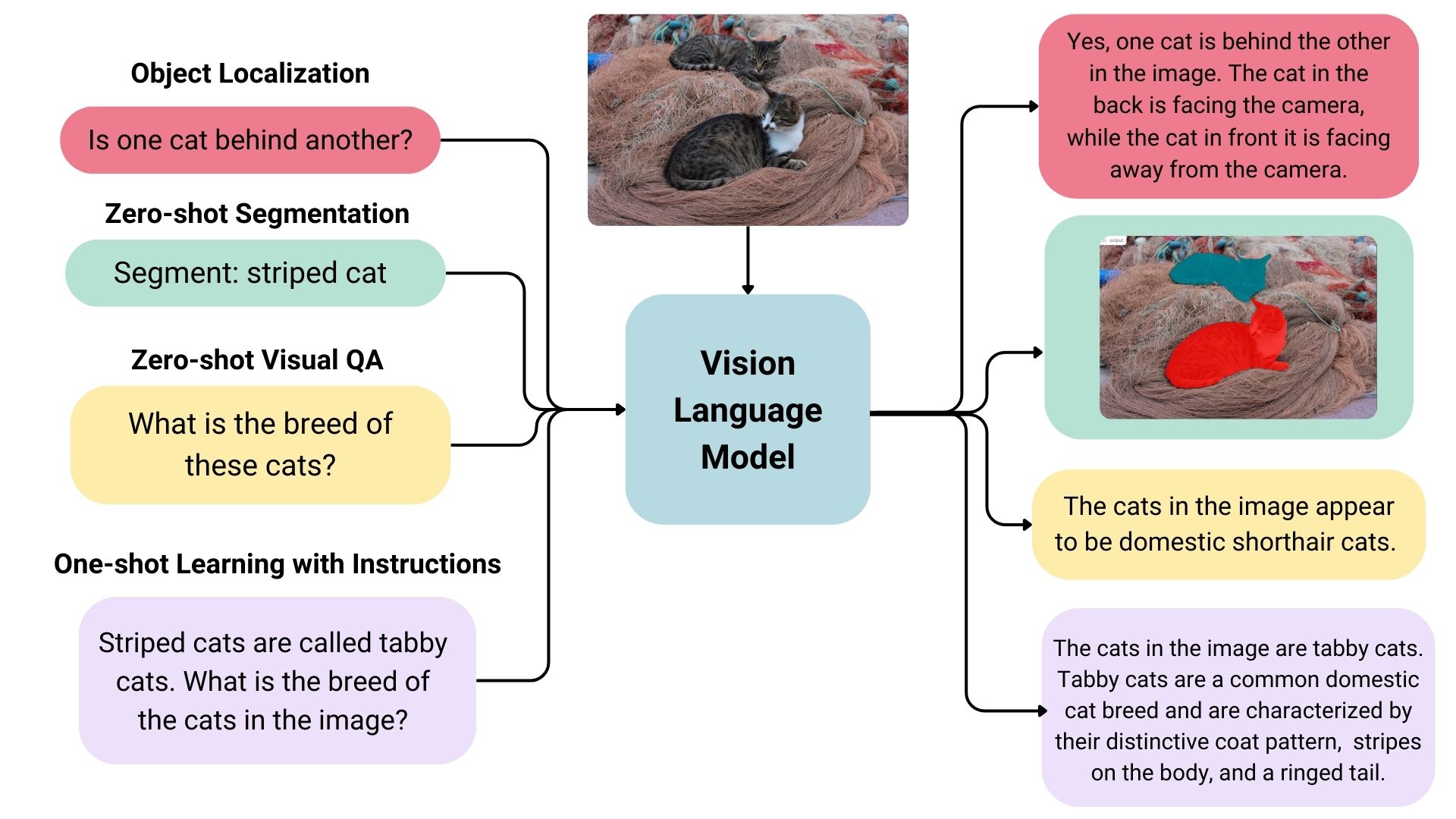
|
| 10 |
+
|
| 11 |
+
## Use Cases
|
| 12 |
+
|
| 13 |
+
### Multimodal Dialogue
|
| 14 |
+
|
| 15 |
+
Vision language models can be used as multimodal assistants, keeping context about the conversation and keeping the image to have multiple-turn dialogues.
|
| 16 |
+
|
| 17 |
+
### Zero-shot Object Detection, Image Segmentation and Localization
|
| 18 |
+
|
| 19 |
+
Some vision language models can detect or segment a set of objects or describe the positions or relative positions of the objects. For example, one could prompt such a model to ask if one object is behind another. Such a model can also output bounding box coordination or segmentation masks directly in the text output, unlike the traditional models explicitly trained on only object detection or image segmentation.
|
| 20 |
+
|
| 21 |
+
### Visual Question Answering
|
| 22 |
+
|
| 23 |
+
Vision language models trained on image-text pairs can be used for visual question answering and generating captions for images.
|
| 24 |
+
|
| 25 |
+
### Document Question Answering and Retrieval
|
| 26 |
+
|
| 27 |
+
Documents often consist of different layouts, charts, tables, images, and more. Vision language models trained on formatted documents can extract information from them. This is an OCR-free approach; the inputs skip OCR, and documents are directly fed to vision language models. To find the relevant documents to be fed, models like [ColPali](https://huggingface.co/blog/manu/colpali) are used. An example workflow can be found [here](https://github.com/merveenoyan/smol-vision/blob/main/ColPali_%2B_Qwen2_VL.ipynb).
|
| 28 |
+
|
| 29 |
+
### Image Recognition with Instructions
|
| 30 |
+
|
| 31 |
+
Vision language models can recognize images through descriptions. When given detailed descriptions of specific entities, it can classify the entities in an image.
|
| 32 |
+
|
| 33 |
+
### Computer Use
|
| 34 |
+
|
| 35 |
+
Image-text-to-text models can be used to control computers with agentic workflows. Models like [ShowUI](https://huggingface.co/showlab/ShowUI-2B) and [OmniParser](https://huggingface.co/microsoft/OmniParser) are used to parse screenshots to later take actions on the computer autonomously.
|
| 36 |
+
|
| 37 |
+
## Inference
|
| 38 |
+
|
| 39 |
+
You can use the Transformers library to interact with [vision-language models](https://huggingface.co/models?pipeline_tag=image-text-to-text&transformers). Specifically, `pipeline` makes it easy to infer models.
|
| 40 |
+
|
| 41 |
+
Initialize the pipeline first.
|
| 42 |
+
|
| 43 |
+
```python
|
| 44 |
+
from transformers import pipeline
|
| 45 |
+
|
| 46 |
+
pipe = pipeline("image-text-to-text", model="llava-hf/llava-interleave-qwen-0.5b-hf")
|
| 47 |
+
```
|
| 48 |
+
|
| 49 |
+
The model's built-in chat template will be used to format the conversational input. We can pass the image as an URL in the `content` part of the user message:
|
| 50 |
+
|
| 51 |
+
```python
|
| 52 |
+
messages = [
|
| 53 |
+
{
|
| 54 |
+
"role": "user",
|
| 55 |
+
"content": [
|
| 56 |
+
{
|
| 57 |
+
"type": "image",
|
| 58 |
+
"image": "https://huggingface.co/datasets/huggingface/documentation-images/resolve/main/bee.jpg",
|
| 59 |
+
},
|
| 60 |
+
{"type": "text", "text": "Describe this image."},
|
| 61 |
+
],
|
| 62 |
+
}
|
| 63 |
+
]
|
| 64 |
+
|
| 65 |
+
```
|
| 66 |
+
|
| 67 |
+
We can now directly pass in the messages to the pipeline to infer. The `return_full_text` flag is used to return the full prompt in the response, including the user input. Here we pass `False` to only return the generated text.
|
| 68 |
+
|
| 69 |
+
```python
|
| 70 |
+
outputs = pipe(text=messages, max_new_tokens=60, return_full_text=False)
|
| 71 |
+
|
| 72 |
+
outputs[0]["generated_text"]
|
| 73 |
+
# The image captures a moment of tranquility in nature. At the center of the frame, a pink flower with a yellow center is in full bloom. The flower is surrounded by a cluster of red flowers, their vibrant color contrasting with the pink of the flower. \n\nA black and yellow bee is per
|
| 74 |
+
```
|
| 75 |
+
|
| 76 |
+
You can also use the Inference API to test image-text-to-text models. You need to use a [Hugging Face token](https://huggingface.co/settings/tokens) for authentication.
|
| 77 |
+
|
| 78 |
+
```bash
|
| 79 |
+
curl https://router.huggingface.co/hf-inference/models/meta-llama/Llama-3.2-11B-Vision-Instruct \
|
| 80 |
+
-X POST \
|
| 81 |
+
-d '{"messages": [{"role": "user","content": [{"type": "image"}, {"type": "text", "text": "Can you describe the image?"}]}]}' \
|
| 82 |
+
-H "Content-Type: application/json" \
|
| 83 |
+
-H "Authorization: Bearer hf_***"
|
| 84 |
+
```
|
| 85 |
+
|
| 86 |
+
## Useful Resources
|
| 87 |
+
|
| 88 |
+
- [Vision Language Models (Better, Faster, Stronger)](https://huggingface.co/blog/vlms-2025)
|
| 89 |
+
- [Vision Language Models Explained](https://huggingface.co/blog/vlms)
|
| 90 |
+
- [Welcome PaliGemma 2 – New vision language models by Google](https://huggingface.co/blog/paligemma2)
|
| 91 |
+
- [SmolVLM - small yet mighty Vision Language Model](https://huggingface.co/blog/smolvlm)
|
| 92 |
+
- [Multimodal RAG using ColPali and Qwen2-VL](https://github.com/merveenoyan/smol-vision/blob/main/ColPali_%2B_Qwen2_VL.ipynb)
|
| 93 |
+
- [Preference Optimization for Vision Language Models with TRL](https://huggingface.co/blog/dpo_vlm)
|
| 94 |
+
- [Image-text-to-text task guide](https://huggingface.co/docs/transformers/tasks/image_text_to_text)
|
node_modules/@huggingface/tasks/src/tasks/image-text-to-text/data.ts
ADDED
|
@@ -0,0 +1,86 @@
|
|
|
|
|
|
|
|
|
|
|
|
|
|
|
|
|
|
|
|
|
|
|
|
|
|
|
|
|
|
|
|
|
|
|
|
|
|
|
|
|
|
|
|
|
|
|
|
|
|
|
|
|
|
|
|
|
|
|
|
|
|
|
|
|
|
|
|
|
|
|
|
|
|
|
|
|
|
|
|
|
|
|
|
|
|
|
|
|
|
|
|
|
|
|
|
|
|
|
|
|
|
|
|
|
|
|
|
|
|
|
|
|
|
|
|
|
|
|
|
|
|
|
|
|
|
|
|
|
|
|
|
|
|
|
|
|
|
|
|
|
|
|
|
|
|
|
|
|
|
|
|
|
|
|
|
|
|
|
|
|
|
|
|
|
|
|
|
|
|
|
|
|
|
|
|
|
|
|
|
|
|
|
|
|
|
|
|
|
|
|
|
|
|
|
|
|
|
|
|
|
|
|
|
|
|
|
|
|
|
|
|
|
|
|
|
|
|
|
|
|
|
|
|
|
|
|
|
|
|
|
|
|
|
|
|
|
|
|
|
|
|
|
|
|
|
|
|
|
|
|
|
|
|
|
|
|
|
|
|
|
|
| 1 |
+
import type { TaskDataCustom } from "../index.js";
|
| 2 |
+
|
| 3 |
+
const taskData: TaskDataCustom = {
|
| 4 |
+
datasets: [
|
| 5 |
+
{
|
| 6 |
+
description: "Instructions composed of image and text.",
|
| 7 |
+
id: "liuhaotian/LLaVA-Instruct-150K",
|
| 8 |
+
},
|
| 9 |
+
{
|
| 10 |
+
description: "Collection of image-text pairs on scientific topics.",
|
| 11 |
+
id: "DAMO-NLP-SG/multimodal_textbook",
|
| 12 |
+
},
|
| 13 |
+
{
|
| 14 |
+
description: "A collection of datasets made for model fine-tuning.",
|
| 15 |
+
id: "HuggingFaceM4/the_cauldron",
|
| 16 |
+
},
|
| 17 |
+
{
|
| 18 |
+
description: "Screenshots of websites with their HTML/CSS codes.",
|
| 19 |
+
id: "HuggingFaceM4/WebSight",
|
| 20 |
+
},
|
| 21 |
+
],
|
| 22 |
+
demo: {
|
| 23 |
+
inputs: [
|
| 24 |
+
{
|
| 25 |
+
filename: "image-text-to-text-input.png",
|
| 26 |
+
type: "img",
|
| 27 |
+
},
|
| 28 |
+
{
|
| 29 |
+
label: "Text Prompt",
|
| 30 |
+
content: "Describe the position of the bee in detail.",
|
| 31 |
+
type: "text",
|
| 32 |
+
},
|
| 33 |
+
],
|
| 34 |
+
outputs: [
|
| 35 |
+
{
|
| 36 |
+
label: "Answer",
|
| 37 |
+
content:
|
| 38 |
+
"The bee is sitting on a pink flower, surrounded by other flowers. The bee is positioned in the center of the flower, with its head and front legs sticking out.",
|
| 39 |
+
type: "text",
|
| 40 |
+
},
|
| 41 |
+
],
|
| 42 |
+
},
|
| 43 |
+
metrics: [],
|
| 44 |
+
models: [
|
| 45 |
+
{
|
| 46 |
+
description: "Small and efficient yet powerful vision language model.",
|
| 47 |
+
id: "HuggingFaceTB/SmolVLM-Instruct",
|
| 48 |
+
},
|
| 49 |
+
{
|
| 50 |
+
description: "Cutting-edge reasoning vision language model.",
|
| 51 |
+
id: "zai-org/GLM-4.5V",
|
| 52 |
+
},
|
| 53 |
+
{
|
| 54 |
+
description: "Cutting-edge small vision language model to convert documents to text.",
|
| 55 |
+
id: "rednote-hilab/dots.ocr",
|
| 56 |
+
},
|
| 57 |
+
{
|
| 58 |
+
description: "Small yet powerful model.",
|
| 59 |
+
id: "Qwen/Qwen2.5-VL-3B-Instruct",
|
| 60 |
+
},
|
| 61 |
+
{
|
| 62 |
+
description: "Image-text-to-text model with agentic capabilities.",
|
| 63 |
+
id: "microsoft/Magma-8B",
|
| 64 |
+
},
|
| 65 |
+
],
|
| 66 |
+
spaces: [
|
| 67 |
+
{
|
| 68 |
+
description: "Leaderboard to evaluate vision language models.",
|
| 69 |
+
id: "opencompass/open_vlm_leaderboard",
|
| 70 |
+
},
|
| 71 |
+
{
|
| 72 |
+
description: "An application that compares object detection capabilities of different vision language models.",
|
| 73 |
+
id: "sergiopaniego/vlm_object_understanding",
|
| 74 |
+
},
|
| 75 |
+
{
|
| 76 |
+
description: "An application to compare different OCR models.",
|
| 77 |
+
id: "prithivMLmods/Multimodal-OCR",
|
| 78 |
+
},
|
| 79 |
+
],
|
| 80 |
+
summary:
|
| 81 |
+
"Image-text-to-text models take in an image and text prompt and output text. These models are also called vision-language models, or VLMs. The difference from image-to-text models is that these models take an additional text input, not restricting the model to certain use cases like image captioning, and may also be trained to accept a conversation as input.",
|
| 82 |
+
widgetModels: ["zai-org/GLM-4.5V"],
|
| 83 |
+
youtubeId: "IoGaGfU1CIg",
|
| 84 |
+
};
|
| 85 |
+
|
| 86 |
+
export default taskData;
|
node_modules/@huggingface/tasks/src/tasks/image-text-to-video/about.md
ADDED
|
@@ -0,0 +1,71 @@
|
|
|
|
|
|
|
|
|
|
|
|
|
|
|
|
|
|
|
|
|
|
|
|
|
|
|
|
|
|
|
|
|
|
|
|
|
|
|
|
|
|
|
|
|
|
|
|
|
|
|
|
|
|
|
|
|
|
|
|
|
|
|
|
|
|
|
|
|
|
|
|
|
|
|
|
|
|
|
|
|
|
|
|
|
|
|
|
|
|
|
|
|
|
|
|
|
|
|
|
|
|
|
|
|
|
|
|
|
|
|
|
|
|
|
|
|
|
|
|
|
|
|
|
|
|
|
|
|
|
|
|
|
|
|
|
|
|
|
|
|
|
|
|
|
|
|
|
|
|
|
|
|
|
|
|
|
|
|
|
|
|
|
|
|
|
|
|
|
|
|
|
|
|
|
|
|
|
|
|
|
|
|
|
|
|
|
|
|
|
|
|
|
|
|
|
|
|
|
|
|
|
|
|
|
|
|
|
|
|
|
|
|
|
|
|
|
| 1 |
+
## Use Cases
|
| 2 |
+
|
| 3 |
+
### Image Animation
|
| 4 |
+
|
| 5 |
+
Image-text-to-video models can be used to animate still images based on text descriptions. For example, you can provide a landscape photo and the instruction "A camera pan from left to right" to create a video with camera movement.
|
| 6 |
+
|
| 7 |
+
### Dynamic Content Creation
|
| 8 |
+
|
| 9 |
+
Transform images into video by adding motion, transformations, or effects described in text prompts. This is useful for creating engaging social media content, presentations, or marketing materials.
|
| 10 |
+
|
| 11 |
+
### Guided Video Generation
|
| 12 |
+
|
| 13 |
+
Use a reference image with text prompts to guide the video generation process. This provides more control over the visual style and composition compared to text-to-video models alone.
|
| 14 |
+
|
| 15 |
+
### Story Visualization
|
| 16 |
+
|
| 17 |
+
Create video sequences from storyboards or concept art by providing scene descriptions. This can help filmmakers and animators visualize scenes before production.
|
| 18 |
+
|
| 19 |
+
### Motion Control
|
| 20 |
+
|
| 21 |
+
Generate videos with specific camera movements, object motions, or scene transitions by combining reference images with detailed motion descriptions.
|
| 22 |
+
|
| 23 |
+
## Task Variants
|
| 24 |
+
|
| 25 |
+
### Image-to-Video with Motion Control
|
| 26 |
+
|
| 27 |
+
Models that generate videos from images while following specific motion instructions, such as camera movements, object animations, or scene dynamics.
|
| 28 |
+
|
| 29 |
+
### Reference-guided Video Generation
|
| 30 |
+
|
| 31 |
+
Models that use a reference image to guide the visual style and composition of the generated video while incorporating text prompts for motion and transformation control.
|
| 32 |
+
|
| 33 |
+
### Conditional Video Synthesis
|
| 34 |
+
|
| 35 |
+
Models that perform specific video transformations based on text conditions, such as adding weather effects, time-of-day changes, or environmental animations.
|
| 36 |
+
|
| 37 |
+
## Inference
|
| 38 |
+
|
| 39 |
+
You can use the Diffusers library to interact with image-text-to-video models. Here's example snippet to use `LTXImageToVideoPipeline`.
|
| 40 |
+
|
| 41 |
+
```python
|
| 42 |
+
import torch
|
| 43 |
+
from diffusers import LTXImageToVideoPipeline
|
| 44 |
+
from diffusers.utils import export_to_video, load_image
|
| 45 |
+
|
| 46 |
+
pipe = LTXImageToVideoPipeline.from_pretrained("Lightricks/LTX-Video", torch_dtype=torch.bfloat16)
|
| 47 |
+
pipe.to("cuda")
|
| 48 |
+
|
| 49 |
+
image = load_image(
|
| 50 |
+
"https://huggingface.co/datasets/a-r-r-o-w/tiny-meme-dataset-captioned/resolve/main/images/8.png"
|
| 51 |
+
)
|
| 52 |
+
prompt = "A young girl stands calmly in the foreground, looking directly at the camera, as a house fire rages in the background. Flames engulf the structure, with smoke billowing into the air. Firefighters in protective gear rush to the scene, a fire truck labeled '38' visible behind them. The girl's neutral expression contrasts sharply with the chaos of the fire, creating a poignant and emotionally charged scene."
|
| 53 |
+
negative_prompt = "worst quality, inconsistent motion, blurry, jittery, distorted"
|
| 54 |
+
|
| 55 |
+
video = pipe(
|
| 56 |
+
image=image,
|
| 57 |
+
prompt=prompt,
|
| 58 |
+
negative_prompt=negative_prompt,
|
| 59 |
+
width=704,
|
| 60 |
+
height=480,
|
| 61 |
+
num_frames=161,
|
| 62 |
+
num_inference_steps=50,
|
| 63 |
+
).frames[0]
|
| 64 |
+
export_to_video(video, "output.mp4", fps=24)
|
| 65 |
+
```
|
| 66 |
+
|
| 67 |
+
## Useful Resources
|
| 68 |
+
|
| 69 |
+
- [LTX-Video Model Card](https://huggingface.co/Lightricks/LTX-Video)
|
| 70 |
+
- [Text-to-Video: The Task, Challenges and the Current State](https://huggingface.co/blog/text-to-video)
|
| 71 |
+
- [Diffusers documentation on Video Generation](https://huggingface.co/docs/diffusers/using-diffusers/text-img2vid)
|
node_modules/@huggingface/tasks/src/tasks/image-text-to-video/data.ts
ADDED
|
@@ -0,0 +1,54 @@
|
|
|
|
|
|
|
|
|
|
|
|
|
|
|
|
|
|
|
|
|
|
|
|
|
|
|
|
|
|
|
|
|
|
|
|
|
|
|
|
|
|
|
|
|
|
|
|
|
|
|
|
|
|
|
|
|
|
|
|
|
|
|
|
|
|
|
|
|
|
|
|
|
|
|
|
|
|
|
|
|
|
|
|
|
|
|
|
|
|
|
|
|
|
|
|
|
|
|
|
|
|
|
|
|
|
|
|
|
|
|
|
|
|
|
|
|
|
|
|
|
|
|
|
|
|
|
|
|
|
|
|
|
|
|
|
|
|
|
|
|
|
|
|
|
|
|
|
|
|
|
|
|
|
|
|
|
|
|
|
|
|
|
|
|
|
| 1 |
+
import type { TaskDataCustom } from "../index.js";
|
| 2 |
+
|
| 3 |
+
const taskData: TaskDataCustom = {
|
| 4 |
+
datasets: [],
|
| 5 |
+
demo: {
|
| 6 |
+
inputs: [
|
| 7 |
+
{
|
| 8 |
+
filename: "image-text-to-video-input.jpg",
|
| 9 |
+
type: "img",
|
| 10 |
+
},
|
| 11 |
+
{
|
| 12 |
+
label: "Input",
|
| 13 |
+
content: "Darth Vader is surfing on the waves.",
|
| 14 |
+
type: "text",
|
| 15 |
+
},
|
| 16 |
+
],
|
| 17 |
+
outputs: [
|
| 18 |
+
{
|
| 19 |
+
filename: "image-text-to-video-output.gif",
|
| 20 |
+
type: "img",
|
| 21 |
+
},
|
| 22 |
+
],
|
| 23 |
+
},
|
| 24 |
+
metrics: [
|
| 25 |
+
{
|
| 26 |
+
description:
|
| 27 |
+
"Frechet Video Distance uses a model that captures coherence for changes in frames and the quality of each frame. A smaller score indicates better video generation.",
|
| 28 |
+
id: "fvd",
|
| 29 |
+
},
|
| 30 |
+
{
|
| 31 |
+
description:
|
| 32 |
+
"CLIPSIM measures similarity between video frames and text using an image-text similarity model. A higher score indicates better video generation.",
|
| 33 |
+
id: "clipsim",
|
| 34 |
+
},
|
| 35 |
+
],
|
| 36 |
+
models: [
|
| 37 |
+
{
|
| 38 |
+
description: "A powerful model for image-text-to-video generation.",
|
| 39 |
+
id: "Lightricks/LTX-Video",
|
| 40 |
+
},
|
| 41 |
+
],
|
| 42 |
+
spaces: [
|
| 43 |
+
{
|
| 44 |
+
description: "An application for image-text-to-video generation.",
|
| 45 |
+
id: "Lightricks/ltx-video-distilled",
|
| 46 |
+
},
|
| 47 |
+
],
|
| 48 |
+
summary:
|
| 49 |
+
"Image-text-to-video models take an reference image and a text instructions as and generate a video based on them. These models are useful for animating still images, creating dynamic content from static references, and generating videos with specific motion or transformation guidance.",
|
| 50 |
+
widgetModels: ["Lightricks/LTX-Video"],
|
| 51 |
+
youtubeId: undefined,
|
| 52 |
+
};
|
| 53 |
+
|
| 54 |
+
export default taskData;
|
node_modules/@huggingface/tasks/src/tasks/image-text-to-video/inference.ts
ADDED
|
@@ -0,0 +1,77 @@
|
|
|
|
|
|
|
|
|
|
|
|
|
|
|
|
|
|
|
|
|
|
|
|
|
|
|
|
|
|
|
|
|
|
|
|
|
|
|
|
|
|
|
|
|
|
|
|
|
|
|
|
|
|
|
|
|
|
|
|
|
|
|
|
|
|
|
|
|
|
|
|
|
|
|
|
|
|
|
|
|
|
|
|
|
|
|
|
|
|
|
|
|
|
|
|
|
|
|
|
|
|
|
|
|
|
|
|
|
|
|
|
|
|
|
|
|
|
|
|
|
|
|
|
|
|
|
|
|
|
|
|
|
|
|
|
|
|
|
|
|
|
|
|
|
|
|
|
|
|
|
|
|
|
|
|
|
|
|
|
|
|
|
|
|
|
|
|
|
|
|
|
|
|
|
|
|
|
|
|
|
|
|
|
|
|
|
|
|
|
|
|
|
|
|
|
|
|
|
|
|
|
|
|
|
|
|
|
|
|
|
|
|
|
|
|
|
|
|
|
|
|
|
|
|
|
|
|
|
|
|
|
|
|
|
| 1 |
+
/**
|
| 2 |
+
* Inference code generated from the JSON schema spec in ./spec
|
| 3 |
+
*
|
| 4 |
+
* Using src/scripts/inference-codegen
|
| 5 |
+
*/
|
| 6 |
+
/**
|
| 7 |
+
* Inputs for Image Text To Video inference. Either inputs (image) or prompt (in parameters)
|
| 8 |
+
* must be provided, or both.
|
| 9 |
+
*/
|
| 10 |
+
export interface ImageTextToVideoInput {
|
| 11 |
+
/**
|
| 12 |
+
* The input image data as a base64-encoded string. If no `parameters` are provided, you can
|
| 13 |
+
* also provide the image data as a raw bytes payload. Either this or prompt must be
|
| 14 |
+
* provided.
|
| 15 |
+
*/
|
| 16 |
+
inputs?: Blob;
|
| 17 |
+
/**
|
| 18 |
+
* Additional inference parameters for Image Text To Video
|
| 19 |
+
*/
|
| 20 |
+
parameters?: ImageTextToVideoParameters;
|
| 21 |
+
[property: string]: unknown;
|
| 22 |
+
}
|
| 23 |
+
/**
|
| 24 |
+
* Additional inference parameters for Image Text To Video
|
| 25 |
+
*/
|
| 26 |
+
export interface ImageTextToVideoParameters {
|
| 27 |
+
/**
|
| 28 |
+
* For diffusion models. A higher guidance scale value encourages the model to generate
|
| 29 |
+
* videos closely linked to the text prompt at the expense of lower image quality.
|
| 30 |
+
*/
|
| 31 |
+
guidance_scale?: number;
|
| 32 |
+
/**
|
| 33 |
+
* One prompt to guide what NOT to include in video generation.
|
| 34 |
+
*/
|
| 35 |
+
negative_prompt?: string;
|
| 36 |
+
/**
|
| 37 |
+
* The num_frames parameter determines how many video frames are generated.
|
| 38 |
+
*/
|
| 39 |
+
num_frames?: number;
|
| 40 |
+
/**
|
| 41 |
+
* The number of denoising steps. More denoising steps usually lead to a higher quality
|
| 42 |
+
* video at the expense of slower inference.
|
| 43 |
+
*/
|
| 44 |
+
num_inference_steps?: number;
|
| 45 |
+
/**
|
| 46 |
+
* The text prompt to guide the video generation. Either this or inputs (image) must be
|
| 47 |
+
* provided.
|
| 48 |
+
*/
|
| 49 |
+
prompt?: string;
|
| 50 |
+
/**
|
| 51 |
+
* Seed for the random number generator.
|
| 52 |
+
*/
|
| 53 |
+
seed?: number;
|
| 54 |
+
/**
|
| 55 |
+
* The size in pixel of the output video frames.
|
| 56 |
+
*/
|
| 57 |
+
target_size?: TargetSize;
|
| 58 |
+
[property: string]: unknown;
|
| 59 |
+
}
|
| 60 |
+
/**
|
| 61 |
+
* The size in pixel of the output video frames.
|
| 62 |
+
*/
|
| 63 |
+
export interface TargetSize {
|
| 64 |
+
height: number;
|
| 65 |
+
width: number;
|
| 66 |
+
[property: string]: unknown;
|
| 67 |
+
}
|
| 68 |
+
/**
|
| 69 |
+
* Outputs of inference for the Image Text To Video task
|
| 70 |
+
*/
|
| 71 |
+
export interface ImageTextToVideoOutput {
|
| 72 |
+
/**
|
| 73 |
+
* The generated video returned as raw bytes in the payload.
|
| 74 |
+
*/
|
| 75 |
+
video: unknown;
|
| 76 |
+
[property: string]: unknown;
|
| 77 |
+
}
|
node_modules/@huggingface/tasks/src/tasks/image-text-to-video/spec/input.json
ADDED
|
@@ -0,0 +1,63 @@
|
|
|
|
|
|
|
|
|
|
|
|
|
|
|
|
|
|
|
|
|
|
|
|
|
|
|
|
|
|
|
|
|
|
|
|
|
|
|
|
|
|
|
|
|
|
|
|
|
|
|
|
|
|
|
|
|
|
|
|
|
|
|
|
|
|
|
|
|
|
|
|
|
|
|
|
|
|
|
|
|
|
|
|
|
|
|
|
|
|
|
|
|
|
|
|
|
|
|
|
|
|
|
|
|
|
|
|
|
|
|
|
|
|
|
|
|
|
|
|
|
|
|
|
|
|
|
|
|
|
|
|
|
|
|
|
|
|
|
|
|
|
|
|
|
|
|
|
|
|
|
|
|
|
|
|
|
|
|
|
|
|
|
|
|
|
|
|
|
|
|
|
|
|
|
|
|
|
|
|
|
|
|
|
|
|
|
|
|
|
|
|
|
| 1 |
+
{
|
| 2 |
+
"$id": "/inference/schemas/image-text-to-video/input.json",
|
| 3 |
+
"$schema": "http://json-schema.org/draft-06/schema#",
|
| 4 |
+
"description": "Inputs for Image Text To Video inference. Either inputs (image) or prompt (in parameters) must be provided, or both.",
|
| 5 |
+
"title": "ImageTextToVideoInput",
|
| 6 |
+
"type": "object",
|
| 7 |
+
"properties": {
|
| 8 |
+
"inputs": {
|
| 9 |
+
"type": "string",
|
| 10 |
+
"description": "The input image data as a base64-encoded string. If no `parameters` are provided, you can also provide the image data as a raw bytes payload. Either this or prompt must be provided.",
|
| 11 |
+
"comment": "type=binary"
|
| 12 |
+
},
|
| 13 |
+
"parameters": {
|
| 14 |
+
"description": "Additional inference parameters for Image Text To Video",
|
| 15 |
+
"$ref": "#/$defs/ImageTextToVideoParameters"
|
| 16 |
+
}
|
| 17 |
+
},
|
| 18 |
+
"$defs": {
|
| 19 |
+
"ImageTextToVideoParameters": {
|
| 20 |
+
"title": "ImageTextToVideoParameters",
|
| 21 |
+
"type": "object",
|
| 22 |
+
"properties": {
|
| 23 |
+
"prompt": {
|
| 24 |
+
"type": "string",
|
| 25 |
+
"description": "The text prompt to guide the video generation. Either this or inputs (image) must be provided."
|
| 26 |
+
},
|
| 27 |
+
"guidance_scale": {
|
| 28 |
+
"type": "number",
|
| 29 |
+
"description": "For diffusion models. A higher guidance scale value encourages the model to generate videos closely linked to the text prompt at the expense of lower image quality."
|
| 30 |
+
},
|
| 31 |
+
"negative_prompt": {
|
| 32 |
+
"type": "string",
|
| 33 |
+
"description": "One prompt to guide what NOT to include in video generation."
|
| 34 |
+
},
|
| 35 |
+
"num_inference_steps": {
|
| 36 |
+
"type": "integer",
|
| 37 |
+
"description": "The number of denoising steps. More denoising steps usually lead to a higher quality video at the expense of slower inference."
|
| 38 |
+
},
|
| 39 |
+
"num_frames": {
|
| 40 |
+
"type": "number",
|
| 41 |
+
"description": "The num_frames parameter determines how many video frames are generated."
|
| 42 |
+
},
|
| 43 |
+
"target_size": {
|
| 44 |
+
"type": "object",
|
| 45 |
+
"description": "The size in pixel of the output video frames.",
|
| 46 |
+
"properties": {
|
| 47 |
+
"width": {
|
| 48 |
+
"type": "integer"
|
| 49 |
+
},
|
| 50 |
+
"height": {
|
| 51 |
+
"type": "integer"
|
| 52 |
+
}
|
| 53 |
+
},
|
| 54 |
+
"required": ["width", "height"]
|
| 55 |
+
},
|
| 56 |
+
"seed": {
|
| 57 |
+
"type": "integer",
|
| 58 |
+
"description": "Seed for the random number generator."
|
| 59 |
+
}
|
| 60 |
+
}
|
| 61 |
+
}
|
| 62 |
+
}
|
| 63 |
+
}
|
node_modules/@huggingface/tasks/src/tasks/image-text-to-video/spec/output.json
ADDED
|
@@ -0,0 +1,13 @@
|
|
|
|
|
|
|
|
|
|
|
|
|
|
|
|
|
|
|
|
|
|
|
|
|
|
|
|
|
|
|
|
|
|
|
|
|
|
|
|
|
|
|
| 1 |
+
{
|
| 2 |
+
"$id": "/inference/schemas/image-text-to-video/output.json",
|
| 3 |
+
"$schema": "http://json-schema.org/draft-06/schema#",
|
| 4 |
+
"description": "Outputs of inference for the Image Text To Video task",
|
| 5 |
+
"title": "ImageTextToVideoOutput",
|
| 6 |
+
"type": "object",
|
| 7 |
+
"properties": {
|
| 8 |
+
"video": {
|
| 9 |
+
"description": "The generated video returned as raw bytes in the payload."
|
| 10 |
+
}
|
| 11 |
+
},
|
| 12 |
+
"required": ["video"]
|
| 13 |
+
}
|
node_modules/@huggingface/tasks/src/tasks/image-to-3d/about.md
ADDED
|
@@ -0,0 +1,62 @@
|
|
|
|
|
|
|
|
|
|
|
|
|
|
|
|
|
|
|
|
|
|
|
|
|
|
|
|
|
|
|
|
|
|
|
|
|
|
|
|
|
|
|
|
|
|
|
|
|
|
|
|
|
|
|
|
|
|
|
|
|
|
|
|
|
|
|
|
|
|
|
|
|
|
|
|
|
|
|
|
|
|
|
|
|
|
|
|
|
|
|
|
|
|
|
|
|
|
|
|
|
|
|
|
|
|
|
|
|
|
|
|
|
|
|
|
|
|
|
|
|
|
|
|
|
|
|
|
|
|
|
|
|
|
|
|
|
|
|
|
|
|
|
|
|
|
|
|
|
|
|
|
|
|
|
|
|
|
|
|
|
|
|
|
|
|
|
|
|
|
|
|
|
|
|
|
|
|
|
|
|
|
|
|
|
|
|
|
|
|
| 1 |
+
## Use Cases
|
| 2 |
+
|
| 3 |
+
Image-to-3D models can be used in a wide variety of applications that require 3D, such as games, animation, design, architecture, engineering, marketing, and more.
|
| 4 |
+
|
| 5 |
+

|
| 6 |
+
|
| 7 |
+
### Generating Meshes
|
| 8 |
+
|
| 9 |
+
Meshes are the standard representation of 3D in industry.
|
| 10 |
+
|
| 11 |
+
### Generating Gaussian Splats
|
| 12 |
+
|
| 13 |
+
[Gaussian Splatting](https://huggingface.co/blog/gaussian-splatting) is a rendering technique that represents scenes as fuzzy points.
|
| 14 |
+
|
| 15 |
+
### Inference
|
| 16 |
+
|
| 17 |
+
Inference for this task typically leverages the [Diffusers](https://huggingface.co/docs/diffusers/index) library for inference, using [Custom Pipelines](https://huggingface.co/docs/diffusers/v0.6.0/en/using-diffusers/custom_pipelines).
|
| 18 |
+
|
| 19 |
+
These are unstandardized and depend on the model. More details can be found in each model repository.
|
| 20 |
+
|
| 21 |
+
```python
|
| 22 |
+
import torch
|
| 23 |
+
import requests
|
| 24 |
+
import numpy as np
|
| 25 |
+
from io import BytesIO
|
| 26 |
+
from diffusers import DiffusionPipeline
|
| 27 |
+
from PIL import Image
|
| 28 |
+
|
| 29 |
+
pipeline = DiffusionPipeline.from_pretrained(
|
| 30 |
+
"dylanebert/LGM-full",
|
| 31 |
+
custom_pipeline="dylanebert/LGM-full",
|
| 32 |
+
torch_dtype=torch.float16,
|
| 33 |
+
trust_remote_code=True,
|
| 34 |
+
).to("cuda")
|
| 35 |
+
|
| 36 |
+
input_url = "https://huggingface.co/datasets/dylanebert/iso3d/resolve/main/jpg@512/a_cat_statue.jpg"
|
| 37 |
+
input_image = Image.open(BytesIO(requests.get(input_url).content))
|
| 38 |
+
input_image = np.array(input_image, dtype=np.float32) / 255.0
|
| 39 |
+
result = pipeline("", input_image)
|
| 40 |
+
result_path = "/tmp/output.ply"
|
| 41 |
+
pipeline.save_ply(result, result_path)
|
| 42 |
+
```
|
| 43 |
+
|
| 44 |
+
In the code above, we:
|
| 45 |
+
|
| 46 |
+
1. Import the necessary libraries
|
| 47 |
+
2. Load the `LGM-full` model and custom pipeline
|
| 48 |
+
3. Load and preprocess the input image
|
| 49 |
+
4. Run the pipeline on the input image
|
| 50 |
+
5. Save the output to a file
|
| 51 |
+
|
| 52 |
+
### Output Formats
|
| 53 |
+
|
| 54 |
+
Meshes can be in `.obj`, `.glb`, `.stl`, or `.gltf` format. Other formats are allowed, but won't be rendered in the gradio [Model3D](https://www.gradio.app/docs/gradio/model3d) component.
|
| 55 |
+
|
| 56 |
+
Splats can be in `.ply` or `.splat` format. They can be rendered in the gradio [Model3D](https://www.gradio.app/docs/gradio/model3d) component using the [gsplat.js](https://github.com/huggingface/gsplat.js) library.
|
| 57 |
+
|
| 58 |
+
## Useful Resources
|
| 59 |
+
|
| 60 |
+
- [ML for 3D Course](https://huggingface.co/learn/ml-for-3d-course)
|
| 61 |
+
- [3D Arena Leaderboard](https://huggingface.co/spaces/dylanebert/3d-arena)
|
| 62 |
+
- [gsplat.js](https://github.com/huggingface/gsplat.js)
|
node_modules/@huggingface/tasks/src/tasks/image-to-3d/data.ts
ADDED
|
@@ -0,0 +1,75 @@
|
|
|
|
|
|
|
|
|
|
|
|
|
|
|
|
|
|
|
|
|
|
|
|
|
|
|
|
|
|
|
|
|
|
|
|
|
|
|
|
|
|
|
|
|
|
|
|
|
|
|
|
|
|
|
|
|
|
|
|
|
|
|
|
|
|
|
|
|
|
|
|
|
|
|
|
|
|
|
|
|
|
|
|
|
|
|
|
|
|
|
|
|
|
|
|
|
|
|
|
|
|
|
|
|
|
|
|
|
|
|
|
|
|
|
|
|
|
|
|
|
|
|
|
|
|
|
|
|
|
|
|
|
|
|
|
|
|
|
|
|
|
|
|
|
|
|
|
|
|
|
|
|
|
|
|
|
|
|
|
|
|
|
|
|
|
|
|
|
|
|
|
|
|
|
|
|
|
|
|
|
|
|
|
|
|
|
|
|
|
|
|
|
|
|
|
|
|
|
|
|
|
|
|
|
|
|
|
|
|
|
|
|
|
|
|
|
|
|
|
|
|
|
|
|
|
|
|
|
| 1 |
+
import type { TaskDataCustom } from "../index.js";
|
| 2 |
+
|
| 3 |
+
const taskData: TaskDataCustom = {
|
| 4 |
+
datasets: [
|
| 5 |
+
{
|
| 6 |
+
description: "A large dataset of over 10 million 3D objects.",
|
| 7 |
+
id: "allenai/objaverse-xl",
|
| 8 |
+
},
|
| 9 |
+
{
|
| 10 |
+
description: "A dataset of isolated object images for evaluating image-to-3D models.",
|
| 11 |
+
id: "dylanebert/iso3d",
|
| 12 |
+
},
|
| 13 |
+
],
|
| 14 |
+
demo: {
|
| 15 |
+
inputs: [
|
| 16 |
+
{
|
| 17 |
+
filename: "image-to-3d-image-input.png",
|
| 18 |
+
type: "img",
|
| 19 |
+
},
|
| 20 |
+
],
|
| 21 |
+
outputs: [
|
| 22 |
+
{
|
| 23 |
+
label: "Result",
|
| 24 |
+
content: "image-to-3d-3d-output-filename.glb",
|
| 25 |
+
type: "text",
|
| 26 |
+
},
|
| 27 |
+
],
|
| 28 |
+
},
|
| 29 |
+
metrics: [],
|
| 30 |
+
models: [
|
| 31 |
+
{
|
| 32 |
+
description: "Fast image-to-3D mesh model by Tencent.",
|
| 33 |
+
id: "TencentARC/InstantMesh",
|
| 34 |
+
},
|
| 35 |
+
{
|
| 36 |
+
description: "3D world generation model.",
|
| 37 |
+
id: "tencent/HunyuanWorld-1",
|
| 38 |
+
},
|
| 39 |
+
{
|
| 40 |
+
description: "A scaled up image-to-3D mesh model derived from TripoSR.",
|
| 41 |
+
id: "hwjiang/Real3D",
|
| 42 |
+
},
|
| 43 |
+
{
|
| 44 |
+
description: "Consistent image-to-3d generation model.",
|
| 45 |
+
id: "stabilityai/stable-point-aware-3d",
|
| 46 |
+
},
|
| 47 |
+
],
|
| 48 |
+
spaces: [
|
| 49 |
+
{
|
| 50 |
+
description: "Leaderboard to evaluate image-to-3D models.",
|
| 51 |
+
id: "dylanebert/3d-arena",
|
| 52 |
+
},
|
| 53 |
+
{
|
| 54 |
+
description: "Image-to-3D demo with mesh outputs.",
|
| 55 |
+
id: "TencentARC/InstantMesh",
|
| 56 |
+
},
|
| 57 |
+
{
|
| 58 |
+
description: "Image-to-3D demo.",
|
| 59 |
+
id: "stabilityai/stable-point-aware-3d",
|
| 60 |
+
},
|
| 61 |
+
{
|
| 62 |
+
description: "Image-to-3D demo with mesh outputs.",
|
| 63 |
+
id: "hwjiang/Real3D",
|
| 64 |
+
},
|
| 65 |
+
{
|
| 66 |
+
description: "Image-to-3D demo with splat outputs.",
|
| 67 |
+
id: "dylanebert/LGM-mini",
|
| 68 |
+
},
|
| 69 |
+
],
|
| 70 |
+
summary: "Image-to-3D models take in image input and produce 3D output.",
|
| 71 |
+
widgetModels: [],
|
| 72 |
+
youtubeId: "",
|
| 73 |
+
};
|
| 74 |
+
|
| 75 |
+
export default taskData;
|
node_modules/@huggingface/tasks/src/tasks/image-to-image/about.md
ADDED
|
@@ -0,0 +1,129 @@
|
|
|
|
|
|
|
|
|
|
|
|
|
|
|
|
|
|
|
|
|
|
|
|
|
|
|
|
|
|
|
|
|
|
|
|
|
|
|
|
|
|
|
|
|
|
|
|
|
|
|
|
|
|
|
|
|
|
|
|
|
|
|
|
|
|
|
|
|
|
|
|
|
|
|
|
|
|
|
|
|
|
|
|
|
|
|
|
|
|
|
|
|
|
|
|
|
|
|
|
|
|
|
|
|
|
|
|
|
|
|
|
|
|
|
|
|
|
|
|
|
|
|
|
|
|
|
|
|
|
|
|
|
|
|
|
|
|
|
|
|
|
|
|
|
|
|
|
|
|
|
|
|
|
|
|
|
|
|
|
|
|
|
|
|
|
|
|
|
|
|
|
|
|
|
|
|
|
|
|
|
|
|
|
|
|
|
|
|
|
|
|
|
|
|
|
|
|
|
|
|
|
|
|
|
|
|
|
|
|
|
|
|
|
|
|
|
|
|
|
|
|
|
|
|
|
|
|
|
|
|
|
|
|
|
|
|
|
|
|
|
|
|
|
|
|
|
|
|
|
|
|
|
|
|
|
|
|
|
|
|
|
|
|
|
|
|
|
|
|
|
|
|
|
|
|
|
|
|
|
|
|
|
|
|
|
|
|
|
|
|
|
|
|
|
|
|
|
|
|
|
|
|
|
|
|
|
|
|
|
|
|
|
|
|
|
|
|
|
|
|
|
|
|
|
|
|
|
|
|
|
|
|
|
|
|
|
|
|
|
|
|
|
|
|
|
|
|
|
|
|
|
|
|
|
|
|
|
|
|
|
|
|
|
|
|
|
|
|
|
|
|
|
|
|
|
|
|
|
|
|
|
|
|
|
|
|
|
|
|
|
| 1 |
+
Image-to-image pipelines can also be used in text-to-image tasks, to provide visual guidance to the text-guided generation process.
|
| 2 |
+
|
| 3 |
+
## Use Cases
|
| 4 |
+
|
| 5 |
+
### Image inpainting
|
| 6 |
+
|
| 7 |
+
Image inpainting is widely used during photography editing to remove unwanted objects, such as poles, wires, or sensor dust.
|
| 8 |
+
|
| 9 |
+
### Image colorization
|
| 10 |
+
|
| 11 |
+
Old or black and white images can be brought up to life using an image colorization model.
|
| 12 |
+
|
| 13 |
+
### Super Resolution
|
| 14 |
+
|
| 15 |
+
Super-resolution models increase the resolution of an image, allowing for higher-quality viewing and printing.
|
| 16 |
+
|
| 17 |
+
## Inference
|
| 18 |
+
|
| 19 |
+
You can use pipelines for image-to-image in 🧨diffusers library to easily use image-to-image models. See an example for `StableDiffusionImg2ImgPipeline` below.
|
| 20 |
+
|
| 21 |
+
```python
|
| 22 |
+
import torch
|
| 23 |
+
from diffusers import AutoPipelineForImage2Image
|
| 24 |
+
from diffusers.utils import make_image_grid, load_image
|
| 25 |
+
|
| 26 |
+
pipeline = AutoPipelineForImage2Image.from_pretrained(
|
| 27 |
+
"stabilityai/stable-diffusion-xl-refiner-1.0", torch_dtype=torch.float16, variant="fp16", use_safetensors=True
|
| 28 |
+
)
|
| 29 |
+
|
| 30 |
+
# this helps us to reduce memory usage- since SDXL is a bit heavy, this could help by
|
| 31 |
+
# offloading the model to CPU w/o hurting performance.
|
| 32 |
+
pipeline.enable_model_cpu_offload()
|
| 33 |
+
|
| 34 |
+
# prepare image
|
| 35 |
+
url = "https://huggingface.co/datasets/huggingface/documentation-images/resolve/main/diffusers/img2img-sdxl-init.png"
|
| 36 |
+
init_image = load_image(url)
|
| 37 |
+
|
| 38 |
+
prompt = "Astronaut in a jungle, cold color palette, muted colors, detailed, 8k"
|
| 39 |
+
|
| 40 |
+
# pass prompt and image to pipeline
|
| 41 |
+
image = pipeline(prompt, image=init_image, strength=0.5).images[0]
|
| 42 |
+
make_image_grid([init_image, image], rows=1, cols=2)
|
| 43 |
+
```
|
| 44 |
+
|
| 45 |
+
You can use [huggingface.js](https://github.com/huggingface/huggingface.js) to infer image-to-image models on Hugging Face Hub.
|
| 46 |
+
|
| 47 |
+
```javascript
|
| 48 |
+
import { InferenceClient } from "@huggingface/inference";
|
| 49 |
+
|
| 50 |
+
const inference = new InferenceClient(HF_TOKEN);
|
| 51 |
+
await inference.imageToImage({
|
| 52 |
+
data: await (await fetch("image")).blob(),
|
| 53 |
+
model: "timbrooks/instruct-pix2pix",
|
| 54 |
+
parameters: {
|
| 55 |
+
prompt: "Deblur this image",
|
| 56 |
+
},
|
| 57 |
+
});
|
| 58 |
+
```
|
| 59 |
+
|
| 60 |
+
## Uses Cases for Text Guided Image Generation
|
| 61 |
+
|
| 62 |
+
### Style Transfer
|
| 63 |
+
|
| 64 |
+
One of the most popular use cases of image-to-image is style transfer. With style transfer models:
|
| 65 |
+
|
| 66 |
+
- a regular photo can be transformed into a variety of artistic styles or genres, such as a watercolor painting, a comic book illustration and more.
|
| 67 |
+
- new images can be generated using a text prompt, in the style of a reference input image.
|
| 68 |
+
|
| 69 |
+
See 🧨diffusers example for style transfer with `AutoPipelineForText2Image` below.
|
| 70 |
+
|
| 71 |
+
```python
|
| 72 |
+
from diffusers import AutoPipelineForText2Image
|
| 73 |
+
from diffusers.utils import load_image
|
| 74 |
+
import torch
|
| 75 |
+
|
| 76 |
+
# load pipeline
|
| 77 |
+
pipeline = AutoPipelineForText2Image.from_pretrained("stabilityai/stable-diffusion-xl-base-1.0", torch_dtype=torch.float16).to("cuda")
|
| 78 |
+
pipeline.load_ip_adapter("h94/IP-Adapter", subfolder="sdxl_models", weight_name="ip-adapter_sdxl.bin")
|
| 79 |
+
|
| 80 |
+
# set the adapter and scales - this is a component that lets us add the style control from an image to the text-to-image model
|
| 81 |
+
scale = {
|
| 82 |
+
"down": {"block_2": [0.0, 1.0]},
|
| 83 |
+
"up": {"block_0": [0.0, 1.0, 0.0]},
|
| 84 |
+
}
|
| 85 |
+
pipeline.set_ip_adapter_scale(scale)
|
| 86 |
+
|
| 87 |
+
style_image = load_image("https://huggingface.co/datasets/huggingface/documentation-images/resolve/0052a70beed5bf71b92610a43a52df6d286cd5f3/diffusers/rabbit.jpg")
|
| 88 |
+
|
| 89 |
+
generator = torch.Generator(device="cpu").manual_seed(26)
|
| 90 |
+
image = pipeline(
|
| 91 |
+
prompt="a cat, masterpiece, best quality, high quality",
|
| 92 |
+
ip_adapter_image=style_image,
|
| 93 |
+
negative_prompt="text, watermark, lowres, low quality, worst quality, deformed, glitch, low contrast, noisy, saturation, blurry",
|
| 94 |
+
guidance_scale=5,
|
| 95 |
+
num_inference_steps=30,
|
| 96 |
+
generator=generator,
|
| 97 |
+
).images[0]
|
| 98 |
+
image
|
| 99 |
+
```
|
| 100 |
+
|
| 101 |
+
### ControlNet
|
| 102 |
+
|
| 103 |
+
Controlling the outputs of diffusion models only with a text prompt is a challenging problem. ControlNet is a neural network model that provides image-based control to diffusion models. Control images can be edges or other landmarks extracted from a source image.
|
| 104 |
+

|
| 105 |
+
|
| 106 |
+
## Pix2Pix
|
| 107 |
+
|
| 108 |
+
Pix2Pix is a popular model used for image-to-image translation tasks. It is based on a conditional-GAN (generative adversarial network) where instead of a noise vector a 2D image is given as input. More information about Pix2Pix can be retrieved from this [link](https://phillipi.github.io/pix2pix/) where the associated paper and the GitHub repository can be found.
|
| 109 |
+
|
| 110 |
+
The images below show some examples extracted from the Pix2Pix paper. This model can be applied to various use cases. It is capable of relatively simpler things, e.g., converting a grayscale image to its colored version. But more importantly, it can generate realistic pictures from rough sketches (can be seen in the purse example) or from painting-like images (can be seen in the street and facade examples below).
|
| 111 |
+
|
| 112 |
+
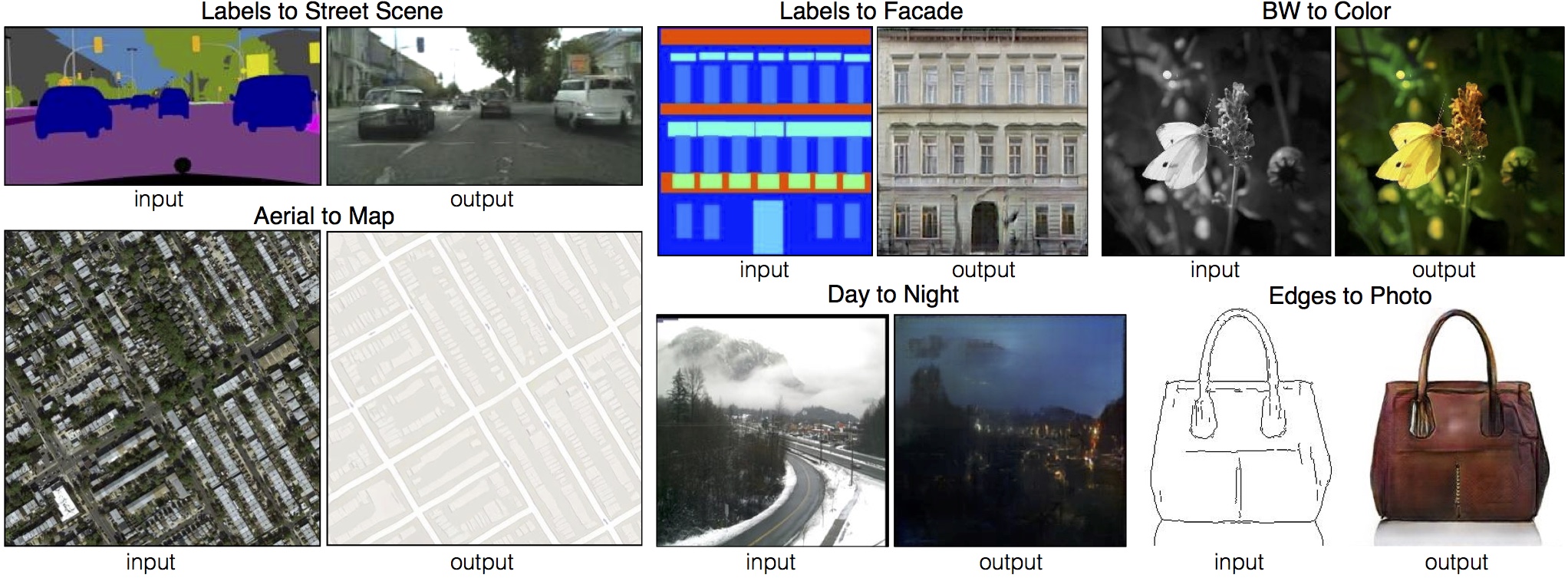
|
| 113 |
+
|
| 114 |
+
## Useful Resources
|
| 115 |
+
|
| 116 |
+
- [Image-to-image guide with diffusers](https://huggingface.co/docs/diffusers/using-diffusers/img2img)
|
| 117 |
+
- Image inpainting: [inpainting with 🧨diffusers](https://huggingface.co/docs/diffusers/main/en/using-diffusers/inpaint#inpainting), [demo](https://huggingface.co/spaces/linoyts/Qwen-Image-Edit-Inpaint)
|
| 118 |
+
- Colorization: [demo](https://huggingface.co/spaces/modelscope/old_photo_restoration)
|
| 119 |
+
- Super resolution: [image upscaling with 🧨diffusers](https://huggingface.co/docs/diffusers/main/en/api/pipelines/stable_diffusion/upscale#super-resolution), [demo](https://huggingface.co/spaces/radames/Enhance-This-HiDiffusion-SDXL)
|
| 120 |
+
- [Style transfer and layout control with diffusers 🧨](https://huggingface.co/docs/diffusers/main/en/using-diffusers/ip_adapter#style--layout-control)
|
| 121 |
+
- [Train your ControlNet with diffusers 🧨](https://huggingface.co/blog/train-your-controlnet)
|
| 122 |
+
- [Ultra fast ControlNet with 🧨 Diffusers](https://huggingface.co/blog/controlnet)
|
| 123 |
+
- [List of ControlNets trained in the community JAX Diffusers sprint](https://huggingface.co/spaces/jax-diffusers-event/leaderboard)
|
| 124 |
+
|
| 125 |
+
## References
|
| 126 |
+
|
| 127 |
+
[1] P. Isola, J. -Y. Zhu, T. Zhou and A. A. Efros, "Image-to-Image Translation with Conditional Adversarial Networks," 2017 IEEE Conference on Computer Vision and Pattern Recognition (CVPR), 2017, pp. 5967-5976, doi: 10.1109/CVPR.2017.632.
|
| 128 |
+
|
| 129 |
+
This page was made possible thanks to the efforts of [Paul Gafton](https://github.com/Paul92) and [Osman Alenbey](https://huggingface.co/osman93).
|
node_modules/@huggingface/tasks/src/tasks/image-to-image/data.ts
ADDED
|
@@ -0,0 +1,96 @@
|
|
|
|
|
|
|
|
|
|
|
|
|
|
|
|
|
|
|
|
|
|
|
|
|
|
|
|
|
|
|
|
|
|
|
|
|
|
|
|
|
|
|
|
|
|
|
|
|
|
|
|
|
|
|
|
|
|
|
|
|
|
|
|
|
|
|
|
|
|
|
|
|
|
|
|
|
|
|
|
|
|
|
|
|
|
|
|
|
|
|
|
|
|
|
|
|
|
|
|
|
|
|
|
|
|
|
|
|
|
|
|
|
|
|
|
|
|
|
|
|
|
|
|
|
|
|
|
|
|
|
|
|
|
|
|
|
|
|
|
|
|
|
|
|
|
|
|
|
|
|
|
|
|
|
|
|
|
|
|
|
|
|
|
|
|
|
|
|
|
|
|
|
|
|
|
|
|
|
|
|
|
|
|
|
|
|
|
|
|
|
|
|
|
|
|
|
|
|
|
|
|
|
|
|
|
|
|
|
|
|
|
|
|
|
|
|
|
|
|
|
|
|
|
|
|
|
|
|
|
|
|
|
|
|
|
|
|
|
|
|
|
|
|
|
|
|
|
|
|
|
|
|
|
|
|
|
|
|
|
|
|
|
|
|
|
|
|
|
|
|
|
|
|
|
|
|
|
|
|
|
|
|
|
|
|
|
|
|
|
|
|
| 1 |
+
import type { TaskDataCustom } from "../index.js";
|
| 2 |
+
|
| 3 |
+
const taskData: TaskDataCustom = {
|
| 4 |
+
datasets: [
|
| 5 |
+
{
|
| 6 |
+
description: "Synthetic dataset, for image relighting",
|
| 7 |
+
id: "VIDIT",
|
| 8 |
+
},
|
| 9 |
+
{
|
| 10 |
+
description: "Multiple images of celebrities, used for facial expression translation",
|
| 11 |
+
id: "huggan/CelebA-faces",
|
| 12 |
+
},
|
| 13 |
+
{
|
| 14 |
+
description: "12M image-caption pairs.",
|
| 15 |
+
id: "Spawning/PD12M",
|
| 16 |
+
},
|
| 17 |
+
],
|
| 18 |
+
demo: {
|
| 19 |
+
inputs: [
|
| 20 |
+
{
|
| 21 |
+
filename: "image-to-image-input.jpeg",
|
| 22 |
+
type: "img",
|
| 23 |
+
},
|
| 24 |
+
],
|
| 25 |
+
outputs: [
|
| 26 |
+
{
|
| 27 |
+
filename: "image-to-image-output.png",
|
| 28 |
+
type: "img",
|
| 29 |
+
},
|
| 30 |
+
],
|
| 31 |
+
},
|
| 32 |
+
isPlaceholder: false,
|
| 33 |
+
metrics: [
|
| 34 |
+
{
|
| 35 |
+
description:
|
| 36 |
+
"Peak Signal to Noise Ratio (PSNR) is an approximation of the human perception, considering the ratio of the absolute intensity with respect to the variations. Measured in dB, a high value indicates a high fidelity.",
|
| 37 |
+
id: "PSNR",
|
| 38 |
+
},
|
| 39 |
+
{
|
| 40 |
+
description:
|
| 41 |
+
"Structural Similarity Index (SSIM) is a perceptual metric which compares the luminance, contrast and structure of two images. The values of SSIM range between -1 and 1, and higher values indicate closer resemblance to the original image.",
|
| 42 |
+
id: "SSIM",
|
| 43 |
+
},
|
| 44 |
+
{
|
| 45 |
+
description:
|
| 46 |
+
"Inception Score (IS) is an analysis of the labels predicted by an image classification model when presented with a sample of the generated images.",
|
| 47 |
+
id: "IS",
|
| 48 |
+
},
|
| 49 |
+
],
|
| 50 |
+
models: [
|
| 51 |
+
{
|
| 52 |
+
description: "An image-to-image model to improve image resolution.",
|
| 53 |
+
id: "fal/AuraSR-v2",
|
| 54 |
+
},
|
| 55 |
+
{
|
| 56 |
+
description: "Powerful image editing model.",
|
| 57 |
+
id: "black-forest-labs/FLUX.1-Kontext-dev",
|
| 58 |
+
},
|
| 59 |
+
{
|
| 60 |
+
description: "Virtual try-on model.",
|
| 61 |
+
id: "yisol/IDM-VTON",
|
| 62 |
+
},
|
| 63 |
+
{
|
| 64 |
+
description: "Image re-lighting model.",
|
| 65 |
+
id: "kontext-community/relighting-kontext-dev-lora-v3",
|
| 66 |
+
},
|
| 67 |
+
{
|
| 68 |
+
description: "Strong model for inpainting and outpainting.",
|
| 69 |
+
id: "black-forest-labs/FLUX.1-Fill-dev",
|
| 70 |
+
},
|
| 71 |
+
{
|
| 72 |
+
description: "Strong model for image editing using depth maps.",
|
| 73 |
+
id: "black-forest-labs/FLUX.1-Depth-dev-lora",
|
| 74 |
+
},
|
| 75 |
+
],
|
| 76 |
+
spaces: [
|
| 77 |
+
{
|
| 78 |
+
description: "Image editing application.",
|
| 79 |
+
id: "black-forest-labs/FLUX.1-Kontext-Dev",
|
| 80 |
+
},
|
| 81 |
+
{
|
| 82 |
+
description: "Image relighting application.",
|
| 83 |
+
id: "lllyasviel/iclight-v2-vary",
|
| 84 |
+
},
|
| 85 |
+
{
|
| 86 |
+
description: "An application for image upscaling.",
|
| 87 |
+
id: "jasperai/Flux.1-dev-Controlnet-Upscaler",
|
| 88 |
+
},
|
| 89 |
+
],
|
| 90 |
+
summary:
|
| 91 |
+
"Image-to-image is the task of transforming an input image through a variety of possible manipulations and enhancements, such as super-resolution, image inpainting, colorization, and more.",
|
| 92 |
+
widgetModels: ["Qwen/Qwen-Image"],
|
| 93 |
+
youtubeId: "",
|
| 94 |
+
};
|
| 95 |
+
|
| 96 |
+
export default taskData;
|
node_modules/@huggingface/tasks/src/tasks/image-to-image/inference.ts
ADDED
|
@@ -0,0 +1,68 @@
|
|
|
|
|
|
|
|
|
|
|
|
|
|
|
|
|
|
|
|
|
|
|
|
|
|
|
|
|
|
|
|
|
|
|
|
|
|
|
|
|
|
|
|
|
|
|
|
|
|
|
|
|
|
|
|
|
|
|
|
|
|
|
|
|
|
|
|
|
|
|
|
|
|
|
|
|
|
|
|
|
|
|
|
|
|
|
|
|
|
|
|
|
|
|
|
|
|
|
|
|
|
|
|
|
|
|
|
|
|
|
|
|
|
|
|
|
|
|
|
|
|
|
|
|
|
|
|
|
|
|
|
|
|
|
|
|
|
|
|
|
|
|
|
|
|
|
|
|
|
|
|
|
|
|
|
|
|
|
|
|
|
|
|
|
|
|
|
|
|
|
|
|
|
|
|
|
|
|
|
|
|
|
|
|
|
|
|
|
|
|
|
|
|
|
|
|
|
|
|
|
|
|
|
|
|
|
|
| 1 |
+
/**
|
| 2 |
+
* Inference code generated from the JSON schema spec in ./spec
|
| 3 |
+
*
|
| 4 |
+
* Using src/scripts/inference-codegen
|
| 5 |
+
*/
|
| 6 |
+
/**
|
| 7 |
+
* Inputs for Image To Image inference
|
| 8 |
+
*/
|
| 9 |
+
export interface ImageToImageInput {
|
| 10 |
+
/**
|
| 11 |
+
* The input image data as a base64-encoded string. If no `parameters` are provided, you can
|
| 12 |
+
* also provide the image data as a raw bytes payload.
|
| 13 |
+
*/
|
| 14 |
+
inputs: Blob;
|
| 15 |
+
/**
|
| 16 |
+
* Additional inference parameters for Image To Image
|
| 17 |
+
*/
|
| 18 |
+
parameters?: ImageToImageParameters;
|
| 19 |
+
[property: string]: unknown;
|
| 20 |
+
}
|
| 21 |
+
/**
|
| 22 |
+
* Additional inference parameters for Image To Image
|
| 23 |
+
*/
|
| 24 |
+
export interface ImageToImageParameters {
|
| 25 |
+
/**
|
| 26 |
+
* For diffusion models. A higher guidance scale value encourages the model to generate
|
| 27 |
+
* images closely linked to the text prompt at the expense of lower image quality.
|
| 28 |
+
*/
|
| 29 |
+
guidance_scale?: number;
|
| 30 |
+
/**
|
| 31 |
+
* One prompt to guide what NOT to include in image generation.
|
| 32 |
+
*/
|
| 33 |
+
negative_prompt?: string;
|
| 34 |
+
/**
|
| 35 |
+
* For diffusion models. The number of denoising steps. More denoising steps usually lead to
|
| 36 |
+
* a higher quality image at the expense of slower inference.
|
| 37 |
+
*/
|
| 38 |
+
num_inference_steps?: number;
|
| 39 |
+
/**
|
| 40 |
+
* The text prompt to guide the image generation.
|
| 41 |
+
*/
|
| 42 |
+
prompt?: string;
|
| 43 |
+
/**
|
| 44 |
+
* The size in pixels of the output image. This parameter is only supported by some
|
| 45 |
+
* providers and for specific models. It will be ignored when unsupported.
|
| 46 |
+
*/
|
| 47 |
+
target_size?: TargetSize;
|
| 48 |
+
[property: string]: unknown;
|
| 49 |
+
}
|
| 50 |
+
/**
|
| 51 |
+
* The size in pixels of the output image. This parameter is only supported by some
|
| 52 |
+
* providers and for specific models. It will be ignored when unsupported.
|
| 53 |
+
*/
|
| 54 |
+
export interface TargetSize {
|
| 55 |
+
height: number;
|
| 56 |
+
width: number;
|
| 57 |
+
[property: string]: unknown;
|
| 58 |
+
}
|
| 59 |
+
/**
|
| 60 |
+
* Outputs of inference for the Image To Image task
|
| 61 |
+
*/
|
| 62 |
+
export interface ImageToImageOutput {
|
| 63 |
+
/**
|
| 64 |
+
* The output image returned as raw bytes in the payload.
|
| 65 |
+
*/
|
| 66 |
+
image?: unknown;
|
| 67 |
+
[property: string]: unknown;
|
| 68 |
+
}
|
node_modules/@huggingface/tasks/src/tasks/image-to-image/spec/input.json
ADDED
|
@@ -0,0 +1,56 @@
|
|
|
|
|
|
|
|
|
|
|
|
|
|
|
|
|
|
|
|
|
|
|
|
|
|
|
|
|
|
|
|
|
|
|
|
|
|
|
|
|
|
|
|
|
|
|
|
|
|
|
|
|
|
|
|
|
|
|
|
|
|
|
|
|
|
|
|
|
|
|
|
|
|
|
|
|
|
|
|
|
|
|
|
|
|
|
|
|
|
|
|
|
|
|
|
|
|
|
|
|
|
|
|
|
|
|
|
|
|
|
|
|
|
|
|
|
|
|
|
|
|
|
|
|
|
|
|
|
|
|
|
|
|
|
|
|
|
|
|
|
|
|
|
|
|
|
|
|
|
|
|
|
|
|
|
|
|
|
|
|
|
|
|
|
|
|
|
|
|
|
|
| 1 |
+
{
|
| 2 |
+
"$id": "/inference/schemas/image-to-image/input.json",
|
| 3 |
+
"$schema": "http://json-schema.org/draft-06/schema#",
|
| 4 |
+
"description": "Inputs for Image To Image inference",
|
| 5 |
+
"title": "ImageToImageInput",
|
| 6 |
+
"type": "object",
|
| 7 |
+
"properties": {
|
| 8 |
+
"inputs": {
|
| 9 |
+
"type": "string",
|
| 10 |
+
"description": "The input image data as a base64-encoded string. If no `parameters` are provided, you can also provide the image data as a raw bytes payload.",
|
| 11 |
+
"comment": "type=binary"
|
| 12 |
+
},
|
| 13 |
+
"parameters": {
|
| 14 |
+
"description": "Additional inference parameters for Image To Image",
|
| 15 |
+
"$ref": "#/$defs/ImageToImageParameters"
|
| 16 |
+
}
|
| 17 |
+
},
|
| 18 |
+
"$defs": {
|
| 19 |
+
"ImageToImageParameters": {
|
| 20 |
+
"title": "ImageToImageParameters",
|
| 21 |
+
"type": "object",
|
| 22 |
+
"properties": {
|
| 23 |
+
"prompt": {
|
| 24 |
+
"type": "string",
|
| 25 |
+
"description": "The text prompt to guide the image generation."
|
| 26 |
+
},
|
| 27 |
+
"guidance_scale": {
|
| 28 |
+
"type": "number",
|
| 29 |
+
"description": "For diffusion models. A higher guidance scale value encourages the model to generate images closely linked to the text prompt at the expense of lower image quality."
|
| 30 |
+
},
|
| 31 |
+
"negative_prompt": {
|
| 32 |
+
"type": "string",
|
| 33 |
+
"description": "One prompt to guide what NOT to include in image generation."
|
| 34 |
+
},
|
| 35 |
+
"num_inference_steps": {
|
| 36 |
+
"type": "integer",
|
| 37 |
+
"description": "For diffusion models. The number of denoising steps. More denoising steps usually lead to a higher quality image at the expense of slower inference."
|
| 38 |
+
},
|
| 39 |
+
"target_size": {
|
| 40 |
+
"type": "object",
|
| 41 |
+
"description": "The size in pixels of the output image. This parameter is only supported by some providers and for specific models. It will be ignored when unsupported.",
|
| 42 |
+
"properties": {
|
| 43 |
+
"width": {
|
| 44 |
+
"type": "integer"
|
| 45 |
+
},
|
| 46 |
+
"height": {
|
| 47 |
+
"type": "integer"
|
| 48 |
+
}
|
| 49 |
+
},
|
| 50 |
+
"required": ["width", "height"]
|
| 51 |
+
}
|
| 52 |
+
}
|
| 53 |
+
}
|
| 54 |
+
},
|
| 55 |
+
"required": ["inputs"]
|
| 56 |
+
}
|
node_modules/@huggingface/tasks/src/tasks/image-to-image/spec/output.json
ADDED
|
@@ -0,0 +1,12 @@
|
|
|
|
|
|
|
|
|
|
|
|
|
|
|
|
|
|
|
|
|
|
|
|
|
|
|
|
|
|
|
|
|
|
|
|
|
|
|
|
| 1 |
+
{
|
| 2 |
+
"$id": "/inference/schemas/image-to-image/output.json",
|
| 3 |
+
"$schema": "http://json-schema.org/draft-06/schema#",
|
| 4 |
+
"description": "Outputs of inference for the Image To Image task",
|
| 5 |
+
"title": "ImageToImageOutput",
|
| 6 |
+
"type": "object",
|
| 7 |
+
"properties": {
|
| 8 |
+
"image": {
|
| 9 |
+
"description": "The output image returned as raw bytes in the payload."
|
| 10 |
+
}
|
| 11 |
+
}
|
| 12 |
+
}
|
node_modules/@huggingface/tasks/src/tasks/image-to-text/about.md
ADDED
|
@@ -0,0 +1,61 @@
|
|
|
|
|
|
|
|
|
|
|
|
|
|
|
|
|
|
|
|
|
|
|
|
|
|
|
|
|
|
|
|
|
|
|
|
|
|
|
|
|
|
|
|
|
|
|
|
|
|
|
|
|
|
|
|
|
|
|
|
|
|
|
|
|
|
|
|
|
|
|
|
|
|
|
|
|
|
|
|
|
|
|
|
|
|
|
|
|
|
|
|
|
|
|
|
|
|
|
|
|
|
|
|
|
|
|
|
|
|
|
|
|
|
|
|
|
|
|
|
|
|
|
|
|
|
|
|
|
|
|
|
|
|
|
|
|
|
|
|
|
|
|
|
|
|
|
|
|
|
|
|
|
|
|
|
|
|
|
|
|
|
|
|
|
|
|
|
|
|
|
|
|
|
|
|
|
|
|
|
|
|
|
|
|
|
|
| 1 |
+
## Use Cases
|
| 2 |
+
|
| 3 |
+
### Image Captioning
|
| 4 |
+
|
| 5 |
+
Image Captioning is the process of generating textual description of an image.
|
| 6 |
+
This can help the visually impaired people to understand what's happening in their surroundings.
|
| 7 |
+
|
| 8 |
+
### Optical Character Recognition (OCR)
|
| 9 |
+
|
| 10 |
+
OCR models convert the text present in an image, e.g. a scanned document, to text.
|
| 11 |
+
|
| 12 |
+
## Inference
|
| 13 |
+
|
| 14 |
+
### Image Captioning
|
| 15 |
+
|
| 16 |
+
You can use the 🤗 Transformers library's `image-to-text` pipeline to generate caption for the Image input.
|
| 17 |
+
|
| 18 |
+
```python
|
| 19 |
+
from transformers import pipeline
|
| 20 |
+
|
| 21 |
+
captioner = pipeline("image-to-text", model="Salesforce/blip-image-captioning-base")
|
| 22 |
+
captioner("https://huggingface.co/datasets/Narsil/image_dummy/resolve/main/parrots.png")
|
| 23 |
+
## [{'generated_text': 'two birds are standing next to each other '}]
|
| 24 |
+
```
|
| 25 |
+
|
| 26 |
+
### OCR
|
| 27 |
+
|
| 28 |
+
This code snippet uses Microsoft’s TrOCR, an encoder-decoder model consisting of an image Transformer encoder and a text Transformer decoder for state-of-the-art optical character recognition (OCR) on single-text line images.
|
| 29 |
+
|
| 30 |
+
```python
|
| 31 |
+
from transformers import TrOCRProcessor, VisionEncoderDecoderModel
|
| 32 |
+
|
| 33 |
+
processor = TrOCRProcessor.from_pretrained('microsoft/trocr-base-handwritten')
|
| 34 |
+
model = VisionEncoderDecoderModel.from_pretrained('microsoft/trocr-base-handwritten')
|
| 35 |
+
pixel_values = processor(images="image.jpeg", return_tensors="pt").pixel_values
|
| 36 |
+
|
| 37 |
+
generated_ids = model.generate(pixel_values)
|
| 38 |
+
generated_text = processor.batch_decode(generated_ids, skip_special_tokens=True)[0]
|
| 39 |
+
|
| 40 |
+
```
|
| 41 |
+
|
| 42 |
+
You can use [huggingface.js](https://github.com/huggingface/huggingface.js) to infer image-to-text models on Hugging Face Hub.
|
| 43 |
+
|
| 44 |
+
```javascript
|
| 45 |
+
import { InferenceClient } from "@huggingface/inference";
|
| 46 |
+
|
| 47 |
+
const inference = new InferenceClient(HF_TOKEN);
|
| 48 |
+
await inference.imageToText({
|
| 49 |
+
data: await (await fetch("https://picsum.photos/300/300")).blob(),
|
| 50 |
+
model: "Salesforce/blip-image-captioning-base",
|
| 51 |
+
});
|
| 52 |
+
```
|
| 53 |
+
|
| 54 |
+
## Useful Resources
|
| 55 |
+
|
| 56 |
+
- [Image Captioning](https://huggingface.co/docs/transformers/main/en/tasks/image_captioning)
|
| 57 |
+
- [Image Captioning Use Case](https://blog.google/outreach-initiatives/accessibility/get-image-descriptions/)
|
| 58 |
+
- [Train Image Captioning model on your dataset](https://github.com/NielsRogge/Transformers-Tutorials/blob/master/GIT/Fine_tune_GIT_on_an_image_captioning_dataset.ipynb)
|
| 59 |
+
- [Train OCR model on your dataset ](https://github.com/NielsRogge/Transformers-Tutorials/tree/master/TrOCR)
|
| 60 |
+
|
| 61 |
+
This page was made possible thanks to efforts of [Sukesh Perla](https://huggingface.co/hitchhiker3010) and [Johannes Kolbe](https://huggingface.co/johko).
|
node_modules/@huggingface/tasks/src/tasks/image-to-text/data.ts
ADDED
|
@@ -0,0 +1,62 @@
|
|
|
|
|
|
|
|
|
|
|
|
|
|
|
|
|
|
|
|
|
|
|
|
|
|
|
|
|
|
|
|
|
|
|
|
|
|
|
|
|
|
|
|
|
|
|
|
|
|
|
|
|
|
|
|
|
|
|
|
|
|
|
|
|
|
|
|
|
|
|
|
|
|
|
|
|
|
|
|
|
|
|
|
|
|
|
|
|
|
|
|
|
|
|
|
|
|
|
|
|
|
|
|
|
|
|
|
|
|
|
|
|
|
|
|
|
|
|
|
|
|
|
|
|
|
|
|
|
|
|
|
|
|
|
|
|
|
|
|
|
|
|
|
|
|
|
|
|
|
|
|
|
|
|
|
|
|
|
|
|
|
|
|
|
|
|
|
|
|
|
|
|
|
|
|
|
|
|
|
|
|
|
|
|
|
|
|
|
|
| 1 |
+
import type { TaskDataCustom } from "../index.js";
|
| 2 |
+
|
| 3 |
+
const taskData: TaskDataCustom = {
|
| 4 |
+
datasets: [
|
| 5 |
+
{
|
| 6 |
+
// TODO write proper description
|
| 7 |
+
description: "Dataset from 12M image-text of Reddit",
|
| 8 |
+
id: "red_caps",
|
| 9 |
+
},
|
| 10 |
+
{
|
| 11 |
+
// TODO write proper description
|
| 12 |
+
description: "Dataset from 3.3M images of Google",
|
| 13 |
+
id: "datasets/conceptual_captions",
|
| 14 |
+
},
|
| 15 |
+
],
|
| 16 |
+
demo: {
|
| 17 |
+
inputs: [
|
| 18 |
+
{
|
| 19 |
+
filename: "savanna.jpg",
|
| 20 |
+
type: "img",
|
| 21 |
+
},
|
| 22 |
+
],
|
| 23 |
+
outputs: [
|
| 24 |
+
{
|
| 25 |
+
label: "Detailed description",
|
| 26 |
+
content: "a herd of giraffes and zebras grazing in a field",
|
| 27 |
+
type: "text",
|
| 28 |
+
},
|
| 29 |
+
],
|
| 30 |
+
},
|
| 31 |
+
metrics: [],
|
| 32 |
+
models: [
|
| 33 |
+
{
|
| 34 |
+
description: "Strong OCR model.",
|
| 35 |
+
id: "allenai/olmOCR-7B-0725",
|
| 36 |
+
},
|
| 37 |
+
{
|
| 38 |
+
description: "Powerful image captioning model.",
|
| 39 |
+
id: "fancyfeast/llama-joycaption-beta-one-hf-llava",
|
| 40 |
+
},
|
| 41 |
+
],
|
| 42 |
+
spaces: [
|
| 43 |
+
{
|
| 44 |
+
description: "SVG generator app from images.",
|
| 45 |
+
id: "multimodalart/OmniSVG-3B",
|
| 46 |
+
},
|
| 47 |
+
{
|
| 48 |
+
description: "An application that converts documents to markdown.",
|
| 49 |
+
id: "numind/NuMarkdown-8B-Thinking",
|
| 50 |
+
},
|
| 51 |
+
{
|
| 52 |
+
description: "An application that can caption images.",
|
| 53 |
+
id: "fancyfeast/joy-caption-beta-one",
|
| 54 |
+
},
|
| 55 |
+
],
|
| 56 |
+
summary:
|
| 57 |
+
"Image to text models output a text from a given image. Image captioning or optical character recognition can be considered as the most common applications of image to text.",
|
| 58 |
+
widgetModels: ["Salesforce/blip-image-captioning-large"],
|
| 59 |
+
youtubeId: "",
|
| 60 |
+
};
|
| 61 |
+
|
| 62 |
+
export default taskData;
|
node_modules/@huggingface/tasks/src/tasks/image-to-text/inference.ts
ADDED
|
@@ -0,0 +1,134 @@
|
|
|
|
|
|
|
|
|
|
|
|
|
|
|
|
|
|
|
|
|
|
|
|
|
|
|
|
|
|
|
|
|
|
|
|
|
|
|
|
|
|
|
|
|
|
|
|
|
|
|
|
|
|
|
|
|
|
|
|
|
|
|
|
|
|
|
|
|
|
|
|
|
|
|
|
|
|
|
|
|
|
|
|
|
|
|
|
|
|
|
|
|
|
|
|
|
|
|
|
|
|
|
|
|
|
|
|
|
|
|
|
|
|
|
|
|
|
|
|
|
|
|
|
|
|
|
|
|
|
|
|
|
|
|
|
|
|
|
|
|
|
|
|
|
|
|
|
|
|
|
|
|
|
|
|
|
|
|
|
|
|
|
|
|
|
|
|
|
|
|
|
|
|
|
|
|
|
|
|
|
|
|
|
|
|
|
|
|
|
|
|
|
|
|
|
|
|
|
|
|
|
|
|
|
|
|
|
|
|
|
|
|
|
|
|
|
|
|
|
|
|
|
|
|
|
|
|
|
|
|
|
|
|
|
|
|
|
|
|
|
|
|
|
|
|
|
|
|
|
|
|
|
|
|
|
|
|
|
|
|
|
|
|
|
|
|
|
|
|
|
|
|
|
|
|
|
|
|
|
|
|
|
|
|
|
|
|
|
|
|
|
|
|
|
|
|
|
|
|
|
|
|
|
|
|
|
|
|
|
|
|
|
|
|
|
|
|
|
|
|
|
|
|
|
|
|
|
|
|
|
|
|
|
|
|
|
|
|
|
|
|
|
|
|
|
|
|
|
|
|
|
|
|
|
|
|
|
|
|
|
|
|
|
|
|
|
|
|
|
|
|
|
|
|
|
|
|
|
|
|
|
|
|
|
|
|
|
|
|
|
|
|
|
|
|
|
|
|
|
|
|
|
|
|
|
| 1 |
+
/**
|
| 2 |
+
* Inference code generated from the JSON schema spec in ./spec
|
| 3 |
+
*
|
| 4 |
+
* Using src/scripts/inference-codegen
|
| 5 |
+
*/
|
| 6 |
+
/**
|
| 7 |
+
* Inputs for Image To Text inference
|
| 8 |
+
*/
|
| 9 |
+
export interface ImageToTextInput {
|
| 10 |
+
/**
|
| 11 |
+
* The input image data
|
| 12 |
+
*/
|
| 13 |
+
inputs: Blob;
|
| 14 |
+
/**
|
| 15 |
+
* Additional inference parameters for Image To Text
|
| 16 |
+
*/
|
| 17 |
+
parameters?: ImageToTextParameters;
|
| 18 |
+
[property: string]: unknown;
|
| 19 |
+
}
|
| 20 |
+
/**
|
| 21 |
+
* Additional inference parameters for Image To Text
|
| 22 |
+
*/
|
| 23 |
+
export interface ImageToTextParameters {
|
| 24 |
+
/**
|
| 25 |
+
* Parametrization of the text generation process
|
| 26 |
+
*/
|
| 27 |
+
generation_parameters?: GenerationParameters;
|
| 28 |
+
/**
|
| 29 |
+
* The amount of maximum tokens to generate.
|
| 30 |
+
*/
|
| 31 |
+
max_new_tokens?: number;
|
| 32 |
+
[property: string]: unknown;
|
| 33 |
+
}
|
| 34 |
+
/**
|
| 35 |
+
* Parametrization of the text generation process
|
| 36 |
+
*/
|
| 37 |
+
export interface GenerationParameters {
|
| 38 |
+
/**
|
| 39 |
+
* Whether to use sampling instead of greedy decoding when generating new tokens.
|
| 40 |
+
*/
|
| 41 |
+
do_sample?: boolean;
|
| 42 |
+
/**
|
| 43 |
+
* Controls the stopping condition for beam-based methods.
|
| 44 |
+
*/
|
| 45 |
+
early_stopping?: EarlyStoppingUnion;
|
| 46 |
+
/**
|
| 47 |
+
* If set to float strictly between 0 and 1, only tokens with a conditional probability
|
| 48 |
+
* greater than epsilon_cutoff will be sampled. In the paper, suggested values range from
|
| 49 |
+
* 3e-4 to 9e-4, depending on the size of the model. See [Truncation Sampling as Language
|
| 50 |
+
* Model Desmoothing](https://hf.co/papers/2210.15191) for more details.
|
| 51 |
+
*/
|
| 52 |
+
epsilon_cutoff?: number;
|
| 53 |
+
/**
|
| 54 |
+
* Eta sampling is a hybrid of locally typical sampling and epsilon sampling. If set to
|
| 55 |
+
* float strictly between 0 and 1, a token is only considered if it is greater than either
|
| 56 |
+
* eta_cutoff or sqrt(eta_cutoff) * exp(-entropy(softmax(next_token_logits))). The latter
|
| 57 |
+
* term is intuitively the expected next token probability, scaled by sqrt(eta_cutoff). In
|
| 58 |
+
* the paper, suggested values range from 3e-4 to 2e-3, depending on the size of the model.
|
| 59 |
+
* See [Truncation Sampling as Language Model Desmoothing](https://hf.co/papers/2210.15191)
|
| 60 |
+
* for more details.
|
| 61 |
+
*/
|
| 62 |
+
eta_cutoff?: number;
|
| 63 |
+
/**
|
| 64 |
+
* The maximum length (in tokens) of the generated text, including the input.
|
| 65 |
+
*/
|
| 66 |
+
max_length?: number;
|
| 67 |
+
/**
|
| 68 |
+
* The maximum number of tokens to generate. Takes precedence over max_length.
|
| 69 |
+
*/
|
| 70 |
+
max_new_tokens?: number;
|
| 71 |
+
/**
|
| 72 |
+
* The minimum length (in tokens) of the generated text, including the input.
|
| 73 |
+
*/
|
| 74 |
+
min_length?: number;
|
| 75 |
+
/**
|
| 76 |
+
* The minimum number of tokens to generate. Takes precedence over min_length.
|
| 77 |
+
*/
|
| 78 |
+
min_new_tokens?: number;
|
| 79 |
+
/**
|
| 80 |
+
* Number of groups to divide num_beams into in order to ensure diversity among different
|
| 81 |
+
* groups of beams. See [this paper](https://hf.co/papers/1610.02424) for more details.
|
| 82 |
+
*/
|
| 83 |
+
num_beam_groups?: number;
|
| 84 |
+
/**
|
| 85 |
+
* Number of beams to use for beam search.
|
| 86 |
+
*/
|
| 87 |
+
num_beams?: number;
|
| 88 |
+
/**
|
| 89 |
+
* The value balances the model confidence and the degeneration penalty in contrastive
|
| 90 |
+
* search decoding.
|
| 91 |
+
*/
|
| 92 |
+
penalty_alpha?: number;
|
| 93 |
+
/**
|
| 94 |
+
* The value used to modulate the next token probabilities.
|
| 95 |
+
*/
|
| 96 |
+
temperature?: number;
|
| 97 |
+
/**
|
| 98 |
+
* The number of highest probability vocabulary tokens to keep for top-k-filtering.
|
| 99 |
+
*/
|
| 100 |
+
top_k?: number;
|
| 101 |
+
/**
|
| 102 |
+
* If set to float < 1, only the smallest set of most probable tokens with probabilities
|
| 103 |
+
* that add up to top_p or higher are kept for generation.
|
| 104 |
+
*/
|
| 105 |
+
top_p?: number;
|
| 106 |
+
/**
|
| 107 |
+
* Local typicality measures how similar the conditional probability of predicting a target
|
| 108 |
+
* token next is to the expected conditional probability of predicting a random token next,
|
| 109 |
+
* given the partial text already generated. If set to float < 1, the smallest set of the
|
| 110 |
+
* most locally typical tokens with probabilities that add up to typical_p or higher are
|
| 111 |
+
* kept for generation. See [this paper](https://hf.co/papers/2202.00666) for more details.
|
| 112 |
+
*/
|
| 113 |
+
typical_p?: number;
|
| 114 |
+
/**
|
| 115 |
+
* Whether the model should use the past last key/values attentions to speed up decoding
|
| 116 |
+
*/
|
| 117 |
+
use_cache?: boolean;
|
| 118 |
+
[property: string]: unknown;
|
| 119 |
+
}
|
| 120 |
+
/**
|
| 121 |
+
* Controls the stopping condition for beam-based methods.
|
| 122 |
+
*/
|
| 123 |
+
export type EarlyStoppingUnion = boolean | "never";
|
| 124 |
+
/**
|
| 125 |
+
* Outputs of inference for the Image To Text task
|
| 126 |
+
*/
|
| 127 |
+
export interface ImageToTextOutput {
|
| 128 |
+
generatedText: unknown;
|
| 129 |
+
/**
|
| 130 |
+
* The generated text.
|
| 131 |
+
*/
|
| 132 |
+
generated_text?: string;
|
| 133 |
+
[property: string]: unknown;
|
| 134 |
+
}
|
node_modules/@huggingface/tasks/src/tasks/image-to-text/spec/input.json
ADDED
|
@@ -0,0 +1,34 @@
|
|
|
|
|
|
|
|
|
|
|
|
|
|
|
|
|
|
|
|
|
|
|
|
|
|
|
|
|
|
|
|
|
|
|
|
|
|
|
|
|
|
|
|
|
|
|
|
|
|
|
|
|
|
|
|
|
|
|
|
|
|
|
|
|
|
|
|
|
|
|
|
|
|
|
|
|
|
|
|
|
|
|
|
|
|
|
|
|
|
|
|
|
|
|
|
|
|
|
|
|
|
|
|
|
|
| 1 |
+
{
|
| 2 |
+
"$id": "/inference/schemas/image-to-text/input.json",
|
| 3 |
+
"$schema": "http://json-schema.org/draft-06/schema#",
|
| 4 |
+
"description": "Inputs for Image To Text inference",
|
| 5 |
+
"title": "ImageToTextInput",
|
| 6 |
+
"type": "object",
|
| 7 |
+
"properties": {
|
| 8 |
+
"inputs": {
|
| 9 |
+
"description": "The input image data",
|
| 10 |
+
"comment": "type=binary"
|
| 11 |
+
},
|
| 12 |
+
"parameters": {
|
| 13 |
+
"description": "Additional inference parameters for Image To Text",
|
| 14 |
+
"$ref": "#/$defs/ImageToTextParameters"
|
| 15 |
+
}
|
| 16 |
+
},
|
| 17 |
+
"$defs": {
|
| 18 |
+
"ImageToTextParameters": {
|
| 19 |
+
"title": "ImageToTextParameters",
|
| 20 |
+
"type": "object",
|
| 21 |
+
"properties": {
|
| 22 |
+
"max_new_tokens": {
|
| 23 |
+
"type": "integer",
|
| 24 |
+
"description": "The amount of maximum tokens to generate."
|
| 25 |
+
},
|
| 26 |
+
"generation_parameters": {
|
| 27 |
+
"description": "Parametrization of the text generation process",
|
| 28 |
+
"$ref": "/inference/schemas/common-definitions.json#/definitions/GenerationParameters"
|
| 29 |
+
}
|
| 30 |
+
}
|
| 31 |
+
}
|
| 32 |
+
},
|
| 33 |
+
"required": ["inputs"]
|
| 34 |
+
}
|
node_modules/@huggingface/tasks/src/tasks/image-to-text/spec/output.json
ADDED
|
@@ -0,0 +1,14 @@
|
|
|
|
|
|
|
|
|
|
|
|
|
|
|
|
|
|
|
|
|
|
|
|
|
|
|
|
|
|
|
|
|
|
|
|
|
|
|
|
|
|
|
|
|
|
| 1 |
+
{
|
| 2 |
+
"$id": "/inference/schemas/image-to-text/output.json",
|
| 3 |
+
"$schema": "http://json-schema.org/draft-06/schema#",
|
| 4 |
+
"description": "Outputs of inference for the Image To Text task",
|
| 5 |
+
"title": "ImageToTextOutput",
|
| 6 |
+
"type": "object",
|
| 7 |
+
"properties": {
|
| 8 |
+
"generated_text": {
|
| 9 |
+
"type": "string",
|
| 10 |
+
"description": "The generated text."
|
| 11 |
+
}
|
| 12 |
+
},
|
| 13 |
+
"required": ["generatedText"]
|
| 14 |
+
}
|
node_modules/@huggingface/tasks/src/tasks/image-to-video/about.md
ADDED
|
@@ -0,0 +1,51 @@
|
|
|
|
|
|
|
|
|
|
|
|
|
|
|
|
|
|
|
|
|
|
|
|
|
|
|
|
|
|
|
|
|
|
|
|
|
|
|
|
|
|
|
|
|
|
|
|
|
|
|
|
|
|
|
|
|
|
|
|
|
|
|
|
|
|
|
|
|
|
|
|
|
|
|
|
|
|
|
|
|
|
|
|
|
|
|
|
|
|
|
|
|
|
|
|
|
|
|
|
|
|
|
|
|
|
|
|
|
|
|
|
|
|
|
|
|
|
|
|
|
|
|
|
|
|
|
|
|
|
|
|
|
|
|
|
|
|
|
|
|
|
|
|
|
|
|
|
|
|
|
|
|
|
|
|
|
| 1 |
+
## Use Cases
|
| 2 |
+
|
| 3 |
+
Image-to-video models transform a static image into a video sequence. This can be used for a variety of creative and practical applications.
|
| 4 |
+
|
| 5 |
+
### Animated Images
|
| 6 |
+
|
| 7 |
+
Bring still photos to life by adding subtle motion or creating short animated clips. This is great for social media content or dynamic presentations.
|
| 8 |
+
|
| 9 |
+
### Storytelling from a Single Frame
|
| 10 |
+
|
| 11 |
+
Expand on the narrative of an image by generating a short video that imagines what happened before or after the moment captured in the photo.
|
| 12 |
+
|
| 13 |
+
### Video Generation with Visual Consistency
|
| 14 |
+
|
| 15 |
+
Use an input image as a strong visual anchor to guide the generation of a video, ensuring that the style, characters, or objects in the video remain consistent with the source image.
|
| 16 |
+
|
| 17 |
+
### Controllable Motion
|
| 18 |
+
|
| 19 |
+
Image-to-video models can be used to specify the direction or intensity of motion or camera control, giving more fine-grained control over the generated animation.
|
| 20 |
+
|
| 21 |
+
## Inference
|
| 22 |
+
|
| 23 |
+
Running the model Wan 2.1 T2V 1.3B with diffusers
|
| 24 |
+
|
| 25 |
+
```py
|
| 26 |
+
import torch
|
| 27 |
+
from diffusers import AutoencoderKLWan, WanPipeline
|
| 28 |
+
from diffusers.utils import export_to_video
|
| 29 |
+
|
| 30 |
+
model_id = "Wan-AI/Wan2.1-T2V-1.3B-Diffusers"
|
| 31 |
+
vae = AutoencoderKLWan.from_pretrained(model_id, subfolder="vae", torch_dtype=torch.float32)
|
| 32 |
+
pipe = WanPipeline.from_pretrained(model_id, vae=vae, torch_dtype=torch.bfloat16)
|
| 33 |
+
pipe.to("cuda")
|
| 34 |
+
|
| 35 |
+
prompt = "A cat walks on the grass, realistic"
|
| 36 |
+
negative_prompt = "Bright tones, overexposed, static, blurred details, subtitles, style, works, paintings, images, static, overall gray, worst quality, low quality, JPEG compression residue, ugly, incomplete, extra fingers, poorly drawn hands, poorly drawn faces, deformed, disfigured, misshapen limbs, fused fingers, still picture, messy background, three legs, many people in the background, walking backwards"
|
| 37 |
+
|
| 38 |
+
output = pipe(
|
| 39 |
+
prompt=prompt,
|
| 40 |
+
negative_prompt=negative_prompt,
|
| 41 |
+
height=480,
|
| 42 |
+
width=832,
|
| 43 |
+
num_frames=81,
|
| 44 |
+
guidance_scale=5.0
|
| 45 |
+
).frames[0]
|
| 46 |
+
export_to_video(output, "output.mp4", fps=15)
|
| 47 |
+
```
|
| 48 |
+
|
| 49 |
+
## Useful Resources
|
| 50 |
+
|
| 51 |
+
To train image-to-video LoRAs check out [finetrainers](https://github.com/a-r-r-o-w/finetrainers) and [musubi trainer](https://github.com/kohya-ss/musubi-tuner).
|
node_modules/@huggingface/tasks/src/tasks/image-to-video/data.ts
ADDED
|
@@ -0,0 +1,126 @@
|
|
|
|
|
|
|
|
|
|
|
|
|
|
|
|
|
|
|
|
|
|
|
|
|
|
|
|
|
|
|
|
|
|
|
|
|
|
|
|
|
|
|
|
|
|
|
|
|
|
|
|
|
|
|
|
|
|
|
|
|
|
|
|
|
|
|
|
|
|
|
|
|
|
|
|
|
|
|
|
|
|
|
|
|
|
|
|
|
|
|
|
|
|
|
|
|
|
|
|
|
|
|
|
|
|
|
|
|
|
|
|
|
|
|
|
|
|
|
|
|
|
|
|
|
|
|
|
|
|
|
|
|
|
|
|
|
|
|
|
|
|
|
|
|
|
|
|
|
|
|
|
|
|
|
|
|
|
|
|
|
|
|
|
|
|
|
|
|
|
|
|
|
|
|
|
|
|
|
|
|
|
|
|
|
|
|
|
|
|
|
|
|
|
|
|
|
|
|
|
|
|
|
|
|
|
|
|
|
|
|
|
|
|
|
|
|
|
|
|
|
|
|
|
|
|
|
|
|
|
|
|
|
|
|
|
|
|
|
|
|
|
|
|
|
|
|
|
|
|
|
|
|
|
|
|
|
|
|
|
|
|
|
|
|
|
|
|
|
|
|
|
|
|
|
|
|
|
|
|
|
|
|
|
|
|
|
|
|
|
|
|
|
|
|
|
|
|
|
|
|
|
|
|
|
|
|
|
|
|
|
|
|
|
|
|
|
|
|
|
|
|
|
|
|
|
|
|
|
|
|
|
|
|
|
|
|
|
|
|
|
|
|
|
|
|
|
|
|
|
|
|
|
|
|
|
|
|
|
|
|
|
|
|
|
|
|
|
|
|
|
|
|
|
|
|
|
|
|
|
|
|
| 1 |
+
import type { TaskDataCustom } from "../index.js";
|
| 2 |
+
|
| 3 |
+
const taskData: TaskDataCustom = {
|
| 4 |
+
datasets: [
|
| 5 |
+
{
|
| 6 |
+
description: "A benchmark dataset for reference image controlled video generation.",
|
| 7 |
+
id: "ali-vilab/VACE-Benchmark",
|
| 8 |
+
},
|
| 9 |
+
{
|
| 10 |
+
description: "A dataset of video generation style preferences.",
|
| 11 |
+
id: "Rapidata/sora-video-generation-style-likert-scoring",
|
| 12 |
+
},
|
| 13 |
+
{
|
| 14 |
+
description: "A dataset with videos and captions throughout the videos.",
|
| 15 |
+
id: "BestWishYsh/ChronoMagic",
|
| 16 |
+
},
|
| 17 |
+
],
|
| 18 |
+
demo: {
|
| 19 |
+
inputs: [
|
| 20 |
+
{
|
| 21 |
+
filename: "image-to-video-input.jpg",
|
| 22 |
+
type: "img",
|
| 23 |
+
},
|
| 24 |
+
{
|
| 25 |
+
label: "Optional Text Prompt",
|
| 26 |
+
content: "This penguin is dancing",
|
| 27 |
+
type: "text",
|
| 28 |
+
},
|
| 29 |
+
],
|
| 30 |
+
outputs: [
|
| 31 |
+
{
|
| 32 |
+
filename: "image-to-video-output.gif",
|
| 33 |
+
type: "img",
|
| 34 |
+
},
|
| 35 |
+
],
|
| 36 |
+
},
|
| 37 |
+
metrics: [
|
| 38 |
+
{
|
| 39 |
+
description:
|
| 40 |
+
"Fréchet Video Distance (FVD) measures the perceptual similarity between the distributions of generated videos and a set of real videos, assessing overall visual quality and temporal coherence of the video generated from an input image.",
|
| 41 |
+
id: "fvd",
|
| 42 |
+
},
|
| 43 |
+
{
|
| 44 |
+
description:
|
| 45 |
+
"CLIP Score measures the semantic similarity between a textual prompt (if provided alongside the input image) and the generated video frames. It evaluates how well the video's generated content and motion align with the textual description, conditioned on the initial image.",
|
| 46 |
+
id: "clip_score",
|
| 47 |
+
},
|
| 48 |
+
{
|
| 49 |
+
description:
|
| 50 |
+
"First Frame Fidelity, often measured using LPIPS (Learned Perceptual Image Patch Similarity), PSNR, or SSIM, quantifies how closely the first frame of the generated video matches the input conditioning image.",
|
| 51 |
+
id: "lpips",
|
| 52 |
+
},
|
| 53 |
+
{
|
| 54 |
+
description:
|
| 55 |
+
"Identity Preservation Score measures the consistency of identity (e.g., a person's face or a specific object's characteristics) between the input image and throughout the generated video frames, often calculated using features from specialized models like face recognition (e.g., ArcFace) or re-identification models.",
|
| 56 |
+
id: "identity_preservation",
|
| 57 |
+
},
|
| 58 |
+
{
|
| 59 |
+
description:
|
| 60 |
+
"Motion Score evaluates the quality, realism, and temporal consistency of motion in the video generated from a static image. This can be based on optical flow analysis (e.g., smoothness, magnitude), consistency of object trajectories, or specific motion plausibility assessments.",
|
| 61 |
+
id: "motion_score",
|
| 62 |
+
},
|
| 63 |
+
],
|
| 64 |
+
models: [
|
| 65 |
+
{
|
| 66 |
+
description: "LTX-Video, a 13B parameter model for high quality video generation",
|
| 67 |
+
id: "Lightricks/LTX-Video-0.9.7-dev",
|
| 68 |
+
},
|
| 69 |
+
{
|
| 70 |
+
description: "A 14B parameter model for reference image controlled video generation",
|
| 71 |
+
id: "Wan-AI/Wan2.1-VACE-14B",
|
| 72 |
+
},
|
| 73 |
+
{
|
| 74 |
+
description: "An image-to-video generation model using FramePack F1 methodology with Hunyuan-DiT architecture",
|
| 75 |
+
id: "lllyasviel/FramePack_F1_I2V_HY_20250503",
|
| 76 |
+
},
|
| 77 |
+
{
|
| 78 |
+
description: "A distilled version of the LTX-Video-0.9.7-dev model for faster inference",
|
| 79 |
+
id: "Lightricks/LTX-Video-0.9.7-distilled",
|
| 80 |
+
},
|
| 81 |
+
{
|
| 82 |
+
description: "An image-to-video generation model by Skywork AI, 14B parameters, producing 720p videos.",
|
| 83 |
+
id: "Skywork/SkyReels-V2-I2V-14B-720P",
|
| 84 |
+
},
|
| 85 |
+
{
|
| 86 |
+
description: "Image-to-video variant of Tencent's HunyuanVideo.",
|
| 87 |
+
id: "tencent/HunyuanVideo-I2V",
|
| 88 |
+
},
|
| 89 |
+
{
|
| 90 |
+
description: "A 14B parameter model for 720p image-to-video generation by Wan-AI.",
|
| 91 |
+
id: "Wan-AI/Wan2.1-I2V-14B-720P",
|
| 92 |
+
},
|
| 93 |
+
{
|
| 94 |
+
description: "A Diffusers version of the Wan2.1-I2V-14B-720P model for 720p image-to-video generation.",
|
| 95 |
+
id: "Wan-AI/Wan2.1-I2V-14B-720P-Diffusers",
|
| 96 |
+
},
|
| 97 |
+
],
|
| 98 |
+
spaces: [
|
| 99 |
+
{
|
| 100 |
+
description: "An application to generate videos fast.",
|
| 101 |
+
id: "Lightricks/ltx-video-distilled",
|
| 102 |
+
},
|
| 103 |
+
{
|
| 104 |
+
description: "Generate videos with the FramePack-F1",
|
| 105 |
+
id: "linoyts/FramePack-F1",
|
| 106 |
+
},
|
| 107 |
+
{
|
| 108 |
+
description: "Generate videos with the FramePack",
|
| 109 |
+
id: "lisonallen/framepack-i2v",
|
| 110 |
+
},
|
| 111 |
+
{
|
| 112 |
+
description: "Wan2.1 with CausVid LoRA",
|
| 113 |
+
id: "multimodalart/wan2-1-fast",
|
| 114 |
+
},
|
| 115 |
+
{
|
| 116 |
+
description: "A demo for Stable Video Diffusion",
|
| 117 |
+
id: "multimodalart/stable-video-diffusion",
|
| 118 |
+
},
|
| 119 |
+
],
|
| 120 |
+
summary:
|
| 121 |
+
"Image-to-video models take a still image as input and generate a video. These models can be guided by text prompts to influence the content and style of the output video.",
|
| 122 |
+
widgetModels: [],
|
| 123 |
+
youtubeId: undefined,
|
| 124 |
+
};
|
| 125 |
+
|
| 126 |
+
export default taskData;
|
node_modules/@huggingface/tasks/src/tasks/image-to-video/inference.ts
ADDED
|
@@ -0,0 +1,74 @@
|
|
|
|
|
|
|
|
|
|
|
|
|
|
|
|
|
|
|
|
|
|
|
|
|
|
|
|
|
|
|
|
|
|
|
|
|
|
|
|
|
|
|
|
|
|
|
|
|
|
|
|
|
|
|
|
|
|
|
|
|
|
|
|
|
|
|
|
|
|
|
|
|
|
|
|
|
|
|
|
|
|
|
|
|
|
|
|
|
|
|
|
|
|
|
|
|
|
|
|
|
|
|
|
|
|
|
|
|
|
|
|
|
|
|
|
|
|
|
|
|
|
|
|
|
|
|
|
|
|
|
|
|
|
|
|
|
|
|
|
|
|
|
|
|
|
|
|
|
|
|
|
|
|
|
|
|
|
|
|
|
|
|
|
|
|
|
|
|
|
|
|
|
|
|
|
|
|
|
|
|
|
|
|
|
|
|
|
|
|
|
|
|
|
|
|
|
|
|
|
|
|
|
|
|
|
|
|
|
|
|
|
|
|
|
|
|
|
|
|
|
|
|
|
|
|
| 1 |
+
/**
|
| 2 |
+
* Inference code generated from the JSON schema spec in ./spec
|
| 3 |
+
*
|
| 4 |
+
* Using src/scripts/inference-codegen
|
| 5 |
+
*/
|
| 6 |
+
/**
|
| 7 |
+
* Inputs for Image To Video inference
|
| 8 |
+
*/
|
| 9 |
+
export interface ImageToVideoInput {
|
| 10 |
+
/**
|
| 11 |
+
* The input image data as a base64-encoded string. If no `parameters` are provided, you can
|
| 12 |
+
* also provide the image data as a raw bytes payload.
|
| 13 |
+
*/
|
| 14 |
+
inputs: Blob;
|
| 15 |
+
/**
|
| 16 |
+
* Additional inference parameters for Image To Video
|
| 17 |
+
*/
|
| 18 |
+
parameters?: ImageToVideoParameters;
|
| 19 |
+
[property: string]: unknown;
|
| 20 |
+
}
|
| 21 |
+
/**
|
| 22 |
+
* Additional inference parameters for Image To Video
|
| 23 |
+
*/
|
| 24 |
+
export interface ImageToVideoParameters {
|
| 25 |
+
/**
|
| 26 |
+
* For diffusion models. A higher guidance scale value encourages the model to generate
|
| 27 |
+
* videos closely linked to the text prompt at the expense of lower image quality.
|
| 28 |
+
*/
|
| 29 |
+
guidance_scale?: number;
|
| 30 |
+
/**
|
| 31 |
+
* One prompt to guide what NOT to include in video generation.
|
| 32 |
+
*/
|
| 33 |
+
negative_prompt?: string;
|
| 34 |
+
/**
|
| 35 |
+
* The num_frames parameter determines how many video frames are generated.
|
| 36 |
+
*/
|
| 37 |
+
num_frames?: number;
|
| 38 |
+
/**
|
| 39 |
+
* The number of denoising steps. More denoising steps usually lead to a higher quality
|
| 40 |
+
* video at the expense of slower inference.
|
| 41 |
+
*/
|
| 42 |
+
num_inference_steps?: number;
|
| 43 |
+
/**
|
| 44 |
+
* The text prompt to guide the video generation.
|
| 45 |
+
*/
|
| 46 |
+
prompt?: string;
|
| 47 |
+
/**
|
| 48 |
+
* Seed for the random number generator.
|
| 49 |
+
*/
|
| 50 |
+
seed?: number;
|
| 51 |
+
/**
|
| 52 |
+
* The size in pixel of the output video frames.
|
| 53 |
+
*/
|
| 54 |
+
target_size?: TargetSize;
|
| 55 |
+
[property: string]: unknown;
|
| 56 |
+
}
|
| 57 |
+
/**
|
| 58 |
+
* The size in pixel of the output video frames.
|
| 59 |
+
*/
|
| 60 |
+
export interface TargetSize {
|
| 61 |
+
height: number;
|
| 62 |
+
width: number;
|
| 63 |
+
[property: string]: unknown;
|
| 64 |
+
}
|
| 65 |
+
/**
|
| 66 |
+
* Outputs of inference for the Image To Video task
|
| 67 |
+
*/
|
| 68 |
+
export interface ImageToVideoOutput {
|
| 69 |
+
/**
|
| 70 |
+
* The generated video returned as raw bytes in the payload.
|
| 71 |
+
*/
|
| 72 |
+
video: unknown;
|
| 73 |
+
[property: string]: unknown;
|
| 74 |
+
}
|
node_modules/@huggingface/tasks/src/tasks/image-to-video/spec/input.json
ADDED
|
@@ -0,0 +1,64 @@
|
|
|
|
|
|
|
|
|
|
|
|
|
|
|
|
|
|
|
|
|
|
|
|
|
|
|
|
|
|
|
|
|
|
|
|
|
|
|
|
|
|
|
|
|
|
|
|
|
|
|
|
|
|
|
|
|
|
|
|
|
|
|
|
|
|
|
|
|
|
|
|
|
|
|
|
|
|
|
|
|
|
|
|
|
|
|
|
|
|
|
|
|
|
|
|
|
|
|
|
|
|
|
|
|
|
|
|
|
|
|
|
|
|
|
|
|
|
|
|
|
|
|
|
|
|
|
|
|
|
|
|
|
|
|
|
|
|
|
|
|
|
|
|
|
|
|
|
|
|
|
|
|
|
|
|
|
|
|
|
|
|
|
|
|
|
|
|
|
|
|
|
|
|
|
|
|
|
|
|
|
|
|
|
|
|
|
|
|
|
|
|
|
|
|
|
| 1 |
+
{
|
| 2 |
+
"$id": "/inference/schemas/image-to-video/input.json",
|
| 3 |
+
"$schema": "http://json-schema.org/draft-06/schema#",
|
| 4 |
+
"description": "Inputs for Image To Video inference",
|
| 5 |
+
"title": "ImageToVideoInput",
|
| 6 |
+
"type": "object",
|
| 7 |
+
"properties": {
|
| 8 |
+
"inputs": {
|
| 9 |
+
"type": "string",
|
| 10 |
+
"description": "The input image data as a base64-encoded string. If no `parameters` are provided, you can also provide the image data as a raw bytes payload.",
|
| 11 |
+
"comment": "type=binary"
|
| 12 |
+
},
|
| 13 |
+
"parameters": {
|
| 14 |
+
"description": "Additional inference parameters for Image To Video",
|
| 15 |
+
"$ref": "#/$defs/ImageToVideoParameters"
|
| 16 |
+
}
|
| 17 |
+
},
|
| 18 |
+
"$defs": {
|
| 19 |
+
"ImageToVideoParameters": {
|
| 20 |
+
"title": "ImageToVideoParameters",
|
| 21 |
+
"type": "object",
|
| 22 |
+
"properties": {
|
| 23 |
+
"prompt": {
|
| 24 |
+
"type": "string",
|
| 25 |
+
"description": "The text prompt to guide the video generation."
|
| 26 |
+
},
|
| 27 |
+
"guidance_scale": {
|
| 28 |
+
"type": "number",
|
| 29 |
+
"description": "For diffusion models. A higher guidance scale value encourages the model to generate videos closely linked to the text prompt at the expense of lower image quality."
|
| 30 |
+
},
|
| 31 |
+
"negative_prompt": {
|
| 32 |
+
"type": "string",
|
| 33 |
+
"description": "One prompt to guide what NOT to include in video generation."
|
| 34 |
+
},
|
| 35 |
+
"num_inference_steps": {
|
| 36 |
+
"type": "integer",
|
| 37 |
+
"description": "The number of denoising steps. More denoising steps usually lead to a higher quality video at the expense of slower inference."
|
| 38 |
+
},
|
| 39 |
+
"num_frames": {
|
| 40 |
+
"type": "number",
|
| 41 |
+
"description": "The num_frames parameter determines how many video frames are generated."
|
| 42 |
+
},
|
| 43 |
+
"target_size": {
|
| 44 |
+
"type": "object",
|
| 45 |
+
"description": "The size in pixel of the output video frames.",
|
| 46 |
+
"properties": {
|
| 47 |
+
"width": {
|
| 48 |
+
"type": "integer"
|
| 49 |
+
},
|
| 50 |
+
"height": {
|
| 51 |
+
"type": "integer"
|
| 52 |
+
}
|
| 53 |
+
},
|
| 54 |
+
"required": ["width", "height"]
|
| 55 |
+
},
|
| 56 |
+
"seed": {
|
| 57 |
+
"type": "integer",
|
| 58 |
+
"description": "Seed for the random number generator."
|
| 59 |
+
}
|
| 60 |
+
}
|
| 61 |
+
}
|
| 62 |
+
},
|
| 63 |
+
"required": ["inputs"]
|
| 64 |
+
}
|
node_modules/@huggingface/tasks/src/tasks/image-to-video/spec/output.json
ADDED
|
@@ -0,0 +1,13 @@
|
|
|
|
|
|
|
|
|
|
|
|
|
|
|
|
|
|
|
|
|
|
|
|
|
|
|
|
|
|
|
|
|
|
|
|
|
|
|
|
|
|
|
| 1 |
+
{
|
| 2 |
+
"$id": "/inference/schemas/image-to-video/output.json",
|
| 3 |
+
"$schema": "http://json-schema.org/draft-06/schema#",
|
| 4 |
+
"description": "Outputs of inference for the Image To Video task",
|
| 5 |
+
"title": "ImageToVideoOutput",
|
| 6 |
+
"type": "object",
|
| 7 |
+
"properties": {
|
| 8 |
+
"video": {
|
| 9 |
+
"description": "The generated video returned as raw bytes in the payload."
|
| 10 |
+
}
|
| 11 |
+
},
|
| 12 |
+
"required": ["video"]
|
| 13 |
+
}
|
node_modules/@huggingface/tasks/src/tasks/index.ts
ADDED
|
@@ -0,0 +1,341 @@
|
|
|
|
|
|
|
|
|
|
|
|
|
|
|
|
|
|
|
|
|
|
|
|
|
|
|
|
|
|
|
|
|
|
|
|
|
|
|
|
|
|
|
|
|
|
|
|
|
|
|
|
|
|
|
|
|
|
|
|
|
|
|
|
|
|
|
|
|
|
|
|
|
|
|
|
|
|
|
|
|
|
|
|
|
|
|
|
|
|
|
|
|
|
|
|
|
|
|
|
|
|
|
|
|
|
|
|
|
|
|
|
|
|
|
|
|
|
|
|
|
|
|
|
|
|
|
|
|
|
|
|
|
|
|
|
|
|
|
|
|
|
|
|
|
|
|
|
|
|
|
|
|
|
|
|
|
|
|
|
|
|
|
|
|
|
|
|
|
|
|
|
|
|
|
|
|
|
|
|
|
|
|
|
|
|
|
|
|
|
|
|
|
|
|
|
|
|
|
|
|
|
|
|
|
|
|
|
|
|
|
|
|
|
|
|
|
|
|
|
|
|
|
|
|
|
|
|
|
|
|
|
|
|
|
|
|
|
|
|
|
|
|
|
|
|
|
|
|
|
|
|
|
|
|
|
|
|
|
|
|
|
|
|
|
|
|
|
|
|
|
|
|
|
|
|
|
|
|
|
|
|
|
|
|
|
|
|
|
|
|
|
|
|
|
|
|
|
|
|
|
|
|
|
|
|
|
|
|
|
|
|
|
|
|
|
|
|
|
|
|
|
|
|
|
|
|
|
|
|
|
|
|
|
|
|
|
|
|
|
|
|
|
|
|
|
|
|
|
|
|
|
|
|
|
|
|
|
|
|
|
|
|
|
|
|
|
|
|
|
|
|
|
|
|
|
|
|
|
|
|
|
|
|
|
|
|
|
|
|
|
|
|
|
|
|
|
|
|
|
|
|
|
|
|
|
|
|
|
|
|
|
|
|
|
|
|
|
|
|
|
|
|
|
|
|
|
|
|
|
|
|
|
|
|
|
|
|
|
|
|
|
|
|
|
|
|
|
|
|
|
|
|
|
|
|
|
|
|
|
|
|
|
|
|
|
|
|
|
|
|
|
|
|
|
|
|
|
|
|
|
|
|
|
|
|
|
|
|
|
|
|
|
|
|
|
|
|
|
|
|
|
|
|
|
|
|
|
|
|
|
|
|
|
|
|
|
|
|
|
|
|
|
|
|
|
|
|
|
|
|
|
|
|
|
|
|
|
|
|
|
|
|
|
|
|
|
|
|
|
|
|
|
|
|
|
|
|
|
|
|
|
|
|
|
|
|
|
|
|
|
|
|
|
|
|
|
|
|
|
|
|
|
|
|
|
|
|
|
|
|
|
|
|
|
|
|
|
|
|
|
|
|
|
|
|
|
|
|
|
|
|
|
|
|
|
|
|
|
|
|
|
|
|
|
|
|
|
|
|
|
|
|
|
|
|
|
|
|
|
|
|
|
|
|
|
|
|
|
|
|
|
|
|
|
|
|
|
|
|
|
|
|
|
|
|
|
|
|
|
|
|
|
|
|
|
|
|
|
|
|
|
|
|
|
|
|
|
|
|
|
|
|
|
|
|
|
|
|
|
|
|
|
|
|
|
|
|
|
|
|
|
|
|
|
|
|
|
|
|
|
|
|
|
|
|
|
|
|
|
|
|
|
|
|
|
|
|
|
|
|
|
|
|
|
|
|
|
|
|
|
|
|
|
|
|
|
|
|
|
|
|
|
|
|
|
|
|
|
|
|
|
|
|
|
|
|
|
|
|
|
|
|
|
|
|
|
|
|
|
|
|
|
|
|
|
|
|
|
|
|
|
|
|
|
|
|
|
|
|
|
|
|
|
|
|
|
|
|
|
|
|
|
|
|
|
|
|
|
|
|
|
|
|
|
|
|
|
|
|
|
|
|
|
|
|
|
|
|
|
|
|
|
|
|
|
|
|
|
|
|
|
|
|
|
|
|
|
|
|
|
|
|
|
|
|
|
|
|
|
|
|
|
|
|
|
|
|
|
|
|
|
|
|
|
|
|
|
|
|
|
|
|
|
|
|
|
|
|
|
|
|
|
|
|
|
|
|
|
|
|
|
|
|
|
|
|
|
|
|
|
|
|
|
|
|
|
|
|
|
|
|
|
|
|
|
|
|
|
|
|
|
|
|
|
|
|
|
|
|
|
|
|
|
|
|
|
|
|
|
|
|
|
|
|
|
|
|
|
|
|
|
|
|
|
|
|
|
|
|
|
|
|
|
|
|
|
|
|
|
|
|
|
|
|
|
|
|
|
|
|
|
|
|
|
|
|
|
|
|
|
|
|
|
|
|
|
| 1 |
+
import type { PipelineType } from "../pipelines.js";
|
| 2 |
+
import { PIPELINE_DATA } from "../pipelines.js";
|
| 3 |
+
|
| 4 |
+
import anyToAny from "./any-to-any/data.js";
|
| 5 |
+
import audioClassification from "./audio-classification/data.js";
|
| 6 |
+
import audioTextToText from "./audio-text-to-text/data.js";
|
| 7 |
+
import audioToAudio from "./audio-to-audio/data.js";
|
| 8 |
+
import automaticSpeechRecognition from "./automatic-speech-recognition/data.js";
|
| 9 |
+
import documentQuestionAnswering from "./document-question-answering/data.js";
|
| 10 |
+
import featureExtraction from "./feature-extraction/data.js";
|
| 11 |
+
import fillMask from "./fill-mask/data.js";
|
| 12 |
+
import imageClassification from "./image-classification/data.js";
|
| 13 |
+
import imageFeatureExtraction from "./image-feature-extraction/data.js";
|
| 14 |
+
import imageToImage from "./image-to-image/data.js";
|
| 15 |
+
import imageToText from "./image-to-text/data.js";
|
| 16 |
+
import imageTextToText from "./image-text-to-text/data.js";
|
| 17 |
+
import imageTextToImage from "./image-text-to-image/data.js";
|
| 18 |
+
import imageTextToVideo from "./image-text-to-video/data.js";
|
| 19 |
+
import imageSegmentation from "./image-segmentation/data.js";
|
| 20 |
+
import imageToVideo from "./image-to-video/data.js";
|
| 21 |
+
import maskGeneration from "./mask-generation/data.js";
|
| 22 |
+
import objectDetection from "./object-detection/data.js";
|
| 23 |
+
import depthEstimation from "./depth-estimation/data.js";
|
| 24 |
+
import placeholder from "./placeholder/data.js";
|
| 25 |
+
import reinforcementLearning from "./reinforcement-learning/data.js";
|
| 26 |
+
import questionAnswering from "./question-answering/data.js";
|
| 27 |
+
import sentenceSimilarity from "./sentence-similarity/data.js";
|
| 28 |
+
import summarization from "./summarization/data.js";
|
| 29 |
+
import tableQuestionAnswering from "./table-question-answering/data.js";
|
| 30 |
+
import tabularClassification from "./tabular-classification/data.js";
|
| 31 |
+
import tabularRegression from "./tabular-regression/data.js";
|
| 32 |
+
import textToImage from "./text-to-image/data.js";
|
| 33 |
+
import textToSpeech from "./text-to-speech/data.js";
|
| 34 |
+
import tokenClassification from "./token-classification/data.js";
|
| 35 |
+
import translation from "./translation/data.js";
|
| 36 |
+
import textClassification from "./text-classification/data.js";
|
| 37 |
+
import textGeneration from "./text-generation/data.js";
|
| 38 |
+
import textRanking from "./text-ranking/data.js";
|
| 39 |
+
import textToVideo from "./text-to-video/data.js";
|
| 40 |
+
import unconditionalImageGeneration from "./unconditional-image-generation/data.js";
|
| 41 |
+
import videoClassification from "./video-classification/data.js";
|
| 42 |
+
import visualDocumentRetrieval from "./visual-document-retrieval/data.js";
|
| 43 |
+
import visualQuestionAnswering from "./visual-question-answering/data.js";
|
| 44 |
+
import zeroShotClassification from "./zero-shot-classification/data.js";
|
| 45 |
+
import zeroShotImageClassification from "./zero-shot-image-classification/data.js";
|
| 46 |
+
import zeroShotObjectDetection from "./zero-shot-object-detection/data.js";
|
| 47 |
+
import imageTo3D from "./image-to-3d/data.js";
|
| 48 |
+
import textTo3D from "./text-to-3d/data.js";
|
| 49 |
+
import keypointDetection from "./keypoint-detection/data.js";
|
| 50 |
+
import videoTextToText from "./video-text-to-text/data.js";
|
| 51 |
+
import videoToVideo from "./video-to-video/data.js";
|
| 52 |
+
|
| 53 |
+
export type * from "./audio-classification/inference.js";
|
| 54 |
+
export type * from "./automatic-speech-recognition/inference.js";
|
| 55 |
+
export type {
|
| 56 |
+
ChatCompletionInput,
|
| 57 |
+
ChatCompletionInputMessage,
|
| 58 |
+
ChatCompletionInputMessageChunkType,
|
| 59 |
+
ChatCompletionOutput,
|
| 60 |
+
ChatCompletionOutputComplete,
|
| 61 |
+
ChatCompletionOutputMessage,
|
| 62 |
+
ChatCompletionStreamOutput,
|
| 63 |
+
ChatCompletionStreamOutputChoice,
|
| 64 |
+
ChatCompletionStreamOutputDelta,
|
| 65 |
+
} from "./chat-completion/inference.js";
|
| 66 |
+
export type * from "./document-question-answering/inference.js";
|
| 67 |
+
export type * from "./feature-extraction/inference.js";
|
| 68 |
+
export type * from "./fill-mask/inference.js";
|
| 69 |
+
export type {
|
| 70 |
+
ImageClassificationInput,
|
| 71 |
+
ImageClassificationOutput,
|
| 72 |
+
ImageClassificationOutputElement,
|
| 73 |
+
ImageClassificationParameters,
|
| 74 |
+
} from "./image-classification/inference.js";
|
| 75 |
+
export type * from "./image-to-image/inference.js";
|
| 76 |
+
export type { ImageToTextInput, ImageToTextOutput, ImageToTextParameters } from "./image-to-text/inference.js";
|
| 77 |
+
export type * from "./image-segmentation/inference.js";
|
| 78 |
+
export type { ImageToVideoInput, ImageToVideoOutput, ImageToVideoParameters } from "./image-to-video/inference.js";
|
| 79 |
+
export type {
|
| 80 |
+
ImageTextToImageInput,
|
| 81 |
+
ImageTextToImageOutput,
|
| 82 |
+
ImageTextToImageParameters,
|
| 83 |
+
} from "./image-text-to-image/inference.js";
|
| 84 |
+
export type {
|
| 85 |
+
ImageTextToVideoInput,
|
| 86 |
+
ImageTextToVideoOutput,
|
| 87 |
+
ImageTextToVideoParameters,
|
| 88 |
+
} from "./image-text-to-video/inference.js";
|
| 89 |
+
export type * from "./object-detection/inference.js";
|
| 90 |
+
export type * from "./depth-estimation/inference.js";
|
| 91 |
+
export type * from "./question-answering/inference.js";
|
| 92 |
+
export type * from "./sentence-similarity/inference.js";
|
| 93 |
+
export type * from "./summarization/inference.js";
|
| 94 |
+
export type * from "./table-question-answering/inference.js";
|
| 95 |
+
export type { TextToImageInput, TextToImageOutput, TextToImageParameters } from "./text-to-image/inference.js";
|
| 96 |
+
export type { TextToVideoParameters, TextToVideoOutput, TextToVideoInput } from "./text-to-video/inference.js";
|
| 97 |
+
export type { TextToSpeechParameters, TextToSpeechInput, TextToSpeechOutput } from "./text-to-speech/inference.js";
|
| 98 |
+
export type * from "./token-classification/inference.js";
|
| 99 |
+
export type { TranslationInput, TranslationOutput } from "./translation/inference.js";
|
| 100 |
+
export type {
|
| 101 |
+
ClassificationOutputTransform,
|
| 102 |
+
TextClassificationInput,
|
| 103 |
+
TextClassificationOutput,
|
| 104 |
+
TextClassificationOutputElement,
|
| 105 |
+
TextClassificationParameters,
|
| 106 |
+
} from "./text-classification/inference.js";
|
| 107 |
+
export type {
|
| 108 |
+
TextGenerationOutputFinishReason,
|
| 109 |
+
TextGenerationOutputPrefillToken,
|
| 110 |
+
TextGenerationInput,
|
| 111 |
+
TextGenerationOutput,
|
| 112 |
+
TextGenerationOutputDetails,
|
| 113 |
+
TextGenerationInputGenerateParameters,
|
| 114 |
+
TextGenerationOutputBestOfSequence,
|
| 115 |
+
TextGenerationOutputToken,
|
| 116 |
+
TextGenerationStreamOutputStreamDetails,
|
| 117 |
+
TextGenerationStreamOutput,
|
| 118 |
+
} from "./text-generation/inference.js";
|
| 119 |
+
export type * from "./video-classification/inference.js";
|
| 120 |
+
export type * from "./visual-question-answering/inference.js";
|
| 121 |
+
export type * from "./zero-shot-classification/inference.js";
|
| 122 |
+
export type * from "./zero-shot-image-classification/inference.js";
|
| 123 |
+
export type {
|
| 124 |
+
BoundingBox,
|
| 125 |
+
ZeroShotObjectDetectionInput,
|
| 126 |
+
ZeroShotObjectDetectionOutput,
|
| 127 |
+
ZeroShotObjectDetectionOutputElement,
|
| 128 |
+
} from "./zero-shot-object-detection/inference.js";
|
| 129 |
+
|
| 130 |
+
import type { ModelLibraryKey } from "../model-libraries.js";
|
| 131 |
+
/**
|
| 132 |
+
* Model libraries compatible with each ML task
|
| 133 |
+
*/
|
| 134 |
+
export const TASKS_MODEL_LIBRARIES: Record<PipelineType, ModelLibraryKey[]> = {
|
| 135 |
+
"audio-classification": ["speechbrain", "transformers", "transformers.js"],
|
| 136 |
+
"audio-to-audio": ["asteroid", "fairseq", "speechbrain"],
|
| 137 |
+
"automatic-speech-recognition": ["espnet", "nemo", "speechbrain", "transformers", "transformers.js"],
|
| 138 |
+
"audio-text-to-text": ["transformers"],
|
| 139 |
+
"depth-estimation": ["transformers", "transformers.js"],
|
| 140 |
+
"document-question-answering": ["transformers", "transformers.js"],
|
| 141 |
+
"feature-extraction": ["sentence-transformers", "transformers", "transformers.js"],
|
| 142 |
+
"fill-mask": ["transformers", "transformers.js"],
|
| 143 |
+
"graph-ml": ["transformers"],
|
| 144 |
+
"image-classification": ["keras", "timm", "transformers", "transformers.js"],
|
| 145 |
+
"image-feature-extraction": ["timm", "transformers"],
|
| 146 |
+
"image-segmentation": ["transformers", "transformers.js"],
|
| 147 |
+
"image-text-to-text": ["transformers"],
|
| 148 |
+
"image-text-to-image": ["diffusers"],
|
| 149 |
+
"image-text-to-video": ["diffusers"],
|
| 150 |
+
"image-to-image": ["diffusers", "transformers", "transformers.js"],
|
| 151 |
+
"image-to-text": ["transformers", "transformers.js"],
|
| 152 |
+
"image-to-video": ["diffusers"],
|
| 153 |
+
"keypoint-detection": ["transformers"],
|
| 154 |
+
"video-classification": ["transformers"],
|
| 155 |
+
"mask-generation": ["transformers"],
|
| 156 |
+
"multiple-choice": ["transformers"],
|
| 157 |
+
"object-detection": ["transformers", "transformers.js", "ultralytics"],
|
| 158 |
+
other: [],
|
| 159 |
+
"question-answering": ["adapter-transformers", "allennlp", "transformers", "transformers.js"],
|
| 160 |
+
robotics: [],
|
| 161 |
+
"reinforcement-learning": ["transformers", "stable-baselines3", "ml-agents", "sample-factory"],
|
| 162 |
+
"sentence-similarity": ["sentence-transformers", "spacy", "transformers.js"],
|
| 163 |
+
summarization: ["transformers", "transformers.js"],
|
| 164 |
+
"table-question-answering": ["transformers"],
|
| 165 |
+
"table-to-text": ["transformers"],
|
| 166 |
+
"tabular-classification": ["sklearn"],
|
| 167 |
+
"tabular-regression": ["sklearn"],
|
| 168 |
+
"tabular-to-text": ["transformers"],
|
| 169 |
+
"text-classification": ["adapter-transformers", "setfit", "spacy", "transformers", "transformers.js"],
|
| 170 |
+
"text-generation": ["transformers", "transformers.js"],
|
| 171 |
+
"text-ranking": ["sentence-transformers", "transformers"],
|
| 172 |
+
"text-retrieval": [],
|
| 173 |
+
"text-to-image": ["diffusers"],
|
| 174 |
+
"text-to-speech": ["espnet", "tensorflowtts", "transformers", "transformers.js"],
|
| 175 |
+
"text-to-audio": ["transformers", "transformers.js"],
|
| 176 |
+
"text-to-video": ["diffusers"],
|
| 177 |
+
"time-series-forecasting": [],
|
| 178 |
+
"token-classification": [
|
| 179 |
+
"adapter-transformers",
|
| 180 |
+
"flair",
|
| 181 |
+
"spacy",
|
| 182 |
+
"span-marker",
|
| 183 |
+
"stanza",
|
| 184 |
+
"transformers",
|
| 185 |
+
"transformers.js",
|
| 186 |
+
],
|
| 187 |
+
translation: ["transformers", "transformers.js"],
|
| 188 |
+
"unconditional-image-generation": ["diffusers"],
|
| 189 |
+
"video-text-to-text": ["transformers"],
|
| 190 |
+
"visual-question-answering": ["transformers", "transformers.js"],
|
| 191 |
+
"voice-activity-detection": [],
|
| 192 |
+
"zero-shot-classification": ["transformers", "transformers.js"],
|
| 193 |
+
"zero-shot-image-classification": ["transformers", "transformers.js"],
|
| 194 |
+
"zero-shot-object-detection": ["transformers", "transformers.js"],
|
| 195 |
+
"text-to-3d": ["diffusers"],
|
| 196 |
+
"image-to-3d": ["diffusers"],
|
| 197 |
+
"any-to-any": ["transformers"],
|
| 198 |
+
"visual-document-retrieval": ["transformers"],
|
| 199 |
+
"video-to-video": ["diffusers"],
|
| 200 |
+
};
|
| 201 |
+
|
| 202 |
+
/**
|
| 203 |
+
* Return the whole TaskData object for a certain task.
|
| 204 |
+
* If the partialTaskData argument is left undefined,
|
| 205 |
+
* the default placeholder data will be used.
|
| 206 |
+
*/
|
| 207 |
+
function getData(type: PipelineType, partialTaskData: TaskDataCustom = placeholder): TaskData {
|
| 208 |
+
return {
|
| 209 |
+
...partialTaskData,
|
| 210 |
+
id: type,
|
| 211 |
+
label: PIPELINE_DATA[type].name,
|
| 212 |
+
libraries: TASKS_MODEL_LIBRARIES[type],
|
| 213 |
+
};
|
| 214 |
+
}
|
| 215 |
+
|
| 216 |
+
// To make comparisons easier, task order is the same as in const.ts
|
| 217 |
+
// Tasks set to undefined won't have an associated task page.
|
| 218 |
+
// Tasks that call getData() without the second argument will
|
| 219 |
+
// have a "placeholder" page.
|
| 220 |
+
export const TASKS_DATA: Record<PipelineType, TaskData | undefined> = {
|
| 221 |
+
"any-to-any": getData("any-to-any", anyToAny),
|
| 222 |
+
"audio-classification": getData("audio-classification", audioClassification),
|
| 223 |
+
"audio-to-audio": getData("audio-to-audio", audioToAudio),
|
| 224 |
+
"audio-text-to-text": getData("audio-text-to-text", audioTextToText),
|
| 225 |
+
"automatic-speech-recognition": getData("automatic-speech-recognition", automaticSpeechRecognition),
|
| 226 |
+
"depth-estimation": getData("depth-estimation", depthEstimation),
|
| 227 |
+
"document-question-answering": getData("document-question-answering", documentQuestionAnswering),
|
| 228 |
+
"visual-document-retrieval": getData("visual-document-retrieval", visualDocumentRetrieval),
|
| 229 |
+
"feature-extraction": getData("feature-extraction", featureExtraction),
|
| 230 |
+
"fill-mask": getData("fill-mask", fillMask),
|
| 231 |
+
"graph-ml": undefined,
|
| 232 |
+
"image-classification": getData("image-classification", imageClassification),
|
| 233 |
+
"image-feature-extraction": getData("image-feature-extraction", imageFeatureExtraction),
|
| 234 |
+
"image-segmentation": getData("image-segmentation", imageSegmentation),
|
| 235 |
+
"image-to-image": getData("image-to-image", imageToImage),
|
| 236 |
+
"image-text-to-text": getData("image-text-to-text", imageTextToText),
|
| 237 |
+
"image-text-to-image": getData("image-text-to-image", imageTextToImage),
|
| 238 |
+
"image-text-to-video": getData("image-text-to-video", imageTextToVideo),
|
| 239 |
+
"image-to-text": getData("image-to-text", imageToText),
|
| 240 |
+
"image-to-video": getData("image-to-video", imageToVideo),
|
| 241 |
+
"keypoint-detection": getData("keypoint-detection", keypointDetection),
|
| 242 |
+
"mask-generation": getData("mask-generation", maskGeneration),
|
| 243 |
+
"multiple-choice": undefined,
|
| 244 |
+
"object-detection": getData("object-detection", objectDetection),
|
| 245 |
+
"video-classification": getData("video-classification", videoClassification),
|
| 246 |
+
other: undefined,
|
| 247 |
+
"question-answering": getData("question-answering", questionAnswering),
|
| 248 |
+
"reinforcement-learning": getData("reinforcement-learning", reinforcementLearning),
|
| 249 |
+
robotics: undefined,
|
| 250 |
+
"sentence-similarity": getData("sentence-similarity", sentenceSimilarity),
|
| 251 |
+
summarization: getData("summarization", summarization),
|
| 252 |
+
"table-question-answering": getData("table-question-answering", tableQuestionAnswering),
|
| 253 |
+
"table-to-text": undefined,
|
| 254 |
+
"tabular-classification": getData("tabular-classification", tabularClassification),
|
| 255 |
+
"tabular-regression": getData("tabular-regression", tabularRegression),
|
| 256 |
+
"tabular-to-text": undefined,
|
| 257 |
+
"text-classification": getData("text-classification", textClassification),
|
| 258 |
+
"text-generation": getData("text-generation", textGeneration),
|
| 259 |
+
"text-ranking": getData("text-ranking", textRanking),
|
| 260 |
+
"text-retrieval": undefined,
|
| 261 |
+
"text-to-image": getData("text-to-image", textToImage),
|
| 262 |
+
"text-to-speech": getData("text-to-speech", textToSpeech),
|
| 263 |
+
"text-to-audio": undefined,
|
| 264 |
+
"text-to-video": getData("text-to-video", textToVideo),
|
| 265 |
+
"time-series-forecasting": undefined,
|
| 266 |
+
"token-classification": getData("token-classification", tokenClassification),
|
| 267 |
+
translation: getData("translation", translation),
|
| 268 |
+
"unconditional-image-generation": getData("unconditional-image-generation", unconditionalImageGeneration),
|
| 269 |
+
"video-text-to-text": getData("video-text-to-text", videoTextToText),
|
| 270 |
+
"video-to-video": getData("video-to-video", videoToVideo),
|
| 271 |
+
"visual-question-answering": getData("visual-question-answering", visualQuestionAnswering),
|
| 272 |
+
"voice-activity-detection": undefined,
|
| 273 |
+
"zero-shot-classification": getData("zero-shot-classification", zeroShotClassification),
|
| 274 |
+
"zero-shot-image-classification": getData("zero-shot-image-classification", zeroShotImageClassification),
|
| 275 |
+
"zero-shot-object-detection": getData("zero-shot-object-detection", zeroShotObjectDetection),
|
| 276 |
+
"text-to-3d": getData("text-to-3d", textTo3D),
|
| 277 |
+
"image-to-3d": getData("image-to-3d", imageTo3D),
|
| 278 |
+
} as const;
|
| 279 |
+
|
| 280 |
+
export interface ExampleRepo {
|
| 281 |
+
description: string;
|
| 282 |
+
id: string;
|
| 283 |
+
}
|
| 284 |
+
|
| 285 |
+
export type TaskDemoEntry =
|
| 286 |
+
| {
|
| 287 |
+
filename: string;
|
| 288 |
+
type: "audio";
|
| 289 |
+
}
|
| 290 |
+
| {
|
| 291 |
+
data: Array<{
|
| 292 |
+
label: string;
|
| 293 |
+
score: number;
|
| 294 |
+
}>;
|
| 295 |
+
type: "chart";
|
| 296 |
+
}
|
| 297 |
+
| {
|
| 298 |
+
filename: string;
|
| 299 |
+
type: "img";
|
| 300 |
+
}
|
| 301 |
+
| {
|
| 302 |
+
table: string[][];
|
| 303 |
+
type: "tabular";
|
| 304 |
+
}
|
| 305 |
+
| {
|
| 306 |
+
content: string;
|
| 307 |
+
label: string;
|
| 308 |
+
type: "text";
|
| 309 |
+
}
|
| 310 |
+
| {
|
| 311 |
+
text: string;
|
| 312 |
+
tokens: Array<{
|
| 313 |
+
end: number;
|
| 314 |
+
start: number;
|
| 315 |
+
type: string;
|
| 316 |
+
}>;
|
| 317 |
+
type: "text-with-tokens";
|
| 318 |
+
};
|
| 319 |
+
|
| 320 |
+
export interface TaskDemo {
|
| 321 |
+
inputs: TaskDemoEntry[];
|
| 322 |
+
outputs: TaskDemoEntry[];
|
| 323 |
+
}
|
| 324 |
+
|
| 325 |
+
export interface TaskData {
|
| 326 |
+
datasets: ExampleRepo[];
|
| 327 |
+
demo: TaskDemo;
|
| 328 |
+
id: PipelineType;
|
| 329 |
+
canonicalId?: PipelineType;
|
| 330 |
+
isPlaceholder?: boolean;
|
| 331 |
+
label: string;
|
| 332 |
+
libraries: ModelLibraryKey[];
|
| 333 |
+
metrics: ExampleRepo[];
|
| 334 |
+
models: ExampleRepo[];
|
| 335 |
+
spaces: ExampleRepo[];
|
| 336 |
+
summary: string;
|
| 337 |
+
widgetModels: string[];
|
| 338 |
+
youtubeId?: string;
|
| 339 |
+
}
|
| 340 |
+
|
| 341 |
+
export type TaskDataCustom = Omit<TaskData, "id" | "label" | "libraries">;
|
node_modules/@huggingface/tasks/src/tasks/keypoint-detection/about.md
ADDED
|
@@ -0,0 +1,57 @@
|
|
|
|
|
|
|
|
|
|
|
|
|
|
|
|
|
|
|
|
|
|
|
|
|
|
|
|
|
|
|
|
|
|
|
|
|
|
|
|
|
|
|
|
|
|
|
|
|
|
|
|
|
|
|
|
|
|
|
|
|
|
|
|
|
|
|
|
|
|
|
|
|
|
|
|
|
|
|
|
|
|
|
|
|
|
|
|
|
|
|
|
|
|
|
|
|
|
|
|
|
|
|
|
|
|
|
|
|
|
|
|
|
|
|
|
|
|
|
|
|
|
|
|
|
|
|
|
|
|
|
|
|
|
|
|
|
|
|
|
|
|
|
|
|
|
|
|
|
|
|
|
|
|
|
|
|
|
|
|
|
|
|
|
|
|
|
|
|
|
|
|
|
|
|
| 1 |
+
## Task Variants
|
| 2 |
+
|
| 3 |
+
### Pose Estimation
|
| 4 |
+
|
| 5 |
+
Pose estimation is the process of determining the position and orientation of an object or a camera in a 3D space. It is a fundamental task in computer vision and is widely used in various applications such as robotics, augmented reality, and 3D reconstruction.
|
| 6 |
+
|
| 7 |
+
## Use Cases for Keypoint Detection
|
| 8 |
+
|
| 9 |
+
### Facial Landmark Estimation
|
| 10 |
+
|
| 11 |
+
Keypoint detection models can be used to estimate the position of facial landmarks. Facial landmarks are points on the face such as the corners of the mouth, the outer corners of the eyes, and the tip of the nose. These landmarks can be used for a variety of applications, such as facial expression recognition, 3D face reconstruction, and cinematic animation.
|
| 12 |
+
|
| 13 |
+
### Fitness Tracking
|
| 14 |
+
|
| 15 |
+
Keypoint detection models can be used to track the movement of the human body, e.g. position of the joints in a 3D space. This can be used for a variety of applications, such as fitness tracking, sports analysis or virtual reality applications.
|
| 16 |
+
|
| 17 |
+
## Inference Code
|
| 18 |
+
|
| 19 |
+
Below you can find an example of how to use a keypoint detection model and how to visualize the results.
|
| 20 |
+
|
| 21 |
+
```python
|
| 22 |
+
from transformers import AutoImageProcessor, SuperPointForKeypointDetection
|
| 23 |
+
import torch
|
| 24 |
+
import matplotlib.pyplot as plt
|
| 25 |
+
from PIL import Image
|
| 26 |
+
import requests
|
| 27 |
+
|
| 28 |
+
url_image = "http://images.cocodataset.org/val2017/000000039769.jpg"
|
| 29 |
+
image = Image.open(requests.get(url_image_1, stream=True).raw)
|
| 30 |
+
|
| 31 |
+
# initialize the model and processor
|
| 32 |
+
processor = AutoImageProcessor.from_pretrained("magic-leap-community/superpoint")
|
| 33 |
+
model = SuperPointForKeypointDetection.from_pretrained("magic-leap-community/superpoint")
|
| 34 |
+
|
| 35 |
+
# infer
|
| 36 |
+
inputs = processor(image, return_tensors="pt").to(model.device, model.dtype)
|
| 37 |
+
outputs = model(**inputs)
|
| 38 |
+
|
| 39 |
+
# postprocess
|
| 40 |
+
image_sizes = [(image.size[1], image.size[0])]
|
| 41 |
+
outputs = processor.post_process_keypoint_detection(model_outputs, image_sizes)
|
| 42 |
+
keypoints = outputs[0]["keypoints"].detach().numpy()
|
| 43 |
+
scores = outputs[0]["scores"].detach().numpy()
|
| 44 |
+
image_width, image_height = image.size
|
| 45 |
+
|
| 46 |
+
# plot
|
| 47 |
+
plt.axis('off')
|
| 48 |
+
plt.imshow(image)
|
| 49 |
+
plt.scatter(
|
| 50 |
+
keypoints[:, 0],
|
| 51 |
+
keypoints[:, 1],
|
| 52 |
+
s=scores * 100,
|
| 53 |
+
c='cyan',
|
| 54 |
+
alpha=0.4
|
| 55 |
+
)
|
| 56 |
+
plt.show()
|
| 57 |
+
```
|
node_modules/@huggingface/tasks/src/tasks/keypoint-detection/data.ts
ADDED
|
@@ -0,0 +1,58 @@
|
|
|
|
|
|
|
|
|
|
|
|
|
|
|
|
|
|
|
|
|
|
|
|
|
|
|
|
|
|
|
|
|
|
|
|
|
|
|
|
|
|
|
|
|
|
|
|
|
|
|
|
|
|
|
|
|
|
|
|
|
|
|
|
|
|
|
|
|
|
|
|
|
|
|
|
|
|
|
|
|
|
|
|
|
|
|
|
|
|
|
|
|
|
|
|
|
|
|
|
|
|
|
|
|
|
|
|
|
|
|
|
|
|
|
|
|
|
|
|
|
|
|
|
|
|
|
|
|
|
|
|
|
|
|
|
|
|
|
|
|
|
|
|
|
|
|
|
|
|
|
|
|
|
|
|
|
|
|
|
|
|
|
|
|
|
|
|
|
|
|
|
|
|
|
|
|
|
| 1 |
+
import type { TaskDataCustom } from "../index.js";
|
| 2 |
+
|
| 3 |
+
const taskData: TaskDataCustom = {
|
| 4 |
+
datasets: [
|
| 5 |
+
{
|
| 6 |
+
description: "A dataset of hand keypoints of over 500k examples.",
|
| 7 |
+
id: "Vincent-luo/hagrid-mediapipe-hands",
|
| 8 |
+
},
|
| 9 |
+
],
|
| 10 |
+
demo: {
|
| 11 |
+
inputs: [
|
| 12 |
+
{
|
| 13 |
+
filename: "keypoint-detection-input.png",
|
| 14 |
+
type: "img",
|
| 15 |
+
},
|
| 16 |
+
],
|
| 17 |
+
outputs: [
|
| 18 |
+
{
|
| 19 |
+
filename: "keypoint-detection-output.png",
|
| 20 |
+
type: "img",
|
| 21 |
+
},
|
| 22 |
+
],
|
| 23 |
+
},
|
| 24 |
+
metrics: [],
|
| 25 |
+
models: [
|
| 26 |
+
{
|
| 27 |
+
description: "A robust keypoint detection model.",
|
| 28 |
+
id: "magic-leap-community/superpoint",
|
| 29 |
+
},
|
| 30 |
+
{
|
| 31 |
+
description: "A robust keypoint matching model.",
|
| 32 |
+
id: "magic-leap-community/superglue_outdoor",
|
| 33 |
+
},
|
| 34 |
+
{
|
| 35 |
+
description: "Strong keypoint detection model used to detect human pose.",
|
| 36 |
+
id: "qualcomm/RTMPose-Body2d",
|
| 37 |
+
},
|
| 38 |
+
{
|
| 39 |
+
description: "Powerful keypoint matching model.",
|
| 40 |
+
id: "ETH-CVG/lightglue_disk",
|
| 41 |
+
},
|
| 42 |
+
],
|
| 43 |
+
spaces: [
|
| 44 |
+
{
|
| 45 |
+
description: "An application that detects hand keypoints in real-time.",
|
| 46 |
+
id: "datasciencedojo/Hand-Keypoint-Detection-Realtime",
|
| 47 |
+
},
|
| 48 |
+
{
|
| 49 |
+
description: "An application for keypoint detection and matching.",
|
| 50 |
+
id: "ETH-CVG/LightGlue",
|
| 51 |
+
},
|
| 52 |
+
],
|
| 53 |
+
summary: "Keypoint detection is the task of identifying meaningful distinctive points or features in an image.",
|
| 54 |
+
widgetModels: [],
|
| 55 |
+
youtubeId: "",
|
| 56 |
+
};
|
| 57 |
+
|
| 58 |
+
export default taskData;
|
node_modules/@huggingface/tasks/src/tasks/mask-generation/about.md
ADDED
|
@@ -0,0 +1,75 @@
|
|
|
|
|
|
|
|
|
|
|
|
|
|
|
|
|
|
|
|
|
|
|
|
|
|
|
|
|
|
|
|
|
|
|
|
|
|
|
|
|
|
|
|
|
|
|
|
|
|
|
|
|
|
|
|
|
|
|
|
|
|
|
|
|
|
|
|
|
|
|
|
|
|
|
|
|
|
|
|
|
|
|
|
|
|
|
|
|
|
|
|
|
|
|
|
|
|
|
|
|
|
|
|
|
|
|
|
|
|
|
|
|
|
|
|
|
|
|
|
|
|
|
|
|
|
|
|
|
|
|
|
|
|
|
|
|
|
|
|
|
|
|
|
|
|
|
|
|
|
|
|
|
|
|
|
|
|
|
|
|
|
|
|
|
|
|
|
|
|
|
|
|
|
|
|
|
|
|
|
|
|
|
|
|
|
|
|
|
|
|
|
|
|
|
|
|
|
|
|
|
|
|
|
|
|
|
|
|
|
|
|
|
|
|
|
|
|
|
|
|
|
|
|
|
|
|
|
|
| 1 |
+
## Use Cases
|
| 2 |
+
|
| 3 |
+
### Filtering an Image
|
| 4 |
+
|
| 5 |
+
When filtering for an image, the generated masks might serve as an initial filter to eliminate irrelevant information. For instance, when monitoring vegetation in satellite imaging, mask generation models identify green spots, highlighting the relevant region of the image.
|
| 6 |
+
|
| 7 |
+
### Masked Image Modelling
|
| 8 |
+
|
| 9 |
+
Generating masks can facilitate learning, especially in semi or unsupervised learning. For example, the [BEiT model](https://huggingface.co/docs/transformers/model_doc/beit) uses image-mask patches in the pre-training.
|
| 10 |
+
|
| 11 |
+
### Human-in-the-loop Computer Vision Applications
|
| 12 |
+
|
| 13 |
+
For applications where humans are in the loop, masks highlight certain regions of images for humans to validate.
|
| 14 |
+
|
| 15 |
+
### Medical Imaging
|
| 16 |
+
|
| 17 |
+
Mask generation models are used in medical imaging to aid in segmenting and analyzing specific regions.
|
| 18 |
+
|
| 19 |
+
### Autonomous Vehicles
|
| 20 |
+
|
| 21 |
+
Mask generation models are used to create segments and masks for obstacles and other objects in view.
|
| 22 |
+
|
| 23 |
+
This page was made possible thanks to the efforts of [Raj Aryan](https://huggingface.co/thatrajaryan) and other contributors.
|
| 24 |
+
|
| 25 |
+
## Task Variants
|
| 26 |
+
|
| 27 |
+
### Segmentation
|
| 28 |
+
|
| 29 |
+
Image Segmentation divides an image into segments where each pixel is mapped to an object. This task has multiple variants, such as instance segmentation, panoptic segmentation, and semantic segmentation. You can learn more about segmentation on its [task page](https://huggingface.co/tasks/image-segmentation).
|
| 30 |
+
|
| 31 |
+
## Inference
|
| 32 |
+
|
| 33 |
+
Mask generation models often work in two modes: segment everything or prompt mode.
|
| 34 |
+
The example below works in segment-everything-mode, where many masks will be returned.
|
| 35 |
+
|
| 36 |
+
```python
|
| 37 |
+
from transformers import pipeline
|
| 38 |
+
|
| 39 |
+
generator = pipeline("mask-generation", model="Zigeng/SlimSAM-uniform-50", points_per_batch=64, device="cuda")
|
| 40 |
+
image_url = "https://huggingface.co/ybelkada/segment-anything/resolve/main/assets/car.png"
|
| 41 |
+
outputs = generator(image_url)
|
| 42 |
+
outputs["masks"]
|
| 43 |
+
# array of multiple binary masks returned for each generated mask
|
| 44 |
+
```
|
| 45 |
+
|
| 46 |
+
Prompt mode takes in three types of prompts:
|
| 47 |
+
|
| 48 |
+
- **Point prompt:** The user can select a point on the image, and a meaningful segment around the point will be returned.
|
| 49 |
+
- **Box prompt:** The user can draw a box on the image, and a meaningful segment within the box will be returned.
|
| 50 |
+
- **Text prompt:** The user can input a text, and the objects of that type will be segmented. Note that this capability has not yet been released and has only been explored in research.
|
| 51 |
+
|
| 52 |
+
Below you can see how to use an input-point prompt. It also demonstrates direct model inference without the `pipeline` abstraction. The input prompt here is a nested list where the outermost list is the batch size (`1`), then the number of points (also `1` in this example), and the innermost list contains the actual coordinates of the point (`[450, 600]`).
|
| 53 |
+
|
| 54 |
+
```python
|
| 55 |
+
from transformers import SamModel, SamProcessor
|
| 56 |
+
from PIL import Image
|
| 57 |
+
import requests
|
| 58 |
+
|
| 59 |
+
model = SamModel.from_pretrained("Zigeng/SlimSAM-uniform-50").to("cuda")
|
| 60 |
+
processor = SamProcessor.from_pretrained("Zigeng/SlimSAM-uniform-50")
|
| 61 |
+
|
| 62 |
+
raw_image = Image.open(requests.get(image_url, stream=True).raw).convert("RGB")
|
| 63 |
+
# pointing to the car window
|
| 64 |
+
input_points = [[[450, 600]]]
|
| 65 |
+
inputs = processor(raw_image, input_points=input_points, return_tensors="pt").to("cuda")
|
| 66 |
+
outputs = model(**inputs)
|
| 67 |
+
masks = processor.post_process_masks(outputs.pred_masks.cpu(), inputs["original_sizes"].cpu(), inputs["reshaped_input_sizes"].cpu())
|
| 68 |
+
scores = outputs.iou_scores
|
| 69 |
+
```
|
| 70 |
+
|
| 71 |
+
## Useful Resources
|
| 72 |
+
|
| 73 |
+
Would you like to learn more about mask generation? Great! Here you can find some curated resources that you may find helpful!
|
| 74 |
+
|
| 75 |
+
- [Segment anything model](https://huggingface.co/docs/transformers/main/model_doc/sam)
|
node_modules/@huggingface/tasks/src/tasks/mask-generation/data.ts
ADDED
|
@@ -0,0 +1,69 @@
|
|
|
|
|
|
|
|
|
|
|
|
|
|
|
|
|
|
|
|
|
|
|
|
|
|
|
|
|
|
|
|
|
|
|
|
|
|
|
|
|
|
|
|
|
|
|
|
|
|
|
|
|
|
|
|
|
|
|
|
|
|
|
|
|
|
|
|
|
|
|
|
|
|
|
|
|
|
|
|
|
|
|
|
|
|
|
|
|
|
|
|
|
|
|
|
|
|
|
|
|
|
|
|
|
|
|
|
|
|
|
|
|
|
|
|
|
|
|
|
|
|
|
|
|
|
|
|
|
|
|
|
|
|
|
|
|
|
|
|
|
|
|
|
|
|
|
|
|
|
|
|
|
|
|
|
|
|
|
|
|
|
|
|
|
|
|
|
|
|
|
|
|
|
|
|
|
|
|
|
|
|
|
|
|
|
|
|
|
|
|
|
|
|
|
|
|
|
|
|
|
|
|
|
|
|
|
|
|
|
|
| 1 |
+
import type { TaskDataCustom } from "../index.js";
|
| 2 |
+
|
| 3 |
+
const taskData: TaskDataCustom = {
|
| 4 |
+
datasets: [
|
| 5 |
+
{
|
| 6 |
+
description: "Widely used benchmark dataset for multiple Vision tasks.",
|
| 7 |
+
id: "merve/coco2017",
|
| 8 |
+
},
|
| 9 |
+
{
|
| 10 |
+
description: "Medical Imaging dataset of the Human Brain for segmentation and mask generating tasks",
|
| 11 |
+
id: "rocky93/BraTS_segmentation",
|
| 12 |
+
},
|
| 13 |
+
],
|
| 14 |
+
demo: {
|
| 15 |
+
inputs: [
|
| 16 |
+
{
|
| 17 |
+
filename: "mask-generation-input.png",
|
| 18 |
+
type: "img",
|
| 19 |
+
},
|
| 20 |
+
],
|
| 21 |
+
outputs: [
|
| 22 |
+
{
|
| 23 |
+
filename: "mask-generation-output.png",
|
| 24 |
+
type: "img",
|
| 25 |
+
},
|
| 26 |
+
],
|
| 27 |
+
},
|
| 28 |
+
metrics: [
|
| 29 |
+
{
|
| 30 |
+
description: "IoU is used to measure the overlap between predicted mask and the ground truth mask.",
|
| 31 |
+
id: "Intersection over Union (IoU)",
|
| 32 |
+
},
|
| 33 |
+
],
|
| 34 |
+
models: [
|
| 35 |
+
{
|
| 36 |
+
description: "Small yet powerful mask generation model.",
|
| 37 |
+
id: "Zigeng/SlimSAM-uniform-50",
|
| 38 |
+
},
|
| 39 |
+
{
|
| 40 |
+
description: "Very strong mask generation model.",
|
| 41 |
+
id: "facebook/sam2-hiera-large",
|
| 42 |
+
},
|
| 43 |
+
],
|
| 44 |
+
spaces: [
|
| 45 |
+
{
|
| 46 |
+
description:
|
| 47 |
+
"An application that combines a mask generation model with a zero-shot object detection model for text-guided image segmentation.",
|
| 48 |
+
id: "merve/OWLSAM2",
|
| 49 |
+
},
|
| 50 |
+
{
|
| 51 |
+
description: "An application that compares the performance of a large and a small mask generation model.",
|
| 52 |
+
id: "merve/slimsam",
|
| 53 |
+
},
|
| 54 |
+
{
|
| 55 |
+
description: "An application based on an improved mask generation model.",
|
| 56 |
+
id: "SkalskiP/segment-anything-model-2",
|
| 57 |
+
},
|
| 58 |
+
{
|
| 59 |
+
description: "An application to remove objects from videos using mask generation models.",
|
| 60 |
+
id: "SkalskiP/SAM_and_ProPainter",
|
| 61 |
+
},
|
| 62 |
+
],
|
| 63 |
+
summary:
|
| 64 |
+
"Mask generation is the task of generating masks that identify a specific object or region of interest in a given image. Masks are often used in segmentation tasks, where they provide a precise way to isolate the object of interest for further processing or analysis.",
|
| 65 |
+
widgetModels: [],
|
| 66 |
+
youtubeId: "",
|
| 67 |
+
};
|
| 68 |
+
|
| 69 |
+
export default taskData;
|
node_modules/@huggingface/tasks/src/tasks/object-detection/about.md
ADDED
|
@@ -0,0 +1,37 @@
|
|
|
|
|
|
|
|
|
|
|
|
|
|
|
|
|
|
|
|
|
|
|
|
|
|
|
|
|
|
|
|
|
|
|
|
|
|
|
|
|
|
|
|
|
|
|
|
|
|
|
|
|
|
|
|
|
|
|
|
|
|
|
|
|
|
|
|
|
|
|
|
|
|
|
|
|
|
|
|
|
|
|
|
|
|
|
|
|
|
|
|
|
|
|
|
|
|
|
|
|
|
|
|
|
|
|
|
|
|
|
|
|
|
|
| 1 |
+
## Use Cases
|
| 2 |
+
|
| 3 |
+
### Autonomous Driving
|
| 4 |
+
|
| 5 |
+
Object Detection is widely used in computer vision for autonomous driving. Self-driving cars use Object Detection models to detect pedestrians, bicycles, traffic lights and road signs to decide which step to take.
|
| 6 |
+
|
| 7 |
+
### Object Tracking in Matches
|
| 8 |
+
|
| 9 |
+
Object Detection models are widely used in sports where the ball or a player is tracked for monitoring and refereeing during matches.
|
| 10 |
+
|
| 11 |
+
### Image Search
|
| 12 |
+
|
| 13 |
+
Object Detection models are widely used in image search. Smartphones use Object Detection models to detect entities (such as specific places or objects) and allow the user to search for the entity on the Internet.
|
| 14 |
+
|
| 15 |
+
### Object Counting
|
| 16 |
+
|
| 17 |
+
Object Detection models are used to count instances of objects in a given image, this can include counting the objects in warehouses or stores, or counting the number of visitors in a store. They are also used to manage crowds at events to prevent disasters.
|
| 18 |
+
|
| 19 |
+
## Inference
|
| 20 |
+
|
| 21 |
+
You can infer with Object Detection models through the `object-detection` pipeline. When calling the pipeline you just need to specify a path or http link to an image.
|
| 22 |
+
|
| 23 |
+
```python
|
| 24 |
+
model = pipeline("object-detection")
|
| 25 |
+
|
| 26 |
+
model("path_to_cat_image")
|
| 27 |
+
|
| 28 |
+
# [{'label': 'blanket',
|
| 29 |
+
# 'mask': mask_string,
|
| 30 |
+
# 'score': 0.917},
|
| 31 |
+
#...]
|
| 32 |
+
```
|
| 33 |
+
|
| 34 |
+
# Useful Resources
|
| 35 |
+
|
| 36 |
+
- [Walkthrough of Computer Vision Ecosystem in Hugging Face - CV Study Group](https://www.youtube.com/watch?v=oL-xmufhZM8)
|
| 37 |
+
- [Object detection task guide](https://huggingface.co/docs/transformers/tasks/object_detection)
|