| import gradio as gr |
| import tensorflow as tf |
| import numpy as np |
| from PIL import Image |
|
|
| |
| load_model = tf.keras.models.load_model('checkpoint_model.h5') |
|
|
| |
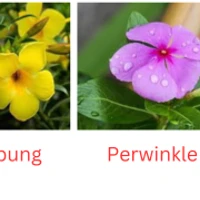
| label_names = ['asoka', 'kecubung', 'krokot', 'periwinkle', 'telang', 'zinnia'] |
|
|
| |
| IMG_SIZE = (224, 224) |
|
|
| def predict_image(image): |
| img = Image.fromarray(image) |
| img = img.resize(IMG_SIZE) |
| x = tf.keras.preprocessing.image.img_to_array(img) |
| x = np.expand_dims(x, axis=0) |
|
|
| classes = load_model.predict(x, batch_size=10) |
| outclass = np.argmax(classes) |
|
|
| return label_names[outclass], {label: float(classes[0][i]) for i, label in enumerate(label_names)} |
|
|
| def classify_image(image): |
| image = np.array(image) |
| outclass, classes = predict_image(image) |
| return outclass, classes |
|
|
| css = """ |
| body { |
| background-color: #D9FO8absF; |
| } |
| """ |
|
|
| with gr.Blocks(css=css) as demo: |
| gr.Markdown('<div style="display: flex; justify-content: center; margin-top:-50px"><img src="https://media.giphy.com/media/X5PsaxTP6U3h9dUSxd/giphy.gif" alt="GIF" width="100%" style="max-width: 200px;"></div>') |
| gr.Markdown('<p style="background-color: #658626; color: white; font-size: 30px; padding: 20px; border-radius: 10px; text-align: center; box-shadow: 0px 6px 8px rgba(0, 0, 0, 0.1);">Bunga Herbal App</p>') |
| gr.Markdown('<p style="background-color: #8FB447; color: white; font-size: 20px; padding: 10px; border-radius: 5px; text-align: center; box-shadow: 0px 2px 3px rgba(0, 0, 0, 0.1);"> Tipe Bunga </p>') |
| |
| gr.Image("/content/drive/MyDrive/bismillah.png") |
|
|
| with gr.Row(): |
| with gr.Column(): |
| image_input = gr.Image(type="pil", label="Upload an image...") |
|
|
| with gr.Column(): |
| label_output = gr.Label(label="Predicted Label") |
| confidence_output = gr.JSON(label="Prediction Confidence") |
|
|
| |
| gr.Markdown("**To capture an image using your phone's camera:**", label="**OR**") |
| gr.Markdown( |
| "1. Open your device's camera app." |
| "2. Take a picture of the flower you want to identify." |
| "3. Save the image." |
| "4. Upload the saved image here using the upload button above." |
| ) |
|
|
| image_input.change(fn=classify_image, inputs=image_input, outputs=[label_output, confidence_output]) |
|
|
| demo.launch() |