
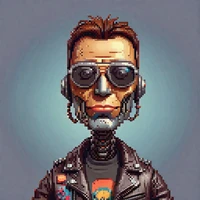
import torch
from diffusers import DiffusionPipeline

# switch to "mps" for apple devices
pipe = DiffusionPipeline.from_pretrained("OzzyGT/ming_image_0_1_design_diffusers", dtype=torch.bfloat16, device_map="cuda")

prompt = "Astronaut in a jungle, cold color palette, muted colors, detailed, 8k"
image = pipe(prompt).images[0]Ming-Image-0.1-Design Diffusers
Diffusers version of inclusionAI/Ming-Image-0.1-Design: the transformer, the text encoder, the connector, the VAE, the tokenizer and the scheduler. Run it with the blocks in OzzyGT/ming_image_custom_blocks.
Note: This model needs diffusers installed from source, pip install git+https://github.com/huggingface/diffusers. The example below uses about 19 GB of VRAM.
Sample image

This image was generated with the following code, seed 2024:
import torch

from diffusers import ModularPipelineBlocks


blocks = ModularPipelineBlocks.from_pretrained(
    "OzzyGT/ming_image_custom_blocks",
    trust_remote_code=True,
    components_repo="OzzyGT/ming_image_0_1_design_diffusers",
    trust_components_code=True,
)
pipe = blocks.init_pipeline()
pipe.load_components(dtype=torch.bfloat16)
for name in ("text_encoder", "transformer"):
    getattr(pipe, name).enable_group_offload(
        onload_device="cuda", offload_type="block_level", num_blocks_per_group=1, use_stream=True
    )
pipe.connector.to("cuda")
pipe.vae.to("cuda")

prompt = r"""{
  "canvas_settings": {
    "aspect_ratio": "9:16, 1440 × 2560 px",
    "ambient_lighting": "Flat, even digital lighting with soft card shadows only.",
    "image_style": "High-fidelity mobile app screen design exported from Figma, full-bleed with no device frame. Modern dark theme with a near-black background, rounded 24 px cards in dark charcoal, vivid gradient accents in lime green, electric blue, and coral, a clean geometric sans-serif with bold numerals, simple line icons, and crisp, perfectly legible text."
  },
  "layers": [
    {
      "description": "Near-black app background with a faint blue radial glow behind the top third.",
      "coordinates": "cx: 0.500, cy: 0.500, w: 1.000, h: 1.000",
      "hierarchy_and_relation": "Bottom-most layer behind every other element.",
      "color_specs": ["#0D0F14", "#141A2A"]
    },
    {
      "description": "System status bar: on the left, the exact time \"9:41\" in white; on the right, signal, Wi-Fi, and battery icons in white.",
      "coordinates": "cx: 0.500, cy: 0.025, w: 0.900, h: 0.030",
      "hierarchy_and_relation": "Very top of the screen, above the greeting header.",
      "color_specs": ["#FFFFFF"]
    },
    {
      "description": "Greeting header: on the left, the exact small text \"Thursday, 2 October\" in gray above the exact large bold text \"Good morning, Sam\" in white; on the right, a circular profile avatar showing a friendly illustrated face.",
      "coordinates": "cx: 0.500, cy: 0.090, w: 0.880, h: 0.070",
      "hierarchy_and_relation": "Below the status bar, above the activity card; text left-aligned, avatar right-aligned.",
      "color_specs": ["#FFFFFF", "#8A90A0", "#F2A65A"]
    },
    {
      "description": "Activity card: a large dark charcoal rounded card. On the left, three concentric progress rings: an outer lime-green ring about 80% full, a middle electric-blue ring about 60% full, and an inner coral ring about 90% full. On the right, a vertical legend of three rows: a lime dot with the exact text \"Move 420 / 520 kcal\", a blue dot with the exact text \"Exercise 18 / 30 min\", and a coral dot with the exact text \"Stand 11 / 12 h\", all in white with the numbers in bold.",
      "coordinates": "cx: 0.500, cy: 0.250, w: 0.880, h: 0.200",
      "hierarchy_and_relation": "Below the greeting header, full content width; contains the rings on the left and the legend on the right.",
      "color_specs": ["#1C1F27", "#B6F23A", "#3A8DFF", "#FF6B5A", "#FFFFFF"]
    },
    {
      "description": "Stat card 1 of 2 in a row, left column: a dark charcoal rounded card with a small lime footprints icon, the exact label \"Steps\" in gray, and the exact large bold number \"8,342\" in white.",
      "coordinates": "cx: 0.275, cy: 0.440, w: 0.430, h: 0.120",
      "hierarchy_and_relation": "Left card of a two-card row below the activity card; same size and top alignment as the right card.",
      "color_specs": ["#1C1F27", "#B6F23A", "#8A90A0", "#FFFFFF"]
    },
    {
      "description": "Stat card 2 of 2 in a row, right column: a dark charcoal rounded card with a small coral heart icon, the exact label \"Heart rate\" in gray, and the exact large bold number \"72 bpm\" in white.",
      "coordinates": "cx: 0.725, cy: 0.440, w: 0.430, h: 0.120",
      "hierarchy_and_relation": "Right card of the two-card row below the activity card; same size and top alignment as the left card.",
      "color_specs": ["#1C1F27", "#FF6B5A", "#8A90A0", "#FFFFFF"]
    },
    {
      "description": "Weekly chart card: a dark charcoal rounded card with the exact title \"This week\" in bold white at the top left. Below it, seven vertical rounded bars in electric blue with varying heights, each labeled underneath in gray with one weekday letter, in order: \"M\", \"T\", \"W\", \"T\", \"F\", \"S\", \"S\". The fourth bar is the tallest and highlighted in lime green.",
      "coordinates": "cx: 0.500, cy: 0.640, w: 0.880, h: 0.230",
      "hierarchy_and_relation": "Below the two stat cards, full content width; the seven bars are evenly spaced inside the card.",
      "color_specs": ["#1C1F27", "#3A8DFF", "#B6F23A", "#8A90A0", "#FFFFFF"]
    },
    {
      "description": "Primary action button: a full-width lime-green rounded pill with the exact label \"Start Workout\" in bold near-black text and a small play icon on its left.",
      "coordinates": "cx: 0.500, cy: 0.825, w: 0.880, h: 0.055",
      "hierarchy_and_relation": "Below the weekly chart card, above the tab bar.",
      "color_specs": ["#B6F23A", "#0D0F14"]
    },
    {
      "description": "Bottom tab bar: a dark charcoal bar with four evenly spaced tabs, each a line icon above a label: a house icon labeled \"Home\" highlighted in lime, a running-figure icon labeled \"Workouts\", a bar-chart icon labeled \"Stats\", and a person icon labeled \"Profile\", the last three in gray. A thin white home indicator line is centered at the very bottom.",
      "coordinates": "cx: 0.500, cy: 0.950, w: 1.000, h: 0.100",
      "hierarchy_and_relation": "Full-width bar along the bottom edge of the screen, below the primary action button.",
      "color_specs": ["#1C1F27", "#B6F23A", "#8A90A0", "#FFFFFF"]
    }
  ]
}
"""

image = pipe(prompt=prompt, height=2560, width=1440, generator=torch.Generator().manual_seed(2024), output="images")[0]
image.save("phone_app.png")
- Downloads last month
- -
Model tree for OzzyGT/ming_image_0_1_design_diffusers
Base model
inclusionAI/Ming-Image-0.1-Design