

Valen-1.0
Collection
Valen-1.0 • 9 items • Updated

English · 简体中文
Valen-2B-GGUF brings Valen-2B text, image and video decisions into your own application. Get categories, yes/no probabilities and scores for workflows such as ticket routing, image screening and video labeling.
Choose GGUF to run a local C++ decision service with a smaller Q8 model file. The serving path uses the trained Valen backbone and decision head without a Python, PyTorch or ONNX inference service. You define the candidate answers; Valen scores them directly and returns structured results over HTTP.
Try Valen through the free API and web demo before setting up local inference.
Complete workflows are maintained in the official Cookbook: API basics, local inference basics, ticket routing, product-image screening and video tagging. Pages import executable source and include actual outputs, uncertainty policies, media provenance and licensing notes.
This card owns format, installation, startup, limitations and minimal calls. Validation scope and same-worker performance record model revisions, SDK and runtime versions. Valen.local loads ONNX; connect to GGUF services over HTTP. Prebuilt GGUF 0.1.0 does not compile direct video support; historical source-build video tests do not qualify the prebuilt package. P1 additionally checks fixed images on the exact prebuilt binary with 0.8B Q8_0 only; see the linked evidence, without extending that scope to other sizes.
For a first try, use the web experience or free HTTP API without downloading weights. The shared version guide covers Python/JavaScript applications, C++ local serving, GPU deployment and fine-tuning. 0.8B/2B/4B denote model size; native/ONNX/GGUF are formats; F32/Q8_0/ONNX q8-mlp are format-specific precision/quantization variants; Transformers, ONNX Runtime, custom llama.cpp/Ollama and SGLang/vLLM are backends. File size is not a RAM requirement; no unmeasured performance is promised.
Use ONNX SDKs for offline Python/JavaScript applications; GGUF with the Valen custom runtime for C++ Linux CPU services; native weights with the appropriate plugins, or Python ONNX CUDA, for GPU deployment; complete native Valen weights for fine-tuning. GGUF Q4/Q5 failed the quality gates: only qualified F32/Q8_0 are recommended. Support in official unmodified llama.cpp/Ollama is not claimed.
Download Valen CPU runtime 0.1.0 and follow the download, SHA256 verification, extraction and launch steps. Target: Linux x86-64, Ubuntu 22.04+, glibc 2.35+, AVX2/FMA/F16C/BMI2. The package includes source pins, patches, licenses and hashes, but no model weights. This prebuilt package is qualified by a real text request using cached 0.8B Q8_0 only; it makes no image, video, GPU or other-platform claim. The source-build and custom Ollama instructions below remain available for the existing measured multimodal path.
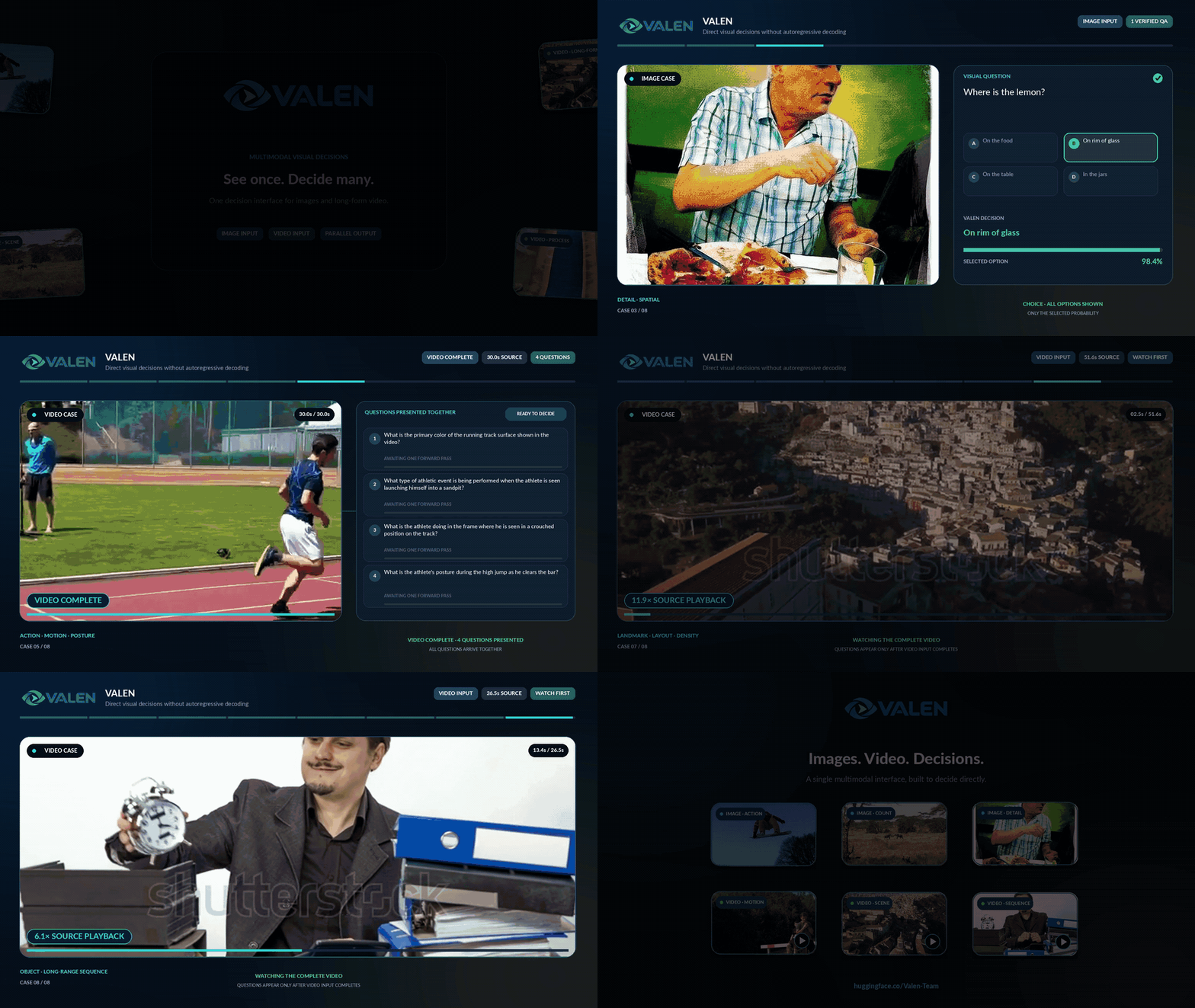
Click a preview to watch the full demonstration. These are Valen application demonstrations shared with the native and ONNX model cards; they are not GGUF performance measurements.
| Image and video decisions | Sokoban decisions |
|---|---|
 |
 |
Start with 0.8B and the CPU example below. Try 2B or 4B when you want to evaluate a larger model on your own tasks.
| Model | Starting point | Q8 model file | Vision file, optional for text |
|---|---|---|---|
| 0.8B | First local prototype; smallest download | 0.761 GiB | 0.375 GiB |
| 2B | Evaluate a larger model with a higher memory budget | 1.880 GiB | 1.235 GiB |
| 4B | Workstation or server with room for a larger model | 4.181 GiB | 1.242 GiB |
These are download sizes, not runtime memory requirements. Text-only inference needs the model file; images and video also need that size's matching vision projector. Peak RAM, latency and throughput have not been measured. Compare native Valen evaluations for model benchmarks and the GGUF checks below for conversion results.
Use Linux, Git, CMake, a C/C++ compiler and curl; a GPU is not required. The supplied Valen runtime patch is required. Stock llama.cpp and stock Ollama do not support this custom decision architecture. The commands below build the pinned C++ runtime once, then expose a local HTTP service.
Both Decisions and SystemOne request formats are supported. Start with Decisions if you are new to Valen. The input and questions below match the native and ONNX quick starts.
Download the Q8 model and supporting files with the Hugging Face CLI, or use this repository's Files tab:
hf download Valen-Team/Valen-2B-GGUF --exclude "*.gguf" --local-dir valen-2B
hf download Valen-Team/Valen-2B-GGUF Valen-2B-Q8_0.gguf --local-dir valen-2B
cd valen-2B
The first command downloads the documentation and runtime sources/patches; the second downloads only the Q8 model. You do not need F32 or the vision projector for the text example. Run the next commands from the downloaded repository root:
mkdir -p runtime/upstream
git clone https://github.com/ggml-org/llama.cpp.git runtime/upstream/llama.cpp
git -C runtime/upstream/llama.cpp checkout 1a0b56cec73dac938e0602c974b21dc8e2862830
git -C runtime/upstream/llama.cpp apply ../../patches/llama-valen.patch
cmake -S runtime/upstream/llama.cpp -B runtime/build \
  -DCMAKE_BUILD_TYPE=Release -DGGML_CUDA=OFF -DGGML_METAL=OFF \
  -DLLAMA_SUBPROCESS=OFF -DMTMD_VIDEO=OFF \
  -DLLAMA_BUILD_TESTS=OFF -DLLAMA_BUILD_EXAMPLES=OFF \
  -DLLAMA_BUILD_UI=OFF -DLLAMA_USE_PREBUILT_UI=OFF
cmake --build runtime/build --target llama-server --parallel 4
Use a fresh source checkout for the clone and patch steps. If it is already patched, proceed to the CMake commands. Exact source pins and patch hashes are in the runtime manifest.
runtime/build/bin/llama-server -m Valen-2B-Q8_0.gguf \
  --device none -ngl 0 \
  --host 127.0.0.1 --port 8080 \
  -c 4096 -b 4096 -ub 4096 -t 8 --parallel 1 --no-warmup
Keep the server running. In another terminal, check readiness before sending a request:
curl --fail http://127.0.0.1:8080/health
After starting the service above, check the two protocols with one predicate:
curl --fail http://127.0.0.1:8080/v1/decisions \
  -H 'Content-Type: application/json' \
  -d '{"input":"A cat is on the sofa.","questions":[{"name":"cat","type":"predicate","instructions":"A cat is present."}],"temperature":1.0}'
curl --fail http://127.0.0.1:8080/v1/systemone \
  -H 'Content-Type: application/json' \
  -d '{"state":"A cat is on the sofa.","questions":{"cat":{"type":"noul","instructions":"A cat is present."}},"temperature":1.0}'
Complete choice/predicate/score workflows, routing/ranking, image screening and video tagging are maintained in Cookbook. Fields, errors and limits live in the API reference. Images require the matching-size vision-native-limits-F32.gguf. Direct video in a source build requires FFmpeg/video compilation options and the model's recorded sampling configuration; prebuilt 0.1.0 does not compile direct video. Runtime-specific installation/configuration remains below and in runtime/README.md.
Start with Q8_0 for the smaller download. Both accepted variants preserve the trained decision head in FP32.
| File | Use | Download |
|---|---|---|
Valen-2B-Q8_0.gguf |
First run and a smaller local installation | 1.880 GiB |
Valen-2B-F32.gguf |
Compare with the full-precision export | 7.026 GiB |
vision-native-limits-F32.gguf |
Matching image/video projector for either variant | 1.235 GiB |
Q8 reduces the main model file by approximately 3.74× compared with F32. This file-size reduction is not a measured RAM or speed improvement. Q4/Q5 did not pass the fixed quality gates and are excluded from the model files.
Prefer Ollama for local model management? Follow the custom Ollama build, import and request guide. It uses the same GGUF files, a patched Go service and the Valen C++ runtime. Import the main model with its matching projector, then call /v1/decisions or /v1/systemone.
This path requires the supplied patches and is not a stock ollama run installation. The custom service serializes Valen requests.
F32 and Q8 were tested on Linux CPU through direct C++ inference and actual custom Ollama imports for all three sizes. Text, images, three short video fixtures, typed Decisions, temperature validation and request isolation were checked. See the Q8 and F32 integration reports.
Peak RAM, latency, throughput and maximum-context performance have not been benchmarked. GPU and Windows real-model inference have not been qualified. The complete context, instructions and candidates must fit both context and physical batch: shorten the request or increase -c, -b and -ub together, with enough available memory. The example's 4096-token settings are a starting configuration.
For model benchmarks and leaderboards, see the native Valen model card. The following are this GGUF Q8 model's results against dataset labels on fixed small subsets, not full-dataset benchmarks:
| Task | Subset | 2B Q8 result |
|---|---|---|
| AG News category accuracy | 96 text records | 83.33% |
| BoolQ yes/no accuracy | 96 text records | 86.46% |
| SST-5 sentiment score MAE, lower is better | 100 text records; score scale 0–4 | 0.644 |
| CIFAR-10 class accuracy | 30 images; explicit smaller pixel budget | 96.67% |
Conversion fidelity: Q8 agreed with native FP32 choices on 98.96% of the 96 AG News questions and 100.00% of the 30 image questions. Mean absolute probability drift was 0.002165 for text and 0.000350 for images. These agreement figures measure conversion fidelity, separately from the label accuracy above.
F32 and Q8 passed the fixed text and image gates for all three sizes. Full metrics and unsuccessful quantization results remain in the quality report. Video checks cover three diagnostic clips for preprocessing, token counts and numerical behavior; they do not establish general video accuracy.
Use the free API guide for remote requests. Choose ONNX for the Valen Python/JavaScript SDK inference path, or the native model for Transformers and fine-tuning. Follow the GitHub training guide to train from the original checkpoint.
For GGUF source pins, media configuration, export and evaluation, see the runtime guide, model provenance and checksums.
Apache-2.0. See LICENSE and component licenses.
@misc{valen,
  author       = {{Valen Team}},
  title        = {Valen},
  howpublished = {GitHub - Valen-Team/Valen: A multimodal System One decision model for text, images and video.},
  note         = {GitHub repository},
  year         = {2026},
  url          = {https://github.com/Valen-Team/Valen}
}
User concepts, methods and references are maintained only on the website: Documentation · Probabilities.
8-bit
32-bit