Instructions to use Yntec/Backups with libraries, inference providers, notebooks, and local apps. Follow these links to get started.
- Libraries
- Diffusers
How to use Yntec/Backups with Diffusers:
pip install -U diffusers transformers accelerate
import torch from diffusers import DiffusionPipeline # switch to "mps" for apple devices pipe = DiffusionPipeline.from_pretrained("Yntec/Backups", dtype=torch.bfloat16, device_map="cuda") prompt = "Astronaut in a jungle, cold color palette, muted colors, detailed, 8k" image = pipe(prompt).images[0] - Notebooks
- Google Colab
- Kaggle
|
Download wavymulder/timeless-diffusion/README.md from Yntec/Backups: direct link, hf CLI and curl.
- Browser
- Download file 1.81 kB
-
https://huggingface.co/Yntec/Backups/resolve/main/wavymulder/timeless-diffusion/README.md
- Command line
-
hf download hf://Yntec/Backups/wavymulder/timeless-diffusion/README.md
-
curl -L -o README.md https://huggingface.co/Yntec/Backups/resolve/main/wavymulder/timeless-diffusion/README.md
1.81 kB
metadata
language:
- en
thumbnail: >-
https://huggingface.co/wavymulder/timeless-diffusion/resolve/main/imgs/page1.jpg
license: creativeml-openrail-m
tags:
- stable-diffusion
- stable-diffusion-diffusers
- text-to-image
- safetensors
- diffusers
inference: true
Timeless Diffusion
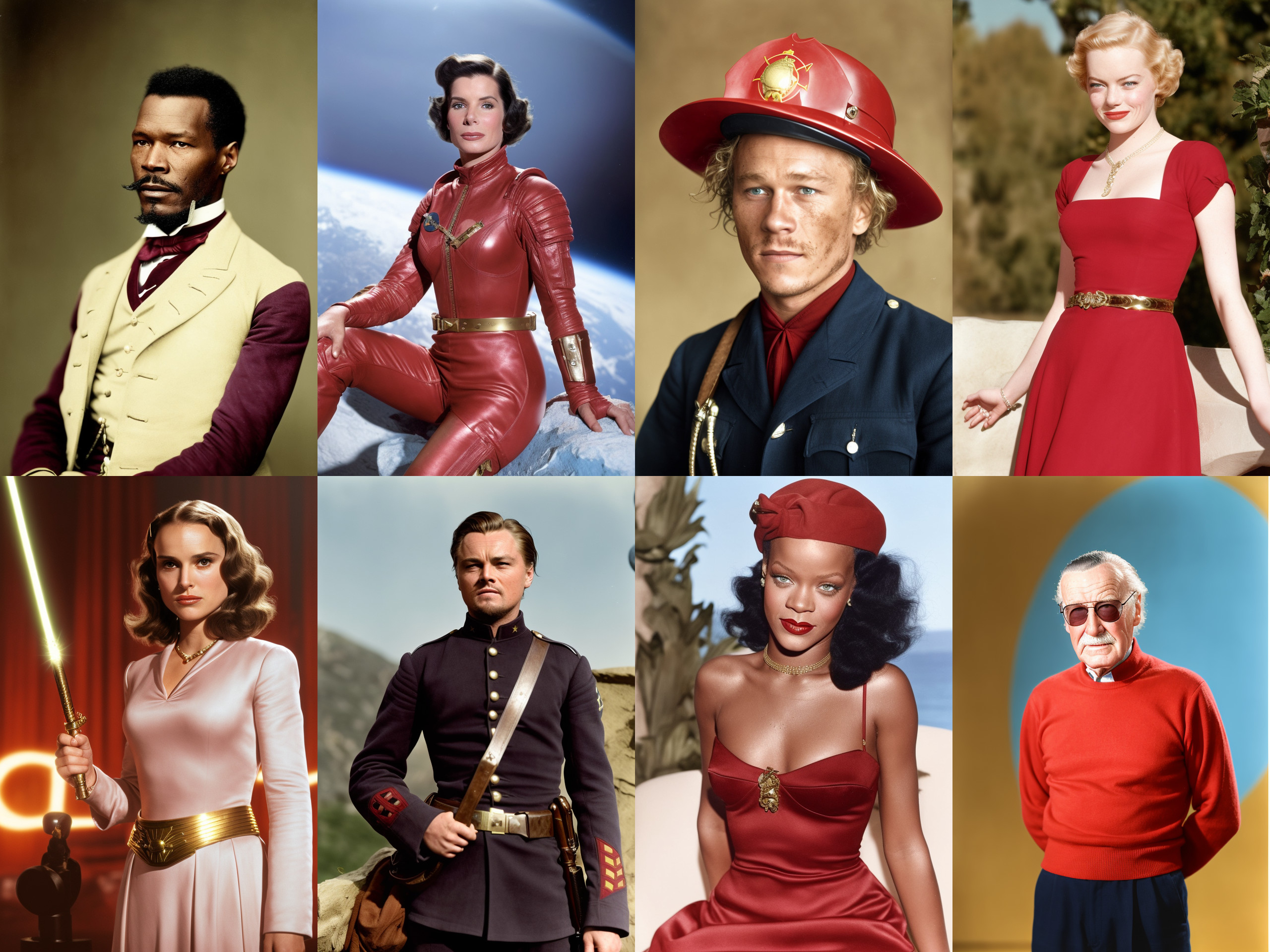
CKPT DOWNLOAD LINK - This is a dreambooth model trained on a diverse set of colourized photographs from the 1880s-1980s.
Use the activation token timeless style in your prompt (I recommend at the start)
The goal of this model was to create striking images with rich tones and an anachronistic feel.
When using this model, I typically use painted illustration blur haze monochrome in my negative prompt. I encourage you to experiment and see what works well for you.
Trained from 1.5 with VAE.
We support a Gradio Web UI to run Timeless Diffusion: