
Diffusers documentation
OpenVINO
OpenVINO
🤗 Optimum 提供了与 OpenVINO 兼容的 Stable Diffusion 流水线,可在多种 Intel 处理器上执行推理(请参阅受支持设备的完整列表)。
您需要使用 --upgrade-strategy eager 选项安装 🤗 Optimum Intel,以确保 optimum-intel 使用的是最新版本:
pip install --upgrade-strategy eager optimum["openvino"]本指南将展示如何使用 OpenVINO 运行 Stable Diffusion 和 Stable Diffusion XL (SDXL) 流水线。
Stable Diffusion
要加载并运行推理,请使用 OVStableDiffusionPipeline。如果您想加载 PyTorch 模型并将其即时转换为 OpenVINO 格式,请设置 export=True:
from optimum.intel import OVStableDiffusionPipeline

model_id = "stable-diffusion-v1-5/stable-diffusion-v1-5"
pipeline = OVStableDiffusionPipeline.from_pretrained(model_id, export=True)
prompt = "sailing ship in storm by Rembrandt"
image = pipeline(prompt).images[0]

# Don't forget to save the exported model
pipeline.save_pretrained("openvino-sd-v1-5")
为了进一步加速推理,请对模型进行静态重塑。如果您更改了任何参数(例如输出的高度或宽度),则需要再次对模型进行静态重塑。
# Define the shapes related to the inputs and desired outputs
batch_size, num_images, height, width = 1, 1, 512, 512

# Statically reshape the model
pipeline.reshape(batch_size, height, width, num_images)
# Compile the model before inference
pipeline.compile()

image = pipeline(
    prompt,
    height=height,
    width=width,
    num_images_per_prompt=num_images,
).images[0]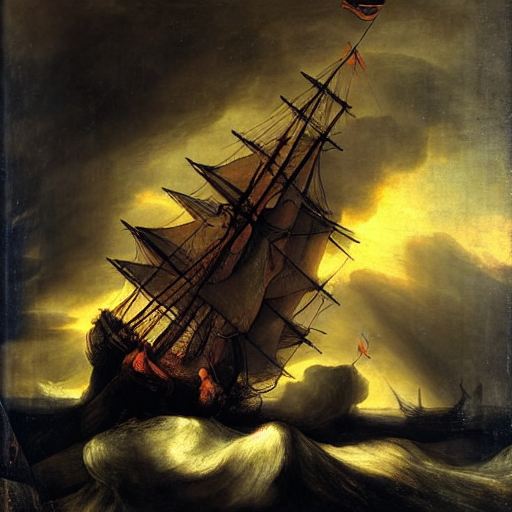
您可以在 🤗 Optimum 的文档中找到更多示例,Stable Diffusion 支持文本生成图像、图像生成图像和图像修复。
Stable Diffusion XL
要加载并使用 SDXL 运行推理,请使用 OVStableDiffusionXLPipeline:
from optimum.intel import OVStableDiffusionXLPipeline

model_id = "stabilityai/stable-diffusion-xl-base-1.0"
pipeline = OVStableDiffusionXLPipeline.from_pretrained(model_id)
prompt = "sailing ship in storm by Rembrandt"
image = pipeline(prompt).images[0]
为了进一步加速推理,请按照 Stable Diffusion 部分所示,静态重塑模型。
您可以在 🤗 Optimum 的文档中找到更多示例,在 OpenVINO 中运行 SDXL 支持文本生成图像和图像生成图像。
Update on GitHub