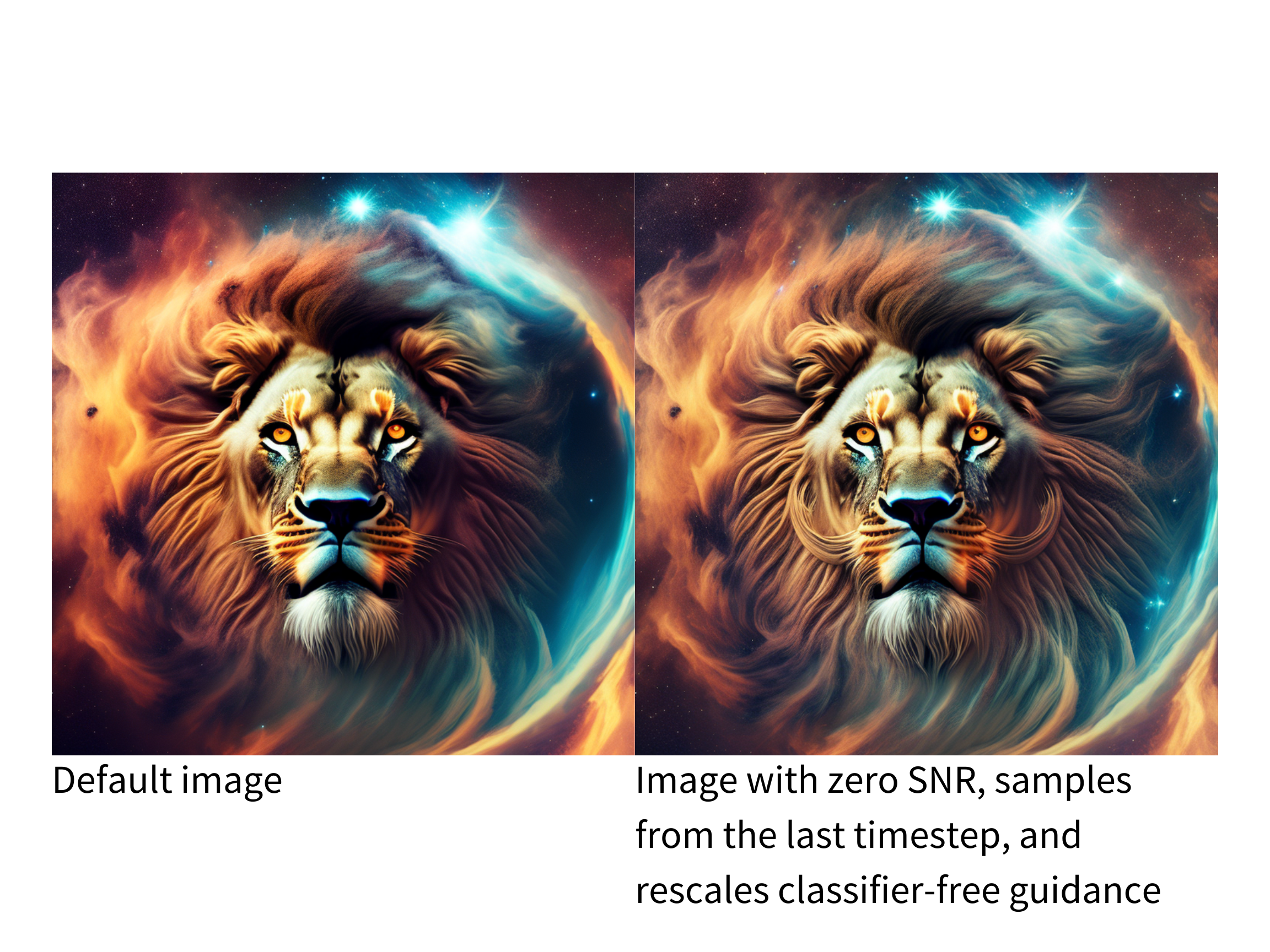
Control image brightness
The Stable Diffusion pipeline is mediocre at generating images that are either very bright or dark as explained in the Common Diffusion Noise Schedules and Sample Steps are Flawed paper. The solutions proposed in the paper are currently implemented in the [DDIMScheduler] which you can use to improve the lighting in your images.
💡 Take a look at the paper linked above for more details about the proposed solutions!
One of the solutions is to train a model with v prediction and v loss. Add the following flag to the train_text_to_image.py or train_text_to_image_lora.py scripts to enable v_prediction:
--prediction_type="v_prediction"
For example, let's use the ptx0/pseudo-journey-v2 checkpoint which has been finetuned with v_prediction.
Next, configure the following parameters in the [DDIMScheduler]:
rescale_betas_zero_snr=True, rescales the noise schedule to zero terminal signal-to-noise ratio (SNR)timestep_spacing="trailing", starts sampling from the last timestep
from diffusers import DiffusionPipeline, DDIMScheduler

pipeline = DiffusionPipeline.from_pretrained("ptx0/pseudo-journey-v2", use_safetensors=True)

# switch the scheduler in the pipeline to use the DDIMScheduler
pipeline.scheduler = DDIMScheduler.from_config(
    pipeline.scheduler.config, rescale_betas_zero_snr=True, timestep_spacing="trailing"
)
pipeline.to("cuda")
Finally, in your call to the pipeline, set guidance_rescale to prevent overexposure:
prompt = "A lion in galaxies, spirals, nebulae, stars, smoke, iridescent, intricate detail, octane render, 8k"
image = pipeline(prompt, guidance_rescale=0.7).images[0]
image