
Instructions to use gabriellarson/SimpleChat-30BA3B-V2-GGUF with libraries, inference providers, notebooks, and local apps. Follow these links to get started.
- Notebooks
- Google Colab
- Kaggle
- Local Apps Settings
- llama.cpp
How to use gabriellarson/SimpleChat-30BA3B-V2-GGUF with llama.cpp:
Install (macOS, Linux)
curl -LsSf https://llama.app/install.sh | sh # Start a local OpenAI-compatible server with a web UI: llama serve -hf gabriellarson/SimpleChat-30BA3B-V2-GGUF:Q4_K_M # Run inference directly in the terminal: llama cli -hf gabriellarson/SimpleChat-30BA3B-V2-GGUF:Q4_K_M
Install from WinGet (Windows)
winget install llama.cpp # Start a local OpenAI-compatible server with a web UI: llama serve -hf gabriellarson/SimpleChat-30BA3B-V2-GGUF:Q4_K_M # Run inference directly in the terminal: llama cli -hf gabriellarson/SimpleChat-30BA3B-V2-GGUF:Q4_K_M
Use pre-built binary
# Download pre-built binary from: # https://github.com/ggerganov/llama.cpp/releases # Start a local OpenAI-compatible server with a web UI: ./llama-server -hf gabriellarson/SimpleChat-30BA3B-V2-GGUF:Q4_K_M # Run inference directly in the terminal: ./llama-cli -hf gabriellarson/SimpleChat-30BA3B-V2-GGUF:Q4_K_M
Build from source code
git clone https://github.com/ggerganov/llama.cpp.git cd llama.cpp cmake -B build cmake --build build -j --target llama-server llama-cli # Start a local OpenAI-compatible server with a web UI: ./build/bin/llama-server -hf gabriellarson/SimpleChat-30BA3B-V2-GGUF:Q4_K_M # Run inference directly in the terminal: ./build/bin/llama-cli -hf gabriellarson/SimpleChat-30BA3B-V2-GGUF:Q4_K_M
Use Docker
docker model run hf.co/gabriellarson/SimpleChat-30BA3B-V2-GGUF:Q4_K_M
- Llama new
- LM Studio
- Jan
- vLLM
How to use gabriellarson/SimpleChat-30BA3B-V2-GGUF with vLLM:
Install from pip and serve model
# Install vLLM from pip: pip install vllm # Start the vLLM server: vllm serve "gabriellarson/SimpleChat-30BA3B-V2-GGUF" # Call the server using curl (OpenAI-compatible API): curl -X POST "http://localhost:8000/v1/chat/completions" \ -H "Content-Type: application/json" \ --data '{ "model": "gabriellarson/SimpleChat-30BA3B-V2-GGUF", "messages": [ { "role": "user", "content": "What is the capital of France?" } ] }'Use Docker
docker model run hf.co/gabriellarson/SimpleChat-30BA3B-V2-GGUF:Q4_K_M
- Ollama
How to use gabriellarson/SimpleChat-30BA3B-V2-GGUF with Ollama:
ollama run hf.co/gabriellarson/SimpleChat-30BA3B-V2-GGUF:Q4_K_M
- Unsloth Desktop
- Pi
How to use gabriellarson/SimpleChat-30BA3B-V2-GGUF with Pi:
Start the llama.cpp server
# Install llama.cpp: brew install llama.cpp # Start a local OpenAI-compatible server: llama serve -hf gabriellarson/SimpleChat-30BA3B-V2-GGUF:Q4_K_M
Configure the model in Pi
# Install Pi: npm install -g @earendil-works/pi-coding-agent # Add to ~/.pi/agent/models.json: { "providers": { "llama-cpp": { "baseUrl": "http://localhost:8080/v1", "api": "openai-completions", "apiKey": "none", "models": [ { "id": "gabriellarson/SimpleChat-30BA3B-V2-GGUF:Q4_K_M" } ] } } }Run Pi
# Start Pi in your project directory: pi
- Docker Model Runner
How to use gabriellarson/SimpleChat-30BA3B-V2-GGUF with Docker Model Runner:
docker model run hf.co/gabriellarson/SimpleChat-30BA3B-V2-GGUF:Q4_K_M
- Lemonade
How to use gabriellarson/SimpleChat-30BA3B-V2-GGUF with Lemonade:
Pull the model
# Download Lemonade from https://lemonade-server.ai/ lemonade pull gabriellarson/SimpleChat-30BA3B-V2-GGUF:Q4_K_M
Run and chat with the model
lemonade run user.SimpleChat-30BA3B-V2-GGUF-Q4_K_M
List all available models
lemonade list
- Hermes Agent
How to use gabriellarson/SimpleChat-30BA3B-V2-GGUF with Hermes Agent:
Start the llama.cpp server
# Install llama.cpp: brew install llama.cpp # Start a local OpenAI-compatible server: llama serve -hf gabriellarson/SimpleChat-30BA3B-V2-GGUF:Q4_K_M
Configure Hermes
# Install Hermes: curl -fsSL https://hermes-agent.nousresearch.com/install.sh | bash hermes setup # Point Hermes at the local server: hermes config set model.provider custom hermes config set model.base_url http://127.0.0.1:8080/v1 hermes config set model.default gabriellarson/SimpleChat-30BA3B-V2-GGUF:Q4_K_M
Run Hermes
hermes
- Atomic Chat
- OpenClaw
How to use gabriellarson/SimpleChat-30BA3B-V2-GGUF with OpenClaw:
Start the llama.cpp server
# Install llama.cpp: brew install llama.cpp # Start a local OpenAI-compatible server: llama serve -hf gabriellarson/SimpleChat-30BA3B-V2-GGUF:Q4_K_M
Configure OpenClaw
# Install OpenClaw: npm install -g openclaw@latest # Register the local server and set it as the default model: openclaw onboard --non-interactive --mode local \ --auth-choice custom-api-key \ --custom-base-url http://127.0.0.1:8080/v1 \ --custom-model-id "gabriellarson/SimpleChat-30BA3B-V2-GGUF:Q4_K_M" \ --custom-provider-id llama-cpp \ --custom-compatibility openai \ --custom-text-input \ --accept-risk \ --skip-health
Run OpenClaw
openclaw agent --local --agent main --message "Hello from Hugging Face"
โจ About the SimpleChat Model Series
The SimpleChat series represents our new exploration into Non-Chain-of-Thought (Non-CoT) models. Its main features are:
Distinct Chat Style:
- Designed to be concise, rational, and empathetic.
- Specifically built for casual, everyday conversations.
Enhanced Creativity:
- Boosts the creativity of its generated content and its capacity for emotional understanding.
- This is achieved by distilling knowledge from advanced models, including K2.
Efficient Reasoning within a Non-CoT Framework:
- Delivers the faster response times of a Non-CoT model while preserving strong reasoning skills.
- It retains this ability because it was trained on CoT models before being transitioned to a Non-CoT framework, allowing it to think through complex problems.
Known Trade-off:
- Compared to models that specialize in Chain-of-Thought, it may not perform as strongly on mathematical tasks.
OpenBuddy - Open Multilingual Chatbot
GitHub and Usage Guide: https://github.com/OpenBuddy/OpenBuddy
Website and Demo: https://openbuddy.ai
Evaluation result of this model: Evaluation.txt
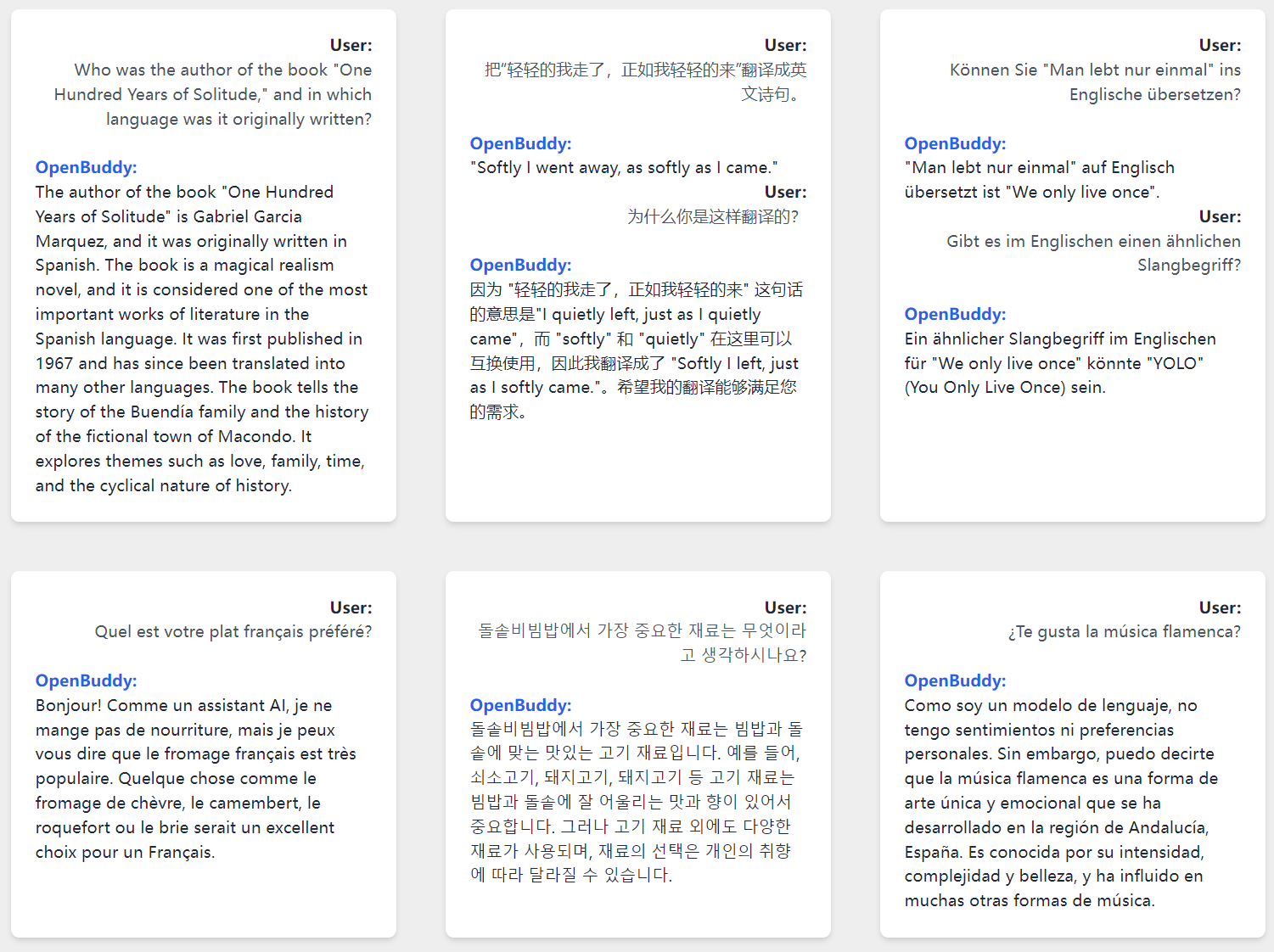
Model Info
Context Length: 40K Tokens
License: Apache 2.0
Prompt Format
This model supports a Qwen3-like prompt format, with following system prompt recommended:
You(assistant) are a helpful, respectful and honest INTP-T AI Assistant named Buddy. You are talking to a human(user).
Raw prompt template:
<|im_start|>system
{system_prompt}<|im_end|>
<|im_start|>user
{history_input}<|im_end|>
<|im_start|>assistant
{history_output}<|im_end|>
<|im_start|>user
{current_input}<|im_end|>
<|im_start|>assistant
(There should be a \n at the end of prompt.)
You may want to use vllm to deploy an OpenAI-like API service. For more information, please refer to the vllm documentation.
Disclaimer
All OpenBuddy models have inherent limitations and may potentially produce outputs that are erroneous, harmful, offensive, or otherwise undesirable. Users should not use these models in critical or high-stakes situations that may lead to personal injury, property damage, or significant losses. Examples of such scenarios include, but are not limited to, the medical field, controlling software and hardware systems that may cause harm, and making important financial or legal decisions.
OpenBuddy is provided "as-is" without any warranty of any kind, either express or implied, including, but not limited to, the implied warranties of merchantability, fitness for a particular purpose, and non-infringement. In no event shall the authors, contributors, or copyright holders be liable for any claim, damages, or other liabilities, whether in an action of contract, tort, or otherwise, arising from, out of, or in connection with the software or the use or other dealings in the software.
By using OpenBuddy, you agree to these terms and conditions, and acknowledge that you understand the potential risks associated with its use. You also agree to indemnify and hold harmless the authors, contributors, and copyright holders from any claims, damages, or liabilities arising from your use of OpenBuddy.
ๅ ่ดฃๅฃฐๆ
ๆๆOpenBuddyๆจกๅๅๅญๅจๅบๆ็ๅฑ้ๆง๏ผๅฏ่ฝไบง็้่ฏฏ็ใๆๅฎณ็ใๅ็ฏๆง็ๆๅ ถไปไธ่ฏ็่พๅบใ็จๆทๅจๅ ณ้ฎๆ้ซ้ฃ้ฉๅบๆฏไธญๅบ่ฐจๆ ่กไบ๏ผไธ่ฆไฝฟ็จ่ฟไบๆจกๅ๏ผไปฅๅ ๅฏผ่ดไบบ่บซไผคๅฎณใ่ดขไบงๆๅคฑๆ้ๅคงๆๅคฑใๆญค็ฑปๅบๆฏ็ไพๅญๅ ๆฌไฝไธ้ไบๅป็้ขๅใๅฏ่ฝๅฏผ่ดไผคๅฎณ็่ฝฏ็กฌไปถ็ณป็ป็ๆงๅถไปฅๅ่ฟ่ก้่ฆ็่ดขๅกๆๆณๅพๅณ็ญใ
OpenBuddyๆโๅๆ ทโๆไพ๏ผไธ้ๅธฆไปปไฝ็ง็ฑป็ๆ็คบๆๆ็คบ็ไฟ่ฏ๏ผๅ ๆฌไฝไธ้ไบ้้ๆงใ็นๅฎ็ฎ็็้็จๆงๅ้ไพตๆ็ๆ็คบไฟ่ฏใๅจไปปไฝๆ ๅตไธ๏ผไฝ่ ใ่ดก็ฎ่ ๆ็ๆๆๆ่ ๅไธๅฏนๅ ่ฝฏไปถๆไฝฟ็จๆๅ ถไป่ฝฏไปถไบคๆ่ไบง็็ไปปไฝ็ดข่ตใๆๅฎณ่ตๅฟๆๅ ถไป่ดฃไปป๏ผๆ ่ฎบๆฏๅๅใไพตๆ่ฟๆฏๅ ถไปๅๅ ๏ผๆฟๆ ่ดฃไปปใ
ไฝฟ็จOpenBuddyๅณ่กจ็คบๆจๅๆ่ฟไบๆกๆฌพๅๆกไปถ๏ผๅนถๆฟ่ฎคๆจไบ่งฃๅ ถไฝฟ็จๅฏ่ฝๅธฆๆฅ็ๆฝๅจ้ฃ้ฉใๆจ่ฟๅๆ่ตๅฟๅนถไฝฟไฝ่ ใ่ดก็ฎ่ ๅ็ๆๆๆ่ ๅ ๅๅ ๆจไฝฟ็จOpenBuddy่ไบง็็ไปปไฝ็ดข่ตใๆๅฎณ่ตๅฟๆ่ดฃไปป็ๅฝฑๅใ
- Downloads last month
- 218
2-bit
3-bit
4-bit
5-bit
6-bit
8-bit
16-bit
