
Running
Jev Model Ai
🏆
Turn a text scenario into structured decision answers

None defined yet.
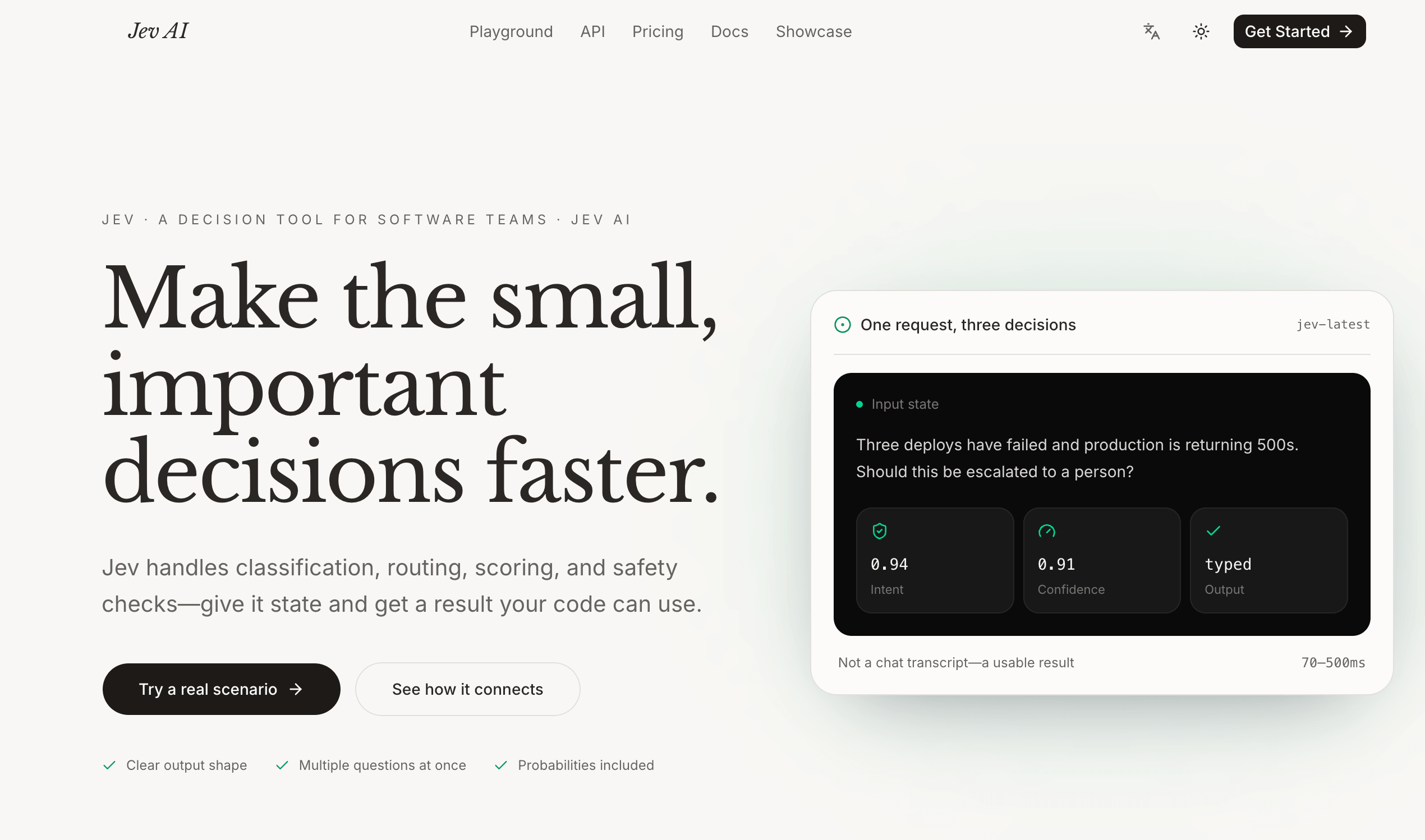
Turn real-world context into typed decisions your software can use.
Website · Playground · Documentation · Pricing · Contact
Jev Model is a Jev AI model for software teams that need clear, structured decisions from real-world application state. Send one piece of state, ask focused typed questions, and receive answers that code can consume directly. Instead of producing another paragraph for a person to interpret, Jev Model returns a defined result with probabilities and confidence signals where supported.
Jev Model is designed for the small decisions that happen repeatedly inside a product: classify a request, route a ticket, score urgency, check whether a tool call is safe, decide whether an agent needs human approval, or choose the next workflow. Your application keeps ownership of business rules, permissions, thresholds, and final actions; Jev Model supplies a decision signal in the middle.
Jev AI is an independently operated product and is not affiliated with, operated by, or endorsed by TypeSafe.
Traditional LLM workflows are excellent at generating open-ended text, but production software often needs a bounded answer space and a predictable field shape. When an application must route, block, sort, escalate, or continue, asking a person to interpret a free-form response adds uncertainty and extra glue code.
Jev Model focuses on software-consumable decisions:
choice, score, or noul.State is the context shared by every question in one request. Jev Model currently accepts:
Images, audio, and video inputs are not currently supported. Teams should validate non-English accuracy separately and test the model against representative production examples before relying on it for important decisions.
| Type | Use it for | Returns |
|---|---|---|
Choice |
Select one answer from predefined options for classification or routing. | Selected choice, probabilities for every option, and confidence. |
Score |
Rate state on an ordered rubric such as urgency, severity, risk, or satisfaction. | Probability-weighted score, level legend, per-level probabilities, and confidence. |
Noul |
Judge whether a statement is true or whether a condition is present. | noul, a number from 0 to 1 representing the probability that the answer is yes. |
Each question has a type and instructions, with optional or type-specific criteria. Multiple questions can read the same state and run in parallel. The current product supports up to eight questions in one Playground decision request.
Use Choice when the answer belongs to a known set of options. Criteria map each option to a description, so the application can define an explicit answer space such as billing, technical, sales, or other. A Choice question can contain up to 255 options.
Choice is useful for:
Use Score when a state should be placed on an ordered scale. Criteria are listed from low to high, with at least two and at most ten levels. The returned score is probability-weighted, so it can fall between named levels rather than being limited to one integer.
Score is useful for:
Use Noul for a yes-or-no judgment. For example: “Does this request need a person?” or “Is this proposed action destructive?” The returned noul value is the probability that the answer is yes. It is not a second general-purpose confidence field, so the application should choose a threshold appropriate to the cost of a false positive or false negative.
The production endpoint is:
POST https://jevmodel.net/v1/systemone
Send an API key in the Authorization header and an application/json request body. Every request contains three top-level fields: state, model, and questions. The keys chosen inside questions are reused as the keys in the response.
curl -X POST https://jevmodel.net/v1/systemone \
  -H "Authorization: Bearer $JEV_API_KEY" \
  -H "Content-Type: application/json" \
  -d '{
    "model": "jev-latest",
    "state": "Three deploys have failed and production is returning 500s.",
    "questions": {
      "needs_human": {
        "type": "noul",
        "instructions": "Does this incident need immediate human escalation?",
        "criteria": {
          "true": "A person should be alerted now",
          "false": "The workflow can continue without immediate escalation"
        }
      }
    }
  }'
The API documentation recommends TypeSafe's flagship jev-latest model for API requests. The online Playground currently displays typesafe/jev-1.13 so developers can try the workflow interactively before connecting it to a product.
Responses preserve the question IDs sent in the request. Depending on the question type, answers can contain:
Choice answer with the selected option, a probability map whose values sum to 1, and confidence derived from the distribution.Score answer with a probability-weighted score, a legend mapping levels to descriptions, per-level probabilities, and confidence.Noul answer with a yes probability from 0 to 1.input_tokens and output_tokens, and possible cost information.Example response:
{
  "model": "jev-1.13.0",
  "answers": {
    "needs_human": {
      "type": "noul",
      "noul": 0.95
    }
  },
  "usage": {
    "input_tokens": 296,
    "output_tokens": 20
  }
}
Probability and confidence are signals for automation, not guarantees of business accuracy. Use conservative thresholds, fallbacks, monitoring, and human review for payments, deletion, access changes, safety-sensitive actions, or other high-impact workflows.
Classify incoming requests into approved teams such as billing, technical, account, or sales. Combine an intent Choice, an urgency Score, and a human-review Noul in the same request, then let the support system select a queue and priority.
Estimate task difficulty before sending work to an approved model. Route simple tasks to a fast model, escalate complex tasks to a larger model, and use an explicit fallback or review path when the signal is uncertain.
Evaluate whether a proposed tool call has side effects, is reversible, follows policy, or needs approval before execution. Jev Model can provide a bounded signal; deterministic permissions and human approvals should remain authoritative.
Classify content, score risk or severity, and decide whether a human should review it. Keep policy enforcement, appeal handling, and final moderation decisions in the surrounding application.
Turn messages, forms, account data, and activity summaries into scores or predefined segments that existing sales and operations systems can use for prioritization.
Ask whether available evidence is sufficient to publish, cite, or act on a claim. Use the result to request additional research or human verification before an agent publishes an answer.
When an agent has a long session, evaluate which tool results or facts still matter. Preserve source details and apply application-specific rules rather than treating a probability as a replacement for memory or policy.
Before reporting success, classify work as complete, verify-more, or incomplete. Combine the result with files changed, tests run, known gaps, and target-environment verification.
The Jev Model Playground is free with unlimited runs. It is intended for validating one real decision before building a production integration:
Choice, Score, or Noul questions.Start with a low-risk workflow and a clear answer space. Compare Jev Model’s output with expected results from real examples before using it to automate important actions.
The Jev Model Agent Skill teaches Codex, Claude Code, Cursor, and other compatible coding agents how to ask Jev Model for bounded decisions while keeping execution and permissions in the host application.
Install the public skill:
npx skills add jev-ai/jev-agent-skill
Configure the API key outside source code:
export JEV_API_KEY="sk_your_key_here"
export JEV_LANGUAGE="en-US"
English is the default onboarding language. Set JEV_LANGUAGE=zh-CN for Simplified Chinese guidance and examples. Keep the key in a server-side environment or secure agent configuration; never paste a real key into source code, public prompts, logs, or transcripts.
The Agent Skill does not grant authority, execute tools, intercept shell calls, replace deterministic policy, or remove human approval boundaries. It teaches an agent when to ask for a Jev Model judgment and how to interpret the result; the application still controls the final action.
other, unknown, or a review path when the answer space may be incomplete.429 and 529 responses with exponential backoff rather than immediate duplicate requests.401 as an authentication problem and 422 as a request-validation problem.The website currently presents a Freemium entry point with a free online Playground. The pricing page shows unlimited usage during each plan’s access period and states that one-time plans do not auto-renew:
Plan availability and product limits may change. Check the current pricing page before purchasing or planning production usage.
Jev Model is best used as a focused decision layer inside a larger application: your system owns state, policy, thresholds, permissions, and actions, while Jev Model provides a structured signal that helps the next step happen consistently.
Jev Model 是一款面向软件团队的 Jev AI model,用于将真实业务状态转换为清晰、结构化、可被代码直接消费的决策。开发者可以提交一份状态信息,提出一个或多个类型化问题,然后获得带有概率的结构化结果。它不要求应用先解析一大段聊天文本,而是直接返回适合分支、排序、路由和审核流程使用的字段。
Jev Model 适合处理产品中反复发生的小决策:分类请求、路由工单、评估紧急程度、检查工具调用是否安全、判断是否需要人工批准,或者选择下一个模型和工作流。业务规则、权限、阈值和最终动作仍然由你的应用掌控;Jev Model 负责提供中间的决策信号。
Jev AI 是独立运营的产品,与 TypeSafe 没有隶属、运营或背书关系。
传统 LLM 擅长生成供人阅读的开放式文本,但生产软件通常需要有限的答案范围和稳定的字段结构。当应用需要路由、拦截、排序、升级或继续执行时,如果还要依靠人工解读自由文本,就会增加不确定性和额外的胶水代码。
Jev Model 专注于软件可以直接使用的决策结果:
choice、score 或 noul。一份状态会被同一个请求里的所有问题共享。Jev Model 当前支持:
目前不支持图片、音频和视频作为输入。对于非英语内容,应单独验证准确性;在重要决策前,应使用具有代表性的生产样本进行测试。
| 类型 | 适用场景 | 返回结果 |
|---|---|---|
Choice |
从预先定义的选项中选择一个,用于分类和路由。 | 选中项、所有选项的概率和置信度。 |
Score |
按有序标准评估紧急程度、严重性、风险或满意度。 | 概率加权分数、等级说明、各等级概率和置信度。 |
Noul |
判断某个陈述是否为真,或某个条件是否存在。 | noul,表示“是”的 0 到 1 概率。 |
每个问题包含 type 和 instructions,并可根据类型补充 criteria。多个问题可以读取同一份状态并行执行。当前产品的 Playground 单次请求最多支持八个问题。
当答案属于一组已知选项时使用 Choice。通过 criteria 为每个选项提供说明,例如 billing、technical、sales 或 other。一个 Choice 问题最多可以包含 255 个选项。
它适合客服和销售路由、意图识别、主题分类、审核队列标记,以及从有限白名单中选择下一个工作流。
当状态需要按照从低到高的尺度评分时使用 Score。标准至少需要两个、最多十个等级,返回的分数采用概率加权,因此可以落在命名等级之间,而不局限于某一个整数。
它适合事故紧急程度、客户情绪、风险、销售线索优先级、队列排序、任务难度和模型路由。
当需要进行是/否判断时使用 Noul,例如“这个请求是否需要人工处理?”或“这个工具调用是否具有破坏性?”。返回的 noul 是答案为“是”的概率,不是第二个通用置信度字段。应用应根据错误成本和风险等级选择阈值。
生产接口为:
POST https://jevmodel.net/v1/systemone
请求需要在 Authorization 请求头中携带 API Key,并使用 application/json。每次请求包含三个顶层字段:state、model 和 questions。questions 中由开发者自定义的 key 会原样作为响应中的问题 ID。
{
  "model": "jev-latest",
  "state": "Three deploys have failed and production is returning 500s.",
  "questions": {
    "needs_human": {
      "type": "noul",
      "instructions": "Does this incident need immediate human escalation?"
    }
  }
}
API 文档推荐在 API 请求中使用 TypeSafe 的旗舰模型 jev-latest。在线 Playground 当前显示 typesafe/jev-1.13,便于开发者先交互式验证流程,再连接到正式产品。
响应会保留请求中使用的问题 ID:
Choice 返回选中项、所有选项的概率以及从概率分布计算出的置信度;Score 返回概率加权分数、等级说明、各等级概率和置信度;Noul 返回 0 到 1 的“是”概率;usage 可包含 input_tokens、output_tokens 和可能的费用信息;概率和置信度是自动化信号,不代表业务结果一定正确。涉及支付、删除、权限变更、安全敏感操作或其他高影响动作时,应使用更保守的阈值、降级路径、监控和人工审核。
Jev Model Playground 提供免费无限次运行,适合在开发正式集成前验证一个真实决策:
Choice、Score 或 Noul 问题;建议从低风险、答案边界明确的场景开始,并将模型结果与真实样本中的预期结果比较,再逐步接入自动化动作。
Jev Model Agent Skill 可以帮助 Codex、Claude Code、Cursor 及其他兼容 Agent 使用 Jev Model 进行有限范围的判断,同时将执行权限和最终动作留在宿主应用中。
安装 Skill:
npx skills add jev-ai/jev-agent-skill
通过环境变量配置:
export JEV_API_KEY="sk_your_key_here"
export JEV_LANGUAGE="zh-CN"
英文 en-US 是默认引导语言;设置 JEV_LANGUAGE=zh-CN 可使用简体中文引导与示例。API Key 应保存在服务端环境或安全的 Agent 配置中,不要写入源代码、公开 Prompt、日志或对话记录。
Agent Skill 不会授予权限、执行工具、拦截 Shell 调用,也不会替代确定性规则或人工批准。它只负责教 Agent 何时请求 Jev Model 判断以及如何理解结果;最终动作仍由应用权限和业务规则控制。
other、unknown 或人工审核路径;429 和 529 使用指数退避,不要立即重复发送相同请求;401 视为鉴权问题,将 422 视为请求校验问题;官网当前提供 Freemium 入口和免费无限次 Playground。价格页展示的方案在访问周期内提供无限使用,并说明一次性方案不会自动续费:
套餐内容和产品限制可能调整,购买或规划生产用量前请查看当前价格页。
Jev Model 最适合作为大型应用中的专注型决策层:你的系统负责状态、政策、阈值、权限和动作,Jev Model 提供结构化信号,帮助下一步稳定发生。