| --- |
| library_name: diffusers |
| --- |
| |
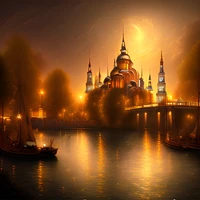
| # Mann-E FLUX[Dev] Edition |
|
|
| <p align="center"> |
| <img src="demo.png" width=720 height=1280 /> |
| </p> |
|
|
| ## How to use the model |
|
|
| ### Install needed libraries |
|
|
| ``` |
| pip install git+https://github.com/huggingface/diffusers.git transformers==4.42.4 accelerate xformers peft sentencepiece protobuf -q |
| ``` |
|
|
| ### Execution code |
|
|
| ```python |
| import numpy as np |
| import random |
| import torch |
| from diffusers import DiffusionPipeline, FlowMatchEulerDiscreteScheduler, AutoencoderTiny, AutoencoderKL |
| from transformers import CLIPTextModel, CLIPTokenizer,T5EncoderModel, T5TokenizerFast |
| |
| dtype = torch.bfloat16 |
| device = "cuda" if torch.cuda.is_available() else "cpu" |
| |
| taef1 = AutoencoderTiny.from_pretrained("madebyollin/taef1", torch_dtype=dtype).to(device) |
| pipe = DiffusionPipeline.from_pretrained("mann-e/mann-e_flux", torch_dtype=dtype, vae=taef1).to(device) |
| torch.cuda.empty_cache() |
| |
| MAX_SEED = np.iinfo(np.int32).max |
| MAX_IMAGE_SIZE = 2048 |
| |
| seed = random.randint(0, MAX_SEED) |
| generator = torch.Generator().manual_seed(seed) |
| |
| prompt = "an astronaut riding a horse" |
| |
| pipe( |
| prompt=f"{prompt}", |
| guidance_scale=3.5, |
| num_inference_steps=10, |
| width=720, |
| height=1280, |
| generator=generator, |
| output_type="pil" |
| ).images[0].save("output.png") |
| ``` |
|
|
| ## Tips and Tricks |
|
|
| 1. Adding `mj-v6.1-style` to the prompts specially the cinematic and photo realistic prompts can make the result quality high as hell! Give it a try. |
| 2. The best `guidance_scale` is somewhere between 3.5 and 5.0 |
| 3. Inference steps between 8 and 16 are working very well. |