

Patch size mismatch so not running.

RuntimeError: Error(s) in loading state_dict for SmolVLMModel:
size mismatch for vision_model.embeddings.patch_embedding.weight: copying a param with shape torch.Size([768, 16, 16, 3]) from checkpoint, the shape in current model is torch.Size([768, 3, 16, 16]).
Unable to run usign transformer but did run with the mlx command
❯ python -m mlx_vlm.generate --model mlx-community/SmolVLM2-500M-Video-Instruct-mlx --image https://huggingface.co/datasets/huggingface/documentation-images/resolve/main/bee.jpg --prompt "Can you describe this image?"
Fetching 12 files: 100%|████████████████████████████████████████████████████████████████████████████████████████████████████| 12/12 [00:00<00:00, 13062.98it/s]
Files: ['https://huggingface.co/datasets/huggingface/documentation-images/resolve/main/bee.jpg']
![https://huggingface.co/datasets/huggingface/documentation-images/resolve/main/bee.jpg']](https://huggingface.co/datasets/huggingface/documentation-images/resolve/main/bee.jpg'%5D)
Prompt: <|im_start|>User:Can you describe this image?
Assistant:
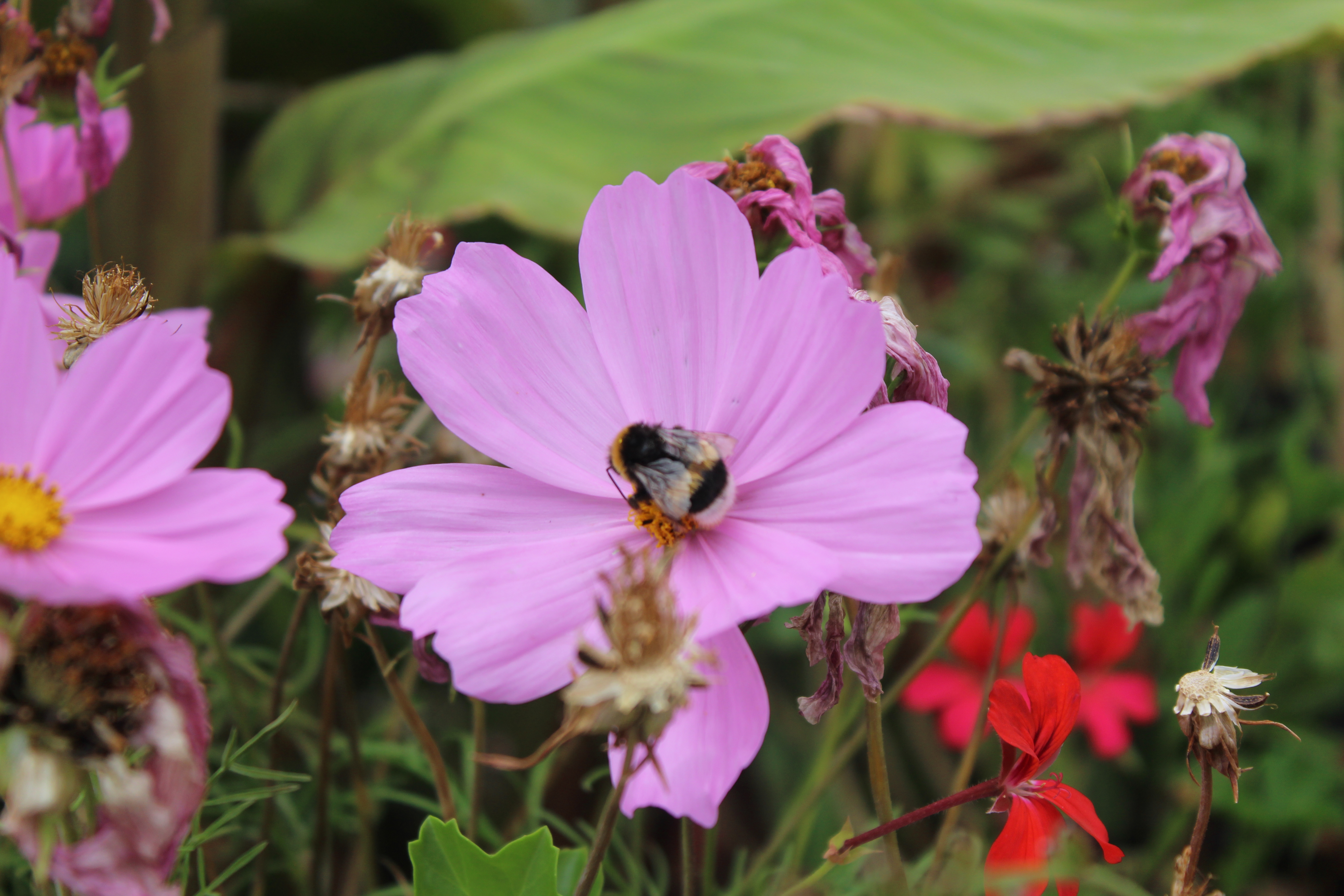
The image depicts a close-up view of a cluster of pink flowers with a bumblebee in the center of the image. The flowers are open, with their petals fully spread, showcasing their vibrant pink color. The bumblebee, which appears to be a bumblebee, is perched on one of the flowers, close to the camera, providing a sense of focus and attention to the subject.
The background of the image is slightly blurred, but it appears to be a garden or a field with various plants and flowers. These plants are lush and green, indicating that the scene takes place in a natural, outdoor setting. There are no other individuals or animals visible in the image, keeping the focus solely on the bumblebee and the flowers.
The flowers are arranged in a cluster, with the largest flower in the center of the image, surrounded by smaller flowers that are slightly smaller in size. The arrangement suggests that the flowers are in a natural or garden setting, possibly in a blooming period.
The image does not provide any textual information, and the relative positions of the objects are not specified. The image captures a moment in time, showing the bumblebee and the flowers in their natural environment.
In summary, the image features a close-up view
Prompt: 876 tokens, 522.447 tokens-per-sec
Generation: 256 tokens, 157.256 tokens-per-sec
Peak memory: 1.759 GB
can someone please help me how to use it using transformer or as in the python code dorectly loading and usign it
from transformers import AutoTokenizer, AutoModelForImageTextToText

tokenizer = AutoTokenizer.from_pretrained("mlx-community/SmolVLM2-500M-Video-Instruct-mlx")
model = AutoModelForImageTextToText.from_pretrained("mlx-community/SmolVLM2-500M-Video-Instruct-mlx")```

tried the transformer library one not working.
from mlx_vlm import load, generate
model, tokenizer = load("mlx-community/SmolVLM2-500M-Video-Instruct-mlx")
Fetching 12 files: 100%|████████████████████████████████████████████████████████████████████████████████████████████████████| 12/12 [00:00<00:00, 13175.82it/s]
response = generate(model, tokenizer, prompt="hello", verbose=True)Files: None
Prompt: hello
Got around the issue though.