

AI & ML interests
ROB RUN cheats for PC are built for a city where every cop and every robber is a real player. Looty Bay rewards whoever sees first: the crew waiting outside the jeweler, the patrol car around the corner, the clan sitting on a base full of Dirty Cash. Raven and Kenzo give you a faction-aware aimbot, role ESP, cash, cargo and vehicle ESP, no recoil and no spread, with day keys from $3.99.
Recent Activity
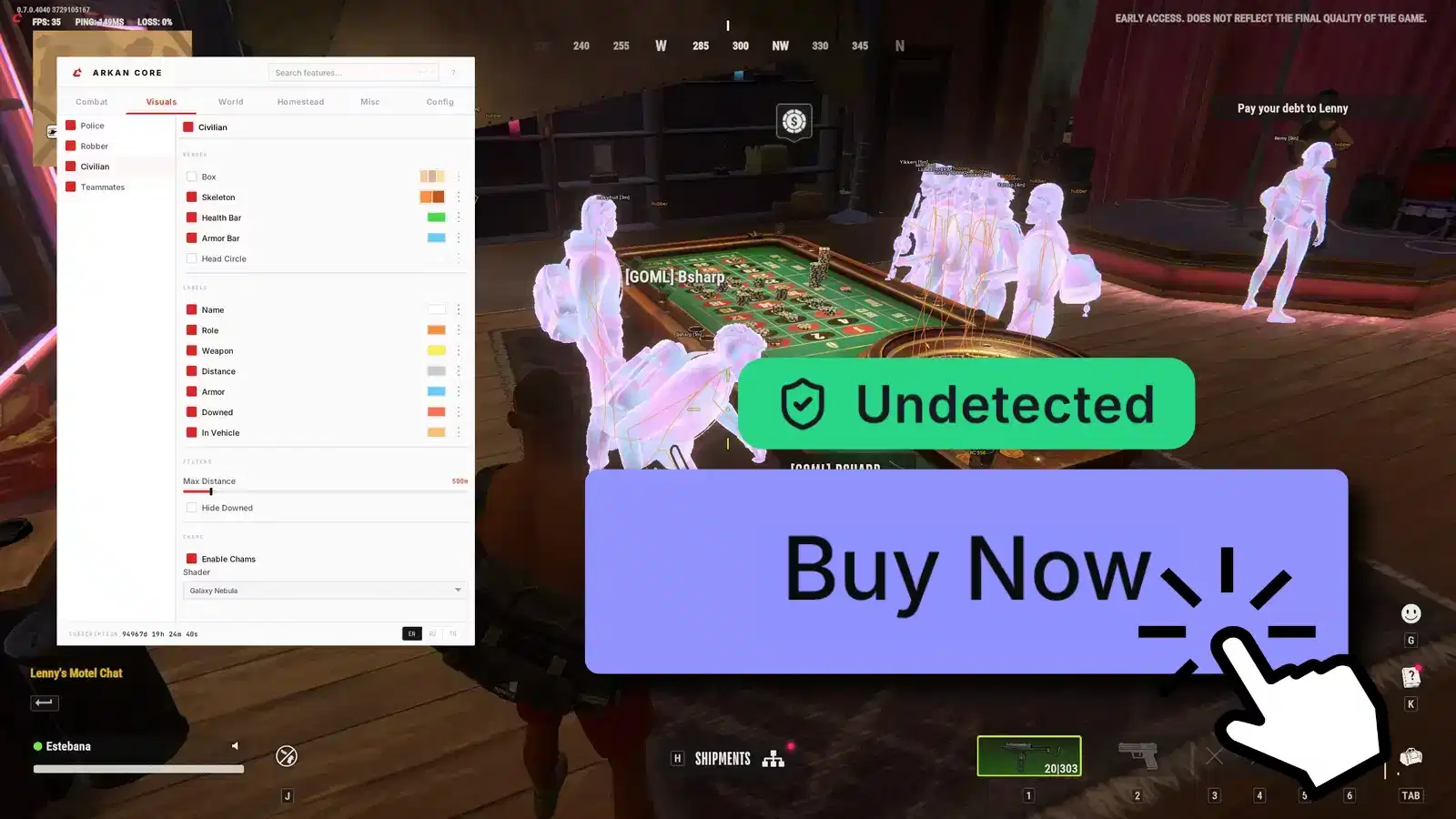
BUY NOW
Rob Run cheats from $3.99 on CheatVault
Compare 7 menus, current prices and live build status.
Rob Run Cheats: The Complete 2026 Guide to Aimbot, ESP, Radar and More
Rob Run cheats for PC cover much more than a basic aimbot. The current catalog includes role-aware player ESP, loot and cash markers, radar, police vehicle identification, base and storage information, controller support and capture-oriented overlays. Choosing the right menu starts with understanding how you play Rob Run: robbing stores, responding as police, chasing cargo, building a base or fighting for territory with a clan.
This guide compares seven Rob Run products available through CheatVault: Arkancore, Raven, Crimson, Vendex, Serenity, Kenzo and Disconnect. You will find their main features, starting prices, product types, screenshots and system requirements, followed by practical advice for choosing a license and checking compatibility.
Quick answer: There is no universally best Rob Run cheat. Arkancore has one of the broadest feature sets, Raven emphasizes balanced combat and vehicle awareness, Crimson stands out for controller support, Vendex combines radar with homestead information, Serenity offers extensive external visuals and maps, Kenzo focuses on essential internal tools, and Disconnect adds external base coverage with a StreamProof option. Verify current price, requirements and status on the official product page before buying.
Information reviewed: 19 November 2026
Products covered: 7
Starting price: $3.99
Platform: Windows PC, Steam
Checkout and delivery: CheatVault
Table of Contents
- What is Rob Run?
- What Rob Run cheats can and cannot do
- Rob Run cheat comparison table
- Detailed product guides
- Which features fit your play style?
- Internal vs external Rob Run cheats
- Prices and license durations
- Rob Run system requirements
- Weekly wipes and Easy Anti-Cheat
- Customer review themes
- How to buy Rob Run cheats safely
- Common buying mistakes
- 1. How to choose your first Rob Run cheat
- 2. Best features for criminal runs
- 3. Best features for police players
- 4. Best features for solo players
- 5. Best features for clans and base raids
- 6. Configs for different activities
- 7. Performance and low-end PCs
- 8. Troubleshooting
- 9. What to do after an update
- 10. Cheat decision tree
- Final verdict
- Rob Run cheats FAQ
- Editorial method and sources
What is Rob Run?
Rob Run is Kefir's free-to-play online crime sandbox for Windows PC. It entered Steam Early Access on 4 November 2026 and combines heists, third-person combat, player-controlled police and criminal roles, clans, vehicles, base building and a recurring server wipe.
The important detail is that police and criminals are real players. A patrol responding to a robbery can coordinate like a real crew. Another criminal team may be waiting near a seller, watching a vehicle route or scouting a homestead. This makes information unusually valuable: knowing who is nearby, which role they have and what objective is nearby can matter as much as weapon accuracy.
The core gameplay loop
A typical Rob Run progression cycle can include:
- Choosing a target: a store, jeweler, bank, cargo shipment, rival base or territory.
- Scouting the area: checking police, robbers, civilians, vehicles and possible exits.
- Securing valuables: collecting loot bags, cash, cargo or dropped items.
- Escaping and selling: reaching a vehicle, avoiding pursuit and completing the sale.
- Building power: upgrading a hideout, storing vehicles and loot, using workbenches and supporting a clan.
- Starting again: adapting after the recurring weekly wipe resets progression.
Different cheat features support different stages. Aimbot and weapon options focus on combat. Player ESP and radar improve awareness. Loot, cash, vehicle and homestead ESP help with progression and route planning.
What Rob Run cheats can and cannot do
A realistic product comparison starts with what these tools actually change.
What they can do
Depending on the product, a Rob Run menu may provide:
- Aim assistance: configurable aimbot, target bones, FOV, smoothing and target priority.
- Combat options: silent aim, no recoil, no spread, no sway or rapid fire.
- Player ESP: boxes, skeletons, names, health, armor, roles and distance.
- Role filters: separate police, robbers, civilians and sometimes teammates.
- Loot information: dropped items, bags, containers, cash and cargo.
- Navigation tools: radar, map markers, vehicle ESP and exit indicators.
- Base information: storage, safes, defenses, garages and workbenches.
- Convenience: configuration profiles, controller support, free camera or StreamProof overlays.
What they cannot honestly guarantee
- Permanent undetected operation. A current status label is time-sensitive, not a promise about a future game revision.
- Guaranteed account safety. No screenshot, price or architecture removes Easy Anti-Cheat risk.
- Unlimited money or a money glitch. ESP and aim tools do not create currency or server-side progression.
- Complete knowledge of the map. Missing markers can mean limited data, a game update or a product issue; they do not prove an area is empty.
- Compatibility with every PC. Windows, CPU, virtualization, firmware and display requirements vary by product.
Any download or service promising guaranteed unlimited money, permanent detection immunity or a universal one-click setup should be treated with caution.
Rob Run cheat comparison table
Prices below are starting-price snapshots from 19 November 2026, not permanent offers. Use the linked CheatVault page for current durations, stock and final price.
| Product | Type | Main coverage | Starting price | Best starting point |
|---|---|---|---|---|
| Arkancore Internal | Internal | Silent aim, role filters, player visuals, loot, vehicle and homestead ESP | $3.99 | Deep combat and base feature coverage |
| Raven | Internal | Aimbot, player ESP, radar, police vehicles, dropped loot and exit borders | $3.99 | Balanced fights and movement |
| Crimson | Internal | Aimbot, silent aim, player and loot ESP, weapon options, controller support | $4.99 | Controller users and combat flexibility |
| Vendex | Internal | Aimbot, player and loot ESP, radar, homestead ESP and local skins | $4.99 | Radar, base information and customization |
| Serenity | External | Role ESP, chams, aimbot, map radar, vehicles, loot filters and free camera | $3.99 | External navigation and visual filters |
| Kenzo Internal | Internal | Aimbot, player boxes, world ESP, no recoil and no spread | $3.99 | Essential internal features |
| Disconnect External | External | Normal and silent aim, player ESP, loot and base ESP, StreamProof | $4.99 | External base awareness and capture workflows |
Detailed product guides
Arkancore Internal: broad combat, world and homestead coverage
Arkancore is an internal menu built around configurable aiming and detailed world information. Its published features include silent aim and an aimbot with target filters, prediction, humanization and FOV settings. Role-based player visuals sit beside vehicle, loot, cash, cargo and homestead information.
The base-related coverage is especially relevant for players who care about storage, property and production rather than only street fights. Configuration profiles allow different setups for different activities.
Why consider it: You want one menu with combat controls and extensive base/world information.
Important requirement: Arkancore uses a Type 2 hypervisor. Intel VT-x or AMD SVM is required, while VBS, HVCI and Hyper-V must be disabled. Secure Boot and TPM may remain enabled.
View Arkancore Internal on CheatVault
Raven: balanced aim, radar and vehicle awareness
Raven combines prediction, smoothing, recoil controls and faction targeting with full player ESP. Its player information includes boxes, skeletons, health and armor indicators, role colors and downed states.
Radar, nearby warnings, police vehicle identification, dropped loot ESP and exit-border markers make it useful for moving between encounters. Rather than concentrating only on the crosshair, Raven also addresses the route before and after a fight.
Why consider it: You want a balanced internal menu for combat, radar and vehicle awareness.
Requirements listed: Windows 10/11, Steam, Intel and AMD; no USB required.
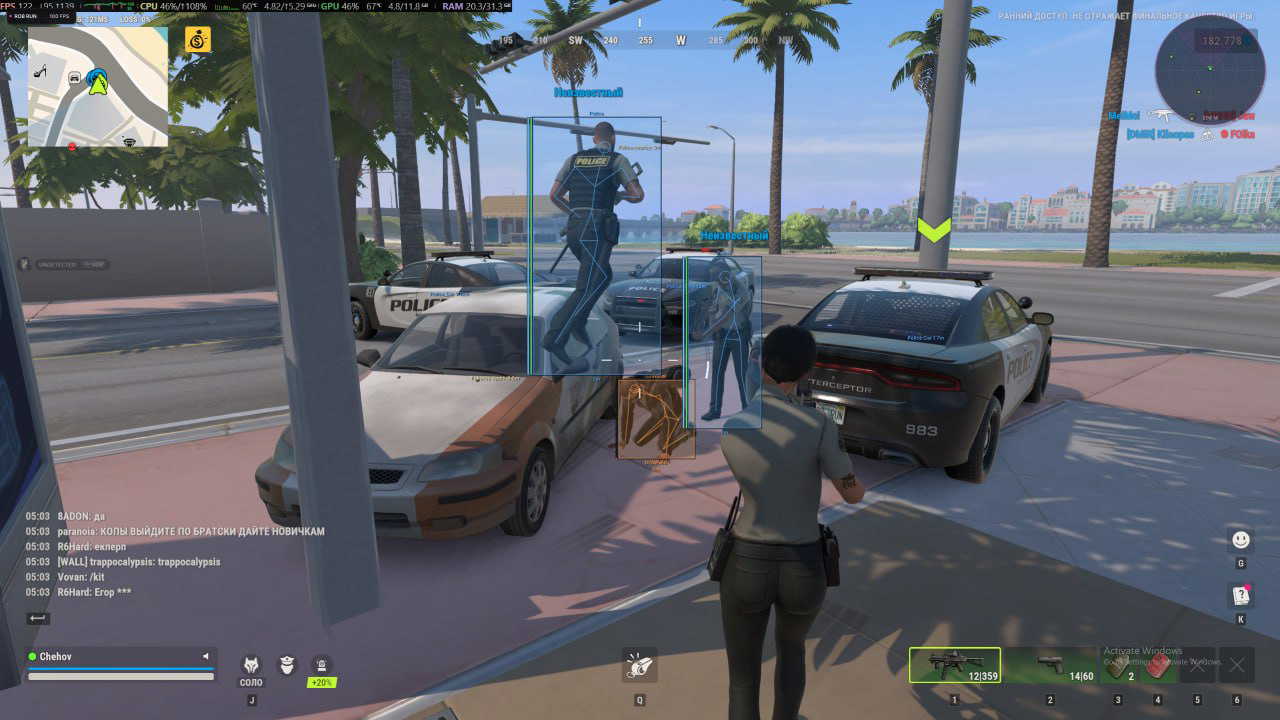
Crimson: controller support and extensive combat options
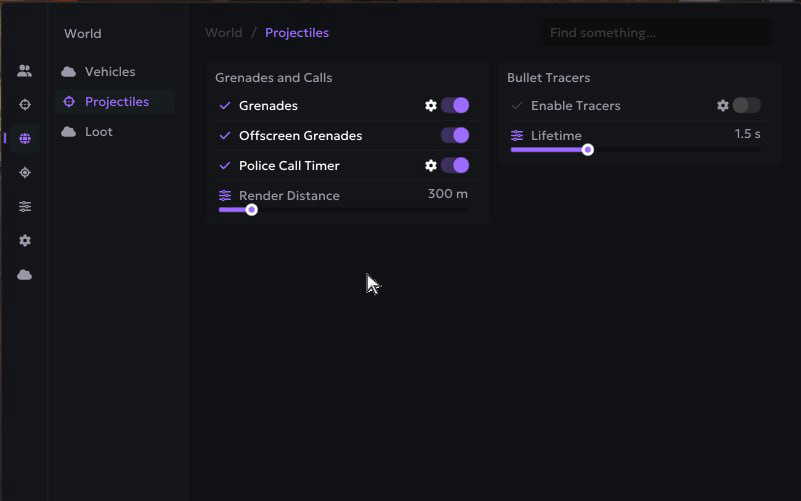
Crimson supports mouse and controller binds, smoothing, stickiness and role filters. Its combat list includes silent aim, no recoil, no spread, no sway and rapid fire. Player ESP is joined by vehicle, loot, cash, container, cargo, grenade and bag information.
It also lists no smoke, no flash, bullet tracers, configuration profiles and screenshot protection. These features make it a practical comparison for players who use a controller or want more than basic aimbot settings.
Why consider it: Controller support and broad combat customization are high priorities.
Requirements listed: Windows 10 (all versions), Windows 11 21H1 through 26H2, Intel and AMD, 8 GB minimum RAM with 16 GB recommended; no BIOS setup required.
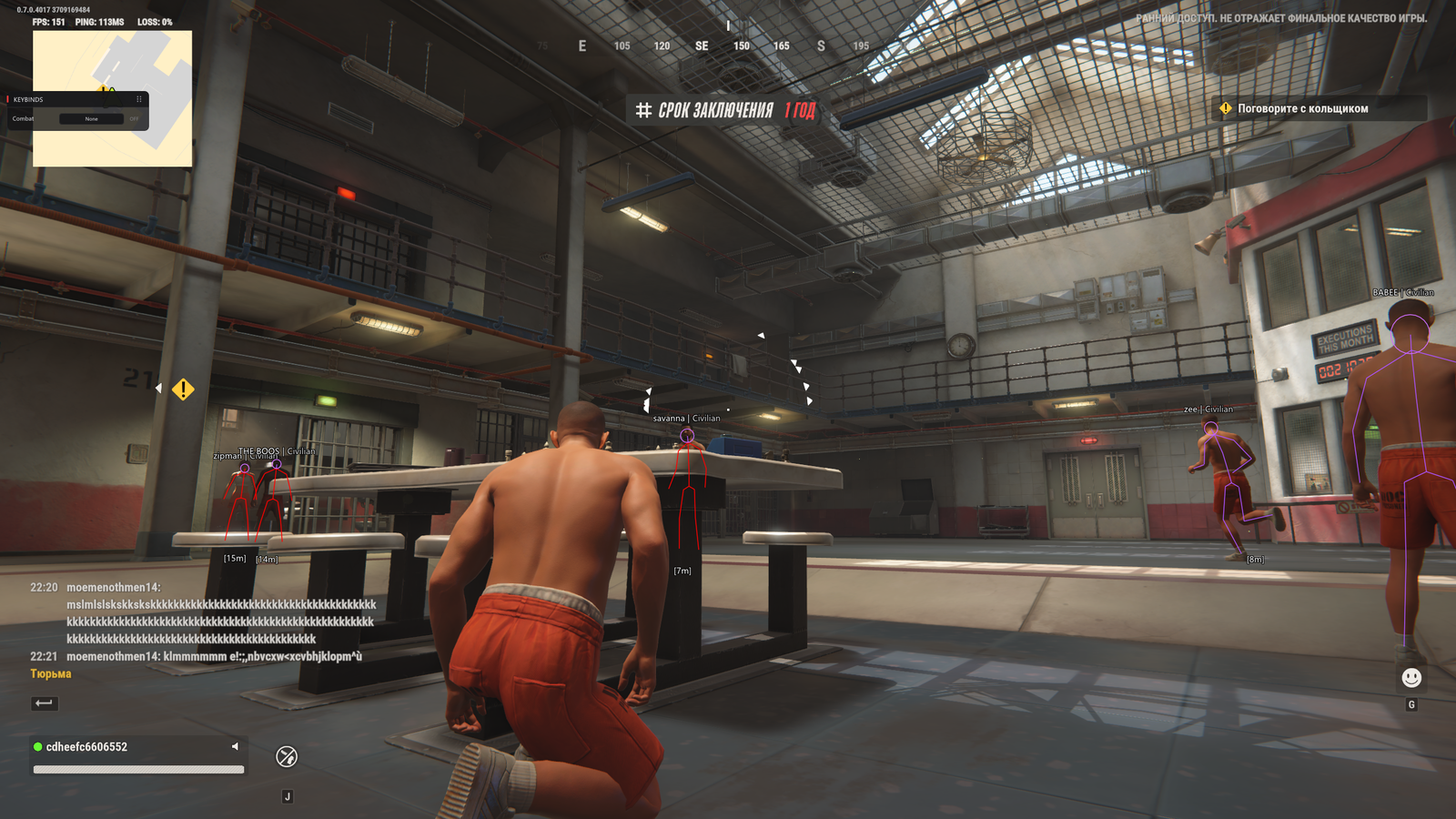
Vendex: radar, homestead information and personalization
Vendex combines role-based aim filters, bone selection and smoothing with player, loot, vehicle and grenade ESP. Its homestead, storage and raid-related visuals extend into base planning.
Radar, compass, off-screen indicators, HUD widgets and custom crosshairs provide additional navigation options. Camera and movement settings, tracers, local skins, vehicle cosmetics and saved configuration profiles add personalization.
Why consider it: You want base information and radar alongside cosmetic and interface customization.
Requirements listed: Windows 10/11, Steam, Intel and AMD; no USB required.
Serenity: external role visuals, maps and loot filters
Serenity is an external menu with role ESP, chams and glow. Its aimbot includes aim modes, bones, target roles, target lock, smoothing and hit chance. Navigation features include a minimap, full map, vehicle information, door and exit markers and nearby warnings.
Item, container, bag, cash and cargo ESP can be filtered by price and rarity. Instant search, no spread, no recoil, force auto and free camera are also listed.
Why consider it: You want external visuals, map awareness and detailed loot filtering.
Important requirement: Serenity has processor-specific setup rules. Hyper-V is enabled on Intel and disabled on AMD. Intel systems also require UEFI firmware and a GPT disk; Secure Boot must be disabled. Check the full current guide before changing your system.
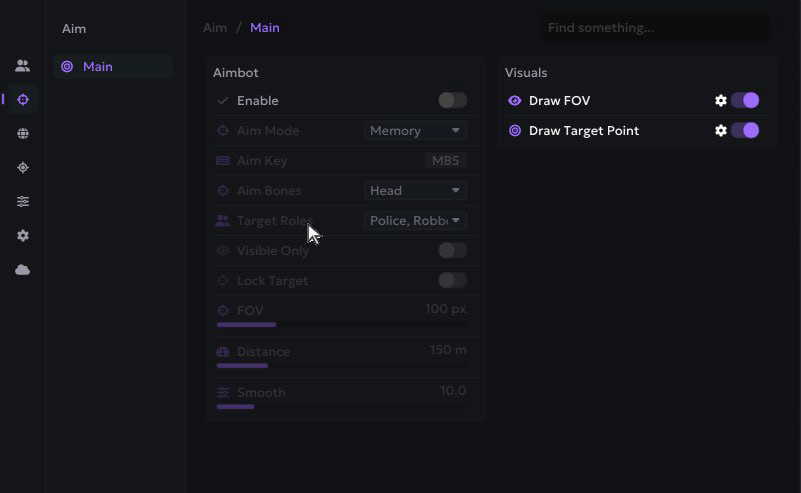
Kenzo Internal: essential combat and world tools
Kenzo focuses on the essentials: aim priority, bone selection, FOV, smoothing and maximum distance. Player ESP offers multiple box styles, snaplines, names, distance, role information and off-screen arrows.
World ESP covers loot bags, loot, cash, cargo and vehicles. No recoil, no spread, combat mode, configuration options and a multi-language menu complete the listing.
Why consider it: You want a straightforward internal menu without prioritizing every advanced base or cosmetic option.
Requirements listed: Windows 10/11, Steam, Intel and AMD; no USB required.
View Kenzo Internal on CheatVault
Disconnect External: base coverage and StreamProof
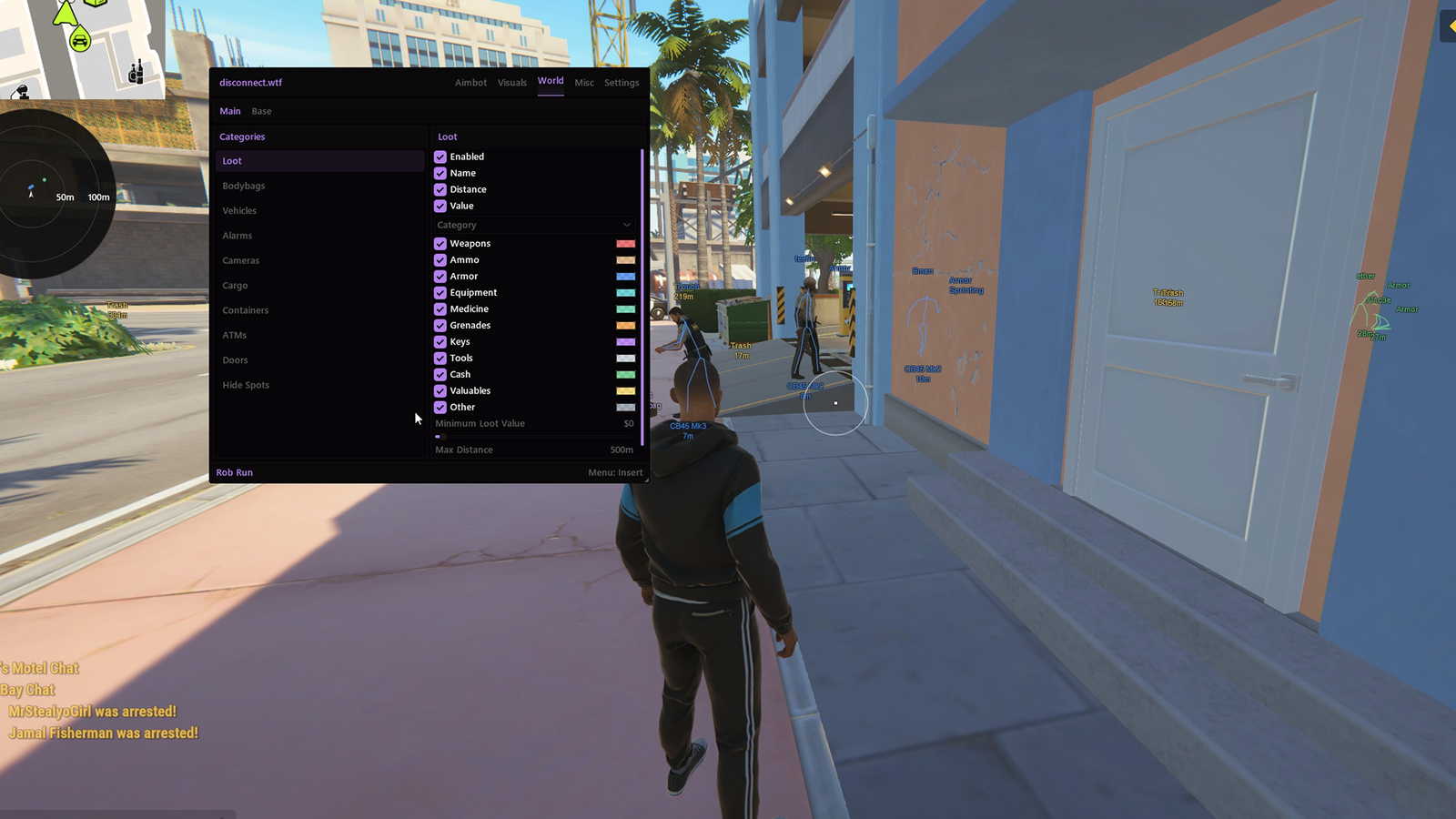
Disconnect offers normal and silent aim, hit chance, humanized smoothing, role and team filters, and recoil and spread options. Player ESP includes skeletons, boxes, names, clan tags, held items and status indicators.
Its world and base coverage includes cargo, containers, ATMs, doors, vehicles, cameras, alarms, storage, defenses, garages, workbenches and production. Radar, out-of-FOV arrows, chams, battle mode, FOV changer, zoom and instant loot search are also listed.
Why consider it: You want external base and production information with a StreamProof overlay option.
Requirements listed: Windows 10/11, Intel and AMD; no USB, BIOS or Windows feature changes required.
View Disconnect External on CheatVault
Which features fit your play style?
Aimbot and weapon controls
Look beyond the word "aimbot." Useful comparisons include:
- Target bone selection
- FOV and maximum distance
- Smoothing and stickiness
- Target priority and role filters
- Visible-only behavior
- Prediction and hit chance
- Mouse and controller activation
- Recoil, spread and sway options
A smaller FOV and deliberate role filters can make target selection more controlled in crowded encounters. There is no universal best smoothing value: sensitivity, input device, frame rate and product implementation all affect the result.
Player ESP and role awareness
Player ESP shows information about characters. Role ESP makes that information more useful by separating police, robbers, civilians and teammates. Boxes and skeletons help locate a player; names, health, armor and distance add context.
Avoid enabling every label at maximum distance. Too much information can obscure doors, loot and other players. Use role colors consistently, limit distant detail and choose fields that affect your next decision.
Loot, cash and cargo ESP
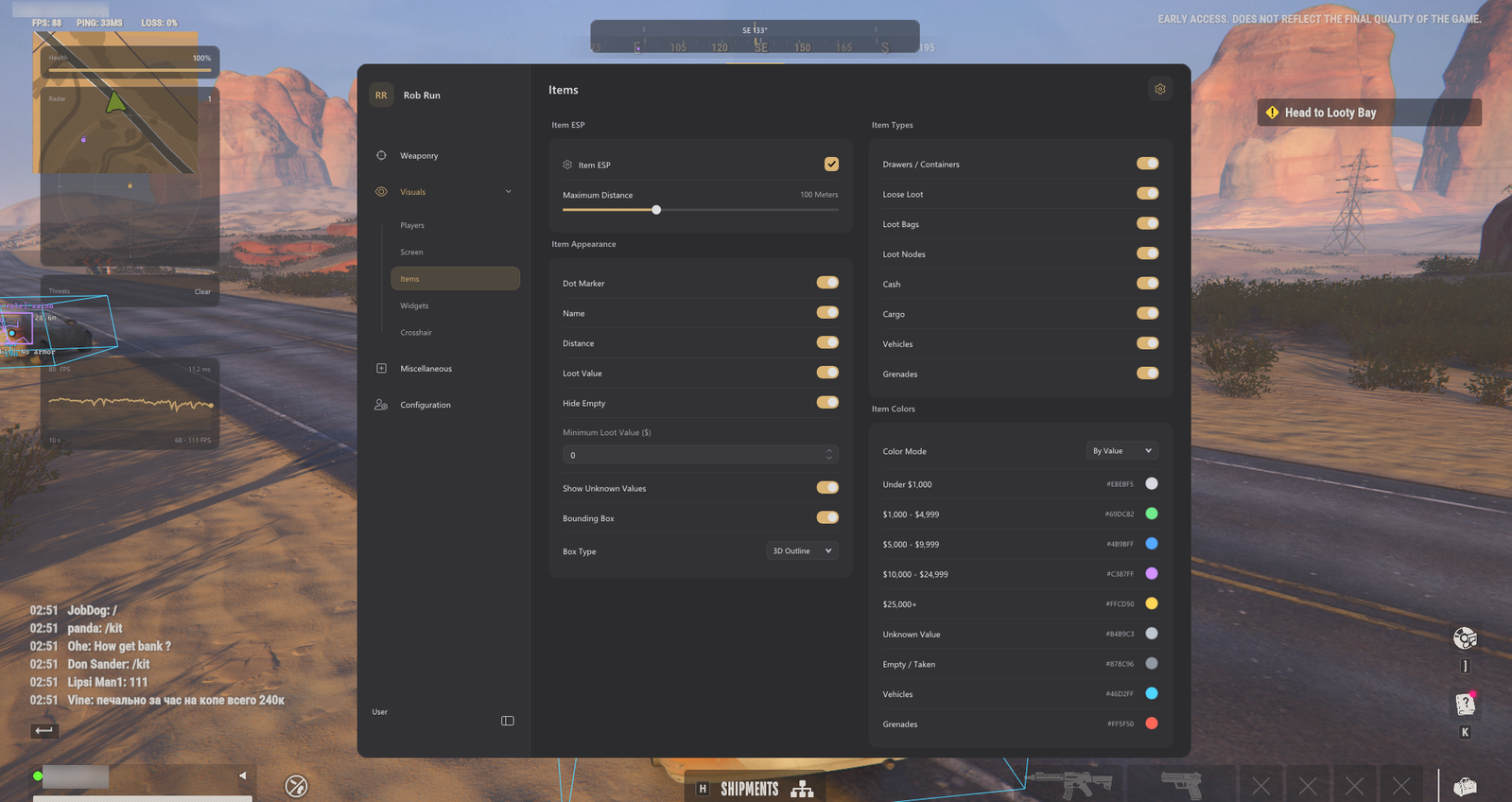
Loot tools are about prioritization, not money creation. Markers can help locate existing objects, but they do not guarantee that an item is still available or worth the journey.
Useful filters include:
- Minimum price or rarity
- Maximum render distance
- Item category
- Dropped loot versus static containers
- Cash and cargo-specific markers
- Storage value and base-related objects
During a short robbery, a modest nearby item may be more useful than a high-value target across a dangerous route. Inventory capacity and the exit plan still matter more than the marker itself.
Radar, vehicles and exit planning
Radar provides a compact spatial overview; vehicle ESP identifies supported vehicles in the world. Together, they can help distinguish general activity from a specific transport opportunity.
Check whether a product supports:
- Police vehicle identification
- Radar range, zoom and rotation
- Off-screen indicators
- Vehicle occupants or speed
- Exit borders and map markers
A marker does not prove a vehicle is usable or a route is safe. Confirm the surroundings through normal play.
Homestead and base ESP
Base features are relevant when your priorities extend beyond street combat. Depending on the menu, these may include plots, safes, storage, defenses, garages and workbenches.
Use them to answer a specific question: Is this property worth scouting? Which storage or defensive objects matter? Are there production or garage details worth checking? A marker does not automatically reveal contents, access or raid success.
Internal vs external Rob Run cheats
"Internal" and "external" describe implementation approaches, not a universal quality ranking.
An internal product generally runs its logic within the game process context. An external product generally operates outside that process and presents information through its own overlay or related components. Both can offer extensive aimbot, ESP, radar and loot features.
The current catalog identifies:
- Internal: Arkancore, Raven, Crimson, Vendex and Kenzo.
- External: Serenity and Disconnect.
Do not assume external automatically means safer or internal automatically means faster. Feature coverage, current compatibility, system requirements, update history and setup complexity are more useful comparison points. Easy Anti-Cheat risk applies to both categories.
Prices and license durations
The listed entry prices are $3.99 for Arkancore, Raven, Serenity and Kenzo, and $4.99 for Crimson, Vendex and Disconnect. Longer durations and lifetime options vary by product.
Choose a duration based on expected use
A longer license can reduce the cost per day, but only if you expect to use it. A short duration can be sensible when:
- You are comparing several products for the first time.
- You have not confirmed the setup on your PC.
- Your play schedule is irregular.
- You want to assess the menu before making a larger commitment.
Before buying, confirm:
- Whether the duration begins at purchase, delivery or first activation.
- Whether there is any stated downtime policy.
- Whether the selected build is currently available.
- Whether remaining time transfers between products. Do not assume it does.
A weekly game wipe does not automatically pause, reset or extend a third-party license. Only written product terms or a specific support decision can establish that.
Rob Run system requirements
The following are the official game requirements, not a guarantee of compatibility with every third-party menu.
| Component | Minimum | Recommended |
|---|---|---|
| OS | 64-bit Windows 10 or later | 64-bit Windows 10 or later |
| Processor | Intel Core i5-6600K or AMD Ryzen 5 1600 | Intel Core i5-9600K or AMD Ryzen 5 3600 |
| Memory | 12 GB RAM | 16 GB RAM |
| Graphics | GTX 1050 Ti, Radeon RX 580 or Intel Arc A380 | RTX 2070, Radeon RX 5700 XT or Intel Arc B570 |
| DirectX | Version 11 | Version 11 |
| Storage | 20 GB available space | 20 GB available space |
| Network | Broadband internet connection | Broadband internet connection |
Source: official Rob Run Steam listing.
Product-specific virtualization and firmware checks
A PC that runs Rob Run may still be incompatible with a particular menu. Check the product's separate requirements for:
- Intel VT-x or AMD SVM
- Hyper-V
- Virtualization-Based Security (VBS)
- Hypervisor-protected code integrity (HVCI / Memory Integrity)
- Secure Boot
- UEFI and GPT
- Windows feature configuration
- Display or window mode
These terms are related but not interchangeable. Do not follow a generic "enable everything" or "disable everything" tutorial. Record your current configuration, follow the exact product guide and understand that firmware and Windows security changes affect the entire machine.
Weekly wipes and Easy Anti-Cheat
A progression wipe is not a software update
The recurring wipe changes bases, cash, equipment and territorial progress. It does not, by itself, prove that the game executable or Easy Anti-Cheat changed. Compatibility can also change between wipes through an Early Access patch or protection update.
Use the wipe as a reason to review strategy, not as a substitute for checking build status.
Status labels have a date
The official Steam page lists Easy Anti-Cheat at kernel level and a third-party EULA. A supplier's "working" or "undetected" badge describes a current reported state; it is not independent proof about every session or future patch.
Before purchasing and before launching:
- Check official game updates.
- Read the selected product's current status and recent notes.
- Confirm your local setup still meets the requirements.
- Do not repeatedly launch a build marked updating, detected or unclear.
No architecture, screenshot, price or StreamProof feature guarantees freedom from enforcement.
Customer review themes
The public CheatVault reviews feed provides a small but useful range of experiences. These are customer reports, not hands-on tests conducted for this guide.
- A Vendex reviewer praised the product's control and ongoing updates.
- A Raven reviewer described the menu as easy to use, while another posted a short positive note.
- A Kenzo reviewer said the cheat worked overall but reported missing players on ESP and problems with certain features.
- Another Kenzo reviewer specifically reported ESP intermittently not showing other players.
The lesson is not that one menu is universally good or bad. It is that a green status and a working menu do not prove every feature behaves identically on every machine. Check recent feedback, read current product notes and report specific faults with product and system details.
Source: CheatVault reviews and the linked product pages above.
How to buy Rob Run cheats safely
1. Define your actual requirement
Choose your main activity first: combat, robbery preparation, police chases, base raids or content creation. This prevents paying for a long feature list you will not use.
2. Shortlist one primary and one alternative
Compare concrete differences: role filters, controller support, radar, homestead information, StreamProof or setup requirements. Avoid choosing solely by brand popularity.
3. Verify compatibility before payment
Read both the game's requirements and the product-specific checklist. Pay special attention to processor-specific virtualization and firmware instructions.
4. Check live status on the purchase date
Old screenshots, videos and reviews are historical evidence. The live product page and recent notes determine whether the current build is offered.
5. Choose an appropriate license duration
Start with the period that matches your schedule and confidence in the setup. Do not buy a long duration merely because its daily rate looks attractive.
6. Complete checkout on the official store
Product delivery, licensing and payment belong to CheatVault. This guide does not collect card information, issue keys or operate a customer account system.
7. Follow the official setup guide
Use the instructions attached to the selected product and current build. If something fails, record the exact error instead of repeatedly changing unrelated settings.
Common buying mistakes
- Buying only for the word "undetected." Status is time-sensitive and separate from feature quality.
- Assuming every ESP includes role filters. Player ESP and role-specific configuration are not always the same feature.
- Confusing cash ESP with money creation. Cash ESP marks supported information; it does not add currency.
- Copying another product's virtualization guide. Intel, AMD and individual menu requirements differ.
- Enabling every overlay at maximum range. More markers can mean less useful information during a fight.
- Assuming external means safe and internal means detected. Architecture is not an anti-cheat guarantee.
- Buying a long license before testing compatibility. Confirm the system and current build first.
- Ignoring critical reviews. Reports about missing players or broken features reveal what to verify.
- Expecting the weekly wipe to pause a license. Game progression and third-party access periods are separate systems.
1. How to choose your first Rob Run cheat
A first purchase should answer three questions before price enters the discussion: Which features will you actually use, can your PC run the product, and is the build available now? If you cannot answer all three, a long license or a large feature list offers little value.
Start with a simple requirement. Choose combat if you mainly want aimbot and recoil controls, awareness if you need role ESP and radar, progression if loot and vehicle information matter, or bases if homestead and storage details are important. This narrows the catalog before brand names become distracting.
Next, read the requirements section as if it were part of the product itself. Windows 10 or 11 support does not mean every configuration is supported. Arkancore's hypervisor requirements and Serenity's processor-specific rules are good examples of why the setup belongs in the buying decision.
A sensible first-purchase process is:
- Pick one primary activity and two essential features.
- Shortlist one product and one alternative.
- Compare complete feature lists, not only card summaries.
- Check your PC and current build status.
- Consider a shorter available duration before committing to longer access.
2. Best Rob Run cheat features for criminal runs
Criminal runs combine target selection, loot collection and a dangerous return journey. A combat-only menu covers just one of those jobs. Role ESP helps identify police and rival criminals, while loot and cash filters reduce time spent searching low-value containers.
Vehicle ESP and exit information become important after the objective is secured. A clean escape depends on transport, nearby player activity and the route to a seller or hideout. Raven's radar and vehicle tools, Serenity's map features and Disconnect's world markers are relevant comparisons for this stage.
For a robbery-focused setup, prioritize:
- Police and rival-role visibility
- Loot, cash and container filters
- Dropped-item information after fights
- Vehicle ESP and exit markers
- Nearby warnings and off-screen indicators
- Controlled aim settings for unexpected encounters
Do not enable every loot category at maximum distance. The objective is to make a faster decision, not to cover the screen with labels. Use value and distance filters that match the current run, then reduce them again when fighting starts.
3. Best Rob Run cheat features for police players
Police players need to interpret crowds and moving targets. Civilian, criminal and teammate information should not look identical. Role colors and faction filters can help separate a suspect from a bystander before an encounter develops.
Vehicle chases create a second requirement. Police vehicle identification, off-screen arrows and radar help maintain context when a suspect leaves the central view. Configurable target bones, smoothing and visible-only behavior are useful comparisons when evaluating combat options, but they do not replace role awareness.
A police-oriented checklist should include:
- Role and faction filters
- Off-screen player indicators
- Police and civilian vehicle distinction
- Radar with readable range and zoom
- Target eligibility and visible-only controls
- Nearby warnings during stops or searches
Raven and Serenity are natural starting comparisons because their published features combine player information with navigation tools. The final choice still depends on the complete current menu and your system compatibility.
4. Best Rob Run cheat features for solo players
Solo players do not have teammates watching entrances, sharing vehicle information or calling out loot. That makes nearby warnings and role filters more valuable, not less. A compact overlay with carefully chosen information is usually more useful than an overlay built for a coordinated clan.
Start with a conservative amount of visual data. Keep police and threat indicators, a practical radar range and only the loot categories required for the current objective. Too many markers can hide the exact player or exit that matters.
Solo-friendly features to compare include:
- Nearby-player warnings
- Role-specific ESP and off-screen arrows
- Police vehicle identification
- Value and rarity filters for efficient looting
- Exit borders and map markers
- Saved configurations for different activities
Solo play also changes license decisions. If you are still learning routes and system requirements, a shorter duration can limit commitment while you decide whether the menu actually improves your routine. No overlay guarantees survival, but a readable setup can reduce unnecessary surprises.
5. Best Rob Run cheat features for clans and base raids
Clans divide responsibilities: one player scouts, another watches roles, another handles supplies and another plans transport. Base and homestead ESP should support those jobs rather than adding identical clutter to every screen.
For base activity, compare storage and safe markers, defense states, garage information, workbench status and cargo value. Arkancore, Vendex and Disconnect explicitly list different forms of base-related coverage. Their complete feature trees matter more than a generic "base ESP" badge.
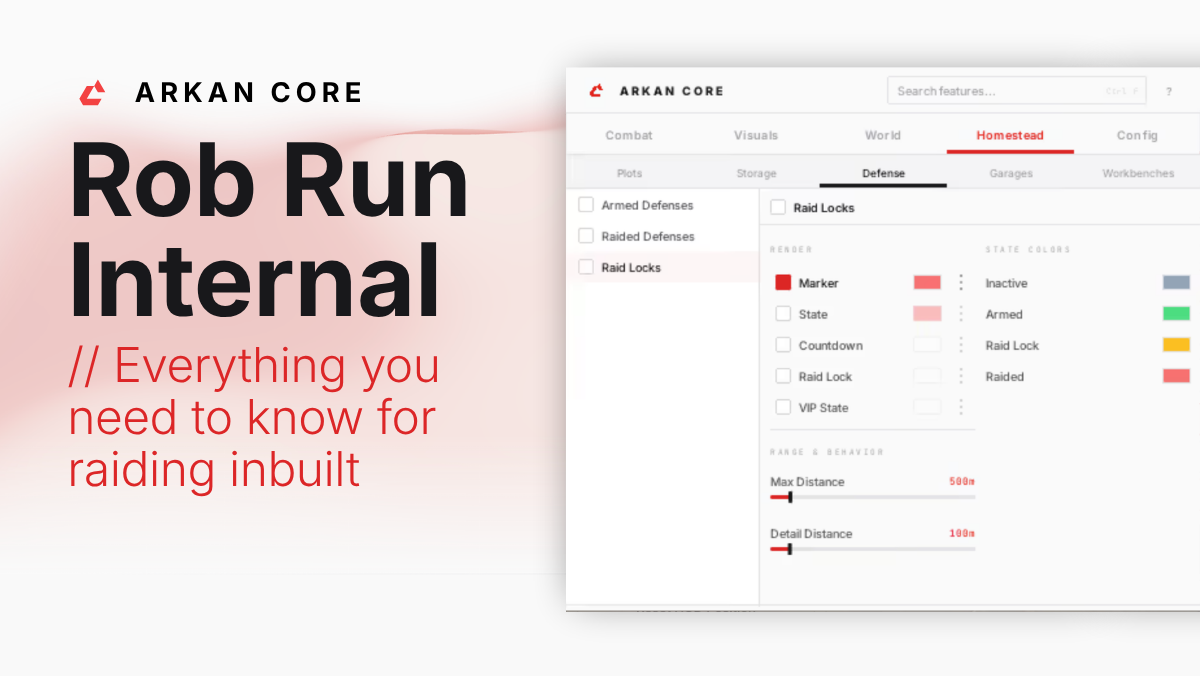
A useful clan setup separates three layers:
- People: role ESP, nearby warnings and radar for defenders or approaching players.
- Property: storage, defenses and production objects relevant to the raid.
- Logistics: vehicles, exits and dropped loot for the return journey.
Markers do not reveal every defender, guarantee valuable contents or calculate raid cost. The clan still needs a route, supply budget, responsibilities and a stop condition.
6. How to build Rob Run configs for different activities
A good configuration is a deliberate answer to an activity, not a permanent collection of every enabled option. Where the product supports profiles, keep separate setups for robbery preparation, combat, police work and base raids. Otherwise, maintain a short written checklist.
A loot-run config might emphasize cash, containers, cargo and vehicle markers while limiting distant player labels. A combat config might reduce loot detail and prioritize role colors, target eligibility and visible-only aim behavior. A base config might restore storage and defense categories that were hidden during street fights.
After a game or product update, do not assume an exported profile remains valid. Feature names and behavior can change. Start from current defaults where necessary, reapply settings gradually and test the categories you depend on before entering a risky run.
7. Performance and low-end PC checklist
The official Rob Run requirements are only the first layer. A third-party overlay can add its own cost, and that cost varies by product, hardware and enabled features. A brand being internal or external does not provide a reliable frame-rate estimate.
Begin by testing the ordinary game without the menu. If the game is already unstable, solve that baseline first. Then introduce the overlay and enable feature groups gradually. Player skeletons, distant labels, chams, radar and large numbers of loot markers can change the rendering workload.
Use this troubleshooting order:
- Confirm the game runs normally on its own.
- Update only the drivers and Windows components required by your normal maintenance process.
- Test the menu with minimal visuals.
- Increase render distance and categories one at a time.
- Compare the same location and activity before judging performance.
- Keep a record of the configuration that remains stable.
A low-end PC does not automatically require a different product, but it may require a more disciplined configuration. Avoid promises about FPS until you have measured your own setup.
8. Troubleshooting common Rob Run menu problems
Classify the symptom before changing settings. A game launch failure, loader refusal, missing overlay, broken ESP category and anti-cheat status hold are different problems. Treating them all as "the cheat does not work" destroys useful evidence.
If the game does not start, confirm the game works without the product and check current build status. If the loader fails, record the exact message and compare your Windows, CPU and virtualization configuration with the guide. If the menu opens but ESP is incomplete, check role, distance and category filters before assuming the build is broken.
For blank radar or missing loot, an empty display does not prove the area is empty. Verify that the relevant categories are enabled and that the current build supports the latest game revision. For capture problems, test the saved recording, not only the OBS preview, and distinguish a black game image from a visible overlay.
A useful support report includes:
- Product name and current status
- Order reference where relevant
- Windows version and processor
- The exact step and complete error text
- What changed immediately before the issue
- A screenshot with keys and personal details hidden
Do not repeatedly inject, disable unrelated security settings or download random repair tools to reproduce the same failure.
9. What to do after a Rob Run update
Early Access updates can change game data, roles, items, vehicles and third-party compatibility. The correct response begins with information, not with launching the previous build and hoping it still works.
First, read official game news and determine whether the update changed gameplay or protection. Second, check the selected product's live status and newest notes. Third, review the setup guide in case requirements changed. Only then decide whether the current build is ready for your next session.
After compatibility is restored, verify your configuration rather than assuming every saved option survived unchanged. Test one role color, one loot category, radar and any essential weapon options in a controlled situation. An opening menu is not proof that every game-data feature is accurate.
Avoid these common post-update mistakes:
- Treating an old undetected badge as current evidence
- Reusing an exported config without checking renamed options
- Changing Hyper-V or VBS to solve an unrelated status hold
- Assuming an update has a guaranteed completion window
- Interpreting no announcement as proof that nothing changed
A careful pause is more useful than repeated attempts with an unconfirmed build.
10. Rob Run cheat decision tree: which menu should you shortlist?
Use this decision tree to turn a broad catalog into one or two candidates. It is a starting point for research, not a ranking of detection or reliability.
- Want the broadest combat and base combination? Start with Arkancore and compare its hypervisor requirements.
- Want balanced aim, radar and police vehicle awareness? Start with Raven.
- Use a controller or want extensive weapon options? Start with Crimson.
- Want radar, homestead information and cosmetic customization? Start with Vendex.
- Want external role visuals, maps and loot filters? Start with Serenity and read its Intel/AMD setup differences.
- Want essential internal combat and world features? Start with Kenzo.
- Want external base coverage and a StreamProof option? Start with Disconnect.
Once you have a candidate, ask four final questions:
- Does it include the two features I need most?
- Does my exact PC meet every requirement?
- Is the current build available and recently checked?
- Does the license duration match how often I will play?
If any answer is no or unclear, use the alternative rather than forcing the purchase. The best shortlist is the one you can verify, not the one with the longest marketing description.
Final verdict
The best Rob Run cheat is the one whose current features, requirements and build state fit your own routine.
- Choose Arkancore if broad combat and homestead coverage matter most.
- Consider Raven for balanced aim, radar and vehicle awareness.
- Consider Crimson for controller support and extensive combat options.
- Consider Vendex for radar, base information and customization.
- Consider Serenity for external role visuals, maps and loot filtering.
- Consider Kenzo for essential internal combat and world tools.
- Consider Disconnect for external base coverage and a StreamProof option.
Start with a shortlist, read the complete current feature list, verify your system and check live status before choosing a duration. That process is more reliable than any universal "best cheat" claim.
Rob Run cheats FAQ
Are Rob Run cheats available for PS5, Xbox or mobile?
The products compared here are for the Windows PC Steam release. The official listing reviewed for this guide is a Windows PC listing; no console or mobile edition is covered by these products.
Is Rob Run free to play?
Yes. The official Steam listing describes Rob Run as free to play and Early Access.
Which Rob Run cheat has the lowest starting price?
Arkancore, Raven, Serenity and Kenzo were listed from $3.99 at the time of review. Prices and available durations can change, so confirm the current product page.
Does Rob Run use Easy Anti-Cheat?
Yes. The official Steam page lists Easy Anti-Cheat at kernel level and a third-party EULA.
Can Rob Run cheats create money?
No. The documented aimbot, ESP, radar and base features do not create money. Treat guaranteed money-glitch claims with caution.
What is the difference between player ESP and role ESP?
Player ESP displays information about characters. Role ESP identifies or filters groups such as police, robbers, civilians and teammates. A generic player-ESP label does not guarantee independent role filters.
Is an external Rob Run cheat safer than an internal one?
Neither architecture provides a general safety guarantee. Both can face compatibility changes and anti-cheat enforcement. Compare the actual build and current status instead of relying on the label.
Do all Rob Run cheats support controllers?
No controller compatibility should be assumed across the catalog. Crimson explicitly lists controller support. Other products require their own documentation check.
What should I check before changing Hyper-V or VBS?
Confirm the exact product requirement, Windows version, processor and any firmware or device-encryption implications. These settings affect the whole system, not just the game. Follow only the current official product guide.
Does a weekly wipe reset or pause a cheat license?
Do not assume so. Game progression and third-party license duration are separate. Check the written terms or ask support about the specific order.
What does StreamProof prove?
StreamProof concerns capture visibility, not anti-cheat protection. Test Game Capture, Window Capture and Display Capture separately using a saved recording, and repeat after relevant updates.
Where can I get order or installation support?
Use CheatVault's guides and official support channels. Include the product name, order reference, Windows version, processor, current status and exact error, while keeping passwords, full keys and card details private.
Editorial method and sources
This guide was built from publicly accessible sources on 19 November 2026. Product names, starting prices, feature summaries and media link to their corresponding store listings. Game information and official PC requirements come from the Rob Run Steam page. Customer comments are described as customer-reported experiences, not independent testing.
No fabricated ratings, active-user estimates, permanent detection claims or hands-on testing claims are included. Prices, requirements, availability and features can change; the live source always takes precedence.