Instructions to use samaritan-ai/LightOnOCR-2-1B-sam-44-mss-alb with libraries, inference providers, notebooks, and local apps. Follow these links to get started.
- Libraries
- Transformers
How to use samaritan-ai/LightOnOCR-2-1B-sam-44-mss-alb with Transformers:
# Use a pipeline as a high-level helper from transformers import pipeline pipe = pipeline("image-text-to-text", model="samaritan-ai/LightOnOCR-2-1B-sam-44-mss-alb") messages = [ { "role": "user", "content": [ {"type": "image", "url": "https://huggingface.co/datasets/huggingface/documentation-images/resolve/main/p-blog/candy.JPG"}, {"type": "text", "text": "What animal is on the candy?"} ] }, ] pipe(text=messages)# Load model directly from transformers import AutoProcessor, AutoModelForSeq2SeqLM processor = AutoProcessor.from_pretrained("samaritan-ai/LightOnOCR-2-1B-sam-44-mss-alb") model = AutoModelForSeq2SeqLM.from_pretrained("samaritan-ai/LightOnOCR-2-1B-sam-44-mss-alb", device_map="auto") messages = [ { "role": "user", "content": [ {"type": "image", "url": "https://huggingface.co/datasets/huggingface/documentation-images/resolve/main/p-blog/candy.JPG"}, {"type": "text", "text": "What animal is on the candy?"} ] }, ] inputs = processor.apply_chat_template( messages, add_generation_prompt=True, tokenize=True, return_dict=True, return_tensors="pt", ).to(model.device) outputs = model.generate(**inputs, max_new_tokens=40) print(processor.decode(outputs[0][inputs["input_ids"].shape[-1]:])) - Notebooks
- Google Colab
- Kaggle
- Local Apps Settings
- vLLM
How to use samaritan-ai/LightOnOCR-2-1B-sam-44-mss-alb with vLLM:
Install from pip and serve model
# Install vLLM from pip: pip install vllm # Start the vLLM server: vllm serve "samaritan-ai/LightOnOCR-2-1B-sam-44-mss-alb" # Call the server using curl (OpenAI-compatible API): curl -X POST "http://localhost:8000/v1/chat/completions" \ -H "Content-Type: application/json" \ --data '{ "model": "samaritan-ai/LightOnOCR-2-1B-sam-44-mss-alb", "messages": [ { "role": "user", "content": [ { "type": "text", "text": "Describe this image in one sentence." }, { "type": "image_url", "image_url": { "url": "https://cdn.britannica.com/61/93061-050-99147DCE/Statue-of-Liberty-Island-New-York-Bay.jpg" } } ] } ] }'Use Docker
docker model run hf.co/samaritan-ai/LightOnOCR-2-1B-sam-44-mss-alb
- SGLang
How to use samaritan-ai/LightOnOCR-2-1B-sam-44-mss-alb with SGLang:
Install from pip and serve model
# Install SGLang from pip: pip install sglang # Start the SGLang server: python3 -m sglang.launch_server \ --model-path "samaritan-ai/LightOnOCR-2-1B-sam-44-mss-alb" \ --host 0.0.0.0 \ --port 30000 # Call the server using curl (OpenAI-compatible API): curl -X POST "http://localhost:30000/v1/chat/completions" \ -H "Content-Type: application/json" \ --data '{ "model": "samaritan-ai/LightOnOCR-2-1B-sam-44-mss-alb", "messages": [ { "role": "user", "content": [ { "type": "text", "text": "Describe this image in one sentence." }, { "type": "image_url", "image_url": { "url": "https://cdn.britannica.com/61/93061-050-99147DCE/Statue-of-Liberty-Island-New-York-Bay.jpg" } } ] } ] }'Use Docker images
docker run --gpus all \ --shm-size 32g \ -p 30000:30000 \ -v ~/.cache/huggingface:/root/.cache/huggingface \ --env "HF_TOKEN=<secret>" \ --ipc=host \ lmsysorg/sglang:latest \ python3 -m sglang.launch_server \ --model-path "samaritan-ai/LightOnOCR-2-1B-sam-44-mss-alb" \ --host 0.0.0.0 \ --port 30000 # Call the server using curl (OpenAI-compatible API): curl -X POST "http://localhost:30000/v1/chat/completions" \ -H "Content-Type: application/json" \ --data '{ "model": "samaritan-ai/LightOnOCR-2-1B-sam-44-mss-alb", "messages": [ { "role": "user", "content": [ { "type": "text", "text": "Describe this image in one sentence." }, { "type": "image_url", "image_url": { "url": "https://cdn.britannica.com/61/93061-050-99147DCE/Statue-of-Liberty-Island-New-York-Bay.jpg" } } ] } ] }' - Docker Model Runner
How to use samaritan-ai/LightOnOCR-2-1B-sam-44-mss-alb with Docker Model Runner:
docker model run hf.co/samaritan-ai/LightOnOCR-2-1B-sam-44-mss-alb
LightOnOCR-2-1B-sam-44-mss-alb
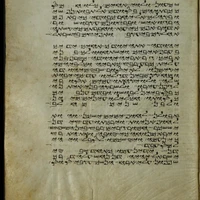
Finetuned OCR model for Medieval Samaritan Hebrew & Samaritan Aramaic Manuscripts
Overview
LightOnOCR-2-1B-sam-44-mss-alb is a specialized OCR model finetuned from lightonai/LightOnOCR-2-1B-base.
It is trained on 44 medieval Samaritan Hebrew and Samaritan Aramaic manuscripts, using mild FineVision albumentations to improve robustness to real-world degradation such as ink fading, page warping, and historical noise.
This model is designed for high-accuracy OCR on historical Samaritan scripts and performs well on both clean and degraded manuscript images.
Base model
- Base:
lightonai/LightOnOCR-2-1B-base - Architecture: Vision–Language OCR (encoder → mmproj → decoder)
- Context length: 16,384 tokens
- Training precision:
bf16 - Image preprocessing:
longest_edge = 1540
Training dataset
This model was trained on:
samaritan-ai/sam_44_mss_albumentations
Dataset characteristics
- 44 medieval manuscripts
- Languages:
- Samaritan Hebrew
- Samaritan Aramaic
- FineVision albumentations:
- mild geometric distortions
- blur, noise, sharpening
- contrast/brightness variation
- realistic manuscript degradation
- Aligned SAM-based segmentation
- 275k+ training samples
Training details
- Frameworks:
- Unsloth
2026.1.4 - Transformers
5.1.0 - PEFT + LoRA
- Unsloth
- Precision:
bf16 - Image preprocessing:
longest_edge = 1540 - Early stopping:
patience: 3eval_steps: 1000patience_in_steps: 3000
Evaluation results
Before vs after finetuning
| Metric | Before training | After training |
|---|---|---|
| CER | 721.54 | 1.64 |
| WER | 524.51 | 6.17 |
| Perfect matches | 0 / 100 | 78 / 100 |
JSON summary
{
"before_training": {
"cer": 721.5432960893855,
"wer": 524.512987012987,
"perfect_matches": 0,
"total_samples": 100
},
"after_training": {
"cer": 1.6410614525139664,
"wer": 6.1688311688311686,
"perfect_matches": 78,
"total_samples": 100
},
"early_stopping": {
"patience": 3,
"eval_steps": 1000,
"patience_in_steps": 3000
}
}
GGUF weights
This model uses the standard multimodal GGUF layout:
LLM weights + mmproj weights (two files per quantization).
LLM weights
LightOnOCR-2-1B-sam-44-mss-alb-f16.gguf (1.19 GB)
LightOnOCR-2-1B-sam-44-mss-alb-f32.gguf (2.39 GB)
LightOnOCR-2-1B-sam-44-mss-alb-q8_0.gguf (0.63 GB)
mmproj weights
mmproj-LightOnOCR-2-1B-sam-44-mss-alb-f16.gguf (0.82 GB)
mmproj-LightOnOCR-2-1B-sam-44-mss-alb-f32.gguf (1.63 GB)
mmproj-LightOnOCR-2-1B-sam-44-mss-alb-q8_0.gguf (0.45 GB)
Note:
Multimodal GGUF models must remain split into LLM + mmproj.
Merging is not supported by GGUF or llama.cpp.
Ollama Modelfile example
FROM ./LightOnOCR-2-1B-sam-44-mss-alb-q8_0.gguf
FROM ./mmproj-LightOnOCR-2-1B-sam-44-mss-alb-f32.gguf
TEMPLATE {{ .Prompt }}
RENDERER qwen3-vl-instruct
PARSER qwen3-vl-instruct
PARAMETER top_p 0.9
PARAMETER temperature 0.2
PARAMETER num_ctx 16384
PARAMETER num_predict 4096
Usage (Python)
from PIL import Image
from transformers import AutoProcessor, AutoModelForVision2Seq
processor = AutoProcessor.from_pretrained("samaritan-ai/LightOnOCR-2-1B-sam-44-mss-alb")
model = AutoModelForVision2Seq.from_pretrained("samaritan-ai/LightOnOCR-2-1B-sam-44-mss-alb")
img = Image.open("page.png")
inputs = processor(images=img, return_tensors="pt")
out = model.generate(**inputs, max_new_tokens=256)
print(processor.decode(out[0], skip_special_tokens=True))
License
- Base model: same license as
lightonai/LightOnOCR-2-1B-base - Dataset: see
samaritan-ai/sam_44_mss_albumentations - This finetuned model: same license as base unless otherwise specified
Acknowledgements
- LightOnAI for the base model
- Unsloth for efficient finetuning
- FineVision for augmentation tools
- The Samaritan manuscript preservation community
- Downloads last month
- 6
Model tree for samaritan-ai/LightOnOCR-2-1B-sam-44-mss-alb
Base model
lightonai/LightOnOCR-2-1B-base