| # Docker-based Code Interpreter |
|
|
| > [!WARNING] |
| > Deprecated, please refer to the latest [Agent Sandbox Environment](/en/use/astrbot-agent-sandbox.md) documentation. This feature will be unavailable after v4.12.0. |
|
|
| Starting from version `v3.4.2`, AstrBot supports a code interpreter to enhance LLM capabilities and enable various automated operations. |
|
|
| > [!TIP] |
| > This feature is currently in experimental stage and may have some issues. If you encounter any problems, please submit an issue on [GitHub](https://github.com/AstrBotDevs/AstrBot/issues). Join our discussion group: [322154837](https://qm.qq.com/cgi-bin/qm/qr?k=EYGsuUTfe00_iOu9JTXS7_TEpMkXOvwv&jump_from=webapi&authKey=uUEMKCROfsseS+8IzqPjzV3y1tzy4AkykwTib2jNkOFdzezF9s9XknqnIaf3CDft). |
|
|
| To use this feature, ensure that `Docker` is installed on your machine. This feature requires a dedicated Docker sandbox environment to execute code and prevent malicious code generated by the LLM from harming your machine. |
|
|
|
|
| ## Running AstrBot with Docker on Linux |
|
|
| If you've deployed AstrBot using Docker, some additional setup is required. |
|
|
| 1. When starting the Docker container, mount `/var/run/docker.sock` inside the container. This allows AstrBot to launch sandbox containers. |
|
|
| ```bash |
| sudo docker run -itd -p 6180-6200:6180-6200 -p 11451:11451 -v $PWD/data:/AstrBot/data -v /var/run/docker.sock:/var/run/docker.sock --name astrbot soulter/astrbot:latest |
| ``` |
|
|
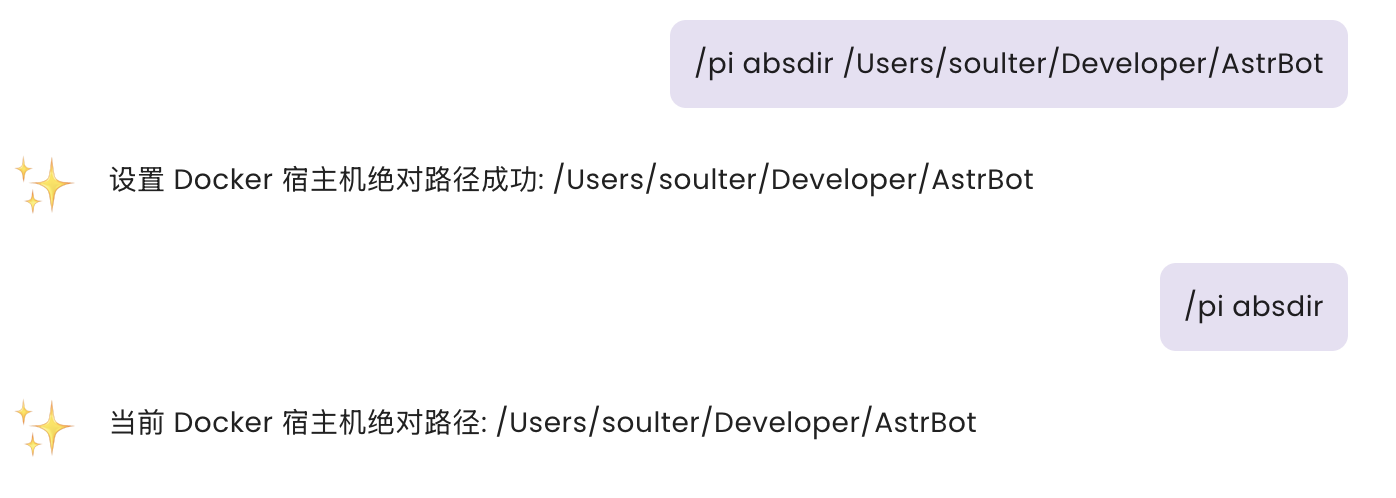
| 2. Use the `/pi absdir <absolute-path>` command during chat to set the absolute path of AstrBot's data directory on your host machine. |
|
|
| Example: |
|
|
|  |
|
|
| ## Running AstrBot from Source on Linux |
|
|
| **If your Docker commands require sudo privileges**, you need to start AstrBot with `sudo`, otherwise the code interpreter won't be able to invoke Docker due to insufficient permissions. |
|
|
| ```bash |
| sudo -E python3 main.py |
| ``` |
|
|
| ## Usage |
|
|
| This feature uses the `soulter/astrbot-code-interpreter-sandbox` image. You can view detailed information about the image on [Docker Hub](https://hub.docker.com/r/soulter/astrbot-code-interpreter-sandbox). |
|
|
| The image includes commonly used Python libraries: |
|
|
| - Pillow |
| - requests |
| - numpy |
| - matplotlib |
| - scipy |
| - scikit-learn |
| - beautifulsoup4 |
| - pandas |
| - opencv-python |
| - python-docx |
| - python-pptx |
| - pymupdf |
| - mplfonts |
|
|
| Tasks that can be accomplished include: |
|
|
| - Image editing |
| - Web scraping |
| - Data analysis and simple machine learning |
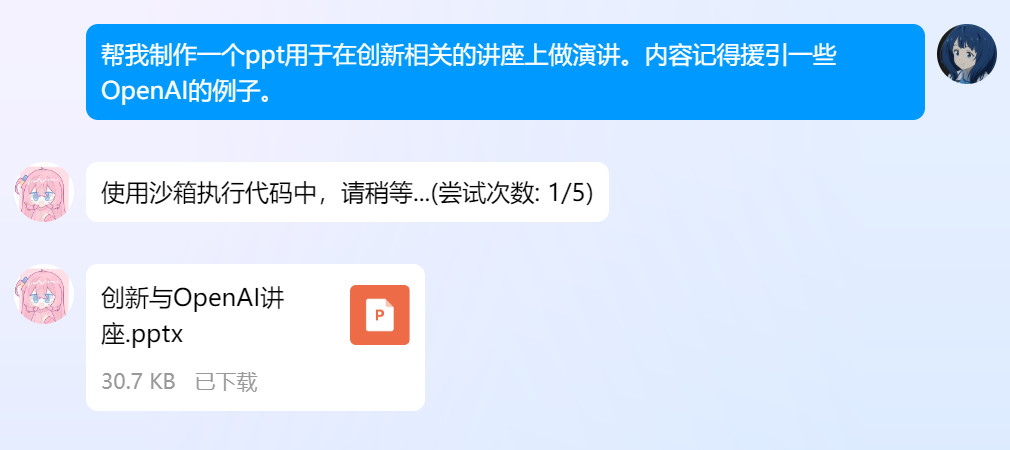
| - Document processing, such as reading and writing Word, PPT, PDF files |
| - Mathematical calculations, such as plotting graphs and solving equations |
|
|
| Since Docker Hub is inaccessible from mainland China, if you're in that region, use `/pi mirror` to view/set the mirror source. For example, as of this writing, you can use `cjie.eu.org` as the mirror source by setting `/pi mirror cjie.eu.org`. |
|
|
| When the code interpreter is triggered for the first time, AstrBot will automatically pull the image, which may take some time. Please be patient. |
|
|
| The image may be updated periodically to provide more features, so check for updates regularly. If you need to update the image, use the `/pi repull` command to re-pull it. |
|
|
| > [!TIP] |
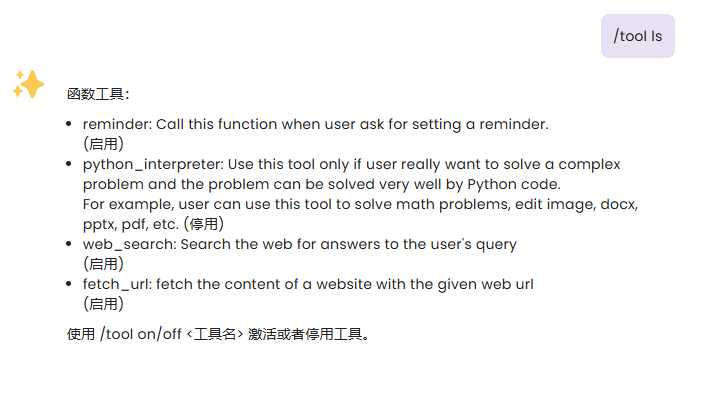
| > If the feature doesn't start properly initially, after successful startup, execute `/tool on python_interpreter` to enable this feature. |
| > You can use `/tool ls` to view all tools and their enabled status. |
| |
|  |
| |
| ## Image and File Input |
| |
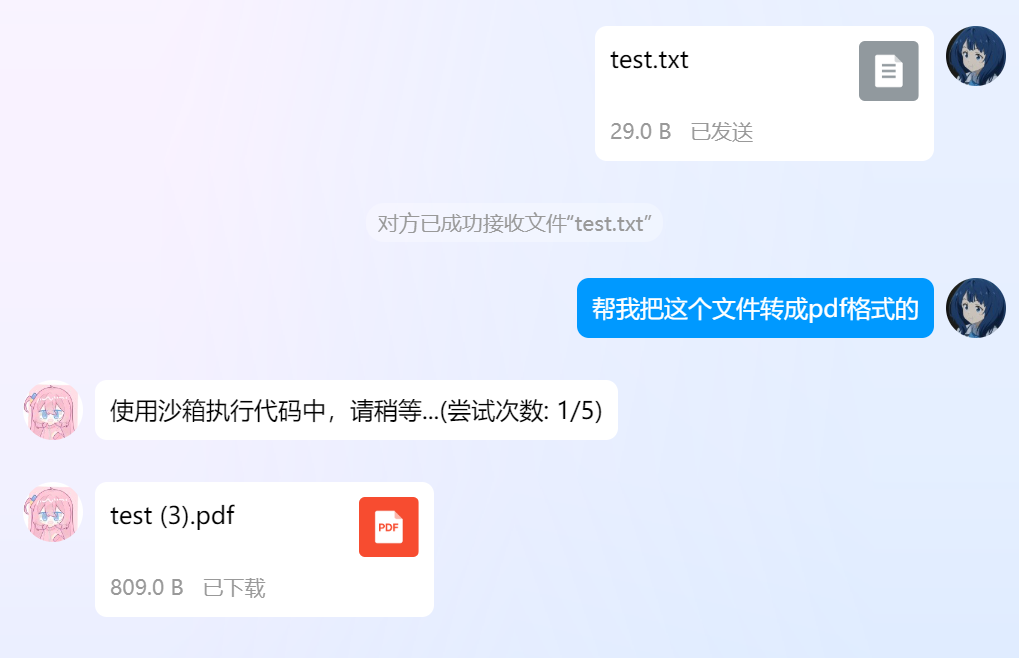
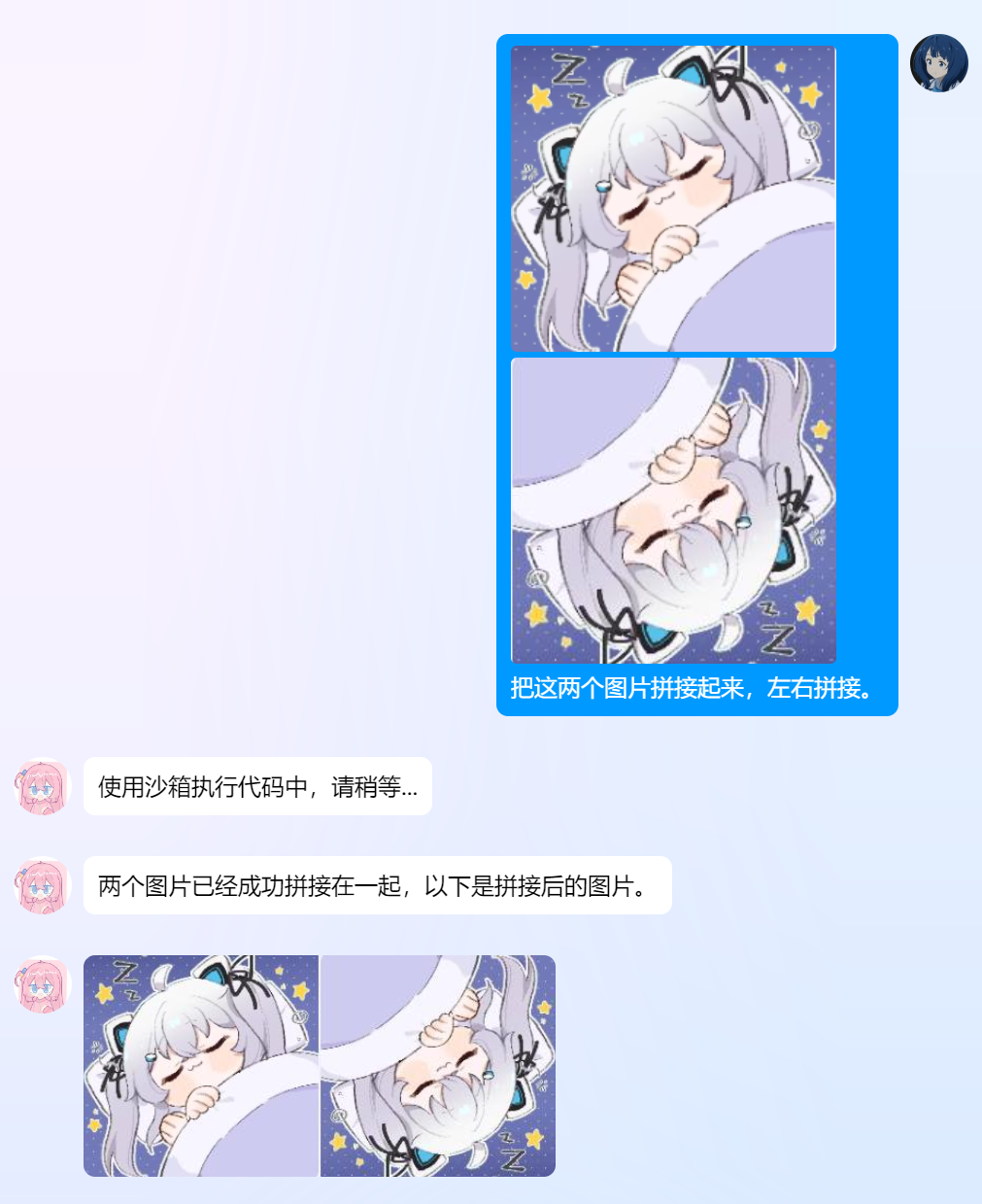
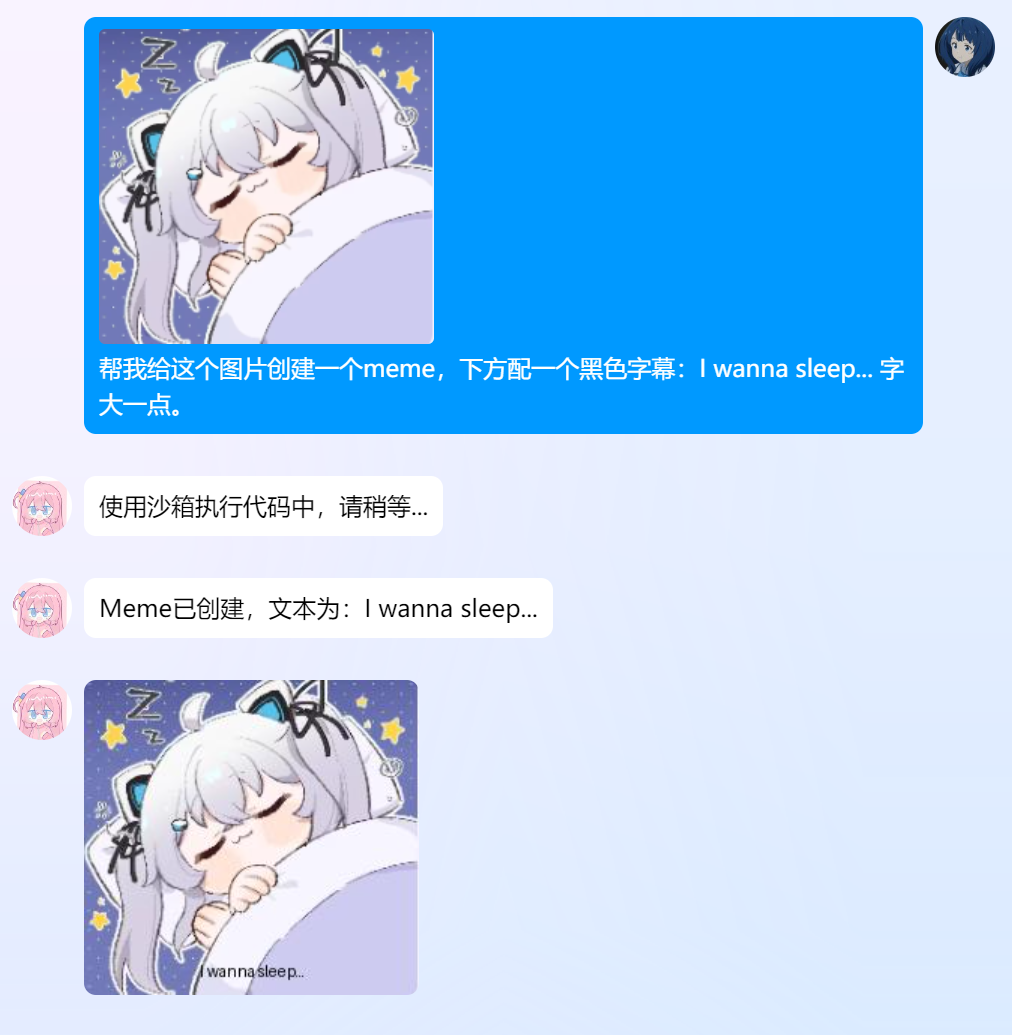
| In addition to recognizing and processing images and text tasks, the code interpreter can also recognize files you send and send files back. |
| |
| After v3.4.34, use the `/pi file` command to start uploading files. After uploading, you can use `/pi list` to view your uploaded files and `/pi clean` to clear your uploaded files. |
| |
| Uploaded files will be used as input for the code interpreter. |
| |
| For example, if you want to add rounded corners to an image, you can upload the image using `/pi file`, then ask: `Please run code to add rounded corners to this image`. |
| |
| ## Demo |
| |
|  |
| |
|  |
| |
|  |
| |
|  |
| |

