| --- |
| pipeline_tag: object-detection |
| tags: |
| - form-field-detection |
| - documents |
| - commonforms |
| library_name: commonforms |
| datasets: |
| - jbarrow/CommonForms |
| --- |
| |
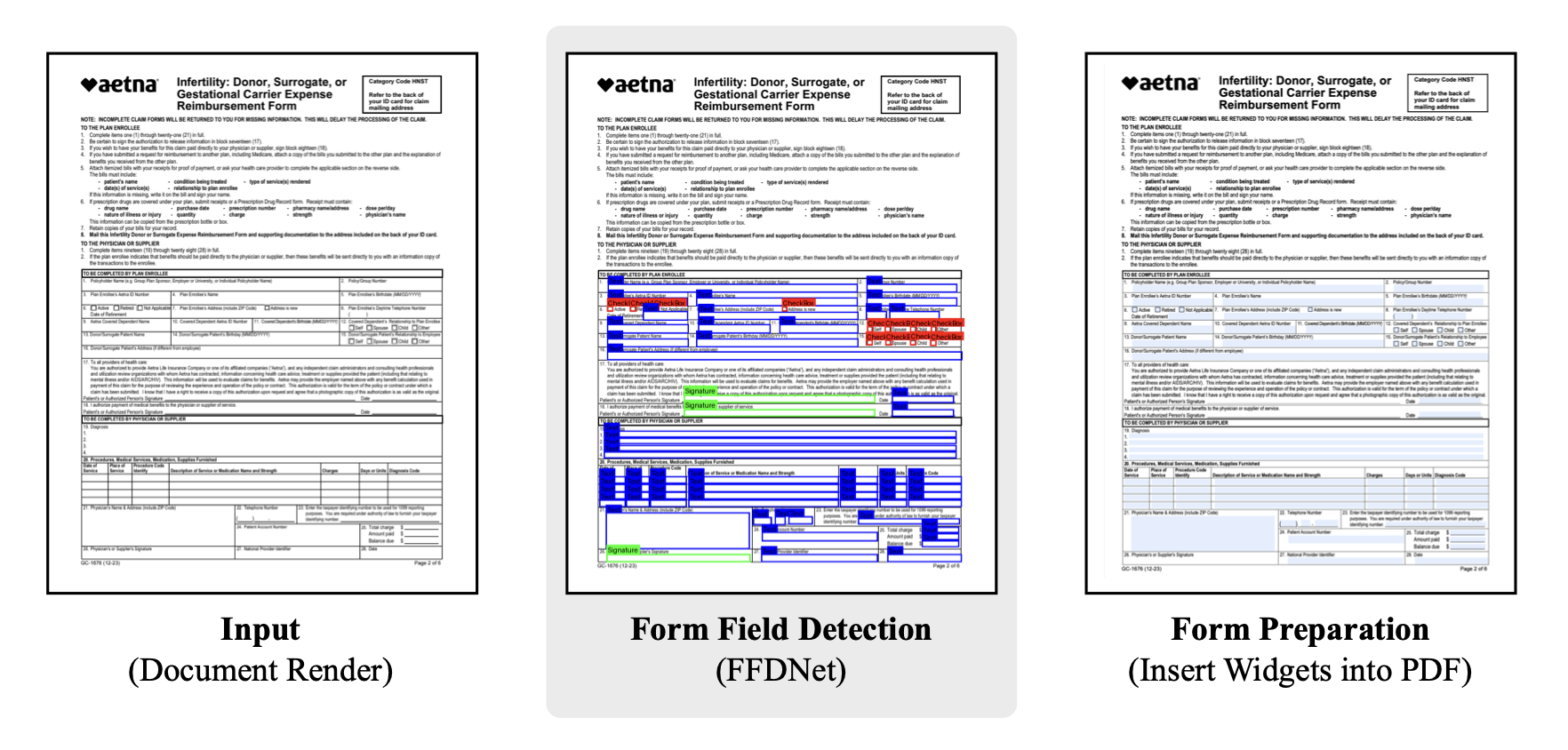
| 🪄 Automatically convert a PDF into a fillable form. |
|
|
| [💻 Hosted Models (detect.semanticdocs.org)](https://detect.semanticdocs.org) | [📄 CommonForms Paper](https://arxiv.org/abs/2509.16506) | [🤗 Dataset](https://huggingface.co/datasets/jbarrow/CommonForms) | [🦾 Models](https://github.com/jbarrow/commonforms/tree/main/commonforms/models) |
|
|
|  |
|
|
| # FFDNet-L-cpu |
|
|
| FFDNet-L is the 25 million parameter object detector trained on the dataset from the paper [CommonForms: A Large, Diverse Dataset for Form Field Detection](https://arxiv.org/abs/2509.16506). |
| The model detects widgets from among three classes: TextBoxes, ChoiceButtons (checkboxes), and Signature fields. |
|
|
| ⚠️ This is the CPU-optimized ONNX export of the model! |
|
|
| ## Results |
|
|
| | Model | Text | Choice | Signature | AP (↑) | |
| |-------|------|--------|-----------|--------| |
| | FFDNet-S (1216px) | 61.5 | 71.3 | 84.2 | 72.3 | |
| | FFDNet-L (1216px) | 71.4 | 78.1 | 93.5 | 81.0 | |
|
|
|
|
| ## Installation |
|
|
| The `commonforms` package can be installed with either `uv` or `pip`, feel free to choose your package manager flavor. |
| The `uv` command: |
|
|
| ```sh |
| uv pip install commonforms |
| ``` |
|
|
| The `pip` command: |
|
|
| ``` |
| pip install commonforms |
| ``` |
|
|
| Once it's installed, you should be able to run the CLI command on ~any PDF. |
| Refer to [the `commonforms` documentation](https://github.com/jbarrow/commonforms) for the latest information. |
|
|
| ## CLI |
|
|
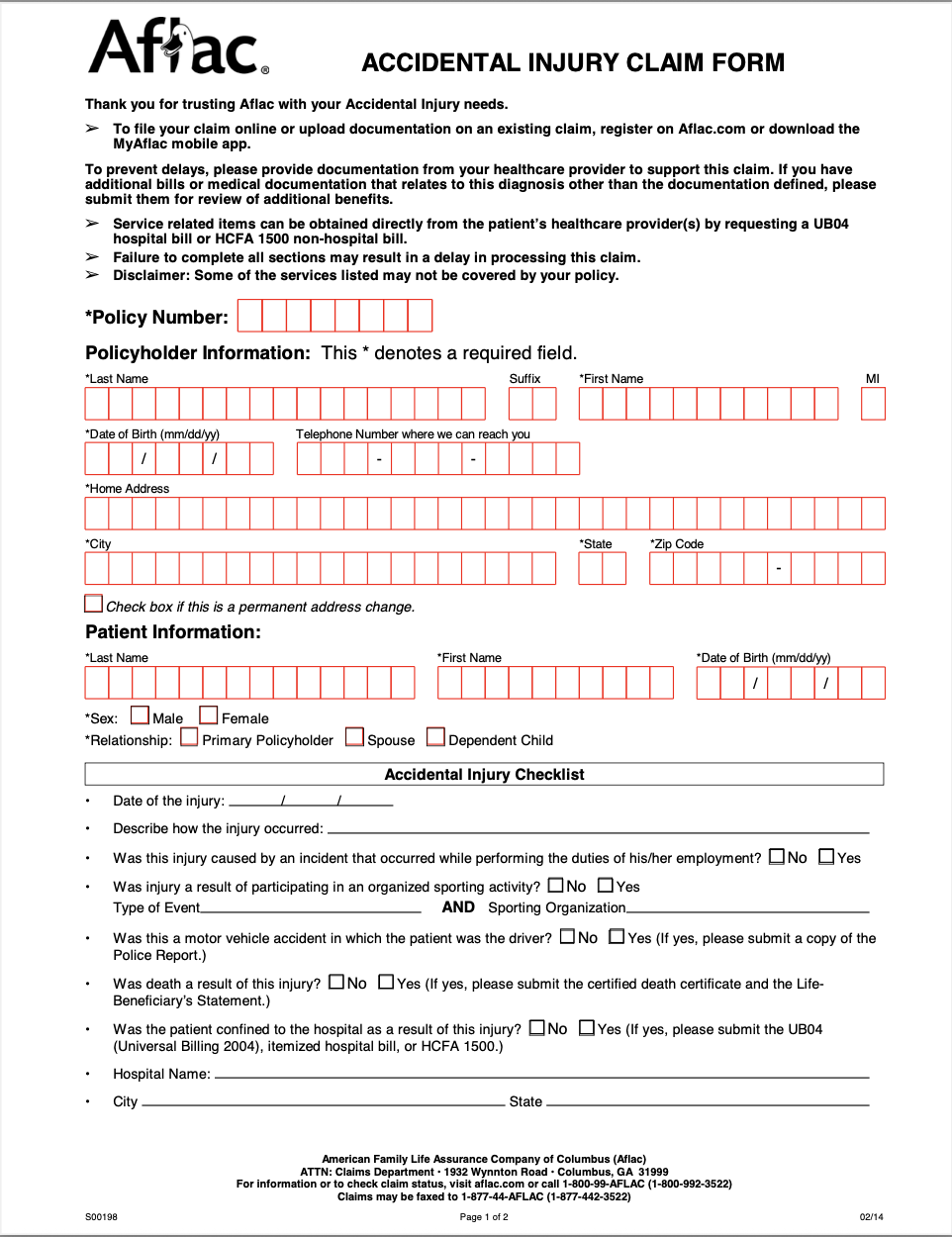
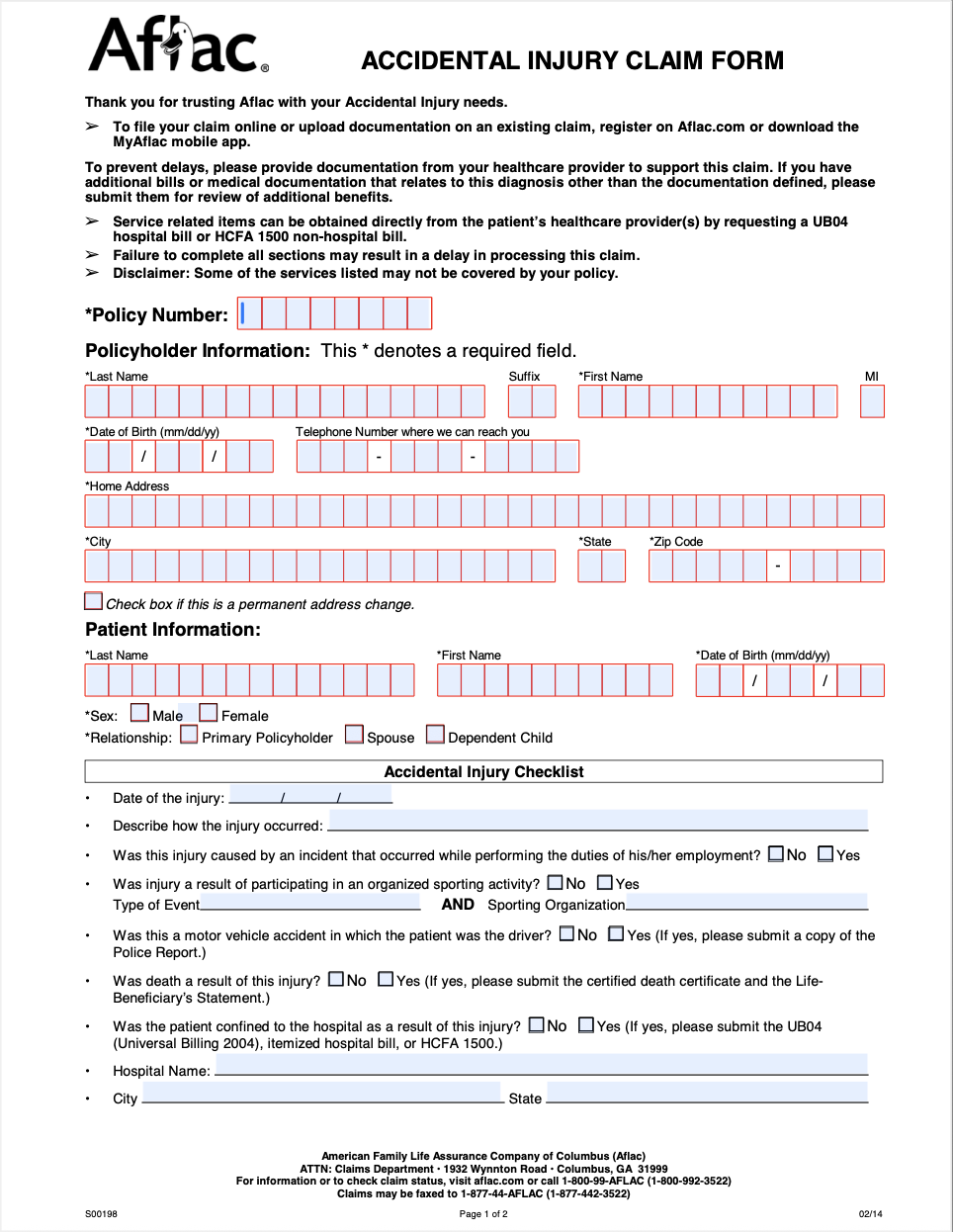
| The simplest usage will run inference on your CPU using the default suggested settings: |
|
|
| ``` |
| commonforms <input.pdf> <output.pdf> |
| ``` |
|
|
| | Input | Output | |
| |-------|--------| |
| |  |  | |
|
|
| ### Command Line Arguments |
|
|
| | Argument | Type | Default | Description | |
| |----------|------|---------|-------------| |
| | `input` | Path | Required | Path to the input PDF file | |
| | `output` | Path | Required | Path to save the output PDF file | |
| | `--model` | str | `FFDNet-L` | Model name (FFDNet-L/FFDNet-S) or path to custom .pt file | |
| | `--keep-existing-fields` | flag | `False` | Keep existing form fields in the PDF | |
| | `--use-signature-fields` | flag | `False` | Use signature fields instead of text fields for detected signatures | |
| | `--device` | str | `cpu` | Device for inference (e.g., `cpu`, `cuda`, `0`) | |
| | `--image-size` | int | `1600` | Image size for inference | |
| | `--confidence` | float | `0.3` | Confidence threshold for detection | |
| | `--fast` | flag | `False` | If running on a CPU, you can trade off accuracy for speed and run in about half the time | |
|
|
| ## CommonForms API |
|
|
| In addition to the CLI, you can use |
|
|
| ```py |
| from commonforms import prepare_form |
| |
| prepare_form( |
| "path/to/input.pdf", |
| "path/to/output.pdf" |
| ) |
| ``` |
|
|
| All of the above arguments are keyword arguments to the `prepare_form` function. |
| E.g. if you want to prepare a with signature fields and keep existing fields at 1216 resolution, you would run: |
|
|
| ``` |
| from commonforms import prepare_form |
| |
| prepare_form( |
| "path/to/input.pdf", |
| "path/to/output.pdf", |
| keep_existing_fields=True, |
| use_signature_fields=True, |
| image_size=1216 |
| ) |
| ``` |
|
|
| ## References |
|
|
| * [CommonForms: A Large, Diverse Dataset for Form Field Detection](https://arxiv.org/abs/2509.16506) |
|
|


