Diffusers documentation
레거시 체크포인트
You are viewing main version, which requires installation from source. If you'd like
regular pip install, checkout the latest stable version (v0.42.1).
레거시 체크포인트
이러한 설정은 주로 이전 버전의 Stable Diffusion 계열 체크포인트에 적용됩니다.
안전 검사기
Diffusers는 유해한 콘텐츠 생성을 방지하기 위해 구형 Stable Diffusion 체크포인트에 안전성 검사기를 제공합니다. 이 검사기는 생성된 출력을 사전에 정의된 유해 개념 목록과 대조하여 검사합니다. Qwen-Image와 같은 최신 모델에는 이 검사기가 없습니다.
안전 검사기를 비활성화하려면 아래에 표시된 대로 from_pretrained()에 safety_checker=None을 전달하세요.
from diffusers import DiffusionPipeline

pipeline = DiffusionPipeline.from_pretrained(
  "stable-diffusion-v1-5/stable-diffusion-v1-5", safety_checker=None
)
"""
You have disabled the safety checker for <class 'diffusers.pipelines.stable_diffusion.pipeline_stable_diffusion.StableDiffusionPipeline'> by passing `safety_checker=None`. Ensure that you abide by the conditions of the Stable Diffusion license and do not expose unfiltered results in services or applications open to the public. Both the diffusers team and Hugging Face strongly recommend keeping the safety filter enabled in all public-facing circumstances, disabling it only for use cases that involve analyzing network behavior or auditing its results. For more information, please have a look at https://github.com/huggingface/diffusers/pull/254 .
"""
스케줄 재조정
Denoising은 순수한 노이즈에서 시작하므로, 신호 대 노이즈(SNR) 비율은 0에서 시작합니다. 일부 모델은 실제로 순수한 노이즈에서 시작하지 않아 밝고 어두운 극단적인 값을 생성하기 어렵습니다.
v_prediction을 사용하여 자체 모델을 학습하려면 학습 스크립트에--prediction_type="v_prediction"플래그를 추가하세요. 또한v_prediction으로 학습된 기존 모델을 검색할 수도 있습니다.
v_prediction 모델의 경우, 이 스케줄러 인수를 활성화하세요.
rescale_betas_zero_snr=True를 설정하여 노이즈 스케줄을 정확히 SNR이 0인 마지막 타임스텝까지 리스케일링합니다- 마지막 timestep에서 순수 노이즈로 샘플링을 강제하려면
timestep_spacing="trailing"을 설정하세요
from diffusers import DiffusionPipeline, DDIMScheduler

pipeline = DiffusionPipeline.from_pretrained("ptx0/pseudo-journey-v2", device_map="cuda")  # or "mps", "xpu", "cpu"

pipeline.scheduler = DDIMScheduler.from_config(
    pipeline.scheduler.config, rescale_betas_zero_snr=True, timestep_spacing="trailing"
)
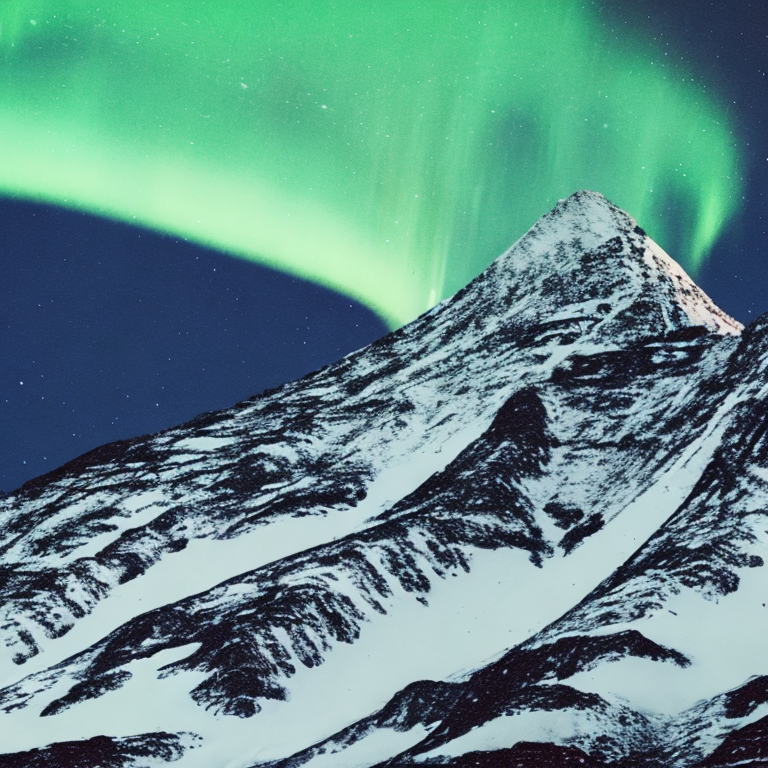
과노출된 이미지를 방지하기 위해 파이프라인에서 guidance_rescale을 설정하세요. 값이 낮을수록 밝기가 증가하지만, 일부 디테일이 흐려 보일 수 있습니다.
prompt = """
cinematic photo of a snowy mountain at night with the northern lights aurora borealis
overhead, 35mm photograph, film, professional, 4k, highly detailed
"""
image = pipeline(prompt, guidance_rescale=0.7).images[0]