
OpenEnv documentation
Unity ML-Agents Environment
Unity ML-Agents Environment
OpenEnv wrapper for Unity ML-Agents environments.
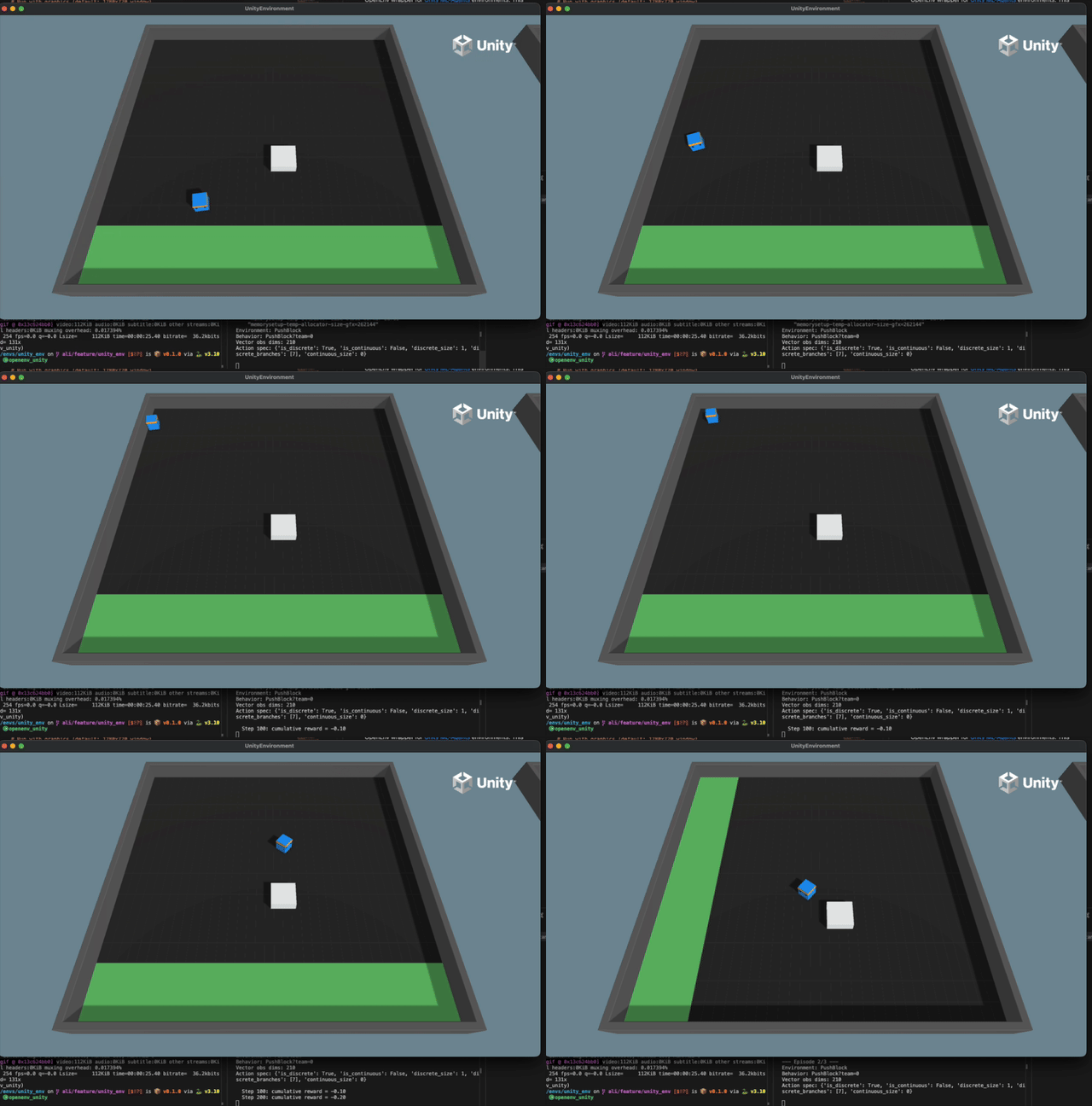
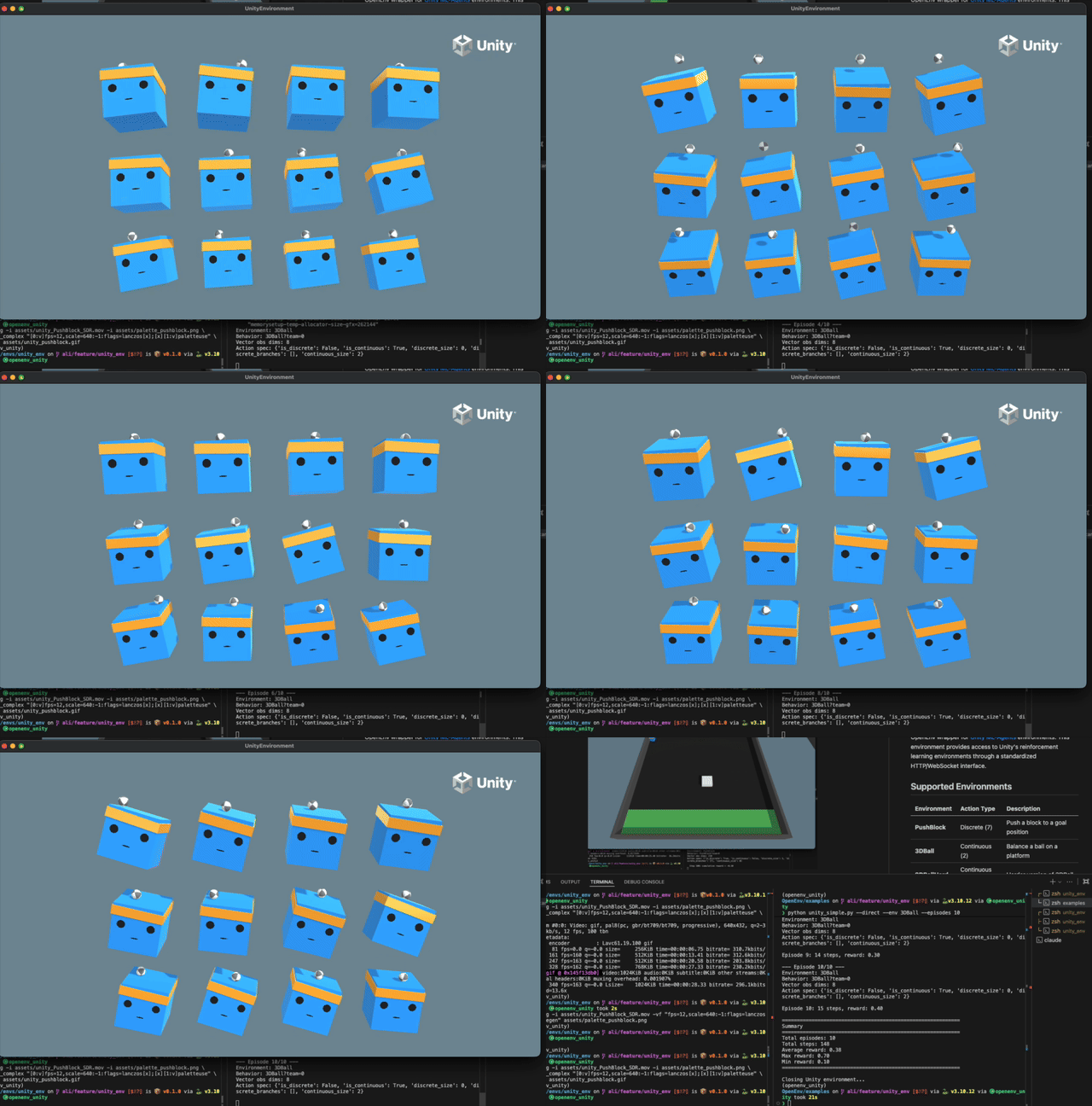
Supported Environments
| Environment | Action Type | Description |
|---|---|---|
| PushBlock | Discrete (7) | Push a block to a goal position |
| 3DBall | Continuous (2) | Balance a ball on a platform |
| 3DBallHard | Continuous (2) | Harder version of 3DBall |
| GridWorld | Discrete (5) | Navigate a grid to find goals |
| Basic | Discrete (3) | Simple left/right movement |
More environments may be available depending on the ML-Agents registry version.
Quick Start
Install the package from the OpenEnv repository and start a server:
cd envs/unity_env
uv sync   # or: pip install -e .
uv run uvicorn server.app:app --host 0.0.0.0 --port 8000
The first run downloads the Unity binaries (about 500 MB) to ~/.mlagents-cache/. Run a single worker: Unity environments are not thread-safe.
from unity_env import UnityAction, UnityEnv

with UnityEnv(base_url="http://localhost:8000").sync() as client:
    result = client.reset(env_id="PushBlock")
    print(f"Observation dims: {len(result.observation.vector_observations)}")

    for _ in range(100):
        result = client.step(UnityAction(discrete_actions=[1]))  # move forward
        print(f"Reward: {result.reward}, Done: {result.done}")
        if result.done:
            result = client.reset()
reset(env_id=...) switches environments, for example to 3DBall with UnityAction(continuous_actions=[0.5, -0.3]).
Without a separate server
UnityEnv.from_direct() starts a local server in a subprocess and returns a client connected to it:
client = UnityEnv.from_direct(
    env_id="PushBlock",
    no_graphics=False,   # show the Unity window
    width=1280,
    height=720,
    time_scale=1.0,      # 20.0 for fast training
    quality_level=5,     # 0-5
    port=8765,
)
Docker
cd envs/unity_env
docker build -f server/Dockerfile -t unity-env:latest .
docker run -p 8000:8000 -v ~/.mlagents-cache:/root/.mlagents-cache unity-env:latest
The image runs headless (UNITY_NO_GRAPHICS=1). The volume keeps the downloaded binaries between runs. To start the container from Python, use UnityEnv.from_docker_image("unity-env:latest", env_vars={"UNITY_TIME_SCALE": "20"}).
Docker mode doesn’t work on Apple Silicon: the Unity binaries are x86_64 only and Unity’s Mono runtime crashes under emulation (Assertion: should not be reached at tramp-amd64.c). Use the local server or from_direct(), which download native macOS binaries, or an x86_64 Linux machine.
Example script
examples/unity_simple.py runs episodes in any of the three modes:
python examples/unity_simple.py --direct --env 3DBall --episodes 5
python examples/unity_simple.py --url http://localhost:8000
python examples/unity_simple.py --docker --no-graphics --time-scale 20
Other options: --docker-image, --env (PushBlock, 3DBall or both to alternate), --max-steps, --width, --height, --quality-level, --quiet.
Actions
UnityAction takes discrete_actions or continuous_actions, depending on the environment.
PushBlock (discrete): 0 no-op, 1 forward, 2 backward, 3 rotate left, 4 rotate right, 5 strafe left, 6 strafe right.
3DBall (continuous): two values in [-1, 1], the X-axis and Z-axis rotation of the platform.
Observations
UnityObservation has vector_observations (70 values for PushBlock, 8 for 3DBall), behavior_name and action_spec_info. Pass include_visual=True to reset() to also get visual_observations as base64-encoded PNG images, where the environment supports them.
client.state() returns env_id, episode_id, step_count, available_envs, action_spec and observation_spec.
Reward
The reward is the ML-Agents environment’s own reward for the first agent at each step.
Configuration
Server environment variables (the UnityMLAgentsEnvironment constructor takes the same settings):
| Variable | Default | Description |
|---|---|---|
UNITY_ENV_ID | PushBlock | Default Unity environment |
UNITY_NO_GRAPHICS | 0 (1 in the Docker image) | 1 for headless mode |
UNITY_WIDTH | 1280 | Window width in pixels |
UNITY_HEIGHT | 720 | Window height in pixels |
UNITY_TIME_SCALE | 1.0 | Simulation speed multiplier |
UNITY_QUALITY_LEVEL | 5 | Graphics quality, 0-5 |
UNITY_CACHE_DIR | ~/.mlagents-cache | Binary cache directory |
Limitations
- Binaries are platform-specific (macOS, Linux, Windows).
- Graphics mode needs a display (X11 on Linux).
- Only the first agent is used. Multi-agent environments are not supported yet.
mlagents-envsis installed from the ML-Agents GitHub repository. To use a specific branch, clone ml-agents andpip install -e ./ml-agents-envs.