
Diffusers documentation
OmniGen
OmniGen
BAAI의 Shitao Xiao, Yueze Wang, Junjie Zhou, Huaying Yuan, Xingrun Xing, Ruiran Yan, Chaofan Li, Shuting Wang, Tiejun Huang, Zheng Liu가 개발한 OmniGen: Unified Image Generation
해당 논문의 초록은 다음과 같습니다:
대형 언어 모델(LLM)의 출현은 언어 생성 작업을 통합하고 인간-기계 상호작용을 혁신했습니다. 그러나 이미지 생성 분야에서는 단일 프레임워크 내에서 다양한 작업을 처리할 수 있는 통합 모델은 아직 크게 탐구되지 않았습니다. 이 작업에서는 통합 이미지 생성을 위한 새로운 확산 모델인 OmniGen을 소개합니다. OmniGen은 다음과 같은 특징을 가집니다. 1) 통합: OmniGen은 텍스트-이미지 생성 능력을 보여줄 뿐만 아니라 이미지 편집, 대상 기반 생성, 시각적 조건 생성과 같은 다양한 하위 작업을 본질적으로 지원합니다. 2) 단순성: OmniGen의 아키텍처는 추가 플러그인의 필요성을 제거하도록 크게 단순화되었습니다. 또한 기존 확산 모델과 비교하여 사용자 친화적이며, 추가적인 중간 단계 없이 지시를 통해 복잡한 작업을 끝에서 끝까지 완료할 수 있어 이미지 생성 워크플로를 크게 단순화합니다. 3) 지식 전이: 통합된 형식으로 학습하는 이점을 통해 OmniGen은 다양한 작업 간에 지식을 효과적으로 전이하고, 보지 못한 작업과 도메인을 관리하며, 새로운 능력을 나타냅니다. 또한 모델의 추론 능력과 체인 오브 스코트 메커니즘의 잠재적 응용을 탐구합니다. 이 작업은 범용 이미지 생성 모델에 대한 첫 번째 시도이며, 향후 발전을 촉진하기 위해 자원을 https://github.com/VectorSpaceLab/OmniGen에서 공개할 것입니다.
Scheduler의 가이드를 확인하여 스케줄러의 속도와 품질 사이의 트레이드오프를 탐색하는 방법을 배우고, 파이프라인 간 구성 요소 재사용 섹션을 확인하여 동일한 구성 요소를 여러 파이프라인에 효율적으로 로드하는 방법을 배워보세요.
이 파이프라인은 staoxiao님이 기여했습니다. 원본 코드베이스는 여기에서 찾을 수 있습니다. 원본 가중치는 hf.co/shitao에서 찾을 수 있습니다.
모델 체크포인트 로드
모델 가중치가 Hub 또는 로컬에서 별도의 하위 폴더에 저장된 경우, from_pretrained() 메서드를 사용해야 합니다.
import torch
from diffusers import OmniGenPipeline

pipe = OmniGenPipeline.from_pretrained("Shitao/OmniGen-v1-diffusers", dtype=torch.bfloat16)
텍스트-이미지
텍스트-이미지 생성의 경우 텍스트 프롬프트를 전달합니다. 기본적으로 OmniGen은 1024x1024 크기의 이미지를 생성합니다.
height와 width 매개변수를 설정하여 다른 크기의 이미지를 생성해 볼 수 있습니다.
import torch
from diffusers import OmniGenPipeline

pipe = OmniGenPipeline.from_pretrained(
    "Shitao/OmniGen-v1-diffusers",
    dtype=torch.bfloat16
)
pipe.to("cuda")  # or "mps", "xpu", "cpu"

prompt = "Realistic photo. A young woman sits on a sofa, holding a book and facing the camera. She wears delicate silver hoop earrings adorned with tiny, sparkling diamonds that catch the light, with her long chestnut hair cascading over her shoulders. Her eyes are focused and gentle, framed by long, dark lashes. She is dressed in a cozy cream sweater, which complements her warm, inviting smile. Behind her, there is a table with a cup of water in a sleek, minimalist blue mug. The background is a serene indoor setting with soft natural light filtering through a window, adorned with tasteful art and flowers, creating a cozy and peaceful ambiance. 4K, HD."
image = pipe(
    prompt=prompt,
    height=1024,
    width=1024,
    guidance_scale=3,
    generator=torch.Generator(device="cpu").manual_seed(111),
).images[0]
image.save("output.png")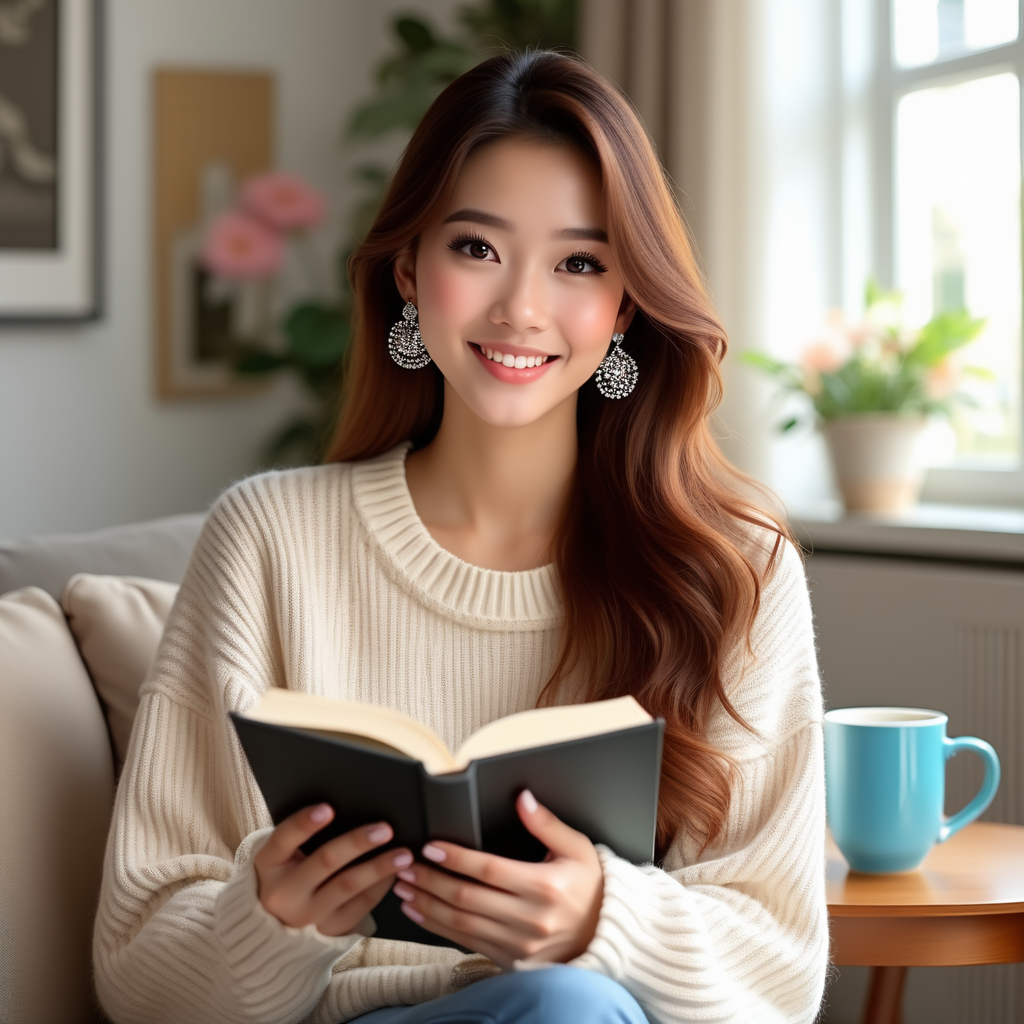
이미지 편집
OmniGen은 멀티모달 입력을 지원합니다.
입력에 이미지가 포함된 경우, 텍스트 프롬프트에 <img><|image_1|></img> 플레이스홀더를 추가하여 이미지를 나타내야 합니다.
편집된 이미지의 크기가 원본 이미지와 동일하게 유지되도록 use_input_image_size_as_output을 활성화하는 것이 권장됩니다.
import torch
from diffusers import OmniGenPipeline
from diffusers.utils import load_image

pipe = OmniGenPipeline.from_pretrained(
    "Shitao/OmniGen-v1-diffusers",
    dtype=torch.bfloat16
)
pipe.to("cuda")  # or "mps", "xpu", "cpu"

prompt="<img><|image_1|></img> Remove the woman's earrings. Replace the mug with a clear glass filled with sparkling iced cola."
input_images=[load_image("https://raw.githubusercontent.com/VectorSpaceLab/OmniGen/main/imgs/docs_img/t2i_woman_with_book.png")]
image = pipe(
    prompt=prompt,
    input_images=input_images,
    guidance_scale=2,
    img_guidance_scale=1.6,
    use_input_image_size_as_output=True,
    generator=torch.Generator(device="cpu").manual_seed(222)
).images[0]
image.save("output.png") 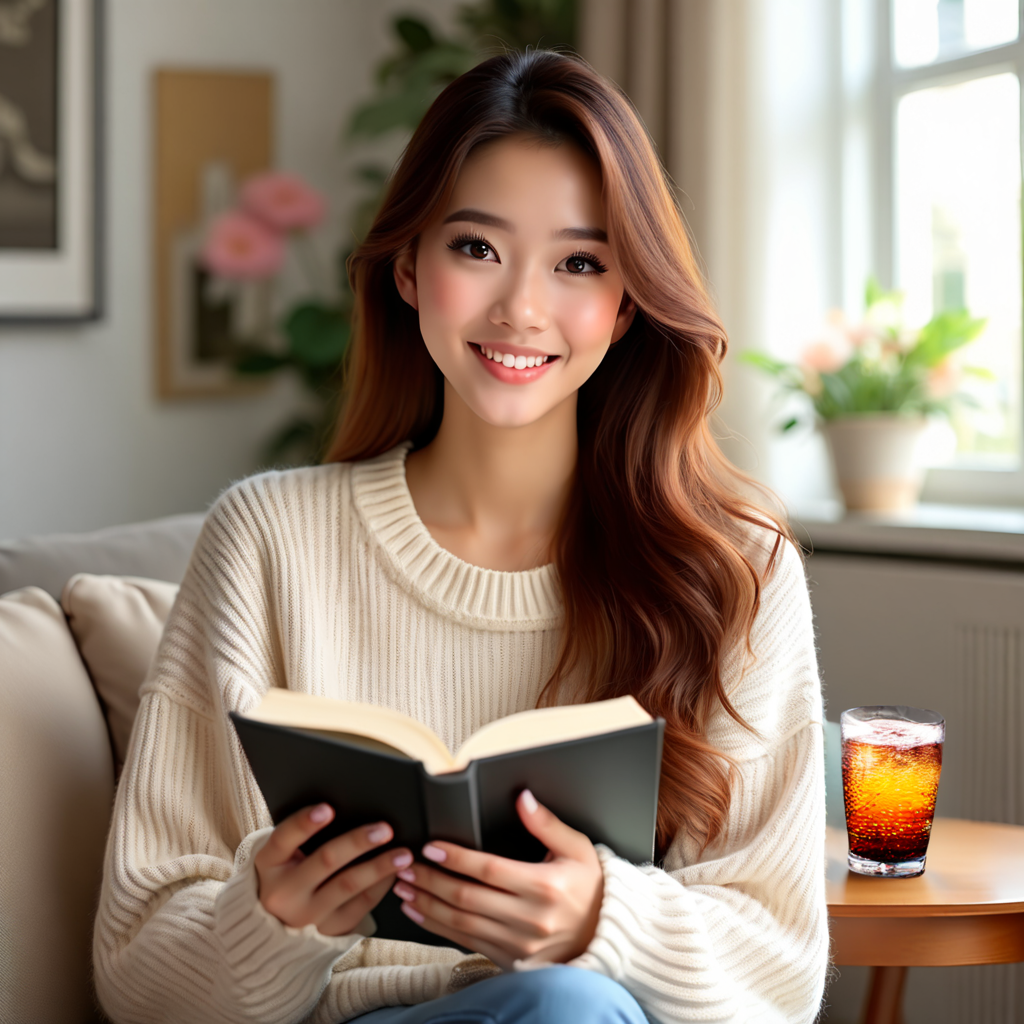
OmniGen은 아래 예시에서 볼 수 있듯이 시각 추론과 같은 흥미로운 기능을 갖추고 있습니다.
prompt="If the woman is thirsty, what should she take? Find it in the image and highlight it in blue. <img><|image_1|></img>"
input_images=[load_image("https://raw.githubusercontent.com/VectorSpaceLab/OmniGen/main/imgs/docs_img/edit.png")]
image = pipe(
    prompt=prompt,
    input_images=input_images,
    guidance_scale=2,
    img_guidance_scale=1.6,
    use_input_image_size_as_output=True,
    generator=torch.Generator(device="cpu").manual_seed(0)
).images[0]
image.save("output.png")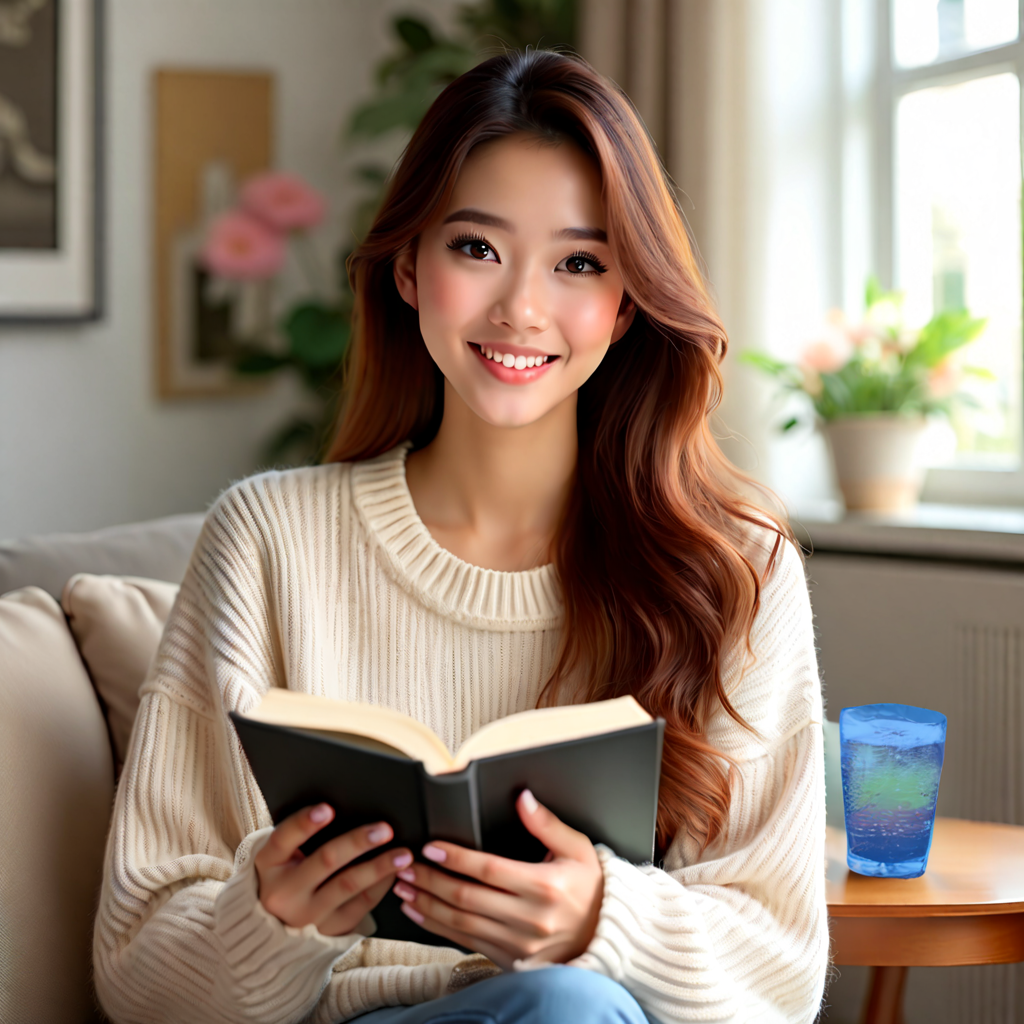
제어 가능한 생성
OmniGen은 여러 고전적인 컴퓨터 비전 작업을 처리할 수 있습니다. 아래에 표시된 바와 같이, OmniGen은 입력 이미지에서 인간 골격을 감지할 수 있으며, 이는 새로운 이미지를 생성하기 위한 제어 조건으로 사용할 수 있습니다.
import torch
from diffusers import OmniGenPipeline
from diffusers.utils import load_image

pipe = OmniGenPipeline.from_pretrained(
    "Shitao/OmniGen-v1-diffusers",
    dtype=torch.bfloat16
)
pipe.to("cuda")  # or "mps", "xpu", "cpu"

prompt="Detect the skeleton of human in this image: <img><|image_1|></img>"
input_images=[load_image("https://raw.githubusercontent.com/VectorSpaceLab/OmniGen/main/imgs/docs_img/edit.png")]
image1 = pipe(
    prompt=prompt,
    input_images=input_images,
    guidance_scale=2,
    img_guidance_scale=1.6,
    use_input_image_size_as_output=True,
    generator=torch.Generator(device="cpu").manual_seed(333)
).images[0]
image1.save("image1.png")

prompt="Generate a new photo using the following picture and text as conditions: <img><|image_1|></img>\n A young boy is sitting on a sofa in the library, holding a book. His hair is neatly combed, and a faint smile plays on his lips, with a few freckles scattered across his cheeks. The library is quiet, with rows of shelves filled with books stretching out behind him."
input_images=[load_image("https://raw.githubusercontent.com/VectorSpaceLab/OmniGen/main/imgs/docs_img/skeletal.png")]
image2 = pipe(
    prompt=prompt,
    input_images=input_images,
    guidance_scale=2,
    img_guidance_scale=1.6,
    use_input_image_size_as_output=True,
    generator=torch.Generator(device="cpu").manual_seed(333)
).images[0]
image2.save("image2.png") 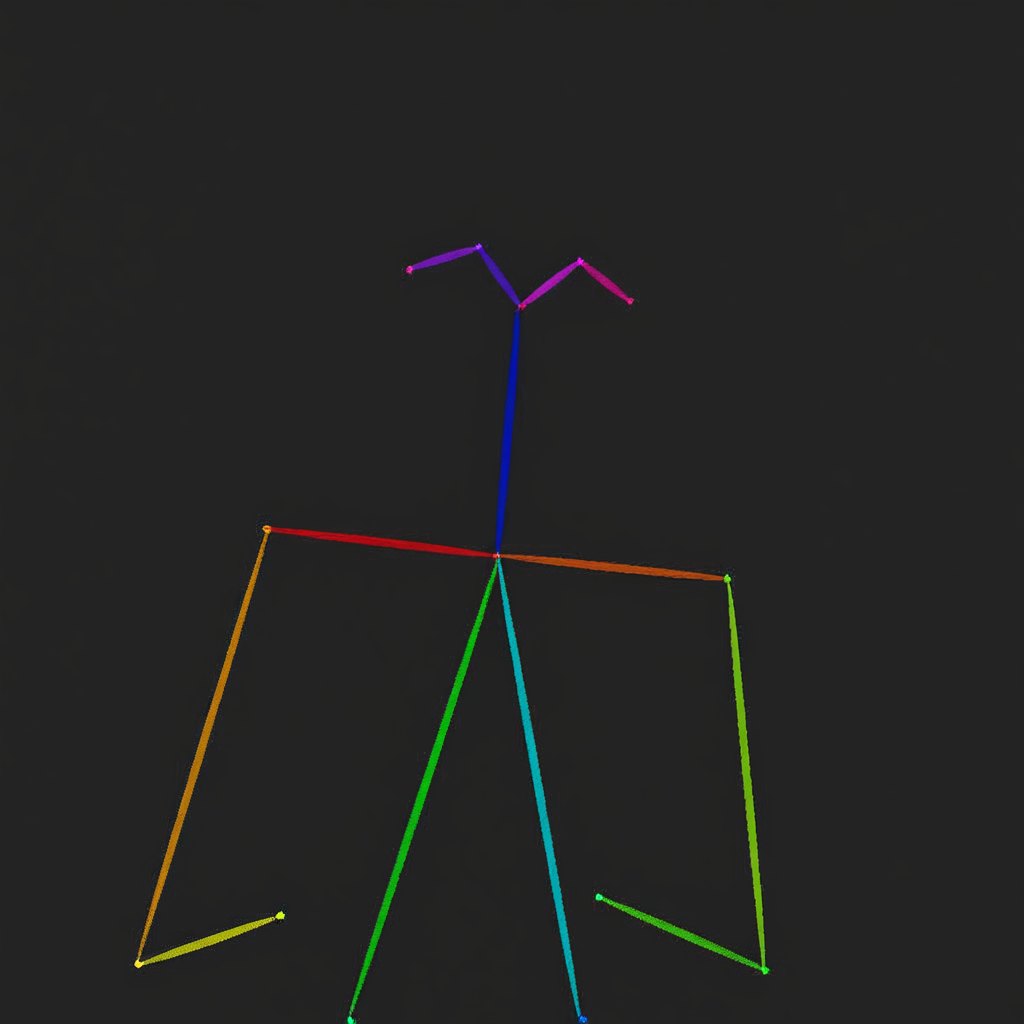
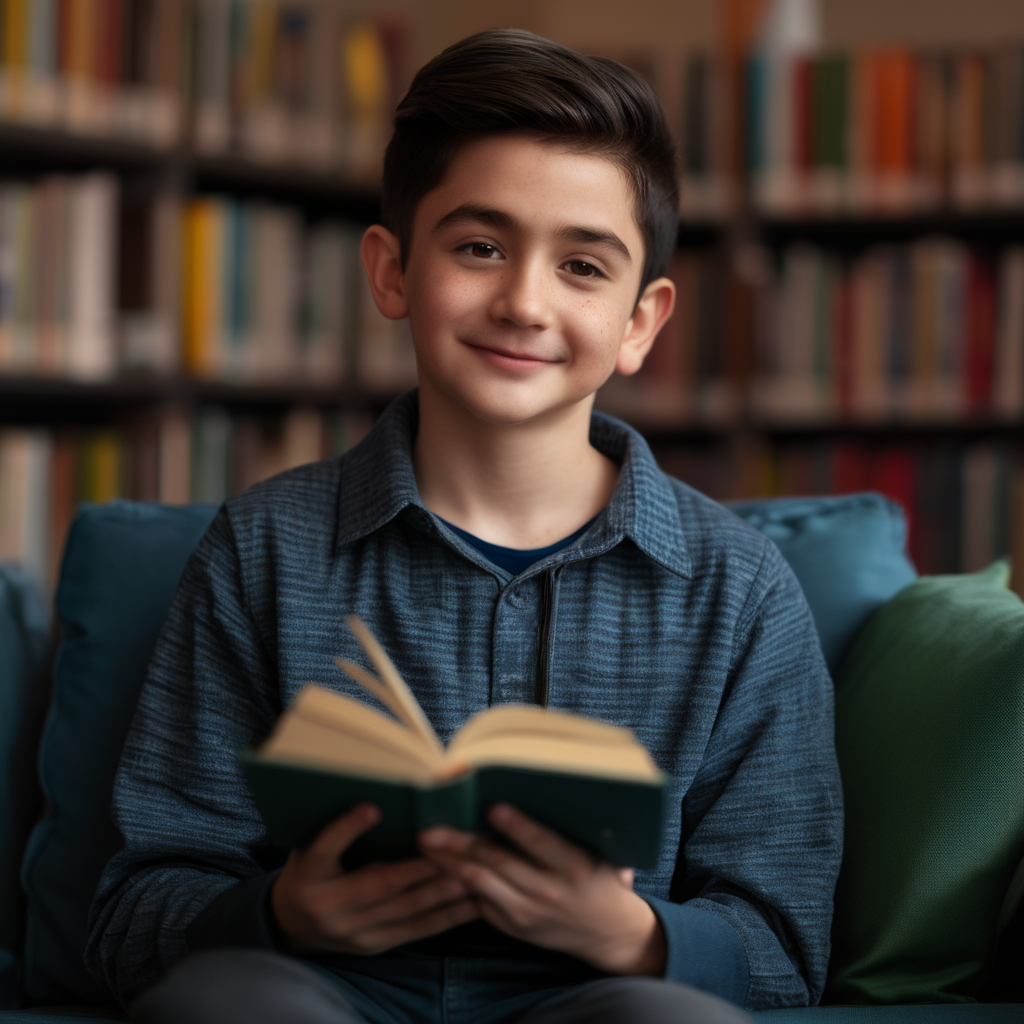
OmniGen은 입력 이미지에서 관련 정보를 직접 사용하여 새로운 이미지를 생성할 수도 있습니다.
import torch
from diffusers import OmniGenPipeline
from diffusers.utils import load_image

pipe = OmniGenPipeline.from_pretrained(
    "Shitao/OmniGen-v1-diffusers",
    dtype=torch.bfloat16
)
pipe.to("cuda")  # or "mps", "xpu", "cpu"

prompt="Following the pose of this image <img><|image_1|></img>, generate a new photo: A young boy is sitting on a sofa in the library, holding a book. His hair is neatly combed, and a faint smile plays on his lips, with a few freckles scattered across his cheeks. The library is quiet, with rows of shelves filled with books stretching out behind him."
input_images=[load_image("https://raw.githubusercontent.com/VectorSpaceLab/OmniGen/main/imgs/docs_img/edit.png")]
image = pipe(
    prompt=prompt,
    input_images=input_images,
    guidance_scale=2,
    img_guidance_scale=1.6,
    use_input_image_size_as_output=True,
    generator=torch.Generator(device="cpu").manual_seed(0)
).images[0]
image.save("output.png")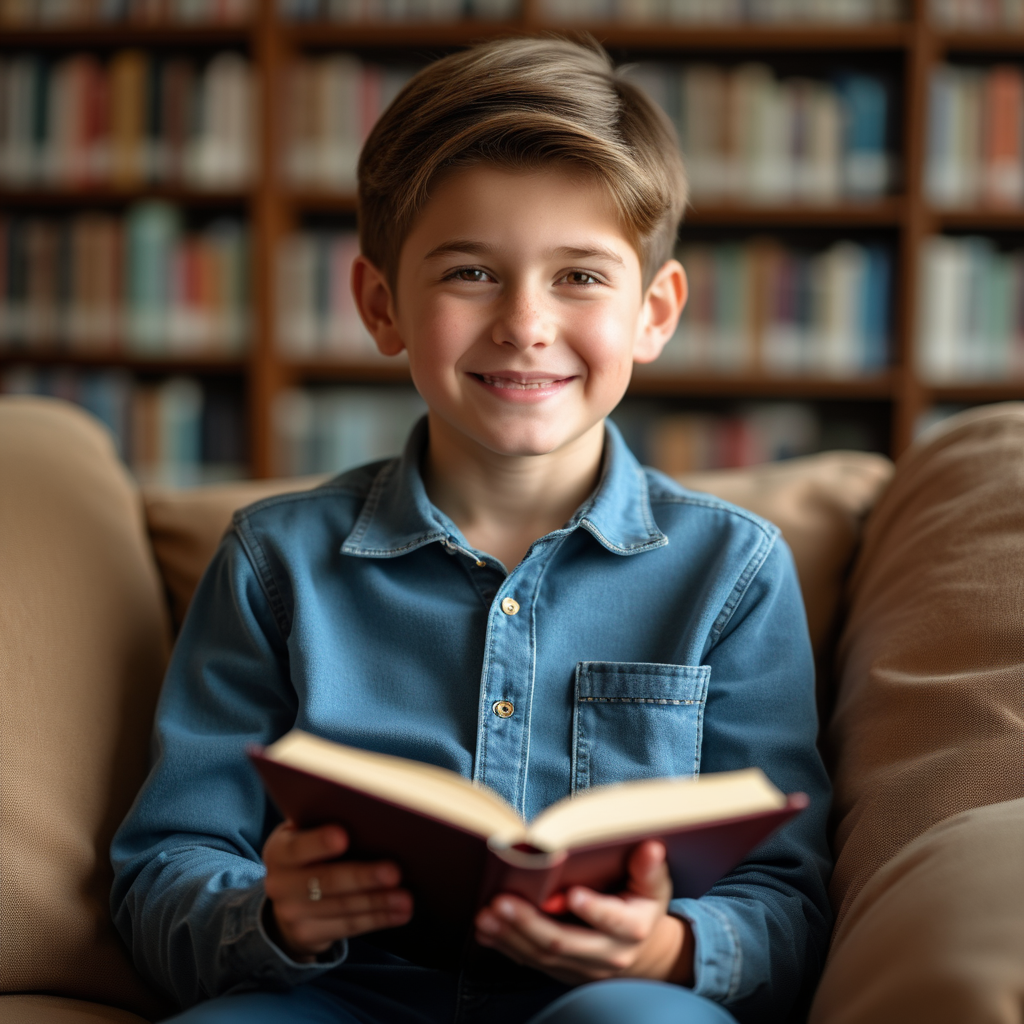
ID 및 객체 보존
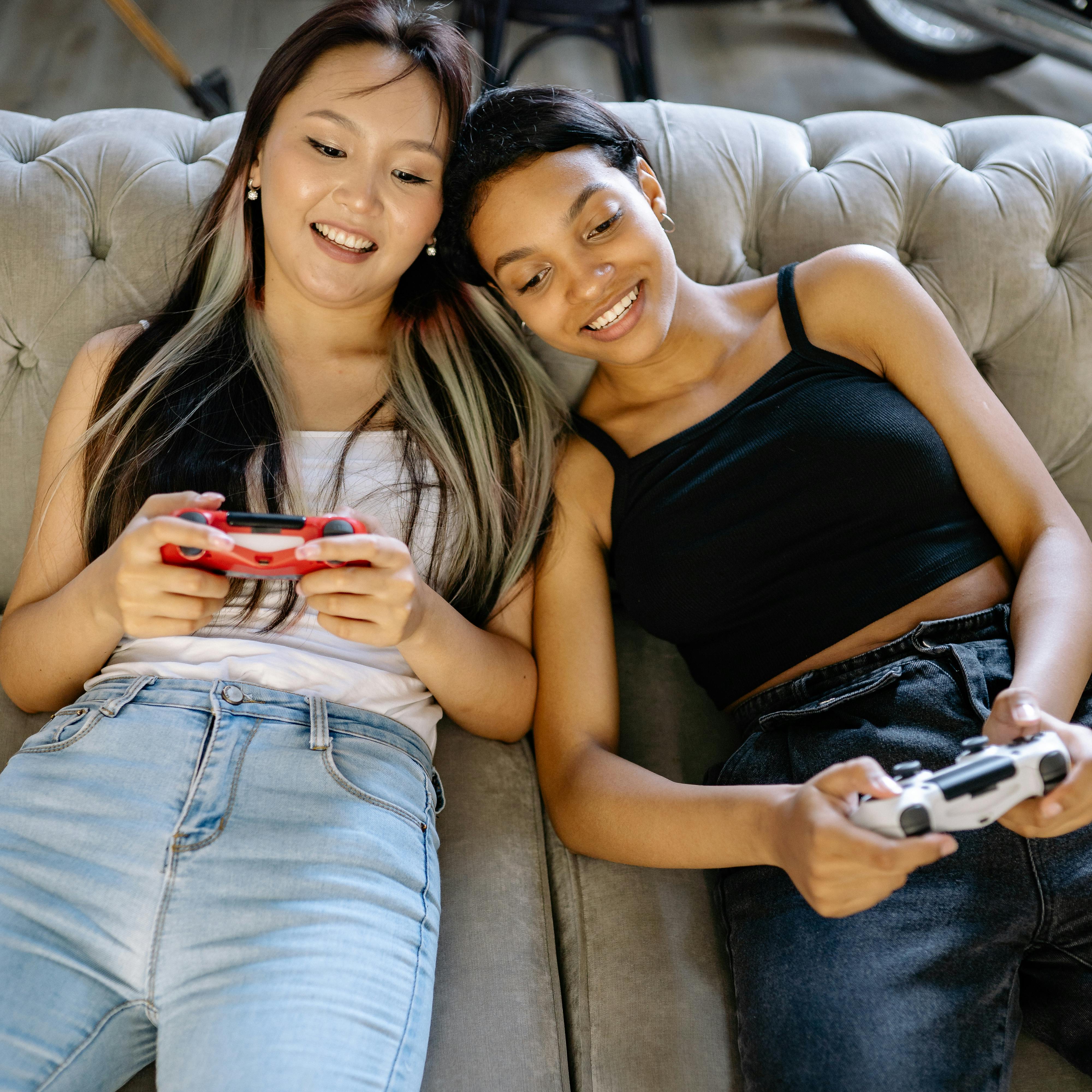
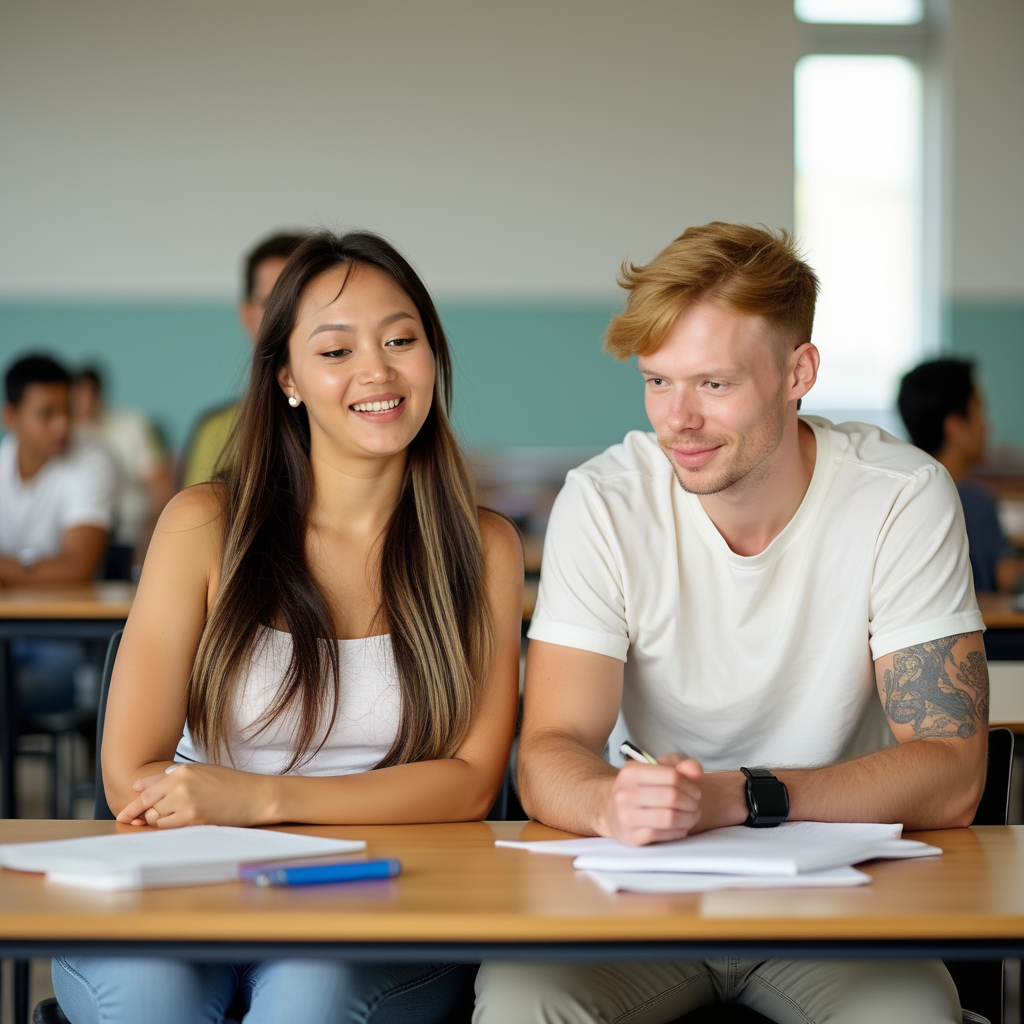
OmniGen은 입력 이미지의 인물과 객체를 기반으로 여러 이미지를 생성할 수 있으며, 여러 이미지를 동시에 입력하는 것을 지원합니다. 또한, OmniGen은 지시에 따라 여러 객체가 포함된 이미지에서 원하는 객체를 추출할 수 있습니다.
import torch
from diffusers import OmniGenPipeline
from diffusers.utils import load_image

pipe = OmniGenPipeline.from_pretrained(
    "Shitao/OmniGen-v1-diffusers",
    dtype=torch.bfloat16
)
pipe.to("cuda")  # or "mps", "xpu", "cpu"

prompt="A man and a woman are sitting at a classroom desk. The man is the man with yellow hair in <img><|image_1|></img>. The woman is the woman on the left of <img><|image_2|></img>"
input_image_1 = load_image("https://raw.githubusercontent.com/VectorSpaceLab/OmniGen/main/imgs/docs_img/3.png")
input_image_2 = load_image("https://raw.githubusercontent.com/VectorSpaceLab/OmniGen/main/imgs/docs_img/4.png")
input_images=[input_image_1, input_image_2]
image = pipe(
    prompt=prompt,
    input_images=input_images,
    height=1024,
    width=1024,
    guidance_scale=2.5,
    img_guidance_scale=1.6,
    generator=torch.Generator(device="cpu").manual_seed(666)
).images[0]
image.save("output.png")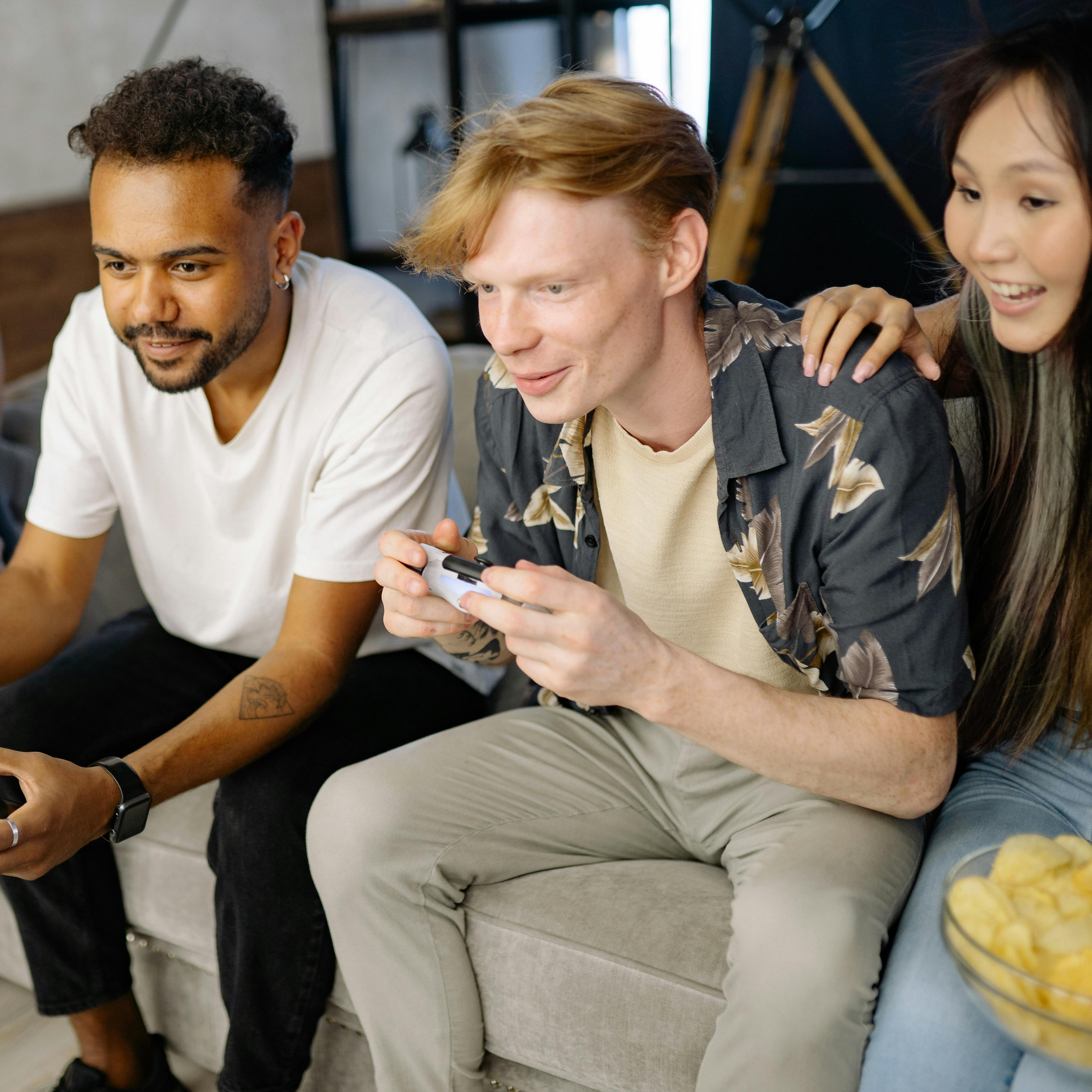
import torch
from diffusers import OmniGenPipeline
from diffusers.utils import load_image

pipe = OmniGenPipeline.from_pretrained(
    "Shitao/OmniGen-v1-diffusers",
    dtype=torch.bfloat16
)
pipe.to("cuda")  # or "mps", "xpu", "cpu"

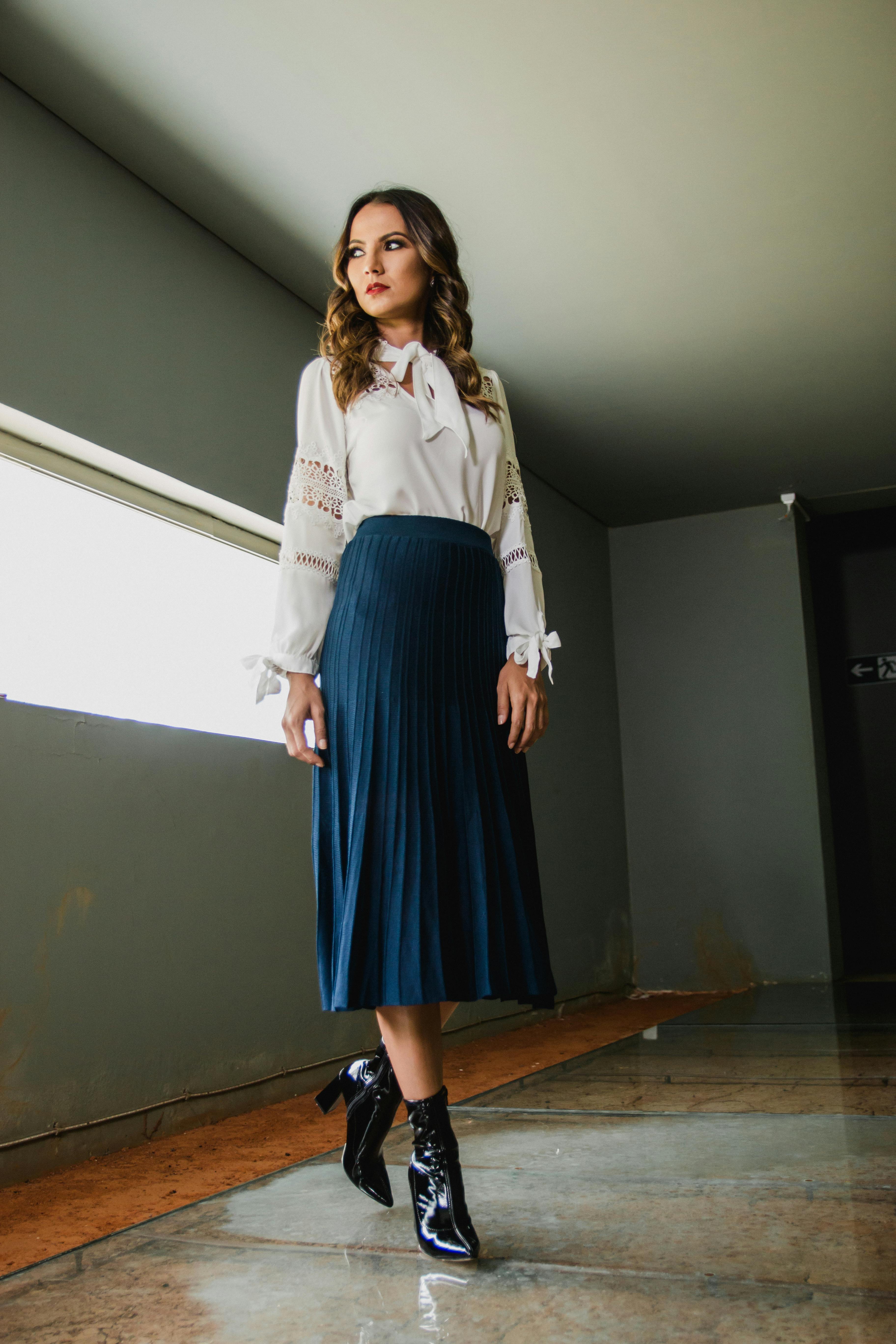
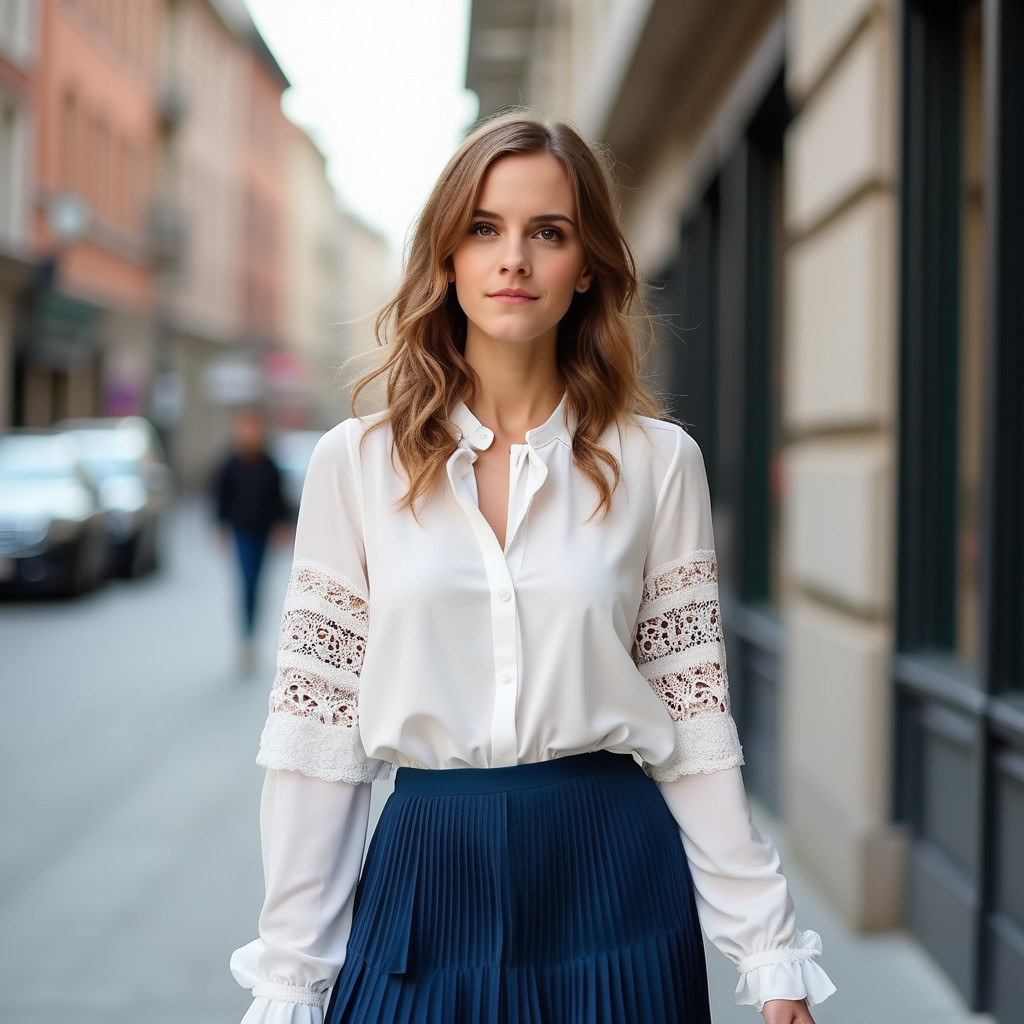
prompt="A woman is walking down the street, wearing a white long-sleeve blouse with lace details on the sleeves, paired with a blue pleated skirt. The woman is <img><|image_1|></img>. The long-sleeve blouse and a pleated skirt are <img><|image_2|></img>."
input_image_1 = load_image("https://raw.githubusercontent.com/VectorSpaceLab/OmniGen/main/imgs/docs_img/emma.jpeg")
input_image_2 = load_image("https://raw.githubusercontent.com/VectorSpaceLab/OmniGen/main/imgs/docs_img/dress.jpg")
input_images=[input_image_1, input_image_2]
image = pipe(
    prompt=prompt,
    input_images=input_images,
    height=1024,
    width=1024,
    guidance_scale=2.5,
    img_guidance_scale=1.6,
    generator=torch.Generator(device="cpu").manual_seed(666)
).images[0]
image.save("output.png")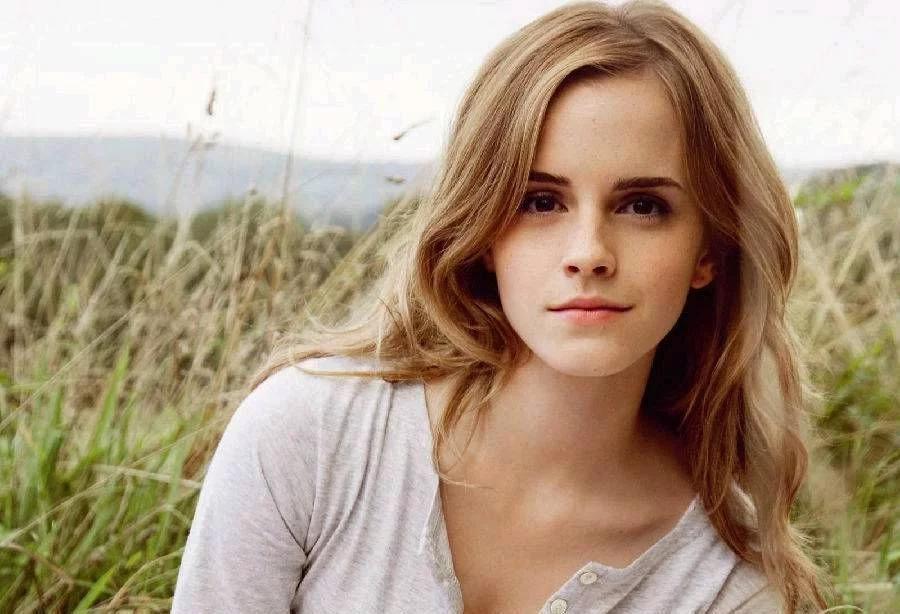
여러 이미지를 사용할 때 최적화
텍스트-이미지 생성 작업에서 OmniGen은 최소한의 메모리와 시간 비용(1024x1024 이미지의 경우 A800 GPU에서 9GB 메모리와 31초)이 필요합니다. 그러나 입력 이미지를 사용할 경우 계산 비용이 증가합니다.
여러 이미지를 사용할 때 계산 비용을 줄이는 데 도움이 되는 몇 가지 지침을 소개합니다. 실험은 A800 GPU에서 두 개의 입력 이미지를 사용하여 수행되었습니다.
다른 파이프라인과 마찬가지로, 모델을 오프로딩하여 메모리 사용량을 줄일 수 있습니다: pipe.enable_model_cpu_offload() 또는 pipe.enable_sequential_cpu_offload().
OmniGen에서는 max_input_image_size를 줄여 계산 오버헤드를 낮출 수도 있습니다.
다양한 이미지 크기에 따른 메모리 사용량은 아래 표에 나와 있습니다:
| 메서드 | 메모리 사용량 |
|---|---|
| max_input_image_size=1024 | 40GB |
| max_input_image_size=512 | 17GB |
| max_input_image_size=256 | 14GB |
OmniGenPipeline
클래스 diffusers.OmniGenPipeline
< source >( transformer: OmniGenTransformer2DModelscheduler: FlowMatchEulerDiscreteSchedulervae: AutoencoderKLtokenizer: LlamaTokenizer )
매개변수
- transformer (OmniGenTransformer2DModel) — OmniGen을 위한 자기 회귀형 Transformer 아키텍처.
- scheduler (FlowMatchEulerDiscreteScheduler) —
transformer와 함께 사용하여 인코딩된 이미지 latents의 노이즈를 제거하는 데 사용되는 스케줄러. - vae (AutoencoderKL) — 이미지를 잠재 표현으로 인코딩하고 디코딩하는 Variational Auto-Encoder (VAE) 모델.
- tokenizer (
LlamaTokenizer) — LlamaTokenizer 클래스의 텍스트 토크나이저.
멀티모달-이미지 생성을 위한 OmniGen 파이프라인.
참고: https://huggingface.co/papers/2409.11340
__call__
< source >( prompt: str | list[str]input_images: typing.Union[PIL.Image.Image, numpy.ndarray, torch.Tensor, list[PIL.Image.Image], list[numpy.ndarray], list[torch.Tensor], list[typing.Union[PIL.Image.Image, numpy.ndarray, torch.Tensor, list[PIL.Image.Image], list[numpy.ndarray], list[torch.Tensor]]]] = Noneheight: int | None = Nonewidth: int | None = Nonenum_inference_steps: int = 50max_input_image_size: int = 1024timesteps: list = Noneguidance_scale: float = 2.5img_guidance_scale: float = 1.6use_input_image_size_as_output: bool = Falsenum_images_per_prompt: int | None = 1generator: typing.Union[torch.Generator, list[torch.Generator], NoneType] = Nonelatents: typing.Optional[torch.Tensor] = Noneoutput_type: str | None = 'pil'return_dict: bool = Truecallback_on_step_end: typing.Optional[typing.Callable[[int, int], NoneType]] = Nonecallback_on_step_end_tensor_inputs: list = ['latents'] ) → ImagePipelineOutput or tuple
매개변수
- prompt (
str또는list[str], 선택 사항) — 이미지 생성을 안내하는 프롬프트입니다. 입력에 이미지가 포함된 경우, i번째 이미지의 위치를 나타내기 위해 프롬프트에<img><|image_i|></img>플레이스홀더를 추가해야 합니다. - input_images (
PipelineImageInput또는list[PipelineImageInput], 선택) — 입력 이미지 목록입니다. 프롬프트의 ”<|image_i|>”를 목록의 i번째 이미지로 대체합니다. - height (
int, 선택 사항, 기본값은 self.unet.config.sample_size * self.vae_scale_factor) — 생성된 이미지의 픽셀 단위 높이입니다. 최적의 결과를 위해 기본값은 1024로 설정됩니다. - width (
int, 선택 사항, 기본값은 self.unet.config.sample_size * self.vae_scale_factor) — 생성된 이미지의 픽셀 단위 너비입니다. 최적의 결과를 위해 기본값은 1024로 설정되어 있습니다. - num_inference_steps (
int, 선택 사항, 기본값 50) — 디노이징 단계의 수입니다. 디노이징 단계가 많을수록 일반적으로 더 높은 품질의 이미지를 생성하지만, 추론 속도가 느려집니다. - max_input_image_size (
int, 선택 사항, 기본값 1024) — 입력 이미지의 최대 크기입니다. 입력 이미지를 이 최대 크기로 자르는 데 사용됩니다. - timesteps (
list[int], 선택 사항) —timesteps인수를 지원하는 스케줄러의set_timesteps메서드에서 디노이징 과정에 사용할 커스텀 timesteps입니다. 정의되지 않은 경우,num_inference_steps가 전달될 때의 기본 동작이 사용됩니다. 내림차순으로 정렬되어 있어야 합니다. - guidance_scale (
float, 선택 사항, 기본값 2.5) — Classifier-Free Diffusion Guidance에서 정의한 가이던스 스케일입니다.guidance_scale은 Imagen Paper의 방정식 2의w로 정의됩니다.guidance_scale > 1로 설정하면 가이던스 스케일이 활성화됩니다. 가이던스 스케일이 높을수록prompt텍스트와 밀접하게 연결된 이미지를 생성하도록 유도하지만, 일반적으로 이미지 품질이 낮아지는 대가를 치릅니다. - img_guidance_scale (
float, 선택 사항, 기본값 1.6) — Instrucpix2pix의 3번 식으로 정의됩니다. - use_input_image_size_as_output (bool, 기본값 False) — 단일 이미지 입력, 예: 이미지 편집 작업에 사용할 수 있도록 입력 이미지 크기를 출력 이미지 크기로 사용할지 여부
- num_images_per_prompt (
int, 선택 사항, 기본값 1) — 프롬프트당 생성할 이미지의 수입니다. - generator (
torch.Generator또는list[torch.Generator], 선택 사항) — 생성을 결정적으로 만들기 위한 torch generator 하나 또는 목록 - latents (
torch.Tensor, 선택 사항) — 이미지 생성의 입력으로 사용할 가우시안 분포에서 샘플링된 사전 생성된 노이즈 latents입니다. 동일한 생성을 다른 프롬프트로 조정하는 데 사용할 수 있습니다. 제공되지 않으면, 제공된 랜덤generator를 사용하여 샘플링하여 latents 텐서가 생성됩니다. - output_type (
str, 선택 사항, 기본값"pil") — 이미지 생성의 출력 형식입니다. PIL:PIL.Image.Image또는np.array중 하나를 선택합니다. - return_dict (
bool, 선택 사항, 기본값True) — 일반 튜플 대신~pipelines.flux.FluxPipelineOutput를 반환할지 여부. - callback_on_step_end (
Callable, 선택 사항) — 추론 중 각 디노이징 단계의 끝에서 호출되는 함수입니다. 이 함수는 다음 인수를 받아 호출됩니다:callback_on_step_end(self: DiffusionPipeline, step: int, timestep: int, callback_kwargs: Dict).callback_kwargs에는callback_on_step_end_tensor_inputs로 지정된 모든 텐서 목록이 포함됩니다. - callback_on_step_end_tensor_inputs (
list, 선택 사항) —callback_on_step_end함수의 텐서 입력 목록입니다. 목록에 지정된 텐서는callback_kwargs인수로 전달됩니다. 파이프라인 클래스의._callback_tensor_inputs속성에 나열된 변수만 포함할 수 있습니다.
반환값
ImagePipelineOutput 또는 tuple
return_dict가 True인 경우 ImagePipelineOutput, 그렇지 않으면 tuple입니다. tuple을 반환할 경우 첫 번째 요소는 생성된 이미지의 목록입니다.
생성을 위해 파이프라인을 호출할 때 호출되는 함수.
예:
>>> import torch
>>> from diffusers import OmniGenPipeline

>>> pipe = OmniGenPipeline.from_pretrained("Shitao/OmniGen-v1-diffusers", torch_dtype=torch.bfloat16)
>>> pipe.to("cuda")

>>> prompt = "A cat holding a sign that says hello world"
>>> # Depending on the variant being used, the pipeline call will slightly vary.
>>> # Refer to the pipeline documentation for more details.
>>> image = pipe(prompt, num_inference_steps=50, guidance_scale=2.5).images[0]
>>> image.save("output.png")
Returns: ImagePipelineOutput 또는 tuple:
return_dict가 True인 경우 ImagePipelineOutput를 반환하고, 그렇지 않으면 생성된 이미지가 포함된 리스트가 첫 번째 요소인 tuple을 반환합니다.
encode_input_images
< source >( input_pixel_values: listdevice: typing.Optional[torch.device] = Nonedtype: typing.Optional[torch.dtype] = None )
VAE를 사용하여 입력 이미지의 continue embedding을 가져옵니다
torch.Tensor 반환