
Diffusers documentation
Latent Consistency Models
Latent Consistency Models

Latent Consistency Models(LCMs)은 Simian Luo, Yiqin Tan, Longbo Huang, Jian Li, Hang Zhao가 Latent Consistency Models: Synthesizing High-Resolution Images with Few-Step Inference에서 제안했습니다.
해당 논문의 초록은 다음과 같습니다:
Latent Diffusion models(LDM)은 고해상도 이미지 합성에서 뛰어난 결과를 달성했습니다. 그러나 반복적인 샘플링 과정은 계산 비용이 크고 생성 속도를 늦추는 원인이 됩니다. Consistency Models(song et al.)에서 영감을 받아, 우리는 Latent Consistency Models(LCM)을 제안합니다. LCM은 Stable Diffusion(rombach et al)을 포함한 모든 사전 학습된 LDM에서 최소한의 단계로 빠른 추론을 가능하게 합니다. 유도된 역방향 확산 과정을 증강된 확률 흐름 ODE(PF-ODE)의 문제로 보고, LCM은 잠재 공간에서 해당 ODE의 해를 직접 예측하도록 설계되어 반복 횟수를 줄이고 빠르며 고충실도의 샘플링을 허용합니다. 사전 학습된 classifier-free guided diffusion 모델로부터 효율적으로 증류된 LCM은 고품질의 768 x 768 2~4단계 LCM을 학습하는 데 A100 GPU 시간 32시간만 소요됩니다. 또한, 우리는 사용자 정의 이미지 데이터셋에서 LCM을 fine-tuning하도록 설계된 새로운 방법인 Latent Consistency Fine-tuning(LCF)을 소개합니다. LAION-5B-Aesthetics 데이터셋에 대한 평가는 LCM이 소수의 단계로 추론하여 최첨단(text-to-image) 텍스트-이미지 생성 성능을 달성함을 보여줍니다. 프로젝트 페이지: this https URL.
SimianLuo/LCM_Dreamshaper_v7 체크포인트 데모는 여기에서 확인할 수 있습니다.
파이프라인은 luosiallen, nagolinc, dg845가 기여했습니다.
LCM 및 LCM-LoRA는 Stable Diffusion v1.5, Stable Diffusion XL, SSD-1B 모델에서 사용할 수 있습니다. Latent Consistency 컬렉션에서 해당 체크포인트를 찾을 수 있습니다.
텍스트-이미지
LCM을 사용하려면 지원되는 모델의 LCM 체크포인트를 UNet2DConditionModel에 로드하고 스케줄러를 LCMScheduler로 교체해야 합니다. 그런 다음 파이프라인을 평소처럼 사용하면서 텍스트 프롬프트를 전달하여 단 4단계 만에 이미지를 생성할 수 있습니다.
LCM을 사용할 때 고려해야 할 몇 가지 사항은 다음과 같습니다:
- 일반적으로 classifier-free guidance를 위해 파이프라인 내부에서 배치 크기가 두 배로 증가합니다. 그러나 LCM은 guidance embeddings를 사용하여 guidance를 적용하므로 배치 크기를 두 배로 늘릴 필요가 없으며, 이로 인해 추론 속도가 빨라집니다. 단점으로는 negative prompts가 LCM과 함께 작동하지 않는다는 점인데, 이는 denoising 과정에 영향을 미치지 않기 때문입니다.
guidance_scale의 이상적인 범위는 [3., 13.]입니다. UNet이 이 범위로 학습되었기 때문입니다. 그러나 대부분의 경우 1.0 값을 사용하여guidance_scale을 비활성화하는 것도 효과적입니다.
from diffusers import StableDiffusionXLPipeline, UNet2DConditionModel, LCMScheduler
import torch

unet = UNet2DConditionModel.from_pretrained(
    "latent-consistency/lcm-sdxl",
    dtype=torch.float16,
    variant="fp16",
)
pipe = StableDiffusionXLPipeline.from_pretrained(
    "stabilityai/stable-diffusion-xl-base-1.0", unet=unet, dtype=torch.float16, variant="fp16",
).to("cuda")  # or "mps", "xpu", "cpu"
pipe.scheduler = LCMScheduler.from_config(pipe.scheduler.config)

prompt = "Self-portrait oil painting, a beautiful cyborg with golden hair, 8k"
generator = torch.manual_seed(0)
image = pipe(
    prompt=prompt, num_inference_steps=4, generator=generator, guidance_scale=8.0
).images[0]
image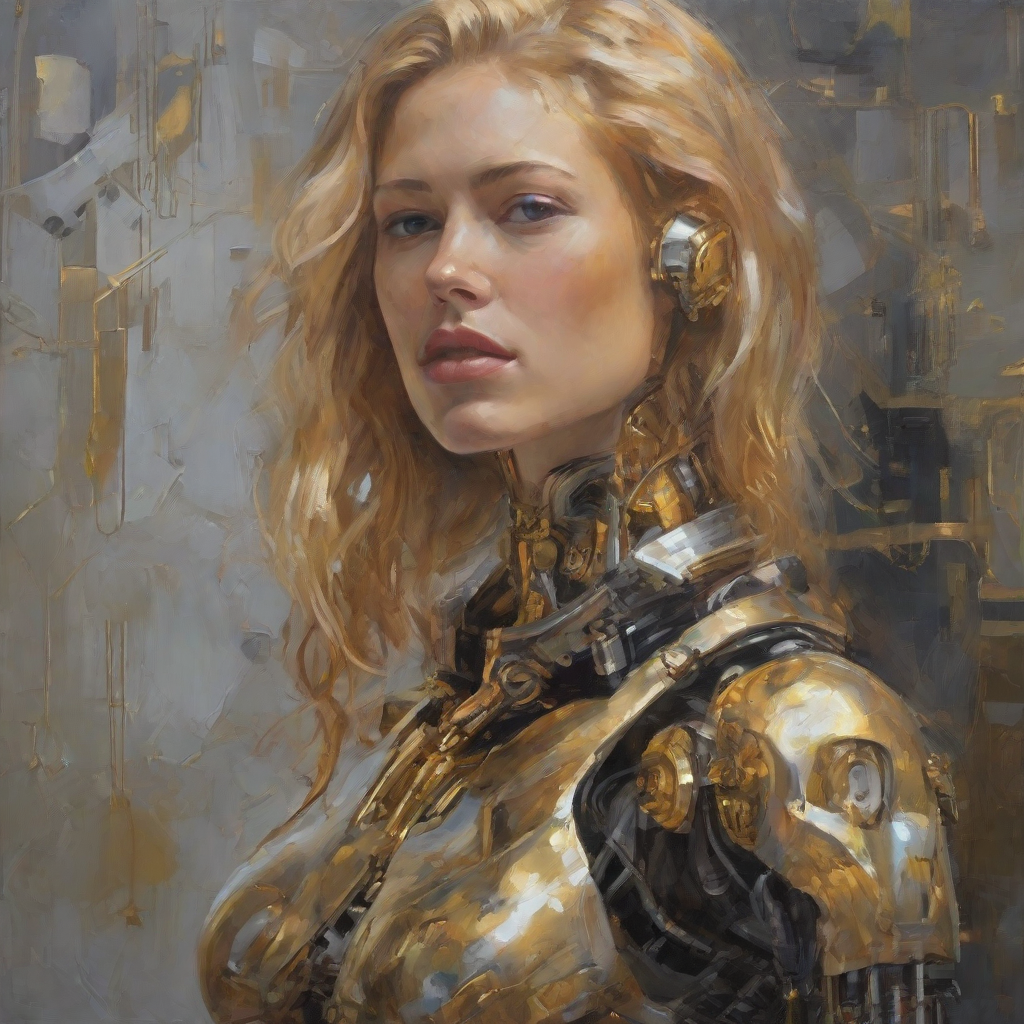
LCM-LoRA를 사용하려면 스케줄러를 LCMScheduler로 교체하고 load_lora_weights() 메서드로 LCM-LoRA 가중치를 로드해야 합니다. 그런 다음 파이프라인을 평소처럼 사용하면서 텍스트 프롬프트를 전달하면 단 4단계로 이미지를 생성할 수 있습니다.
LCM-LoRA를 사용할 때 몇 가지 참고할 사항이 있습니다:
- 일반적으로 classifier-free guidance를 위해 파이프라인 내부에서 배치 크기가 두 배로 증가합니다. 그러나 LCM은 guidance embeddings를 사용하여 guidance를 적용하므로 배치 크기를 두 배로 늘릴 필요가 없으며, 이로 인해 추론 속도가 빨라집니다. 단점으로는 negative prompts가 LCM과 함께 작동하지 않는다는 점인데, 이는 denoising 과정에 영향을 미치지 않기 때문입니다.
- LCM-LoRA와 함께 guidance를 사용할 수 있지만, 높은
guidance_scale값에 매우 민감하여 생성된 이미지에 아티팩트가 발생할 수 있습니다. 우리가 발견한 최적의 값은 [1.0, 2.0] 사이입니다. - stabilityai/stable-diffusion-xl-base-1.0를 미세 조정된 모델로 교체하세요. 예를 들어, animagine-xl 체크포인트를 사용하여 SDXL로 애니메이션 이미지를 생성해 보세요.
import torch
from diffusers import DiffusionPipeline, LCMScheduler

pipe = DiffusionPipeline.from_pretrained(
    "stabilityai/stable-diffusion-xl-base-1.0",
    variant="fp16",
    dtype=torch.float16
).to("cuda")  # or "mps", "xpu", "cpu"
pipe.scheduler = LCMScheduler.from_config(pipe.scheduler.config)
pipe.load_lora_weights("latent-consistency/lcm-lora-sdxl")

prompt = "Self-portrait oil painting, a beautiful cyborg with golden hair, 8k"
generator = torch.manual_seed(42)
image = pipe(
    prompt=prompt, num_inference_steps=4, generator=generator, guidance_scale=1.0
).images[0]
image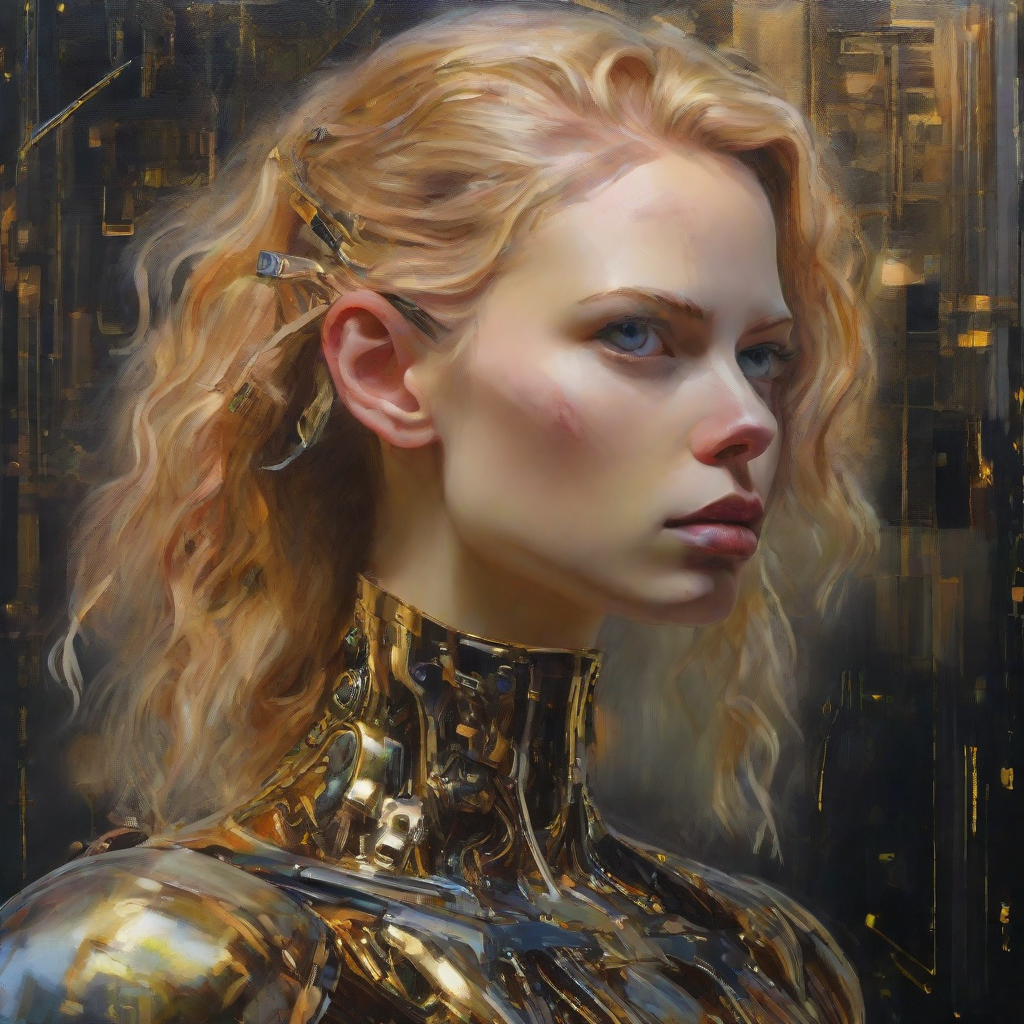
이미지-이미지
이미지에서 이미지로 LCM을 사용하려면 지원되는 모델의 LCM 체크포인트를 UNet2DConditionModel에 로드하고 스케줄러를 LCMScheduler로 교체해야 합니다. 그런 다음 파이프라인을 평소처럼 사용하면서 텍스트 프롬프트와 초기 이미지를 전달하면 단 4단계로 이미지를 생성할 수 있습니다.
num_inference_steps,strength,guidance_scale의 값을 다양하게 변경하여 최적의 결과를 얻으세요.
import torch
from diffusers import AutoPipelineForImage2Image, UNet2DConditionModel, LCMScheduler
from diffusers.utils import load_image

unet = UNet2DConditionModel.from_pretrained(
    "SimianLuo/LCM_Dreamshaper_v7",
    subfolder="unet",
    dtype=torch.float16,
)

pipe = AutoPipelineForImage2Image.from_pretrained(
    "Lykon/dreamshaper-7",
    unet=unet,
    dtype=torch.float16,
    variant="fp16",
).to("cuda")  # or "mps", "xpu", "cpu"
pipe.scheduler = LCMScheduler.from_config(pipe.scheduler.config)

init_image = load_image("https://huggingface.co/datasets/huggingface/documentation-images/resolve/main/diffusers/img2img-init.png")
prompt = "Astronauts in a jungle, cold color palette, muted colors, detailed, 8k"
generator = torch.manual_seed(0)
image = pipe(
    prompt,
    image=init_image,
    num_inference_steps=4,
    guidance_scale=7.5,
    strength=0.5,
    generator=generator
).images[0]
image

이미지-대-이미지 변환에 LCM-LoRA를 사용하려면 스케줄러를 LCMScheduler로 교체하고 load_lora_weights() 메서드로 LCM-LoRA 가중치를 로드해야 합니다. 그런 다음 파이프라인을 평소처럼 사용하면서 텍스트 프롬프트와 초기 이미지를 전달하면 단 4단계 만에 이미지를 생성할 수 있습니다.
num_inference_steps,strength,guidance_scale의 값을 다양하게 변경하여 최적의 결과를 얻으세요.
import torch
from diffusers import AutoPipelineForImage2Image, LCMScheduler
from diffusers.utils import make_image_grid, load_image

pipe = AutoPipelineForImage2Image.from_pretrained(
    "Lykon/dreamshaper-7",
    dtype=torch.float16,
    variant="fp16",
).to("cuda")  # or "mps", "xpu", "cpu"

pipe.scheduler = LCMScheduler.from_config(pipe.scheduler.config)

pipe.load_lora_weights("latent-consistency/lcm-lora-sdv1-5")

init_image = load_image("https://huggingface.co/datasets/huggingface/documentation-images/resolve/main/diffusers/img2img-init.png")
prompt = "Astronauts in a jungle, cold color palette, muted colors, detailed, 8k"

generator = torch.manual_seed(0)
image = pipe(
    prompt,
    image=init_image,
    num_inference_steps=4,
    guidance_scale=1,
    strength=0.6,
    generator=generator
).images[0]
image 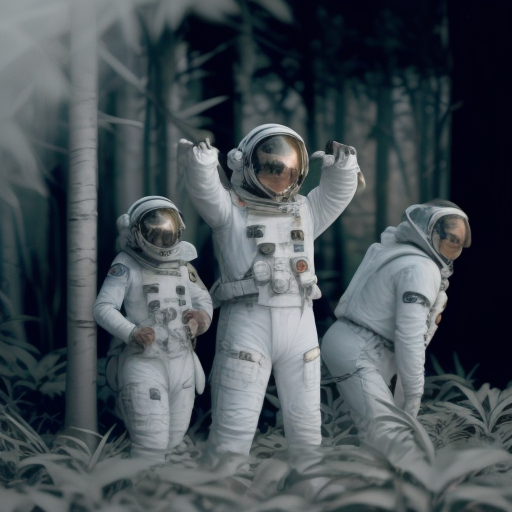
인페인팅
인페인팅에 LCM-LoRA를 사용하려면 스케줄러를 LCMScheduler로 교체하고 load_lora_weights() 메서드로 LCM-LoRA 가중치를 로드해야 합니다. 그런 다음 파이프라인을 평소처럼 사용하면서 텍스트 프롬프트, 초기 이미지, 마스크 이미지를 전달하면 단 4단계로 이미지를 생성할 수 있습니다.
import torch
from diffusers import AutoPipelineForInpainting, LCMScheduler
from diffusers.utils import load_image, make_image_grid

pipe = AutoPipelineForInpainting.from_pretrained(
    "stable-diffusion-v1-5/stable-diffusion-inpainting",
    dtype=torch.float16,
    variant="fp16",
).to("cuda")  # or "mps", "xpu", "cpu"

pipe.scheduler = LCMScheduler.from_config(pipe.scheduler.config)

pipe.load_lora_weights("latent-consistency/lcm-lora-sdv1-5")

init_image = load_image("https://huggingface.co/datasets/huggingface/documentation-images/resolve/main/diffusers/inpaint.png")
mask_image = load_image("https://huggingface.co/datasets/huggingface/documentation-images/resolve/main/diffusers/inpaint_mask.png")

prompt = "concept art digital painting of an elven castle, inspired by lord of the rings, highly detailed, 8k"
generator = torch.manual_seed(0)
image = pipe(
    prompt=prompt,
    image=init_image,
    mask_image=mask_image,
    generator=generator,
    num_inference_steps=4,
    guidance_scale=4,
).images[0]
image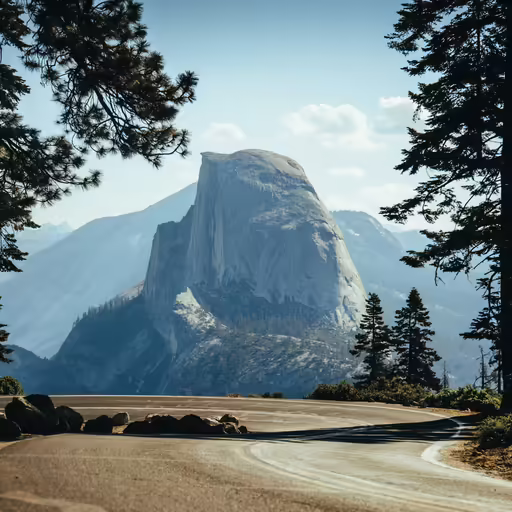

어댑터
LCM은 LoRA, ControlNet, T2I-Adapter, AnimateDiff와 같은 어댑터와 호환됩니다. LCM의 속도를 이러한 어댑터에 적용하여 특정 스타일로 이미지를 생성하거나 canny 이미지와 같은 다른 입력으로 모델을 조건화할 수 있습니다.
LoRA
LoRA 어댑터는 이미지 몇 장만으로 새로운 스타일을 빠르게 학습할 수 있으며, 사전 학습된 모델에 적용하여 해당 스타일의 이미지를 생성할 수 있습니다.
지원되는 모델의 LCM 체크포인트를 UNet2DConditionModel에 로드하고 스케줄러를 LCMScheduler로 교체합니다. 그런 다음 load_lora_weights() 메서드를 사용하여 LoRA 가중치를 LCM에 로드하고 몇 단계 만에 스타일화된 이미지를 생성할 수 있습니다.
from diffusers import StableDiffusionXLPipeline, UNet2DConditionModel, LCMScheduler
import torch

unet = UNet2DConditionModel.from_pretrained(
    "latent-consistency/lcm-sdxl",
    dtype=torch.float16,
    variant="fp16",
)
pipe = StableDiffusionXLPipeline.from_pretrained(
    "stabilityai/stable-diffusion-xl-base-1.0", unet=unet, dtype=torch.float16, variant="fp16",
).to("cuda")  # or "mps", "xpu", "cpu"
pipe.scheduler = LCMScheduler.from_config(pipe.scheduler.config)
pipe.load_lora_weights("TheLastBen/Papercut_SDXL", weight_name="papercut.safetensors", adapter_name="papercut")

prompt = "papercut, a cute fox"
generator = torch.manual_seed(0)
image = pipe(
    prompt=prompt, num_inference_steps=4, generator=generator, guidance_scale=8.0
).images[0]
image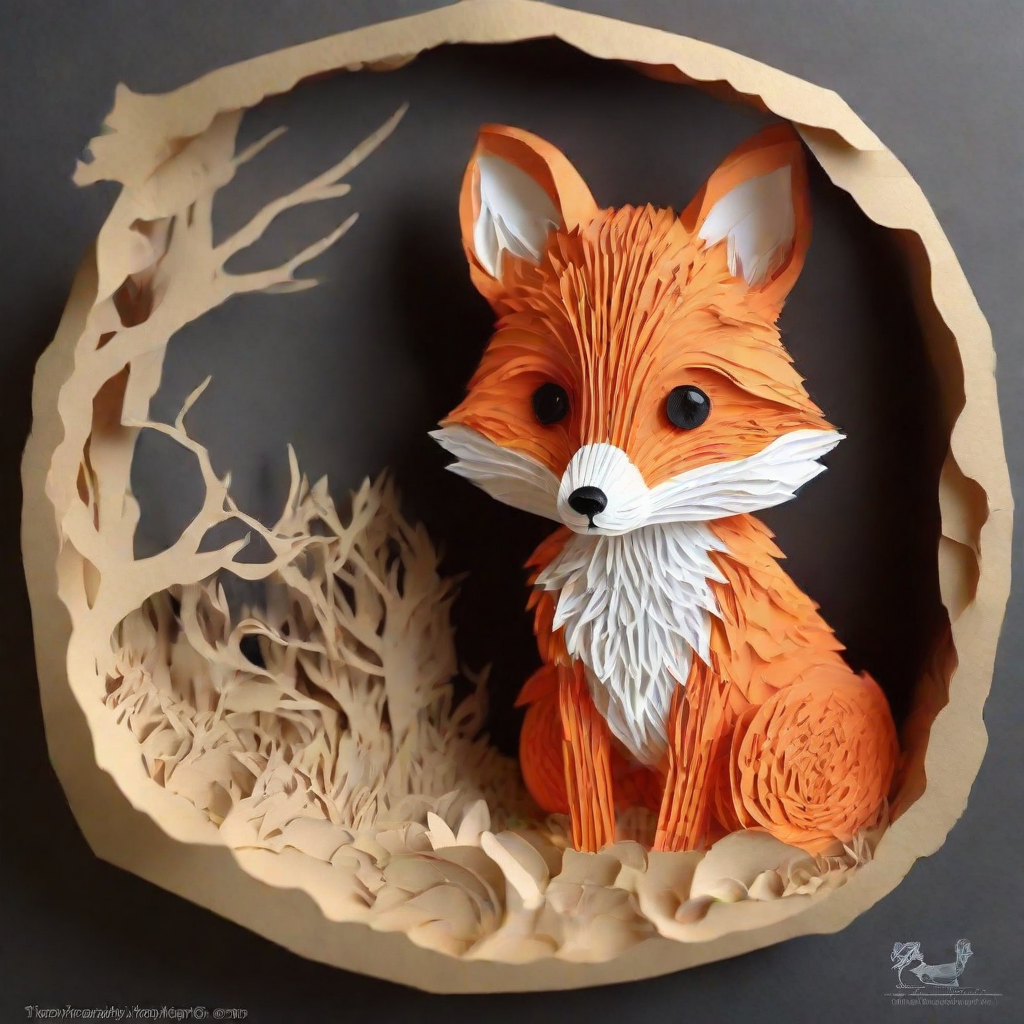
LCMScheduler로 스케줄러를 교체합니다. 그런 다음 load_lora_weights() 메서드를 사용하여 LCM-LoRA 가중치와 사용하려는 스타일 LoRA를 로드할 수 있습니다. 두 LoRA 어댑터를 ~loaders.UNet2DConditionLoadersMixin.set_adapters 메서드로 결합하고 몇 단계 만에 스타일화된 이미지를 생성합니다.
import torch
from diffusers import DiffusionPipeline, LCMScheduler

pipe = DiffusionPipeline.from_pretrained(
    "stabilityai/stable-diffusion-xl-base-1.0",
    variant="fp16",
    dtype=torch.float16
).to("cuda")  # or "mps", "xpu", "cpu"

pipe.scheduler = LCMScheduler.from_config(pipe.scheduler.config)

pipe.load_lora_weights("latent-consistency/lcm-lora-sdxl", adapter_name="lcm")
pipe.load_lora_weights("TheLastBen/Papercut_SDXL", weight_name="papercut.safetensors", adapter_name="papercut")

pipe.set_adapters(["lcm", "papercut"], adapter_weights=[1.0, 0.8])

prompt = "papercut, a cute fox"
generator = torch.manual_seed(0)
image = pipe(prompt, num_inference_steps=4, guidance_scale=1, generator=generator).images[0]
image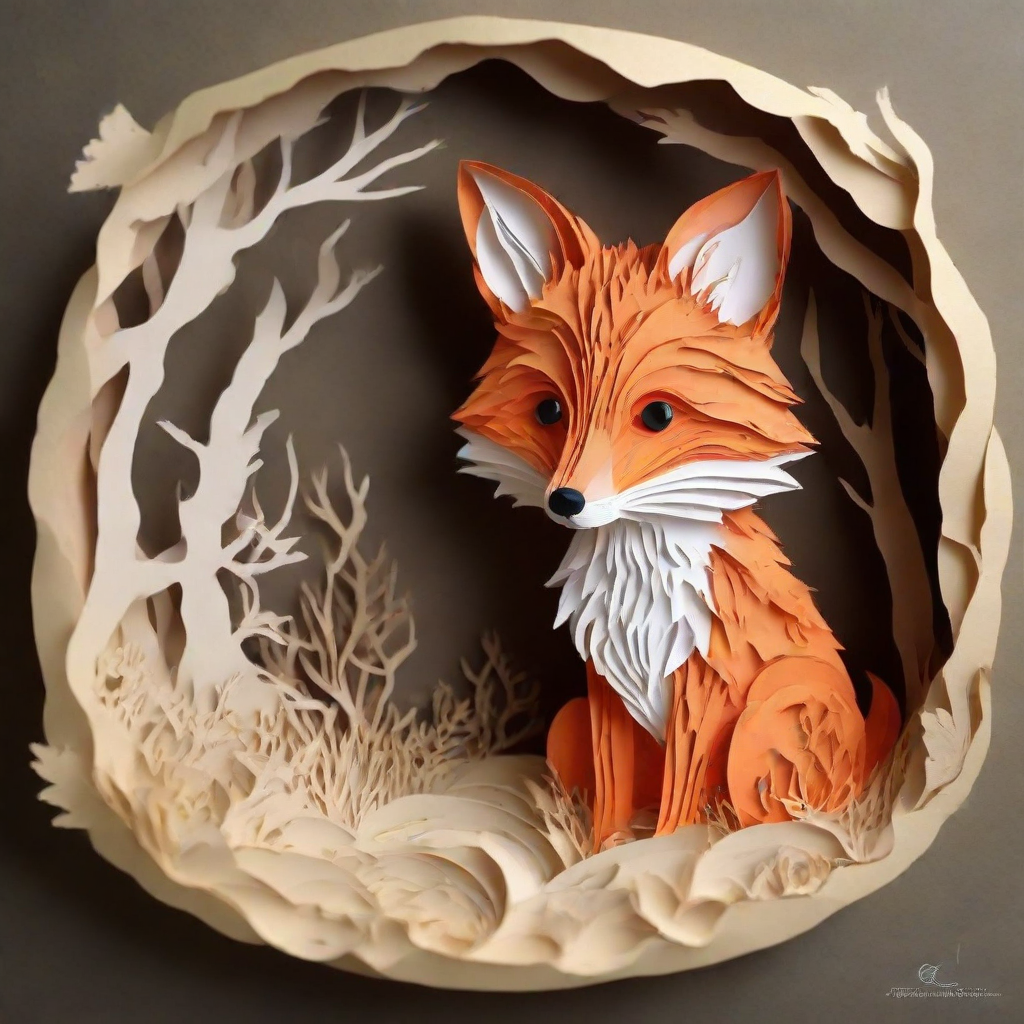
ControlNet
ControlNet은 canny edge, pose estimation, depth 등 다양한 입력으로 학습할 수 있는 어댑터입니다. ControlNet은 파이프라인에 삽입하여 모델에 추가적인 조건화와 제어를 제공함으로써 더 정확한 생성을 가능하게 합니다.
다른 입력으로 학습된 추가 ControlNet 모델은 lllyasviel의 저장소에서 찾을 수 있습니다.
canny 이미지로 학습된 ControlNet 모델을 로드하여 ControlNetModel에 전달합니다. 그런 다음 LCM 모델을 StableDiffusionControlNetPipeline에 로드하고 스케줄러를 LCMScheduler로 교체합니다. 이제 canny 이미지를 파이프라인에 전달하여 이미지를 생성합니다.
최적의 결과를 얻기 위해
num_inference_steps,controlnet_conditioning_scale,cross_attention_kwargs,guidance_scale의 값을 다양하게 실험해 보세요.
import torch
import cv2
import numpy as np
from PIL import Image

from diffusers import StableDiffusionControlNetPipeline, ControlNetModel, LCMScheduler
from diffusers.utils import load_image, make_image_grid

image = load_image(
    "https://hf.co/datasets/huggingface/documentation-images/resolve/main/diffusers/input_image_vermeer.png"
).resize((512, 512))

image = np.array(image)

low_threshold = 100
high_threshold = 200

image = cv2.Canny(image, low_threshold, high_threshold)
image = image[:, :, None]
image = np.concatenate([image, image, image], axis=2)
canny_image = Image.fromarray(image)

controlnet = ControlNetModel.from_pretrained("lllyasviel/sd-controlnet-canny", dtype=torch.float16)
pipe = StableDiffusionControlNetPipeline.from_pretrained(
    "SimianLuo/LCM_Dreamshaper_v7",
    controlnet=controlnet,
    dtype=torch.float16,
    safety_checker=None,
).to("cuda")  # or "mps", "xpu", "cpu"
pipe.scheduler = LCMScheduler.from_config(pipe.scheduler.config)

generator = torch.manual_seed(0)
image = pipe(
    "the mona lisa",
    image=canny_image,
    num_inference_steps=4,
    generator=generator,
).images[0]
make_image_grid([canny_image, image], rows=1, cols=2)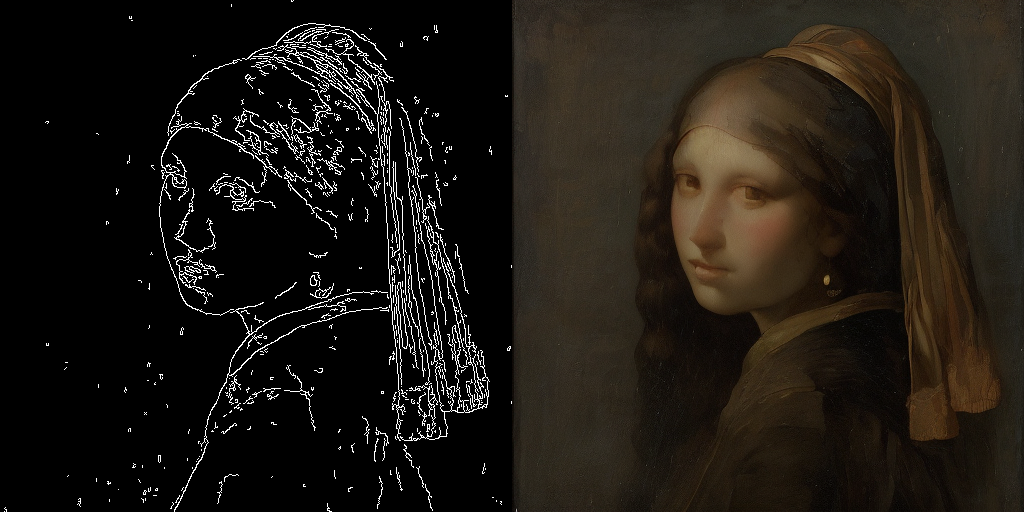
canny 이미지로 학습된 ControlNet 모델을 로드하여 ControlNetModel에 전달합니다. 그런 다음 Stable Diffusion v1.5 모델을 StableDiffusionControlNetPipeline에 로드하고 스케줄러를 LCMScheduler로 교체합니다. load_lora_weights() 메서드를 사용하여 LCM-LoRA 가중치를 로드하고, canny 이미지를 파이프라인에 전달하여 이미지를 생성합니다.
최적의 결과를 얻기 위해
num_inference_steps,controlnet_conditioning_scale,cross_attention_kwargs,guidance_scale의 값을 다양하게 실험해 보세요.
import torch
import cv2
import numpy as np
from PIL import Image

from diffusers import StableDiffusionControlNetPipeline, ControlNetModel, LCMScheduler
from diffusers.utils import load_image

image = load_image(
    "https://hf.co/datasets/huggingface/documentation-images/resolve/main/diffusers/input_image_vermeer.png"
).resize((512, 512))

image = np.array(image)

low_threshold = 100
high_threshold = 200

image = cv2.Canny(image, low_threshold, high_threshold)
image = image[:, :, None]
image = np.concatenate([image, image, image], axis=2)
canny_image = Image.fromarray(image)

controlnet = ControlNetModel.from_pretrained("lllyasviel/sd-controlnet-canny", dtype=torch.float16)
pipe = StableDiffusionControlNetPipeline.from_pretrained(
    "stable-diffusion-v1-5/stable-diffusion-v1-5",
    controlnet=controlnet,
    dtype=torch.float16,
    safety_checker=None,
    variant="fp16"
).to("cuda")  # or "mps", "xpu", "cpu"

pipe.scheduler = LCMScheduler.from_config(pipe.scheduler.config)

pipe.load_lora_weights("latent-consistency/lcm-lora-sdv1-5")

generator = torch.manual_seed(0)
image = pipe(
    "the mona lisa",
    image=canny_image,
    num_inference_steps=4,
    guidance_scale=1.5,
    controlnet_conditioning_scale=0.8,
    cross_attention_kwargs={"scale": 1},
    generator=generator,
).images[0]
image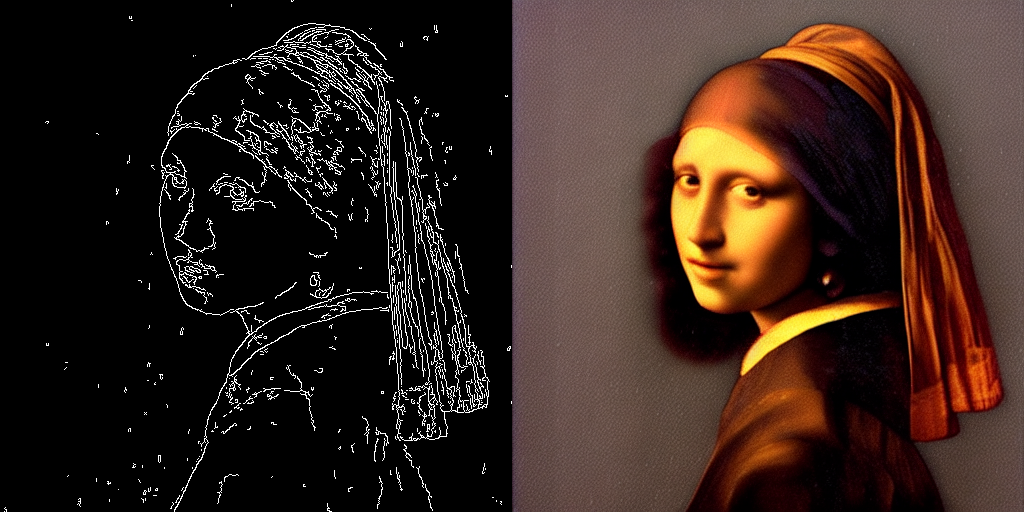
T2I-Adapter
T2I-Adapter는 ControlNet보다 더 가벼운 어댑터로, 사전 학습된 모델에 조건을 부여하기 위한 추가 입력을 제공합니다. ControlNet보다 빠르지만, 결과가 약간 나쁠 수 있습니다.
다른 입력으로 학습된 추가 T2I-Adapter 체크포인트는 TencentArc의 저장소에서 찾을 수 있습니다.
canny 이미지로 학습된 T2IAdapter를 로드하고 StableDiffusionXLAdapterPipeline에 전달합니다. 그런 다음 LCM 체크포인트를 UNet2DConditionModel에 로드하고 스케줄러를 LCMScheduler로 교체합니다. 이제 canny 이미지를 파이프라인에 전달하여 이미지를 생성합니다.
import torch
import cv2
import numpy as np
from PIL import Image

from diffusers import StableDiffusionXLAdapterPipeline, UNet2DConditionModel, T2IAdapter, LCMScheduler
from diffusers.utils import load_image, make_image_grid

# detect the canny map in low resolution to avoid high-frequency details
image = load_image(
    "https://hf.co/datasets/huggingface/documentation-images/resolve/main/diffusers/input_image_vermeer.png"
).resize((384, 384))

image = np.array(image)

low_threshold = 100
high_threshold = 200

image = cv2.Canny(image, low_threshold, high_threshold)
image = image[:, :, None]
image = np.concatenate([image, image, image], axis=2)
canny_image = Image.fromarray(image).resize((1024, 1216))

adapter = T2IAdapter.from_pretrained("TencentARC/t2i-adapter-canny-sdxl-1.0", dtype=torch.float16, variant="fp16").to("cuda")  # or "mps", "xpu", "cpu"

unet = UNet2DConditionModel.from_pretrained(
    "latent-consistency/lcm-sdxl",
    dtype=torch.float16,
    variant="fp16",
)
pipe = StableDiffusionXLAdapterPipeline.from_pretrained(
    "stabilityai/stable-diffusion-xl-base-1.0",
    unet=unet,
    adapter=adapter,
    dtype=torch.float16,
    variant="fp16",
).to("cuda")

pipe.scheduler = LCMScheduler.from_config(pipe.scheduler.config)

prompt = "the mona lisa, 4k picture, high quality"
negative_prompt = "extra digit, fewer digits, cropped, worst quality, low quality, glitch, deformed, mutated, ugly, disfigured"

generator = torch.manual_seed(0)
image = pipe(
    prompt=prompt,
    negative_prompt=negative_prompt,
    image=canny_image,
    num_inference_steps=4,
    guidance_scale=5,
    adapter_conditioning_scale=0.8,
    adapter_conditioning_factor=1,
    generator=generator,
).images[0]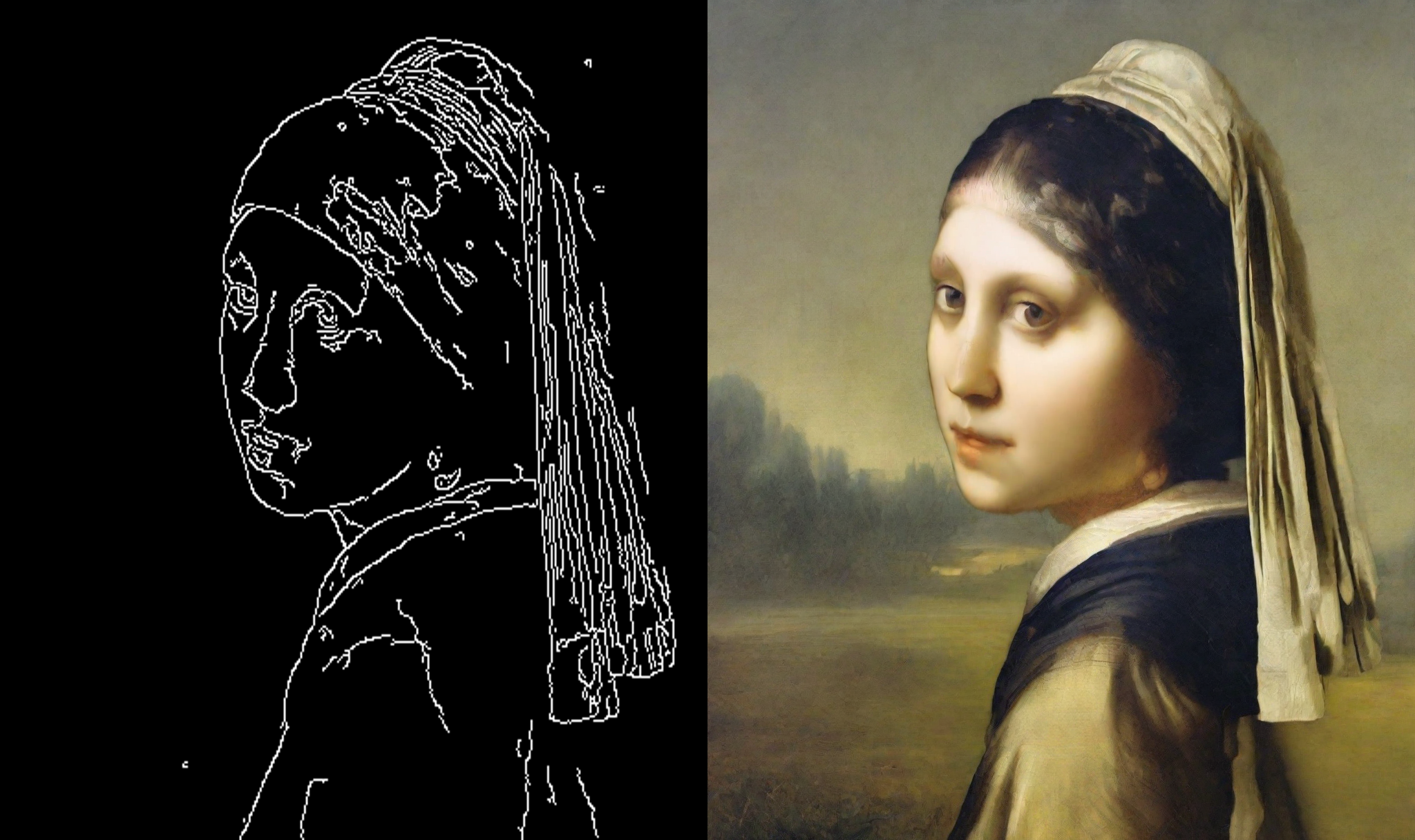
canny 이미지로 학습된 T2IAdapter를 로드하고 StableDiffusionXLAdapterPipeline에 전달합니다. 스케줄러를 LCMScheduler로 교체하고, load_lora_weights() 메서드를 사용하여 LCM-LoRA 가중치를 로드합니다. canny 이미지를 파이프라인에 전달하여 이미지를 생성합니다.
import torch
import cv2
import numpy as np
from PIL import Image

from diffusers import StableDiffusionXLAdapterPipeline, UNet2DConditionModel, T2IAdapter, LCMScheduler
from diffusers.utils import load_image, make_image_grid

# detect the canny map in low resolution to avoid high-frequency details
image = load_image(
    "https://hf.co/datasets/huggingface/documentation-images/resolve/main/diffusers/input_image_vermeer.png"
).resize((384, 384))

image = np.array(image)

low_threshold = 100
high_threshold = 200

image = cv2.Canny(image, low_threshold, high_threshold)
image = image[:, :, None]
image = np.concatenate([image, image, image], axis=2)
canny_image = Image.fromarray(image).resize((1024, 1024))

adapter = T2IAdapter.from_pretrained("TencentARC/t2i-adapter-canny-sdxl-1.0", dtype=torch.float16, variant="fp16").to("cuda")  # or "mps", "xpu", "cpu"

pipe = StableDiffusionXLAdapterPipeline.from_pretrained(
    "stabilityai/stable-diffusion-xl-base-1.0",
    adapter=adapter,
    dtype=torch.float16,
    variant="fp16",
).to("cuda")

pipe.scheduler = LCMScheduler.from_config(pipe.scheduler.config)

pipe.load_lora_weights("latent-consistency/lcm-lora-sdxl")

prompt = "the mona lisa, 4k picture, high quality"
negative_prompt = "extra digit, fewer digits, cropped, worst quality, low quality, glitch, deformed, mutated, ugly, disfigured"

generator = torch.manual_seed(0)
image = pipe(
    prompt=prompt,
    negative_prompt=negative_prompt,
    image=canny_image,
    num_inference_steps=4,
    guidance_scale=1.5,
    adapter_conditioning_scale=0.8,
    adapter_conditioning_factor=1,
    generator=generator,
).images[0]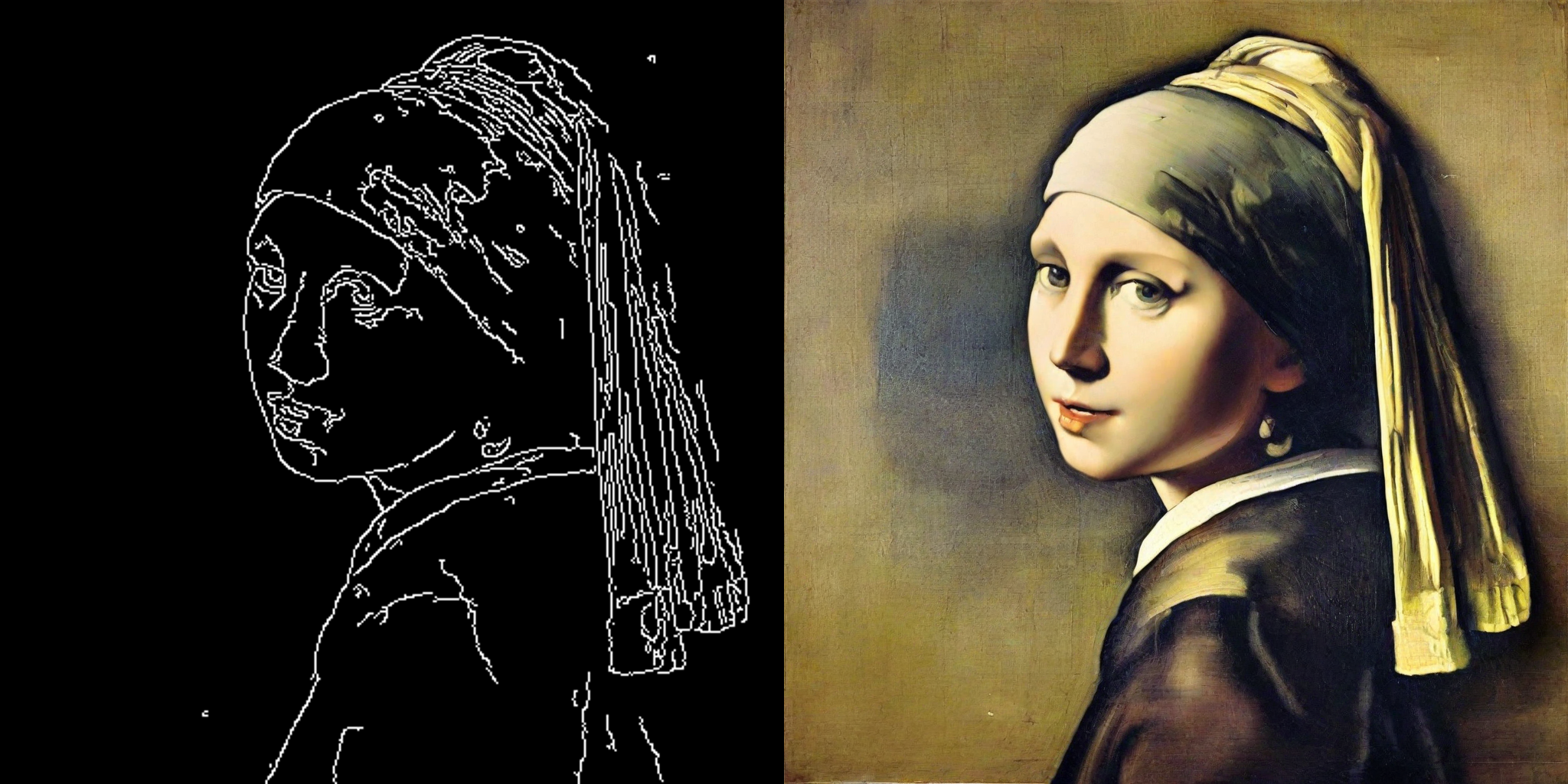
AnimateDiff
AnimateDiff는 이미지에 동작을 추가하는 어댑터입니다. 대부분의 Stable Diffusion 모델과 함께 사용할 수 있으며, 이를 통해 해당 모델을 사실상 “비디오 생성” 모델로 전환할 수 있습니다. 비디오 모델로 좋은 결과를 생성하려면 일반적으로 여러 프레임(16~24개)을 생성해야 하며, 이는 일반적인 Stable Diffusion 모델에서 매우 느릴 수 있습니다. LCM-LoRA는 각 프레임당 4~8단계만 소요되므로 이 과정을 가속화할 수 있습니다.
AnimateDiffPipeline를 로드하고 MotionAdapter를 전달합니다. 그런 다음 스케줄러를 LCMScheduler로 교체하고, 두 LoRA 어댑터를 ~loaders.UNet2DConditionLoadersMixin.set_adapters 메서드로 결합합니다. 이제 프롬프트를 파이프라인에 전달하여 애니메이션 이미지를 생성할 수 있습니다.
import torch
from diffusers import MotionAdapter, AnimateDiffPipeline, DDIMScheduler, LCMScheduler
from diffusers.utils import export_to_gif

adapter = MotionAdapter.from_pretrained("guoyww/animatediff-motion-adapter-v1-5")
pipe = AnimateDiffPipeline.from_pretrained(
    "frankjoshua/toonyou_beta6",
    motion_adapter=adapter,
).to("cuda")  # or "mps", "xpu", "cpu"

# set scheduler
pipe.scheduler = LCMScheduler.from_config(pipe.scheduler.config)

# load LCM-LoRA
pipe.load_lora_weights("latent-consistency/lcm-lora-sdv1-5", adapter_name="lcm")
pipe.load_lora_weights("guoyww/animatediff-motion-lora-zoom-in", weight_name="diffusion_pytorch_model.safetensors", adapter_name="motion-lora")

pipe.set_adapters(["lcm", "motion-lora"], adapter_weights=[0.55, 1.2])

prompt = "best quality, masterpiece, 1girl, looking at viewer, blurry background, upper body, contemporary, dress"
generator = torch.manual_seed(0)
frames = pipe(
    prompt=prompt,
    num_inference_steps=5,
    guidance_scale=1.25,
    cross_attention_kwargs={"scale": 1},
    num_frames=24,
    generator=generator
).frames[0]
export_to_gif(frames, "animation.gif")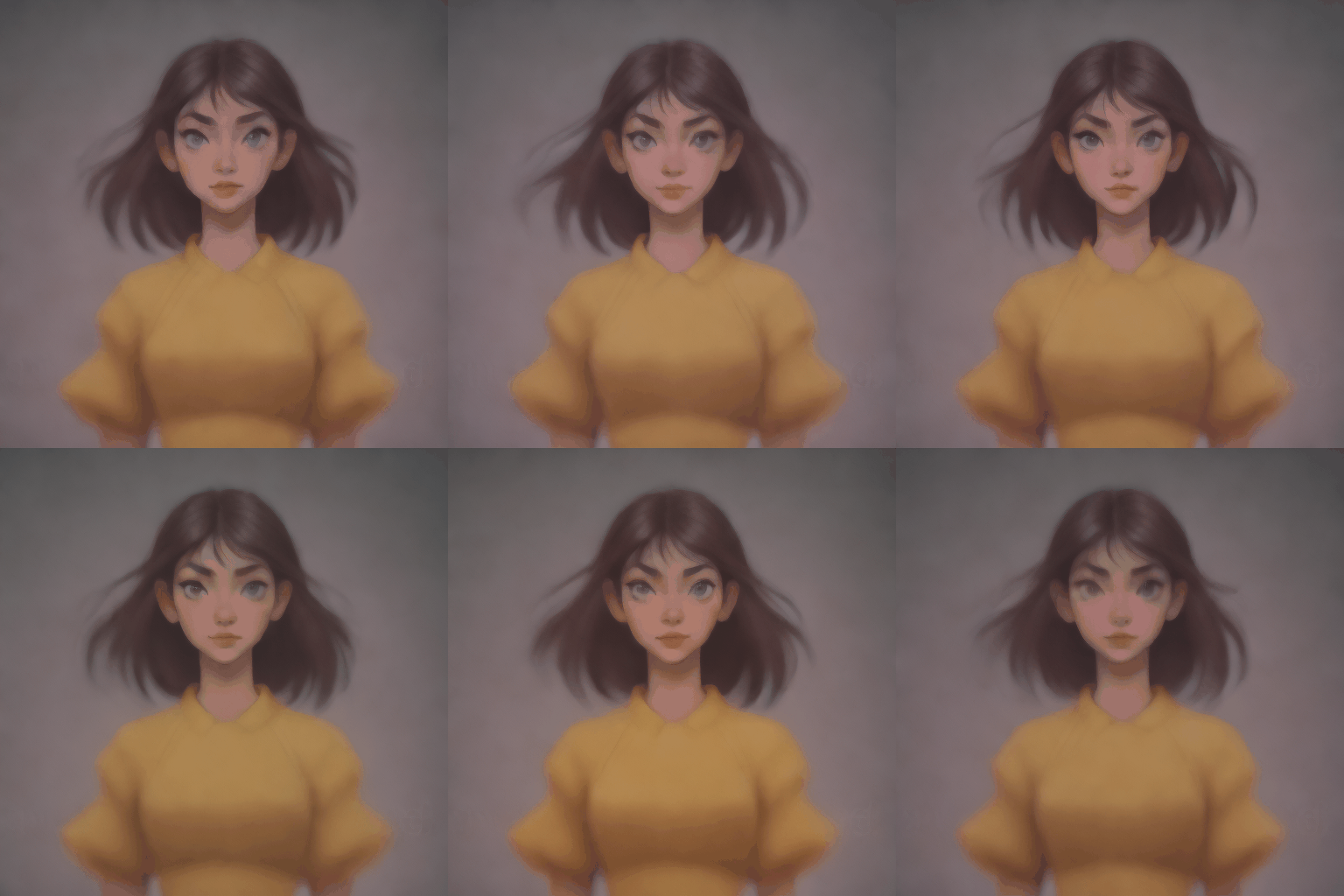
LatentConsistencyModelPipeline
클래스 diffusers.LatentConsistencyModelPipeline
< source >( vae: AutoencoderKLtext_encoder: CLIPTextModeltokenizer: CLIPTokenizerunet: UNet2DConditionModelscheduler: LCMSchedulersafety_checker: StableDiffusionSafetyCheckerfeature_extractor: CLIPImageProcessorPilimage_encoder: transformers.models.clip.modeling_clip.CLIPVisionModelWithProjection | None = Nonerequires_safety_checker: bool = True )
매개변수
- vae (AutoencoderKL) — 이미지를 잠재 표현으로 인코딩하고 디코딩하는 Variational Auto-Encoder (VAE) 모델.
- text_encoder (CLIPTextModel) — 동결된 텍스트 인코더(clip-vit-large-patch14).
- tokenizer (CLIPTokenizer) —
텍스트를 토큰화하기 위한
CLIPTokenizer입니다. - unet (UNet2DConditionModel) —
인코딩된 이미지 latents의 노이즈를 제거하기 위한
UNet2DConditionModel. - scheduler (SchedulerMixin) —
인코딩된 이미지 latents의 노이즈를 제거하기 위해
unet와 함께 사용되는 스케줄러입니다. 현재 LCMScheduler만 지원합니다. - safety_checker (
StableDiffusionSafetyChecker) — 생성된 이미지가 offensive 또는 harmful로 간주될 수 있는지 추정하는 분류 모듈입니다. 모델의 잠재적 해악에 대한 자세한 내용은 model card를 참고하세요. - feature_extractor (CLIPImageProcessor) —
생성된 이미지에서 특징을 추출하는
CLIPImageProcessor입니다.safety_checker의 입력으로 사용됩니다. - requires_safety_checker (
bool, 선택 사항, 기본값True) — 파이프라인에 safety checker 구성 요소가 필요한지 여부입니다.
latent consistency model을 사용하여 텍스트에서 이미지로 생성하는 Pipeline입니다.
이 모델은 DiffusionPipeline에서 상속됩니다. 모든 파이프라인에 대해 구현된 일반적 메서드(다운로드, 저장, 특정 디바이스에서 실행 등)에 대해서는 상위 클래스 문서를 확인하세요.
파이프라인은 다음 로딩 메서드도 상속합니다:
- 텍스트 인버전 임베딩을 로드하는 load_textual_inversion()
- LoRA 가중치를 로드하는 load_lora_weights()
- LoRA 가중치를 저장하는 save_lora_weights()
.ckpt파일을 로드하기 위한 from_single_file()- IP Adapter를 로드하기 위한 load_ip_adapter()
__call__
< source >( prompt: str | list[str] = Noneheight: int | None = Nonewidth: int | None = Nonenum_inference_steps: int = 4original_inference_steps: int = Nonetimesteps: list = Noneguidance_scale: float = 8.5num_images_per_prompt: int | None = 1generator: typing.Union[torch.Generator, list[torch.Generator], NoneType] = Nonelatents: typing.Optional[torch.Tensor] = Noneprompt_embeds: typing.Optional[torch.Tensor] = Noneip_adapter_image: typing.Union[PIL.Image.Image, numpy.ndarray, torch.Tensor, list[PIL.Image.Image], list[numpy.ndarray], list[torch.Tensor], NoneType] = Noneip_adapter_image_embeds: list[torch.Tensor] | None = Noneoutput_type: str | None = 'pil'return_dict: bool = Truecross_attention_kwargs: dict[str, typing.Any] | None = Noneclip_skip: int | None = Nonecallback_on_step_end: typing.Optional[typing.Callable[[int, int], NoneType]] = Nonecallback_on_step_end_tensor_inputs: list = ['latents']**kwargs ) → StableDiffusionPipelineOutput or tuple
매개변수
- prompt (
str또는list[str], 선택 사항) — 이미지 생성을 안내할 프롬프트입니다. 정의되지 않은 경우prompt_embeds를 전달해야 합니다. - height (
int, 선택 사항, 기본값self.unet.config.sample_size * self.vae_scale_factor) — 생성된 이미지의 픽셀 단위 높이입니다. - width (
int, 선택 사항, 기본값self.unet.config.sample_size * self.vae_scale_factor) — 생성된 이미지의 픽셀 단위 너비입니다. - num_inference_steps (
int, 선택 사항, 기본값 50) — 디노이징 단계의 수입니다. 디노이징 단계가 많을수록 일반적으로 더 높은 품질의 이미지를 생성하지만, 추론 속도가 느려집니다. - original_inference_steps (
int, 선택 사항) — 선형 간격의 timestep 스케줄을 생성하는 데 사용되는 원래의 추론 단계 수입니다. 이 스케줄에서num_inference_steps개의 균등 간격 timestep을 최종 timestep 스케줄로 추출하며, 이는 논문(4.3절 참조)의 Skipping-Step 방법을 따릅니다. 설정하지 않으면 스케줄러의original_inference_steps속성 값이 기본값으로 사용됩니다. - timesteps (
list[int], 선택 사항) — 노이즈 제거 과정에 사용할 사용자 지정 timesteps입니다. 정의되지 않은 경우, 원래 LCM 학습/증류 timestep 스케줄에서 균등 간격으로 배치된num_inference_steps개의 timesteps가 사용됩니다. 내림차순으로 정렬되어 있어야 합니다. - guidance_scale (
float, 선택 사항, 기본값 7.5) — guidance scale 값이 높을수록 모델은 이미지 품질이 낮아지는 대가로 텍스트prompt와 밀접하게 연결된 이미지를 생성하도록 유도됩니다.guidance_scale > 1일 때 guidance scale이 활성화됩니다. 원래의 latent consistency models 논문은 guidance scale을 1만큼 감소시키는 다른 CFG 수식을 사용하므로, 논문에서 CFG는guidance_scale > 0일 때 활성화됩니다. - num_images_per_prompt (
int, 선택 사항, 기본값 1) — 프롬프트당 생성할 이미지의 수입니다. - generator (
torch.Generator또는list[torch.Generator], 선택 사항) — 생성을 결정적으로 만들기 위한torch.Generator. - latents (
torch.Tensor, 선택 사항) — 가우시안 분포에서 샘플링된 사전 생성된 노이즈 latents로, 이미지 생성의 입력으로 사용됩니다. 동일한 생성을 다른 프롬프트로 조정하는 데 사용할 수 있습니다. 제공되지 않으면, 제공된 랜덤generator를 사용하여 샘플링하여 latents 텐서를 생성합니다. - prompt_embeds (
torch.Tensor, 선택) — 미리 생성된 텍스트 임베딩입니다. 텍스트 입력(프롬프트 가중치)을 쉽게 조정하는 데 사용할 수 있습니다. 제공되지 않으면prompt입력 인자에서 텍스트 임베딩이 생성됩니다. - ip_adapter_image — (
PipelineImageInput, 선택): IP Adapters와 함께 사용할 선택적 이미지 입력입니다. - ip_adapter_image_embeds (
list[torch.Tensor], 선택 사항) — IP-Adapter를 위한 사전 생성된 이미지 임베딩입니다. IP-Adapter의 수와 동일한 길이의 리스트여야 합니다. 각 요소는(batch_size, num_images, emb_dim)형태의 텐서여야 합니다.do_classifier_free_guidance가True로 설정된 경우, 음의 이미지 임베딩을 포함해야 합니다. 제공되지 않으면ip_adapter_image입력 인자로부터 임베딩이 계산됩니다. - output_type (
str, 선택 사항, 기본값"pil") — 생성된 이미지의 출력 형식입니다.PIL.Image또는np.array중 하나를 선택합니다. - return_dict (
bool, 선택 사항, 기본값True) — 일반 튜플 대신 StableDiffusionPipelineOutput를 반환할지 여부. - cross_attention_kwargs (
dict, 선택 사항) — 지정된 경우self.processor에서 정의된AttentionProcessor로 전달되는 kwargs 사전입니다. - clip_skip (
int, 선택 사항) — 프롬프트 임베딩을 계산할 때 CLIP에서 건너뛸 레이어의 수입니다. 값이 1이면 최종 레이어 바로 이전 레이어의 출력을 프롬프트 임베딩 계산에 사용합니다. - callback_on_step_end (
Callable, 선택 사항) — 추론 중 각 디노이징 단계의 끝에서 호출되는 함수입니다. 이 함수는 다음 인수를 받아 호출됩니다:callback_on_step_end(self: DiffusionPipeline, step: int, timestep: int, callback_kwargs: Dict).callback_kwargs에는callback_on_step_end_tensor_inputs로 지정된 모든 텐서 목록이 포함됩니다. - callback_on_step_end_tensor_inputs (
list, 선택 사항) —callback_on_step_end함수의 텐서 입력 목록입니다. 목록에 지정된 텐서는callback_kwargs인수로 전달됩니다. 파이프라인 클래스의._callback_tensor_inputs속성에 나열된 변수만 포함할 수 있습니다.
반환값
StableDiffusionPipelineOutput 또는 tuple
If return_dict is True, StableDiffusionPipelineOutput is returned,
otherwise a tuple is returned where the first element is a list with the generated images and the
second element is a list of bools indicating whether the corresponding generated image contains
“not-safe-for-work” (nsfw) content.
생성을 위한 pipeline의 호출 함수.
예:
>>> from diffusers import DiffusionPipeline
>>> import torch

>>> pipe = DiffusionPipeline.from_pretrained("SimianLuo/LCM_Dreamshaper_v7")
>>> # To save GPU memory, torch.float16 can be used, but it may compromise image quality.
>>> pipe.to(torch_device="cuda", torch_dtype=torch.float32)

>>> prompt = "Self-portrait oil painting, a beautiful cyborg with golden hair, 8k"

>>> # Can be set to 1~50 steps. LCM support fast inference even <= 4 steps. Recommend: 1~8 steps.
>>> num_inference_steps = 4
>>> images = pipe(prompt=prompt, num_inference_steps=num_inference_steps, guidance_scale=8.0).images
>>> images[0].save("image.png")
enable_freeu
< source >( s1: floats2: floatb1: floatb2: float )
매개변수
- s1 (
float) — 1단계의 스케일링 계수로, 스킵 특징의 기여도를 감쇠시키는 데 사용됩니다. 이는 강화된 노이즈 제거 과정에서 “과도한 매끄러움 효과(oversmoothing effect)”를 완화하기 위한 것입니다. - s2 (
float) — 2단계의 스케일링 계수로, 스킵 특징의 기여도를 감쇠시키는 데 사용됩니다. 이는 강화된 노이즈 제거 과정에서 “과도한 매끄러움 효과(oversmoothing effect)”를 완화하기 위한 것입니다. - b1 (
float) — 백본 특징의 기여도를 증폭하기 위한 1단계의 스케일링 계수. - b2 (
float) — 백본 특징의 기여도를 증폭하기 위한 2단계의 스케일링 계수.
https://huggingface.co/papers/2309.11497에 설명된 FreeU 메커니즘을 활성화합니다.
스케일링 인자 뒤에 붙는 접미사는 해당 인자가 적용되는 단계를 나타냅니다.
Stable Diffusion v1, v2, Stable Diffusion XL과 같은 다양한 파이프라인에서 잘 작동하는 것으로 알려진 값 조합에 대해서는 공식 저장소를 참고하세요.
활성화된 경우 FreeU 메커니즘을 비활성화합니다.
encode_prompt
< source >( promptdevicenum_images_per_promptdo_classifier_free_guidancenegative_prompt = Noneprompt_embeds: typing.Optional[torch.Tensor] = Nonenegative_prompt_embeds: typing.Optional[torch.Tensor] = Nonelora_scale: float | None = Noneclip_skip: int | None = None )
매개변수
- prompt (
str또는list[str], 선택 사항) — 인코딩할 프롬프트 - device — (
torch.device): torch device - num_images_per_prompt (
int) — 프롬프트당 생성할 이미지 수 - do_classifier_free_guidance (
bool) — classifier free guidance를 사용할지 여부 - negative_prompt (
str또는list[str], 선택 사항) — 이미지 생성을 안내하지 않을 프롬프트입니다. 정의되지 않은 경우negative_prompt_embeds를 대신 전달해야 합니다. 가이던스를 사용하지 않을 때 무시됩니다(즉,guidance_scale이1보다 작으면 무시됩니다). - prompt_embeds (
torch.Tensor, 선택) — 미리 생성된 텍스트 임베딩입니다. 텍스트 입력을 쉽게 조정하는 데 사용할 수 있으며, 예를 들어 프롬프트 가중치 설정에 활용할 수 있습니다. 제공되지 않으면prompt입력 인자로부터 텍스트 임베딩이 생성됩니다. - negative_prompt_embeds (
torch.Tensor, 선택 사항) — 미리 생성된 negative text embeddings입니다. 텍스트 입력을 쉽게 조정하는 데 사용할 수 있으며, 예를 들어 프롬프트 가중치 설정에 활용할 수 있습니다. 제공되지 않으면negative_prompt입력 인자로부터 negative_prompt_embeds가 생성됩니다. - lora_scale (
float, 선택 사항) — LoRA 레이어가 로드된 경우 텍스트 인코더의 모든 LoRA 레이어에 적용될 LoRA 스케일입니다. - clip_skip (
int, 선택 사항) — 프롬프트 임베딩을 계산할 때 CLIP에서 건너뛸 레이어의 수입니다. 값이 1이면 최종 레이어 바로 이전 레이어의 출력을 프롬프트 임베딩 계산에 사용합니다.
프롬프트를 텍스트 인코더의 히든 상태로 인코딩합니다.
get_guidance_scale_embedding
< source >( w: Tensorembedding_dim: int = 512dtype: dtype = torch.float32 ) → torch.Tensor
LatentConsistencyModelImg2ImgPipeline
클래스 diffusers.LatentConsistencyModelImg2ImgPipeline
< source >( vae: AutoencoderKLtext_encoder: CLIPTextModeltokenizer: CLIPTokenizerunet: UNet2DConditionModelscheduler: LCMSchedulersafety_checker: StableDiffusionSafetyCheckerfeature_extractor: CLIPImageProcessorPilimage_encoder: transformers.models.clip.modeling_clip.CLIPVisionModelWithProjection | None = Nonerequires_safety_checker: bool = True )
매개변수
- vae (AutoencoderKL) — 이미지를 잠재 표현으로 인코딩하고 디코딩하는 Variational Auto-Encoder (VAE) 모델.
- text_encoder (CLIPTextModel) — 동결된 텍스트 인코더(clip-vit-large-patch14).
- tokenizer (CLIPTokenizer) —
텍스트를 토큰화하기 위한
CLIPTokenizer입니다. - unet (UNet2DConditionModel) —
인코딩된 이미지 latents의 노이즈를 제거하기 위한
UNet2DConditionModel. - scheduler (SchedulerMixin) —
인코딩된 이미지 latents의 노이즈를 제거하기 위해
unet와 함께 사용되는 스케줄러입니다. 현재 LCMScheduler만 지원합니다. - safety_checker (
StableDiffusionSafetyChecker) — 생성된 이미지가 offensive 또는 harmful로 간주될 수 있는지 추정하는 분류 모듈입니다. 모델의 잠재적 해악에 대한 자세한 내용은 model card를 참고하세요. - feature_extractor (CLIPImageProcessor) —
생성된 이미지에서 특징을 추출하는
CLIPImageProcessor입니다.safety_checker의 입력으로 사용됩니다. - requires_safety_checker (
bool, 선택 사항, 기본값True) — 파이프라인에 safety checker 구성 요소가 필요한지 여부입니다.
latent consistency model을 사용하여 이미지-이미지 생성을 수행하는 Pipeline입니다.
이 모델은 DiffusionPipeline에서 상속됩니다. 모든 파이프라인에 대해 구현된 일반적 메서드(다운로드, 저장, 특정 디바이스에서 실행 등)에 대해서는 상위 클래스 문서를 확인하세요.
파이프라인은 다음 로딩 메서드도 상속합니다:
- 텍스트 인버전 임베딩을 로드하는 load_textual_inversion()
- LoRA 가중치를 로드하는 load_lora_weights()
- LoRA 가중치를 저장하는 save_lora_weights()
.ckpt파일을 로드하기 위한 from_single_file()- IP Adapter를 로드하기 위한 load_ip_adapter()
__call__
< source >( prompt: str | list[str] = Noneimage: typing.Union[PIL.Image.Image, numpy.ndarray, torch.Tensor, list[PIL.Image.Image], list[numpy.ndarray], list[torch.Tensor]] = Nonenum_inference_steps: int = 4strength: float = 0.8original_inference_steps: int = Nonetimesteps: list = Noneguidance_scale: float = 8.5num_images_per_prompt: int | None = 1generator: typing.Union[torch.Generator, list[torch.Generator], NoneType] = Nonelatents: typing.Optional[torch.Tensor] = Noneprompt_embeds: typing.Optional[torch.Tensor] = Noneip_adapter_image: typing.Union[PIL.Image.Image, numpy.ndarray, torch.Tensor, list[PIL.Image.Image], list[numpy.ndarray], list[torch.Tensor], NoneType] = Noneip_adapter_image_embeds: list[torch.Tensor] | None = Noneoutput_type: str | None = 'pil'return_dict: bool = Truecross_attention_kwargs: dict[str, typing.Any] | None = Noneclip_skip: int | None = Nonecallback_on_step_end: typing.Optional[typing.Callable[[int, int], NoneType]] = Nonecallback_on_step_end_tensor_inputs: list = ['latents']**kwargs ) → StableDiffusionPipelineOutput or tuple
매개변수
- prompt (
str또는list[str], 선택 사항) — 이미지 생성을 안내할 프롬프트입니다. 정의되지 않은 경우prompt_embeds를 전달해야 합니다. - image (
torch.Tensor,PIL.Image.Image,np.ndarray,list[torch.Tensor],list[PIL.Image.Image], 또는list[np.ndarray]) — 시작점으로 사용할 이미지 배치의Image또는 텐서를 나타냅니다.image로 이미지 latents를 직접 전달할 수도 있으며, 이 경우 다시 인코딩되지 않습니다. - num_inference_steps (
int, 선택 사항, 기본값 50) — 디노이징 단계의 수입니다. 디노이징 단계가 많을수록 일반적으로 더 높은 품질의 이미지를 생성하지만, 추론 속도가 느려집니다. - strength (
float, 선택 사항, 기본값 0.8) — 참조image를 변환하는 정도를 나타냅니다. 0과 1 사이여야 합니다.image가 시작점으로 사용되며,strength값이 높을수록 더 많은 노이즈가 추가됩니다. 디노이징 단계의 수는 초기에 추가된 노이즈의 양에 따라 결정됩니다.strength가 1이면 추가되는 노이즈가 최대가 되며,num_inference_steps에 지정된 전체 반복 횟수만큼 디노이징 프로세스가 실행됩니다. 1이라는 값은 사실상image를 무시하는 것과 같습니다. - original_inference_steps (
int, 선택 사항) — 선형 간격의 timestep 스케줄을 생성하는 데 사용되는 원래의 추론 단계 수입니다. 이 스케줄에서num_inference_steps개의 균등 간격 timestep을 최종 timestep 스케줄로 추출하며, 이는 논문(4.3절 참조)의 Skipping-Step 방법을 따릅니다. 설정하지 않으면 스케줄러의original_inference_steps속성 값이 기본값으로 사용됩니다. - timesteps (
list[int], 선택 사항) — 노이즈 제거 과정에 사용할 사용자 지정 timesteps입니다. 정의되지 않은 경우, 원래 LCM 학습/증류 timestep 스케줄에서 균등 간격으로 배치된num_inference_steps개의 timesteps가 사용됩니다. 내림차순으로 정렬되어 있어야 합니다. - guidance_scale (
float, 선택 사항, 기본값 7.5) — guidance scale 값이 높을수록 모델은 이미지 품질이 낮아지는 대가로 텍스트prompt와 밀접하게 연결된 이미지를 생성하도록 유도됩니다.guidance_scale > 1일 때 guidance scale이 활성화됩니다. 원래의 latent consistency models 논문은 guidance scale을 1만큼 감소시키는 다른 CFG 수식을 사용하므로, 논문에서 CFG는guidance_scale > 0일 때 활성화됩니다. - num_images_per_prompt (
int, 선택 사항, 기본값 1) — 프롬프트당 생성할 이미지의 수입니다. - generator (
torch.Generator또는list[torch.Generator], 선택 사항) — 생성을 결정적으로 만들기 위한torch.Generator. - latents (
torch.Tensor, 선택 사항) — 가우시안 분포에서 샘플링된 사전 생성된 노이즈 latents로, 이미지 생성의 입력으로 사용됩니다. 동일한 생성을 다른 프롬프트로 조정하는 데 사용할 수 있습니다. 제공되지 않으면, 제공된 랜덤generator를 사용하여 샘플링하여 latents 텐서를 생성합니다. - prompt_embeds (
torch.Tensor, 선택) — 미리 생성된 텍스트 임베딩입니다. 텍스트 입력(프롬프트 가중치)을 쉽게 조정하는 데 사용할 수 있습니다. 제공되지 않으면prompt입력 인자에서 텍스트 임베딩이 생성됩니다. - ip_adapter_image — (
PipelineImageInput, 선택): IP Adapters와 함께 사용할 선택적 이미지 입력입니다. - ip_adapter_image_embeds (
list[torch.Tensor], 선택 사항) — IP-Adapter를 위한 사전 생성된 이미지 임베딩입니다. IP-Adapter의 수와 동일한 길이의 리스트여야 합니다. 각 요소는(batch_size, num_images, emb_dim)형태의 텐서여야 합니다.do_classifier_free_guidance가True로 설정된 경우, 음의 이미지 임베딩을 포함해야 합니다. 제공되지 않으면ip_adapter_image입력 인자로부터 임베딩이 계산됩니다. - output_type (
str, 선택 사항, 기본값"pil") — 생성된 이미지의 출력 형식입니다.PIL.Image또는np.array중 하나를 선택합니다. - return_dict (
bool, 선택 사항, 기본값True) — 일반 튜플 대신 StableDiffusionPipelineOutput를 반환할지 여부. - cross_attention_kwargs (
dict, 선택 사항) — 지정된 경우self.processor에서 정의된AttentionProcessor로 전달되는 kwargs 사전입니다. - clip_skip (
int, 선택 사항) — 프롬프트 임베딩을 계산할 때 CLIP에서 건너뛸 레이어의 수입니다. 값이 1이면 최종 레이어 바로 이전 레이어의 출력을 프롬프트 임베딩 계산에 사용합니다. - callback_on_step_end (
Callable, 선택 사항) — 추론 중 각 디노이징 단계의 끝에서 호출되는 함수입니다. 이 함수는 다음 인수를 받아 호출됩니다:callback_on_step_end(self: DiffusionPipeline, step: int, timestep: int, callback_kwargs: Dict).callback_kwargs에는callback_on_step_end_tensor_inputs로 지정된 모든 텐서 목록이 포함됩니다. - callback_on_step_end_tensor_inputs (
list, 선택 사항) —callback_on_step_end함수의 텐서 입력 목록입니다. 목록에 지정된 텐서는callback_kwargs인수로 전달됩니다. 파이프라인 클래스의._callback_tensor_inputs속성에 나열된 변수만 포함할 수 있습니다.
반환값
StableDiffusionPipelineOutput 또는 tuple
If return_dict is True, StableDiffusionPipelineOutput is returned,
otherwise a tuple is returned where the first element is a list with the generated images and the
second element is a list of bools indicating whether the corresponding generated image contains
“not-safe-for-work” (nsfw) content.
생성을 위한 pipeline의 호출 함수.
예:
>>> from diffusers import AutoPipelineForImage2Image
>>> import torch
>>> import PIL

>>> pipe = AutoPipelineForImage2Image.from_pretrained("SimianLuo/LCM_Dreamshaper_v7")
>>> # To save GPU memory, torch.float16 can be used, but it may compromise image quality.
>>> pipe.to(torch_device="cuda", torch_dtype=torch.float32)

>>> prompt = "High altitude snowy mountains"
>>> image = PIL.Image.open("./snowy_mountains.png")

>>> # Can be set to 1~50 steps. LCM support fast inference even <= 4 steps. Recommend: 1~8 steps.
>>> num_inference_steps = 4
>>> images = pipe(
...     prompt=prompt, image=image, num_inference_steps=num_inference_steps, guidance_scale=8.0
... ).images

>>> images[0].save("image.png")
enable_freeu
< source >( s1: floats2: floatb1: floatb2: float )
매개변수
- s1 (
float) — 1단계의 스케일링 계수로, 스킵 특징의 기여도를 감쇠시키는 데 사용됩니다. 이는 강화된 노이즈 제거 과정에서 “과도한 매끄러움 효과(oversmoothing effect)”를 완화하기 위한 것입니다. - s2 (
float) — 2단계의 스케일링 계수로, 스킵 특징의 기여도를 감쇠시키는 데 사용됩니다. 이는 강화된 노이즈 제거 과정에서 “과도한 매끄러움 효과(oversmoothing effect)”를 완화하기 위한 것입니다. - b1 (
float) — 백본 특징의 기여도를 증폭하기 위한 1단계의 스케일링 계수. - b2 (
float) — 백본 특징의 기여도를 증폭하기 위한 2단계의 스케일링 계수.
https://huggingface.co/papers/2309.11497에 설명된 FreeU 메커니즘을 활성화합니다.
스케일링 인자 뒤에 붙는 접미사는 해당 인자가 적용되는 단계를 나타냅니다.
Stable Diffusion v1, v2, Stable Diffusion XL과 같은 다양한 파이프라인에서 잘 작동하는 것으로 알려진 값 조합에 대해서는 공식 저장소를 참고하세요.
활성화된 경우 FreeU 메커니즘을 비활성화합니다.
encode_prompt
< source >( promptdevicenum_images_per_promptdo_classifier_free_guidancenegative_prompt = Noneprompt_embeds: typing.Optional[torch.Tensor] = Nonenegative_prompt_embeds: typing.Optional[torch.Tensor] = Nonelora_scale: float | None = Noneclip_skip: int | None = None )
매개변수
- prompt (
str또는list[str], 선택 사항) — 인코딩할 프롬프트 - device — (
torch.device): torch device - num_images_per_prompt (
int) — 프롬프트당 생성할 이미지 수 - do_classifier_free_guidance (
bool) — classifier free guidance를 사용할지 여부 - negative_prompt (
str또는list[str], 선택 사항) — 이미지 생성을 안내하지 않을 프롬프트입니다. 정의되지 않은 경우negative_prompt_embeds를 대신 전달해야 합니다. 가이던스를 사용하지 않을 때 무시됩니다(즉,guidance_scale이1보다 작으면 무시됩니다). - prompt_embeds (
torch.Tensor, 선택) — 미리 생성된 텍스트 임베딩입니다. 텍스트 입력을 쉽게 조정하는 데 사용할 수 있으며, 예를 들어 프롬프트 가중치 설정에 활용할 수 있습니다. 제공되지 않으면prompt입력 인자로부터 텍스트 임베딩이 생성됩니다. - negative_prompt_embeds (
torch.Tensor, 선택 사항) — 미리 생성된 negative text embeddings입니다. 텍스트 입력을 쉽게 조정하는 데 사용할 수 있으며, 예를 들어 프롬프트 가중치 설정에 활용할 수 있습니다. 제공되지 않으면negative_prompt입력 인자로부터 negative_prompt_embeds가 생성됩니다. - lora_scale (
float, 선택 사항) — LoRA 레이어가 로드된 경우 텍스트 인코더의 모든 LoRA 레이어에 적용될 LoRA 스케일입니다. - clip_skip (
int, 선택 사항) — 프롬프트 임베딩을 계산할 때 CLIP에서 건너뛸 레이어의 수입니다. 값이 1이면 최종 레이어 바로 이전 레이어의 출력을 프롬프트 임베딩 계산에 사용합니다.
프롬프트를 텍스트 인코더의 히든 상태로 인코딩합니다.
get_guidance_scale_embedding
< source >( w: Tensorembedding_dim: int = 512dtype: dtype = torch.float32 ) → torch.Tensor
StableDiffusionPipelineOutput
클래스 diffusers.pipelines.stable_diffusion.StableDiffusionPipelineOutput
< source >( images: list[PIL.Image.Image] | numpy.ndarraynsfw_content_detected: list[bool] | None )
Stable Diffusion 파이프라인의 출력 클래스입니다.