
Transformers documentation
كشف النقاط الرئيسية
كشف النقاط الرئيسية
يحدد كشف النقاط الرئيسية (Keypoint detection) مواقع نقاط الاهتمام المحددة داخل الصورة. تمثل هذه النقاط الرئيسية، المعروفة أيضاً بالنقاط المميزة (landmarks)، سمات ذات معنى للكائنات، مثل ملامح الوجه أو أجزاء الكائن. تستقبل هذه النماذج صورة كمدخل وتعيد المخرجات التالية:
- نقاط المفاصل والدرجات: نقاط الاهتمام ودرجات الثقة الخاصة بها.
- المُوصِفات: تمثيل لمنطقة الصورة المحيطة بكل نقطة مميزة، يلتقط قوامها وتدرجها واتجاهها وخصائصها الأخرى.
في هذا الدليل، سنوضح كيفية استخراج النقاط الرئيسية من الصور.
في هذا الشرح التعليمي، سنستخدم SuperPoint، وهو نموذج أساسي لكشف النقاط الرئيسية.
from transformers import AutoImageProcessor, SuperPointForKeypointDetection
processor = AutoImageProcessor.from_pretrained("magic-leap-community/superpoint")
model = SuperPointForKeypointDetection.from_pretrained("magic-leap-community/superpoint")
لنختبر النموذج على الصور أدناه.
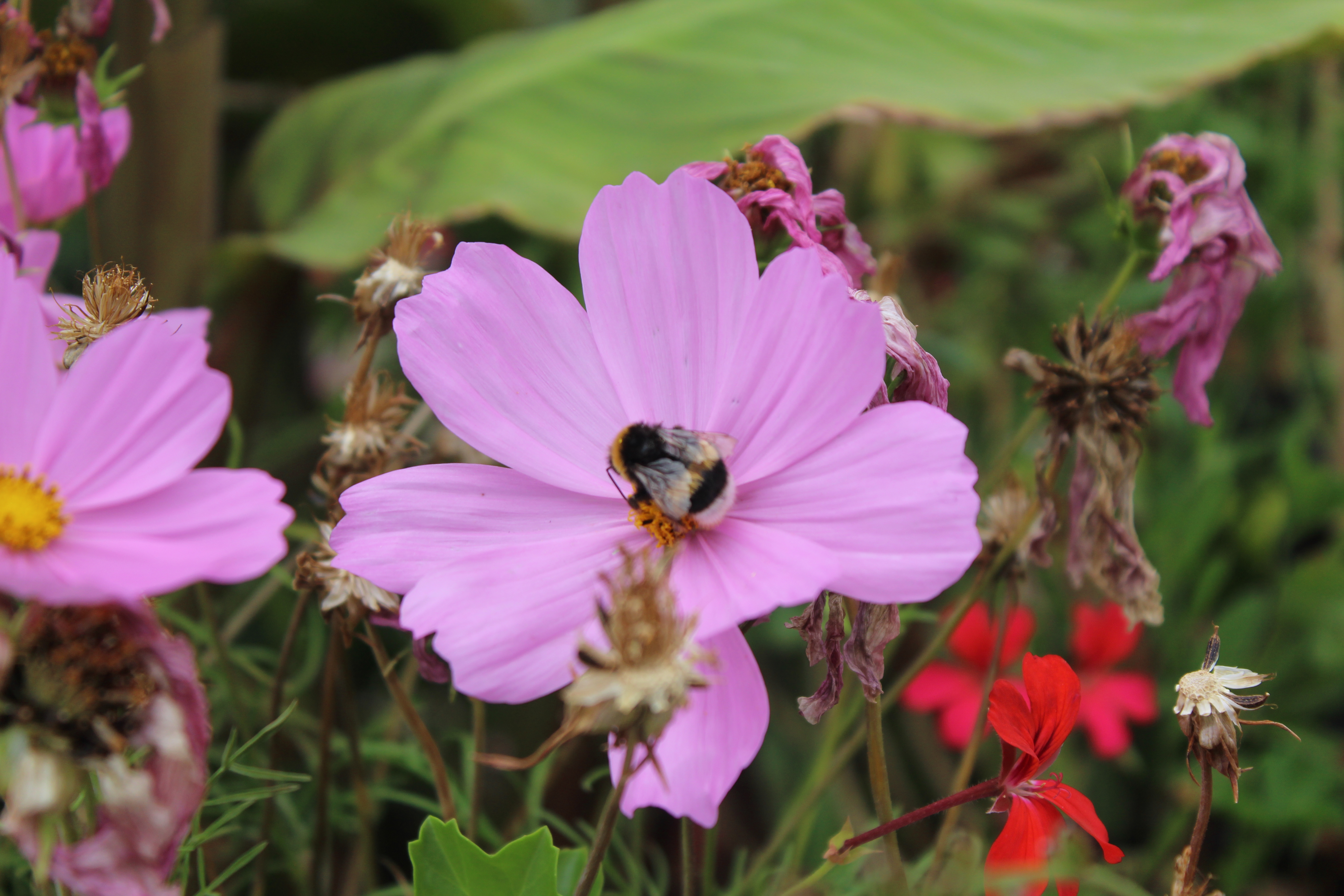

import torch
from PIL import Image
import requests
import cv2


url_image_1 = "https://huggingface.co/datasets/huggingface/documentation-images/resolve/main/bee.jpg"
image_1 = Image.open(requests.get(url_image_1, stream=True).raw)
url_image_2 = "https://huggingface.co/datasets/huggingface/documentation-images/resolve/main/cats.png"
image_2 = Image.open(requests.get(url_image_2, stream=True).raw)

images = [image_1, image_2]
يمكننا الآن معالجة مدخلاتنا والاستدلال عليها.
inputs = processor(images,return_tensors="pt").to(model.device, model.dtype)
outputs = model(**inputs)
يحتوي مخرجات النموذج على نقاط رئيسية نسبية، ومُصنِّفات، وأقنعة، ودرجات لكل عنصر في الدفعة. تُبرز القناع مناطق الصورة التي توجد فيها نقاط رئيسية.
SuperPointKeypointDescriptionOutput(loss=None, keypoints=tensor([[[0.0437, 0.0167],
         [0.0688, 0.0167],
         [0.0172, 0.0188],
         ...,
         [0.5984, 0.9812],
         [0.6953, 0.9812]]]),
         scores=tensor([[0.0056, 0.0053, 0.0079,  ..., 0.0125, 0.0539, 0.0377],
        [0.0206, 0.0058, 0.0065,  ..., 0.0000, 0.0000, 0.0000]],
       grad_fn=<CopySlices>), descriptors=tensor([[[-0.0807,  0.0114, -0.1210,  ..., -0.1122,  0.0899,  0.0357],
         [-0.0807,  0.0114, -0.1210,  ..., -0.1122,  0.0899,  0.0357],
         [-0.0807,  0.0114, -0.1210,  ..., -0.1122,  0.0899,  0.0357],
         ...],
       grad_fn=<CopySlices>), mask=tensor([[1, 1, 1,  ..., 1, 1, 1],
        [1, 1, 1,  ..., 0, 0, 0]], dtype=torch.int32), hidden_states=None)
لرسم النقاط الرئيسية الفعلية في الصورة، نحتاج إلى معالجة المخرجات بعد التشغيل. ولتحقيق ذلك، يجب علينا تمرير أبعاد الصورة الفعلية إلى post_process_keypoint_detection إلى جانب المخرجات.
image_sizes = [(image.size[1], image.size[0]) for image in images]
outputs = processor.post_process_keypoint_detection(outputs, image_sizes)
أصبحت المخرجات الآن قائمة من القواميس، حيث يمثل كل قاموس مخرجات مُعالجة لنقاط المفاصل والدرجات والوصفات.
[{'keypoints': tensor([[ 226,   57],
          [ 356,   57],
          [  89,   64],
          ...,
          [3604, 3391]], dtype=torch.int32),
  'scores': tensor([0.0056, 0.0053, ...], grad_fn=<IndexBackward0>),
  'descriptors': tensor([[-0.0807,  0.0114, -0.1210,  ..., -0.1122,  0.0899,  0.0357],
          [-0.0807,  0.0114, -0.1210,  ..., -0.1122,  0.0899,  0.0357]],
         grad_fn=<IndexBackward0>)},
    {'keypoints': tensor([[ 46,   6],
          [ 78,   6],
          [422,   6],
          [206, 404]], dtype=torch.int32),
  'scores': tensor([0.0206, 0.0058, 0.0065, 0.0053, 0.0070, ...,grad_fn=<IndexBackward0>),
  'descriptors': tensor([[-0.0525,  0.0726,  0.0270,  ...,  0.0389, -0.0189, -0.0211],
          [-0.0525,  0.0726,  0.0270,  ...,  0.0389, -0.0189, -0.0211]}]
يمكننا استخدام هذه لرسم النقاط الرئيسية.
import matplotlib.pyplot as plt
import torch

for i in range(len(images)):
  keypoints = outputs[i]["keypoints"]
  scores = outputs[i]["scores"]
  descriptors = outputs[i]["descriptors"]
  keypoints = outputs[i]["keypoints"].detach().numpy()
  scores = outputs[i]["scores"].detach().numpy()
  image = images[i]
  image_width, image_height = image.size

  plt.axis('off')
  plt.imshow(image)
  plt.scatter(
      keypoints[:, 0],
      keypoints[:, 1],
      s=scores * 100,
      c='cyan',
      alpha=0.4
  )
  plt.show()
فيما يلي يمكنك رؤية المخرجات.

